Your reps ran a solid prospecting sequence last week. Replies came in. Then three leads sat untouched for four days because nobody owned the follow-up, the contact data lived in a spreadsheet, and the deal stage was a guess. Sound familiar?
The best CRM software for sales teams is one that keeps every lead, conversation, and deal stage in a single system your reps actually use. It should connect prospecting, outreach, and pipeline tracking so nothing falls between the cracks. For B2B teams running outbound, SalesTarget.ai does this in one platform: find leads from 840M+ profiles, run email and LinkedIn sequences, and close deals in a built-in CRM without stitching five tools together.
This post breaks down what separates a CRM that drives revenue from one that collects dust: the features that matter, the mistakes that slow teams down, and how to pick the right system based on your sales motion and team size.
Why Sales Teams Lose Leads Between Prospecting and Follow-Up
The gap between "a prospect replied" and "a rep follows up" is where most pipeline leakage happens. According to Salesforce's State of Sales report, sales reps spend only about 28% of their week on actual selling. The rest goes to data entry, internal meetings, and hunting for contact information across disconnected tools.
When prospecting data lives in one tool, email sequences in another, and deal tracking in a third (or in a spreadsheet), leads slip through. Reps forget to log calls. Managers can't tell which deals are real. Follow-ups get delayed or duplicated.
This is a systems problem, not a people problem. The fix is a CRM that sits at the center of the prospecting-to-close workflow and captures activity without reps having to manually enter every touchpoint.
Sales CRM Software and Its Role in the Revenue Process
A sales CRM is the operational backbone of pipeline management. It's where leads enter, move through qualification, get worked by reps, and either close or get recycled. Here's what each function should look like in practice.
Centralized Lead and Contact Management
Every lead, contact, and account record lives in one place. No more cross-referencing LinkedIn exports with email tool CSVs. In SalesTarget.ai, leads found through Lead Explorer flow straight into the CRM with enriched data (verified email, phone, company details) already attached.
Lead Assignment, Qualification, and Scoring
Leads get routed to the right rep based on territory, deal size, or round-robin rules. Scoring criteria separate high-intent buyers (showing Bombora intent signals, visiting pricing pages) from cold contacts who need nurturing.
Opportunity and Deal Tracking
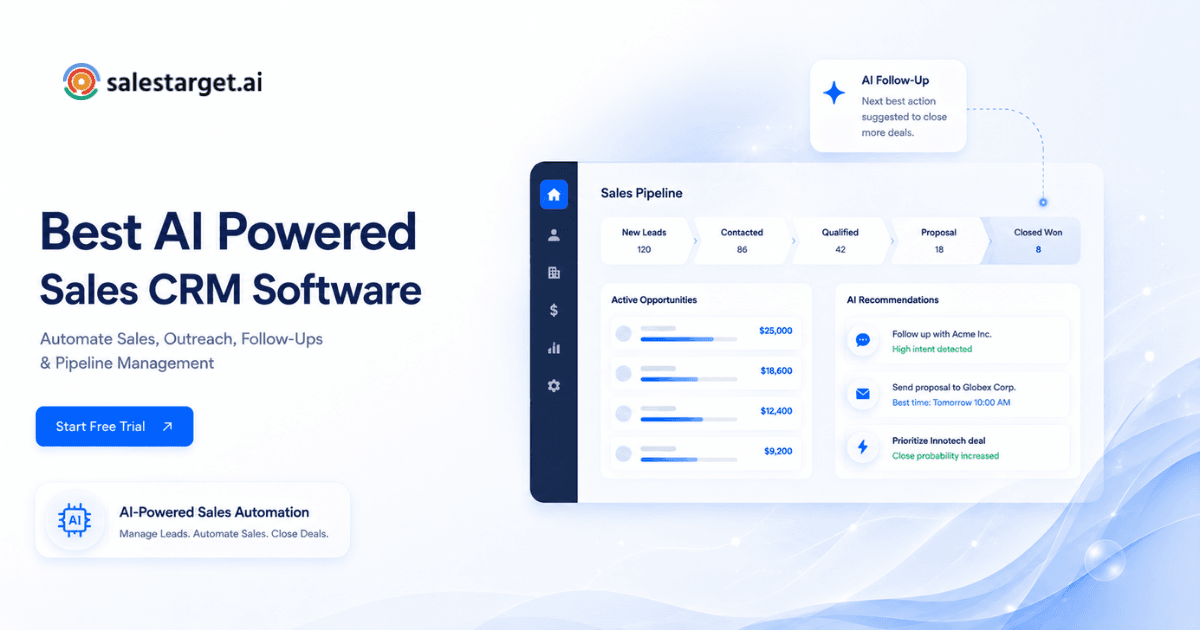
Every deal sits in a visual pipeline with defined stages. Reps move deals forward. Managers see which opportunities are stalled and where the bottlenecks sit.
Follow-Up Tasks and Workflow Automation
The CRM creates tasks automatically when a lead replies, a call ends, or a deal moves stages. This is where most teams fail. Research shows 80% of sales require five or more follow-up attempts, yet nearly half of reps stop after one (SuperOffice CRM statistics, 2025).
Sales Forecasting and CRM Reporting
Forecast accuracy depends on clean data. If deal stages are outdated and close dates are guesses, the forecast is fiction. A good CRM gives leaders a live view of pipeline value, win rates by stage, and rep activity metrics.
The Business Impact of CRM Software for Sales Teams
Fewer Leads Lost Between Pipeline Stages
When every reply, call, and email is logged automatically, leads don't vanish between handoffs. SalesTarget.ai's CRM auto-logs activity from email and calling sequences, so there's a complete timeline on every contact.
Faster Follow-Ups and Shorter Deal Cycles
Automated task creation means reps get nudged to follow up the same day a prospect replies. SalesTarget.ai reports 3.2X faster deal cycles when teams use the built-in CRM alongside their outreach sequences.
Better Handoffs Between SDRs and Account Executives
A shared CRM record means the AE sees every touchpoint the SDR had: emails sent, LinkedIn messages, call notes, and the exact buying signals that qualified the lead. No "can you forward me the thread?" conversations. This matters more than most teams realize. A clean SDR-to-AE handoff is one of the biggest workflow gaps in sales CRM usage.
Accurate Pipeline Visibility for Sales Leaders
Real-time dashboards show open deals, meetings booked, pending tasks, and email stats. Leaders stop asking "where are we?" in Monday stand-ups because they already know.
Less Manual Data Entry for Sales Reps
SalesTarget.ai's built-in AI dialer auto-logs calls and captures notes from the conversation, saving reps from writing call summaries by hand. Across all CRM functions, teams report saving about six hours per rep each week.
Evaluation Criteria for the Best CRM Software for Sales Teams
Ease of Use and Rep Adoption
If reps don't use it, the CRM is worthless. Look for a clean interface that doesn't require weeks of training. Setup should take days, not months.
Lead, Contact, and Sales Pipeline Management
The CRM needs to handle the full lifecycle: lead capture, contact enrichment, account mapping, and multi-stage deal pipelines. Bonus if it connects directly to your prospecting data source.
Sales Automation and Workflow Controls
Automated lead routing, task creation on stage changes, and follow-up reminders. These features should be configurable without writing code.
Email, LinkedIn, Calling, and Calendar Connections
Your CRM is only as useful as the channels it connects to. Email sync, LinkedIn activity logging, click-to-call with auto-logging, and calendar integration (Google Calendar, Calendly) are table stakes.
Forecasting, Analytics, and CRM Reporting
Pipeline reports, win/loss analysis, rep activity dashboards, and forecast models. The best CRMs let you slice data by rep, stage, source, or time period without exporting to a spreadsheet.
Pricing, Data Portability, Permissions, and Support
Can you export your data if you leave? Are there role-based permissions so SDRs and managers see different views? Is support responsive, or are you stuck in a ticket queue for three days?
Best CRM Software for Sales Teams by Use Case
SalesTarget.ai: Best for B2B Data, Multichannel Outreach, and CRM in One Platform
SalesTarget.ai combines lead data (840M+ profiles, 146M+ businesses), multichannel outreach (email + LinkedIn), email validation, and a built-in CRM on a single platform. It eliminates the need to stitch together separate prospecting, sequencing, and deal-tracking tools. The AI Copilot lets reps build lists, launch campaigns, and query pipeline data in plain language. Best fit: outbound B2B teams that want one tool from prospecting through close.
HubSpot Sales Hub: Best for Sales and Marketing Alignment
HubSpot works well when marketing and sales share the same platform. The free CRM tier gets teams started, and the Sales Hub layers on sequences, meetings, and forecasting. Best fit: teams where marketing runs inbound and sales needs visibility into lead source and campaign attribution.
Salesforce Sales Cloud: Best for Complex Enterprise Sales Processes
Salesforce handles multi-territory, multi-product, multi-currency sales operations at scale. The ecosystem of integrations is unmatched. Best fit: enterprise orgs with dedicated admins and complex approval workflows.
Pipedrive: Best for Visual Pipeline Management
Pipedrive's drag-and-drop pipeline view makes deal tracking intuitive. It's lightweight and focused on the deal flow itself. Best fit: small teams that want a fast, visual way to manage deals without feature overload.
Close: Best for Email and Calling Workflows
Close puts calling and emailing inside the CRM with minimal switching. Built-in power dialer and email sequences make it popular with inside sales teams. Best fit: SDR-heavy teams running high-volume phone and email outreach.
Zoho CRM: Best for Flexible Sales Workflows on a Budget
Zoho gives you deep customization (custom modules, workflows, scoring rules) at a lower price point than most competitors. The broader Zoho ecosystem (Campaigns, Desk, Books) connects tightly. Best fit: budget-conscious teams that want flexibility without Salesforce-level complexity or cost.
Freshsales: Best for Teams Using the Freshworks Suite
Freshsales integrates natively with Freshdesk, Freshchat, and Freshmarketer. The AI assistant (Freddy) provides lead scoring and deal insights. Best fit: teams already in the Freshworks ecosystem looking for CRM that connects to support and chat.
CRM Selection Based on Team Size and Sales Motion
CRM Software for Small Sales Teams
Start lean. A CRM that combines prospecting and deal tracking (like SalesTarget.ai) prevents small teams from managing three subscriptions for jobs one tool should handle. Look for fast setup, built-in calling, and email sync out of the box.
Best Sales CRM for B2B Companies
B2B sales cycles are longer, involve multiple stakeholders, and need account-level views. Prioritize CRMs with contact-to-account mapping, deal stages that reflect your actual sales process, and integration with LinkedIn.
Best CRM Software for Growing Sales Teams
Scaling from 5 to 25 reps exposes every process gap. Pick a CRM with role-based permissions, territory assignment, and reporting that lets managers coach by the numbers. Data portability matters here: if you outgrow the tool, you need to take your data with you.
Lead Management CRM for Outbound Agencies
Agencies run multiple client campaigns. They need workspace separation, white-label options, or at minimum clear tagging and filtering by client. SalesTarget.ai's workspace model keeps client data separate while running email and LinkedIn outreach from one login.
Sales Pipeline CRM for Account Executives
AEs need deal-centric views: pipeline value, next steps, stakeholder maps, and meeting history. The CRM should show the full conversation timeline so an AE can prep for a call in 90 seconds, not 15 minutes.
CRM for Sales Reps Managing High-Volume Outreach
High-volume reps need fast data entry (or better, no data entry), inbox management, and task prioritization. SalesTarget.ai's Unibox pulls every reply into one view, sorts by intent (Interested, Follow-Up, Not a Fit), and syncs deals to the CRM automatically.
Key Features of a CRM With Lead and Pipeline Management
Best CRM for Lead Tracking and Follow-Ups: Ownership, Alerts, and Deadlines
Every lead needs a clear owner, a next-action date, and an alert if that date passes without activity. Without this, leads age silently in the pipeline.
CRM Software With Sales Automation: Routing, Tasks, and Stage Updates
Lead routing should fire on inbound form fills, outbound replies, and intent signals. Tasks should auto-create when a deal moves stages. Stage updates should trigger notifications to the deal owner.
CRM With Email Automation and Sales Tracking: Sync, Logging, and Reply History
Two-way email sync captures every sent and received message on the contact record. Open and click tracking tell reps which prospects are engaging. Full reply history means any team member can pick up a conversation without context loss.
Contact Data Management and Duplicate Control
Duplicates kill reporting accuracy and waste rep time. The CRM should flag potential duplicates on import and offer merge tools. SalesTarget.ai validates contact data at the point of enrichment (not from stale scraped data), which reduces duplicates before they enter the system.
Deal Forecasting and Conversion Tracking
Weighted pipeline forecasts (deal value × probability by stage) give leaders a realistic revenue outlook. Conversion tracking by source tells you which outreach channels actually produce pipeline.
Role-Based Permissions and Team Visibility
SDRs see their leads. AEs see their deals. Managers see everything. Admins control who can delete records, export data, or change pipeline stages. This isn't a nice-to-have on a team larger than three.
Sales CRM Setup and Adoption Framework
Mapping the Lead and Deal Process
Before you configure anything, write down how a lead enters your world and how a deal closes. Every stage, every handoff, every decision point. If you can't draw it on a whiteboard, your CRM setup will reflect that confusion.
Creating Pipeline Stages and Exit Rules
Keep it tight: five to seven stages max. Each stage needs an exit criterion (what has to happen before a deal moves forward). "Demo Completed" is a stage. "Interested" is not.
Setting Lead Qualification and Scoring Criteria
Define what makes a lead "sales-ready" vs. "needs nurturing." Score based on firmographic fit (right industry, right company size) and behavioral signals (replied to outreach, visited pricing page, showing intent on relevant topics).
Cleaning and Migrating Contact and Deal Data
Garbage in, garbage out. Deduplicate records, standardize field formats, and verify emails before importing. SalesTarget.ai's Email Validator uses MX and SMTP checks to catch bad addresses before they hit the CRM.
Connecting Outreach and Calling Channels
Link your email accounts, LinkedIn profiles, and phone system to the CRM. Every outgoing message and call should log automatically. If a tool doesn't support this, it's creating blind spots.
Building Dashboards for Pipeline Health and Rep Activity
Build three dashboards on day one: (1) pipeline overview (deals by stage, total value, avg. deal age), (2) rep activity (emails sent, calls made, meetings booked), and (3) forecast (weighted pipeline, expected close dates, win rate trends).
Reviewing Adoption at 30, 60, and 90 Days
Check CRM login frequency, record completeness, and task completion rates. At 30 days, identify reps who aren't using it and find out why. At 60 days, refine workflows based on actual usage patterns. At 90 days, lock in the process or adjust stage definitions. SalesTarget.ai reports 91% follow-up completion rates when teams use the built-in task and activity tracking.
Why Choose SalesTarget.ai?
Lead Explorer: Search 840M+ Profiles and Enrich Contacts in One Click
Search by role, industry, company size, tech stack, or intent topics across 840M+ verified professional profiles and 146M+ businesses. Enrichment happens the moment you find the lead: verified professional email, personal email, phone, and mobile, pulled from 50+ data sources.
Email and LinkedIn Outreach: Run Both Channels in One Sequence
Build coordinated email and LinkedIn sequences from a single workflow. The AI Content Generator writes personalized copy. Inbox rotation and warm-up protect sender reputation. LinkedIn automation handles connection requests, DMs, and follow-ups with human-like delays and safety controls.
Email Validator: Use MX and SMTP Checks to Cut Bounces
Verify every email before it sends. MX and SMTP validation, disposable-email detection, and risk scoring keep bounce rates low and domains off blacklists. 90% of emails are validated before sending.
Built-In CRM: Auto-Log Deals, Tasks, Calls, Notes, and Follow-Ups
Campaign leads land in the CRM automatically. The AI dialer logs calls and captures conversation notes without manual entry. Follow-up tasks create themselves when a lead replies or a meeting ends. Five modules cover it: Lead Management, Deal Pipeline, Tasks & Follow-Ups, Activity Tracking, Reports & Analytics.
If your team is still stitching together separate tools for prospecting, outreach, and deal tracking, see how SalesTarget.ai consolidates the entire workflow.
Free AI Copilot: Build Lists, Start Campaigns, and Review Pipeline Data
Chat with the AI Copilot to find leads, generate sequences, check deal status, or assign tasks. It personalizes by role, industry, and company size. It flags at-risk deals and recommends the next move. The Memory feature pulls your website content for on-brand replies.
Reported Results: 99% Verified Data, 3.2X Faster Deal Cycles, and About Six Hours Saved per Rep Each Week
SalesTarget.ai reports 99% verified contact data across its database, 3.2X faster deal cycles for teams using the full platform, and about six hours saved per rep each week by eliminating manual data entry and tool-switching. Paired with the Salesforce finding that reps spend only 28% of their time selling, that six-hour reclaim is the difference between hitting quota and missing it.
CRM Mistakes That Slow Down Sales Teams
Adding Too Many Fields and Pipeline Stages
Every extra field is friction. Every unnecessary stage is a place for deals to stall. If a field doesn't inform a decision or trigger an action, remove it. Keep your pipeline under seven stages with clear exit criteria.
Automating Follow-Ups Without Reply and Stop Rules
Automation without guardrails is spam. If a prospect replies "not interested," the sequence must stop. If they book a meeting, the follow-up cadence should pause. Set reply detection and stop conditions before you activate any automated sequence.
Leaving Prospecting and Outreach Data Outside the CRM
If your best lead data lives in Apollo or a CSV and your outreach runs in Instantly, your CRM only sees half the picture. This is the exact problem SalesTarget.ai solves: prospecting, outreach, and CRM data live in one system, so nothing gets lost in translation.
Using One Pipeline for New Sales, Renewals, and Client Work
A single pipeline for three different sales motions creates misleading forecasts and hides the real conversion metrics for each. Separate your new business pipeline from renewal and expansion pipelines. If your CRM doesn't support multiple pipelines, that's a limitation you'll feel fast.
Ignoring Duplicate Records and Data Ownership
Two reps working the same account without knowing it wastes effort and annoys the prospect. Set ownership rules, enforce duplicate checks on import, and clean your database quarterly.
Measuring Activity Without Tracking Pipeline Movement
Tracking "calls made" and "emails sent" without connecting those activities to stage progression and revenue is vanity metrics. Measure what moves deals forward: reply rates, meetings booked from outreach, stage conversion rates, and time-in-stage.
Final Recommendation: One CRM for Prospecting, Outreach, and Deal Management
The best CRM for sales teams isn't the one with the longest feature list. It's the one your reps will actually use, the one that connects the dots from first touch to closed deal without forcing you to glue four platforms together.
For B2B outbound teams, SalesTarget.ai handles the full loop: find the right contacts, verify their data, reach them on email and LinkedIn, and track every deal in a CRM that logs activity automatically. No CSV imports. No switching between tabs. No leads lost in the handoff.
Start free with SalesTarget.ai and run your prospecting, outreach, and pipeline management from one platform.