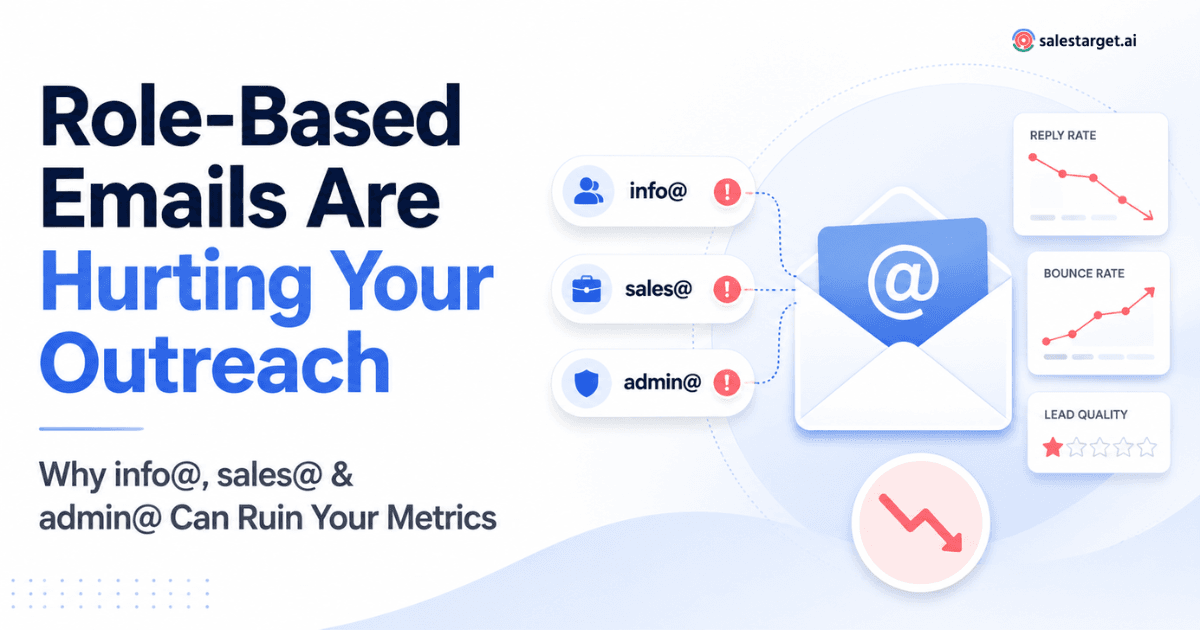
Role-based addresses like info@, sales@, and admin@ are often technically valid, but they rarely belong to a single decision-maker. They get routed to shared inboxes, ignored by the person you actually need, or filtered by corporate mail rules. The result: inflated bounce rates, misleading open data, near-zero replies, and polluted CRM records. Running your list through an email verifier that flags role-based addresses before outreach protects your sender reputation and keeps your campaign metrics honest.
Most B2B sales teams obsess over list size. More contacts, more emails sent, more pipeline. But list quality is where campaigns actually succeed or fail. And one of the sneakiest quality problems hides in plain sight: role-based email addresses.
If your prospect list includes dozens of hello@, marketing@, or careers@ addresses, you are sending personalized outreach into a void. These addresses pass basic syntax checks, sometimes even survive a ping test, and sit quietly in your CRM looking perfectly legitimate. Meanwhile, they drag down deliverability, distort reporting, and waste reps' time.
This article breaks down why role-based emails cause so much hidden damage to cold outreach, what separates a valid address from a valuable prospect, and how to build a practical cleaning workflow around an email verification tool.
What Is a Role-Based Email Address?
A role-based email address is tied to a department or function rather than an individual person. Think support@acme.com, billing@acme.com, or press@acme.com. The mailbox exists for operational purposes: customer tickets, invoicing, media inquiries. Anyone on the relevant team can read and respond, and staffing behind the alias often rotates.
RFC 5321, the core SMTP standard maintained by the IETF, treats these addresses identically to person-specific ones at the protocol level. Nothing in the specification distinguishes info@ from jsmith@. That is precisely the problem: your mail server sees a valid recipient, but there is no individual prospect on the other end.
Common role-based prefixes in B2B contexts include info@, sales@, admin@, support@, contact@, hello@, marketing@, careers@, hr@, and billing@. Smaller companies sometimes use these as primary addresses for founders, which creates an added layer of ambiguity.
Why Role-Based Emails Create Problems for Cold Outreach
Cold outreach works when a specific person receives a relevant, timely message. Role-based addresses break that chain in several ways. First, they route to shared inboxes where no single person feels ownership. Your carefully written message sits alongside vendor invoices, generic inquiries, and automated notifications. Second, many organizations apply aggressive filtering to these mailboxes. Anti-spam gateways flag bulk-patterned messages sent to role addresses more readily than identical messages sent to named contacts.
Third, even when your email lands, personalization falls flat. There is no first name to use, no LinkedIn activity to reference, no job-title trigger to build relevance around. You are left writing "Hi there" to an inbox that three people occasionally check after lunch. For teams aiming for consistently low bounce rates, cleaning role-based addresses out of outreach lists is a foundational step covered in detail in the B2B email verification playbook.
Valid Email Does Not Always Mean Valuable Prospect
Understanding four distinct categories clarifies the problem:
A technically valid email follows correct syntax: local-part@domain.tld. It passes a regex check. A deliverable email goes further: the mail server exists, the MX records resolve, and the server confirms it will accept mail for that address. A person-specific contact email belongs to an identifiable individual, typically in a first.last@ or initial-based format. And a role-based email, as described above, maps to a function, not a person.
An address can be valid, deliverable, and role-based all at once. Standard email validation checks syntax and sometimes pings the server, but it will not tell you whether the address belongs to a real prospect or a shared alias. That distinction matters enormously for outreach teams, because campaign success depends on reaching an individual who has authority, context, and a reason to reply.
How Role-Based Emails Distort Outreach Metrics
Bounce and Deliverability Signals
Some role-based addresses are configured to reject external mail outright, generating hard bounces. Others accept everything but silently route messages to a spam folder. Both outcomes damage sender reputation over time. Google Postmaster Tools documentation notes that sustained elevated bounce rates contribute to domain-level throttling and inbox placement drops across all your outgoing mail, not just the messages that bounced.
Open and Reply Rates
When a role-based address does accept your message, the open signal is unreliable. Shared inboxes may trigger pixel loads through automated scanning or preview panes without a human ever reading the subject line. Reply rates are almost always lower because the recipient has no personal stake in your offer.
Practical benchmark: In outbound campaigns we have audited across mid-market SaaS teams, lists containing more than 15% role-based addresses typically see reply rates 40–60% lower than lists cleaned to under 3%. This is a field observation, not a controlled study, but the pattern repeats consistently.
Personalization and Engagement
Personalization is the single biggest lever in cold email performance. Role-based addresses strip that lever away. You cannot mention someone's recent conference talk, congratulate them on a funding round, or reference a mutual connection when you are writing to a shared inbox. The message defaults to generic, and generic cold email performs poorly.
Lead Qualification and CRM Data
Role-based addresses that enter your CRM create downstream confusion. They cannot be matched to a contact record, they pollute lead-scoring models, and they make pipeline reporting less reliable. If a reply does come from sales@acme.com, you still do not know who responded or what their role is. That makes follow-up awkward and attribution nearly impossible.
How an Email Verifier Helps Identify Risky Addresses
A capable email verifier does more than confirm syntax. It checks MX records, tests server responses, and flags addresses that fall into known risk categories: role-based, disposable, catch-all, and undeliverable. The role-based flag is especially useful because it gives outreach teams a clear decision point before a campaign goes live. You can choose to exclude these addresses entirely, route them to a different sequence, or hold them for manual review. For teams evaluating verification solutions, the email verification software buyer guide covers how to compare API accuracy, real-time validation features, and detection depth.
Bulk email verifier workflows let you process thousands of addresses before import, rather than discovering problems mid-campaign. This is especially important for purchased or scraped lists where role-based contamination tends to be highest.
Should You Always Remove Role-Based Emails?
Not necessarily. Context matters. A careers@ address is useless for selling marketing software, but it may be exactly the right target if you sell applicant-tracking systems. A small startup's info@ might forward directly to the founder's personal inbox. And support@ can be a valid entry point for selling customer-experience tooling.
The smart approach is to flag, not blindly delete. Tag role-based addresses in your CRM so reps can make informed decisions. Send them through separate sequences with adjusted expectations. Measure their performance independently so they do not skew reporting for your person-specific outreach. Treat them as a known variable rather than an invisible contaminant.
A Practical Workflow for Cleaning B2B Prospect Data
Start with the raw export from your lead source, whether that is a scraping tool, a purchased list, or CRM records that have accumulated over quarters. Run the full list through an email validation tool to catch syntax errors, dead domains, and undeliverable addresses. Then apply role-based detection to separate shared-inbox addresses from named contacts.
Next, segment. Person-specific addresses go into your primary outreach sequence with full personalization. Role-based addresses get tagged and routed to a lower-priority cadence, or held for enrichment: can you find a named contact at the same domain? If so, swap the role-based address for the individual one. Finally, review catch-all domains manually. A catch-all server will accept mail for any address, meaning verification alone cannot confirm the mailbox exists.
This workflow turns a messy export into a segmented, prioritized list where every address has a clear status and a clear next step.
How to Verify an Email Address Before Outreach
To verify an email address is valid and worth contacting, you need checks at multiple layers. Syntax validation catches formatting errors. DNS and MX-record lookups confirm the domain can receive mail. SMTP handshake tests probe the server to see whether the specific mailbox exists. And classification layers identify whether the address is role-based, disposable, or associated with a free email provider like Gmail or Yahoo rather than a business domain.
No single check is sufficient. A free email verifier will often handle syntax and basic DNS, but it may skip SMTP verification or role-based detection. Enterprise-grade tools combine all layers, run them in real time or batch mode, and return structured results your team can act on without guesswork.
Clean Your List Before You Hit Send
Role-based, invalid, and risky addresses quietly wreck your outreach numbers. SalesTarget's Email Verifier flags them before your next campaign goes live, so every send counts.
Verify Your Prospect List Now →
Conclusion
Role-based emails are not inherently bad data. They are a specific category of address that behaves differently from personal contacts, and treating them identically to named prospects is where the damage happens. They dilute reply rates, muddy CRM records, and gradually erode sender reputation in ways that are easy to miss until deliverability tanks across the board.
The fix is straightforward: verify before you send. Flag role-based addresses, segment them, and make deliberate choices about how (or whether) to include them in outreach. Combined with proper email hygiene, this single step gives your team cleaner data, sharper metrics, and more productive conversations with the people who actually have buying authority.