Your SDR loads 2,000 contacts into a Monday sequence. By Wednesday, 140 have bounced, your domain is landing in spam, and the few replies are out-of-office notes from people who left last year. The copy was fine. The list was dead before the first send.
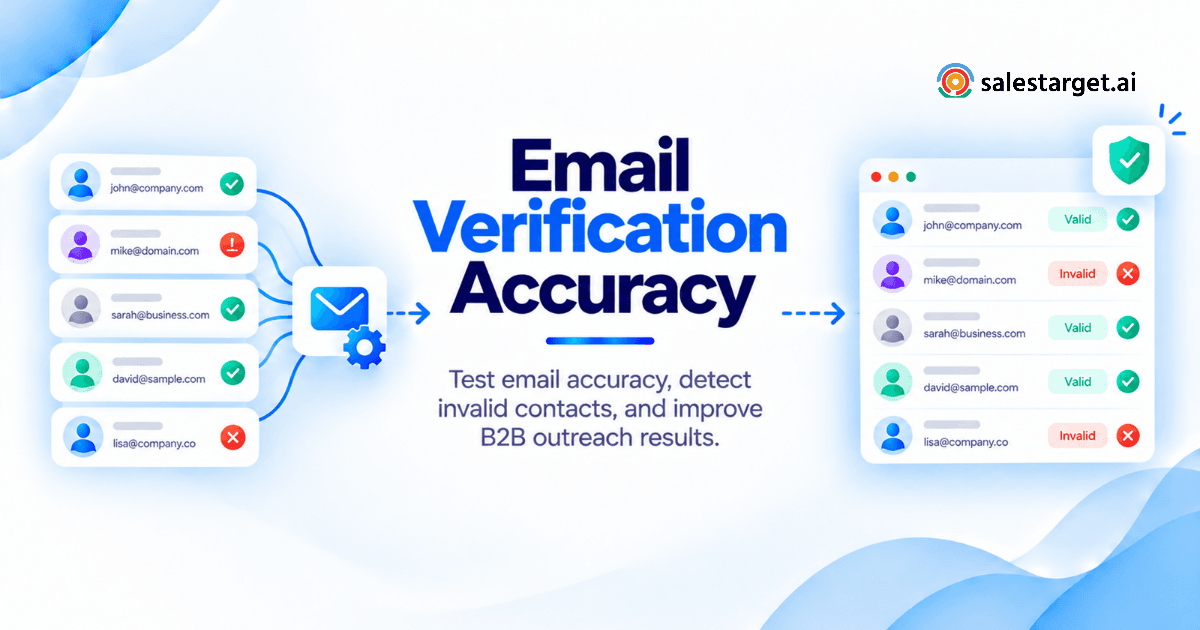
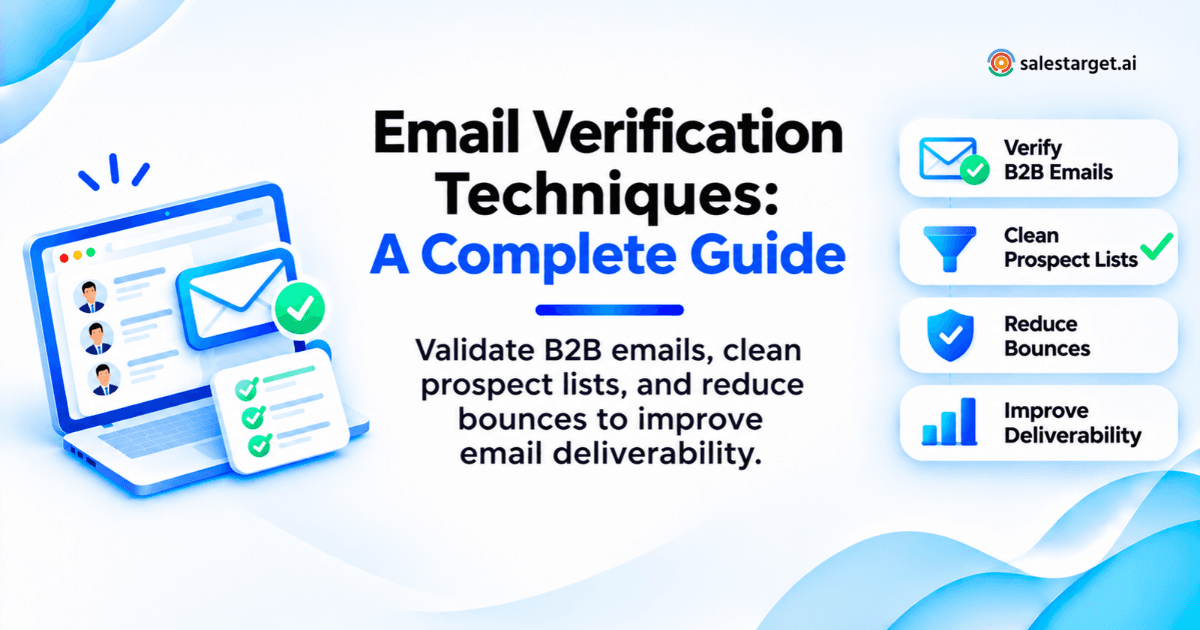
Email verification techniques check whether an address can receive mail before you send to it. You confirm the format, confirm the domain has a working mail server, ask that server whether the mailbox exists (without sending anything), and flag catch-all, disposable, and role-based addresses. Then you suppress bad addresses, review uncertain ones, and reverify old records before each campaign. The result: fewer bounces and a protected sender reputation.
The Cost of Bad Email Data in B2B Outbound
Bad email data drains sending capacity, rep hours, and domain reputation at once.
Wasted Sending Capacity, SDR Time, and Follow-Up Activity
Each send to a dead address burns a slot under your inbox's daily cap. A hard bounce at least stops the sequence. Worse is the catch-all domain that accepts the message and quietly drops it: follow-ups keep firing into nothing. At ten minutes of research per personalized opener, a 2,000-contact list with 10% bad addresses wastes over 30 SDR hours.
Stale CRM Records, Job Changes, and Closed Company Domains
Contact data decays from the day it is collected. A departed employee's mailbox gets deleted (a clean bounce) or forwards to a manager who never asked to hear from you. Lapsed company domains are worse: some get re-registered and accept everything, and some become spam traps.
The Difference Between a Valid Email Address and a Qualified Prospect
Valid means a server accepted the address at check time. It says nothing about whether the person still holds the title or fits your ICP. A verified address for a VP who joined a competitor is a deliverable email to the wrong person. Qualify separately.
Email Verification, Email Validation, and List Cleaning
Email validation checks that an address is well formed. Email verification confirms, as far as the receiving server allows, that the mailbox exists. Email list cleaning wraps both with deduplication, suppression, and record-keeping.
The Scope of Each Process in an Outbound Workflow
- Validation runs at capture or import: syntax, typos, and domain format.
- Verification runs before enrollment: DNS, MX, SMTP, catch-all, disposable, and role checks.
- List cleaning runs before every campaign and on a CRM schedule.
Mailbox Reachability, Contact Identity, and Sending Eligibility
Every contact must pass three tests. Reachability: can the mailbox receive mail? Identity: is this still the right person in the role? Eligibility: are you allowed to email them, given unsubscribes, past bounces, and do-not-contact requests? Verification answers only the first.
The Limits of Verification for Inbox Placement and Replies
Verification predicts delivery, not placement. Authentication, sender reputation, content, and engagement decide whether Gmail or Outlook files you in the inbox or spam.
Core Email Verification Techniques for B2B Sales
Seven email verification techniques do most of the work. Run them from cheap and certain to slow and probabilistic, and stop when an address fails. Our guide to the best B2B sales email verification techniques ranks them for outbound.
Email Syntax Validation and Typo Detection
Syntax checks confirm one @, a legal local part, and a well-formed domain. Typo detection flags near-misses like gmial.com. In B2B, suggest fixes but never auto-apply them: acme.co and acme.com can be two different companies.
Domain and Mail Routing Checks: MX Records, Null MX, and DNS Fallbacks
NXDOMAIN means the domain does not exist. A null MX (one MX record, preference 0, target ".") is the owner's declaration under RFC 7505 that the domain accepts no mail. Both are invalid. A missing MX record is different: RFC 5321, section 5.1, tells senders to fall back to the domain's A or AAAA record as an implicit mail host. Treat "no MX, but an A record" as unresolved and test SMTP before rejecting.
SMTP Verification and Mailbox Response Checks
This is how to validate an address without sending an email. The verifier opens an SMTP session, names the address in RCPT TO, reads the reply, and disconnects before any message goes out. A 250 reply means accepted, 550 5.1.1 means no such mailbox, and 4xx means try later.
Catch-All Domain Detection
The verifier probes a random address that cannot exist. If the server accepts it, the domain accepts everything, and SMTP cannot confirm your contact. Catch-all status belongs to the domain, so re-checking the same address never changes the answer. It can flip after a mail-provider migration, so recheck when the domain's MX changes.
Disposable and Temporary Email Detection
This matches the domain against known burner services. Database-sourced lists rarely contain them; inbound forms and webinar sign-ups feeding SDR queues do.
Role-Based Address Identification
This flags shared inboxes such as info@, sales@, and support@. Several people read them, nobody owns the reply, and any reader can mark you as spam. At a five-person company, info@ may be the founder's inbox, so set a policy rather than a blanket ban.
Known Risk Signals and Spam Trap Detection Limits
Risk scores add domain age, blocklist listings, and provider history. Spam traps are the hard limit: they are built to pass verification and never published, so no tool can promise to catch them. Your defense is source control: no scraped lists, and no stale records sent without reverification.
| Check | Evidence returned | Limits | Recommended action |
|---|---|---|---|
| Syntax and typo | Pass or fail, suggested fix | Nothing about existence | Drop, or confirm the fix by hand |
| Domain and MX | NXDOMAIN, MX hosts, null MX, A or AAAA fallback | Timeouts mimic failures | NXDOMAIN or null MX: invalid. No MX plus A record: test SMTP |
| SMTP mailbox | 250, 5xx, or 4xx reply | Catch-all, greylisting, blocked probes | 5.1.1: suppress. 4xx: retry later |
| Catch-all | Random address accepted | Mailbox cannot be confirmed | Review evidence; small batches |
| Disposable | Burner domain match | Lists lag new services | Exclude |
| Role-based | Function-style local part | Small firms may use them personally | Apply role policy |
| Risk and spam traps | Domain age, blocklists, score | Traps go undetected | Control sources |
Manual, Bulk, and Real-Time Email Verification Compared
Manual checks suit troubleshooting, bulk suits imports and audits, real-time suits capture points, and pre-send reverification catches decay. Most outbound teams need all four.
Manual Checks for Individual Contacts and Troubleshooting
Use them for one high-value contact or a domain that keeps bouncing: look up the MX records and read the bounce code. A common rep mistake is probing ten name permutations by hand. The target server blocks the burst, and later checks on that domain return unknown.
Bulk Email Verification for Imported Lists and CRM Audits
Upload a CSV and get a status per row. Carry the CRM contact ID through the round trip; matching on email alone breaks once someone fixes a typo.
Real-Time Email Verification at Contact Capture
An API check runs as the address enters your system, stopping typos and burners before they become records. Salestarget.ai verifies contacts at the point of enrichment, so the verification date is the day you pulled the lead.
Pre-Send Reverification for Older Prospect Records
Reverify anything older than your freshness window right before enrollment. Ninety days is a sensible outer limit for cold outbound; use 30 for high-turnover roles like SDRs and recruiters.
Verification Results and the Actions They Require
Every result needs a decision, an owner, and a recheck date. Store the verifier's raw label apart from your normalized status: vendors use "accept-all," "catch-all," "risky," and "unknown" differently, and mixing them breaks reporting when you switch tools.
Valid Results: Complete the Final Eligibility Checks
Valid means the server accepted the mailbox at check time. Before enrolling, confirm the contact is unsuppressed, still in the role, and not in another rep's sequence.
Invalid Results: Suppress the Address and Preserve the Reason
Suppress, don't delete, and store the reason (syntax, no domain, null MX, mailbox not found) with the date. Deleted addresses return on the next import and burn checks again, and the stored reasons show which data source decays fastest.
Catch-All Results: Review Contact Evidence Before Enrollment
Weigh three signals: the address matches a confirmed company email pattern, the person's current role is confirmed, and someone at the domain has replied before. Two of three earns a small, monitored batch. Fewer, start on LinkedIn.
Unknown Results: Separate Temporary Failures From Unresolved Records
Unknown means no usable answer: a timeout, greylisting, a rate limit, or a blocked probe. Retry hours later, since greylisting rejects quick retries. Still unknown after two retries over 48 hours? Hold it. Unknowns clustered behind one security gateway point to blocked probes, not bad addresses.
Role-Based and Disposable Addresses: Apply Separate Contact Policies
Exclude disposables. For role addresses, the sales leader sets one written rule: excluded by default, allowed below a chosen company size, or routed to an account-based play.
| Result | Meaning | Next action | Owner | Recheck trigger |
|---|---|---|---|---|
| Valid | Accepted at check time | Eligibility check, then enroll | SDR | Freshness window; job change; bounce |
| Invalid | Cannot receive mail | Suppress with reason and date | RevOps | New address found |
| Catch-all (accept-all) | Domain accepts anything | Review evidence; small batch or LinkedIn | SDR, under a RevOps rule | MX change; first bounce |
| Unknown | No usable answer | Retry at 24 and 48 hours, then hold | RevOps | Scheduled retries |
| Role-based | Shared inbox | Apply role policy | Sales leader | Company size change |
| Disposable | Burner service | Exclude | RevOps | None |
B2B Email List Cleaning Before Outreach: A Step-by-Step Workflow
Order matters: suppress before you verify, so you never spend checks on contacts you cannot email. For the wider sales process, see how to use email verification techniques.
Step 1: Preserve the Original List, Contact IDs, and Source Details
Work on a copy. Tag every row with contact ID, source, and import date, so you can later rank sources by bounce rate.
Step 2: Remove Duplicates and Review Formatting Errors
Dedupe on lowercase, trimmed email, then on name plus domain to catch j.smith@ and john.smith@. Strip trailing spaces, "mailto:" prefixes, and cells holding two addresses.
Step 3: Apply Unsubscribe, Bounce, and Do-Not-Contact Suppressions
Match against unsubscribes, past hard bounces, do-not-contact requests, customers, open deals, and competitors. When a company asks for no contact, suppress the whole domain.
Step 4: Verify the Remaining Addresses and Review Uncertain Results
Run bulk verification, route results with the table above, and give catch-all and unknown records an owner and a deadline.
Step 5: Record Verification Dates and Sending Eligibility in the CRM
Write back normalized status, raw label, verification date, verifier, and eligibility with a reason. Without a date, "valid" never expires.
Step 6: Check the Final Campaign Audience Against Suppression Records
Rerun suppression on the exact audience right before launch. Between cleaning and sending, reps add contacts by hand, people unsubscribe elsewhere, and CRM merges restore old addresses.
A Worked B2B Email List Audit With Real Verification Results
Editor's note: the figures below are illustrative placeholders. Replace them with anonymized results from an actual Salestarget.ai Email Validator run before publishing, then delete this note.
All figures below are illustrative. They show how to run and record an audit, not a benchmark.
List Source, Sample Size, Verification Date, and Test Method
Sample: 2,500 IT and RevOps leaders at US SaaS companies with 200 to 1,000 employees; 900 from a conference export and 1,600 from a CRM segment idle for 14 months. One verifier, one bulk pass on one date, two retries for unknowns over 48 hours. Limits: one industry, one campaign, no inbox-placement data.
Before-and-After Contact Counts and Verification Results
| Stage or result | Contacts |
|---|---|
| Raw list | 2,500 |
| After deduplication | 2,310 |
| After suppressions | 2,180 |
| Valid | 1,505 |
| Invalid | 262 |
| Catch-all | 318 |
| Unknown after retries | 47 |
| Role-based | 38 |
| Disposable | 10 |
The old CRM segment produced 214 of the 262 invalids (15% of its 1,400 contacts) against 48 from the event list (6% of 780).
Review Decisions for Catch-All, Unknown, and Role-Based Addresses
Of 318 catch-alls, 141 matched a confirmed pattern and role and went to a separate small batch; 177 moved to LinkedIn-first. All 47 unknowns were held (31 sat behind one security gateway). All 38 role addresses were excluded. Final audience: 1,646.
Verification Cost, Usable Contacts, and Campaign Bounce Outcomes
Deduping and suppressing first saved 320 checks. The run used 2,180 checks for 1,646 usable contacts: 1.32 checks per usable contact. Hard bounces hit 0.6% on valid sends (9 of 1,505) and 4.3% on catch-all sends (6 of 141), or 0.9% overall. Uncleaned, the list would have sent 262 known-invalid addresses, 12% of the audience.
Ongoing Email List Hygiene and Deliverability Controls
Email list hygiene is a schedule, not a project. Reverify on triggers and feed every result back into suppression.
Reverification Triggers for Aging Records and Company Changes
Reverify when a record passes your freshness window, a job change appears, the company is acquired or changes domain, the domain's MX records change, or a colleague at the same domain bounces. Add a full CRM audit every quarter.
Bounce, Complaint, and Opt-Out Feedback Across Campaigns
Hard bounces, complaints, and opt-outs go on one global suppression list the same day; suppress soft bounces after three across separate sends. Google's sender guidelines say to keep the user-reported spam rate below 0.1% and never reach 0.3%. With inbox rotation, per-inbox suppression lets someone who opted out of inbox A still hear from inbox B.
SPF, DKIM, DMARC, and Sending Volume as Separate Controls
Verification protects the recipient side; authentication protects the sender side. Gmail and Microsoft's Outlook.com require SPF, DKIM, and DMARC from senders of 5,000+ daily messages to consumer users, and Yahoo sets matching bulk-sender rules. Microsoft began enforcing on May 5, 2025, and Gmail stepped up rejections in November 2025. Corporate tenants are not formally bound by these rules but read the same signals, so treat them as a floor. Then warm new inboxes and cap daily volume.
Verified Addresses That Still Bounce or Reach Spam
Verified addresses bounce when the mailbox was deleted after the check, a catch-all rejected later, a gateway accepted the probe but blocked the real send, or the mailbox was full. Read the code first. A 5.1.x code is an address problem: suppress. A 5.7.x code is a policy or reputation problem on your side: fix sending and keep the contact. Filing 5.7.x bounces as invalid throws away good contacts and leaves the real fault in place.
B2B Email Verification Software: Buying Criteria and Test Plan
Ignore headline accuracy claims. Test on your own contacts and compare tools on cost per usable contact.
Accuracy Testing With Your Own Contact Sample
Build a set of 500 to 1,000 addresses with known outcomes: recent repliers, recent hard bounces, and untested records. Measure false invalids, false valids, and the share left catch-all or unknown. Accuracy claims tend to exclude that last group, so a tool leaving 30% unresolved can still advertise high accuracy.
Catch-All Coverage, Unknown Results, and Retry Policies
Ask whether the tool scores catch-alls beyond SMTP and explains the score, whether it retries unknowns on a schedule, and whether unknowns and retries are charged.
Bulk Processing, API Access, and CRM Compatibility
Time your largest realistic file, test API latency on a live form, and confirm results write back to existing CRM records by ID instead of creating duplicates.
Total Cost per Usable Contact and Reverification Costs
Divide a year of charged checks (first pass, retries, reverification) by contacts eligible to send. A lower per-check rate can still cost more per usable contact. A 10,000-contact CRM reverified quarterly needs 40,000 checks a year.
Data Retention, Deletion Controls, and Support
Ask how long uploads are kept, whether you can delete them on demand for GDPR or CCPA requests, and where processing happens. Then ask support to explain one specific result.
Why Choose Salestarget.ai
Salestarget.ai puts lead data, email validation, email and LinkedIn outreach, and a CRM in one workspace, so verification results travel with each record without CSV round trips.
B2B Lead Data and Enrichment for Building Prospect Lists
Lead Explorer searches 840M+ professional profiles and 146M+ businesses from 50+ data sources, filtered by role, seniority, company size, tech stack, and Bombora intent topics. One-click enrichment returns verified professional email, phone, and mobile.
Email Validator for Single Addresses and Bulk CSV Lists
The Email Validator runs MX and SMTP checks, disposable-email detection, and risk scoring on one address or a bulk CSV, with a real-time API and connections to 60+ CRMs, ESPs, and website builders. Run your next imported list through it before it touches a sequence.
Email and LinkedIn Outreach for Approved Prospect Lists
Approved contacts go straight into Email Outreach sequences with LinkedIn steps in the same flow. That gives thin-evidence catch-alls a safer path: open on LinkedIn, where nothing bounces, and email once the role is confirmed.
Inbox Rotation and Sending Limits for Campaign Volume Control
Unlimited inboxes come with AI warm-up, intelligent rotation, and SPF, DKIM, and DMARC checks, so no inbox exceeds its daily cap. The Unibox sorts every reply by intent, so opt-outs get handled whichever inbox received them.
Built-In CRM for Contact Activity, Replies, and Follow-Up Tasks
Campaign leads land in the CRM automatically, emails and calls log to the lead timeline, and follow-up tasks are created when a lead replies. RevOps audits one history, not three exports.
AI Copilot for Outreach Drafts and Campaign Review
AI Copilot drafts sequences personalized by role, industry, and company size, shows which campaigns drive revenue, answers CRM questions in plain language, and flags at-risk deals.
Put the Verification Workflow Into Practice With Salestarget.ai
That Monday list with 140 bounces was a process problem, not a copy problem: data verified months ago, no rule for uncertain results, and no final check before launch. The fix is verification at enrichment, written rules for catch-all and unknown results, and every bounce and opt-out fed back into suppression. Salestarget.ai runs that whole workflow in one place, from finding the lead to closing it in the CRM. Start free with Salestarget.ai and verify your next list before it reaches a single inbox.