You ran the list through a verification tool, trusted the results, and launched the campaign. Then the bounce notifications arrived at 7%. Your sender score dropped. The sales team wanted answers. The vendor told you their tool was 99% accurate.
Those numbers don't add up. And this gap is what most B2B teams never measure.
The direct answer: Email verification tools perform between 85% and 95% accuracy on a real B2B prospect list. The 99% figures in vendor documentation almost always exclude catch-all results, unknown statuses, and edge cases from the calculation. To know how a tool actually performs on your contact data, you have to test it yourself, against real mailbox outcomes, with a labeled ground-truth dataset.
This post gives you a seven-step framework to do exactly that. It covers how to build a test dataset, run tools against known delivery outcomes, calculate error rates and coverage, and make outreach decisions based on measured results, not marketing claims.
Email Verification Accuracy: What a 99% Claim Really Measures
The Difference Between a Verified Address and a Deliverable Email
Verification and deliverability are separate events. A verified address resolved an MX record, accepted an SMTP connection, and passed syntax checks. A deliverable email actually landed in an inbox.
SMTP checks confirm a mail server exists and accepted the session. They cannot confirm a specific mailbox is active, that an account hasn't been disabled, or that the server isn't configured to accept all inbound connections and silently discard unrecognized addresses. Verification passes. The message disappears.
Mailbox Accuracy, Verification Coverage, and Inbox Placement
Three metrics shape campaign outcomes, not one. Accuracy is how often a tool classifies an address correctly. Coverage is the share of addresses that get a confident status. Inbox placement is whether delivered messages reach the primary inbox rather than spam.
A vendor reporting 99% accuracy on 55% of addresses is not 99% accurate on your list. It's 99% accurate on the addresses it resolved, which is a selectively favorable calculation.
The Limits of Email Verification Accuracy in B2B Prospecting
B2B contact data decays at roughly 22% per year (HubSpot). An address verified as valid in Q1 may produce a hard bounce in Q3 after a role change, company restructuring, or account deactivation. Accuracy is a point-in-time measurement. Every verification result has an expiration date attached to it.
The Hidden Gaps in Email Verification Accuracy Benchmarks
Vendor-Reported Accuracy Versus Results From Independent Testing
Vendor accuracy figures are calculated on internal datasets with recent, clean, selected contacts. Independent tests on live B2B prospect lists with mixed ages, sources, and domain types return numbers 5 to 12 percentage points lower. That delta is where most hard bounce problems originate.
How Dataset Quality and Sample Selection Affect Accuracy Scores
A tool tested on fresh contacts from a single high-quality source will outperform the same tool on a list pulled from four vendors, a trade show registration export, and a two-year-old CRM archive. Dataset diversity is the real test. Controlled samples produce inflated benchmarks that don't survive contact with a live campaign.
The Impact of Unknown and Catch-All Results on Published Accuracy
Accuracy claims typically exclude unknowns and catch-alls from the denominator. This is mathematically valid but operationally misleading. If 30% of your B2B list returns an unknown or catch-all result, a 98% accuracy claim applies to 70% of your contacts. Your real working accuracy lands closer to 69%.
Comparing Verification Results Across Business Email Providers
Google Workspace and Microsoft 365 behave differently at the SMTP layer. Many M365 enterprise tenants block SMTP probing entirely, forcing verification tools into inconclusive results at higher rates. A tool performing at 94% accuracy on Workspace-hosted domains may drop to 78% on locked-down enterprise tenants. Comparing tools without segmenting by provider type produces misleading numbers.
Building a Reliable B2B Email Verification Test Dataset
Selecting a Representative Sample From B2B Prospect Lists
Pull test data from the same sources used in production: CRM exports, purchased lead lists, enrichment outputs, and intent data feeds. Mix industries, company sizes, geographies, and list ages. Use at least 500 contacts per segment for statistically reliable results. Smaller samples amplify edge-case variance enough to misread tool performance.
Separating Known-Valid, Invalid, and Unconfirmed Email Addresses
Your test list needs three labeled buckets before verification runs:
- Known valid: Contacts who replied to email or clicked a link within the last 90 days.
- Known invalid: Addresses that produced a hard bounce in a prior send.
- Unconfirmed: Addresses with no prior outreach history.
Running tools only against known-valid contacts tells you nothing about how they handle real uncertainty, which is the actual problem.
Including Corporate Domains, Catch-All Mailboxes, and Older Contacts
Catch-all domains, contacts dormant for 12 to 24 months, and corporate tenants with custom security policies are exactly where most tools fail. Including them is what makes the test meaningful. A benchmark built on easy cases tests nothing a real campaign will encounter.
Establishing Ground Truth Before Measuring Accuracy
Run a small test send to a subset of your labeled contacts before verification. Log bounces and confirmed deliveries. That real delivery record is what you compare predictions against. Without ground truth, you're comparing one tool's estimate against another, not against what actually happened.
A Seven-Step Framework for Testing Email Verification Tool Accuracy
Step 1: Define Accuracy Criteria Based on B2B Outreach Requirements
Before testing, write down your thresholds. For cold email outreach, a false positive rate above 3% puts your sending domain at risk. For re-engagement campaigns on older data, a false negative rate above 10% means losing real contacts. Set the numbers before you evaluate the results, not after.
Step 2: Prepare a Standardized Email Verification Test List
Export 500 to 1,000 contacts across the three labeled buckets. Assign each contact a ground-truth status. Strip any metadata that could influence a tool's classification. Store labels separately and never pass them to the verification tool being tested.
Step 3: Run Identical Data Through Multiple Email Verification Tools
Submit the same list to every tool being compared on the same day. SMTP responses shift over time. Testing Tool A on Tuesday against a list Tool B checked on Friday means you're measuring two different states of the same contacts, not two different tools.
Step 4: Standardize Valid, Invalid, Risky, and Unknown Statuses
Every tool returns different terminology. Map all outputs to four standard categories before comparing: Valid, Invalid, Risky, and Unknown. Cross-tool comparison without this mapping creates category confusion rather than useful insight.
Step 5: Compare Verification Results Against Known Mailbox Outcomes
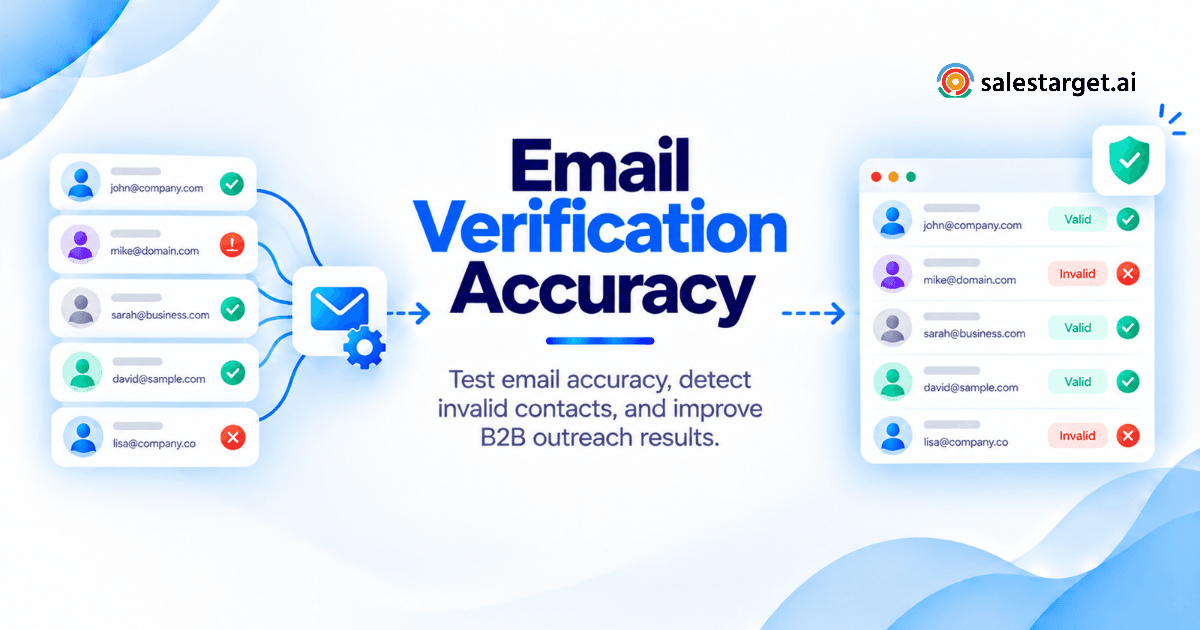
Match each tool's predicted status against your labeled ground-truth record. Log every case where a known-invalid address was classified as Valid (false positive) and every case where a known-valid address was classified as Invalid (false negative). These two error types carry different costs for your outreach operation.
Step 6: Calculate Accuracy, Error Rates, and Verification Coverage
Run four calculations per tool:
- Accuracy: (Correct classifications ÷ Total classified) × 100
- False positive rate: (False positives ÷ Total predicted valid) × 100
- False negative rate: (False negatives ÷ Total predicted invalid) × 100
- Coverage: (Contacts with a confident status ÷ Total submitted) × 100
A tool with 97% accuracy on 50% coverage is not better than one with 91% accuracy on 85% coverage. Campaigns send to full lists, not cherry-picked subsets.
Step 7: Document Results and Repeat Tests Across Different B2B Segments
Run the framework at least twice: once on a fresh list and once on a list 12 months or older. Data decay changes tool performance significantly. A tool's fresh-list accuracy profile does not predict its historical-data accuracy profile.
Measuring Email Verification Accuracy With a Practical Scorecard
Overall Accuracy and Correct Classification Rate
Track the percentage of total contacts classified correctly. Segment by company size and domain type to find where accuracy degrades on your specific list profile.
False Positive Rate and the Risk of Sending to Invalid Contacts
False positives produce hard bounces. Above 3% on a cold email campaign, you're exposing your sending domain to blacklisting, reduced inbox placement, and a reputation recovery cycle that takes weeks to resolve.
False Negative Rate and the Loss of Reachable Prospects
False negatives pull real prospects out of your campaigns. At 10% on a 2,000-contact list, that's 200 people who should have received your message and didn't.
Verification Coverage and the Cost of Unresolved Email Addresses
Coverage determines how many contacts get a confident status. Low coverage forces either manual review of unknowns or exclusion from sends. Calculate the pipeline cost of excluded contacts alongside the tool's subscription cost.
Hard Bounce Rate and Cost per Usable Verified Contact
Post-send hard bounce rate is the real accuracy validator. Divide total tool cost by the number of contacts with a confirmed valid status to get your actual cost per usable verified contact.
A Worked Example of Email Verification Accuracy Testing for B2B Sales
Preparing a Sample B2B Contact List for Accuracy Testing
The following dataset and all calculated scores are illustrative, assembled for demonstration purposes only.
Sample: 600 contacts. 200 known valid (replied or clicked in the last 90 days), 150 known invalid (prior hard bounce), 250 unconfirmed. Domain mix: 40% Google Workspace, 35% Microsoft 365, 25% custom corporate.
Comparing Predicted Email Statuses Against Known Results
Both tools were tested against the same list on the same day. All status outputs were mapped to Valid / Invalid / Risky / Unknown before comparison.
Building an Accuracy Comparison Table for Multiple Verification Tools
| Metric | Tool A | Tool B |
|---|---|---|
| Addresses submitted | 600 | 600 |
| Valid predicted | 340 | 275 |
| Correctly classified valid | 325 | 265 |
| False positives | 15 | 10 |
| Invalid predicted | 178 | 145 |
| False negatives | 35 | 11 |
| Unknown / unresolved | 82 | 180 |
| Coverage | 86.7% | 70.0% |
| Accuracy (on resolved contacts) | 92.8% | 95.9% |
| False positive rate | 4.4% | 3.6% |
| False negative rate | 19.7% | 7.6% |
Interpreting the Results for Prospecting and Outbound Campaigns
Tool A covers more of the list but produces a 4.4% false positive rate, crossing the cold email safety threshold. Tool B is more accurate on what it resolves and delivers a safer false positive rate, but leaves 30% of contacts unresolved. The right selection depends on sending volume and risk tolerance. For teams where sender reputation is non-negotiable, Tool B's profile fits. For campaigns where lead coverage takes priority over bounce precision, Tool A's trade-off makes a different kind of sense.
Understanding how email verification techniques affect outreach outcomes before selecting a tool is what prevents optimizing the wrong metric.
Where Email Verification Techniques Produce Uncertain Results
Catch-All Domains and Their Impact on Mailbox-Level Accuracy
A catch-all configuration accepts mail for any address format on the domain, valid or not. SMTP verification cannot distinguish an active inbox from a non-existent one on these domains. Tools flag catch-all status but cannot resolve it further without sending a test message.
SMTP Restrictions, Greylisting, and Corporate Email Security
Enterprise mail servers frequently reject SMTP verification probes. Greylisting temporarily defers connections from unknown senders, producing inconclusive results on first contact. These are not invalid addresses. They are server-side restrictions that block the verification handshake, not signals about whether the mailbox exists.
Temporary Mail Server Failures and Inconclusive Verification
A mail server under maintenance, rate-limiting probes, or experiencing transient outages returns timeouts that verification tools log as unknown. That same address may be fully deliverable 20 minutes later. Unknown means unresolvable at that moment, not invalid.
Role-Based, Disposable, and Recently Disabled Business Emails
Role-based addresses like info@, support@, and team@ pass verification and route to shared inboxes with low engagement rates. Disposable addresses created for trials or event registrations pass checks and then go inactive. Both types verify cleanly and underperform in outreach.
Why Verified B2B Contact Data Can Become Outdated
Annual employee turnover in the tech sector runs between 13% and 18% (Bureau of Labor Statistics, 2023). Contacts verified in January may route to disabled accounts by October after a departure or restructuring. Verification schedules should match your campaign cadence, not your first data import date.
Selecting B2B Email Verification Tools Using Measured Results
Prioritizing Low Error Rates Without Losing Valid Prospects
Set your false positive ceiling (typically 2% to 3% for cold outreach) and your minimum coverage floor (typically 75% to 85%) before evaluating tools. Optimizing for accuracy alone, without coverage context, misses the operational trade-off that determines how many usable contacts you actually get.
Evaluating Bulk Verification Speed, Coverage, and Status Reporting
Bulk verification speed matters at scale. Processing 10,000 contacts before a campaign launch shouldn't take a full day. Granular status categories, seven categories rather than a binary pass/fail, give sales teams more routing options and better segmentation decisions.
Matching Verification Performance to Sales Volume and Lead Sources
A founder processing 500 contacts per month has different requirements than an SDR team pushing 50,000 weekly. Applying email verification techniques at different volumes requires different tool configurations, not just different subscription tiers.
Connecting Verification Outcomes to Email Outreach and CRM Workflows
The best verification tool is the one that fits inside your workflow without adding manual steps. If results need to be exported, reformatted, and re-imported before a contact reaches a sequence, the friction cost consumes the accuracy benefit. Native connection between verification, outreach, and CRM is where the operational gains compound.
Why Choose SalesTarget.ai?
Test Individual Email Addresses With Validation Scores and Detailed Results
SalesTarget.ai's Email Validator runs MX checks, SMTP verification, disposable email detection, and risk scoring, then returns a confidence score with detailed status reasoning. You see why an address was flagged, not just that it was. That diagnostic layer is what makes manual review faster and more defensible for teams that need to act on verification results quickly.
Review Bulk Email Verification Results Across Seven Status Categories
Bulk verification in SalesTarget.ai returns results across seven status categories rather than a binary outcome. That granularity lets sales teams build routing rules that match verification confidence to campaign type: high-confidence valid contacts into cold sequences, risky addresses into LinkedIn-first flows, unknowns held for re-verification before the next campaign cycle.
Find Verified B2B Prospect Data Through Lead Explorer
Lead Explorer searches 840M+ professional profiles with enrichment and verification running at the point of discovery. You don't verify a list you already assembled from separate sources. Contacts are verified as you find them, which changes the entire sequencing of the data quality problem. For teams running on contact accuracy, that sequencing difference is meaningful.
Connect Email and LinkedIn Outreach With a Built-In Sales CRM
Verification results in SalesTarget.ai flow directly into Email Outreach sequences and the built-in CRM. A contact's verification status is part of the lead record and informs sequence eligibility automatically, with no CSV exports, status remapping, or manual handoff between systems.
If you're running verification as a separate step before outreach, see what the workflow looks like when both are in the same platform. Start with a demo at SalesTarget.ai.
Support Prospecting and Campaign Management With AI Copilot
AI Copilot surfaces bounce rate patterns across campaigns, flags segments where verification quality is degrading, and recommends list re-verification before a new sequence launches, all in plain language and without building a separate analytics report.
Turning Email Verification Test Results Into Better Outreach Decisions
Creating Contact Eligibility Rules From Verification Statuses
Map each status to an outreach rule before a campaign goes live: Valid into standard cold sequences, Risky into LinkedIn-only flows, Unknown into a re-verification queue. Build the rules once and apply them across every list you clean going forward.
Reviewing Uncertain Results Without Exposing Sending Domains to Unnecessary Risk
Never route catch-all or unknown contacts through your primary cold email domain. Use a separate warmed-up domain for uncertain batches, or apply best-practice B2B email verification techniques to narrow the uncertainty before any send. A damaged domain takes weeks to recover and costs far more than any missed prospect.
Rechecking Contact Data Before New B2B Campaigns
Any list older than six months should go through re-verification before a new campaign cycle starts. Contact decay doesn't announce itself. Re-verification catches it before it crosses bounce thresholds that trigger ISP flags.
Tracking Bounce Patterns and Verification Quality Across Lead Sources
Track hard bounce rates by lead source, not just by campaign. Contacts from one data vendor bouncing at 6% while another vendor's contacts bounce at 1.5% tells you more about data quality than any vendor accuracy sheet. Source-level bounce tracking is your real-world verification audit.
Common Testing Mistakes That Distort Email Verification Accuracy
Testing Only Clean or Previously Verified Email Lists
Testing a tool against contacts you already know are valid produces a high accuracy score with no practical value. You learn nothing about how the tool handles the uncertainty that actually exists in your pipeline.
Treating Unknown Results as Confirmed Invalid Addresses
Unknown means unresolvable at the moment of check, not invalid. Treating unknowns as invalids inflates your false negative count and removes potentially reachable contacts from campaigns without justification.
Confusing SMTP Acceptance With Successful Inbox Delivery
SMTP acceptance means a mail server agreed to receive a message at the protocol layer. It says nothing about spam filter routing, inbox placement, or whether a real person opened it. Verification predicts deliverability potential. It does not confirm delivery.
Comparing Tools Using Different Samples or Testing Dates
Testing Tool A in March against one list and Tool B in May against a different list tells you more about the lists than the tools. Use the same sample, submitted to every tool, on the same day.
Reporting High Accuracy Without Measuring Coverage or Sample Uncertainty
Accuracy without coverage context is a number that sounds useful and rarely is. Always report accuracy alongside coverage rate and sample composition. A result that can't be reproduced on your own data isn't a benchmark you can act on.
Conclusion: Build B2B Outreach Decisions on Measured Email Verification Accuracy
"99% accurate" looks compelling in a comparison table and matters very little in your bounce log. What counts is how a tool performs on your specific lists, in your specific segments, against real delivery outcomes, not on a dataset selected to produce favorable numbers.
The framework above is repeatable and grounded in actual measurements. Build the labeled test dataset. Run the same list through multiple tools on the same day. Map statuses to standard categories, calculate real accuracy and coverage, and set contact eligibility rules your campaigns actually follow. Run the test again on older data to see how accuracy degrades with list age.
SalesTarget.ai connects email verification directly to prospecting, enrichment, outreach, and CRM in one platform. Contacts found through Lead Explorer are verified at the point of enrichment. Verification status flows automatically into sequence eligibility and CRM records. Bounce patterns surface through AI Copilot before they damage sending domains. Verification isn't a separate checklist item you manage before a campaign. It's built into the workflow at every stage.
Stop planning campaigns around vendor claims. Test, measure, and make outreach decisions based on numbers you generated yourself. Visit SalesTarget.ai to see what verified contact data and integrated outreach look like together.