Your reps start Monday with a spreadsheet of 400 names. By Wednesday they have researched 60, emailed 30, and forgotten who needed a second touch. The rest of the list goes cold, and nobody can say which messages worked.
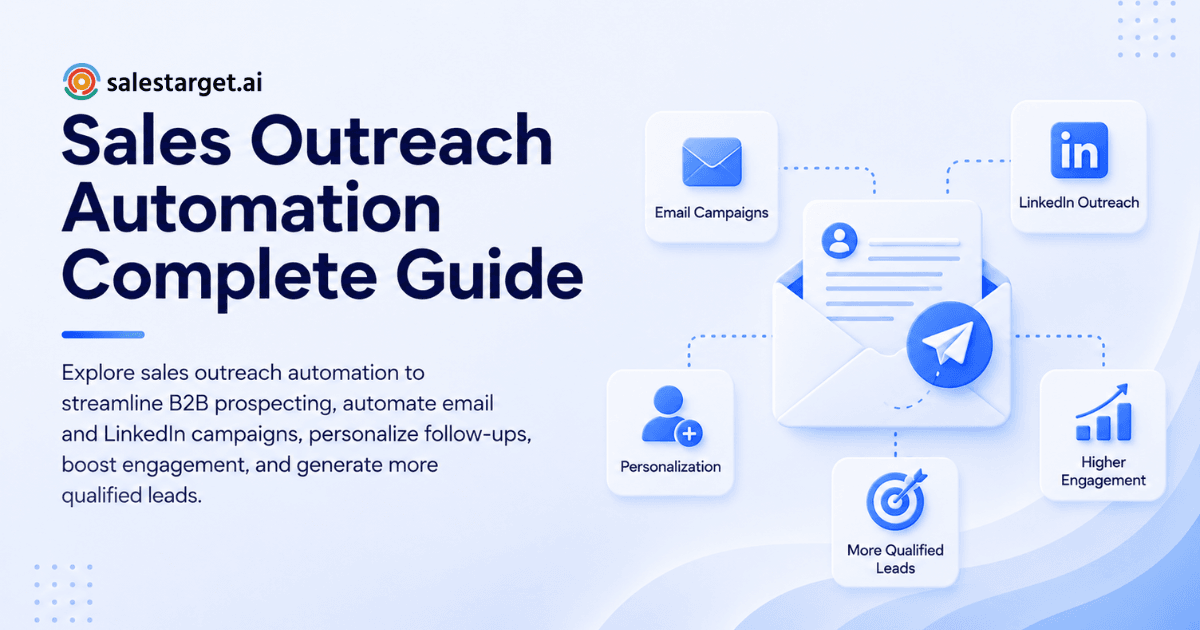
Sales outreach automation fixes that. It is software that finds prospects, verifies their contact details, sends email and LinkedIn messages in a planned sequence, triggers follow-ups, and logs every reply in your CRM, so reps spend time on conversations instead of admin. Salesforce's State of Sales research puts selling time at about 40% of a rep's week. Automation targets the other 60%.
Understanding Sales Outreach Automation in B2B Sales
Core components of an automated sales outreach process
Four parts do the work: a prospect source, verified contact data, a sequence engine, and a system of record. If any one is missing, reps patch the gap by hand, and the manual work comes back.
How sales outreach automation connects prospecting, engagement and follow-ups
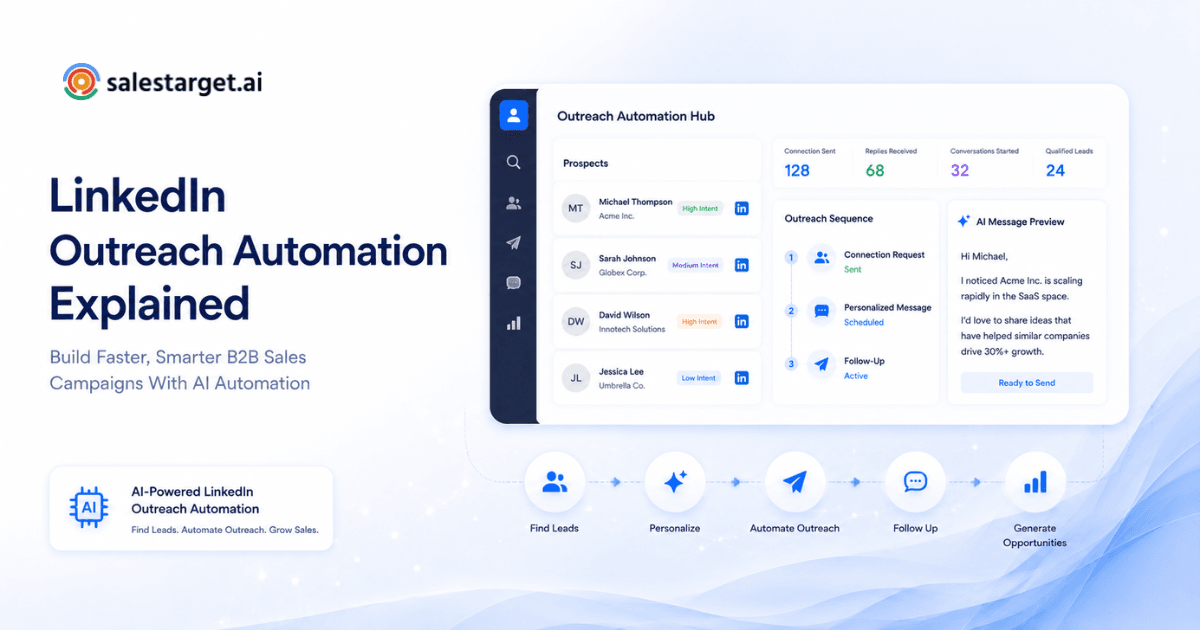
Prospecting feeds engagement, and engagement feeds follow-ups. A lead found on Monday enters a sequence the same day, and a reply on Thursday creates a task. Automation removes the handoffs where leads usually get lost.
The role of AI in modern B2B sales automation
AI handles the repetitive judgment calls: building an audience from a plain-English description, drafting first-touch copy, varying wording, and sorting replies by intent. Strategy, offers and live conversations stay with people.
Manual sales outreach vs. automated sales outreach
Manual outreach caps at what one rep can type in a day. Automated outreach caps at deliverability and message quality. The first limit is fixed. The second one you can improve.
Sales sequences vs. sales workflows and engagement automation
A sequence is the ordered set of messages sent to one prospect. A workflow is the logic around it: who enters, what triggers a branch, and who gets a task. Engagement automation covers both.
The Role of Sales Outreach Automation in Modern B2B Growth
Streamlining prospect discovery and lead generation
Lists built by hand go stale. Automated discovery pulls fresh matches against your ideal customer profile and refreshes them as companies hire, raise funding or change leadership.
Improving sales productivity through automated workflows
Research, data entry and follow-up reminders are rule-based work. Move them to workflows and a rep's calendar fills with calls instead of tabs.
Maintaining consistent communication across buyer touchpoints
Buyers do not reply on your schedule. Consistent touches across email and LinkedIn mean the prospect who is ready in week three still hears from you in week three.
Connecting outbound activities with revenue pipeline goals
Every sequence should map to a pipeline number. Work backward: meetings needed, replies needed, contacts needed. That math tells you how many prospects to load each week.
Scaling outbound operations across different sales teams
An SDR pod, a founder doing outbound alone and an agency running ten client accounts need different volumes but the same guardrails. Shared templates, inbox limits and ownership rules let each team scale without a new process.
Common B2B Sales Outreach Problems That Automation Can Address
Time-consuming prospect research and manual data entry
Reps copy details from LinkedIn into a sheet, then from the sheet into a CRM. Two copy steps, two chances for typos, zero selling.
Disconnected email, LinkedIn and CRM workflows
When email lives in one tool, LinkedIn in another and deals in a third, nobody sees the full thread. A prospect gets pitched twice in one day, and the rep finds out from an annoyed reply.
Missed follow-ups and inconsistent prospect engagement
SmartReach reports that follow-ups produce 42% of all cold email replies. A rep who sends one email and moves on leaves nearly half the replies uncollected.
Poor contact data and email deliverability issues
Dead addresses push bounce rates up, and high bounce rates damage the sender domain. Once the domain is flagged, even good contacts stop seeing your mail.
Limited visibility into campaign performance
Teams that track sends but not positive replies cannot tell a busy campaign from a working one. Sends are activity. Meetings are results.
Key Benefits of Automating B2B Sales Outreach
Increasing prospecting capacity without adding repetitive work
Capacity rises because the repeatable steps run on their own. Reps handle the same number of conversations with a much larger top of funnel.
Improving personalized communication across buyer segments
Segment by role, industry and company size, then write one angle per segment. Personalization at the segment level is repeatable. Personalization at the individual level is where AI drafting earns its keep.
Maintaining consistent lead nurturing and follow-ups
Leads that are not ready now still matter. Automated nurture keeps them warm with low-effort touches until a buying signal shows up.
Improving sales productivity and pipeline visibility
When every email, call and reply is logged without manual entry, the pipeline view stays true. Managers stop asking reps for updates and read the dashboard instead.
Reducing manual work across the sales development process
Fewer tabs, fewer exports, fewer reminders written on sticky notes. The saved hours go back into live conversations.
Building an Effective Sales Outreach Automation Strategy
Defining the ideal customer profile and target accounts
Write down industry, company size, revenue band, tech stack and the roles that sign off. Narrow beats broad. A tight profile gives every later step something to aim at.
Identifying and enriching high-quality B2B prospects
Find the accounts first, then enrich the people inside them with verified email, phone and role data. Enrichment at the moment of discovery beats enrichment from a list scraped months ago.
Segmenting leads using firmographic and intent data
Firmographics tell you who fits. Intent data tells you who is looking. Funding rounds, hiring spikes and topic research on a 30 to 90 day lookback push the second group to the front of the queue.
Creating personalized outreach messages for different buyer personas
A CFO and a head of sales read the same email differently. Write one opening line per persona, tied to a problem that persona owns, and keep the message short.
Developing automated sales sequences and follow-up workflows
Plan a first touch, two or three follow-ups with new angles, and a clear stop rule. Vary the wording of each message so no two prospects receive identical text.
Managing prospect responses and lead qualification
Sort replies into interested, follow up later and not a fit. Interested replies go to a human within the hour. The others get the right next step without anyone touching them.
Connecting outreach activities with CRM and pipeline management
Replies should create deals, and meetings should create tasks. If a rep has to retype anything, the connection is broken.
Designing Multichannel Sales Outreach Campaigns
Email outreach for personalized prospect communication
Email carries volume and detail. Use it for the first message and for anything that needs a proof point or a link.
LinkedIn outreach for professional engagement
LinkedIn carries familiarity. A connection request, a short note and a profile view put your name in front of the buyer in a different setting.
Coordinating email and LinkedIn touchpoints
Space the channels so they reinforce each other: email on day one, a connection request on day two, a follow-up email on day five. Running them in separate tools means neither knows what the other did.
Follow-up timing, sequence triggers and engagement rules
Set rules in plain terms. If a prospect replies, pause everything. If a prospect accepts a connection, move to a direct message. If nothing happens in seven days, send the next touch.
Managing prospect interactions across multiple channels
One inbox view, one owner per lead and one timeline. A reply on LinkedIn should be visible next to the email thread.
Combining automation with human sales conversations
Automation opens the door. People walk through it. The moment a prospect shows interest, a rep takes over with real context from the thread.
Essential Features of Sales Outreach Automation Software
B2B lead discovery and contact enrichment
Look for filters across industry, role, seniority, company size, location and tech stack, plus one-click enrichment so no CSV export is needed.
AI-powered personalization and prospect segmentation
The software should build segments from a description and draft copy that varies by role and industry. Ask to see the output, not the feature list.
Automated email campaigns and inbox management
Multi-step sequences, inbox rotation, automatic warm-up and a unified inbox for replies. Without those, scaling volume costs you sender reputation.
LinkedIn outreach and multichannel engagement
Connection requests, messages and follow-ups with working-hour limits, human-like delays and auto-pause safeguards. Account safety is a feature, not a footnote.
Email verification and deliverability management
Verification before sending (MX and SMTP checks, disposable-address detection, risk scoring) plus SPF, DKIM and DMARC checks on every sending domain.
CRM integration and sales activity tracking
Activity should log itself. Lead status, deal stage and next task need to update from the outreach tool without a rep touching them.
Campaign analytics and performance reporting
Reports should show positive replies, meetings and pipeline by campaign, not just opens and clicks.
Measuring Sales Outreach Automation Performance and ROI
Email delivery, bounce and reply rates
Instantly's cold email benchmark report puts the average reply rate at 3.43%. Treat that as a floor for a well-targeted campaign. A bounce rate above 2% means your data needs cleaning before anything else.
Positive response and meeting conversion rates
Raw replies include "unsubscribe" and "wrong person." Track positive replies, then the share that turns into booked meetings.
Qualified lead generation and pipeline contribution
Count leads that meet your qualification criteria and the pipeline value they carry. A campaign with fewer replies and more qualified deals beats the reverse.
Cost per qualified lead and customer acquisition
Add software, data and rep time, then divide by qualified leads. Compare the number across campaigns and channels, and move effort toward the cheapest source of good pipeline.
Sales productivity and time saved per representative
Measure hours spent on research, entry and follow-up before and after rollout. Salestarget.ai's CRM reports about six hours saved per rep per week and 91% follow-up completion.
Identifying and improving underperforming campaigns
Diagnose in order: deliverability, then targeting, then message, then offer. Most weak campaigns fail at the first or second step.
Common Sales Outreach Automation Mistakes and How to Avoid Them
Automating prospecting without checking contact accuracy
Fast sending to bad addresses is fast damage. Verify before every send.
Using generic messages across different buyer personas
One template for every role reads as spam to all of them. Write per persona.
Overloading prospects with repetitive follow-ups
Five "just checking in" emails train buyers to ignore you. Each follow-up needs a new reason to reply: a fresh fact, a short case, a different question.
Ignoring sender reputation and email deliverability
Warm up new inboxes, cap daily volume per inbox, and watch bounce and spam signals weekly.
Relying entirely on automation without human review
Read a sample of outgoing messages each week. Check the replies the system labeled "not a fit." Automation misreads sarcasm and nuance.
Focusing on campaign activity instead of revenue outcomes
Emails sent is a vanity number. Meetings held and pipeline created are the scoreboard.
Leading Sales Outreach Automation Tools for B2B Teams
B2B prospecting and sales intelligence platforms
Apollo and similar platforms supply large contact databases. Most still need separate tools for deliverability and deal tracking.
Email outreach and sales engagement platforms
Instantly, Smartlead, Lemlist and Woodpecker focus on cold email sending and inbox health. None ships a native B2B database or a full CRM.
LinkedIn and multichannel automation tools
Dedicated LinkedIn tools handle connection requests and messages well but sit apart from email, so context does not carry across channels.
All-in-one sales automation platforms
All-in-one platforms combine data, outreach and CRM in one workspace. The trade is less choice per layer for far fewer integrations to maintain.
Sales outreach software comparison by features and pricing
Compare on four points: native data, native LinkedIn, native CRM and deliverability controls. On cost structure, add up every separate subscription a point-tool stack needs. A single platform on one bill removes that sum.
Best sales automation platforms for different business sizes
Solo founders and small teams gain most from a single platform with fast setup. Mid-size teams need shared pipelines and ownership rules. Agencies need workspace separation per client. Pick the shape that matches your headcount.
Choosing the Right Sales Outreach Automation Platform
All-in-one platforms vs. separate sales automation tools
Separate tools can win on one narrow feature. They lose on data sync, duplicate contacts and reporting that stops at each tool's edge. Our guide on how to choose the right sales outreach platform walks through that trade in detail.
Matching platform capabilities with business requirements
List your must-haves before you open a demo: channels, daily volume, CRM, team size. Score each vendor against that list, not against a feature tour.
Evaluating prospect data quality and enrichment
Test with a small list you already know. Check how many emails are valid, how many phone numbers connect and how current the job titles are.
Comparing email, LinkedIn and CRM capabilities
Run one real sequence end to end. Does a LinkedIn reply stop the email follow-up? Does the CRM record both? Those two questions expose most weak integrations.
Assessing scalability, integrations and total software costs
Check inbox limits, user seats and API access. Then price the full stack you would need to match the features, because the visible plan is rarely the whole bill. For a longer checklist, read how to choose the best B2B outreach automation platform.
Evaluating platform usability and team adoption
The best platform is the one reps open daily. Give two reps a trial week and ask what slowed them down.
Why Choose Salestarget.ai for Sales Outreach Automation?
Salestarget.ai is an all-in-one AI sales intelligence and outbound platform. It combines B2B lead data, email and LinkedIn outreach, email validation, a built-in CRM and an AI Copilot in one workspace. Here is how each piece answers the problems above.
Find and enrich B2B prospects with Lead Explorer
Lead Explorer searches 840M+ verified professional profiles and 146M+ business entities with 4,000+ intent signals across 50+ data sources. Search in plain English or stack filters for industry, role, seniority, company size, revenue, location and tech stack. One click enriches a lead with verified email and phone, and the lead goes straight to a sequence or the CRM with no CSV.
Run personalized cold email campaigns with Email Outreach
Email Outreach builds multi-step sequences from a plain-English audience description, which Salestarget.ai reports as 35% faster campaign creation. It supports unlimited inboxes with automatic AI warm-up, inbox rotation and SPF, DKIM and DMARC checks. The Unibox collects every reply and sorts it by Interested, Follow-Up or Not a Fit.
Coordinate email and LinkedIn engagement in one flow
LinkedIn Outreach automates connection requests, direct messages and follow-ups with conditional branches on replies or silence. It runs in the same flow as email, so context carries across both channels. Rate limits, warm-up logic and auto-pause safeguards protect the account.
Verify business contacts with Email Validator
Email Validator checks MX and SMTP records, flags disposable addresses and scores risk before sending. Salestarget.ai reports 90% of emails validated before sending in Email Outreach, which keeps bounces low and domains off blacklists.
Manage prospects and sales activities with the built-in CRM
The built-in CRM is made for outbound teams. Campaign leads land automatically, emails and calls log to the lead timeline, and a reply or a finished meeting creates a follow-up task. It reports 3.2X faster deal cycles and 2.4X more meetings from the same leads. A built-in dialer handles click-to-call with automatic logging.
Support daily sales tasks with AI Copilot
AI Copilot is a conversational teammate, free inside the platform. Ask it to find leads, draft a full sequence, check which campaigns drive revenue or list this week's deals and tasks. It flags at-risk deals and suggests the next move, and your workspace data stays private.
Manage prospecting, outreach and CRM in one platform
One workspace, one bill, one lead record from first search to closed deal. That is the practical difference from stacking point tools. If you want to see it with your own audience, start free and run a first segment.
Implementing Sales Outreach Automation Across Your Sales Team
Auditing existing prospecting and outreach operations
Map where leads enter, where they stall and how many manual steps sit between a found prospect and a first message. Count the hours.
Selecting the first sales workflows to automate
Start with the highest-volume, lowest-judgment tasks: enrichment, verification, first-touch sequences and reply logging. Leave negotiation and discovery calls alone.
Setting campaign rules and team responsibilities
Decide who owns replies, how fast they respond, how many contacts each inbox sends per day and when a lead counts as qualified. Write it on one page.
Testing automation with a small prospect segment
Send to one tight segment of a few hundred contacts. Watch bounces, positive replies and meetings for two weeks before widening.
Monitoring results and scaling successful workflows
Double down on the sequence that books meetings, retire the one that does not, and review the numbers on a fixed weekly rhythm.
Conclusion: Building a Scalable B2B Sales Process With Automation
The opening problem was a rep with 400 names, no system and cold leads by Friday. Sales outreach automation replaces that with a repeatable flow: find the right accounts, verify the contacts, reach them on email and LinkedIn in a planned order, and track every reply in one pipeline.
Salestarget.ai is the practical fix because it keeps every step in one workspace. Lead Explorer finds and enriches, Email Outreach and LinkedIn Outreach engage, Email Validator protects deliverability, the CRM tracks the deal and AI Copilot handles the grunt work. Reps sell. The platform does the rest.
Ready to replace the spreadsheet? Start with Salestarget.ai and run your first automated outbound sequence this week.