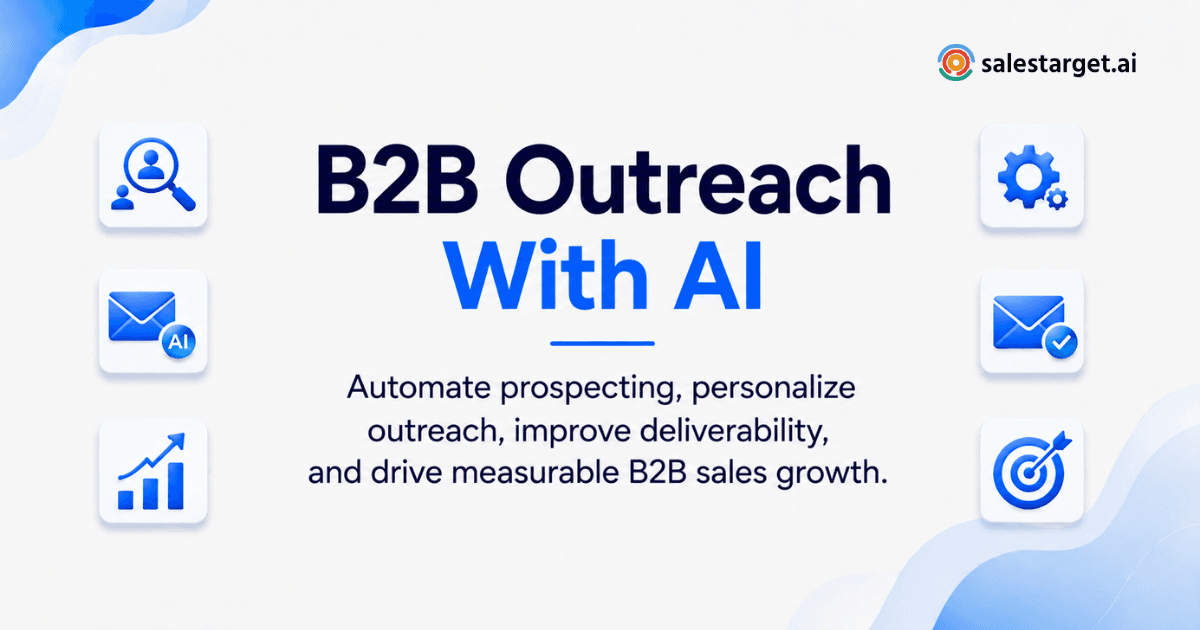
If you run outbound, you already know the math has gotten harder. Inboxes are more crowded, buyers are more skeptical, and the tactics that worked two years ago now trigger spam filters instead of replies. For sales leaders, RevOps operators, and founders running their own pipeline, the question isn't whether to use automation. It's how to run B2B outreach with an AI sales platform without turning your outbound into noise.
This guide walks through what actually moves the needle: deliverability fundamentals, sequencing that adapts to deal complexity, multi-channel coordination, and the metrics worth watching. No fluff, no vanity stats.
What an AI Sales Platform Actually Does
An AI sales platform combines the tools outbound teams used to buy separately: prospecting data, email and LinkedIn outreach, verification, and a CRM to track it all. Instead of exporting a list from one tool, uploading it to another for sending, and manually logging replies in a third, the workflow lives in one place.
The "AI" part typically shows up in three areas: finding the right accounts and contacts faster, generating and personalizing outreach copy at scale, and surfacing intent signals that tell you who's actually in a buying window right now.
This matters because the old stack (a data provider, a sending tool, a separate CRM) creates gaps. Leads get enriched in one system and never make it cleanly into the next. Replies land in an inbox nobody's tracking against the deal record. An all-in-one AI sales platform closes those gaps by design.
For a deeper breakdown of why combining lead data and CRM in one system changes outbound performance, see this comparison of separate tools versus a unified platform.
Building an Email Program That Actually Reaches the Inbox
Email is still the highest-volume channel in B2B outbound, but only if messages land in the primary inbox. Copy quality doesn't matter if the message never gets seen.
Get the Technical Foundation Right First
Before writing a single subject line, confirm the basics are in place:
- Authenticate your domain. SPF, DKIM, and DMARC records need to be configured correctly, not just "set up once and forgotten."
- Warm up new inboxes gradually. Sending volume that spikes overnight is one of the fastest ways to get flagged.
- Verify your list before every send. Bounce rates above 2 percent damage sender reputation fast, and that damage carries into future campaigns.
This is where an AI-powered sales outreach workflow earns its keep. SalesTarget.ai's Email Outreach module handles automatic AI warm-up, inbox rotation across unlimited inboxes, and SPF/DKIM/DMARC checks in the background, so deliverability isn't something reps have to babysit manually.
List quality matters just as much as sending infrastructure. Running contacts through an email validator that checks MX records, flags disposable addresses, and scores risk before a send catches the bad data that tanks bounce rates, rather than finding out after a campaign is already live.
Write Subject Lines That Earn the Open
Three formulas consistently outperform generic openers:
- Question plus benefit: "Quick question about [pain point] at [Company]?"
- Shared context: "Saw your note on [topic] at [event]"
- Direct value: "Ideas for improving [metric] by [percentage]"
Test these against each other rather than guessing. A platform with built-in A/B testing turns this into a data question instead of a matter of opinion.
Make Personalization Go Beyond First Name
A template that only swaps in {First_Name} reads as a template. Real personalization pulls in specific, recent context:
Hi [Name], I read your note on [specific insight from their recent content] and agree with [specific detail]. We recently helped [similar company] achieve [specific result] by [brief solution]. Worth a 10-minute conversation next week?
When this kind of variable data is pulled automatically from enriched lead records instead of typed manually, a 500-contact sequence can feel closer to a one-to-one message than a blast.
Sequencing Outreach for Complex, Multi-Stakeholder Deals
Not every deal moves the same way. Selling to a director with budget authority is a different motion than selling into an enterprise account with a CFO, a security team, and a procurement process.
For complex B2B sales, the research phase deserves more weight than the pitch itself. C-suite buyers don't respond to feature lists. They respond to outreach that clearly ties to a business outcome they're already thinking about.
The most reliable trigger for that kind of timing is a signal that something changed: a funding round, a new executive hire, a market expansion, or a spike in specific buying intent. Tools that surface these signals let a rep reach out at the exact moment a prospect is receptive, instead of cold-calling a static list.
Lead Explorer is built around this. It combines a searchable database of 840M+ verified professional profiles and 146M+ business entities with more than 4,000 real-time intent signals, so reps can filter for accounts actively showing buying behavior rather than guessing which accounts are ready. One click enriches a match with verified email, phone, and mobile, so the handoff from "found the lead" to "the lead is in a sequence" happens without a separate export step.
Making LinkedIn Outreach Scale Without Getting Flagged
Email alone leaves a reach on the table. But LinkedIn automation done carelessly (generic connection requests, obviously scripted follow-ups) burns trust fast and risks account restrictions.
The better approach uses automation for the parts that don't need a human touch and reserves manual effort for the parts that do:
- Automate content monitoring so you know when a target prospect posts about something relevant.
- Automate the scheduling and timezone logic behind connection requests and follow-ups.
- Keep the actual message personalized to what that person just posted or shared.
LinkedIn Outreach is designed around this balance. AI personalization adapts messaging to each prospect's role and industry, sequences branch based on whether someone replies or takes no action, and built-in rate limits and warm-up logic protect the account from the kind of aggressive automation that gets flagged. Because it runs in the same coordinated flow as email, a prospect who doesn't respond to an email can get a LinkedIn touch instead, without a rep manually tracking who's been contacted where.
The Follow-Up Framework Most Reps Skip
Most outreach doesn't fail because the first message was bad. It fails because the sender stopped after one or two touches. A large share of replies come between the third and fifth follow-up, not the first.
A simple, value-driven cadence:
- Day 1: The personalized initial message.
- Day 4: A brief, low-pressure nudge.
- Day 9: A value-add touch. Share a relevant case study or observation instead of just asking "did you see this?"
- Day 16: A break-up message that removes the pressure. ("Assuming this isn't a priority right now. Happy to reconnect if that changes.")
That last message routinely gets one of the highest response rates in the sequence, because it removes the obligation the prospect has been avoiding.
Running this manually across a full pipeline is where reps lose consistency. A CRM that auto-creates follow-up tasks and logs every touch to the lead timeline means nothing falls through because someone forgot to set a reminder.
For teams deciding whether to keep stitching together separate prospecting and follow-up tools or consolidate, this breakdown of replacing separate prospecting and CRM tools with one platform is a useful next read.
Staying Compliant as You Scale
Volume creates legal exposure if compliance isn't built in from the start. Regardless of where your company is based, a few rules apply broadly:
- Always include an opt-out. Every automated email needs a clear, simple way to unsubscribe.
- Keep subject lines accurate. Deceptive tactics like fake "Re:" or "Fwd:" prefixes on cold emails violate anti-spam law in most jurisdictions.
- Include a physical address in your email signature.
- Confirm a legitimate basis for contact under GDPR if reaching EU-based prospects, and keep outreach strictly relevant to their professional role.
Automated tools help enforce these rules consistently, but the responsibility for compliance still sits with the sender, not the software.
Metrics That Actually Predict Revenue
Vanity metrics feel good and mean little. The numbers worth tracking:
- Reply rate, not open rate. Apple's Mail Privacy Protection has made open-rate data unreliable across the industry, since it auto-triggers tracking pixels regardless of whether a human opened the email.
- Positive reply rate, separated from "not interested" and unsubscribe replies.
- Meetings booked, the metric that ties outreach directly to pipeline.
- Bounce rate, which should stay under 2 percent. Anything higher signals a list problem that needs fixing before the next send.
For context on what "good" looks like: cold email reply rates have declined industry-wide as inboxes get more crowded and spam filters get smarter. According to Instantly's 2025–2026 benchmark analysis of billions of cold email sends, the platform-wide average reply rate sits around 3.4 percent, with top performers exceeding 10 percent. That's a useful baseline for judging your own campaigns against the market, rather than against an arbitrary internal target.
Validating a list before it ever reaches a prospect's inbox is one of the more direct levers on that number. SalesTarget.ai's own data shows 90 percent of emails get validated before sending inside its Email Outreach module, which is the kind of upstream fix that moves deliverability and reply rate together rather than treating them as separate problems.
Why Choose SalesTarget.ai for B2B Outreach
Most teams running outbound end up stitching together three or four tools: a data provider for leads, a separate tool for cold email, another for LinkedIn, and a CRM that doesn't talk to any of them cleanly. Each handoff between tools is a place where data goes stale or a follow-up gets missed.
SalesTarget.ai was built to remove those handoffs rather than manage them. Compared to point solutions like Apollo (strong on data, but still requires bolting on deliverability and a real CRM) or email-focused tools like Instantly, Smartlead, and Lemlist (built for cold email, but without a native B2B database, LinkedIn automation, or a real CRM), SalesTarget.ai keeps prospecting, outreach, and pipeline tracking on one platform and one bill.
In practice, that looks like:
- Finding a lead in Lead Explorer, enriching it, and pushing it into a sequence without leaving the platform.
- Running coordinated email and LinkedIn touches from the same workspace, with replies syncing automatically to the CRM.
- Every call and email logged to the lead's timeline automatically, with follow-up tasks created without manual entry.
Customers using SalesTarget.ai's CRM report 3.2X faster deal cycles and about 6 hours saved per rep each week, largely from removing the manual data entry and tool-switching that eats into actual selling time. That kind of time-back effect lines up with broader research on sales productivity, where analysts have repeatedly found reps spend a disproportionate share of the workday on administrative tasks rather than active selling.
For reps who want a faster way to work inside the platform itself, the AI Copilot is a conversational assistant built into the workspace. It can pull a list of leads matching a plain-English description, draft a full sequence, check campaign performance, or create a follow-up task, all without switching screens.
If you're weighing SalesTarget.ai against other options, this guide to choosing the right B2B sales platform walks through the criteria worth prioritizing beyond feature checklists.
Getting Started
None of this requires a full platform migration overnight. Start with one piece: clean up your list validation, tighten a single sequence, or consolidate lead data and CRM into one view. The teams that see the biggest gains are usually the ones that stopped treating prospecting, outreach, and follow-up as three separate jobs.
If you want to see how a unified workflow compares to your current stack, you can start free with SalesTarget.ai and test it against a real segment of your pipeline.