Your sequence is live, the connection count keeps climbing, and the inbox stays quiet. Reps blame the copy, managers blame the list, and nobody can point to the real leak. Meanwhile the quarter moves on and the pipeline number does not.
LinkedIn outreach campaign optimization means fixing four things in order: who you target, what you say first, how you follow up, and what you measure. Build a tight list of decision-makers, send short messages tied to something real about their company, follow up with value instead of nudges, and judge the campaign on meetings booked, not requests sent. Salestarget.ai keeps the list, the LinkedIn sequence, the email backup, and the CRM in one workspace, so you can see exactly where replies leak.
The Hidden Performance Gaps Behind LinkedIn Outreach Campaigns
Most weak campaigns share the same five gaps. Each one looks like a copy problem on the surface, but the fix usually sits upstream, in the list, the timing, or the handoff.
High connection volume but low prospect engagement
A large number of accepted requests means little if nobody replies. Volume hides weak fit. A rep can send requests all week, watch the accept count grow, and still book nothing, since people accept requests from strangers all day without any intent to talk.
When accepts rise and conversations stay flat, the list is too broad. Sending more only adds more of the wrong people. The first fix is a smaller, sharper list, not a bigger daily limit.
Generic outreach messages that fail to attract decision-makers
Senior buyers read dozens of "quick intro" notes a week. A message that could go to any title at any company gets ignored in seconds. The tell is a first line that talks about you, your product, or your "solution" before it says anything about them.
Decision-makers answer when the opening shows you know their situation. That can be as small as a hiring push, a product launch, or a change in their team. One specific detail does more work than three polite compliments.
Follow-up gaps that leave interested prospects unconverted
Plenty of prospects read a message, mean to answer, and forget. If your sequence ends after one nudge, you lose the people who were mildly interested. These are the cheapest meetings to win, and most teams abandon them.
The gap usually comes from manual follow-up. Reps lose track of who needs a second touch, and the lead goes cold. A sequence that schedules each step removes that dependence on memory.
Poor targeting that fills the pipeline with unqualified contacts
A list built only on job title pulls in consultants, students, and companies too small to buy. Reps then spend hours in friendly conversations with people who will never sign. Reply rates can look healthy while pipeline stays empty.
Targeting has to combine the account and the person. Industry, company size, and tech stack describe the account. Role, seniority, and department describe the buyer. Without both, a good-looking list is a list of guesses.
Disconnected outreach activities that make meeting conversion difficult
When LinkedIn lives in one tool, email in another, and notes in a spreadsheet, context disappears. A rep follows up on LinkedIn without knowing the prospect ignored three emails, or sends a cold email to someone who already replied on LinkedIn.
These collisions annoy buyers and waste good conversations. Meetings slip through the cracks between tools, and nobody sees the leak since every tool reports only its own slice.
Core Elements of a High-Performing LinkedIn Outreach Campaign
A strong campaign has five parts. Skip one and the other four underperform, so treat this as a checklist before you touch any message.
Ideal customer profile and decision-maker segmentation
Define the account and the person separately. The account covers industry, size, revenue, and tech stack. The person covers role, seniority, and department. Then split the list by buyer type, since a founder and a RevOps manager care about different problems and need different openers.
In Salestarget.ai, the ICP Builder in Lead Explorer turns that definition into a saved search. You can describe the audience in plain English or stack Business and People filters, then reuse the same definition every time you build a new list.
Prospect data quality and buying intent signals
A good fit with no reason to act now still stalls. Real-time signals such as funding rounds, hiring spikes, leadership changes, awards, and intent topics tell you who is in motion. Reaching out right after a trigger turns a cold message into a timely one.
Lead Explorer surfaces business events and Bombora intent topics on a 30 to 90 day lookback. Data quality matters just as much. Contacts enriched and verified at the moment you find them are far less likely to be dead ends than records scraped long ago.
Personalized connection requests and opening messages
Personalization means referencing one specific, current fact: a hire, a launch, a post, a new market. A first name merge field does not count. Buyers can spot a template within a few words.
Keep the opener short and tie it to the fact. The goal of the connection request is acceptance, and the goal of the first message is a reply. Neither one is the place to pitch.
Multi-touch follow-up sequences and engagement timing
Plan the sequence before you send it: connection, first message, value follow-up, soft ask, and a final check-in. Each step should have a purpose and a reason to exist. Random reminders do not count as a sequence.
Timing should follow behavior. A prospect who accepts quickly and views your profile deserves a faster next step than one who stays silent. Conditional logic that branches on actions keeps the pace matched to interest.
Lead qualification and meeting conversion workflow
A reply is not a meeting. Decide who qualifies a positive reply, how fast they respond, and where the lead goes next. Write down what a qualified conversation looks like so SDRs and account executives judge it the same way.
The handoff is where campaigns quietly lose their best conversations. A reply that waits a day for an owner often cools off. Assign owners automatically and the problem shrinks.
Next step: Before you change a single message, rebuild your ICP and decision-maker segments in Lead Explorer. A cleaner list improves every metric below.
LinkedIn Outreach Performance Metrics That Reveal Campaign Gaps
Each metric points to one stage of the campaign. Read them in order, from the top of the funnel to the bottom, and fix the first weak one before you move on.
Connection acceptance rate and prospect engagement rate
Low acceptance points to targeting, a weak profile, or a request that feels like a pitch. It rarely points to the follow-up copy, since prospects have not seen it yet. Track acceptance by segment, not as one blended number.
Engagement goes beyond the accept. Profile views, post likes, and replies to early touches show real interest. If one persona accepts well and another does not, the problem is the match for that group, and no rewrite will fix it.
Message reply rate and positive response rate
Total replies mislead, since "not interested" counts as a reply. Separate positive responses from neutral and negative ones, and watch the positive share most closely. A campaign with many replies and few positive ones has a message or targeting problem.
Reading the negative replies also pays off. They tell you which objection shows up most, which segment feels irrelevant, and which line sounds pushy.
Follow-up response rate and conversation rate
This metric shows whether your follow-ups add value. If the first follow-up gets more replies than the opener, your opener is the weak link. If follow-ups get nothing, they are only nudges, and prospects have learned to ignore them.
Conversation rate counts exchanges that go past a single reply. Two-way threads are where meetings come from, so a campaign with many one-line replies and few threads has a depth problem.
Reply-to-meeting conversion rate
This is the most overlooked number. Strong reply rates with weak meeting conversion mean the handoff is broken: slow answers, no clear next step, or the wrong person replying. The campaign itself may be fine.
Look at the time between a positive reply and the first human response. That gap predicts conversion better than almost any copy change you can make.
Meetings booked and qualified opportunities generated
Meetings that never become opportunities are a polite waste of calendar time. Tie every booked meeting to a deal in the CRM so you can see which segments and messages produce pipeline, not just conversations.
This is the number leadership cares about. When you can show which campaign produced which opportunity, you can defend the budget and scale what works.
LinkedIn Outreach Campaign Optimization Framework for Better Results
Work through these six moves in order. Each one feeds the next, and skipping ahead usually means fixing symptoms instead of causes.
Segment prospects by industry, job title, company size, and intent
Build small, specific segments. A list of one industry, one role, and one trigger beats a broad list every time, since the message can speak to a single situation instead of a vague average.
Add intent as a fourth layer. Two companies with the same profile can be in very different places, and a buying signal tells you which one to contact first.
Prioritize high-fit prospects instead of increasing connection volume
Cut the bottom of your list before you add to the top. Fewer, better requests protect your acceptance rate and your account. LinkedIn also watches behavior, and a pattern of ignored requests works against you.
Lead Explorer's intent-based lead scoring helps rank who to contact first. Start the sequence with the best-fit group, learn from the results, then move down the list.
Personalize messages using company activity and prospect insights
Pull one fact per prospect: a funding round, a new hire, a recent post. Write the opener around it and tie it to a problem your offer solves. This takes minutes per prospect once the research is in front of you.
Salestarget.ai's LinkedIn Outreach adapts messages to each profile, role, and industry. Reps edit a strong draft instead of writing from zero, which keeps quality high at scale.
Structure outreach sequences around buyer interest and engagement
Use conditional steps. A prospect who accepts and views your profile gets a different next message than one who stays silent. A prospect who replies with a question gets a human answer, not the next automated step.
Salestarget.ai sequences branch on replies, actions, or no response. That keeps automation useful without making every prospect feel like part of a mail merge.
Improve follow-up timing based on prospect responses
Fast replies deserve a fast answer. Silent prospects deserve more space between touches. A fixed calendar treats everyone the same, and buyers notice.
Timezone-aware scheduling with working-hour limits and human-like delays keeps messages arriving when people are at their desks. Messages that land at odd hours look automated and get ignored.
Test message variations and optimize campaign performance
Change one variable at a time: the opener, the ask, or the length. Run each test on a similar segment and judge it by positive replies and meetings, not by total replies. A test with two changes at once teaches you nothing.
Keep the winner, retire the loser, and test the next idea against the winner. Start a free trial and run your first split test inside one sequence.
LinkedIn Message Optimization for Higher Reply Rates
Short answer: keep every message brief, specific, and easy to answer. A buyer should be able to reply in one line.
Connection request messaging for target decision-makers
Keep it to one or two lines. Mention a shared context, not your product. The request is a door opener, and a pitch at this stage reads as spam and hurts acceptance.
Example: "Hi Priya, saw your team is hiring SDRs. We work with outbound teams ramping new reps. Worth connecting."
First-touch messages focused on relevant business challenges
Open with a problem your segment already feels, then ask a low-effort question. A question that is easy to answer gets answered. A statement about your product does not.
Example: "Most teams we talk to see plenty of accepts but few replies. Is that true for you?" This invites a response instead of defending a pitch.
Value-driven follow-ups that encourage prospect engagement
Each follow-up should give something new: a short observation, a relevant example, or a quick idea. Never send "just checking in." A reminder with no value is the fastest way to get ignored.
Think of each touch as a reason for the prospect to think better of you. If a follow-up would not be worth reading, cut it from the sequence.
Soft meeting requests that move conversations forward
Ask for interest before you ask for time. "Open to a short call if this is on your radar?" lands better than a calendar link in the second message. Save the link for after a positive signal.
Offer a low-effort alternative, such as a short written summary. Giving the buyer a choice lowers the pressure and raises the odds of a yes.
Message personalization by buyer persona and sales stage
A founder cares about pipeline without hiring. A sales leader cares about rep productivity. A RevOps lead cares about data and handoffs. Change the angle by persona so the first line speaks to what that person is judged on.
Change the ask by stage as well. Early on, ask a question. Once there is interest, offer a call. After a meeting, send a recap with a clear next step.
LinkedIn Follow-Up Sequences That Convert Conversations Into Meetings
Short answer: a good sequence moves from introduction to value to a soft ask, and adapts to how the prospect behaves.
Initial connection and introduction sequence
Send a short request, wait for the accept, then send a first message within a day or two. Keep the first message about their situation, not your offer. The goal is a reply, not a demo.
If the prospect accepts and says nothing, do not rush. A short pause followed by a relevant question works better than an immediate pitch.
Value-sharing follow-up for non-responsive prospects
If there is no reply, send something useful: a one-line insight on their segment, a quick teardown idea, or a pattern you noticed. Space it several days out so it does not feel like pressure.
Silence is not a no. It usually means a busy inbox or a message that did not land. A better angle is worth more than a louder reminder.
Engagement-based follow-ups for interested prospects
If someone views your profile, likes a post, or replies with a question, shift to a warmer tone and answer fast. These actions are soft buying signals, and a quick, human response can turn them into a conversation.
Conditional steps in LinkedIn Outreach branch on these actions, so the right message goes to the right person at the right moment.
Meeting invitation sequence for qualified leads
Once interest shows, offer two clear options: a short call or a written summary first. Make saying yes easy, and suggest a specific window instead of leaving it open.
Then move the lead into the CRM so a follow-up task exists the moment the meeting ends. Nothing should depend on a rep's memory.
Re-engagement messages for inactive prospects
Wait a while, then return with something new: a trigger event, a changed role, or a fresh angle. Re-engagement works when you have a new reason to write, not a louder version of the old message.
Keep it short and easy to ignore without guilt. Prospects who feel no pressure are more likely to reply when the timing finally fits.
Next step: If your sequences stop after one follow-up, add one value step and one re-engagement step, then compare meetings booked after a full cycle.
LinkedIn Outreach Campaign Examples and Messaging Frameworks
Use these as starting points and rewrite them with a real detail for each prospect. For ready-to-edit versions, see these LinkedIn outreach campaign examples and messaging templates.
B2B connection request examples for different buyer personas
Match the line to what each persona cares about and keep each one short enough to read at a glance.
- Founder: "Hi Sam, congrats on the new funding. We help early teams build outbound without a big SDR bench. Glad to connect."
- VP of Sales: "Hi Dana, noticed your team is growing. We work with sales leaders on reply rates. Open to connecting."
- RevOps manager: "Hi Leo, saw your post on pipeline reporting. Would like to connect and swap notes."
Personalized LinkedIn opening message examples
"Thanks for connecting, Priya. Saw the new SDR roles open. Teams ramping reps tend to struggle with list quality in the first month. Is that on your radar?"
The structure is the point: one fact, one problem, one easy question. Swap the fact and the problem for each segment and the framework holds.
Follow-up message examples for unanswered requests
"Not sure this is a priority right now. One thing worth sharing: teams that split lists by trigger event tend to see warmer replies. Happy to show how if useful."
This gives the prospect an out, offers a small piece of value, and asks for nothing heavy. It reads as helpful, not needy.
Meeting booking messages for interested prospects
"Glad this is relevant. Would a short call this week work, or would you prefer a quick written summary first? Either is fine."
Offering a choice keeps the tone relaxed. Once the prospect picks, follow up with a specific time and a calendar invite.
Message variations for founders, sales leaders, and SDRs
Founders respond to speed and saving their own time. Sales leaders respond to team output and predictability. SDRs respond to less manual work and cleaner lists.
Keep the offer the same and change the first line. The same product reads very differently when the opener names the problem that person lives with daily.
Advanced LinkedIn Outreach Campaign Optimization Techniques
Short answer: once the basics work, tighten targeting and coordinate channels so every touch builds on the last.
Account-based prospect segmentation for high-value opportunities
For priority accounts, map several contacts per company: the buyer, the user, and the influencer. Message each with a different angle, and keep notes shared so reps do not collide inside the same account.
Treat these accounts as small campaigns of their own. A custom opener based on company news is worth the extra minutes when the deal is large.
Intent-based prospect prioritization for relevant outreach
Sort your list by who is showing signals right now. Contact the accounts with fresh funding, hiring spikes, or leadership changes first. Timing lifts replies more than clever wording does.
Review signals on a regular cadence. A prospect who was quiet last month may be active now, and a fresh signal is a fresh reason to write.
A/B testing connection requests and follow-up messages
Test one change at a time on matched segments. Judge by positive replies and meetings, not total replies. Let each test run long enough to mean something before you call a winner.
Log what you learn. Over a few cycles you build a library of openers and asks that work for each persona, which speeds up every future campaign.
LinkedIn and email coordination across multichannel sequences
Run LinkedIn and email as one flow so context carries across both. If a prospect replies on one channel, pause the other. Double-touching a person who already answered is a quick way to lose them.
Salestarget.ai runs both channels in a single coordinated sequence, and every reply lands in one place. Reps see the full picture before they write.
Reply management and lead handoff between SDRs and account executives
Agree on what a qualified reply looks like and how fast it gets an answer. Include the full thread in the handoff so the account executive never opens with a question the prospect already answered.
Sort replies by intent, such as interested, follow-up later, or not a fit, and assign an owner right away. Clear ownership removes the delay that kills warm conversations.
Campaign performance analysis and continuous optimization
Review segment-level results on a fixed rhythm. Look for one thing to cut, one to scale, and one to test. Small, steady changes beat big rewrites.
Compare campaigns on meetings and opportunities, not activity. The campaigns that produce pipeline deserve more budget, and the rest deserve a hard look.
Common Campaign Mistakes That Limit LinkedIn Outreach Results
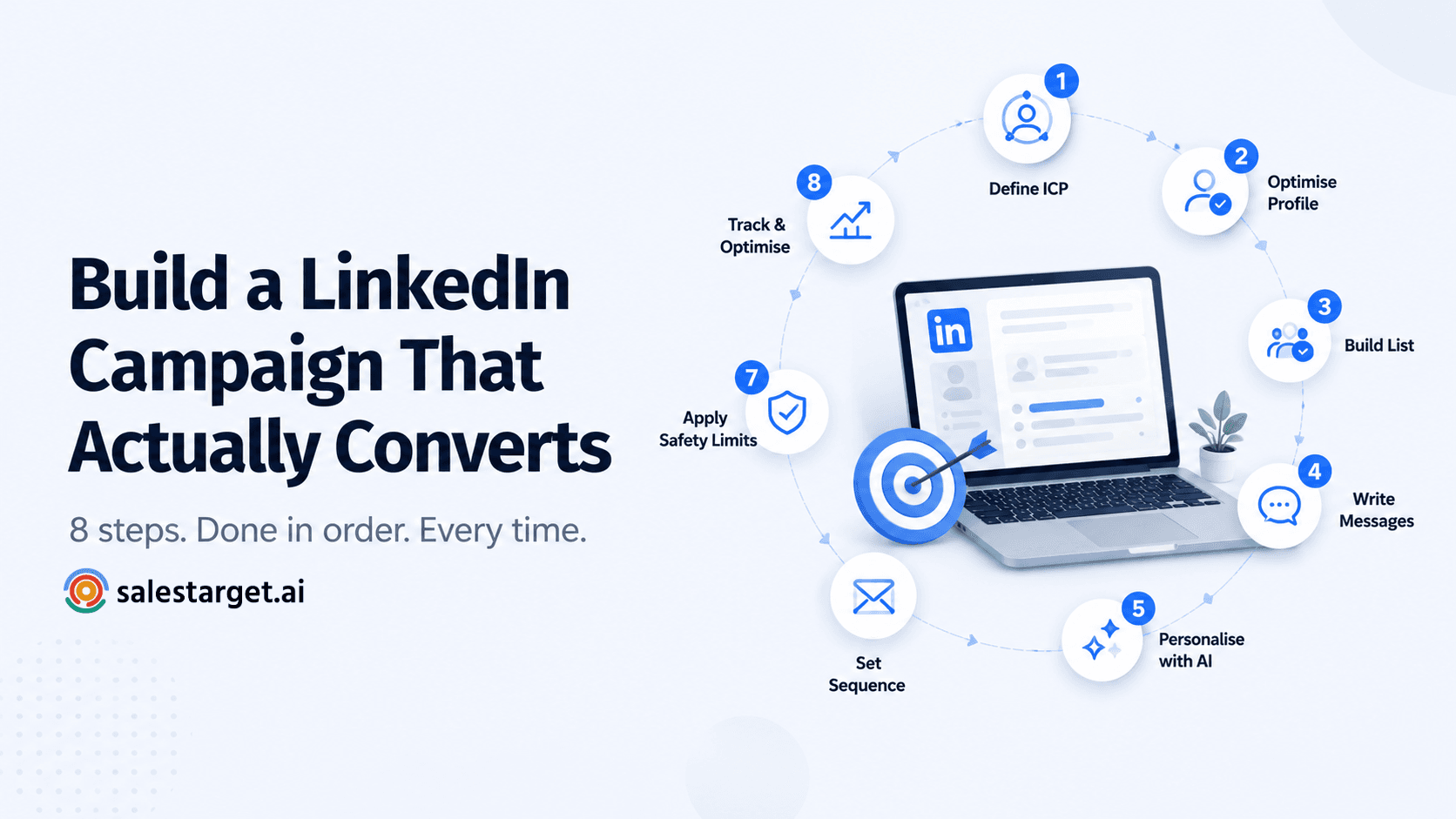
Most of these come from chasing activity instead of outcomes. If you are building from the ground up, this LinkedIn outreach campaign step-by-step guide and the walkthrough on how to build a LinkedIn outreach campaign from scratch cover the setup.
Prioritizing connection requests over qualified conversations
Teams celebrate accepted requests and ignore what happens after. A smaller number of real conversations is worth more than a long list of silent connections.
Set goals around conversations and meetings. When the target changes, behavior changes with it.
Using the same message for different buyer personas
One template for every title sounds like a template. Split by persona and adjust the problem you name first.
Even a light edit to the first line, based on role, changes how the message feels to the reader.
Sending repeated follow-ups without adding value
Three "bumping this" messages train prospects to ignore you. Every touch needs a reason to exist, whether that is a new insight, a new angle, or a new trigger.
If a step adds nothing, remove it. A shorter sequence with real value beats a longer one full of reminders.
Automating outreach without monitoring prospect engagement
Automation saves time but needs eyes on it. Watch acceptance and reply trends weekly, and pause sequences that dip. A quiet drop in results is easy to miss when nobody is looking.
Built-in rate limits, warm-up logic, and auto-pause safeguards help protect the account, but they do not replace review.
Ignoring negative replies and connection quality
A negative reply tells you something about targeting or tone. Tag them, read them, and adjust. A spike in "not a fit" means your list is off, and a spike in "stop messaging me" means your cadence is too aggressive.
Connection quality matters too. A network full of irrelevant contacts lowers acceptance and wastes your reach.
Measuring total replies instead of meetings and pipeline contribution
Replies feel good and prove little. Track meetings booked and opportunities created, and tie both back to the segment and message that earned them.
A campaign with fewer replies and more meetings is the better campaign. Judge it that way.
Essential Features of a LinkedIn Outreach Campaign Management Platform
Short answer: look for a platform that covers data, outreach, verification, and tracking in one place, so you do not rebuild the workflow across tools.
B2B lead database with verified contact information
You need accurate profiles and contact details where you build the list. If data sits in one tool and outreach in another, you export, import, and lose time and accuracy at every step.
Enriching and verifying at the moment you find a lead beats cleaning old data later. Fresh, verified contacts protect both reply rates and sender reputation.
AI-powered prospect research and message personalization
The tool should draft messages from each profile, role, and industry, and give reps a head start instead of a blank box. Good personalization reduces research time without making every message sound the same.
Reps should stay in control. The best setup produces a solid draft that a human can sharpen in seconds.
LinkedIn and email sequence automation
Look for conditional steps, human-like delays, timezone-aware scheduling, and built-in safety limits on LinkedIn, plus email sequences that run in the same flow. Safety features protect your account from the behavior that gets profiles restricted.
Running both channels together keeps context shared and stops double-touching.
Follow-up scheduling and unified reply management
Every reply should land in one view, sorted by intent and assigned to an owner. Scattered inboxes are how interested prospects go cold.
Automatic follow-up tasks help too. When a lead replies or a meeting ends, the next action should appear without anyone creating it by hand.
Email verification and deliverability monitoring
If email backs up your LinkedIn sequence, bad addresses hurt sender reputation. Verification before sending, plus authentication checks such as SPF, DKIM, and DMARC, keeps that channel healthy.
A damaged sender reputation takes time to repair, so prevention is cheaper than recovery.
CRM integration and campaign performance tracking
Replies should turn into deals without copy and paste. Tracking should show meetings and pipeline by campaign, not just message counts.
Integration with calendars, Slack, and other CRMs keeps the workflow connected to the tools your team already uses.
Why Choose Salestarget.ai for LinkedIn Outreach Campaign Optimization
Salestarget.ai is an all-in-one AI sales intelligence and outbound platform. Prospecting, outreach, verification, CRM, and AI help sit in one workspace on one bill, so you stop stitching point tools together. Apollo gives data and engagement but leaves you to add deliverability and a CRM. Instantly, Smartlead, and Lemlist focus on cold email and have no native B2B database, no LinkedIn automation, and no real CRM. Salestarget.ai keeps all of it together.
Find and enrich target prospects with Lead Explorer
With Lead Explorer, you can search in plain English with AI, or stack Business and People filters such as industry, role, seniority, department, company size, revenue, location, tech stack, and intent topics. One click enriches a lead with verified contact details.
Real-time buying signals and business events show who is in motion. Leads move straight into sequences or the CRM with no CSV step.
Run personalized LinkedIn and email sequences with LinkedIn Outreach and Email Outreach
LinkedIn Outreach automates connection requests, messages, follow-ups, and engagement actions. AI personalization adapts to each profile, role, and industry, and conditional sequences branch on replies, actions, or no response. Built-in safety includes rate limits, warm-up logic, and auto-pause safeguards.
Email Outreach adds multi-step sequences, unlimited inboxes with automatic AI warm-up, and a unified inbox that sorts replies by intent. Both channels run in one coordinated flow, so context carries across.
Maintain contact quality with Email Validator
Email Validator checks addresses before you send using MX and SMTP checks, disposable-email detection, and risk scoring. That cuts bounces, protects sender reputation, and keeps your email follow-ups landing in the inbox.
Use real-time verification or bulk list cleaning, and connect it to the platforms your team already uses.
Manage conversations and sales opportunities with Salestarget.ai CRM
Campaign leads land in the Salestarget.ai CRM automatically with no imports. Every email and call is logged to the lead timeline, and follow-up tasks appear when a lead replies or a meeting ends.
The deal pipeline, tasks, activity tracking, and reports live in one shared view, with a built-in dialer for click-to-call. It is a CRM built for outbound teams, not enterprise bloat.
Support sales research and daily outreach tasks with AI Copilot
AI Copilot is a conversational sales teammate inside the platform. Ask it to find leads, draft full personalized sequences, track which campaigns drive revenue, or pull CRM deals, meetings, and tasks in plain language.
It flags at-risk deals and recommends the next move, so reps spend less time on grunt work and more time in real conversations. Strategy stays human.
Conclusion: Optimizing LinkedIn Outreach Campaigns for More Replies and Qualified Meetings
Quiet inboxes rarely come from one bad message. They come from a loose list, generic openers, thin follow-up, and metrics that reward activity instead of meetings. Fix them in order: tighten the list, personalize with real signals, build sequences that adapt, and measure what reaches the pipeline.
Salestarget.ai gives you each of those steps in one workspace, from finding and enriching leads to running LinkedIn and email sequences to closing in the CRM. You see where replies leak, and you fix it without switching tools.
Ready to turn more LinkedIn conversations into qualified meetings? Start free with Salestarget.ai.