
TL;DR
- B2B email list validation runs four sequential checks: syntax → domain + MX record → SMTP handshake → catch-all and spam trap detection.
- Each layer catches a different category of bad address that the previous layer cannot detect. Running all four is the only way to get a genuinely clean list.
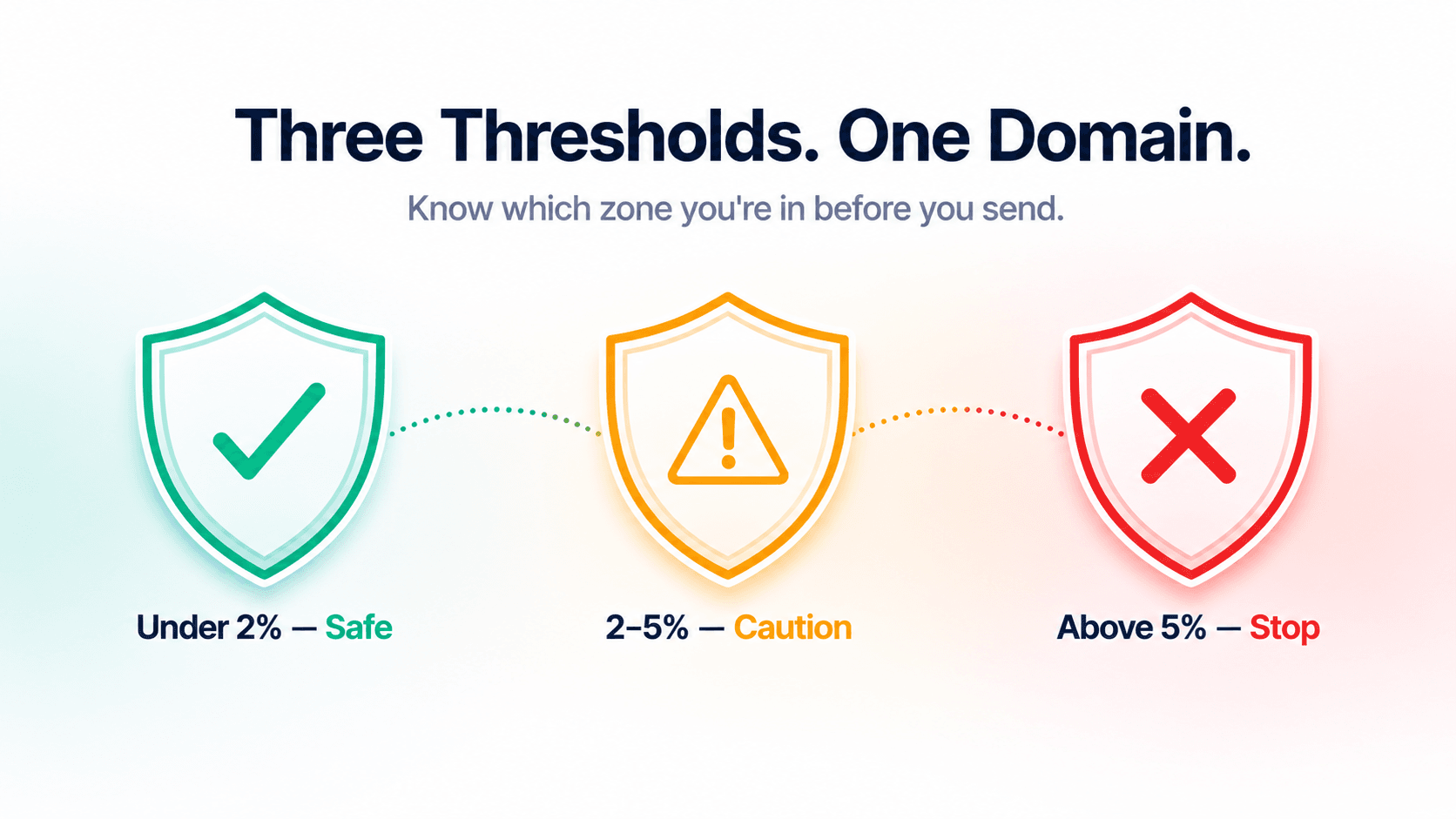
- Safe threshold: under 2% bounce rate. Caution zone: 2–5%. Stop and clean immediately: above 5%.
- B2B email data decays at 22.5% per year — any list older than a few months carries real bounce rate risk before you send a single email.
- SalesTarget's Email Validator runs all four layers automatically in one step — no manual configuration, no separate tools.
Your campaign failed before it launched. Not because of the subject line. Not because of the sequence. Because the list you uploaded had 400 invalid addresses sitting in it — addresses that looked fine, passed a basic format check, and still bounced the moment you sent to them. By then, your domain reputation had already taken the hit.
The problem isn't that teams skip validation. It's that they stop too early. A single-layer format check feels like validation. It isn't. A genuinely validated B2B email list runs four distinct checks in sequence — and each one is catching a different category of problem the previous layer couldn't see. Here's what each layer does, what it catches, and how to run all four before your next campaign.
Why list decay ruins campaigns before they start
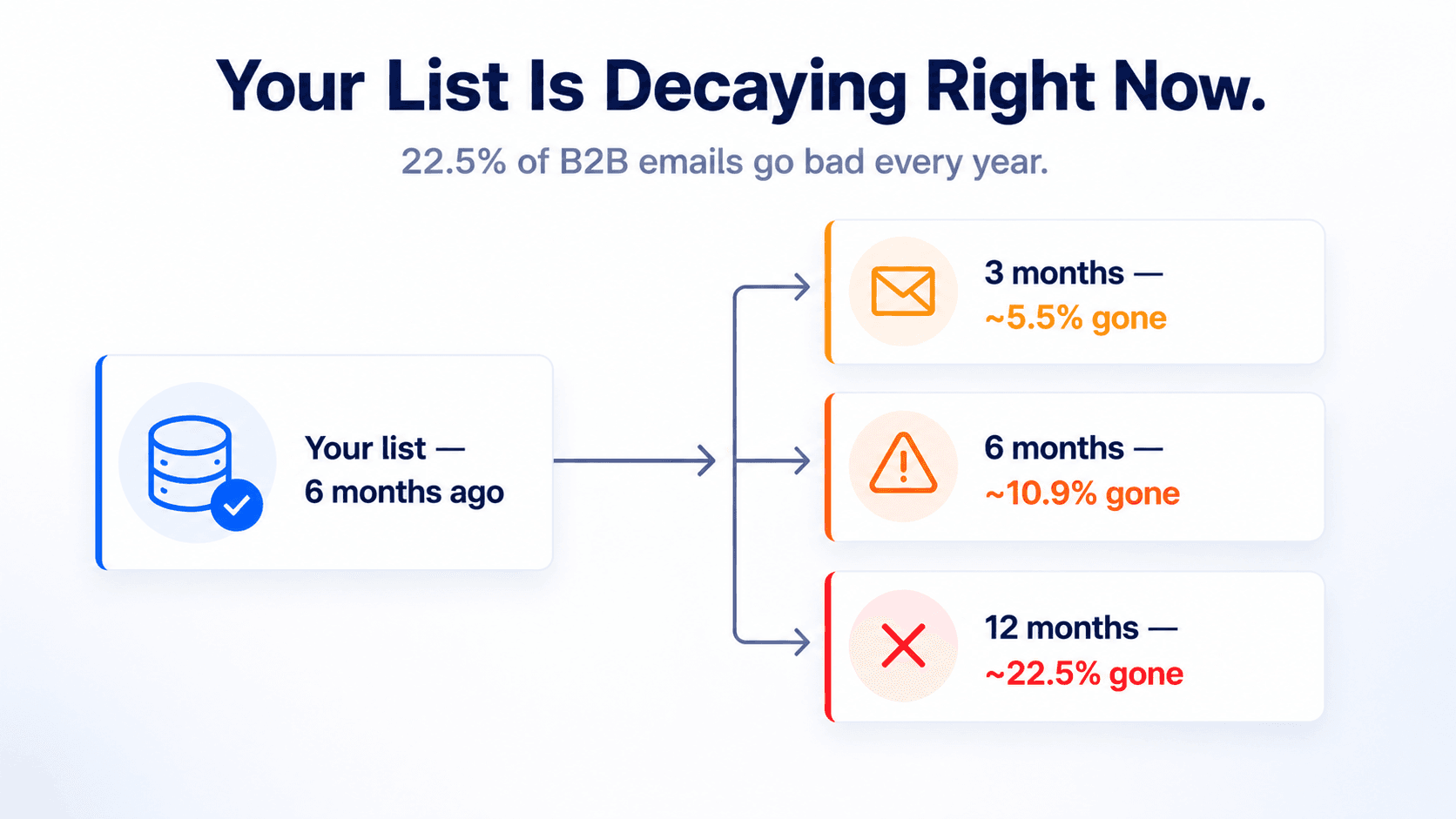
B2B email data decays at roughly 22.5% per year — approximately 1.9% of your list going bad every month — as people leave companies, domains shut down, and inboxes get abandoned or repurposed as spam traps. This is a consistent finding across outbound sales research.
A list that was clean six months ago has accumulated almost 12% decay. At 1,000 contacts, that's approximately 120 addresses that no longer work — before you've sent anything. At 5,000 contacts, it's 600. Those addresses don't announce themselves. They sit quietly in your CSV looking identical to the valid ones, waiting to bounce.
This is why validation before every send isn't optional maintenance — it's the quality gate that determines whether your campaign can run without damaging your domain. And it's why surface-level format checking isn't enough. By the time list decay hits, the addresses that go bad often have correct formatting and real domains. They just no longer have active mailboxes. Catching those requires going deeper.
The decay math on your current list
What's already gone bad
At 1.9% monthly decay: a 3-month-old list has lost roughly 5.5% of valid addresses. A 6-month-old list has lost roughly 10.9%. A 12-month-old list has lost roughly 22.5%. Run these numbers against your list size and you'll know exactly how many bounces are waiting for you before you send. The fix is running all four validation layers before every campaign — not after the bounces appear.
The 4-Layer Check Method: what each layer does
Validation runs four checks in sequence. The reason they're sequential matters: each layer filters out one category of bad address so the next layer isn't wasting resources checking addresses that are already disqualified. Skip any layer and you're leaving a gap that will show up as bounces.
Layer 1 — Syntax validation
The first check confirms the email address is correctly structured. It verifies the address has exactly one @ symbol, a valid username before it, a domain after it, and no illegal characters or spacing errors. An address like john.smith@ or johnsmith@acme fails here immediately.
What it catches: Typos, copy-paste errors, manual entry mistakes, addresses scraped incorrectly from websites. These addresses were never deliverable — they're data entry problems that should never have made it into the list in the first place.
What it misses: Everything else. A perfectly formatted address pointing to a dead domain, a deleted mailbox, or a spam trap passes Layer 1 with no issues.
Layer 2 — Domain and MX record check
Once syntax passes, the check moves to the domain. Two things are verified: whether the domain actually exists and resolves correctly, and whether it has an MX (Mail Exchange) record — a DNS entry that tells the internet where to deliver email for that domain.
What it catches: Companies that shut down and let their domain expire. Domains registered but never set up to receive email. Acquisition targets where the old domain went dark after a merger. These are common in B2B lists — particularly in purchased data — and they produce hard bounces that directly damage sender reputation.
What it misses: Addresses at legitimate, active domains where the individual mailbox no longer exists. The domain check confirms the infrastructure — not the person.
Layer 3 — SMTP handshake verification
This is the deepest layer of individual mailbox confirmation. An SMTP check connects directly to the receiving mail server and asks whether the specific address exists — without sending an actual email. The server responds with a yes, a no, or an indeterminate answer (which indicates a catch-all domain, handled in Layer 4).
What it catches: The most common source of B2B list decay — the employee who left the company six months ago and had their account deactivated. The domain is live. The MX record is configured. But the individual inbox no longer exists. Layer 3 is the only check that catches this.
What it misses: Catch-all domains where the server accepts all mail regardless of whether the mailbox exists — producing an indeterminate result rather than a clean yes or no. That's what Layer 4 handles.
Why the SMTP check doesn't send an email
The technical detail that matters
The SMTP verification is a connection handshake — it contacts the receiving server, introduces itself, and asks if the address is valid, then disconnects before any message is transmitted. No email is sent. No inbox is notified. The check is invisible to the person whose address is being verified. This is what makes SMTP verification safe to run on cold prospect lists before any outreach has started.
Layer 4 — Catch-all and spam trap detection
The final layer handles the two categories of address that require classification rather than a simple valid/invalid result.
Catch-all domains are configured to accept all email sent to them — even to non-existent mailboxes. When the SMTP check connects and the server accepts everything, the validation system can't confirm the individual mailbox. The result is an indeterminate 50% confidence score. These addresses might deliver and might not — you genuinely don't know without sending. For a full explanation of how to handle them, see What Is a Catch-All Email Address.
Spam traps are addresses — either never real or abandoned and repurposed — that inbox providers and anti-spam organisations use to identify senders with poor list hygiene. They look identical to normal addresses. Only a validation system with a maintained database of known trap patterns can flag them. Sending to a spam trap can trigger immediate domain blacklisting. For the full breakdown of types and consequences, see What Is a Spam Trap Email.
All four layers at a glance
| Layer | What it checks | What it catches | What gets through without it |
|---|---|---|---|
| 1 — Syntax | Format, structure, illegal characters | Typos, missing @, malformed addresses | Everything that looks right but isn't |
| 2 — Domain + MX | Domain existence, mail server configuration | Dead domains, expired registrations, no MX record | All addresses at dead domains → hard bounces |
| 3 — SMTP | Individual mailbox existence via server handshake | Deleted accounts, churned employees, inactive inboxes | All list decay from job changes → hard bounces |
| 4 — Catch-all + spam trap | Accept-all server behaviour, known trap patterns | Unconfirmable catch-all addresses, spam trap addresses | Silent bounces + blacklist risk from spam trap hits |
The bounce rate thresholds that determine your domain's fate
Understanding what the 4-Layer Check Method prevents requires understanding what happens at different bounce rate levels. Industry research and inbox provider guidance consistently points to the same thresholds:
| Bounce rate | Status | What happens to your domain | Action |
|---|---|---|---|
| Under 2% | Safe | Normal inbox placement. Inbox providers treat your domain as a legitimate sender. | Continue — maintain through pre-send validation |
| 2–5% | Caution | Deliverability starts to degrade. Spam folder rates increase. Sender reputation score drops. | Validate your full list before next send. Find and fix the data source. |
| Above 5% | Stop | Active domain reputation damage. Gmail and Outlook start throttling or filtering your domain across all campaigns. | Pause all campaigns. Clean your entire list. Repair reputation before resuming. |
The critical point: domain reputation damage from crossing these thresholds doesn't only affect the campaign that caused it. It affects every email your team sends from that domain — follow-ups, warm prospect replies, inbound lead responses — until reputation is rebuilt. For a detailed guide on reducing bounce rates specifically, see How to Reduce Your B2B Email Bounce Rate to Under 3%.
How SalesTarget runs all four layers automatically
SalesTarget's Email Validator runs the complete 4-Layer Check Method on every address — automatically, in the correct sequence, without any configuration. You don't set up layers separately or choose which checks to run. Upload your list and all four layers run on every address in parallel.
For bulk lists, the Bulk Email Verifier processes your entire CSV in one upload. Every address comes back with a classification: Valid, Invalid, Catch-All, Spam Trap, Disposable, or Abuse. The results file has status appended to every row so you can filter in your spreadsheet tool and pull only the addresses worth sending to before you import into a campaign.
Every result also includes a confidence score and a plain-English summary — so there's no interpretation required. A 100% score on a Company-type address with Valid status means send. A Spam Trap result means remove immediately. A 50% catch-all result means apply your ICP judgment before including.
When to run the 4-Layer Check
Frequency rule
Before every major campaign send — no exceptions. Before the first use of any purchased or third-party list. Before re-engaging any list segment older than 90 days. After any campaign where bounce rate exceeded 2%. Build the check into your pre-send workflow, not your post-bounce cleanup process. The damage from skipping it compounds across campaigns and takes significantly longer to repair than the check takes to run.
For the complete step-by-step workflow — from CSV preparation through to importing only valid addresses into a campaign — see Email Validation vs Email Verification: What's the Actual Difference, which covers how the four layers map to the validation vs verification distinction in detail.
Run all four layers before your next campaign.
SalesTarget's Email Validator runs the complete 4-Layer Check Method automatically — syntax, domain, SMTP, catch-all and spam trap detection — in one upload. No configuration. No separate tools.
✓ 50 credits ✓ 7-day trial ✓ No credit card required

See It In Action: Book Your Free Demo
Get a personalized walkthrough and see how it works for your team.
Book My Demo →



