Two hours of browser tabs before the first send goes out. A third of last week's list bounced. One email landed with a contact who left in March, another with an account the AE had already booked a call with. Quarterly reply rate: 1.4%, and nobody can point to which tool in the stack broke it.
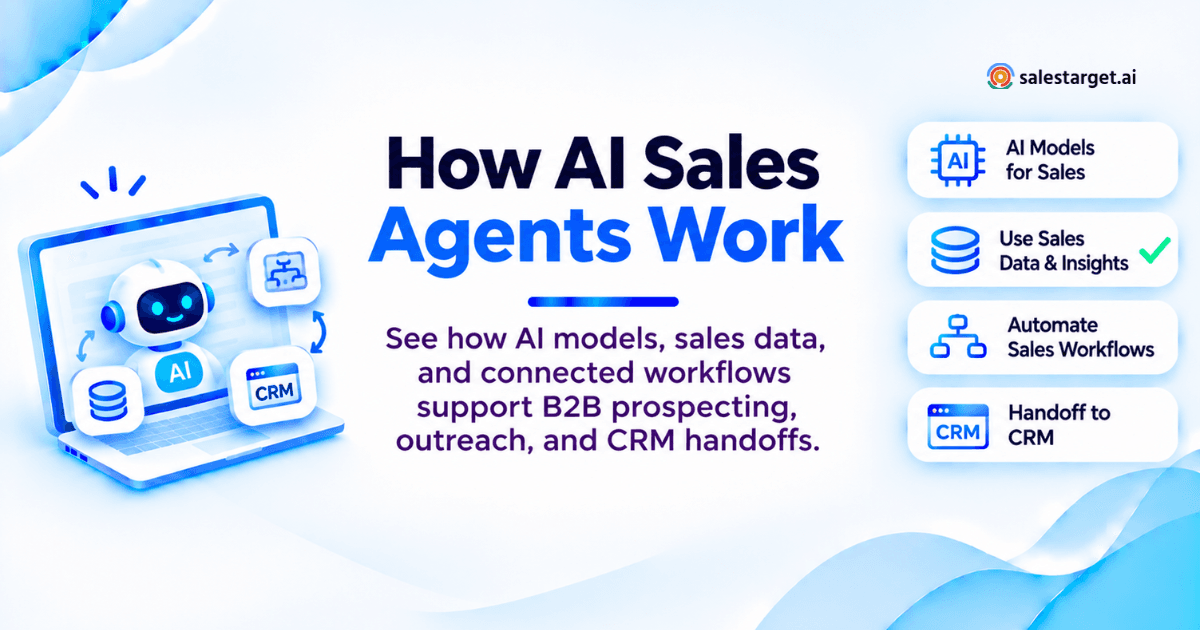
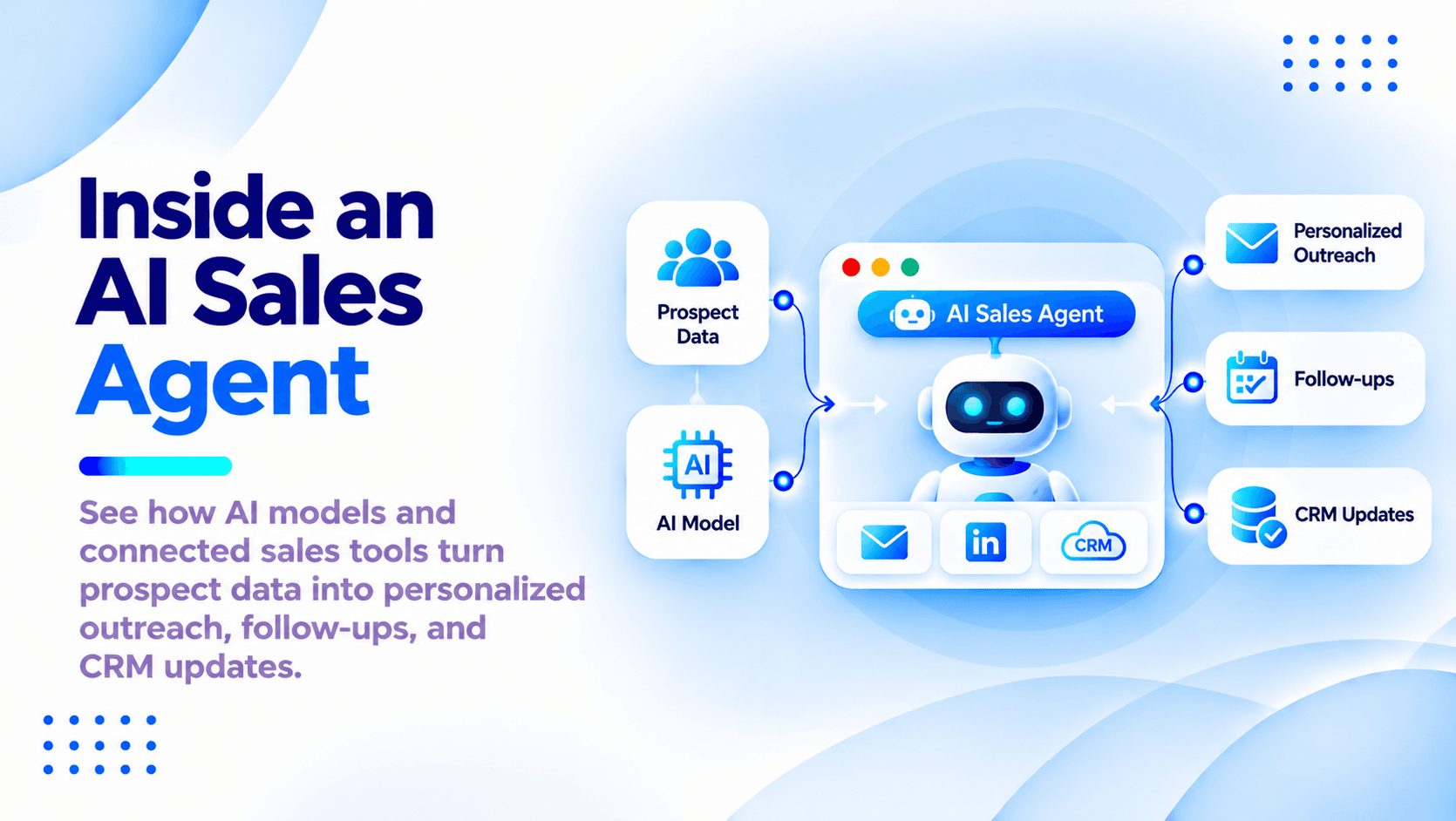
Here is how AI sales agents work. An AI sales agent runs a loop. It reads data about a prospect, picks the next action, takes that action through a connected tool, then records the result and reads what came back. Four parts keep the loop going: data gives it facts, a model picks the action, tools send the email and add the LinkedIn step and write to the CRM, and controls set what it does alone versus what a person signs off. Take out any one of the four and you have a scheduler with better copy.
Gartner predicted in November 2025 that by 2028 AI agents will outnumber sellers by 10 to 1, and that fewer than 40% of sellers will say those agents improved their productivity. The distance between those two numbers is an architecture problem, not an adoption problem. For the strategic view around this one, read the AI sales agent complete guide.
How AI Sales Agents Work Across a B2B Outbound Campaign
Across a campaign the agent repeats one cycle per prospect per step: check state, choose an action, act, write the result back. A 3,000-contact campaign is a few thousand of those cycles on a schedule, not one big send.
The Decision Loop Behind Research, Outreach, and Follow-Up
Four moves per cycle. Read state: who this contact is, what was sent, what came back, where the account sits. Choose: send step two, wait, branch to LinkedIn, stop, or hand to a human. Act: one tool call, one state change. Record: write the action and outcome to the lead timeline. Order carries it: an agent that acts before reading state is the one that sends follow-up three to a prospect who replied on Tuesday.
Where Disconnected Data, Duplicate Outreach, and Missed Handoffs Disrupt Pipeline
The loop rarely breaks inside one tool, it breaks at the seams. Your data vendor has the contact as VP of Operations, your sequencer holds the old title from an August CSV, and your CRM has a duplicate under a personal Gmail. Three seam failures cost the most pipeline: the same offer from two reps in one week, a reply in a shared inbox nobody owns, and a booked meeting that never reaches the CRM.
AI Sales Agent Architecture: From Sales Data to Action
Five layers: data, knowledge and memory, models, orchestration and tools, controls. Data and knowledge feed the model, the model picks an action, orchestration carries it out, controls set the limits.
Data Inputs: Contact Records, CRM History, and Buyer Signals
Three streams: contact and account records (title, size, revenue, tech stack, verified email and phone), CRM history (past touches, owner, open deals, opt-outs), and buyer signals (funding, hiring spikes, leadership changes, intent surges). Freshness beats volume here. HubSpot's database decay research puts B2B contact decay at about 2.1% a month, roughly 22.5% a year, so a nine-month-old list is a fifth wrong on the day you send. Lead Explorer verifies contacts at the moment of enrichment, not whenever the record was first scraped.
Knowledge and Memory: Product Facts, Sales Playbooks, and Conversation Context
Knowledge stays true across prospects: positioning, objection handling, approved proof language, sequence rules. Memory is true about this prospect alone: every message sent, the reply, the objection raised on the call, the date they asked you to circle back. Keep the two apart, since agents that mix them start treating one prospect's offhand remark as a product fact and repeating it to the next 200 accounts.
AI Models: Interpreting Context and Selecting the Next Action
The model is the decision layer, not the agent. It takes the current state plus a set of allowed actions and returns one choice with the content for it: classify this reply as interested, draft the follow-up, skip, escalate. Nothing it returns reaches a prospect directly, since orchestration tests the choice against the rules first.
Orchestration and Tools: Connecting Decisions to Email, LinkedIn, and CRM
Orchestration is the layer people leave out of diagrams and pay for in production: the queue, the schedule, retry logic, rate limits per inbox and per LinkedIn account, and the record of which action already ran. Each tool call is a narrow API with a defined result. With email and LinkedIn outreach in one platform, a LinkedIn reply pauses the email step with no middleware in between.
Controls: Permissions, Human Approvals, Stop Rules, and Action Logs
Four controls carry the weight. Permissions: which tools it may call, which it may only propose. Approvals: which message types a person signs first. Stop rules: opt-out, reply received, meeting booked, account owned, account excluded. Logs: every action, input, and outcome, timestamped. One stop rule gets missed almost everywhere, the cross-channel one: most stacks deduplicate inside email alone, so a prospect who replies on LinkedIn stays live in the email sequence and gets follow-up two the next morning. Test that on day one.
AI Models for Sales Agents: Matching Each Model to a Sales Task
No single model runs outbound. Language models write and interpret, embedding models retrieve, predictive models rank. Most production agents run all three on different steps of the same campaign.
Large Language Models for Research, Message Drafting, and Reply Analysis
Four jobs they do well: summarize an account from messy source text, draft against a brief, classify a reply by intent, and pull structured fields out of free text. They are weakest at arithmetic and at entity matching. Ask one about "Nova Logistics" and it returns facts about a different Nova Logistics, the parent group, or a same-named firm abroad, so match on domain and never on company name.
Embedding Models and RAG for Retrieving Approved Sales Knowledge
Retrieval-augmented generation is the mechanic behind "the agent only says approved things." Positioning, objection responses, and proof language get stored as embeddings, and at draft time the agent retrieves the closest passages for this buyer. Update the source once and every future draft inherits it. The limit: retrieval returns what is semantically near, not what is true today, so date-stamp claims and expire them.
Predictive Models for Lead Scoring: Training Data and Practical Limits
Lead scoring is classification trained on your own history: which accounts replied, booked, and closed. Two limits deserve stating plainly. A model trained on closed-won data learns your old ICP, so a segment you have never sold into scores low by construction, and it partly learns your reps' habits, since accounts nobody worked produce no positive labels. Under a few hundred closed deals, firmographic filters plus live intent signals beat a trained scorer.
Model Selection by Task Accuracy, Response Time, and Cost
Pick per task, not per platform. Reply classification runs thousands of times a day and wants speed and consistency: a small fast model with a tight label set. First-touch drafting runs once per prospect and carries brand risk: a larger model with retrieval behind it. The cost that surprises teams is not inference, it is review, and a draft that takes a rep 90 seconds to fix costs more than the model that wrote it.
A Worked B2B AI Sales Agent Workflow: From ICP Brief to CRM Handoff
One campaign, six steps, brief to a CRM record a rep can own. Target here: heads of operations at UK logistics firms with 50 to 500 employees.
Step 1: Define the Target Buyer, Offer, Account Exclusions, and Sales Goal
Four inputs: buyer definition (role, seniority, size, region, tech or intent markers), the offer and its one proof point, exclusions (customers, open opportunities, partners, competitors, do-not-contact), and the goal with a number on it. 25 held meetings this quarter, not "more pipeline." Exclusions are where briefs go thin: an agent that emails an account your AE is closing costs more goodwill than its 50 meetings are worth.
Step 2: Retrieve Contact Data and Check Account Fit
The agent queries the data layer with those filters, then tests each result before anything enters a sequence: firmographic match, buying role, email verified, account off the exclusion list, no touch from anyone in 90 days. In Lead Explorer that is one pass across 840M+ profiles and 146M+ business entities, with enrichment in the same click and a push straight to a sequence. Every CSV hop is a point where the agent's view and the sequencer's view drift apart.
Step 3: Turn Verified Account Facts into a Personalized Outreach Draft
Personalization is a retrieval job before it is a writing job. The agent pulls two or three verified facts (a funding round, a hiring spike, a named system in their stack), retrieves the matching positioning, then drafts an opener that names the fact and the problem it creates. Test every draft with one question: could this sentence go to any other company on the list? A funding round from 14 months ago reads as homework, last month's reads as timing.
Step 4: Approve the Message and Schedule Email and LinkedIn Steps
Approval is per batch, not per message, once the agent has earned it. Early on a rep reviews every first touch, and after a few hundred approvals at a low edit rate, review drops to a sample plus any message that trips a flag: an unverified claim, a missing fact, an enterprise account, a regulated industry. Scheduling sets pace with timezone-aware sends, working-hour limits, inbox rotation, and human-like delays on LinkedIn.
Step 5: Branch on Interest, Referrals, Out-of-Office Replies, and Opt-Outs
Five branches cover almost everything: interested (stop, create a task, notify the owner), referral (write the new name to the account and run a fresh fit check), out of office (parse the return date and pause), not a fit (stop, log the reason, suppress for a window), and opt-out (suppress across every channel at once). The branch most teams neglect is the referral one, and a forwarded introduction is the highest-intent reply in outbound.
Step 6: Assign Rep Ownership and Record Conversation Context in the CRM
Handoff fails when a rep gets a notification without context. The record needs the thread, the facts the agent used, the branch that fired, the next action, and a date, then an owner, then a task. In the Salestarget.ai built-in CRM, campaign leads land without an import, calls and emails log to the lead timeline, and follow-up tasks are created when a lead replies or a meeting ends.
Failure Controls That Keep AI Sales Workflows on Track
Agents fail in four repeatable ways, and each one has a default that beats improvising.
Missing Prospect Data: Ask, Skip, or Send for Review
Default: skip, and log the reason. An agent missing its personalization fact should never write around the gap with a generic opener, which is how a careful campaign quietly becomes a template blast. Set a minimum fact threshold per message type, route anything below it to review, then watch the skip rate: a climbing one is a data problem surfacing before it arrives as a bounce rate.
Unsupported Claims: Check the Source Before Sending
Every factual sentence should trace to a record or an approved knowledge passage, and if the agent cannot name the source, the sentence does not ship. Two checks catch most of it: an entity check (does this fact belong to this domain) and a recency check. Hallucination in outbound is rarely invention, most of the time it is a real fact attached to the wrong company, which reads perfectly well to everyone except the recipient.
Failed Tool Calls: Retry Without Creating Duplicate Outreach
Make every send idempotent: one action ID per prospect per step, checked before the call fires. A timeout is not a failure, it is an unknown outcome, and retrying an unknown send is how a prospect gets the same email twice. MX and SMTP checks before send keep bounces off your domain reputation, which matters since February 2024, when Gmail and Yahoo began requiring bulk senders (5,000+ a day) to pass SPF, DKIM, and DMARC and hold spam complaints under 0.3%.
Conflicting CRM Records and Ambiguous Replies: Route Exceptions to a Person
Two records for one contact, a lead owned by two reps, a reply that is a soft yes and a hard no at once: exceptions, not edge cases, and the right behavior is to stop and ask. Write it as a precedence order: CRM ownership beats campaign assignment, the most recently verified record beats the older one, a human decision beats both. Exception volume per thousand prospects is the cleanest measure of whether an agent has earned more autonomy.
Evaluate an AI Sales Agent with a Small Outbound Pilot
A pilot that answers the question has a shape: one ICP segment, 200 to 500 contacts, two channels, four weeks, one rep reviewing.
Compare Agent Decisions with a Rep-Reviewed Set of Leads and Replies
Build the benchmark before you turn anything on: a rep hand-qualifies 100 leads and hand-labels 100 real replies by intent, then the agent runs the same set blind. Two numbers come out, lead agreement rate and reply classification accuracy. Below roughly 85% on reply labels the branching misfires enough to cost meetings. Read the disagreements, not the average: they are your missing rules.
Test CRM Updates, Cross-Channel Stop Rules, and Approval Controls
Test these by trying to break them. Reply from a LinkedIn account and confirm the email step pauses. Send an opt-out and confirm suppression across both channels and the CRM. Add an account to the exclusion list mid-campaign and confirm live sequences stop. Have a rep claim a lead and confirm the agent hands off.
Measure Positive Replies, Held Meetings, Review Time, and Total Cost
Four metrics, in order: positive reply rate, held meetings (held, not booked), review minutes per approved message, and cost per held meeting including seats, data, and review time. The third decides the business case and almost nobody tracks it: at 90 seconds per message and 200 messages a week, the agent eats five hours of rep time. Falling review minutes beats any single week's reply rate, so start free with Salestarget.ai and point the pilot at your hardest list first.
Ready-Made Platform vs Custom Agent: Setup, Integration, and Maintenance
A custom build gives you full control of the loop and the full bill for maintaining it: connectors, retries, rate limits, deliverability, suppression, logging. One honest test: count how many vendors must agree for one prospect to move from found to enriched to contacted to owned. Four vendors means four places where state can disagree, and Gartner expects more than 40% of agentic AI projects to be canceled by the end of 2027, weak risk controls among the reasons.
Why Choose Salestarget.ai
Salestarget.ai is an all-in-one AI sales intelligence and outbound platform: B2B lead data, email and LinkedIn outreach, email validation, a built-in CRM, and an AI Copilot in one workspace. Apollo, Instantly, Smartlead, and Lemlist each leave you to bolt on the rest.
Lead Explorer for ICP-Based Prospecting and Contact Enrichment
840M+ verified professional profiles, 146M+ business entities, 4,000+ intent and buyer signals, 50+ data sources. Search in plain English or stack Business and People filters: industry, role, seniority, department, size, revenue, location, tech stack, Intent Topics. One-click enrichment returns verified email, phone, and mobile, with Bombora Intent Topics and business events on a 30 to 90 day lookback.
Email and LinkedIn Outreach in One Campaign Workflow
Multi-step sequences build from a plain-English audience description, with first touch, follow-ups, and pacing set. LinkedIn handles connection requests, DMs, follow-ups, and engagement in the same flow, with conditional branching, rate limits, warm-up logic, and auto-pause safeguards. Context carries across both channels, which is where the cross-channel stop rule lives rather than in middleware you maintain.
Email Validation, Inbox Rotation, and Warmup for Deliverability
Validation runs MX and SMTP checks, flags disposable addresses, and risk-scores contacts before a send. Unlimited inboxes with automatic AI warm-up and intelligent rotation spread volume, and SPF, DKIM, and DMARC checks keep authentication aligned with what Gmail and Yahoo require. 90% of emails are validated before sending.
Built-In CRM for Lead Ownership, Follow-Up Tasks, and Deal Tracking
Five modules: lead management, deal pipeline, tasks and follow-ups, activity tracking, reports and analytics. Campaign leads arrive without an import, a built-in dialer logs click-to-call activity, and follow-up tasks generate on a reply or after a meeting. Connects with Google Calendar, Google Meet, Calendly, Slack, Zapier, HubSpot, Salesforce, and Zoho. Reported outcomes: 3.2X faster deal cycles and 91% follow-up completion.
AI Copilot for Lead Search, Sequence Drafting, and Campaign Analysis
The AI Copilot is a conversational layer over the same data, free inside the platform: find leads across 840M+ profiles by chat, generate personalized sequences with A/B variations, query CRM deals, meetings, and tasks in plain language, and get flagged on at-risk deals with a recommended next move. Workspace data stays private.
Put the Workflow into Practice with Salestarget.ai
That 1.4% reply rate from the opening was never a copywriting problem. It was four tools disagreeing about who the contact is, whether the email is valid, who owns the account, and what was already sent. An agent built on top of that disagreement inherits it and sends it faster.
Salestarget.ai closes the seams by holding the whole loop in one place: find the account, verify the contact at enrichment, run email and LinkedIn from one sequence, stop both channels on a single reply, and land the lead in a CRM that writes the follow-up task itself. Start free with Salestarget.ai and run your next 200 contacts through one loop instead of four.