Your SDR sent 50 emails yesterday. Six bounced, two landed with buyers who already have open deals with your AE, and the rest went out at 4pm on a Friday.
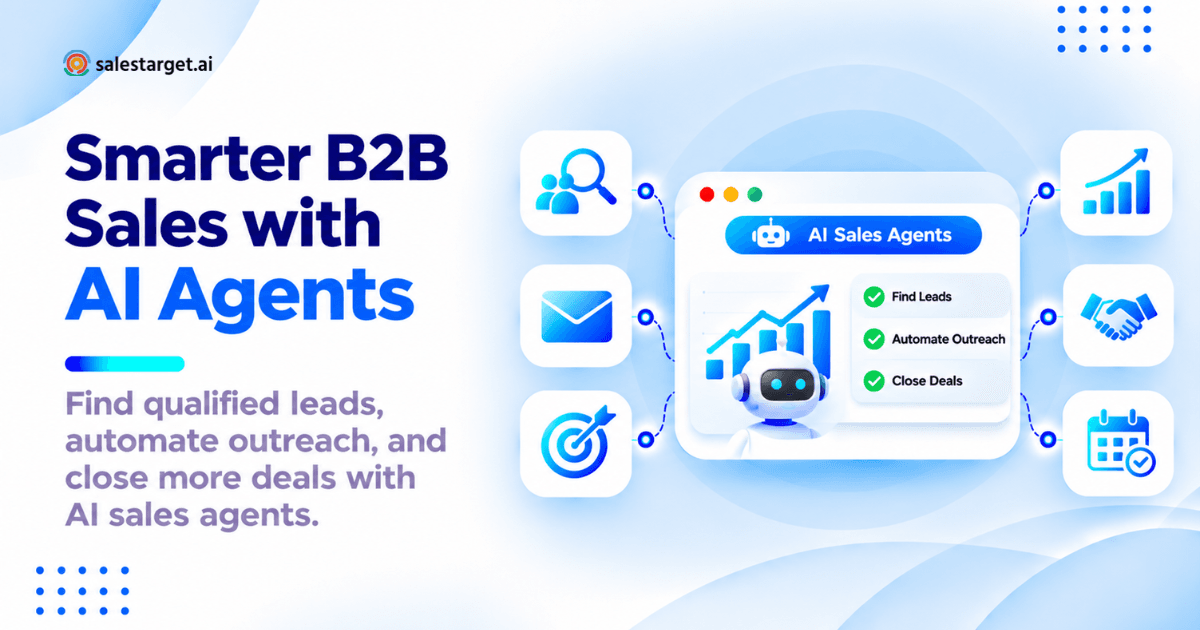
An AI sales agent is software that runs the repetitive parts of B2B selling by itself: finding accounts that fit your ICP, pulling verified contact details, writing personalized outreach, sending follow-ups on schedule, and logging every touch in the CRM. You set the targeting and the guardrails. It does the work, then hands the conversation to a human the moment someone replies.
This guide covers how AI sales agents work, where they break, and how to run one without burning your sending domain.
The Hidden Cost of Manual Prospecting in B2B Sales
Manual prospecting rarely fails loudly. It leaks.
Why SDRs Spend More Time Researching Leads Than Talking to Buyers
A properly researched prospect costs 8 to 12 minutes: confirm the account, check the title is current, find the work email, scan LinkedIn for an opener, paste it into a sequence. At 60 contacts a week, that is a full working day gone before a single conversation happens. The research is not the waste. Doing it across six browser tabs is.
How Disconnected Prospecting, Outreach, and CRM Tools Slow Down Pipeline Growth
Most outbound stacks are four separate purchases: a database, a sending tool, a verifier, a CRM. Every handoff between them is a CSV export, and every CSV is a point where records go stale, duplicates breed, and suppression lists drift out of sync with reality. Pipeline stalls at the seams, not inside the tools.
Where AI Sales Agents Fit into the Modern B2B Sales Process
AI sales agents take the layer that sits below judgment: discovery, enrichment, first-draft copy, follow-up timing, CRM hygiene. They do not choose your strategy or run your pricing conversation. They remove the reason your best closer spends Monday morning cleaning a spreadsheet.
What Is an AI Sales Agent?
AI Sales Agent Definition and Core Capabilities
An AI sales agent is a system that executes multi-step sales work from a goal rather than from a single instruction. Core capabilities: account and contact discovery, data enrichment and email verification, message generation, multichannel sending, reply classification, and CRM updates.
How AI Sales Agents Work Using Contact Data, AI Models, and Sales Workflows
Three layers make an agent function. Data: a B2B database plus live signals such as funding rounds, hiring spikes, and intent topics. Model: an LLM that turns a profile into copy and a reply into an intent label. Workflow: rules for pacing, branching, approval, and handoff. Strip out any one layer and you have a chatbot, not an agent.
AI Sales Agent vs AI SDR vs AI Sales Copilot
| Type | Who drives the work | Best fit |
|---|---|---|
| AI sales agent | Agent executes, human approves and takes over on reply | Teams that want volume with control |
| AI SDR | Agent owns the whole top of funnel end to end | Teams with no SDR headcount |
| AI sales copilot | Rep drives, AI assists live inside the workflow | Experienced reps who want speed |
AI Sales Agents vs Traditional Sales Automation Software
Traditional sales automation runs the sequence you built. An agent decides parts of that sequence: who to contact next, which angle to open with, when to stop. The gap between them is decision scope, not sending speed.
What AI Sales Agents Can Do Independently and What Needs Human Approval
Safe to automate: list building, enrichment, verification, first-draft copy, follow-up scheduling, reply sorting, CRM logging. Keep human: pricing, discounting, competitive claims against a named rival, anything aimed at an account already under contract, and first contact with a strategic logo.
Types of AI Sales Agents Used by B2B Revenue Teams
AI Prospecting Agents for Account Research and Lead Discovery
These agents build target lists from an ICP description. Lead Explorer inside Salestarget.ai searches 840M+ verified professional profiles and 146M+ business entities in plain English, or through stacked business and people filters.
AI SDR Agents for Outbound Lead Generation and Qualification
An AI SDR agent owns the sequence from first touch through reply, then qualifies based on response intent. It books or routes. It does not negotiate.
AI Outreach Agents for Personalized Email and Follow-Ups
These write and send. Salestarget.ai builds multi-step sequences from a plain-English audience description, varies copy through an AI Spintax Generator, and rotates inboxes so one domain never carries the entire send.
Conversational AI Agents for Inbound Lead Qualification
Chat-based agents qualify inbound traffic against your ICP rules and push matched contacts into the same pipeline as outbound. Worth running once inbound volume outpaces rep capacity.
CRM-Based AI Agents for Pipeline Updates and Sales Tasks
These keep records honest: logging calls and emails to the lead timeline, creating follow-up tasks after a reply or a meeting, flagging deals that have gone quiet.
AI Sales Copilots for Human-Led Sales Teams
A copilot sits beside the rep. The Salestarget.ai AI Copilot answers plain-language questions about deals, meetings, and campaign revenue, drafts sequences on request, and flags at-risk opportunities with a recommended next move.
How AI Sales Agents Support Every Stage of the B2B Sales Pipeline
Finding Ideal Customer Profiles and Target Accounts
Agents match firmographics, tech stack, revenue band, and headcount against your closed-won patterns, then surface accounts a manual search would never have reached.
Identifying Decision-Makers and Enriching Contact Data
Title alone is a weak filter. Pair seniority with department to catch the Head of Growth who actually owns outbound. Enrichment then unlocks verified work email, personal email, phone, and mobile in a single click.
Scoring Leads Based on Fit, Engagement, and Buyer Signals
Fit scores barely move. Signals do. Salestarget.ai layers 4,000+ intent topics and business events (funding rounds, hiring spikes, leadership changes) on a 30 to 90 day lookback, so a rep can tell whether interest is fresh or already cooling.
Creating Personalized Email and LinkedIn Outreach
The agent writes from the profile: role, industry, company size, recent trigger. Variations are generated per contact rather than per campaign, which stops 400 emails reading like one template with a first name swapped in.
Managing Follow-Ups and Routing Interested Prospects
Follow-ups fire on a cadence the agent manages. Replies land in one unified inbox, sorted by intent (Interested, Follow-Up, Not a Fit) and assigned to an owner.
Tracking Sales Activity and Moving Opportunities Through the CRM
Campaign leads arrive in the built-in CRM with no import step. Emails and calls log to the lead timeline on their own, and a follow-up task appears the moment a lead replies or a meeting ends.
How to Build an AI Sales Prospecting and Outreach Workflow
Step 1: Define Your ICP, Sales Goals, and Target Market
Pull your last 20 closed-won deals and find what they share: size, industry, trigger event, buying role. That pattern is your ICP. Write it as filters, not adjectives.
Step 2: Build a Qualified B2B Prospect List
Start narrow. One segment, 300 to 500 contacts. A list of 5,000 mixed-fit prospects teaches you nothing once reply rates come back flat, since you cannot tell which variable failed.
Step 3: Verify Business Emails and Enrich Prospect Profiles
Run MX and SMTP checks, strip disposable domains, and score risk before a single send. Salestarget.ai verifies at the point of enrichment rather than at the point the record was first scraped, which is the difference that shows up in your bounce rate.
Step 4: Segment Prospects by Role, Industry, and Buying Signals
Split the list by whatever changes the message. A VP of Sales at a 40-person SaaS firm that just raised a Series A needs a different opener than a RevOps lead at a 400-person company.
Step 5: Create AI-Personalized Cold Email and LinkedIn Sequences
Describe the audience in plain English and let the agent draft the first touch and the follow-ups. Then edit. AI gets you to a 70% draft in seconds; the last 30% is where reply rate actually lives.
Step 6: Set Sending Rules, Follow-Up Timing, and Review Controls
Cap daily volume per inbox, switch on warm-up, confirm SPF, DKIM, and DMARC all pass, and set working-hour windows per timezone. Add an approval gate on any segment you have not tested yet.
Step 7: Monitor Replies, Identify Interested Leads, and Update CRM Records
Work the unified inbox daily. Anything tagged Interested gets a human inside the hour. Everything else stays in sequence or exits cleanly.
Step 8: Analyze Meetings, Opportunities, and Campaign Revenue
Report on meetings booked and pipeline created per segment, not per campaign. Segment-level numbers tell you which ICP deserves next quarter's budget.
Running all eight steps in one workspace removes every CSV handoff between them. Start free with Salestarget.ai and build the first list today.
Real B2B AI Sales Agent Workflow From Prospect Search to Sales Meeting
Scenario: A B2B SaaS Company Targeting US Sales Leaders
A 25-person sales enablement platform wants meetings with VPs of Sales at US SaaS companies between 50 and 500 employees. Two SDRs, no data team, no RevOps hire yet.
Building an ICP-Based Prospect List with Job Titles and Account Filters
Filters: United States, software, 50 to 500 headcount, titles VP Sales, Head of Sales, Sales Director, intent topic "sales enablement software", plus a funding or hiring event inside the last 60 days. Result: roughly 420 contacts, enriched and verified in the same pass, pushed straight to a sequence with no CSV.
Sample AI-Personalized Cold Email and LinkedIn Follow-Up Sequence
Day 1, email: one line on the hiring signal, one line on the problem that signal creates, one question. Day 3, LinkedIn connection request with no pitch attached. Day 6, email follow-up carrying a specific number. Day 10, LinkedIn message that references the email. Day 14, short break-up email.
One detail most sequence templates get wrong: do not fire an email and a LinkedIn touch on the same day. Same-day double touches read as automation to a human, and they quietly compress a 14-day sequence into two usable contact days.
Moving from Prospect Reply to SDR Review and Meeting Handoff
A reply tagged Interested halts every remaining step for that contact and creates an owner task. The SDR answers personally. The agent never responds to a positive reply.
Tracking the Lead From Initial Outreach to Qualified Opportunity
The contact moves from campaign lead to deal in the pipeline with its full touch history attached: which email landed, which signal triggered the list, which rep replied. Nobody retypes anything.
High-Value AI Sales Agent Use Cases for Different Revenue Teams
Founders and CEOs: Building an Outbound Pipeline with a Small Sales Team
Outbound before the first SDR hire. The agent handles list building and sequencing; the founder answers every reply personally, which still converts better than any rep on the payroll.
SDRs and BDRs: Reducing Research and Follow-Up Work
Research and follow-up tracking are the two tasks that eat a rep's day without producing conversations. Both automate cleanly, and neither one requires judgment.
Sales Leaders: Improving Lead Coverage and Rep Productivity
Coverage is the quiet metric nobody reports on. Most teams touch a fraction of their addressable accounts in a quarter and call the rest "not a priority". Agents raise coverage without raising headcount.
RevOps and GTM Teams: Keeping Sales Data and Workflows Connected
One platform means one record. Suppression lists, deal stages, and activity logs stop disagreeing with each other, and the weekly data-cleanup ticket disappears.
Lead Generation Agencies: Managing Prospecting and Outreach Across Clients
Agencies run many domains and many ICPs at once. Per-client inbox pools, separate warm-up, and shared reporting matter far more than raw sending volume.
AI Sales Automation vs Human Selling: Where to Draw the Line
Sales Tasks Suitable for AI Automation
List building, enrichment, email verification, sequence drafting, follow-up timing, reply sorting, activity logging, task creation, and campaign reporting. None of these improve with a human doing them slowly.
Sales Decisions That Need Human Review
Pricing, discounting, positioning against a named competitor, anything touching legal or security review, and the first message into an account your team has been chasing for a year.
How to Handle Negative Replies, Opt-Outs, and Sensitive Accounts
Opt-outs process instantly and permanently across every campaign and every domain you run. Negative replies exit the sequence with no "just circling back" three days later. Sensitive accounts sit on a suppression list the agent reads before each send.
When an AI Agent Should Hand a Conversation to an SDR or AE
At the first sign of real interest. A product question, a pricing query, or a request to book time stops automation on the spot. An agent that tries to handle objection two is an agent that loses the deal.
Common AI Sales Agent Mistakes That Damage Outbound Results
Automating Outreach Before Checking Contact Data Quality
Bad data scales faster than good copy. Verify first, send second. Running email validation ahead of a campaign costs minutes and saves a domain.
Using Generic AI Messages Without Prospect Context
"I noticed you're in SaaS" is not personalization. Reference something true only of that account: a role they posted last week, a funding round, a product launch, a named integration they shipped.
Ignoring Email Deliverability and LinkedIn Activity Limits
Since February 2024, Google and Yahoo have required bulk senders to authenticate with SPF, DKIM, and DMARC, support one-click unsubscribe, and keep spam complaints under 0.3%. Microsoft began rejecting unauthenticated bulk mail to Outlook, Hotmail, and Live addresses on 5 May 2025. An agent that sends faster than your sender reputation can carry is a liability, not an asset.
Contacting Existing Customers and Open Opportunities
The most expensive AI outbound mistake is a cold email to your own champion. It happens when the agent reads a static CSV instead of the CRM. Build suppression from live CRM records and have the agent re-check before every send, not once at campaign setup.
Measuring Email Volume Instead of Qualified Pipeline
"Sends went up 400% and meetings stayed flat" is the standard first-quarter result for AI outbound. Volume is the easiest number to move and the least useful one to report.
Giving AI Too Much Control Without Testing Its Decisions
Run the first two weeks with human approval on every send. Read 50 generated emails yourself before you trust the agent with the next 5,000.
Measuring AI Sales Agent ROI and Sales Performance
Prospecting Time Saved and Cost per Qualified Lead
Time saved is the easy number and the weakest one. Cost per qualified lead is what a finance team will actually ask for, and it falls only if reply quality holds as volume rises.
Positive Reply Rate, Meetings Booked, and Lead-to-Opportunity Conversion
Track positive reply rate rather than total reply rate. A 9% reply rate where most responses say "remove me" is worse for your domain than a 3% rate that is all interest.
Pipeline Value, Revenue Attribution, and Cost per Opportunity
Attribute by first touch and by sourced segment. If one ICP produces 70% of pipeline from 20% of sends, you have found next quarter's campaign and can cut the rest.
Calculating AI Sales Agent ROI with a Practical Example
Two SDRs working 500 contacts a month each. Manual research at 10 minutes per contact costs roughly 167 hours a month. Cut that by 80% and you recover about 133 hours, close to a full extra rep's worth of selling time. If those hours produce four more meetings a month and one in four becomes an opportunity at a $20,000 average deal, that is $240,000 in added annual pipeline from recovered time alone.
Building a 30-Day Performance Scorecard for AI Sales Workflows
Week 1: deliverability and bounce rate. Week 2: open rate and positive reply rate. Week 3: meetings booked. Week 4: opportunities created and segment-level pipeline. Four numbers, one page, reviewed every Friday.
How to Choose the Best AI Sales Agent Software for B2B Sales
B2B Lead Database Quality and Contact Verification
Ask when a record was last verified, not how many records exist. A 200M database checked two years ago performs worse than a smaller one verified at the point of use. Database size is a marketing number; verification recency is the one that shows up in your bounce report.
AI Prospect Research, Personalization, and Lead Qualification
Check whether personalization pulls from live account data or just reshuffles profile fields you already had. If the agent cannot cite a trigger, it is writing mail merge with extra steps.
Email and LinkedIn Automation Capabilities
Both channels should share one sequence and one reply state. Two separate tools means a prospect gets a LinkedIn follow-up after they already answered your email.
CRM Integration, Reporting, and Sales Workflow Control
Native beats integrated. Every sync is a delay and a possible conflict, and sync delay is exactly how cold emails reach existing customers.
Human Approval, Data Security, and Deliverability Safeguards
Look for approval gates, per-inbox rate limits, automatic warm-up, auto-pause safeguards, SPF, DKIM, and DMARC checks, and a clear statement on where workspace data lives.
Software Pricing, Usage Credits, and Total Operating Costs
Add up every line in the stack: data, sending, verification, warm-up, CRM. A four-tool setup rarely costs less than one platform doing the same work, once seats and overlapping credits are counted.
AI Sales Agent Platforms Compared by Sales Team Needs
Autonomous AI SDR Platforms: 11x, Artisan, and AiSDR
Built to replace SDR activity outright. Strong fit for teams with no outbound headcount, weaker once your ICP needs careful positioning or multi-threaded accounts.
CRM-Native AI Sales Agents: Salesforce and HubSpot
Agents living inside the CRM you already pay for. Good pipeline hygiene and clean reporting, limited native prospecting data, so most teams still buy a database alongside them.
AI Sales Prospecting and Engagement Platforms: Apollo and Similar Tools
Data plus engagement in one place. Most teams still bolt on deliverability tooling and a real CRM underneath, which puts the CSV handoff back into the workflow.
AI-Assisted Sales Platforms with Connected Outreach and CRM: Salestarget.ai
Data, enrichment, verification, email, LinkedIn, and CRM on one bill. Enrichment happens at the moment you find the lead, and the lead reaches a sequence without an export step. Positioned publicly as an alternative to Apollo, Instantly, and Woodpecker.
Choosing Between Full Autonomy, Human-Led Copilots, and Integrated Sales Software
Full autonomy suits high-volume, low-ACV motions. Copilots suit experienced reps selling complex products. Integrated platforms suit teams that want both without managing four vendors and four invoices.
Why Choose Salestarget.ai for AI-Assisted B2B Sales
Find Qualified B2B Prospects and Decision-Makers with Lead Explorer
Search 840M+ verified profiles and 146M+ business entities in plain English, or stack filters across industry, seniority, department, company size, revenue, location, tech stack, and intent topics. Enriched leads push straight to a sequence or the CRM.
Enrich Contact Records and Validate Business Emails Before Outreach
One click unlocks verified work email, personal email, phone, and mobile. MX and SMTP checks, disposable-domain detection, and risk scoring run before anything sends, with bulk cleaning and a real-time API for the rest of your stack.
Create Personalized Cold Email Campaigns and Automated Follow-Ups
Email Outreach auto-builds multi-step sequences from an audience description, with unlimited inboxes, automatic AI warm-up, and intelligent inbox rotation behind every send.
Connect Email and LinkedIn Outreach in One Sales Workflow
LinkedIn automation handles connection requests, DMs, and follow-ups in the same coordinated flow as email, with timezone-aware scheduling, human-like delays, rate limits, and auto-pause account protection.
Manage Leads, Tasks, and Opportunities with a Built-In CRM
Lead management, deal pipeline, tasks, activity tracking, and reporting, plus a click-to-call dialer that logs itself. Connects with Google Calendar, Google Meet, Calendly, Slack, Zapier, HubSpot, Salesforce, and Zoho. Setup takes under a day.
Use AI Copilot to Build Campaigns, Create Sequences, and Review Performance
Chat to find leads, generate full sequences with built-in A/B variations, query deals, meetings, and tasks in plain language, and see which campaigns drove revenue. The Copilot flags at-risk deals and recommends the next move.
Reduce Tool Switching Between Prospect Research, Outreach, and Pipeline Tracking
One workspace removes the CSV handoffs that stale your data between tools. That is the real productivity gain, and it is larger than any single feature on this list.
Launch Your First AI-Assisted Outbound Campaign with Salestarget.ai
Choose One Target Segment and Build Your Prospect List
Pick the segment you have closed in before. Build 300 to 500 contacts, enriched and verified in the same pass, and resist the urge to widen the filters.
Create an Outreach Sequence and Review AI-Generated Messages
Describe the audience, let the Copilot draft the sequence, then read every message in version one yourself. Edit the opener and the ask; leave the pacing alone.
Monitor Responses, Follow-Ups, and CRM Activity
Check the unified inbox each morning. Interested replies get a human the same day. Everything else keeps running on schedule, and the CRM fills itself as it goes.
Use Campaign Results to Improve Your Next Sales Workflow
After 30 days, keep the segment and the angle that produced meetings. Rebuild the rest rather than tuning it. A weak ICP cannot be fixed with better subject lines.
Conclusion: Build a More Connected B2B Sales Process with AI
Go back to the Tuesday this guide opened with. Six bounces, two emails to customers who already have open deals, and a Friday afternoon send are not copywriting problems. They are stack problems: unverified data, a sequencing tool that cannot see the CRM, and a suppression list that went stale the day it was exported.
One platform closes all three gaps at once, since the data, the sending, the verification, and the pipeline sit in the same place. Salestarget.ai finds the lead, verifies it at the moment of enrichment, pushes it into a coordinated email and LinkedIn sequence, and closes it in a CRM that fills itself.
Pick one segment, build one list, and run one campaign this week. Start free at Salestarget.ai.