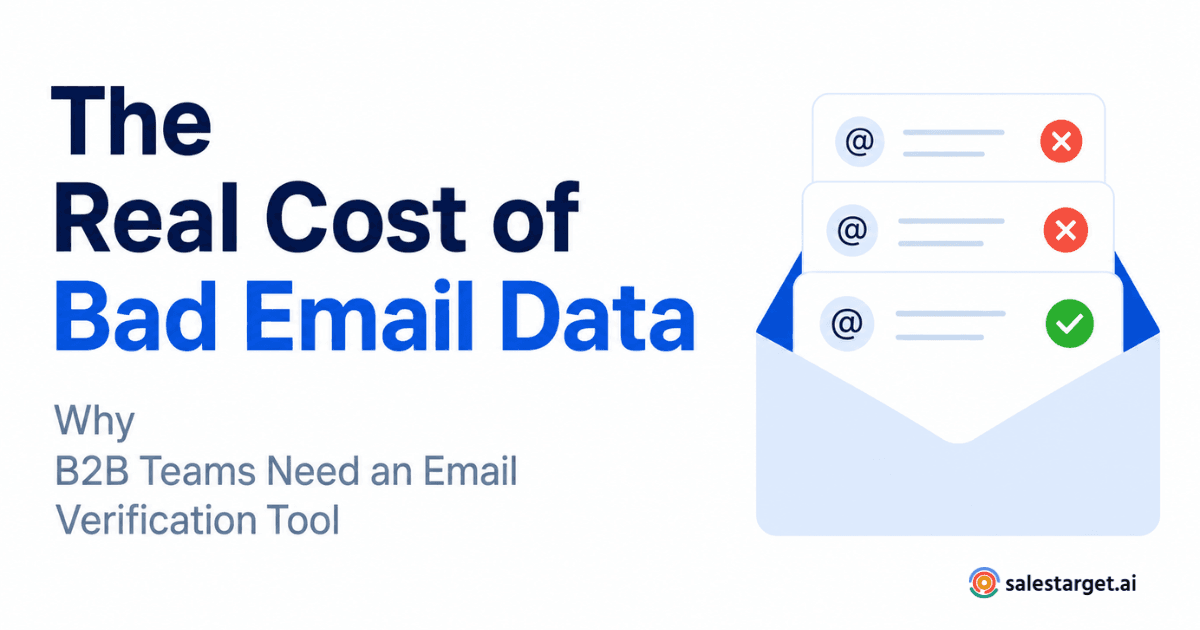
A 15% bounce rate rarely shows up on a revenue leader's dashboard. It hides inside marketing reports, gets shrugged off as an SDR problem, and quietly reshapes what the pipeline actually looks like. But bounces are not just an email metric. They are a signal that bad contact data has already entered the sales process, and every bounced message is a small tax on your team's time, tooling, and sender reputation. This is where an email verification tool earns its place in the modern B2B stack.
A 15% bounce rate matters because it points to unreliable contact data entering your pipeline. It wastes outreach volume, damages sender reputation with providers like Google and Microsoft, lowers inbox placement for future campaigns, and inflates cost per meeting. It also distorts campaign metrics, since a large slice of your audience never actually received the message.
Why a 15% bounce rate is more expensive than it looks ?
Most sales teams treat bounces as a rounding error. A few percent here, a few percent there. But at 15%, the compounding damage is significant, and it rarely stays contained inside the email channel.
Illustrative calculation. Take an outbound program sending 10,000 emails in a month. A 15% bounce rate means 1,500 messages never reach a real inbox. If your SDR team books meetings at a 1.5% reply-to-meeting rate on delivered volume, those 1,500 undelivered emails represent roughly 22 lost meetings a month — before you count the reputation damage that quietly reduces delivery on the 8,500 that did land. Multiply that across a year, and one uncleaned list can cost a mid-market team 250+ meetings.
That is the visible cost. The invisible cost is worse, because mailbox providers use bounce behavior as a trust signal. When too many messages hit invalid addresses, providers assume the sender is either careless or scraping, and future emails start landing in spam or getting throttled.
What bad email data actually costs a B2B sales team ?
Lost outreach opportunities
Every invalid address is a prospect you thought you were talking to and were not. If your ICP list has 20,000 contacts and 3,000 are dead addresses, your total addressable audience is already 15% smaller than your CRM believes. Forecasts built on the higher number are wrong from the start.
Lower sender reputation and deliverability
Google and Microsoft publish sender guidelines that penalize domains with high bounce and complaint rates. Google's bulk sender requirements explicitly ask senders to keep spam complaints low and avoid sending to invalid addresses. Once a domain is throttled, recovering that reputation takes weeks of careful sending, not a single clean list.
Wasted SDR time and sales resources
SDRs personalize, sequence, and follow up on contacts as if every address were live. When 15% are not, that is time spent researching, writing, and chasing prospects who never received the first touch. The dollar cost is real: at a fully loaded SDR cost of roughly $110 per hour, an hour a day spent on dead contacts is more than $25,000 per rep per year.
Distorted campaign performance
Open rates, reply rates, and cost per meeting all get skewed when a chunk of the audience never received the send. Marketing reports look worse than reality in some places and better in others, and the team optimizes against noise. For teams evaluating options, this guide to choosing the best email verifier tool walks through the criteria that matter most for reliable list hygiene.
Why B2B contact data goes stale so fast ?
B2B email data decays for reasons that have nothing to do with the sender:
- Job changes. LinkedIn and multiple workforce studies suggest roughly 25–30% of professionals change roles each year, and their work addresses die with the transition.
- Abandoned inboxes. Old aliases stay on the domain but no one reads them.
- Typos in forms. "@gnail.com" and missing letters slip past most CRMs.
- Role-based addresses. info@, sales@, and support@ trigger higher complaint rates and hurt sender reputation.
- Disposable and temporary domains. Common on scraped and free-tool lists.
- Outdated lists. Any list older than 90 days needs to be re-checked before a campaign.
- Purchased or scraped data. Bounce rates on these lists routinely exceed 20% out of the box.
How email validation stops bad data before it enters the pipeline ?
Email validation is the process of checking whether an address is likely to accept mail before you send. It runs a series of technical checks — syntax, domain, MX records, and (where possible) mailbox-level verification — and flags addresses that are risky, invalid, or disposable. The point is not to guarantee inbox placement. No email verification software can promise that. The point is to remove avoidable risk before it costs you deliverability.
What an email verifier tool actually checks ?
- Syntax validation. Confirms the address is formatted correctly per RFC standards.
- Domain and MX checks. Confirms the domain exists and is configured to receive mail.
- Mailbox verification. Attempts to confirm the specific inbox exists, where the receiving server allows it.
- Risk classification. Flags role-based, catch-all, disposable, and known-complainer addresses.
- Deliverability risk scoring. Combines the above into a single signal your team can act on.
When to use a bulk email verifier ?
Real-time API validation belongs on your forms and CRM entry points, so bad data never enters the system. A bulk email verifier is what you reach for when you already have a list — a scraped ICP file, a webinar registration export, a purchased list, or a CRM segment that has not been touched in six months. Both are needed. Neither replaces the other.
If you are trying to decide between real-time and batch approaches, this https://salestarget.ai/blogs/email-verification-software-buyer-guide-api-accuracy-and-real-time-validation-explained">buyer's guide to email verification software, APIs, and real-time validation breaks down accuracy, cost, and integration considerations.
What to look for in email verification software ?
A few criteria separate a serious tool from a checkbox feature:
- Accuracy on B2B domains, not just consumer inboxes. Corporate mail servers behave differently, and many verifiers built for consumer marketing over-flag catch-alls.
- Clear risk categories. "Valid, invalid, risky, unknown" with reasons — not a single opaque score.
- Bulk and API modes. So you can clean historical data and prevent new bad data at the same time.
- Reasonable throughput. Verifying 50,000 contacts should not take a week.
- Honest limitations. Any vendor claiming zero bounces or 100% deliverability is oversimplifying how mail servers work.
How cleaner email data changes the pipeline ?>
When bounce rates drop from 15% to 2–3%, three things happen. Sender reputation stabilizes, so more of your delivered mail actually reaches the inbox. SDRs stop spending cycles on dead contacts and shift that time to live conversations. And campaign metrics start reflecting real audience behavior, which makes A/B tests and forecasting meaningful again.
None of this requires new headcount. It requires the outbound engine to stop leaking at the top.
A practical workflow for validating B2B email lists
- Verify at the entry point. Add real-time validation to lead forms, gated content, and CRM imports.
- Re-verify before every major campaign. Any list older than 30–60 days should be run through a verifier before send.
- Segment by risk category. Send confidently to valid addresses. Suppress invalid. Quarantine risky and test in smaller volumes.
- Warm up before scaling. After a big cleanup, ramp volume gradually so providers see consistent, low-bounce behavior.
- Monitor and repeat. Set a quarterly hygiene cycle for the whole database, not just active segments.
For teams staring at a large historical list, this bulk email verifier workflow for cleaning a 50K list outlines a step-by-step approach that keeps sender reputation intact during the cleanup.
Where SalesTarget.ai Lead Validation fits ?
SalesTarget.ai's Lead Validation is built for revenue teams that need clean B2B contact data at the point of enrichment, not as an afterthought. It checks syntax, domain, and MX records, flags risky and role-based addresses, and helps teams verify email address is valid before contacts move into an outbound sequence. It works for both individual lookups and bulk lists, so the same tool covers CRM entry, list uploads, and pre-campaign hygiene.
The takeaway
A 15% bounce rate is not an email problem. It is a data problem that shows up in the email channel first and then quietly reshapes forecasts, deliverability, and SDR productivity. Validation will not guarantee a perfect inbox rate, but it removes the most avoidable source of pipeline waste in outbound sales.
Stop letting bad email data decide how much of your pipeline gets delivered.
Bounces are not just a marketing metric. They shape how mailbox providers treat your domain, how much of your outreach reaches a real person, and how accurate your pipeline forecast actually is. A reliable email verification tool takes that risk off the table before your next campaign goes out.
👉 Try SalesTarget AI Lead Validation and see how much cleaner your outbound pipeline gets when every address is verified before it hits a sequence.