You budgeted for one subscription. Six weeks in, the statement shows a data tool, a sequencing tool, a verification add-on, nine mailboxes, three domains, and a credit top-up nobody signed off on. The stack sends email. Nobody in the room can say what a booked meeting costs.
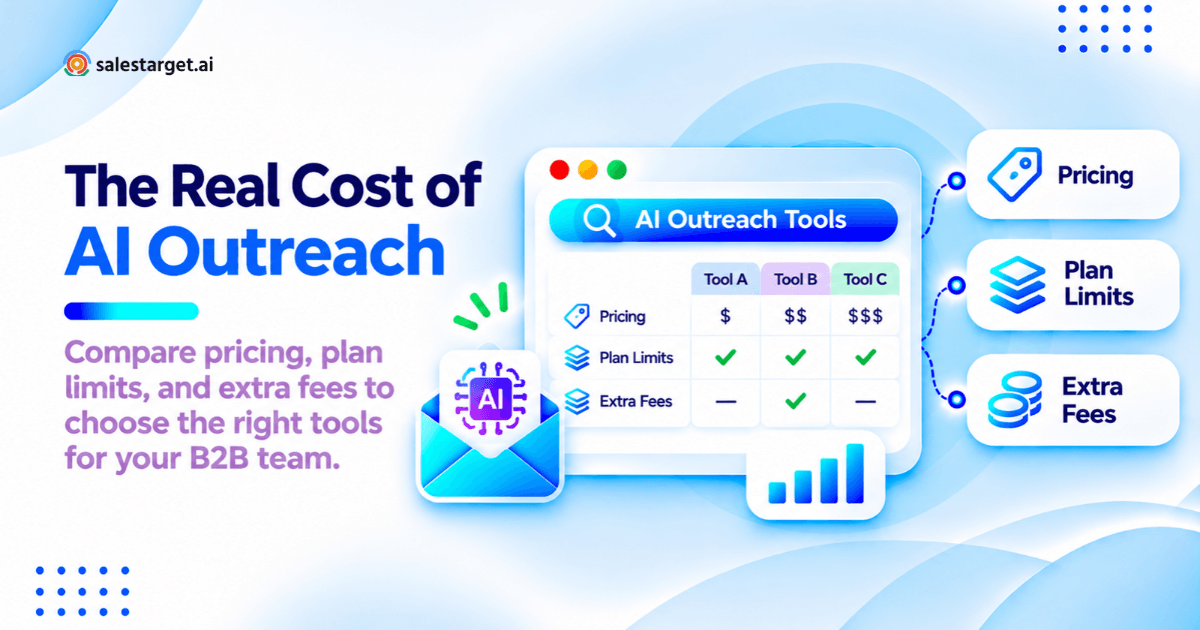
AI tools for outreach pricing follows four models: per user, per connected mailbox or account, per credit used, and flat-rate with usage caps. The plan price is the smaller half of the bill. The rest sits in lead data credits, email verification, sending domains, mailbox hosting, AI usage, and overage charges that arrive after the campaign is already live. A fair comparison prices one workload (same contact volume, same monthly sends, same channels) across every vendor on your shortlist, then divides the total by qualified meetings.
That last number is the one that ends arguments with finance.
This guide covers how each model bills you, what six platforms charge for, where the quiet costs sit, and why three setups (solo founder, five-person sales team, lead-gen agency) land on very different totals from the same headline tier. For the wider product picture behind these numbers, start with the AI tools for outreach guide.
AI Tools for Outreach Pricing at a Glance: Starting Prices vs. Team Budgets
Headline tiers are built for one user sending modest volume. Team budgets break on the units underneath: mailboxes, credits, connected accounts, and client workspaces.
Quick Comparison of Plans, Billing Models, Channels, and Included Usage
Six platforms, six different meters. This table compares what each vendor bills on rather than what it charges, since published rates move and the billing unit is what decides your total.
| Platform | Primary billing unit | Channels in the base plan | B2B lead data | Billed on top |
|---|---|---|---|---|
| Salestarget.ai | One plan with bundled allowances | Email, LinkedIn, phone | Native database, enrichment at the moment of search | Usage above the included allowance |
| Apollo | Per seat, one tier account-wide | Native database, credits per reveal | Credit packs, advanced dialer | |
| Instantly | Per sending plan, sold modularly | Separate Lead Finder subscription | Lead credits, CRM module, AI agent actions | |
| Smartlead | Per plan, by active contacts and monthly sends | Verified prospect emails as an add-on | Client workspaces, dedicated IPs, placement testing | |
| Reply.io | Per user, by contact tier | Email, multichannel higher up | Native database | LinkedIn per account, calls, validation, AI SDR |
| Lemlist | Per seat | Email, LinkedIn and calling higher up | Native database, credits per enrichment | Credit packs, WhatsApp and SMS |
The Budget Gap Between a Software Subscription and a Working Outreach Setup
A subscription is not a sending setup. A working one needs verified contacts, sending domains, mailboxes on those domains, warmup capacity, validation, reply routing, and a CRM record behind every lead. Price the platform alone and you have priced roughly half of month one. The gap is widest in cold email, where domains and mailboxes are bought outside the platform and billed by a registrar and a mail host.
Comparison Method: Official Sources, Price-Check Dates, Standard Rates, and Temporary Offers
Compare from vendor pricing pages and help centers, never review-site tables, and write the check date beside every figure you record. Four rules keep it honest: use standard rates rather than seasonal promotions, hold every tool to the same billing term, record the minimum seat count and contract length attached to each tier, and mark which features sit behind a sales call. Rates in this category get renamed and repriced several times a year, which is why the numbers belong in your own dated sheet.
AI Sales Outreach Pricing Models and Their Main Cost Drivers
Each model punishes a different shape of team. Match it to how yours grows: more people, more inboxes, or more volume.
Per-User, Per-Mailbox, and Per-LinkedIn-Account Pricing
Per-user pricing bills the people. Per-mailbox and per-account pricing bills the infrastructure. A five-rep team working one shared sending setup pays less under per-mailbox pricing; a two-person team running forty inboxes pays less per seat. LinkedIn draws the sharpest line, since several platforms charge for each connected LinkedIn account on top of the seat, so six reps running six profiles can double their per-head cost.
Credit-Based, Volume-Based, and Flat-Rate Subscriptions
Credit plans bill actions: a revealed email, a mobile number, an enrichment, an AI-written reply. Volume plans bill contacts stored and emails sent. Flat-rate plans cap usage rather than metering it. Credits are the hardest to forecast, since a phone reveal can cost several times an email reveal and a weak list burns the allowance with nothing to show. Volume plans stay predictable right up to the ceiling, then force an upgrade.
AI SDR Tools Pricing: Assisted Workflows, Autonomous Agents, and Managed Services
Three levels, three brackets. Assisted workflows, where AI drafts and a human approves, ride inside a normal subscription. Autonomous agents that source, write, send, and handle replies are sold as separate products, priced per agent or per team instead of per seat, in a bracket well above sequencing software. Managed services add human operators and are quoted monthly. Reply.io's Jason sits in that middle group and carries its own price list, separate from the sequencing plans.
AI Outreach Tool Categories and Workflow Coverage
Five jobs sit between a raw list and a closed deal: find contacts, verify them, send across channels, handle replies, and track pipeline. Sequencers such as Instantly and Smartlead own sending and deliverability. Engagement platforms such as Apollo, Reply.io, and Lemlist add data and multichannel steps. All-in-one platforms cover the whole run on one bill. The count of gaps you fill with other subscriptions drives your total more than any single plan price.
B2B Outreach Software Pricing: Six Platforms Compared
What follows is what each platform charges for, drawn from vendor pricing pages and help centers.
Salestarget.ai: Lead Data, Email, LinkedIn, CRM, and AI Credit Allowances
Salestarget.ai prices as a single plan with allowances across five meters: lead credits against 840M+ verified professional profiles and 146M+ business entities, connected email accounts with automatic warmup, LinkedIn accounts, validation credits, and CRM users. The AI Copilot is included in the platform rather than sold as a separate agent subscription. Enrichment runs at the moment you find a lead, so contacts are verified at the point of use instead of whenever the record was first scraped.
Apollo: User Seats, Contact Credits, and Enrichment Costs
Apollo bills per seat, and the plan tier applies to the whole account, so you cannot park two reps on a cheaper tier. Every seat carries a credit allowance spent on email reveals, mobile numbers, enrichment, and AI research, with a phone number costing several times what an email costs. Advanced filters such as funding, hiring, and technographics sit on higher tiers, as does the advanced dialer.
Instantly: Sending Plans, Data Credits, and AI Agent Usage
Instantly sells three subscriptions: Outreach for sending, Instantly Credits for the lead database, and a CRM module, plus bundles that combine them. Outreach tiers are set by monthly email volume and stored contacts, and every tier carries unlimited email accounts and unlimited warmup. Campaign sends consume no credits. Credits pay for lead searches, enrichment, verification, and AI agent actions, each sourced lead or AI reply costing a fixed number. A team arriving without a list needs two of the three subscriptions.
Smartlead: Sending Volume, Contact Limits, and Client Workspaces
Smartlead prices by active contacts and monthly sends, with unlimited email accounts, unlimited warmup, and unlimited seats on every tier. The agency levers are add-ons: client workspaces and whitelabel billed per workspace per month from the mid tier up, dedicated sending infrastructure per server, and inbox placement testing as its own subscription. An agency with ten clients pays the plan plus ten workspace fees.
Reply.io: Email Plans, Multichannel Access, and Jason AI SDR
Reply.io bills per user, with the tier set by contact volume, and keeps channels behind tier lines: email at entry level, multichannel further up. LinkedIn is charged per connected account per month on top of the seat. Calls, SMS, and email validation are separate add-ons. Jason, the autonomous AI SDR, is priced per team on its own list in a bracket far above the sequencing plans.
Lemlist: Email Plans, Multichannel Seats, and Data Add-Ons
Lemlist bills per seat across three plans. The entry plan covers email only; LinkedIn automation, in-app calling, inbox rotation, and the multichannel inbox begin on the middle plan, so adding LinkedIn means moving every seat up rather than buying one add-on. Enrichment credit allowances differ by tier, with top-up packs sold separately. WhatsApp and SMS are paid add-ons. The top plan is annual with a seat minimum.
Multichannel Outreach Pricing: Features That Change the Plan You Need
Five features decide which tier you land on.
Lead Data Access vs. Paid Email and Business Phone Number Reveals
Database access and contact reveals are billed separately on most platforms. Searching costs little or nothing; revealing the work email, direct dial, or mobile spends credits, and mobiles cost the most. Budget by the reveals you will use, not the records you can see. A pool of 840M+ profiles in lead data and enrichment costs nothing until a contact is unlocked.
Email and LinkedIn Sequences: Included Channels and Account Limits
Email sits in every base plan. LinkedIn rarely does. Expect one of three structures: LinkedIn gated behind a higher tier, billed per connected LinkedIn account, or included with an account cap. Count the profiles your team will really run, then check which structure applies, since this one feature reorders most shortlists.
Email Validation, Warmup, and Deliverability Monitoring
Validation, warmup, and inbox placement monitoring are three meters on most sequencers, and two of them are add-ons lower down. Here is the cost nobody models: you pay the full subscription through the two or three weeks mailboxes spend warming up, sending a fraction of capacity. Month one carries the highest cost per contacted prospect you will ever pay, and email validation is what keeps that ramp from being wasted on dead addresses.
AI Research, Personalization, Reply Handling, and Human Approval
AI features bill three ways: folded into the plan, metered per action, or sold as a separate agent product. Metered is where budgets slip, since a sourced lead and a generated reply each carry a fixed credit cost, so a campaign that works raises your bill. Settle where a human approves copy before paying for autonomy you intend to override.
CRM, Reporting, Integrations, and Team Permissions
CRM access is tier-gated on most sequencers and missing from the rest, which means a second subscription plus the integration between them. Check three items on any quote: how many CRM users are included, whether reporting shows revenue rather than opens, and whether roles and permissions exist at your tier. Permissions tend to live on the top plan.
Hidden Costs of AI Outreach Software
None of these appear on a pricing page, and together they frequently outweigh the subscription.
Sending Domains, Mailbox Hosting, and Additional Warmup Capacity
A registrar and a mail host bill these, never the platform, and they scale with volume rather than headcount. Do the arithmetic most buyers skip: mailboxes needed equals target daily sends divided by safe sends per mailbox per day, and domains needed equals mailboxes divided by two or three. Unlimited inboxes moves this cost off the invoice, not out of the budget.
Extra Enrichment, Verification, AI Credits, and Usage Overages
Four meters, four overage rates. Ask whether overages bill automatically or hard-stop the campaign, since a silent overage is a surprise invoice and a hard stop is a dead sequence halfway through. Then ask what a failed reveal costs, as credits spent on records that return no verified contact are spent all the same.
Migration, Implementation, Client Workspaces, and Premium Support
Switching costs land in month one: list exports, sequence rebuilds, domain reconnection, and retraining the team. Agencies carry a standing line instead, since client workspaces and whitelabel bill per workspace per month, which turns client growth into software growth. Premium support and a named contact sit on top tiers or quoted plans.
Minimum Seats, Credit Expiration, Renewal Rates, and Taxes
Four contract terms move the total without touching the plan: a seat minimum on the tier you want, credits that expire monthly rather than rolling over, a renewal rate above the first-year promotion, and tax added at checkout. Seat counts frequently cannot be reduced before the term ends, so buy for the team you have today.
AI Outreach Total Cost of Ownership: Budgets for Three Team Setups
Price your own workload against the three setups below. Volume, seats, and client count pull the total in different directions.
Solo Founder: One User, a Small Prospect List, and an Existing CRM
One seat, two or three mailboxes, a few hundred reveals a month. The subscription is the smallest line in this setup; domains and mailbox hosting are what surprise people. Keep the CRM you own, buy data and sending only, and skip any tier whose value sits in team permissions you have no team for.
AI Outreach Software Cost for a Five-Person Sales Team
Five seats is where per-seat and per-mailbox pricing split hard. Per-seat tools multiply everything by five, including features four reps never touch. Per-mailbox tools charge once for sending and let five people share it. Count reveals per rep per month, then check whether credits pool across the account or sit locked to each seat, since pooled credits absorb uneven months.
Lead Generation Agency: Multiple Clients, Workspaces, and Sending Accounts
Agencies pay on two axes at once: people and clients. Per-seat tools bill the team, per-workspace tools bill each client, and a mixed stack bills both. Sending accounts multiply per client too, since every client needs its own domains to keep reputation separate. Price your tenth client, not your first.
Monthly Spend, First-Year Cost, and Staff Time for Each Setup
Build the first-year number from four lines: subscription times twelve, infrastructure times twelve, one-time setup and migration, and staff hours at a loaded rate. That last line is routinely the largest and almost never appears in a vendor comparison. One operator spending six hours a week on campaign admin costs more across a year than most platform tiers.
Low, Base, and High Usage: The Points That Trigger Add-Ons or Upgrades
Model three usage levels and mark the thresholds rather than the averages. Four tripwires push you up a tier: contact storage, monthly sends, credit burn, and connected accounts. Write down the volume at which each one fires, since the cheapest plan at base usage can be the most expensive at high usage. Compare the included allowances against your own volumes before you commit to a term.
All-in-One vs. Separate Outreach Tools: Costs at the Same Workload
Run this comparison at one workload, with both stacks covering the same five jobs.
Bundled Platform vs. Separate Data, Sequencing, Validation, and CRM Subscriptions
A separate stack means four subscriptions, four renewal dates, four overage rates, and four support queues. A bundled platform charges one set of allowances. Compare the two by number of meters, not number of logos: every extra meter is one more place your month can run over.
Existing Software You Can Keep and Duplicate Licenses You Can Remove
List what you already pay for before pricing anything new. Most teams carry duplicate capability: a data subscription whose credits overlap a sequencer's own database, a validation tool the platform already includes, a CRM nobody updates. Cancel the duplicates and a bundled option frequently costs less than the renewals you just cut.
Integration Maintenance, Data Transfers, and Manual Handoffs
Integrations are free to install and costly to keep. Every CSV moved between a data tool and a sequencer, every field mapping that breaks after an update, every reply logged by hand is operator time. Count the handoffs in your current flow, price them at an hourly rate, and put that figure in the comparison.
Seat and Usage Levels That Change the Lower-Cost Option
Separate tools win at the extremes: one person on a free data tier, or a high-volume sender who needs nothing but mailboxes and warmup. Bundles win in the middle, where most teams live, at three to fifteen people running email and LinkedIn with a CRM behind them. Find your crossover by pricing both stacks at today's volume and again at triple.
AI Outreach ROI: From Software Spend to Qualified Pipeline
Four denominators turn a subscription line into a pipeline number.
Cost per Usable Contact, Qualified Meeting, and Sales Opportunity
Divide total monthly spend by usable contacts, not credits bought. A usable contact is verified, inside your ICP, and still working where the record says. That last clause is where lists quietly lose a fifth of their value, since a credit spent on someone who changed jobs in March buys nothing. Carry the same total down to meetings and opportunities.
Booked Meetings vs. Attended Meetings: Use the Right Cost Denominator
Booked meetings flatter every outbound dashboard. No-show rates run high on cold-sourced meetings, so cost per attended meeting is the figure that survives a finance review. Track both, report the second.
Time Saved After Campaign Setup, AI Review, and Ongoing Operations
Software replaces hours, and hours carry a rate. Price three blocks: list building and research, sequence creation, and reply handling with CRM logging. Salestarget.ai's published figures put campaign creation 35% faster and about six hours saved per rep each week, which is the part of ROI that shows up in capacity rather than on an invoice.
Break-Even Analysis Using Your Own Conversion Rates and Deal Economics
Break-even is one line of arithmetic: monthly spend divided by average deal value times win rate gives the opportunities you need each month. Set that against what your reply and meeting rates can produce at your sending volume. If the two do not meet, the fix is the plan size or the list, not the software.
Why Choose Salestarget.ai
Five allowances to set against what your current stack bills separately.
Lead Data and Enrichment: Compare Included Credits with Separate Data Subscriptions
Lead credits sit inside the plan, drawing on 840M+ verified profiles, 146M+ business entities, 4,000+ intent signals, and 50+ data sources, at 99% verified contact data. Measure that allowance against what a standalone data subscription bills you today. Enrichment fires at the moment of search, so verified email, phone, and mobile arrive in one click with no CSV step.
Email and LinkedIn Outreach: Match Sending Volume and Connected Accounts to Your Team
Email Outreach carries unlimited inboxes with automatic AI warmup and intelligent inbox rotation. LinkedIn Outreach runs connection requests, DMs, and follow-ups inside the same sequence, with rate limits and auto-pause safeguards on the account. Both channels sit in one plan rather than behind a tier line or a per-account fee, which is the line item that reorders most shortlists.
Email Validation and Warmup: Review Credit Usage and Included Account Slots
Validation credits and warmup capacity are part of the platform, not add-ons that appear at the second tier. MX and SMTP checks, disposable-address detection, and risk scoring run before a send, with 90% of emails validated before they leave. Count the account slots your team needs, then compare against a separate validation tool plus a warmup add-on.
Built-In CRM: Compare Included Users and Pipeline Features with Your Current Setup
The built-in CRM takes campaign leads automatically, logs every email and call to the lead timeline, and creates follow-up tasks when a lead replies or a meeting ends. Published figures put deal cycles 3.2X faster, follow-up completion at 91%, and 2.4X more meetings from the same leads. Check how many CRM users your current stack includes before you call it free.
AI Copilot: Budget for Lead Searches, Campaign Creation, and AI Credits
The AI Copilot is included inside the platform rather than sold as a separate agent subscription, which is the sharpest structural difference against AI SDR pricing. Use it to search 840M+ profiles in plain language, draft full sequences, and query CRM deals and tasks, then budget AI credits by actions per week rather than per seat.
Pricing Mistakes That Make One Outreach Tool Look Cheaper
Four errors that flip a comparison.
Comparing Annual Monthly Equivalents with Month-to-Month Prices
Nearly every pricing page shows annual rates as monthly equivalents. Compare annual to annual and month to month, then check the renewal rate, which frequently sits above the first-year promotion.
Treating Contacts, Emails, Credits, and Agent Actions as Equal Units
One vendor's credit buys an email reveal. Another's buys a mobile number, an enrichment, or an AI-written reply. Convert every plan into your own units (verified contacts, monthly sends, replies handled) before comparing anything.
Assuming Unlimited Accounts Mean Unlimited Usable Sending Capacity
Unlimited inboxes is a licensing term, not a deliverability one. Real capacity is safe sends per mailbox per day times mailboxes, after a warmup ramp, and every extra domain carries both a fee and reputation risk.
Comparing Different Features or Assuming Identical Campaign Results
A plan without LinkedIn, validation, or a CRM is cheaper for a reason. Price the same feature set, and drop the assumption that two tools produce the same reply rate on the same list, since data quality decides that.
A Purchase Checklist for Your AI Outreach Shortlist
Four steps between a shortlist and a signature.
Set Required Features, Monthly Workload, and an Approved Budget
Write down must-have channels, monthly contact and send volumes, and a ceiling before you open a single pricing page. Requirements written after a demo tend to match the demo.
Test the Same Prospect Sample, Sequence, and CRM Handoff Across Tools
Run one list of 200 contacts, one sequence, and one CRM handoff through every trial. Compare verified-contact yield, bounce rate, inbox placement, and how much manual work the handoff needs.
Request Itemized Quotes for Missing Features and Expected Usage
Ask each vendor to quote your volumes line by line: seats, credits, connected accounts, validation, workspaces, overage rates. A quote that arrives as a single number is hiding its meters.
Check Billing Controls, Upgrade Rules, Cancellation Terms, and Data Exports
Four questions before signing: can you cap spend, can you downgrade mid-term, how much notice does cancellation need, and can you export contacts, sequences, and reply history. Without that last one, switching later costs more than the subscription.
Conclusion: Choose an Outreach Plan That Fits Your Pipeline Budget
The problem is not that outreach software is expensive. It is that the bill arrives in seven pieces and none of them can tell you what a meeting costs. A stack of separate tools guarantees that outcome: four meters, four renewal dates, and an operator moving CSVs between them.
Salestarget.ai closes the gap by putting lead data, email, LinkedIn, validation, a CRM, and an AI Copilot on one plan and one bill, with enrichment and verification happening at the moment you find a lead rather than whenever the record was last scraped. One set of allowances to watch. One number to divide by qualified meetings.
Price your own workload against it and watch the duplicate subscriptions fall away. Start free with Salestarget.ai.