Your rep built a list of 40 names this morning. Six have already left the company, four addresses will bounce, and the rest get a message that could have gone to anyone. Activity looks healthy. Pipeline does not.
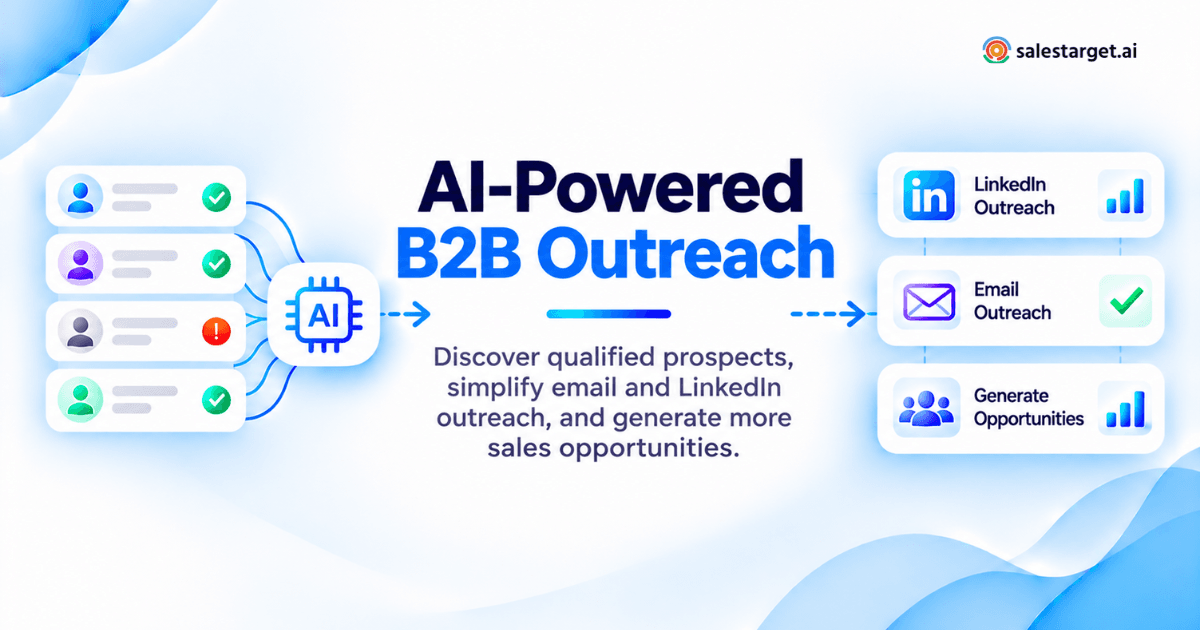
AI tools for outreach find the right B2B buyers, verify their contact details, write messages from real company data, and run follow-ups across email and LinkedIn on their own. The good ones keep the list, the sending, the replies, and the deal record in one system. Salestarget.ai does that in a single workspace: 840M+ verified profiles, multichannel sequences, built-in validation, and a CRM.
The New Reality of B2B Outreach: More Activity, Fewer Meaningful Conversations
Outbound volume has never been higher. Reply quality has never been lower.
Why Manual Prospecting and Disconnected Tools Slow Down Sales Teams
A rep juggling a database, a sequencer, a verifier, and a CRM switches context four times per lead.
The Gap Between Outreach Volume and Qualified Sales Opportunities
Sending more does not fix a list problem. It scales one into bounces, complaints, and a taxed sender reputation.
Moving from Repetitive Sales Tasks to AI-Assisted Outreach
Finding accounts, verifying contacts, and drafting a first touch are machine work now. Judgment on fit and timing is not.
AI Tools for Outreach: How They Fit into the Modern B2B Sales Process
AI outreach tools sit between your account list and your CRM, doing research and writing a rep once did by hand.
AI Outreach Tools vs. Traditional Sales Automation Software
Traditional automation runs rules you wrote: step two on day three. AI decides what to send and when, from role, activity, and behavior.
The Role of AI in Prospect Discovery, Personalization, and Follow-Ups
Find accounts matching your ICP, open with something true about that company, branch on behavior. Salestarget.ai builds the sequence from one brief.
Connecting Lead Data, Email, LinkedIn, and CRM in One Workflow
One-click enrichment inside Lead Explorer pushes a verified contact straight into an email and LinkedIn sequence, no CSV in between.
Tasks That Benefit from AI and Decisions That Still Need Human Review
AI takes list building, enrichment, first drafts, and reply sorting. A human decides which accounts deserve a campaign.
The Role of AI in B2B Sales Prospecting and Lead Generation
AI's main contribution to prospecting is subtraction: fewer accounts, better reasons to contact each one.
Finding Decision-Makers Through AI-Powered Prospect Research
Describe the buyer in plain English and Smart Prospect Search returns matching people across 840M+ profiles and 146M+ businesses.
Using Company Data and Buying Signals to Identify Potential Customers
Signals beat static filters. Salestarget.ai tracks 4,000+ Bombora intent topics plus funding rounds, hiring spikes, and leadership changes on a 90 day lookback.
Improving Lead Qualification Before Starting Outreach
Qualify on fit and timing first: size, revenue, tech stack, seniority, recent intent. Intent-based scoring ranks the list.
Reducing Manual Work Across the Prospecting Process
Enrichment at discovery removes the export, verify, reimport loop. Email, phone, and mobile unlock in the same click.
Where AI Outreach Creates Value Across the Sales Funnel
AI earns its keep in four places. List quality moves everything downstream of it.
Building Targeted Prospect Lists for Outbound Campaigns
Stack business against people filters until the list is small enough to personalize. 300 contacts that fit beat 30,000 that do not.
Creating Relevant Conversations Through Personalized Messaging
Name something the prospect recognizes: a recent raise, a hiring push, a new tool. The AI Content and Spintax Generators vary phrasing.
Supporting Lead Nurturing Across Email and LinkedIn
Conditional sequences branch on replies, profile actions, or silence, so a profile viewer gets a different step than someone who ignored you.
Turning Prospect Engagement into Sales Pipeline Activity
Campaign leads land in the Salestarget.ai CRM automatically, activity logs to the timeline, and a follow-up task appears on reply.
Best AI Tools for Outreach in 2026: Categories, Capabilities, and Use Cases
Six categories cover the market. Most teams buy three, then spend the year wiring them together.
AI Sales Prospecting and Contact Enrichment Tools
Firmographic search, contact discovery, enrichment. Apollo is best known. Salestarget.ai's Lead Explorer enriches at the moment of discovery.
AI Cold Email Outreach and Sequence Automation Tools
Instantly, Smartlead, and Lemlist sit here: rotation, warm-up, sequencing, deliverability. None carries a native B2B database, so lists arrive by CSV.
AI LinkedIn Outreach and Engagement Tools
Scheduled connection requests, DMs, and profile views with rate limits. Standalone tools rarely share history with email, which starts duplicate touches.
AI Multichannel Outreach and Sales Engagement Platforms
These run email, LinkedIn, and phone in one sequence. The test: does a reply on one channel stop the other?
AI SDR Agents and Sales Copilot Tools
Agents run a play alone; copilots work inside a platform you use. Salestarget.ai's AI Copilot finds leads, builds sequences, answers CRM questions.
All-in-One AI Outreach Platforms vs. Specialized Sales Software
Specialized tools win on depth in one channel. All-in-one platforms win on shared data and one place to look when a campaign fails.
Building a Complete AI-Powered B2B Outreach Workflow
Eight steps, in order. Skipping step three is the most common reason campaigns underperform.
Step 1: Define Target Accounts, Buyer Roles, and Prospect Exclusions
Write the ICP down: industries, size bands, regions, tech stack, and the titles that sign. Name the exclusions too.
Step 2: Discover and Segment B2B Contacts with AI
Split the result into segments you can write differently for: founder-led startups, mid-market teams, agencies. One campaign each.
Step 3: Enrich Prospect Records and Verify Email Addresses
Enrich and verify in one pass. Salestarget.ai verifies at the point of enrichment, not when the record was scraped.
Step 4: Prioritize Leads Using Account Fit and Buying Signals
Score each lead on fit plus recency of signal. Funding rounds, leadership changes, and hiring spikes inside 90 days go first.
Step 5: Generate Personalized Email and LinkedIn Messages
Let the platform build first touch, follow-ups, pacing, and A/B variations from one brief. Then edit every factual claim.
Step 6: Launch Multichannel Outreach and Follow-Up Sequences
Run email and LinkedIn as one flow with timezone-aware scheduling, working-hour limits, and human-like delays.
Step 7: Manage Replies, Qualified Leads, and CRM Updates
Unibox pulls every reply into one view, sorts by intent (Interested, Follow-Up, Not a Fit), assigns an owner, and syncs to CRM.
Step 8: Measure Campaign Performance and Improve Targeting
Judge campaigns on positive replies and booked meetings, not opens. Feed the filters that produced them back into step one.
AI Sales Prospecting: Building Qualified Lead Lists Instead of Larger Databases
Database size is a vanity number. Freshness at the moment you hit send decides whether the email lands.
Ideal Customer Profile Targeting with Firmographic and Technographic Filters
The ICP Builder turns best-fit criteria into a reusable filter set, so every list starts from one definition, not a rep's memory.
Prospect Data Enrichment and Business Email Verification
Here is the number most vendor comparisons skip. HubSpot's Database Decay Simulation, built on MarketingSherpa research, puts B2B contact database decay at roughly 2.1% per month, compounding to about 22.5% a year. A record verified when it was scraped seven months ago is already wrong about one time in seven. Verification at the point of enrichment is the gap between a 2% bounce rate and a retired domain.
Using Hiring, Funding, and Leadership Changes as Outreach Signals
A VP of Sales in month one buys differently than one in year three. Recent funding, hiring, and leadership changes give the opener a reason.
Account Exclusions, Duplicate Prevention, and Lead List Quality
Suppression is the least glamorous part of outbound and the fastest way to annoy a customer. Exclude live accounts and recent touches.
AI Email Outreach: Personalization, Automation, and Deliverability
Deliverability is a gating factor now, not a tuning exercise you get to later.
Writing Relevant Cold Emails Using Prospect and Company Data
One verifiable line about their business beats three paragraphs about yours. Keep the first email under 90 words.
Building AI-Assisted Email Sequences for Different Buyer Roles
A founder reads for speed to revenue; a RevOps lead reads for data flow. AI cold email automation builds both from one brief, with 35% faster campaign creation.
Managing Automated Follow-Ups and Reply-Based Actions
Follow-ups should react, not repeat. A reply stops the sequence, an out-of-office reschedules it, a click moves the prospect elsewhere.
Protecting Email Deliverability with Validation and Sending Controls
Google and Yahoo require bulk senders to authenticate with SPF, DKIM, and DMARC, support one-click unsubscribe, and hold spam complaints under 0.3%, with Google recommending under 0.1%. Salestarget.ai spreads volume across unlimited inboxes with AI warm-up and rotation, and validates 90% of emails before sending.
Tracking Positive Replies, Booked Meetings, and Campaign Results
Positive reply rate and meetings booked are the only two numbers worth a campaign dashboard. Unibox tags replies by intent.
AI LinkedIn Outreach: Connecting with Decision-Makers at Scale
LinkedIn works for the same reason it breaks: the limits are low and the platform is watching.
Finding and Segmenting Relevant LinkedIn Prospects
Segment by role and seniority before you connect. "Anyone in sales" gives you nothing to say in 300 characters.
Creating Personalized Connection Requests and Follow-Up Messages
Keep the note short, specific, and free of pitch. AI LinkedIn outreach adapts each message to profile, role, and industry.
Managing LinkedIn Outreach Sequences and Engagement Activities
A sequence can view the profile, follow, like a post, then send. Branches treat replies, actions, and silence differently.
Coordinating LinkedIn Conversations with Email Outreach
A prospect who said "not right now" on LinkedIn should never get a cold first-touch email on Thursday. Separate records do that.
Managing Account Safety, Daily Activity Limits, and Platform Rules
Respect daily caps, warm up new accounts slowly, and pause when the platform pushes back. Auto-pause protects the account.
The 14-Day AI Multichannel Outreach Playbook
One segment, 200 verified contacts, two channels, 14 days. Run it as written before you change it.
Days 1-3: Prospect Research, Verification, and Initial Outreach
Build the segment, verify every contact, apply suppression, then send email one to the first 40%. Connection requests on day 2.
Days 4-7: Personalized Follow-Ups Across Email and LinkedIn
Email two reaches non-repliers on day 4 with a different angle, not a reminder. Accepted connections get a message on day 5.
Days 8-11: Engagement-Based Messaging and Prospect Qualification
Branch on behavior: clickers get a proof point, profile viewers get a direct question, silent contacts get one value-first touch.
Days 12-14: Final Follow-Ups, Reply Management, and CRM Handoffs
Send the breakup email, clear Unibox by intent, and push every Interested reply into the pipeline with a dated task.
Sample Cold Email and LinkedIn Messages for a B2B SaaS Campaign
Email one. Subject: question about your SDR ramp
Hi {{first_name}}, saw {{company}} added four SDRs this quarter. Teams scaling that fast tend to hit the same wall: reps spend half the day rebuilding lists across three tools instead of talking to anyone. We put prospecting, email, LinkedIn, and the CRM in one workspace. Worth a reply?
LinkedIn message, day 5
Hi {{first_name}}, I emailed earlier this week about SDR ramp time. No pitch. Curious how your new reps source contacts today.
AI Outreach Strategies for Different B2B Sales Teams
The same platform gets used five ways, and the right setup depends on who holds it.
Founder-Led Sales and Early-Stage SaaS Companies
Automate the list and the follow-ups, write the first touch yourself, and hold volume at 30 to 50 contacts a day.
SDR and BDR Teams Managing Daily Prospecting
The win is hours returned. A rep in one workspace instead of four spends the morning on replies, not exports.
Sales Leaders Building Repeatable Outbound Processes
Standardize the ICP definition, the sequence structure, and the reply codes. Anything living in one rep's head leaves with them.
RevOps Teams Connecting Outreach Data with Pipeline Reporting
Leads, activity, meetings, and deals in one system means reporting stops depending on a weekly CSV.
Lead Generation Agencies Managing Multiple Client Campaigns
A workspace per client, strict suppression lists, and reporting on positive replies and meetings rather than sends.
Common AI Outreach Mistakes That Hurt Campaign Performance
Five mistakes cause most of the damage, and four happen before a single email leaves the building.
Choosing Prospect Volume Over Account Relevance
Volume hides a targeting problem for about three weeks. Then the complaint rate reports it for you, to Google.
Sending AI-Generated Messages Without Checking Accuracy
AI will confidently cite a funding round that never closed. Spot-check 10 messages per campaign before launch.
Ignoring Email Deliverability and Contact Validation
Here is the arithmetic almost nobody runs. Google's bulk sender ceiling is a 0.3% spam complaint rate, so at 5,000 sends a day you have room for 15 complaints. Research reported by TechRadar Pro put average B2B complaint rates between 1.1% and 3.1%. An email validator is cheaper than rebuilding a burned domain.
Over-Automating LinkedIn Outreach and Follow-Ups
Five automated touches with no human reply in between reads as a bot and gets reported as one. Cap it at three.
Running Separate Channels Without Shared Prospect History
Separate records mean the same buyer gets two stories from two reps. Shared history is an architecture decision, not a messaging one.
Choosing the Right AI Outreach Platform for Your Sales Team
Six criteria, scored against the workflow you actually run rather than a feature grid built for a demo.
Contact Data Quality, Coverage, and Lead Enrichment
Ask when a record was last verified, not how many exist. Direct-dial and mobile coverage separates usable data from large data.
Email and LinkedIn Automation Capabilities
Check whether both channels run inside one sequence, and whether a reply on one stops the step on the other.
AI Personalization, Campaign Management, and Reporting
Personalization should pull from company data you can verify in 10 seconds. Reporting should name the campaign behind each meeting.
Built-In CRM vs. Third-Party Integrations
A built-in CRM removes the sync question. Teams already on Salesforce or HubSpot should test integration depth first.
Pricing Models, Usage Credits, and Total Software Cost
Count the whole stack, not the line item: database, sequencer, verification, LinkedIn tool, CRM, plus the hours connecting them.
Data Privacy, Deliverability, and Team Management Controls
Confirm where contact data lives, whether workspace data trains anything (in Salestarget.ai it does not), and how limits are enforced.
Measuring AI Outreach ROI: From Software Costs to Sales Opportunities
Outreach ROI runs four numbers deep. Most teams stop at the first and wonder why the forecast misses.
Positive Reply Rate, Meeting Rate, and Lead Qualification Metrics
Track positive replies against delivered emails, meetings against replies, opportunities against meetings. Open rate tells you little now.
Cost per Qualified Lead and Cost per Booked Meeting
Divide total outbound investment, software plus loaded rep hours, by qualified meetings. That decides whether to hire or fix the list.
Sales Time Saved Through AI-Assisted Prospecting
Salestarget.ai's built-in CRM returns about six hours per rep per week, with 91% follow-up completion and 2.4X more meetings.
Pipeline Created and Revenue Attributed to Outreach Campaigns
Attribution works when campaign, lead, and deal share one system. Deal cycles run about 3.2X faster with automatic follow-up tasks.
A Sample AI Outreach ROI Calculation for a B2B Sales Team
Illustrative math for two SDRs: 2,000 verified contacts a month at a 4% positive reply rate gives 80 replies; a 35% meeting rate gives 28 meetings; a 25% opportunity rate on a $12,000 average deal gives seven opportunities and $84,000 of pipeline.
Why Choose Salestarget.ai for AI-Powered B2B Outreach
One workspace covering the full outbound motion, built for outbound teams rather than enterprise bloat.
Lead Explorer: Find Target Accounts and Relevant Decision-Makers
840M+ verified profiles, 146M+ business entities, 4,000+ intent signals, 50+ data sources, plain-English search, 99% verified contacts.
Email Outreach: Build Personalized Campaigns and Automated Sequences
Auto-built multi-step sequences, unlimited inboxes with AI warm-up, inbox rotation, SPF, DKIM, and DMARC checks, and an intent-sorted Unibox.
LinkedIn Outreach: Manage Prospect Engagement and Follow-Ups
Connection requests, DMs, follow-ups, and engagement actions with per-profile AI personalization, conditional branching, and timezone-aware scheduling.
Email Validator: Check Contact Quality Before Sending
MX and SMTP checks, disposable-email detection, and risk scoring, as a real-time API or bulk list cleaning, across 60+ platforms.
Built-In CRM: Track Sales Leads, Deals, and Pipeline Activities
Campaign leads land automatically, no import. Lead management, deal pipeline, tasks, activity tracking, reporting, and a logged dialer.
AI Copilot: Create Campaigns, Review Results, and Manage Sales Workflows
Chat to find leads, generate sequences in seconds, query deals and tasks in plain language, and assign work. It flags at-risk deals.
One Connected Platform for Prospecting, Outreach, and Pipeline Management
Find a lead, verify it in the same click, push it into a coordinated sequence, close it in the CRM.
Your First 30 Days with AI Outreach: A Practical Implementation Plan
Thirty days is enough to prove or kill a channel, provided week one goes to definition.
Week 1: Set Outreach Goals, Buyer Criteria, and Campaign Requirements
Pick one segment and one offer. Write the ICP, the exclusion list, and the metric this campaign is judged on.
Week 2: Build Verified Prospect Lists and Prepare Outreach Channels
Build 200 to 500 verified contacts, apply suppression, and draft the sequence with role-specific variations. Run authentication checks first.
Week 3: Launch Personalized Email and LinkedIn Campaigns
Launch to 40% of the list and hold the rest. Watch bounce and complaint rates daily and scale once both hold.
Week 4: Review Replies, Qualified Meetings, and Pipeline Results
Count positive replies, meetings, and opportunities. Rebuild the next list from the filters that produced replies. That loop is the program.
Start Building a More Connected B2B Outreach Process with Salestarget.ai
Go back to that list of 40 names. Six people had moved, four addresses were dead, and the rest got a message written for nobody in particular. That is not a copywriting problem. It is a data freshness problem, a channel memory problem, and a tooling problem.
Salestarget.ai closes all three in one workspace. Find the decision-maker in Lead Explorer, verify the contact the moment you unlock it, push it into a coordinated email and LinkedIn sequence that shares one prospect history, and work the deal in a CRM that already holds every touch.
Start free at Salestarget.ai and run your first verified, signal-scored campaign this week.