Your rep pulls a list from one tool, dumps it into a spreadsheet, strips out dead emails by hand, then pastes what's left into the CRM. A third of the emails still bounce, and by the time a lead is sequence-ready, the buying window that made it worth chasing has usually closed. That gap between "found a lead" and "the CRM shows it" is where pipeline quietly dies.
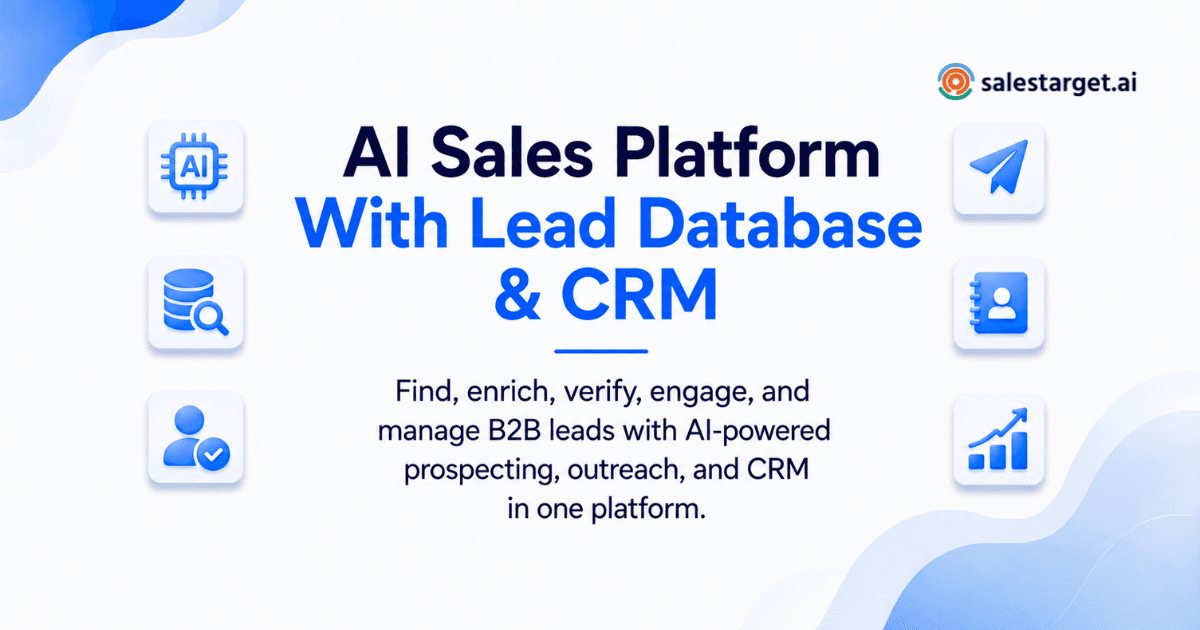
An AI sales platform that combines a lead database and CRM is one workspace where you find verified buyer contacts, reach them by email and LinkedIn, and track every reply, call, and deal stage without moving data between tools. Salestarget.ai pairs 840M+ verified profiles with built-in outreach and a CRM, so a contact found in the morning can be enriched, sequenced, and logged into a pipeline stage before lunch.
What Does an AI Sales Platform With a Lead Database and CRM Do?
It finds buyers matching your ICP, verifies their contact details, lets you message them across channels, and records every interaction against a live pipeline, all in one login.
Most teams split "find leads" from "manage the deal" across two tools, and that handoff is manual, where accuracy dies. A combined platform uses one data model for both: the contact Lead Explorer surfaces is the same record in the CRM pipeline, the outreach sequence, and the AI Copilot. One identity, no re-entry.
ZoomInfo's research found most sales teams already run on fewer than 80% trustworthy CRM records, and that erodes over time. A shared database stops that erosion at entry instead of months later.
Why Separate Lead Databases and CRMs Create Sales Bottlenecks?
Separate tools force manual exports at every handoff, and each handoff is a place where data goes stale, gets lost, or never reaches the pipeline.
Picture the real workflow: pull contacts from a data provider, export to a spreadsheet, check emails through a validator, import survivors into a sequencer, then key anything worth pursuing into the CRM days after a reply, sometimes never.
A 2026 benchmark of 938 B2B companies found the average stack running 8.3 tools at $187 per rep monthly, with 73% reporting overlap wasting $2,340 per rep a year. Reps also lose roughly 27% of their time to bad contact data.
Most articles skip this: it's rarely one big failure that kills a deal, it's the small tax on every handoff, compounding until the pipeline stops matching reality. Salestarget.ai removes the handoff by design: a lead found in Lead Explorer enters the CRM the moment it joins a sequence, already enriched and verified.
What Features Should an AI Sales Platform With a Lead Database Include?
Verified contact data at scale, buyer intent signals, built-in enrichment and email verification, a CRM pipeline that updates without manual entry, and outreach across email and LinkedIn from the same record.
B2B lead database with verified contact and company data
The database needs breadth and accuracy. Lead Explorer draws from 840M+ verified profiles and 146M+ businesses across 50+ sources, at 99% verified contact data. Search in plain English or stack filters across industry, seniority, size, revenue, and tech stack.
AI prospecting filters and buyer intent signals
Firmographic filters show fit, intent signals show who's in-market now. Salestarget.ai layers 4,000+ intent signals, including Bombora Intent Topics and events like funding rounds, on a 30 to 90 day lookback. A six-month-old signal is closer to noise than insight.
Contact enrichment and email verification
This is where most stacks lose time enrichment and verification usually happen in separate tools, days apart. Salestarget.ai enriches and verifies the moment you find the lead, surfacing a verified email, phone, and mobile in one click.
Lead management, activity tracking, and CRM pipeline views
A pursued lead needs a home that updates itself. Campaign leads land in the CRM automatically, no imports, and every email, call, and reply logs to the timeline on its own.
Email and LinkedIn outreach from the same platform
Buyers don't live in one channel. Coordinating email and LinkedIn outreach from one platform means a LinkedIn reply pauses the email sequence automatically, instead of a redundant follow-up landing the same day.
How Does an AI Sales Platform Combine Lead Data and CRM?
It runs prospecting, enrichment, outreach, and pipeline tracking against one shared record, so any action updates the same lead history automatically.
Finding accounts and buyers from one lead database
The ICP Builder turns your targeting criteria into a saved search that keeps surfacing new matches as the database updates, instead of a list that goes stale within weeks.
Enriching and verifying contacts before outreach
Built-in Lead Enrichment runs the moment a contact is added, so the email a sequence sends to is verified now, not against a months-old snapshot. That timing gap is the biggest lever on deliverability, and most competitors treat it as a one-time batch job.
Moving prospects into CRM pipelines without manual data entry
Add a contact to a sequence and it's already in the CRM's Lead Management module, positioned in the pipeline, no CSV. See how one platform replaces separate prospecting and CRM tools.
Logging emails, LinkedIn activity, and calls against each contact
Every touchpoint writes to the same timeline. The built-in AI dialer goes further: click to call, and it captures and saves the conversation notes automatically.
Using AI to prioritize leads and sales actions
The AI Copilot flags deals going quiet and recommends the next move, based on activity in that same CRM data. A rep can ask which deals are at risk this week and get an answer pulled from real activity.
How to Choose a CRM With a B2B Lead Database
Check data coverage and verification timing, prospecting and intent-signal depth, how the CRM handles pipeline and ownership, which channels are native versus bolted on, and total cost once add-ons are counted.
Lead data coverage, accuracy, and verification checks
Ask when contacts are verified, not just whether. A database verified six months ago and never rechecked is a stale list wearing a badge. Contact data decays close to 30% a year across multiple industry analyses, so Salestarget.ai verifies at enrichment, the moment that counts.
Prospecting filters, intent signals, and enrichment depth
Check whether intent data is a paid add-on or built into the core plan, and how recent the lookback window is.
CRM pipeline features and lead ownership controls
For teams with multiple reps or client accounts, ownership and routing rules matter as much as the pipeline itself.
Email, LinkedIn, and calling capabilities
Confirm whether LinkedIn automation includes rate limits. Salestarget.ai builds in auto-pause safeguards by default.
Data security, integrations, pricing, and usage limits
Check integrations against your existing stack. Salestarget.ai connects with Google Calendar, Calendly, Slack, Zapier, HubSpot, Salesforce, and Zoho, and typically sets up in under a day.
AI Sales Platform vs Separate Lead Database and CRM: Which Setup Fits?
An all-in-one platform fits lean teams needing speed and one source of truth, while separate best-of-breed tools can fit larger orgs with specialized workflows, provided someone owns the integration work.
All-in-one sales platform for lean sales teams
A founder-led motion or small SDR team gains more from consolidation than from any single feature: fewer logins, one pipeline, nothing to babysit.
Separate tools for teams with specialized workflows
Enterprise orgs with dedicated conversation intelligence, CPQ, or forecasting needs may genuinely require specialized tools. The trade-off is integration overhead, and someone has to own it.
Total cost beyond subscription prices
License fees are the visible cost. The hidden cost runs larger: a RevOps leader running 14 tools at $387,000 in fees found the real cost closer to $600,000 once integration time was counted. Cutting to six tools raised revenue per rep 22%, per one consolidation analysis.
Data quality, workflow handoffs, and reporting differences
Every handoff between separate systems is a place a lead can get lost or go stale. A single data model removes that failure point. Read how disconnected point tools quietly leak pipeline.
How Can Sales Teams Use an AI CRM for Prospecting and Pipeline Management?
Direct answer: roles use the platform differently: founders run the whole motion, leaders watch pipeline health, RevOps manages data flow, reps prospect daily, and agencies isolate workspaces per client.
Founders and CEOs managing outbound sales
A founder running sales solo needs speed over structure. Finding, verifying, sequencing, and tracking a lead in one place means outbound doesn't compete with the ten other jobs on the plate.
CROs and sales leaders tracking pipeline activity
Leaders need a dashboard reflecting what actually happened, not what got typed in during a Friday cleanup. A live pipeline synced from outreach activity gives an accurate read on deal speed.
RevOps teams managing lead flow and sales data
One data model behind prospecting and CRM means fewer reconciliation projects and fewer arguments over which system holds the real number.
SDRs and BDRs finding and contacting qualified buyers
Finding a name, verifying an email, drafting an opener, and logging the outcome collapses into fewer steps in one workspace.
Agencies managing prospecting across multiple client accounts
Agencies running outbound for several clients need clean separation between accounts, and distinct pipelines keep client data from bleeding together.
What Should You Check Before Moving to an AI Sales Platform?
Audit your current lead data for duplicates and decay, map your existing CRM fields, confirm outreach volume and deliverability needs, and check migration paths and permissions before committing.
Current lead database quality and duplicate records
Most CRMs carry more duplicate and stale data than teams assume. Salesforce's own research points to 91% of CRM data being incomplete, stale, or duplicated in a typical instance, and bad data follows into a new platform if nobody cleans it first.
Existing CRM fields, pipeline stages, and sales workflows
Map your current pipeline stages before switching, not after. Dumping old fields into a new system without rethinking them just recreates the same mess elsewhere.
Outreach volume, sending infrastructure, and deliverability needs
Confirm how many inboxes you need and whether warm-up is automatic. Email Outreach supports unlimited inboxes with automatic AI warm-up and built-in SPF, DKIM, and DMARC checks.
Migration, integrations, permissions, and reporting requirements
Check whether the platform's role and permission model matches how your team is structured, especially for agencies running multiple client accounts.
Why Choose SalesTarget.ai for Lead Data, Outreach, and CRM?
Salestarget.ai puts a verified 840M+ profile database, multichannel outreach, and a built-in CRM in one workspace, so finding, reaching, and closing a lead happens without switching tools.
Find buyers with 840M+ verified profiles and 4,000+ intent signals
Lead Explorer combines scale (840M+ profiles, 146M+ businesses) with real-time signals like funding events and hiring spikes, so a search returns companies actively buying, not just a list that matches on paper.
Enrich and verify contacts before adding them to active sales workflows
One-click enrichment happens the moment a lead is found, surfacing verified email, personal email, phone, and mobile before it touches a sequence.
Run AI-powered email and LinkedIn sequences from the same workspace
Multichannel sequences carry context across email and LinkedIn, so activity on one channel shapes what happens next on the other, instead of two disconnected cadences firing independently.
Manage leads, calls, notes, and pipeline activity in the built-in CRM
The CRM covers Lead Management, Deal Pipeline, Tasks, Activity Tracking, and Reports, with campaign leads landing automatically and follow-up tasks created the moment a lead replies.
Use the AI Copilot for prospecting and sales workflow support
The AI Copilot is a free conversational teammate inside the platform: chat to find leads, generate a sequence in seconds, or ask which deals need attention this week.
Replace separate prospecting, outreach, and CRM tools with one platform
Apollo pairs data with engagement but still needs a bolted-on CRM. Instantly, Smartlead, and Lemlist focus on cold email with no native database or real CRM. Salestarget.ai keeps prospecting, outreach, and pipeline tracking under one bill. Track exactly which campaigns convert instead of guessing across dashboards.
What Is the Best AI Sales Platform With a Lead Database and CRM?
The best platform matches your team's size and outbound motion, keeps data quality, prospecting, and CRM in one evaluation, and gets judged by qualified leads and pipeline speed, not feature count.
Match platform capabilities to team size and outbound workflow
A five-person startup and a 50-rep org need different levels of permissioning, but both need the same promise: a lead found today shouldn't need three manual steps before a rep acts on it.
Compare data quality, prospecting, outreach, and CRM in one evaluation
Don't score a data provider, CRM, and outreach tool in isolation. Score the combined workflow: minutes from lead found to first message sent.
Measure success through qualified leads, meetings, pipeline, and sales cycle time
The real test isn't the demo. It's whether pipeline moves faster once the data behind it stays accurate the moment reps act on it.
Choose an AI Sales Platform That Connects Lead Data and CRM
The problem this article opened with, reps stuck cleaning spreadsheets while leads go cold, isn't a training issue, it's a tooling issue. As long as your lead database and CRM stay two systems joined by manual exports, that gap keeps costing deals you never see on a lost-opportunity report.
Salestarget.ai closes that gap by design: one verified database of 840M+ profiles, enrichment and verification the moment you find a lead, multichannel outreach that carries context, and a built-in CRM where every call and reply updates itself. No CSV, no re-typing, no six-tool stack.
If your team is still stitching a data provider to a CRM by hand, start a free trial with Salestarget.ai and run your next outbound push from one workspace.