A rep finds a promising VP of Sales in one tool, exports a CSV, pastes it into a sequencer, and logs the reply in a CRM two days later. By then the buyer has moved on, and nobody can say where the lead stalled.
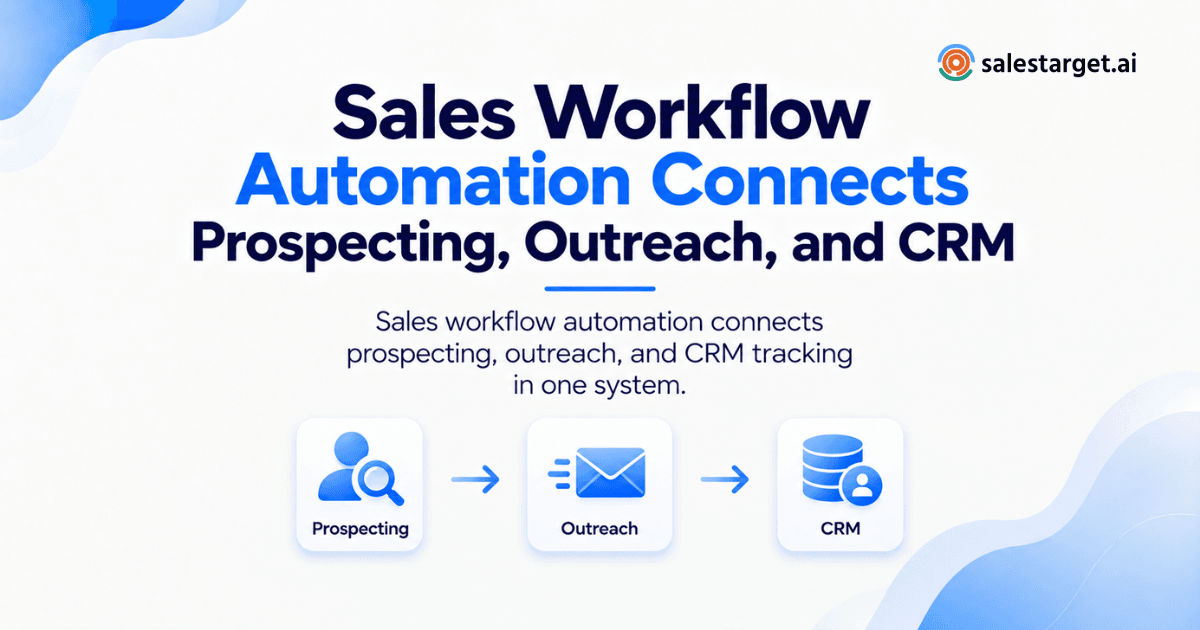
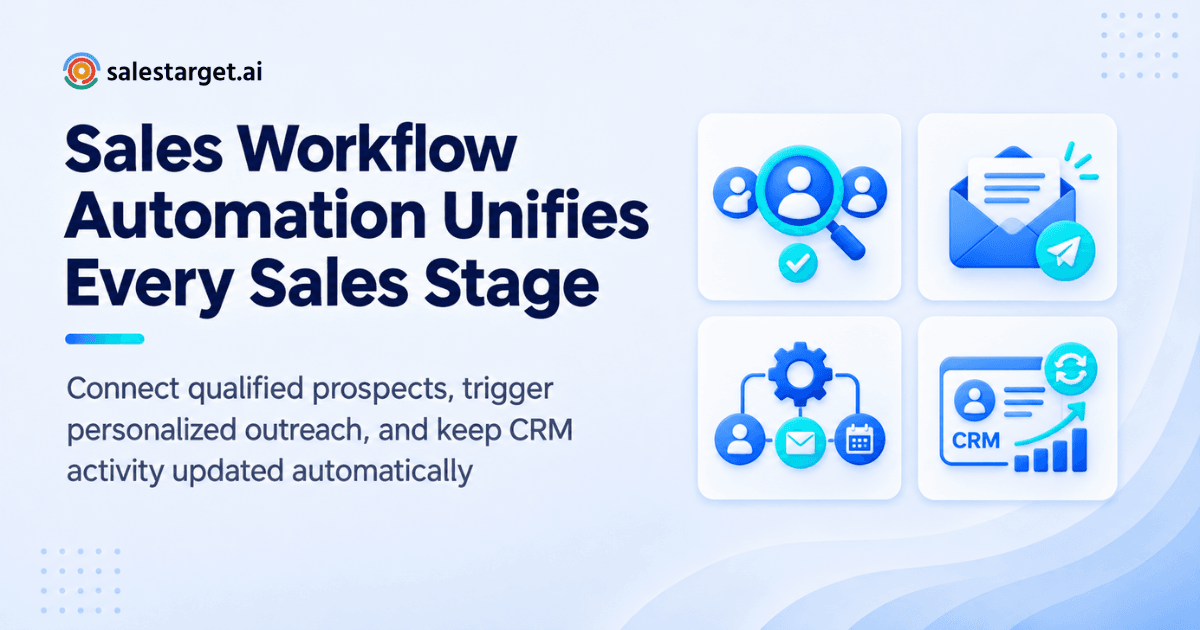
Sales workflow automation connects prospecting, outreach, and CRM into one chain of automatic steps. A lead is found and verified, enters an email and LinkedIn sequence, and lands in the CRM the moment it replies, with every action logged. There are no exports, no copy-paste, and no missed handoffs.
Salesforce's State of Sales research found that reps spend just 28% of their week selling, and 66% say they are overwhelmed by the number of tools. That gap is a workflow problem. SalesTarget.ai closes it by putting Lead Explorer, Email Outreach, LinkedIn Outreach, Email Validator, a built-in CRM, and an AI Copilot in one workspace.
How Sales Workflow Automation Connects the Sales Process
Sales workflow automation moves a prospect from stage to stage on rules, not on memory. Discovery feeds verification, verification feeds outreach, outreach feeds the CRM, and every step writes back to one record. In SalesTarget.ai that record is the lead timeline. A rep opens one profile and sees the source, emails, LinkedIn touches, calls, and deal stage.
The Problem With Disconnected Prospecting, Outreach, and CRM
Disconnected tools fail in small, quiet ways that add up to a thin pipeline.
Lead data gets separated from sales activity
When lead data lives in one tool and activity lives in another, nobody sees the full story. A contact enriched last month sits in a spreadsheet while a sequencer keeps emailing an outdated title. Teams that rely on CRM software for sales teams alone still hit this wall if lead sourcing happens elsewhere.
Reps switch between multiple tools to complete one workflow
One prospect can touch four logins: a database, a verifier, a sequencer, and a CRM. Every switch costs minutes and invites a typo. Salesforce's finding that two-thirds of reps feel overwhelmed by tools shows this is a daily drag, not an edge case.
Follow-ups get missed between outreach and CRM updates
A reply lands in a shared inbox, someone means to log it, and the task never gets created. Here is a metric most teams skip: reply-to-task time, the minutes between a prospect answering and a follow-up task existing. If you cannot measure it, the leak is probably there.
Sales managers lose visibility into prospect activity
If activity is logged by hand, the dashboard shows what reps remembered to enter. Managers end up coaching from partial data. They cannot tell a stalled deal from an unlogged one.
Manual data entry slows pipeline movement
Every field typed by hand delays the next step. Deals sit in the wrong stage, forecasts drift, and RevOps spends Fridays cleaning records instead of fixing process.
How an Automated Sales Workflow Moves a Lead Through the Funnel
An automated sales workflow follows seven steps, from defining who to target to tracking the deal. Each step hands off to the next without a person moving data.
Define target accounts and buyer profiles
Start by writing down who you sell to: industry, company size, revenue, tech stack, and the roles that buy. In Lead Explorer, the ICP Builder turns that profile into saved filters, so every later search starts from the same definition.
Find and enrich relevant contacts
Search in plain English or stack Business and People filters across 840M+ professional profiles and 146M+ business entities. One click enrichment returns a verified professional email, personal email, phone, and mobile number. Enrichment happens when you find the lead, not weeks later from a stale export. Try Lead Explorer on your own ICP to see the first batch of enriched contacts.
Verify contact information before outreach
Verification checks that an address can receive mail before any message goes out. SalesTarget.ai's Email Validator runs MX and SMTP checks, flags disposable addresses, and scores risk. The practical tip: verify at the moment of enrichment, since an address verified six months ago may be dead today.
Launch personalized email and LinkedIn sequences
Describe the audience, and Email Outreach drafts a multi-step sequence with first touch, follow-ups, and pacing. LinkedIn Outreach adds connection requests and DMs in the same flow. Each prospect gets a coordinated plan across both channels instead of two uncoordinated ones. For the email side, automated cold-email sequences run on unlimited inboxes with AI warm-up and rotation.
Track engagement and automate follow-ups
Opens, replies, clicks, and LinkedIn actions become triggers. A reply stops the sequence, a silent prospect gets the next step, and an "Interested" reply creates a task for the owner. Rules replace reminders.
Move qualified prospects into the CRM
Qualified leads land in the CRM automatically, with the full history attached. Nobody imports a list or retypes a name. The rep opens a lead that already has context.
Track opportunities through the sales pipeline
Once a lead becomes a deal, the pipeline stage updates as meetings are booked and tasks completed. The workflow keeps running past the first reply, which is where most point tools stop.
Connecting Sales Prospecting With Outreach Automation
Prospecting connects to outreach when enriched lead data flows straight into campaigns with no file in between.
Using enriched lead data to start targeted campaigns
Campaigns work best when copy matches the segment. Because Lead Explorer data carries role, industry, and company size, Email Outreach can personalize by those fields. Push leads to a sequence directly, with no CSV step.
Combining email and LinkedIn outreach in one workflow
Run email and LinkedIn as one plan. A prospect who ignores two emails can receive a connection request on day four. Context carries across both channels, so a LinkedIn message never repeats an email pitch word for word.
Using buyer signals to guide prospect engagement
Lead Explorer tracks 4,000+ intent topics through Bombora, plus funding rounds, hiring spikes, leadership changes, and awards on a 30 to 90 day lookback. A company that just hired three SDRs is a different conversation than one that did not. Lead with the signal, not a generic pitch.
Triggering follow-ups from prospect activity
A follow-up should answer something the prospect did. Link clicks, profile views, and replies can each start a different next step. Time-based nudges alone treat every prospect the same.
Keeping prospect records updated throughout outreach
Every send, reply, and bounce updates the same record. If an email bounces, the record shows it and the sequence adapts. Nobody has to reconcile two systems at month end.
Connecting Outreach Automation With CRM Sales Management
Outreach connects to the CRM when replies and activity create records and tasks on their own.
Moving engaged contacts into the right CRM stage
Engagement should set the stage. A positive reply moves a lead to a conversation stage, a booked meeting moves it forward, and a "Not a Fit" reply closes it out. In Unibox, replies are sorted by intent (Interested, Follow-Up, Not a Fit), so stage movement starts from a clear label.
Recording emails, calls, replies, and follow-ups
Every email and call is logged to the lead timeline automatically. The built-in AI dialer supports click-to-call and takes notes during the conversation, saving them to the timeline so reps skip the write-up.
Creating a shared view of prospect and deal activity
SDRs, AEs, and managers should look at one pipeline, not three exports. The built-in CRM gives a live shared pipeline and a dashboard with email stats, open deals, meetings, and pending tasks.
Turning qualified responses into sales opportunities
A qualified reply should become a deal in one step. Unibox assigns an owner and syncs the deal to the CRM, and a follow-up task is created when a lead replies or a meeting ends. See the whole flow on a live pipeline: start free and book a demo.
Keeping pipeline records current without manual updates
Records stay current when activity writes them. Teams still using HubSpot, Salesforce, Zoho, Slack, Zapier, or Google Calendar can connect them, so the CRM does not become another silo.
The Business Impact of Sales Workflow Automation
The impact shows up in rep time, response speed, and manager visibility.
More productive prospecting for SDRs and BDRs
Reps spend less time researching and pasting, and more time in conversations. The same logic explains why SDRs and AEs need different workflows inside one shared platform: the handoff is automatic, not a meeting.
Faster follow-up across active opportunities
Speed decides outcomes. A Harvard Business Review study of 1.25 million leads found that firms contacting leads within an hour were nearly seven times as likely to qualify them as those that waited even one hour more. SalesTarget.ai reports 91% follow-up completion in its CRM.
Better visibility for sales and RevOps teams
When activity logs itself, RevOps trusts the report. Email stats, open deals, meetings, and pending tasks sit on one dashboard, and managers coach from facts.
Fewer manual tasks across the sales process
SalesTarget.ai reports about six hours saved per rep per week with its CRM, and 35% faster campaign creation in Email Outreach. Those are the company's own figures, and the Salesforce 28% selling-time number is the benchmark they are measured against.
More consistent movement from lead to opportunity
Consistency beats heroics. When every lead follows the same rules, pipeline results stop depending on which rep had a good week. SalesTarget.ai reports 2.4X more meetings from the same leads and 3.2X faster deal cycles.
Key Capabilities of Sales Workflow Automation Software
Good software covers six capabilities: discovery, verification, sequences, deliverability, CRM tracking, and AI help.
AI-powered prospect discovery and lead enrichment
Look for plain-English search, advanced filters, and enrichment in the same step. Lead Explorer covers 50+ data sources and pairs search with intent-based lead scoring.
Contact verification before outbound campaigns
Verification should run before the first send. SalesTarget.ai reports 90% of emails validated before sending, with bulk list cleaning and a real-time API.
Automated email and LinkedIn sales sequences
Sequences need branching: reply, click, or silence should each lead somewhere different. Conditional LinkedIn sequences and AI spintax for email keep copy varied and human.
Deliverability and inbox management
Unlimited inboxes, AI warm-up, inbox rotation, and SPF, DKIM, and DMARC checks protect sender reputation. A unified inbox keeps replies from getting lost.
CRM automation and sales activity tracking
The CRM should create tasks and log activity without a rep touching it. Lead Management, Deal Pipeline, Tasks and Follow-Ups, Activity Tracking, and Reports and Analytics cover the core.
AI assistance for prospecting and sales execution
AI should handle grunt work: finding leads, drafting sequences, flagging at-risk deals. Strategy and relationships stay with the rep.
Building a Sales Workflow Automation Strategy for B2B Teams
A workable strategy starts at the top of the funnel and measures revenue, not activity.
Start with the prospecting stage
Fix lead quality first. A clean ICP and verified contacts make every later step cheaper. Automating bad data only gets you to bad results faster.
Define the actions that should trigger outreach
Pick the signals that start a sequence: an intent topic, a funding round, a job change. Write them down as rules so the team runs the same play.
Set rules for lead qualification and CRM movement
Decide what counts as qualified before you build. A reply with a meeting request moves forward, a vague reply gets a follow-up, and a decline closes. Write each rule in a sentence.
Connect outreach activity with pipeline stages
Map each outreach event to a stage. If a reply does not change a stage, the workflow has a gap.
Measure workflow performance against revenue outcomes
Track meetings booked, opportunities created, and deals won per sequence. Opens and sends tell you about activity, not pipeline.
Why Choose SalesTarget.ai
SalesTarget.ai is an all-in-one AI sales intelligence and outbound platform. It keeps discovery, verification, outreach, and CRM in one workspace so teams stop stitching point tools together. It positions itself as an alternative to Apollo, Instantly, and Woodpecker.
Lead Explorer for prospect discovery, enrichment, and intent signals
Lead Explorer searches 840M+ professional profiles with Smart Prospect Search, an ICP Builder, and real-time signal discovery. Enriched leads go straight to sequences or the CRM.
Email Outreach for automated cold-email sequences and follow-ups
Email Outreach builds multi-step sequences from a plain-English audience description. It adds AI warm-up, inbox rotation, an AI content generator, and the Unibox for replies.
LinkedIn Outreach for personalized multichannel prospecting
LinkedIn Outreach automates connection requests, DMs, and follow-ups with timezone-aware scheduling, human-like delays, and auto-pause safeguards. It runs in one flow with email.
Email Validator for checking contacts before campaigns
Email Validator checks MX and SMTP records, detects disposable addresses, and scores risk. It cuts bounces and protects domains from blacklists.
Built-in CRM for connected sales activity and deal management
The CRM was built for outbound teams, not enterprise bloat. Campaign leads land automatically, activity logs itself, and setup takes under a day.
AI Copilot for faster sales workflow execution
The AI Copilot is a conversational sales teammate, free inside the platform. Ask it to find leads, build a sequence, or query deals, meetings, and tasks in plain language.
Common Sales Workflow Automation Mistakes to Avoid
Most failed automations repeat the same five errors.
Automating outreach before checking lead quality
Speed multiplies whatever you feed it. Unverified contacts mean bounces, and bounces hurt every inbox on the domain.
Using one workflow for every buyer segment
A founder at a seed-stage startup and a VP at an enterprise need different copy, timing, and channels. Build separate workflows per segment.
Separating outreach activity from CRM management
If outreach lives in one tool and deals live in another, someone has to bridge them by hand. That person is usually a rep who should be selling.
Automating follow-ups without engagement signals
A cross-channel edge case: when a prospect replies "not a fit" by email, the LinkedIn sequence must stop the same hour. Without shared signals, you send a connection request to someone who just said no.
Measuring activity volume instead of pipeline results
Emails sent is a vanity number. Judge workflows on meetings, opportunities, and closed revenue.
Optimizing the Workflow From Prospecting to Closed Deal
Optimize one step at a time, in order, starting with lead quality.
Improve lead quality before increasing outreach volume
Tighten filters and verify more before you add sequences. A smaller, cleaner list beats a larger, dirty one.
Use engagement data to refine follow-up timing
Look at when replies arrive and move follow-ups to those windows. Small timing changes compound across hundreds of sequences.
Reduce manual handoffs between sales stages
List every point where a person moves data or sends a reminder. Replace each with a rule or a task that creates itself.
Review conversion rates across the complete workflow
Check conversion at each stage, from contact to reply to meeting to deal. The weakest stage is where your next fix goes.
Improve the workflow based on pipeline and revenue data
Use the Reports and Analytics module to see which campaigns drive revenue, and ask the AI Copilot which sequences produce meetings. Cut what does not.
Bringing Prospecting, Outreach, and CRM Into One Sales Workflow
The pain from the start was a rep juggling tools while leads cool off. Sales workflow automation fixes that by making each step trigger the next, with one record carrying the lead from discovery to close. SalesTarget.ai delivers that chain in one platform: verified data from Lead Explorer, coordinated email and LinkedIn sequences, and a built-in CRM that logs everything. If your team is ready to stop stitching tools together, start with SalesTarget.ai and run your first connected workflow this week.