Your rep spent Monday on LinkedIn and copied forty names into a sheet. By Friday, half the emails bounced and the connection requests sat unanswered. The week looked busy. The pipeline did not move.
What are LinkedIn prospecting tools? They are software that helps sales teams find target accounts and decision-makers on LinkedIn, add verified contact data, and reach them with personalized messages. The best ones cover search, data, outreach, and tracking in one place, so reps spend their time on conversations instead of copy-paste work. This guide compares five platforms, walks through a seven-step workflow, and shows which numbers to track.
The Growing Gap Between LinkedIn Prospecting Activity and Qualified B2B Pipeline
Why does LinkedIn activity not turn into pipeline? Activity is easy to count and quality is not. PhantomBuster's sales report found that nearly nine in ten sellers rely on LinkedIn for prospecting, so your buyers see the same pitches as everyone else.
Manual Prospect Discovery and Fragmented Sales Data
Manual search means one profile at a time, with notes in tabs, sheets, and inboxes. Nobody can trust the list, and nobody can rebuild it quickly when the ICP shifts.
Low-Quality Connections and Unqualified Decision-Maker Lists
A connection is not a buyer. Teams that treat volume as the goal fill their network with people who have no budget, no authority, or no need.
Disconnected LinkedIn Outreach, Email Campaigns, and CRM Records
When LinkedIn, email, and the CRM live in separate tools, context breaks. A rep emails someone who ignored a connection request last week and has no idea.
Sales Productivity Losses From Repetitive Prospecting Tasks
Searching, copying, pasting, and verifying eat the hours meant for selling. Salestarget.ai's CRM users report about six hours saved per rep per week, mostly from removing this kind of repeat work.
LinkedIn Prospecting Tools and Their Role in Modern B2B Sales
What do LinkedIn prospecting tools do? They handle four jobs: find the right people, confirm how to reach them, contact them with relevance, and track what happens next.
LinkedIn Prospect Discovery and Target Account Research
Discovery tools filter by role, seniority, industry, company size, and location. Lead Explorer lets you type the audience in plain English or stack Business and People filters across 840M+ profiles and 146M+ businesses. Run your current ICP through it and count how many verified decision-makers match.
Contact Identification, Data Enrichment, and Lead Qualification
A profile is only a starting point. Enrichment adds professional email, personal email, phone, and mobile, so reps can qualify a lead before they spend a message on it.
Personalized Engagement Across LinkedIn and Email
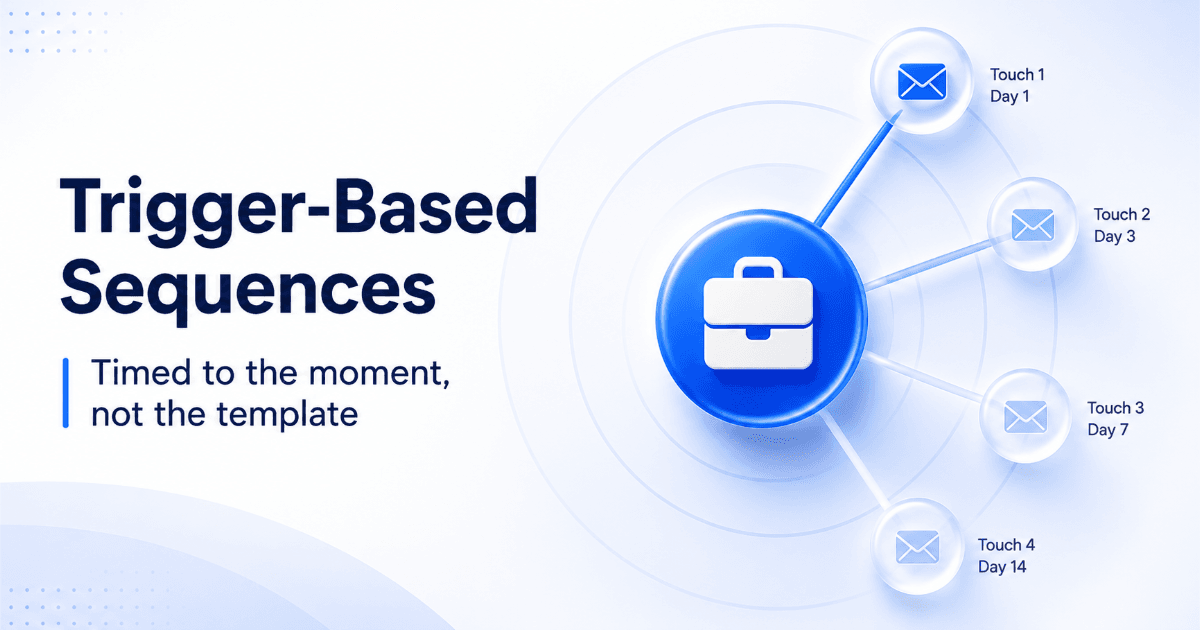
Engagement tools run connection requests, DMs, follow-ups, and email steps from one sequence. The strongest setups branch: no reply on LinkedIn after a set number of days triggers an email touch.
Prospect Tracking and Pipeline Management
Tracking turns replies into deals. Every touch should land on the lead's timeline, and every positive reply should create a task without anyone typing it in.
Core Use Cases of LinkedIn Prospecting Across B2B Sales Teams
Who uses LinkedIn prospecting tools? Any team that sells to people with a visible job title: enterprise sellers, SDRs, agencies, and partnership managers.
Account-Based Prospecting for Enterprise Sales
Enterprise reps map buying committees inside a short list of named accounts. They need titles, reporting lines, and signals such as funding rounds, hiring spikes, and leadership changes.
Decision-Maker Discovery for SaaS and Technology Companies
SaaS sellers filter by department, seniority, and tech stack to reach the person who owns the problem. A tech stack filter removes accounts that can never use the product.
Outbound Lead Generation for SDR and BDR Teams
SDRs need volume without sloppiness. That means fast list building, verified emails, and sequences that pace themselves.
Client Acquisition for Lead Generation Agencies
Agencies run several clients at once. They need separate campaigns, clean data per client, and reporting they can share without rebuilding it by hand.
Partnership and Channel Development
Channel managers search for resellers, integrators, and complementary vendors. The same filters apply, with messages that propose collaboration instead of a demo.
Types of LinkedIn Prospecting Tools Used by B2B Sales Teams
What types of LinkedIn prospecting tools exist? Five main types: native search, data and enrichment software, outreach tools, automation tools, and all-in-one platforms.
LinkedIn Sales Navigator for Account and Lead Research
Sales Navigator is LinkedIn's own research product. It offers advanced filters, saved searches, and alerts, but it does not give you verified emails or phone numbers, and it does not run sequences.
LinkedIn Prospecting Software for Contact Discovery and Enrichment
This category finds the email and phone behind a profile. Accuracy depends on when the data was verified, which makes timing of verification matter more than database size.
LinkedIn Outreach Tools for Personalized Engagement
Outreach tools handle connection notes, DMs, and follow-ups. Their weak spot is the lead list: they send well, but they cannot tell you who deserves a message.
LinkedIn Automation Tools for Prospecting Workflows
Automation tools run actions on a schedule. LinkedIn's User Agreement restricts automated activity, so safety limits, human-like delays, and auto-pause rules belong in the buying decision.
All-in-One Sales Platforms for Multichannel Prospecting
All-in-one platforms combine data, LinkedIn, email, validation, and a CRM. They remove the export-import steps where data goes stale and context gets lost.
Key Features to Compare in LinkedIn Prospecting Tools
Which features matter most? Search depth, contact accuracy, qualification signals, personalization, sequences, CRM sync, and reporting. Weakness in any one of them shows up as wasted rep time. Use this list to score the best LinkedIn prospecting tools on your shortlist.
Advanced Lead Search and Account Filtering
Check for filters on industry, role, seniority, department, company size, revenue, location, and tech stack. Plain-English search saves new reps from learning a filter maze.
Verified B2B Email and Phone Contact Data
Ask when each contact was verified. Salestarget.ai enriches and verifies at the moment you find the lead, not when the record was first scraped.
Buyer Intent Signals and Prospect Qualification
Intent data tells you who is researching your category now. Lead Explorer includes 4,000+ intent signals, with Bombora Intent Topics and business events on a 30 to 90 day lookback.
AI-Powered Message Personalization
Look for messages that adapt to role, industry, and profile details. A swapped first name is not personalization.
LinkedIn and Email Sequence Management
You want conditional steps that branch on replies, actions, or silence, plus working-hour limits and timezone-aware scheduling.
CRM Integration and Automated Activity Tracking
Leads should flow into the CRM without a CSV, and every email and call should log itself. Manual logging is where pipeline data goes to die.
Reporting, Performance Tracking, and Team Collaboration
Managers need reply rates by campaign, meetings by rep, and a shared pipeline view. If reports need a spreadsheet to make sense, the tool is not finished.
Best LinkedIn Prospecting Tools for B2B Sales Compared
What are the best LinkedIn prospecting tools for B2B sales? Salestarget.ai, Sales Navigator, Apollo.io, Expandi, and Waalaxy lead the shortlist. They differ most in how much of the workflow each one covers on its own. For a longer list, read our guide to the best LinkedIn prospecting tools to find leads.
Salestarget.ai: All-in-One B2B Prospecting, Contact Enrichment, and Multichannel Outreach
Salestarget.ai combines Lead Explorer, LinkedIn Outreach, Email Outreach, an Email Validator, a built-in CRM, and an AI Copilot in one workspace. LinkedIn Outreach automates connection requests, DMs, and follow-ups with rate limits, warm-up logic, and auto-pause safeguards. It runs in one flow with email, so context carries across channels.
LinkedIn Sales Navigator: Advanced Prospect and Account Search
Sales Navigator is the best native research layer. Pair it with other tools for contact data, outreach, and tracking.
Apollo.io: B2B Contact Database and Sales Engagement
Apollo offers a large contact database and sequencing. Most teams still add deliverability tooling and a CRM.
Expandi: LinkedIn Outreach Automation
Expandi focuses on LinkedIn campaign automation. It does not bring its own B2B database or CRM, so list building happens elsewhere.
Waalaxy: LinkedIn and Email Prospecting Sequences
Waalaxy is a simple way to run LinkedIn and email sequences. Its focus is outreach, not deep data or pipeline management.
LinkedIn Prospecting Tools Comparison: Features, Integrations, Pricing, and Ideal Use Cases
| Tool | Prospect data | LinkedIn outreach | Email outreach | Built-in CRM | Pricing model | Best for |
|---|---|---|---|---|---|---|
| Salestarget.ai | Yes, enriched at discovery | Yes | Yes | Yes | One platform, one bill | Teams wanting one workspace |
| Sales Navigator | Search only | Manual | No | No | Seat-based | Account research |
| Apollo.io | Yes | Limited | Yes | No | Credit and seat-based | Data plus email sequences |
| Expandi | No | Yes | Limited | No | Seat-based | LinkedIn-only automation |
| Waalaxy | Limited | Yes | Yes | No | Seat-based | Small teams starting out |
Check each vendor's current plans before you commit, since features change.
B2B LinkedIn Prospecting Workflow From Lead Discovery to Sales Conversion
What is the best LinkedIn prospecting workflow? Define who you want, find them, enrich them, rank them, contact them, track replies, and hand qualified leads to the CRM.
Define ICP and Target Account Segments
Write the ICP as filters, not adjectives: industry, size, region, role, and tech stack. ICP Builder in Lead Explorer turns that into a saved search.
Identify Decision-Makers Using LinkedIn Search Filters
Filter by seniority and department first. Add a second contact per account, since champions and approvers rarely share a title.
Enrich Prospect Records With Verified Contact Information
Enrich before you message. The Email Validator checks MX and SMTP records, flags disposable addresses, and scores risk, so bad emails never reach a sequence. A lead without a verified email can still get LinkedIn outreach.
Segment Leads by Buying Signals and Qualification Criteria
Split the list into signal-active and signal-quiet groups. Send the first group shorter, more direct messages that mention what changed.
Build Personalized LinkedIn and Email Sequences
Open with a connection request, follow with a DM, then branch to email if there is no response. Email Outreach handles the email steps with unlimited inboxes, automatic AI warm-up, and SPF, DKIM, and DMARC checks. Keep each step short and specific.
Track Engagement and Manage Sales Conversations
Unibox pulls email replies into one view and sorts them by intent: Interested, Follow-Up, or Not a Fit. Reps then act on the hot ones first.
Move Qualified Prospects Into the CRM Pipeline
Positive replies should create deals and tasks on their own. The built-in CRM receives campaign leads with no imports and logs every email and call to the lead timeline.
LinkedIn Prospecting Tool Selection Criteria for Different Sales Teams
How do you choose the right tool? Match the tool to your team's bottleneck: budget, volume, account depth, client count, or data quality.
Startups and Small Businesses: Affordable Prospecting and Contact Discovery
Founders need one login and fast setup. An all-in-one platform beats stitching three tools together and managing each one.
SDR and BDR Teams: High-Volume Lead Research and Outreach
Prioritize list-building speed, bounce protection, and safe daily limits. A tool that lets reps burn their LinkedIn accounts costs more than it saves.
Enterprise Sales Teams: Account Intelligence and Team Collaboration
Look for signals, multi-contact account views, and shared pipelines. Territory and ownership rules matter more here than raw send volume.
Agencies and Consultants: Multi-Client Prospecting and Campaign Management
Separate workspaces or campaigns per client keep data clean. Report templates save hours each month.
RevOps Teams: Data Accuracy, CRM Integration, and Reporting
RevOps owns the data, so test accuracy, sync reliability, and field mapping. Salestarget.ai connects with HubSpot, Salesforce, Zoho, Slack, Zapier, and Google Calendar.
Why Choose Salestarget.ai for LinkedIn Prospecting and B2B Outreach
Why choose Salestarget.ai? It keeps finding, verifying, contacting, and closing in one platform. The core promise is simple: stop stitching point tools together. If your team juggles three logins today, start with one search and one sequence.
Lead Explorer: Find and Enrich B2B Contacts From 840M+ Profiles
Search in plain English or stack filters, then enrich in one click. Contact data is 99% verified, and enriched leads go straight to sequences or the CRM.
LinkedIn Outreach and Email Outreach: Manage Multichannel Prospect Engagement
Both channels run from one sequence with AI personalization, conditional branching, and timezone-aware scheduling. Email Outreach users build campaigns 35% faster.
Email Validator: Verify Business Emails and Reduce Bounce Rates
Verification happens before sending, with real-time API checks and bulk list cleaning. About 90% of emails are validated before they go out.
Built-in CRM: Track Conversations, Sales Activities, and Opportunities
Lead management, deal pipeline, tasks, activity tracking, and reports sit in one lightweight CRM. Teams report 3.2X faster deal cycles and 91% follow-up completion.
AI Copilot: Support Prospect Research and Everyday Sales Tasks
Ask the AI Copilot to find leads, draft a sequence, or list deals that need attention. It is free inside the platform, and strategy stays with your team.
One Connected Platform for Prospecting, Outreach, and Sales Management
One dataset and one timeline per lead mean nothing falls between tools. Teams running this setup report 2.4X more meetings from the same leads.
Common LinkedIn Prospecting Mistakes That Limit Sales Results
What mistakes hurt LinkedIn prospecting? Weak targeting, bad data, generic messages, and measuring the wrong numbers.
Building Prospect Lists Without Defined ICP Criteria
A list built on "VP of anything" produces replies from people who will never buy. Write the exclusion filters first.
Using Unverified Contact Data in Outreach Campaigns
Job changes outpace profile updates, so a title on LinkedIn can lag reality. Verify the email at the moment of enrichment.
Sending Repetitive Connection Requests and Generic Messages
Identical notes get ignored and can get reported. Vary the opening line based on role and trigger.
Depending on Automation Without Personalization
Automation handles timing. It cannot decide what to say. Review the first fifty messages before scaling.
Ignoring LinkedIn Account Restrictions and Usage Policies
Pushing volume past safe limits risks restrictions on a rep's account. Keep daily caps low, add warm-up, and pause when LinkedIn shows warnings.
Measuring Connection Volume Instead of Qualified Pipeline
Connections are a vanity metric. Count meetings booked per hundred enriched, verified prospects instead.
LinkedIn Prospecting Performance Metrics for Revenue Teams
Which metrics matter? Data accuracy, acceptance, reply, meetings, cost per qualified lead, and prospect-to-opportunity conversion. Define each one before you compare campaigns.
Prospect Data Accuracy and Lead Qualification Rate
Track the share of contacts with a valid email and a confirmed title. Then track what share passes your qualification rules.
Connection Acceptance and Response Rates
Focus Digital's benchmark of more than 13 million requests puts connection acceptance near 28.5%. Belkins calculates connection rate as accepted over invites sent and reply rate as replies over messages sent, so keep those two denominators apart.
Positive Reply and Meeting Conversion Rates
A reply that says "stop" is still a reply. Count positive replies separately, then meetings booked from them.
Cost per Qualified Lead and Acquisition Cost
Divide tool spend and rep time by qualified leads. Rep hours hide the real number.
Prospect-to-Opportunity Conversion Rate
This is the number leadership cares about. Break it down by segment to see which ICP deserves more effort.
Conclusion: Select a LinkedIn Prospecting Platform That Connects Every Sales Activity
Busy weeks that produce no pipeline come from broken handoffs: search in one tool, data in another, messages in a third, notes nowhere. The fix is not more activity. It is a platform where a lead is found, enriched, verified, contacted on two channels, and tracked to a deal without an export in between. That is the exact gap Salestarget.ai closes. Start free, build your first sequence today, and see how many of Monday's copy-paste hours turn into conversations.