You built a list of 2,000 prospects on Monday. By Friday, a fifth of the emails bounced, three "VPs of Sales" had moved jobs, and your sender domain was already flagged. The list looked fine. The data was not.
That is the real cost of weak prospecting tools. Reps lose hours on research, sequences go out to dead inboxes, and nobody can tell if low replies come from bad messaging or bad data.
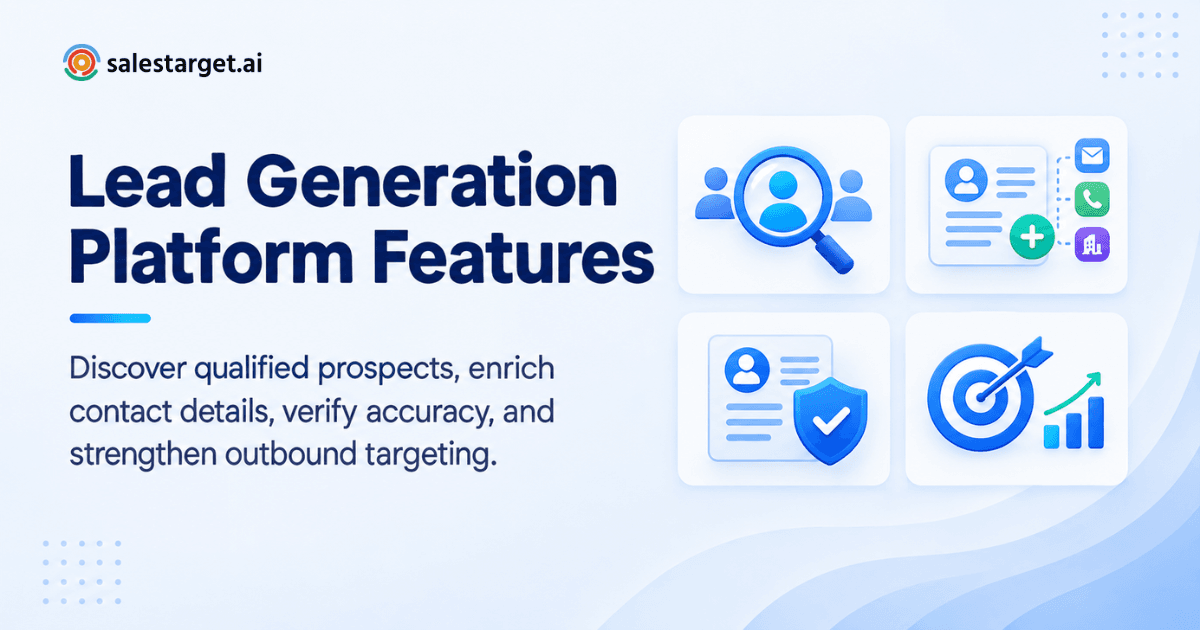
The lead generation platform features that matter most for finding and verifying B2B prospects are: a large B2B lead database with firmographic and people filters, AI-powered prospect search, built-in lead enrichment, contact verification for email and phone, and buyer intent signals. A good platform does all five in one step, so you find a prospect, confirm their details, and start outreach without exporting a CSV.
Salestarget.ai packs these into one workspace. Its Lead Explorer covers 840M+ professional profiles and 146M+ business entities, and enrichment happens the moment you find a lead. The rest of this post breaks down what each feature does, how to use them in order, and where most teams go wrong.
Lead Generation Platform Features for Finding and Verifying B2B Prospects
A B2B lead generation platform has two jobs. The first is discovery: finding the right companies and the right people inside them. The second is verification: proving that the email, phone number, and job title are still correct before anyone hits send.
Most tools do one of these well. Databases are good at discovery and weak on freshness. Email validators verify well but have no idea who your ideal customer is. Stitching them together means exporting, uploading, and re-checking, and every handoff is where data goes stale.
The features below are grouped by job. Look for platforms that cover both. The gap between the two is where most bounced emails come from.
How B2B Lead Generation Platforms Support Prospect Discovery
Discovery features answer one question: who should we contact? The strongest platforms answer it with company and person filters at the same time.
Company Data and Firmographic Filters
What are firmographic filters? They are company-level attributes you can search on: industry, employee count, revenue, location, and tech stack.
These filters shape the list before any person is involved. A SaaS company with 50 to 200 employees using HubSpot is a different target than a 5,000-person manufacturer with a "Head of Sales."
Lead Explorer lets you stack Business filters for industry, company size, revenue, location, and tech stack across 146M+ business entities. Tech stack filters are the most underused. If you sell a HubSpot integration, filtering for HubSpot users cuts your list to accounts with a real reason to care.
People Data and Job Title Filters
What are people filters? They narrow a company list down to the individuals who matter: job title, seniority, and department.
Title filters alone are risky. "Director of Marketing" means different things at a 20-person startup and a 2,000-person enterprise. Pair title with seniority and department.
Prospect Search by Industry, Size, Location, and Seniority
Can you search in plain English? Yes, on platforms with AI search. Instead of clicking through ten dropdowns, you type who you want.
In Lead Explorer, a search like "VPs of Sales at US-based SaaS companies with 50 to 200 employees" builds the filter set for you. You can still adjust each filter by hand. The AI gets you to a starting list in seconds, and the manual filters let you tighten it.
Buyer Intent and Intent Topics
What is buyer intent data? It shows which companies are actively researching topics related to what you sell.
Intent turns a static list into a ranked one. 6sense's 2025 buyer study found that 94% of buying groups ranked their preferred vendors before first contact, and that they bought from that early favorite 77% of the time. Reaching accounts during research is how you land on that shortlist.
Lead Explorer includes 4,000+ intent and buyer signals, including Bombora Intent Topics, plus business events (funding rounds, hiring spikes, leadership changes) on a 30 to 90 day lookback.
Verified Contact Data for Sales Outreach
What is verified contact data? It is an email or phone number that has been checked as deliverable and matched to the right person, not just scraped from a website.
One-click enrichment in Lead Explorer unlocks verified professional email, personal email, phone, and mobile. Salestarget.ai reports 99% verified contact data across its database. Treat any vendor's accuracy claim, including this one, as a starting point and confirm it against a small test list.
Why Accurate Prospect Data Matters for B2B Sales
Bad data does not fail loudly. It shows up as a "messaging problem" and gets fixed in the wrong place.
Improving ICP Targeting
Why does data accuracy affect ICP targeting? Your ideal customer profile is only as good as the fields behind it. If company size or industry tags are wrong, your best-fit filter quietly includes poor-fit accounts.
Wrong fields mean wrong segments. A campaign written for 50-person startups that lands on 500-person companies will underperform, and the copy gets blamed.
Reducing Invalid and Incomplete Contacts
How fast does B2B contact data go bad? Faster than most teams plan for, though the exact rate is debated. The popular "30% a year" figure has no clear original study. Lusha measured 148,000 records and found an annual decay rate of 12.25% for US sales leaders, and 25.67% over 24 months.
Take the lesson, not the headline number. Any list older than a quarter needs a re-check before you send.
Supporting Better Lead Qualification
How does data quality affect lead qualification? Qualification depends on fields being present and correct. A lead with no seniority, no company size, and a stale title cannot be scored or routed with any confidence.
Reps skip incomplete records, so those leads never get worked, even when the account is a great fit.
Building Cleaner Outbound Prospect Lists
What makes a prospect list clean? Every record has a verified email, a current title, a matched company, and no duplicates.
Cleaning after the fact is slow. Enrichment inside the search step beats a separate cleanup pass on an exported file.
Connecting Prospect Data With Sales Outreach
Why should prospect data connect to outreach? Every export is a place where data ages and context gets lost.
When the database, sequences, and CRM share one workspace, a verified lead moves straight into a campaign with its enrichment intact. No CSV, no re-upload, no field mapping.
Key B2B Lead Generation Features for Prospecting
Use this section as a checklist when you evaluate any B2B prospecting platform.
B2B Lead Database and Prospect Coverage
How big should a B2B lead database be? Big enough to cover your market, but size alone proves nothing. Ask about coverage in your region, industry, and seniority band, not just the headline profile count.
Lead Explorer draws on 50+ data sources, with 840M+ verified professional profiles and 146M+ business entities. Multiple sources matter. A single-source database inherits that source's blind spots.
AI-Powered Prospect Search
What does AI prospect search do? It converts a plain-English description of your buyer into a working filter set.
Newer reps can build good searches without learning every filter. The ICP Builder in Lead Explorer captures your ideal customer once, so the team shares one definition.
B2B Lead Enrichment
What is lead enrichment? It adds missing details to a record: verified email, phone, title, company data, and more.
Timing is the difference between platforms. Enrichment at the moment you find the lead gives you fresh data. Enrichment on a list bought last quarter gives you old data with a new label.
Lead Verification Software
What does lead verification software check? Whether an email can actually receive mail, whether the domain accepts messages, and whether the address looks risky.
The Email Validator runs MX and SMTP checks, flags disposable addresses, and scores risk. It offers bulk list cleaning plus a real-time API, and connects with 60+ platforms.
Buyer Intent and Buying Signals
Are intent signals worth using? Yes, if you use them to rank accounts rather than to replace fit. An account researching your category but outside your ICP is still a poor lead.
Use intent as a tiebreaker inside a list that already matches your ICP. Intent-Based Lead Scoring in Lead Explorer does the ranking.
Contact Data Quality and Accuracy
How do you test contact data quality? Pull a sample of 100 records, verify them, and count bounces. It takes minutes and tells you more than any accuracy claim on a pricing page.
Do this before you commit to any platform.
A Practical Workflow for Finding and Verifying B2B Prospects
How do you find and verify B2B prospects? Follow six steps: define your ICP, search accounts and people, filter for decision makers, add intent, enrich, and verify. Here is the sequence that works.
Define the Ideal Customer Profile
Write down industry, company size, region, tech stack, and the roles that buy. Be specific enough that two reps would build the same list.
Build a Target Account and People Search
Start with companies, then move to people. Searching people first floods you with titles at accounts that never fit. In Lead Explorer, set Business filters first, then layer People filters on top.
Filter for Relevant Decision Makers
Pick the roles that own the problem you solve. A budget holder and a day-to-day user need different messages. For larger deals, reach two or three people per account.
Add Intent Signals to Prospect Selection
Apply Intent Topics to rank the list. Accounts showing a funding round, a hiring spike, or research activity move to the top.
Here is an angle most guides skip: intent decays faster than contact data. A buying signal from 90 days ago is barely a signal. Work intent-ranked accounts within days, not weeks, or the ranking loses its value.
Enrich Selected Prospect Records
Enrich only the records you plan to contact. Enriching a whole broad list wastes effort on people you will never message.
Verify Contact Details Before Outreach
Run a final email validation before anything enters a sequence. Then push verified leads directly into email and LinkedIn sequences or the CRM. If you want to see this workflow end to end, start with a free trial and build one test list.
Why Choose SalesTarget.ai
Most teams patch together a data tool, a cold email sender, a LinkedIn tool, a validator, and a CRM. Each has its own version of the truth. Salestarget.ai puts all five in one platform.
Lead Explorer for B2B Prospect Search and Enrichment
Lead Explorer is the prospecting engine. It combines AI search, Business and People filters, ICP Builder, and one-click enrichment. Leads go straight to a sequence or the CRM with no CSV.
Verified Contact Data for Prospect Outreach
Contacts are verified at the point of enrichment, not whenever the data was first scraped. That timing is the main difference from database-first tools like Apollo, where you add separate deliverability and CRM tools afterward.
Email and LinkedIn Outreach From One Platform
Email Outreach builds multi-step sequences from a plain-English audience description, with unlimited inboxes, automatic AI warm-up, and inbox rotation. LinkedIn Outreach automates connection requests and DMs with conditional sequences and built-in safety limits. Both run in one coordinated flow, so context carries across channels.
Instantly, Smartlead, and Lemlist focus on cold email. Salestarget.ai adds the database, LinkedIn automation, and CRM.
Email Validation and Deliverability Support
Validation, SPF, DKIM, and DMARC checks, and inbox warm-up sit inside the same workspace. Salestarget.ai reports that 90% of emails are validated before sending in Email Outreach, so nobody has to remember a separate check.
Built-In CRM for Managing Prospect Follow-Up
The CRM is built for outbound teams. Campaign leads land automatically, emails and calls log to the lead timeline, and follow-up tasks are created when a lead replies or a meeting ends. The built-in AI dialer takes call notes and saves them to the timeline, so reps skip the write-up. Salestarget.ai reports about 6 hours saved per rep per week (the vendor's own figure).
AI Copilot for Sales and Prospecting Workflows
The AI Copilot works as a conversational teammate inside the platform. Ask it to find leads across 840M+ profiles, draft personalized sequences, or check CRM deals and tasks in plain language. Strategy stays with the rep. The Copilot handles the grunt work.
Common Gaps in B2B Lead Generation and Verification
Using Broad Prospect Lists Without ICP Filters
Broad lists dilute reply rates and burn sender reputation. Narrow first, then scale.
Relying on Incomplete Contact Information
Records missing a verified email or current title get skipped or sent blind. Enrich before you assign.
Skipping Verification Before Outreach
Verification feels optional until a 10% bounce rate flags your domain. Validate every batch, including lists marked "already clean."
Separating Prospecting and Enrichment Across Multiple Tools
Every tool switch is a chance for fields to break during import. One platform for search, enrichment, and outreach removes those handoffs.
Choosing Database Size Over Data Quality
A 1-billion-record database with 70% accuracy loses to a smaller one with 95%. Test a sample before you trust the headline count.
Choosing the Right Lead Generation Platform Features
For a deeper side-by-side look, see the lead generation platform comparison and the guide on how to choose the right lead generation platform for B2B sales teams.
Data Coverage and Prospect Search Depth
Check coverage in your own region and industry. Ask how many sources feed the database and how frequently records refresh.
Enrichment and Verification Capabilities
Confirm that enrichment is real-time and that verification happens at enrichment, not at some earlier date.
ICP and Decision-Maker Filtering
You need stackable filters across company and person attributes, plus saved ICP definitions so your team searches the same way.
Intent Data and Prospect Signals
Look for named intent sources and clear lookback windows. Vague "AI signals" are hard to trust.
Integration With Outreach and CRM Workflows
Check that leads move into sequences and the CRM without exports. Salestarget.ai's CRM connects with Google Calendar, Slack, Zapier, HubSpot, Salesforce, and Zoho.
Building a More Reliable B2B Prospecting Process
Bounced emails, stale titles, and reps buried in research come from the gaps between tools, not from any single tool. Close the gaps and the problem shrinks.
Define a tight ICP. Search accounts before people. Rank with intent. Enrich only who you will contact. Verify before every send. Salestarget.ai runs that whole sequence in one workspace, from Lead Explorer through outreach to the CRM.
If your team is still stitching point tools together, build one list the connected way and compare the bounce rate. Start with SalesTarget.ai and see how much cleaner the pipeline gets.