LinkedIn is still the highest-intent professional channel for B2B outreach but prospecting by hand is a trap. Searching, visiting profiles, sending connection requests, writing follow-ups, logging outcomes: it can consume 4–6 hours per day before you hit your first real sales conversation.
That's why LinkedIn automation tools have become essential infrastructure for B2B sales teams. The right platform streamlines repetitive mechanical work list building, connection sequencing, reply routing, CRM logging so your team can focus on research, writing, and actual conversations. But "automation" doesn't mean spammy volume. It means systematic, respectful outreach at scale.
This guide shows you how to build a LinkedIn outreach workflow that converts, avoids account restrictions, and integrates cleanly with your sales stack. You'll learn what automation actually does, how to evaluate and implement it safely, and the exact tactics high-performing teams use to turn LinkedIn into a predictable lead generation engine.
What LinkedIn Automation Actually Is (and What It's Not)
LinkedIn automation is using software to systematize repetitive prospecting actions not to replace strategy or personalization.
Most LinkedIn automation tools focus on these core functions:
- Prospect list building: Search, filter, and enrich profiles at scale
- Outreach actions: Send connection requests, LinkedIn DMs, and follow-ups on a schedule
- Engagement signals: Automated likes, follows, profile visits (when done carefully)
- Message sequencing: Multi-step drip campaigns that pause on reply
- Reply detection and routing: Identify intent and hand off to a sales rep automatically
- CRM sync and logging: Record every action, reply, and outcome in one place
What automation is not: a substitute for good positioning, clear offers, or strong writing. The best results come from automation that supports a solid prospecting strategy, not from blasting thousands of generic messages into the void.
Why LinkedIn Still Matters for B2B Outreach
LinkedIn's strength lies in its role in the buying journey:
- Top of funnel: List building and awareness among decision-makers
- Mid funnel: Discovery and qualification conversations
- Warm introductions: Leveraging existing relationships and referrals
- Event follow-up: Reactivating webinar and conference attendees
This is where LinkedIn sales funnel automation becomes powerful. It's not a shortcut, it's a system that lets one SDR do the prospecting work of three, without losing the personalization that makes LinkedIn work.
The Core Benefits of LinkedIn Outreach Automation (When Done Right)
When implemented thoughtfully, LinkedIn automation delivers compounding gains:
- Consistency at scale: Daily outreach without relying on discipline or energy
- Faster testing: Run multiple campaign variants in parallel; measure what works
- Higher reply rates: Better timing, better follow-up sequences, less manual friction
- Cleaner operations: Every action logged to your CRM; reporting tied to pipeline
- More human time: Reps focus on calls, research, and proposal writing not admin
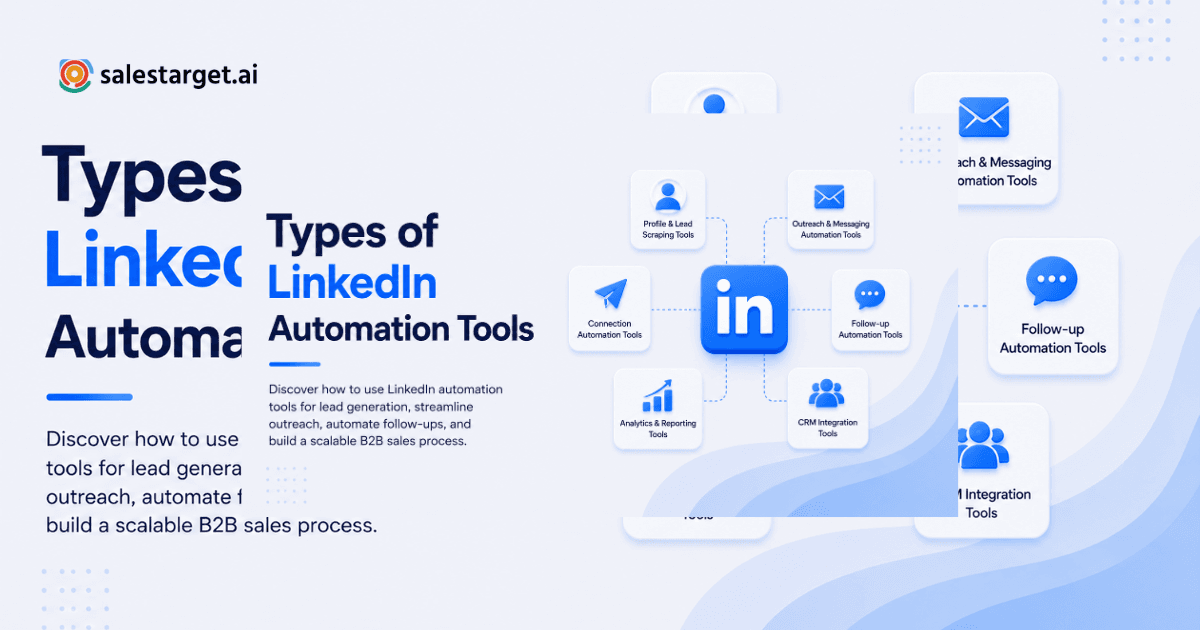
Types of LinkedIn Automation Tools
1. Connection Request Automation
Connection requests are the entry point. A tool sends invites to people who match your ICP, often with a brief note.
A solid connection note should:
- Be short: 1–2 lines max
- Never pitch in the request: Save the offer for after acceptance
- Personalize with real context: Reference a job change, post, hiring signal, or product they use
Example (personalized):
"Hi Maya—saw BrightCo is hiring SDRs. Curious how you're thinking about outbound quality as headcount scales. Open to connecting?"
This is where LinkedIn personalization tokens come in (first name, company, role), but tokens alone aren't personal. Add a human signal—something that shows you looked at their profile.
2. Message Sequencing and Drip Campaigns
After someone accepts your connection, a sequence of timed messages keeps the conversation moving without looking robotic.
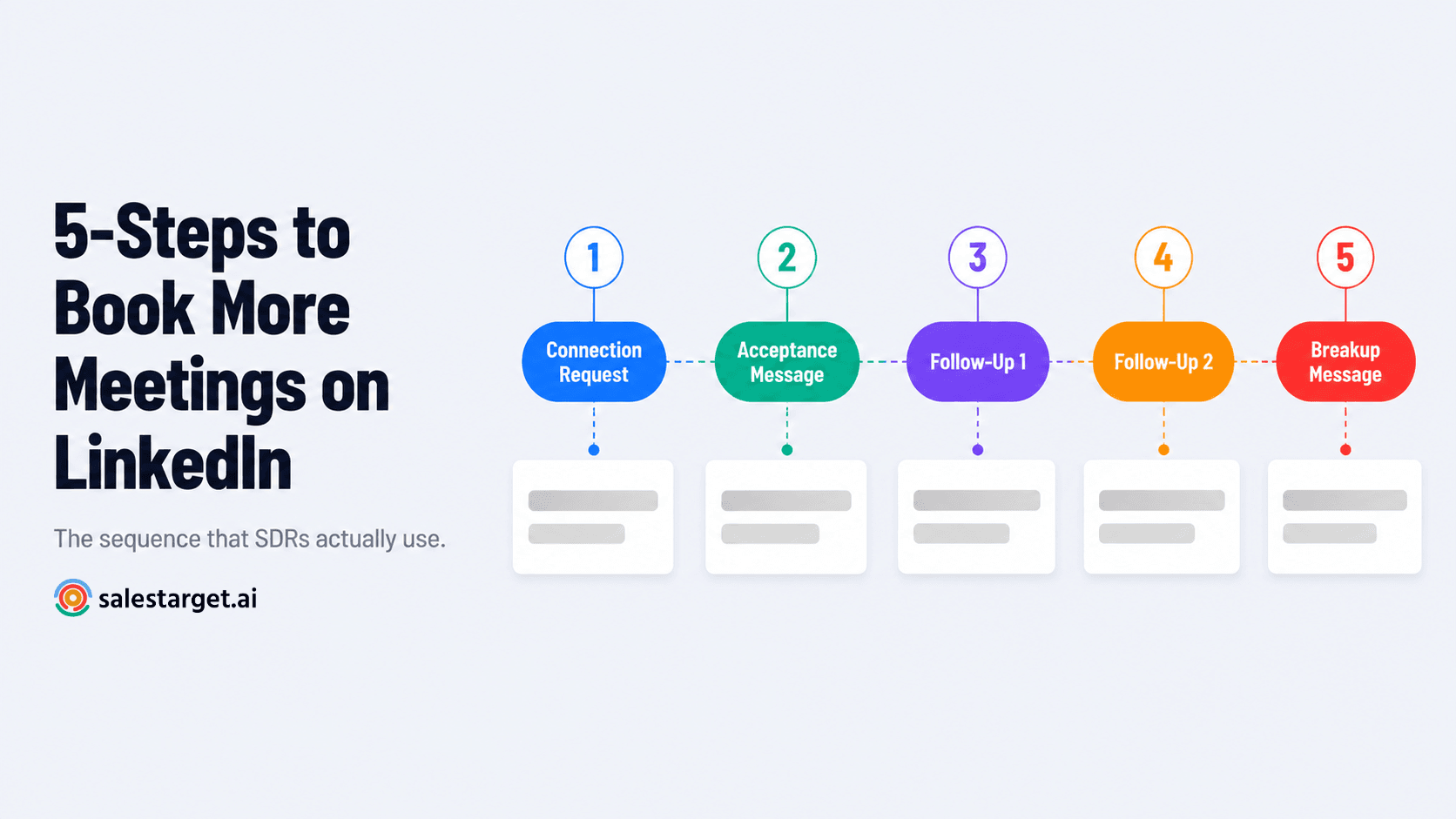
A proven 4-message sequence (relationship-first approach):
- Day 0 (Acceptance): Thank them + ask a genuine question
"Appreciate the connect—what prompted the shift to X?" - Day 2: Share one piece of value (checklist, benchmark, teardown)
"Sharing the 2-min checklist we use for Y—want it?" - Day 5: Soft CTA; invite a low-friction next step
"If it's relevant, happy to compare notes—worth a quick 10-min chat?" - Day 10: Polite breakup message; offer to reconnect later
"No worries if timing's off—should I circle back next quarter?"
This is how to automate LinkedIn messages without sounding robotic: short steps, one idea per message, a genuine question, and a respectful exit. Sequences that are too long or too aggressive tank your acceptance rate and increase the risk of account flags.
3. Engagement Automation (Use With Caution)
Some tools automate likes, follows, and profile views. This can warm up an audience, but it's also the easiest way to look spammy.
A safe approach:
- Engage only to support outreach, not replace it
- Like or comment on posts you'd genuinely engage with
- Keep volumes conservative (avoid high-velocity automations)
- Prioritize manual comments on high-value accounts
Engagement automation is a multiplier, not the main engine.
4. Data Extraction and Enrichment
Many teams use LinkedIn for building and enriching prospect lists. Before you do this at scale, understand LinkedIn profile scraping compliance—what you can do technically versus what's acceptable for your organization.
Ask yourself:
- What data are we collecting?
- Why do we need it?
- Where will it be stored?
- Who has access?
- Does it align with our legal and compliance standards?
Even if a tool can scrape data, your internal policy should set boundaries. A tool like SalesTarget.ai's Lead Explorer handles enrichment within a compliance-first framework, pulling verified contact data from 50+ sources and 840M+ professional profiles—no scraping required.
5. CRM Sync and Pipeline Automation
The real bottleneck in outreach isn't sending messages—it's what happens after someone replies. That's where LinkedIn CRM integration becomes critical.
Typical automations:
- Auto-create leads/contacts when a prospect replies
- Tag leads by campaign, segment, and offer
- Create follow-up tasks when intent keywords appear
- Auto-advance pipeline stage based on reply sentiment
- Log email and LinkedIn activity to a single timeline
This transforms LinkedIn from a scattered inbox into a source of pipeline you can actually track, measure, and scale.
Is LinkedIn Automation Actually Safe?
The question everyone asks: Is LinkedIn automation safe?
Honest answer: It depends on your tool, your settings, and your behavior.
"Safe" automation means:
- Avoiding aggressive volume spikes and spam patterns
- Following LinkedIn's platform rules and respecting user experience
- Minimizing bot-like signals (ultra-fast actions, identical copy, nonstop automation)
- Monitoring account health and adjusting when you see red flags
Risk Factors That Increase LinkedIn Account Restrictions
Watch out for these patterns:
- Sudden spikes in invites or messages – LinkedIn flags when activity jumps 10x in a day
- Identical copy at scale – Reusing the same 500-word pitch across 5,000 prospects is a red flag
- Low relevance targeting – High ignore/decline rates signal poor list quality
- Uninterrupted automation sessions – Running the tool 24/7 without breaks looks bot-like
- Multiple tools on one account – If two platforms are controlling the same account, LinkedIn can't tell what's legitimate
- Poor list hygiene – Targeting the wrong personas, geographies, or industries wastes invites and damages your acceptance rate
- Template reuse across teams – If every rep sends the same message, LinkedIn detects patterns across accounts
LinkedIn Automation Limits in 2026: What to Plan For
People search for "LinkedIn automation limits 2026" because enforcement changes. Rather than chasing a magic number, plan around principles:
- Warm up new accounts gradually (100–200 invites per week for the first month)
- Keep daily actions steady (avoid peaks and valleys)
- Prioritize quality over volume acceptance rate is your canary in the coal mine
- Use reply-based stopping rules (pause automation once someone engages)
- Keep sequences short and respectful (3–5 touches max)
The practical rule: If your acceptance rate is dropping, the problem isn't volume, it's targeting or copy. Scaling bad outreach just scales bad signals.
Choosing the Right LinkedIn Automation Tool: Criteria That Actually Matter
There's no universal "best" LinkedIn automation tool. The right choice depends on your workflow, team size, and technical comfort.
Core Evaluation Checklist
Delivery Model
- Cloud-based: Runs without your browser open; lower manual overhead
- Browser-based/local: Simpler setup but riskier if misused; requires your browser to stay open
Sequencing Sophistication
Look for tools that support:
- If/then logic (branch sequences based on actions or replies)
- Stop-on-reply rules (pause automation when someone engages)
- A/B testing (test different openers, CTAs, offers)
- Conditional branching (different paths for acceptance vs. no-response)
Personalization Depth
Beyond name/company tokens, can you:
- Insert industry-specific or persona-specific snippets?
- Pull custom fields from your CRM?
- Add manual review steps for high-value accounts?
Inbox and Reply Handling
This matters more than you think:
- Automatic reply detection (does it know when someone responds?)
- Team inbox or assignment rules (can multiple reps manage replies?)
- Notes and next-step tracking (does it create CRM tasks?)
Integrations (LinkedIn CRM Integration Automation)
Strong integration reduces manual work:
- Native connections to HubSpot, Salesforce, Pipedrive, Zoho
- Webhook and Zapier support
- Two-way sync (activity logs back to CRM)
Compliance and Governance
- Activity logs for audit trails
- Role-based permissions (who can do what?)
- Clear documentation on LinkedIn profile scraping compliance
Reporting Tied to Revenue
Metrics that matter:
- Acceptance rate (are you targeting the right people?)
- Reply rate (does your messaging work?)
- Positive reply rate (are they actually interested?)
- Meetings booked per campaign
- Pipeline created per segment
Why Choose SalesTarget.ai for LinkedIn Lead Generation Automation
If you're building a LinkedIn automation workflow, the tool you choose shapes everything downstream. Here's why many outbound teams consolidate on SalesTarget.ai:
Integrated LinkedIn + Email + CRM
Most teams stitch together a LinkedIn tool, an email platform, and a separate CRM. That means data delays, manual syncing, and reps toggling between three tabs. SalesTarget.ai's LinkedIn Outreach module runs sequences (connection requests, DMs, follow-ups, engagement) with AI-driven personalization and conditional branching and every action lands automatically in the built-in CRM. No extra step. One platform, one bill, one source of truth.
AI-driven personalization without boilerplate
The platform adapts messaging to each profile's role, industry, and company size in real time. It's not token-stuffing; it's actual context-aware personalization. Combined with human-written sequences, this keeps reply rates high without sounding like a template.
Built-in LinkedIn safety and safeguards
Warm-up logic for new accounts, timezone-aware smart scheduling, human-like delays, auto-pause when engagement drops the platform is designed to keep you compliant and under LinkedIn's radar. You're not managing rules manually; they're built in.
Lead enrichment and email validation in one click
The Lead Explorer module gives you access to 840M+ verified profiles and 146M+ business entities, with 4,000+ buying intent signals. One search, and you can enrich a prospect with verified email, phone, and mobile then push them straight into a LinkedIn + email sequence. No data gaps, no manual lookups.
Unified inbox, intent-based routing
The Email Outreach and CRM modules consolidate replies from email and LinkedIn into one inbox, ranked by intent. The system automatically flags high-intent replies and creates follow-up tasks. No bouncing between platforms to find a response.
CRM built for outbound
Unlike general-purpose CRMs, SalesTarget.ai's CRM logs every LinkedIn action, email send, and call to a single lead timeline. Deals auto-create from campaign, tasks auto-assign based on rules, and every rep knows exactly where every lead stands. The result: 3.2X faster deal cycles and 91% follow-up completion (per internal data).
AI Copilot for fast workflow automation
Use natural language to find leads, generate full sequences, query campaign performance, or create tasks. AI Copilot acts as your conversational sales teammate inside the platform with no context-switching, no learning curve.
For teams serious about predictable outbound pipeline, this integrated approach eliminates the friction that usually kills automation programs (tool sprawl, data sync delays, manual logging). You get the safety and sophistication you need, without the operations overhead.
Building a Safe, High-Converting LinkedIn Automation Workflow (Step-by-Step)
Here's a proven structure you can implement with any solid tool:
Step 1: Define Your ICP and Exclusions
Start with clarity. Your ideal customer profile should include:
- Role/function (e.g., VP Sales, Head of Demand Gen, RevOps Manager)
- Company size range (e.g., 50–500 employees)
- Industry (e.g., SaaS, Services, Manufacturing)
- Geography and timezone
- Exclusions (students, agencies, competitors, non-hiring companies)
The tighter your ICP, the better your acceptance rate and the lower your account risk.
Step 2: Build Segmented Lists (Not One Mega List)
Segment by:
- Persona (Sales vs. Marketing vs. Ops)
- Trigger (hiring, funding, product launch, job change)
- Industry (vertical-specific angles)
- Offer angle (audit, playbook, benchmark, comparison)
Segmented campaigns outperform one-size-fits-all blasts. They also reduce spam signals because each message is more relevant.
Step 3: Warm Up and Track Pacing
Start conservative. Track these metrics week over week:
- Invite acceptance rate (target: 25–40%, depending on cold vs. warm)
- Reply rate (target: 5–15%)
- Positive reply rate (interest + meetings booked divided by replies)
If any metric dips, pause and diagnose before increasing volume. The problem is almost always targeting or copying, not your sequence structure.
Step 4: Launch a Short Drip Sequence
Keep LinkedIn drip campaigns to 3–5 touches. Longer sequences tend to decay in perceived authenticity and annoy prospects. Use the 4-step sequence shared earlier (context, value, soft CTA, breakup).
Step 5: Route Replies and Qualify Quickly
This is where most outbound programs fail. Reply handling is more important than sending volume.
Set rules like:
- Respond within 1 business day to any positive intent signal
- Ask one qualification question (not five)
- Offer two time slots or a Calendly link (remove friction)
Step 6: Sync to CRM and Measure Pipeline
This is where LinkedIn sales funnel automation becomes real. Use your CRM to log:
- Campaign name
- Segment
- Message variant tested
- Rep owner
- Outcome (meeting booked, interested but not now, not interested, etc.)
Then measure pipeline contribution per segment and double down on what works.
Advanced Tactics: Combining LinkedIn With Broader Outreach
LinkedIn automation performs best when it's part of a coordinated multichannel strategy. Check out our deeper dive on what is the best LinkedIn outbound strategy for more on this approach.
Tactic 1: Content-Assisted Outreach
Sequence: Connect → Share a relevant post or asset → Ask a contextual question → Offer a call only after engagement
This works because you're demonstrating value before asking for time. It's the foundation of cold outreach with LinkedIn automation that converts.
Tactic 2: Event and Webinar Follow-Ups
If someone registered or attended:
- Send a LinkedIn thank-you message (not generic reference their question or interest)
- Ask a goal-oriented question
- Offer a relevant next step (call, resource, group)
This is high-intent automation because the lead is already warm.
Tactic 3: CRM-Triggered LinkedIn Tasks
Use LinkedIn automation integrated with your CRM so:
- "Closed-lost" prospects get a reactivation campaign in 90 days
- "No-show" prospects get an immediate follow-up sequence
- "New MQL in target account" triggers a LinkedIn touch task for the rep
This blends sales execution with social media automation in a way that feels personal, not robotic.
Common Mistakes That Get Accounts Flagged (and How to Avoid Them)
Mistake 1: Sending Too Many Invites to the Wrong People
Fix: Tighten your filters. Run smaller test batches (50–100 invites). Improve your connection note so it's genuinely relevant, not templated.
Mistake 2: Copy-Pasting the Same Pitch Everywhere
Fix: Build 3–5 segment-specific sequences. Rotate your openers and questions. Keep your offer aligned to each persona's pain.
Mistake 3: Over-Automating Engagement
Fix: Limit "likes/visits" automation to warm-up phases. Prioritize manual comments on high-value accounts.
Mistake 4: No Human Handoff
Fix: Set clear rules: if a reply contains intent signals, stop the automation and assign a human rep immediately. Respond fast and naturally no templated replies.
Mistake 5: Ignoring Compliance and Data Governance
Fix: Document your stance on LinkedIn profile scraping compliance. Minimize stored personal data. Define retention periods and access controls. Make compliance boring and routine, not an afterthought.
Quick-Start: Launch Your First Campaign in 60 Minutes
Use this template to test safely:
Campaign Goal
Book 5 discovery calls from one persona segment in 14 days.
List
200–400 prospects in one persona and one industry (tight targeting, not broad).
Assets
- One lead magnet or mini-offer (checklist, teardown, benchmark)
- Two variants of your second message (test different value angles)
Sequence (4 touches)
- Connection note: contextual, no pitch
- After accept (day 1): genuine question + offer to share resource
- Day 3: short follow-up + one-liner value prop
- Day 7: polite close-the-loop message
Success Thresholds
- Acceptance rate: improving week over week
- Reply rate: enough to identify winning segments
- Positive reply rate: your real north star
This is a simple foundation for LinkedIn lead generation automation that scales responsibly. Once you validate these numbers, you can expand to more segments and higher volumes.
Final Takeaway: Automation Is a Force Multiplier, Not a Shortcut
The best LinkedIn automation tools don't "hack" LinkedIn—they systematize good outreach. If you combine smart segmentation, respectful pacing, strong copy, and tight operations (especially important for avoiding LinkedIn automation account restrictions), you'll build a repeatable system for pipeline creation.
Use automation to do the mechanical work. Use your human team to do what humans do best: research, empathy, relevance, and real conversations.
The teams that win at LinkedIn automation aren't the ones sending the most messages. They're the ones sending the right messages to the right people at the right time, then following up with speed and intelligence. Ready to put these tactics into practice? Start with a single segment, validate your ICP and messaging, and scale once you've proven the numbers.
For deeper strategy, explore our guide to LinkedIn automation platforms for sales teams, learn more about the best LinkedIn outbound strategy to maximize your campaigns, and discover how to execute cold outreach with LinkedIn automation the right way.