If you run outbound, you already know the real problem isn't finding people on LinkedIn, it's everything that happens after. A rep sends 40 connection requests on Monday, half get accepted by Thursday, and by the following week nobody remembers who replied, who went cold, or which message actually worked. Multiply that across a team of five SDRs and you don't have a pipeline you have an inbox nobody can audit.
This is why LinkedIn outreach tools have become core infrastructure rather than a nice-to-have. Done right, they turn LinkedIn into a channel you can measure and improve, not just a channel you're "active on." This guide covers what to track, the tool categories that actually matter, safe automation practices, and how to build a stack that fits your team size and risk tolerance.
What to Track Before You Choose a Tool
Before shopping for LinkedIn outreach software, define what "tracked" means for your workflow. Most high-performing teams monitor four categories.
Outreach activity: who you viewed, connected with, and messaged; when follow-ups went out; which sequence step each prospect sits on; and context notes (mutual connection, recent job change, event met at).
Engagement signals: connection acceptance rate, reply rate by message type, time-to-first-reply, and sentiment tags (positive, neutral, negative) on responses.
Pipeline movement: stage progression from contacted through closed, conversion rate by stage, and source attribution did this lead come from cold outreach, an event, or a referral.
Compliance and account health: daily volume caps, account health indicators, and flags for repetitive-looking behavior.
If a tool can't cleanly report on these four things, it will generate more activity without generating more insight which is the opposite of what you need.
What LinkedIn Outreach Automation Actually Is
LinkedIn outreach automation is software that standardizes repetitive mechanics: queueing connection requests, sending scheduled follow-ups, reminding you to re-engage a thread, enriching profiles, syncing records to a CRM, and reporting on results over time.
It is not a license to blast identical templates at high volume. The teams that get consistent meetings run personalized LinkedIn outreach at scale automation handles the logistics, a human still owns targeting and message quality. LinkedIn discourages certain automated behaviors, and teams that over-automate tend to hit deliverability problems, account restrictions, or simply burn their reputation with the people they're trying to reach.
The Main Categories of LinkedIn Outreach Tools
There's no single tool that solves everything. Most effective teams assemble a small stack across a few categories.
1. CRM Systems for Tracking Outreach and Engagement
If you care about the relationship past the first reply, a CRM is non-negotiable. It's your system of record for contact history, notes, deal stages, follow-up tasks, and reporting by campaign or segment.
This is where LinkedIn outreach CRM integration matters most even if the first touch happens inside LinkedIn's native inbox, the outcome (a booked meeting, a closed deal) needs a home outside it. Look for easy contact de-duplication, custom fields for LinkedIn-specific data (profile URL, connection level, ICP tags), automated task reminders, and reporting you'll actually check weekly.
A SalesTarget.ai CRM built specifically for outbound teams pulls campaign leads in automatically, logs every email and call to the lead timeline, and generates follow-up tasks without manual data entry which matters more than it sounds, since the CRM step is where most LinkedIn outreach dies quietly.
Actionable tip: Standardize 3–5 outcome tags in your CRM ("Interested," "Not now," "Referred," "Wrong person," "No fit"). That small taxonomy makes weekly reporting and message iteration dramatically easier.
2. Inbox Organization and Lightweight Tracking
For solo operators and small teams, the first real pain point is usually "I can't keep track inside the LinkedIn inbox itself." This doesn't always require heavy automation labels, saved views, reminders, and conversation-level notes solve a lot of it.
Actionable tip: Even without dedicated software, build a weekly routine: 15 minutes daily to respond and tag, plus 30 minutes weekly to review "no reply" threads and send one value-based follow-up. That's a manual sequence, and it's still trackable.
3. Sequence and Follow-Up Tools
Once outbound becomes a consistent motion, you need LinkedIn outreach automation with real sequence logic: view profile → send connection request → after acceptance, send message one → follow-up one → follow-up two → optional email or call task.
Look for a sequence builder with conditional branching ("if accepted, then…"), A/B testing at the message level, safety controls like daily caps and randomized send delays, and team features — shared templates, approvals, and reporting.
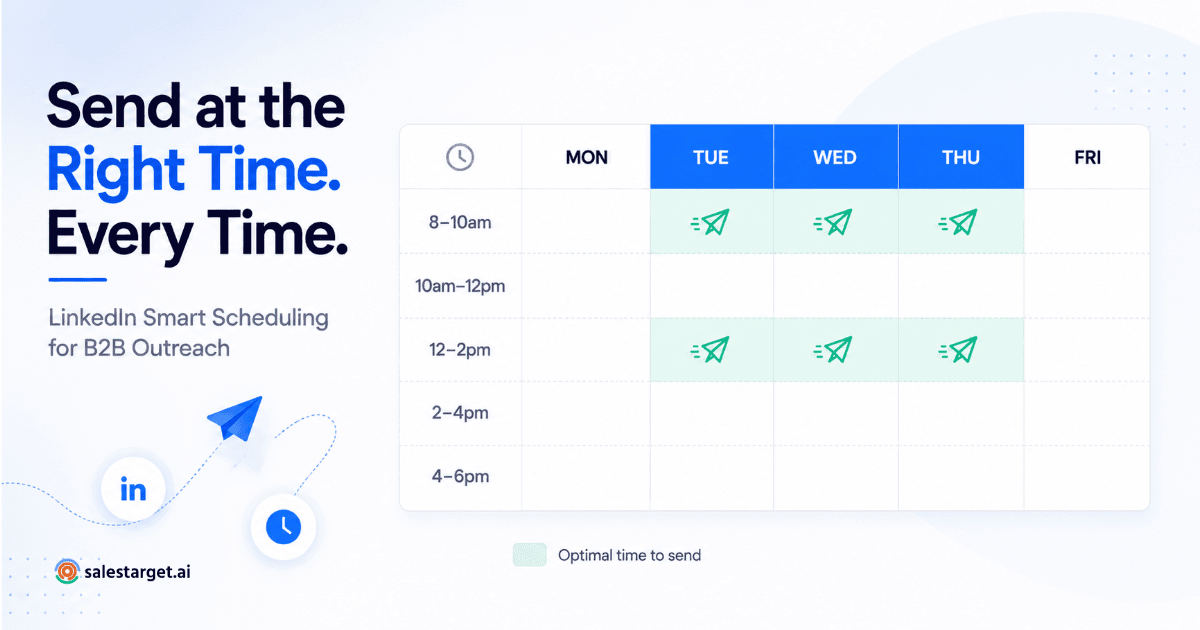
SalesTarget.ai's LinkedIn Outreach module builds conditional sequences that branch on replies or inaction, applies AI personalization tuned to each prospect's role and industry, and runs on timezone-aware scheduling with human-like send delays — plus built-in rate limiting and auto-pause logic so a campaign doesn't silently put an account at risk. It also runs in the same workflow as email outreach, so LinkedIn and inbox touches stay coordinated instead of living in separate tools. For a deeper look at filtering the right prospects before you sequence them, see this guide on Sales Navigator filtering for LinkedIn automation.
4. Lead Generation and Enrichment Tools
Most outreach fails on targeting, not messaging. Strong lead generation tools help you build lists that are narrow enough to be relevant, large enough to scale, and fresh enough to reflect a recent trigger, a new hire, funding round, or tech-stack change.
Prioritize data accuracy (especially current job title and company), refresh rate, clean exports without duplicates, and transparency about where the data comes from.
SalesTarget.ai's Lead Explorer searches over 840M+ verified professional profiles and 146M+ business entities across 50+ data sources, with one-click enrichment for verified email, personal email, and phone, plus real-time buying signals through Bombora Intent Topics. That scale matters for accuracy: Cleverly's 2026 benchmark data found that AI-personalized connection requests are now pulling roughly 15 points ahead of generic ones and personalization is only as good as the data feeding it.
Actionable tip: Split each persona into two segments: "high intent" (recent trigger, mutual connections, prior content engagement) and "baseline" (fits ICP, no strong signal). Run separate sequences and compare reply rates to learn what's actually working.
5. Analytics and Reporting Tools
If your tool only counts sends, you'll optimize for volume instead of results. Useful LinkedIn campaign analytics answer sharper questions: which persona converts best from reply to meeting, which connection-request angle lifts acceptance, and where in the sequence prospects stop responding.
Belkins' 2025 outreach study, based on data from over 20 million outreach attempts, found that adding even a brief personalized note to a connection request nearly doubles the response rate compared to sending one with no message at all, a good illustration of why step-level reporting matters more than a single blended "engagement score."
Track weekly: connection acceptance rate, reply rate overall and by step, positive reply rate, meetings booked per 100 conversations, and median time-to-first-reply.
Actionable tip: Treat outreach like a funnel acceptance, then reply, then meeting. A sequence with 40% acceptance but a 2% reply rate isn't "working," even though the top-line number looks fine.
6. Multichannel Outreach vs. LinkedIn-Only
At some point you'll ask whether to layer in email, calls, or SMS alongside LinkedIn. Multichannel tends to make sense when your audience is more responsive on email than LinkedIn, your total addressable market is small enough that every account matters, or you need faster cycle times than single-channel outreach allows.
LinkedIn-only tends to win for early relationship building, recruiting where context matters, and founder-led outbound where personalization is the whole advantage.
If you go multichannel, keep the narrative consistent: a LinkedIn message that reads as a casual "quick question" and an email that reads like a hard pitch will get noticed for the wrong reason. SalesTarget.ai's Email Outreach builds multi-step sequences from a plain-English audience description, with automatic inbox warm-up and SPF/DKIM/DMARC checks, so the email side of a multichannel motion doesn't undercut the LinkedIn side on deliverability.
7. Content-Driven Engagement
Some of the most effective outreach isn't cold at all; it's a warm continuation of visible activity. Publish a post targeted at your ICP's pain point, identify the commenters and likers who fit your ICP, send a connection request that references the post, and follow up with a resource rather than a pitch. This tends to lift both acceptance and reply rates because you're no longer a stranger in someone's inbox.
How to Automate LinkedIn Messages Without Losing Personalization
The goal is to automate structure, not substance. Build templates with variable slots first name, role, company, trigger (job change, post, funding, hiring), a relevant proof point, and a low-friction next step then require one genuinely custom sentence per prospect referencing something specific to them.
Keep guardrails simple: short first messages (2–4 lines), one clear question, no hype language ("game-changing," "revolutionary"), and restraint on follow-up cadence earn the right to keep messaging rather than steamrolling a non-response.
LinkedIn Cold Outreach Templates (Frameworks, Not Scripts)
- Context + curiosity: "Hi {FirstName} - quick one. Noticed {Trigger}. How are you currently handling {PainPoint} on the {Team} side?"
- Credibility + question: "Hi {FirstName} - I work with {SimilarCompanyType} teams on {Outcome}. Is {PainPoint} something you're looking at this quarter?"
- Resource-first: "Hi {FirstName} - I put together a short checklist on {Topic}. Want me to send it over?"
- Recruiting outreach: "Hi {FirstName} - came across your background in {SkillArea}. Open to a quick chat about a {Role} I'm hiring for? If not, no worries."
- Post-connection follow-up: "Thanks for connecting, {FirstName}. Curious - what's your top priority right now around {Topic}?"
Actionable tip: Save 2–3 first-message variants per persona and A/B test them. Testing ten variants at once just means none of them get enough volume to produce a real signal.
Connection Request Automation: How to Do It Safely
Connection requests are where accounts get flagged fastest when volume or personalization slips. Keep sending volume conservative and consistent, avoid sudden spikes, personalize invites where the account is high-value, and skip clickbait openers like "I have a quick question." Tight targeting reduces ignores and reports, which is itself a safety mechanism.
Don't automate C-level outreach into high-value accounts, outreach into reputation-sensitive communities, or any sequence you can't keep personalized past the first message. For a set of openers built around this exact balance, see this breakdown of automated LinkedIn outreach openers.
How to Scale LinkedIn Lead Generation Without Breaking Trust
A simple weekly operating cadence:
- Monday: refresh lists using recent triggers (job changes, hiring, event attendees).
- Tuesday: send first-touch messages to the high-intent segment.
- Wednesday: handle follow-ups and nurture replies.
- Thursday: send first-touch messages to the baseline segment.
- Friday: review analytics and refine templates.
The scale levers that don't require new tools: a narrower ICP (which raises reply rate more than it lowers list size), better triggers, better offers (a resource or benchmark instead of "book a demo"), and better follow-up timing generally 24–72 hours for the first follow-up, 5–7 days for the second.
The levers that do require tooling: sequence management, CRM sync and de-duplication, and team-level reporting.
Avoiding LinkedIn Automation Bans: A Risk Checklist
The specifics of enforcement shift, but the risk patterns are consistent: high-volume repetitive actions, identical copy-paste messages at scale, sudden ramp-ups after installing a new tool, low-relevance targeting that generates ignores or reports, and running multiple overlapping automation tools that conflict with each other.
Leadriver's 2026 benchmark data, drawn from more than 50,000 tracked connection requests, puts a healthy B2B acceptance rate at roughly 30–37% campaigns that fall well below 20% are flagged as a targeting or personalization problem, and persistently low acceptance is also one of the earliest signals of account risk.
Risk-reduction basics: start with low daily limits and ramp gradually, keep multiple message templates in rotation, keep timing irregular rather than perfectly spaced, stop a sequence the moment someone replies, and go slow on automation for brand-new accounts. It's worth assigning one person as the account-health owner outreach risk tends to creep in when several people are adjusting volume and templates independently.
How to Evaluate LinkedIn Automation Software
Choosing the right platform is more about fit than feature count. Start with a few questions: Are you doing sales, recruiting, partnerships, or community-building? How many people need access? Do you need multichannel now, or just LinkedIn for now? What's your governance and approval requirement?
Must-haves: solid segmentation and list management, sequences with stop conditions, clear step-level analytics, CRM integration or clean exports, and team template permissions if you're not solo.
Nice-to-haves: AI-assisted personalization with manual review, reply sentiment classification, meeting-booking attribution, and API or webhook access for custom workflows.
Red flags: vague metrics like an undefined "engagement score," no control over pacing, marketing that pushes aggressive volume as the primary tactic, or unclear onboarding and support.
Why Choose SalesTarget.ai for LinkedIn Outreach
Most teams end up stitching together three or four separate tools: a data provider, a sequencing tool, an email deliverability layer, and a CRM and then spend real hours each week just keeping them in sync. SalesTarget.ai's core bet is that outbound works better as one connected workspace instead of four disconnected subscriptions.
Inside that workspace, Lead Explorer finds and enriches a prospect in one click - 840M+ profiles, 146M+ business entities, and 4,000+ intent signals in one search. From there, the same lead can move directly into a LinkedIn Outreach sequence with AI personalization and built-in safety controls (rate limits, warm-up logic, auto-pause), coordinated with Email Outreach so both channels run one narrative instead of two conflicting ones. Every email address is checked through the Lead/Email Validator before it's sent to, which is part of why 90% of emails sent through the platform are validated pre-send.
When a prospect replies on either channel, the CRM logs it automatically, creates the next follow-up task, and keeps the full timeline in one place teams using it report 3.2X faster deal cycles and a 91% follow-up completion rate, which lines up with Belkins' finding that consistent, timely follow-up is one of the biggest levers in LinkedIn reply rates. And because Copilot, SalesTarget.ai's free AI Copilot, sits inside the same workspace, you can ask it to pull a lead list, draft a sequence, or check campaign performance in plain language instead of jumping between five different dashboards. For teams that also want that data reflected in an external CRM, this guide on tracking LinkedIn outreach in Pipedrive walks through the sync in more detail.
None of that replaces good targeting or a sharp message, it just removes the manual busywork sitting between "found the right person" and "booked the meeting."
Recommended Stacks by Goal
Solo consultant / founder-led outbound: a lightweight CRM or pipeline board, a basic list builder, manual outreach with saved templates, and a weekly spreadsheet review. The goal here is maximum personalization and fast learning, not scale.
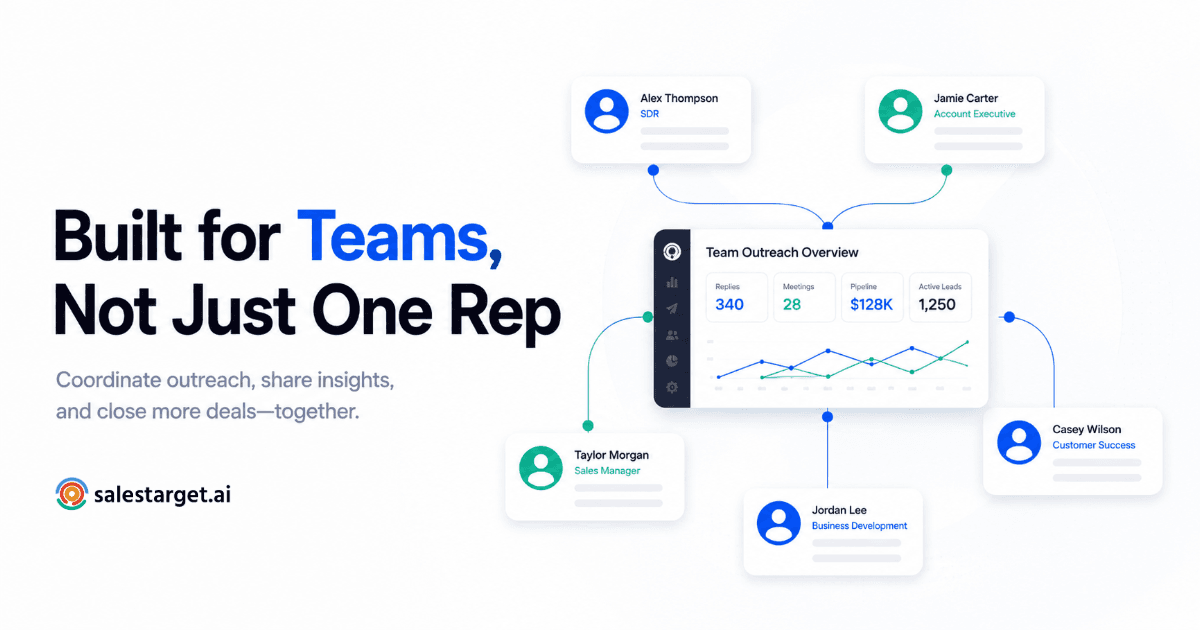
Sales team scaling outbound: a CRM as the source of truth, dedicated sequencing software, enrichment and list-building, and analytics with A/B testing. The goal is consistency and repeatable pipeline.
Recruiting / talent outreach: an ATS or talent CRM, candidate-friendly sequences, notes and reminders, and content-driven engagement for employer brand. The goal is a respectful cadence with a high signal-to-noise ratio.
A Simple Rollout Plan
Week 1: Define ICP segments and triggers, set up CRM fields and tags, write three connection-request variants and three first messages, and lock in a follow-up cadence.
Week 2: Run one persona through one sequence. Track acceptance, reply, and positive-reply rate, and collect objections to rewrite messaging.
Weeks 3–4: Add a second persona or offer, introduce A/B tests one variable at a time, and build a simple weekly dashboard.
Ongoing: Own the template library, keep a reporting rhythm, and check volume caps and account health regularly.
Key Takeaways
The best LinkedIn outreach tools don't just help you send more messages, they turn outreach into a measurable system: clear segments, consistent follow-up, and reporting that actually improves the next campaign. Start with tracking and CRM fundamentals, layer in sequencing once your targeting and messaging hold up, and prioritize personalization at scale over raw volume. That's also the surest way to stay on the right side of LinkedIn's automation limits.
If you want to see what that looks like as one connected workspace rather than four separate tools, you can start free with SalesTarget.ai and try it against your own list.