A rep exports 2,000 contacts on Monday. By Friday the bounces are in, a third of the titles are wrong, and two "VPs of Sales" left their companies last quarter. The sequence was fine. The database was the problem.
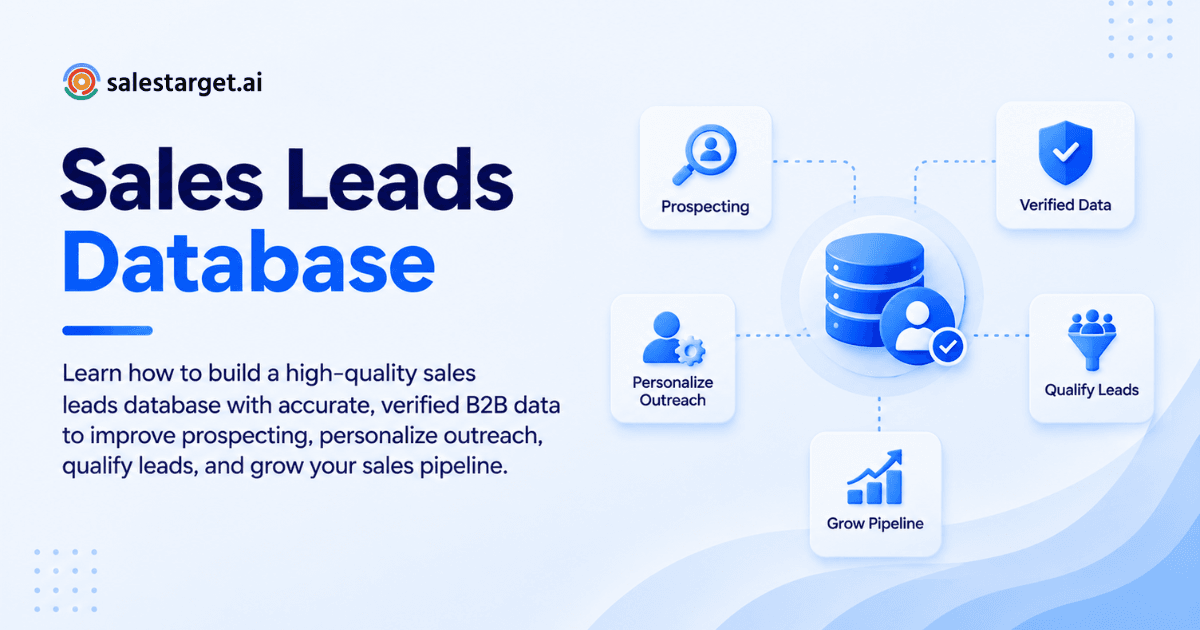
A high-quality sales leads database is a list of accounts and contacts that match your ICP, carry verified contact details, and stay current. You build it in four moves: define who you sell to, collect only matching leads, enrich and verify each record when you add it, then clean it on a schedule. Quality comes from rules set before collection, not cleanup after.
This guide covers that process, the data fields that matter, and how SalesTarget.ai handles each step in one workspace.
Building a High-Quality Sales Leads Database for B2B Outreach
Start with three rules: who you sell to, who signs, and what "good data" means. Skip any of them and the list becomes noise your reps have to sort by hand.
Define Your Ideal Customer Profile and Target Accounts
Write your ICP as filters a tool can run: industry, employee range, region, tech stack, and one trigger such as a recent funding round. If a criterion cannot become a filter, it is an opinion. The ICP Builder inside SalesTarget.ai's Lead Explorer saves that definition as a reusable search.
Identify the Right Decision-Makers and Buying Roles
Map at least three roles per target account: the economic buyer, the day-to-day champion, and the person who can block the deal. A database with one contact per company leaves reps guessing when the first person goes quiet.
Set Data Quality Standards Before Collecting Leads
Write pass or fail rules before anything gets imported: verified email, current title, company domain, source tag. Records that fail go to a holding list, not a campaign. This one habit saves more cleanup time than any tool.
Key Data to Include in a B2B Sales Leads Database
Include contact details, company facts, buying signals, and source notes. Each group answers a different question: who to reach, whether they fit, whether now is the time, and whether you can trust the record.
Contact and Professional Information
Capture full name, current title, seniority, department, professional email, direct phone, and LinkedIn URL. Store work and personal email as separate fields so reps never send cold outreach to the wrong one.
Company and Firmographic Data
Record industry, headcount, revenue range, location, domain, and tech stack. These fields drive segmentation later, so keep them in structured fields, not in free-text notes.
Intent and Buying Signals
Add topic intent, funding rounds, hiring spikes, and leadership changes. SalesTarget.ai pulls Bombora Intent Topics and business events on a 30 to 90 day lookback, so a signal older than that window drops out of priority.
Lead Source and Qualification Details
Tag every record with where it came from, when it was last verified, and its qualification status. The "last verified" date is the field most databases skip, and it is the one that tells you which records to trust on Monday morning.
Why Sales Lead Data Quality Matters for B2B Sales
Poor data makes reps slower and campaigns riskier. Gartner research, cited by Landbase, puts the average annual cost of poor data quality at $12.9 million per organization. Your share is smaller, but the pattern holds at any size.
Improve Lead Targeting and Qualification
Accurate firmographics mean your filters return real fits. Reps stop qualifying accounts that never matched and spend that time on conversations.
Reduce Wasted Outreach and Invalid Contacts
Every invalid address is a bounce, and bounces hurt sender reputation for the good contacts in the same campaign. Verification before sending protects the whole domain, not just one email.
Keep Sales Pipelines Clean and Actionable
When leads arrive with clean fields, pipeline stages mean something. Managers can trust reports, and reps stop arguing about whose list is right.
Support More Relevant Sales Outreach
Personalization needs true facts. A wrong title in the first line of an email tells the buyer you did not look, and the reply never comes.
How to Build a Sales Leads Database Step by Step
Define criteria, find prospects, enrich gaps, verify contacts, segment, then maintain. Run the steps in that order. Reversing them is how teams end up cleaning a list they should never have imported.
Define Your ICP and Lead Criteria
Turn your best five customers into filters: size, industry, role, trigger. Add two exclusions, such as competitors and agencies, so junk never enters the list.
Find Relevant B2B Prospects
Search in plain English or stack Business and People filters. In Lead Explorer, that search runs across 840M+ professional profiles and 146M+ business entities, per SalesTarget.ai's own figures. Start free and build your first list from a saved ICP.
Enrich Missing Contact and Company Data
Fill gaps at the moment you add a lead, not in a batch weeks later. One-click enrichment in Lead Explorer unlocks verified professional email, personal email, phone, and mobile in the same screen.
Verify Contact Information
Check every email before it enters a sequence: MX and SMTP checks, disposable-address detection, and risk scoring. Mark catch-all domains as "risky" instead of deleting them. Many are real buyers at companies that accept all mail.
Segment Leads for Targeted Outreach
Split by role, industry, and signal strength. A CFO at a funded company and an ops lead at a stable one need different first lines, so they should not share a sequence.
Maintain and Update the Database
Assign an owner and a calendar slot. A database with no owner decays on its own schedule, and nobody notices until reply rates drop.
Best Sources for Building a B2B Sales Leads Database
Use a B2B data platform for scale, public sources for verification, intent data for timing, and your own CRM for proof. No single source covers everything. Our guide to finding B2B prospects with a sales leads database compares the main options.
B2B Lead Databases and Prospecting Platforms
Platforms give you volume and filters. Pick one that enriches and verifies inside the same workflow, so you never export a CSV just to clean it elsewhere.
Company Websites and Professional Networks
Team pages, press releases, and LinkedIn profiles confirm titles and recent moves. Use them to spot-check high-value accounts, not to build thousands of records by hand.
Intent and Account-Based Data Sources
Intent topics and business events show which accounts are active now. They work best as a ranking layer on top of an ICP list, not a replacement for one.
First-Party Lead and CRM Data
Your own replies, past deals, and closed-lost notes are the best-labeled data you own. Feed them back into your ICP: the traits your best customers share beat any assumption.
Sales Leads Database Management Best Practices
Deduplicate, re-verify, track job changes, and run maintenance on a calendar. HubSpot's database decay simulation, based on MarketingSherpa research, shows B2B databases decay about 2.1% per month, or 22.5% per year. A list left alone for a year is roughly a quarter wrong.
Remove Duplicate and Outdated Records
Match on email and on company domain plus name. Merge, do not delete, so activity history survives. Strong pipeline and lead hygiene starts with one record per person.
Keep Contact Information Verified
Re-verify any record older than 90 days before it enters a new campaign. Verification at the point of use beats verification at the point of capture, since capture could have been months ago.
Track Changes in Jobs and Companies
A promoted contact is a warm lead, and a departed one is a dead record. Flag title changes and exits so reps can act on the first and retire the second.
Create a Regular Data Maintenance Process
Set a monthly sweep: duplicates, stale records, bounced addresses, missing fields. Fifteen minutes on a fixed day beats a quarterly cleanup nobody wants to run.
Features to Look for in a Sales Prospect Database
Look for verified data, built-in enrichment, flexible filters, intent signals, outreach tools, and a CRM. A database that stops at the list forces you to buy the rest elsewhere. Our guide on what sales lead software does shows how those pieces connect.
Accurate and Verified Contact Data
Ask how and when contacts are verified. SalesTarget.ai reports 99% verified contact data, and verification happens at enrichment, not when the record was first scraped.
Lead Enrichment and Company Intelligence
Enrichment should add title, phone, firmographics, and tech stack without leaving the search screen. Extra tabs and exports are where data goes stale.
Advanced Search and Lead Segmentation
You need role, seniority, department, revenue, location, and tech filters, plus plain-English search for quick pulls. Saved segments let reps rerun the same ICP next month.
Intent Signals and Lead Qualification
Scoring by intent helps reps start with accounts already researching your category. Without it, every lead looks equal and the loudest list wins.
Email and LinkedIn Outreach Capabilities
Look for sequences that run email and LinkedIn from the same lead record, with branching on replies. Context should carry across channels.
CRM and Sales Pipeline Management
Leads should land in the CRM automatically, with every email and call logged to the timeline. If reps re-enter data, quality drops the same week.
Why Choose SalesTarget.ai
SalesTarget.ai is an all-in-one outbound platform: B2B data, verification, email and LinkedIn outreach, a built-in CRM, and an AI Copilot on one bill. Apollo supplies data and engagement but leaves you to bolt on deliverability and a CRM. Instantly, Smartlead, and Lemlist focus on cold email, with no native B2B database or CRM. SalesTarget.ai keeps the whole database lifecycle in one place.
Build Prospect Lists With Lead Explorer
Lead Explorer searches 840M+ profiles and 4,000+ intent signals across 50+ data sources. Use plain English or stack filters, then push enriched leads straight to a sequence or the CRM with no CSV.
Enrich and Verify B2B Contact Data
The Email Validator runs MX and SMTP checks, flags disposable addresses, and scores risk. It offers a real-time API and bulk list cleaning, and connects to 60+ platforms.
Connect Email and LinkedIn Outreach
Email Outreach adds unlimited inboxes, AI warm-up, and SPF, DKIM, and DMARC checks. LinkedIn Outreach automates connection requests and DMs with rate limits and auto-pause safeguards. Both run in one coordinated flow.
Manage Leads in the Built-In CRM
The CRM receives campaign leads automatically and logs every email and call to the timeline. Its AI dialer takes call notes for the rep and saves them to the lead record, so the database improves after each conversation.
Speed Up Sales Workflows With AI Copilot
The AI Copilot finds leads in chat, drafts personalized sequences, and answers questions about your CRM deals and tasks. It is free inside the platform, and workspace data stays private.
Common Sales Leads Database Mistakes to Avoid
Most database problems trace back to skipped rules at the start. These five show up repeatedly in outbound teams.
Building Large Lists Without ICP Criteria
A 50,000-row list with no filters is a cost, not an asset. Reps cherry-pick the easy rows and the rest rots. Compare how teams handle this on our Apollo alternative page.
Using Unverified or Outdated Contact Data
Old data looks fine until you send. Treat any record without a recent verification date as unconfirmed, whatever the source claims.
Ignoring Lead Segmentation
One message to every title is a template, not outreach. Segment by role and signal, even if you only make three groups.
Keeping Duplicate Records
Duplicates cause two reps to email the same buyer in one week. Dedupe at the account level too, so one rep owns each buying group.
Sending Outreach Before Checking Data Quality
Run a verification pass on every list, every time. A bounce spike is easier to prevent than to repair.
Turning a High-Quality Sales Leads Database Into B2B Pipeline
A clean database creates pipeline only when reps act on it in the right order. Prioritize, personalize, coordinate channels, and track what happens.
Prioritize High-Intent and Qualified Sales Leads
Sort by intent score and ICP fit, then start with the top tier. SalesTarget.ai's Intent-Based Lead Scoring does this ranking inside Lead Explorer.
Personalize Outreach With Lead Data
Use the fields you collected: role, tech stack, funding event, recent hire. One true, specific line beats three generic ones.
Coordinate Email and LinkedIn Touchpoints
Send the connection request first, then the email two days later, then a LinkedIn message if there is no reply. Conditional sequences keep the order consistent across the team.
Track Engagement and Pipeline Progress
Watch replies, meetings, and deal stages per segment. When the CRM and the database share one record, you can see which sources produce deals, not just replies.
Measuring Sales Leads Database Quality and Performance
Track four numbers: verification rate, qualification rate, bounce and response rates, and pipeline created. Review them monthly and break them out by source.
Contact Accuracy and Verification Rates
Measure the share of records verified in the last 90 days. If it drops, your maintenance process has stalled.
Lead Qualification Rates
Divide qualified leads by total leads added per source. A low rate points to a loose ICP or a weak source, and the fix differs for each.
Email Bounce and Response Rates
Keep bounces low and watch reply rates by segment. Rising bounces mean decay. Falling replies with steady bounces mean a messaging problem.
Opportunities and Pipeline Generated
Count meetings and opportunities per 100 leads from each source. SalesTarget.ai reports 2.4X more meetings from the same leads inside its CRM, which is a figure to test against your own baseline.
Conclusion: Build a Sales Leads Database That Supports Better Outreach
The pain at the start, bounced emails and stale titles, is a database problem, and databases are fixable. Set ICP and quality rules first, enrich and verify at the moment of capture, segment before you send, and keep a monthly cleanup on the calendar.
SalesTarget.ai gives you each of those steps in one workspace: Lead Explorer to find and enrich, the Email Validator to verify, email and LinkedIn sequences to reach, and a built-in CRM to track and close. No stitched-together tools, no CSV handoffs.
Start building your sales leads database with SalesTarget.ai and send your next campaign to contacts you can trust.