A lead fills out your form at 9:02. Your rep spots it at 2:40, after lunch and two calls. By then the prospect has booked a demo with someone else, and the CRM record has three empty fields and no owner.
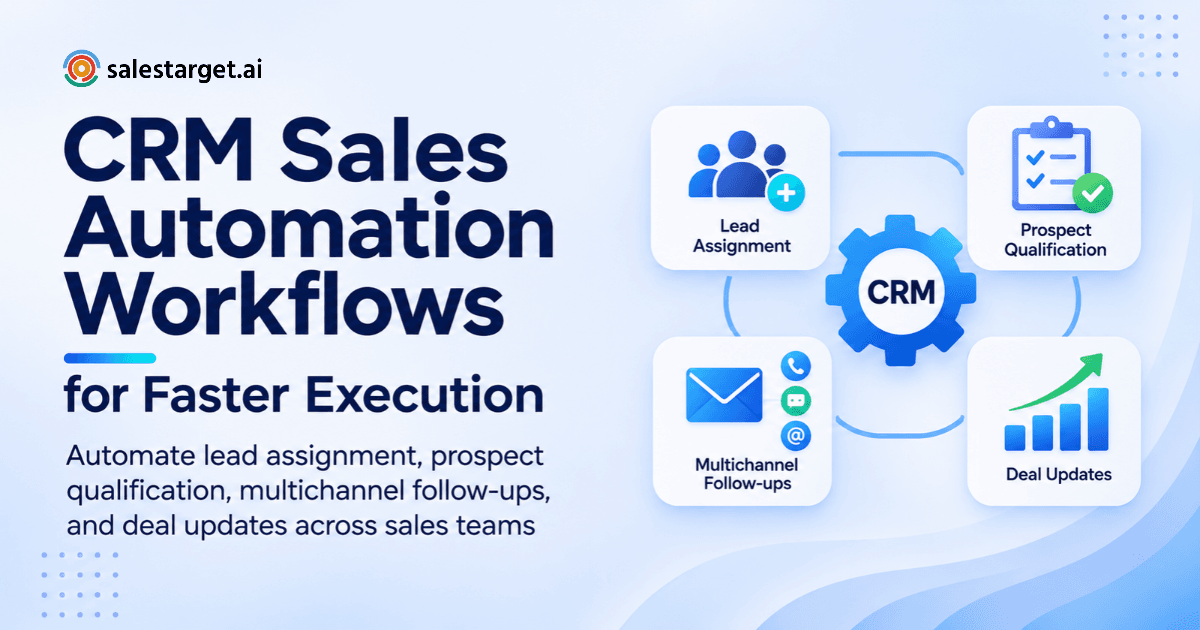
CRM sales automation workflows fix this. Each one is a rule: when something happens (a lead arrives, a prospect replies, a call ends), the CRM acts on its own (assigns, logs, creates a task). Ten of these rules cover most of an outbound B2B pipeline, and this post walks through them.
What Are CRM Sales Automation Workflows?
How CRM Automation Connects Lead Management, Outreach, and Sales Activities
It links every step between finding a lead and closing it. A lead lands, gets enriched, enters outreach, and every email, call, and reply writes back to one record. Nobody copies data between tools. For the full background, read our CRM sales automation guide.
The Four Building Blocks of a CRM Automation Workflow: Triggers, Conditions, Actions, and Outcomes
A trigger starts the workflow (new lead, reply, meeting ended). Conditions filter it (country, score, owner). Actions do the work (assign, send, create a task). Outcomes prove it worked (meeting booked, deal advanced).
Rule-Based vs. Event-Based vs. AI-Assisted Sales Automation
Rule-based automation runs on fixed if-then logic. Event-based automation fires on something a prospect does, like a reply. AI-assisted automation adds judgment, such as sorting replies by intent. Most teams need all three, with rules as the base.
CRM Automation vs. Sales Automation vs. Sales Engagement Automation
CRM automation updates records and tasks. Sales automation covers the wider job, including research and reporting. Sales engagement automation runs outreach sequences. SalesTarget.ai handles all three in one workspace, so none of them waits on a sync.
How CRM Sales Automation Workflows Improve the B2B Sales Pipeline
Faster Lead Response and More Consistent Lead Assignment
Automation routes a new lead to the right rep in seconds. A Harvard Business Review study of online leads found that firms who contacted a lead within an hour were nearly seven times as likely to qualify it as slower firms.
Better Prospect Qualification and Sales Prioritization
Scoring runs against your ICP the moment a lead arrives. Reps work the best-fit accounts first instead of the newest ones, and buying signals add a timing layer.
Consistent Email and LinkedIn Follow-Ups
Sequences send email and LinkedIn touches on schedule and stop when the prospect replies. No rep has to remember to follow up on day 4.
Accurate CRM Records and Sales Activity Tracking
Emails, calls, and replies log themselves to the lead timeline. Records show what happened, not what a rep typed on Friday afternoon.
Better Pipeline Visibility and Sales Team Accountability
When every activity is logged, managers see who contacted whom and which deals went quiet. The SalesTarget.ai CRM dashboard shows email stats, open deals, meetings, and pending tasks in one view.
10 CRM Sales Automation Workflows Every B2B Sales Team Should Implement
1. Automated Lead Capture and CRM Record Creation
Trigger: a lead enters from a form, a campaign, or a prospecting search. Action: the CRM creates the record with source and campaign attached. In SalesTarget.ai, campaign leads land in the CRM automatically, so there is no CSV import to forget.
2. ICP-Based Lead Qualification and Automated Lead Scoring
Trigger: a new record. Conditions: industry, role, company size, tech stack. Action: score and tag. Add one rule most teams skip: a business event from the last 30 to 90 days, like a funding round or hiring spike, adds points.
3. Automated Lead Assignment Using Territory, Industry, and Rep Availability
Trigger: a score passes your threshold. Action: assign by territory, then industry, then rep availability. Always add a fallback owner. A lead that matches no rule is a lead nobody works.
4. Contact Enrichment and Email Verification Before Outreach
Trigger: a record with no verified email. Action: enrich, then verify before any send. SalesTarget.ai enriches at the moment you find the lead, and 90% of Email Outreach emails are validated before sending. Bounces hurt your whole domain, not one campaign.
5. Automated Cold Email Sequences With Reply-Based Follow-Ups
Trigger: a contact joins a campaign. Action: first touch, then follow-ups at set gaps. Branch on replies: Interested creates a task, Not a Fit stops the sequence, and an out-of-office reply pauses it instead of burning a touch. Unibox sorts replies by intent.
6. LinkedIn Outreach Automation With CRM Activity Tracking
Trigger: the sequence reaches a LinkedIn step. Action: send a connection request, then a message after acceptance, with human-like delays and rate limits. Each action logs to the same timeline as email, so the rep sees one history.
7. Automated Follow-Up Reminders for Unresponsive Prospects
Trigger: no reply after the final step, or a meeting ends. Action: create a task with an owner and due date. The task keeps quiet prospects visible after the sequence stops.
8. Deal Stage Updates and Stalled Opportunity Alerts
Trigger: a logged activity, like a held meeting. Action: move the deal. Require proof: no logged meeting, no move to Meeting Held. Add an alert when a deal sits in one stage past its normal duration.
9. Automatic Call Logging and Post-Call Task Creation
Trigger: a call ends on the built-in dialer. Action: log duration and outcome, then create the follow-up task. Reps who skip notes still leave a trail.
10. Sales Reporting and Pipeline Performance Automation
Trigger: a schedule. Action: send pipeline, meeting, and reply stats to the team in Slack. The AI Copilot answers plain-language questions about deals, meetings, and tasks, and flags at-risk deals.
How to Connect Multiple CRM Automation Workflows Into One B2B Sales Process
Stage 1: Capture and Enrich New B2B Prospects
Lead Explorer searches 840M+ professional profiles, and one-click enrichment adds verified contact data. Leads go straight to a sequence or the CRM.
Stage 2: Qualify Leads and Assign Sales Ownership
Scoring and assignment rules attach an owner before anyone sends a message.
Stage 3: Start Personalized Email and LinkedIn Outreach
Email and LinkedIn run as one coordinated flow, so context carries across channels. Build the first sequence in Email Outreach from a plain-English audience description.
Stage 4: Track Replies, Meetings, and Sales Activities
Replies land in one inbox, and meetings and calls log to the timeline. Every touch feeds the deal record.
Stage 5: Update Deal Stages and Manage Follow-Ups
Deal stages advance on logged activity. Tasks appear when a lead replies or a meeting ends.
Stage 6: Monitor Opportunities and Measure Revenue Outcomes
Reports tie activity to meetings and revenue, so you see which campaigns produce pipeline, not just opens.
How to Build CRM Sales Automation Workflows From Scratch
Step 1: Map Your Existing Sales Process and Identify Manual Tasks
List every manual step from lead to close. Mark the repetitive ones: copying data, setting reminders, updating statuses. Automate those first.
Step 2: Define Workflow Triggers and Entry Conditions
Pick one clear trigger per workflow. Add entry conditions so a contact cannot enter the same workflow twice.
Step 3: Set Lead Qualification and Assignment Rules
Write your ICP criteria and assignment logic in plain words before you touch any settings.
Step 4: Configure Automated Actions and Follow-Up Timing
Set the gaps between touches and the daily send limits. Slow, steady sending protects deliverability.
Step 5: Connect Your CRM With Email and LinkedIn Outreach
Link the CRM to both channels so replies and activity write back. SalesTarget.ai has this built in, and its built-in CRM sets up in under a day. Start there, then connect a calendar or Slack.
Step 6: Define Human Approval Points and Exception Rules
Decide where a rep must step in: key accounts, first replies from large prospects, and deals above a set size.
Step 7: Test Workflows Before Rolling Them Out to the Sales Team
Run ten test leads through each workflow. Check the records, tasks, and send times before anyone else relies on it.
Step 8: Monitor Workflow Results and Adjust Automation Rules
Review failed runs weekly. Tune thresholds against meetings booked, not emails sent.
Which CRM Automation Features Should B2B Sales Teams Evaluate?
Lead Management, Contact Enrichment, and Lead Scoring
Look for built-in enrichment and scoring that uses buying signals, not just job titles.
Custom Workflow Triggers and Conditional Actions
Check that you can set triggers and conditions without code, and branch on replies.
Automated Email Sequences and LinkedIn Outreach
Sequences should cover both channels, with conditional steps and safety limits.
Email Verification and Deliverability Monitoring
Look for verification before sending, inbox warm-up, and SPF, DKIM, and DMARC checks.
CRM Activity Tracking and Automatic Call Logging
Every email, call, and meeting should log itself. Click-to-call with automatic logging saves reps the most time.
Deal Management and Sales Pipeline Automation
A shared pipeline, stage rules, and stall alerts keep deals moving.
Reporting, CRM Integrations, and AI Sales Assistance
Confirm links to your calendar, Slack, and existing CRM, plus an AI assistant that answers pipeline questions.
How to Measure CRM Sales Automation Performance Using the Right KPIs
Lead Response Time and Lead-to-Meeting Conversion Rate
Measure the minutes from lead creation to first touch, and the share of leads that reach a meeting. Split both by source.
Lead Qualification and Assignment Completion Rate
Track the percent of leads scored and owned inside your target window. Every unowned lead is leakage.
Email Reply Rate and Follow-Up Completion Rate
Track replies per delivered email and the share of due follow-ups completed. SalesTarget.ai reports 91% follow-up completion in its CRM.
Opportunity Conversion Rate and Sales Cycle Length
Track the percent of opportunities that close and the days from first touch to close. SalesTarget.ai reports 3.2X faster deal cycles.
Pipeline Velocity and Deal Stage Duration
Velocity is opportunities times average deal value times win rate, divided by cycle length. Stage duration shows where deals stall.
Sales Productivity and Time Saved per Representative
Count hours saved per rep per week. SalesTarget.ai reports about 6 hours saved per rep, and 2.4X more meetings from the same leads.
Common CRM Sales Automation Mistakes That Reduce Workflow Performance
Automating Incomplete or Poor-Quality Lead Data
Automation multiplies bad data at speed. Verify and enrich before you activate anything.
Assigning Leads Without Clear Ownership Rules
Every lead needs one owner and one fallback owner.
Sending Automated Follow-Ups Without Checking Prospect Responses
Stop sequences on any reply, and treat auto-replies differently from real ones.
Creating Duplicate Contacts Across Multiple Campaigns
One person in two campaigns gets two emails. Deduplicate by email and company before launch.
Moving Deals Between Stages Without Valid Sales Activity
A stage change should need a logged meeting or call. Otherwise the pipeline reports hope, not progress.
Automating Every Customer Interaction Without Human Review
Keep a human on replies from key accounts and on negotiations.
Ignoring Failed Workflows and Incorrect CRM Updates
Check error logs weekly. A silent failure can hold leads for days.
CRM Sales Automation Best Practices for Small Teams, SDRs, and Revenue Operations
Start With High-Impact, Repetitive Sales Tasks
Begin with lead capture, assignment, and follow-up tasks. They save time on day one.
Keep Lead Ownership and Follow-Up Responsibilities Clear
Name one owner in every record, and one person responsible for each follow-up.
Maintain Clean Contact Data Before Activating Sequences
The Email Validator uses MX and SMTP checks, disposable-email detection, and risk scoring. Run lists through it before launch.
Set Automation Limits to Protect Email Deliverability
Cap daily sends per inbox, and use warm-up and inbox rotation to protect sender reputation.
Review Workflow Performance With Sales and RevOps Teams
Hold a monthly review where reps and RevOps compare workflow results with what reps see in the field.
Keep Human Involvement in Qualification and Deal Decisions
Reps should decide edge-case qualification and deal calls. Strategy stays human.
How to Choose the Right CRM Sales Automation Software for B2B Teams
Evaluate Lead Database Quality and Contact Enrichment
Check size, freshness, and whether enrichment is built in. SalesTarget.ai offers 840M+ profiles, 146M+ businesses, and 4,000+ intent signals.
Check Email and LinkedIn Outreach Capabilities
Confirm both channels run inside one sequence, not in two separate tools.
Compare Built-In CRM and Sales Activity Management
Ask whether campaign leads land in the CRM automatically or need imports.
Review Email Verification and Deliverability Features
Look for verification at the point of enrichment, not when the data was first scraped.
Assess AI Assistance, Reporting, and Workflow Flexibility
Check whether the AI assistant is included and whether it can query your CRM data.
Compare Total Software Costs and the Number of Tools Required
Count the tools you would need to add. Apollo gives data and engagement, but you still bolt on deliverability and a CRM. Instantly, Smartlead, and Lemlist focus on cold email, with no native B2B database or real CRM.
Why Choose SalesTarget.ai for CRM Sales Automation?
Find and Enrich B2B Prospects With Lead Explorer
Search in plain English or stack filters like industry, seniority, and Intent Topics. Enrichment returns verified email and phone in the same click.
Run Automated Email Campaigns With Email Outreach
Sequences build from an audience description, with unlimited inboxes, AI warm-up, and rotation. Unibox sorts every reply into one view.
Manage Email and LinkedIn Prospecting in One Flow
LinkedIn Outreach runs conditional sequences with safe limits and timezone-aware scheduling. Email and LinkedIn share context.
Verify Contact Emails Before Starting Outreach
Verification happens before the first send, which cuts bounces and keeps your domain off blacklists.
Manage Deals, Activities, and Calls With Built-In CRM
Leads, deals, tasks, and a click-to-call dialer sit in one workspace. It connects to Google Calendar, Calendly, Slack, Zapier, HubSpot, Salesforce, and Zoho.
Use the Free AI Copilot for Prospecting and Sales Tasks
The AI Copilot finds leads, drafts sequences, and answers questions about your pipeline. It is free inside the platform.
Build a More Connected B2B Sales Process With CRM Automation
You started with a lead that went cold between 9:02 and 2:40. The fix is not a faster rep. It is a workflow that finds, verifies, assigns, contacts, and tracks the lead before anyone checks their inbox.
SalesTarget.ai puts that whole chain in one workspace: data, email, LinkedIn, validation, CRM, and an AI Copilot. No stitched-together tools, no manual handoffs. Start with one workflow this week, then connect the rest. Salestarget.ai