A rep opens the record for a "Head of Revenue," writes a sharp first line, and hits send. That person left the company eight months ago. The email bounces, the sender domain takes a small hit, and the hour of research behind the message is gone.
That is a data problem, not a rep problem, and most teams carry it. Validity's State of CRM Data Management report found that 37% of CRM users lose revenue as a direct result of poor data quality, and 76% say less than half of their CRM data is accurate and complete.
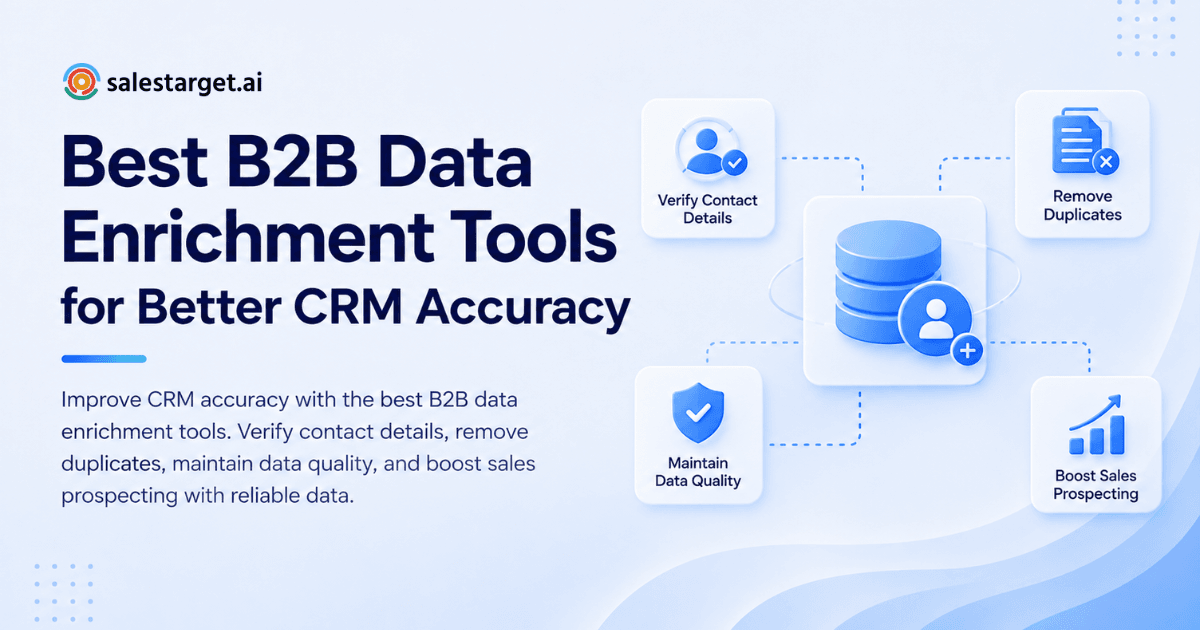
The best B2B data enrichment tools fill missing contact and company fields, verify emails and phone numbers at the moment of enrichment, and sync clean records into your CRM without creating duplicates. Choose the one that proves its accuracy on your own accounts, connects natively to your CRM, and re-verifies data on a schedule. The sections below show how to test that and how SalesTarget.ai handles enrichment and verification in one workflow.
Common CRM Data Quality Challenges in B2B Sales
Three problems show up in almost every CRM audit.
Incomplete Contact Records and Outdated Company Information
Incomplete records lack the fields a rep needs to reach and qualify a buyer. Outdated records point to people or companies that have changed.
Missing mobile numbers, blank seniority fields, and stale headcount figures send reps back to manual research. Job changes make it worse: a title that was right at import is wrong six months later, and nothing in the CRM flags it.
Duplicate Entries and Inconsistent CRM Fields
Duplicates split one buyer's history across several records, so two reps pitch the same person. Inconsistent fields damage reporting the same way. "VP Sales," "Vice President, Sales," and "VP of Sales" land in three separate filters, and your segment counts are wrong before anyone notices.
Poor Lead Qualification and Inefficient Sales Outreach
Scoring rules cannot run on blank firmographic fields, so weak leads reach reps and strong ones sit unrouted. A Gartner survey of 303 sales leaders, reported by Apollo, found that 44% cite poor data quality as a barrier to analytics success. Outreach built on those records inherits the same blind spots.
B2B Data Enrichment Fundamentals
Contact, Company, and Firmographic Data Enrichment
Data enrichment adds missing attributes to a record from outside sources. It comes in three layers:
- Contact data: verified email, phone, mobile, job title, seniority.
- Company data: domain, industry, revenue, headcount, location.
- Firmographic and technographic data: size bands, funding, hiring activity, tech stack.
Teams that want the full picture can read how B2B data enrichment helps sales teams.
Contact Verification and Data Validation Methods
Verification checks that a contact still works. Validation checks that a field is formatted correctly and plausible.
For email, that means MX and SMTP checks, disposable-domain detection, and risk scoring. For phones, it means line-type checks. For other fields, it means format rules. Verification at the moment of enrichment catches a bad record before the first send, not after the first bounce.
CRM Data Enrichment vs. CRM Data Cleansing
Enrichment adds what is missing. Cleansing fixes or removes what is wrong.
Run them in order: CRM data cleansing first (dedupe and standardize), then enrichment, then verification. Reverse the order and you enrich records you are about to merge or delete.
Business Benefits of Accurate CRM Data
Improved Lead Qualification and Prospect Targeting
Complete firmographics let scoring and filters do their job. ICP rules on industry, headcount, revenue, and tech stack only work when those fields are filled. Add intent signals and reps work the accounts that are actually in motion.
More Relevant Email and LinkedIn Outreach
Accurate titles, companies, and recent events let reps write to the buyer's situation. A hiring spike or a funding round gives you a real first line, and a role-specific LinkedIn note beats a generic connection request. Clean emails keep bounce rates low, so sequences keep reaching inboxes.
Better Pipeline Visibility and Sales Forecasting
A forecast is only as good as the stage, amount, close date, and contact fields under it. Standardized fields make stage reports trustworthy. Accurate contact roles on each deal show whether you are talking to one person or to the buying group.
Reduced Manual Data Entry and Research
ZoomInfo research, summarized by Landbase, puts the share of rep time lost to bad data at 27%. Automatic enrichment replaces the tab-hopping: the rep gets the record already filled and checked.
Steps to Select the Best B2B Data Enrichment Tools
Work through these six steps in order.
Define CRM Data Requirements and Enrichment Goals
List the 8 to 12 fields that drive routing, scoring, and outreach. Pick one metric to move: bounce rate, lead-to-meeting rate, or hours spent on research. Compare tools against that metric, not against raw field counts.
Evaluate Contact Accuracy and Database Coverage
Test accuracy and coverage on your own accounts, not on a vendor's demo list.
Here is the angle most buyer guides skip: vendors quote match rate, which is how many records they found. Match rate is not accuracy. Take 200 closed-won contacts whose details you know are correct, run them through each tool blind, and score two numbers: fields returned and fields right. Include the segments you actually sell to. A database that is deep in US enterprise can be thin in mid-market EMEA.
Assess CRM Integration and Automation Capabilities
Check the native sync with your CRM: field mapping, sync direction, and triggers (on create, on update, or scheduled). Ask whether the tool matches on email or domain before it creates a record.
Then set overwrite rules at the field level. Enrichment should fill blanks, but it should never overwrite a value a rep typed after a live call. Many teams learn this after the fact.
Review Data Freshness and Verification Processes
Ask three questions. Is verification real-time at enrichment or batch? Is there a last-verified date on each record that you can filter on? What happens to records that fail verification? A tool that cannot show you a verification date is asking you to trust it blindly.
Compare Pricing, Security, and Scalability
Compare billing models, not headline numbers. Find out whether failed lookups and re-verification use up credits, and what happens at volume.
On security, ask for a data processing agreement, the vendor's stance on GDPR and CCPA, how opt-outs are handled, and where data is stored. On scale, check bulk API limits and how enrichment behaves when you import thousands of rows at once.
Test Data Quality Before Full Implementation
Run a two-week pilot. Enrich about 500 records in a copy of your CRM, send a small sequence, and track bounce rate, reply rate, and duplicates created. Set pass marks before the pilot starts, such as a bounce rate under 2%.
You can run this pilot in SalesTarget.ai: start free, enrich a sample list, and compare the results against what your CRM holds today.
Essential Features of B2B Data Enrichment Software
Verified Business Emails and Phone Numbers
Look for verified business email, direct dial, and mobile, with a verification status on each field rather than one blanket score. Personal email adds reach where your compliance rules allow it.
Company Profiles, Firmographics, and Buyer Intent Signals
You need industry, size, revenue, location, and tech stack, plus buying signals such as topic-level intent and business events (funding, hiring spikes, leadership changes). Recency matters: a funding round from last quarter is a reason to call, and one from two years ago is trivia.
Automated CRM Updates and Duplicate Detection
The tool should update records on create and on change, match on email and domain, and merge rather than add. Automation without duplicate detection just produces bad data faster.
Email Validation and Contact Data Verification
Require MX and SMTP checks, disposable-address detection, catch-all handling, and risk scoring. Both real-time verification and bulk list cleaning should be available.
CRM Synchronization and Workflow Automation
Two-way sync, field mapping you control, and a direct push into outreach sequences remove the CSV step, which is where most errors enter. Follow-up tasks should be created when a lead replies.
Best B2B Data Enrichment Tools for Different Sales Needs
No single category wins everywhere. Match the category to the gap in your stack.
B2B Lead Discovery and Contact Enrichment Platforms
Databases such as Apollo, ZoomInfo, Cognism, and Lusha find and enrich contacts. They are strong on discovery. Apollo gives you data and engagement, but deliverability tooling and a CRM are still bolt-ons. Check how each platform verifies contacts, and when.
CRM Data Management and Record Enrichment Tools
HubSpot's built-in enrichment and Clay's multi-provider workflows sit closer to the CRM. They fit teams that already have a data source and want enrichment automated inside existing records.
Email Verification and Data Cleansing Tools
ZeroBounce, NeverBounce, and similar tools do one job: verify and clean lists. They reduce bounces well but do not find leads or send campaigns, so you still need other tools around them.
All-in-One Sales Prospecting and Enrichment Platforms
All-in-one platforms combine the database, enrichment, verification, outreach, and CRM. SalesTarget.ai sits here. Instantly, Smartlead, and Lemlist focus on cold email and deliverability, but they have no native B2B database, no LinkedIn automation, and no real CRM. For a ranked view, see the best B2B data enrichment tools.
Tool Comparison Based on Data Quality, Integrations, and Cost
| Category | Data quality strength | Integration gap to check | Billing model |
|---|---|---|---|
| Lead databases | Discovery and coverage | Verification, deliverability, and CRM added separately | Seats and credits |
| CRM-side enrichment | Automation inside records | Depends on the connected data source | Usage-based |
| Verification tools | Bounce reduction | No discovery, no outreach | Per verification |
| All-in-one (SalesTarget.ai) | Enrich, verify, sequence, and track in one place | Fewer handoffs to manage | One platform, one bill |
Why Choose SalesTarget.ai
SalesTarget.ai enriches and verifies a contact at the moment you find it, so the record that reaches your CRM has already been checked. It is an all-in-one AI sales intelligence and outbound platform built for outbound teams, not enterprise bloat. SalesTarget.ai reports 99% verified contact data. Against Validity's finding that 76% of organizations say less than half their CRM data is accurate, that gap is the reason to enrich at the source.
Lead Explorer for B2B Prospecting and Contact Enrichment
Lead Explorer is the prospecting engine with enrichment built in. It covers 840M+ verified professional profiles and 146M+ business entities, with 4,000+ intent signals drawn from 50+ data sources. Search in plain English or stack filters for industry, role, seniority, company size, revenue, location, tech stack, and intent topics. One click unlocks verified professional email, personal email, phone, and mobile. Enriched leads go straight to a sequence or the CRM with no CSV.
Email and LinkedIn Outreach in One Platform
Email Outreach builds multi-step sequences from a plain-English audience description. It includes unlimited inboxes, automatic AI warm-up, inbox rotation, and SPF, DKIM, and DMARC checks. LinkedIn Outreach automates connection requests, DMs, and follow-ups, with conditional branching and built-in safety limits. Both run in one coordinated flow, so the enriched context carries across channels.
Email Validator for Contact Verification
Email Validator runs MX and SMTP checks, detects disposable addresses, and scores risk before you send. It offers a real-time API and bulk list cleaning, and connects with 60+ platforms. SalesTarget.ai reports that 90% of emails are validated before sending in Email Outreach.
Built-In CRM for Contact and Pipeline Management
The CRM takes campaign leads automatically, so the import step where duplicates are born disappears. Every email and call is logged to the lead timeline, and the built-in AI dialer saves call notes there for you. It syncs with HubSpot, Salesforce, and Zoho. SalesTarget.ai reports about 6 hours saved per rep per week and 91% follow-up completion.
AI Copilot for Everyday Sales Tasks
AI Copilot is free inside the platform. Ask it to find leads, draft a full sequence, or pull CRM deals, meetings, and tasks in plain language. It flags at-risk deals and suggests the next move, and your workspace data stays private. Strategy stays with your team.
Common Data Enrichment Mistakes and Best Practices
Relying on Outdated or Unverified Contact Data
Enriched does not mean verified. Some tools append data without checking it. Require a verification status on each field and keep unverified emails out of live sequences.
Creating Duplicate Records During Bulk Enrichment
Bulk jobs create duplicates when matching keys are missing. Match on email and company domain before creating anything, and dedupe first, enrich second.
Ignoring Data Refresh Schedules and Verification Status
A record verified in January is a guess in October. Set a re-verification cadence for active records and re-check any list before a large campaign. Filter on the last-verified date.
Enriching Unnecessary Fields Without Clear Business Goals
Every extra field is one more to maintain, store, and defend under privacy rules. Enrich only the fields that feed routing, scoring, or messaging. If you are unsure which those are, start free and test with a small field set first.
Protecting Customer Data and Meeting Privacy Requirements
Document your lawful basis for each region, honor opt-outs everywhere the record lives, limit who can export lists, and ask vendors how their data is sourced. Have counsel confirm your basis before you scale.
CRM Data Quality Management and Ongoing Maintenance
Establish Regular Data Validation and Update Cycles
Review bounces weekly, re-verify active pipeline monthly, and run a full database sweep each quarter. Put the dates on a calendar so the work does not depend on memory.
Standardize CRM Fields and Duplicate Prevention Rules
Use picklists for title, seniority, and industry. Make key fields required on create. Write matching rules once and apply them to every import, form, and integration.
Assign Data Ownership Across Sales and RevOps Teams
MediaPost's coverage of the Validity study reports that 46% of firms have no full-time employee devoted to CRM data quality. Split it clearly: marketing owns lead source and initial contact data, sales owns deal-stage fields and activity logging, and RevOps owns system integrity and fill rates.
Track Data Accuracy, Email Bounce Rates, and Lead Conversion
Track five numbers: field fill rate, share of verified emails, bounce rate, duplicate rate, and lead-to-meeting conversion. Break bounces out by data source. If one source bounces twice as much as the others, you have found the weak link.
Conclusion: Build a More Accurate CRM With the Right Enrichment Tools
The rep who emailed a contact who had already left was not careless. The CRM handed over a record nobody had checked. Fixing that takes three things: enrich and verify at the moment you find a lead, sync clean records without duplicates, and maintain them on a schedule with clear owners.
SalesTarget.ai puts those steps in one workspace. You find the lead in Lead Explorer, verify it in the same click, run email and LinkedIn sequences, and close in the built-in CRM, all on one bill. Run the 200-contact test, then see how it performs on your own accounts: start free at SalesTarget.ai.