Your SDRs log into a data provider to find a contact, export a CSV to clean the emails, upload that CSV to an outreach tool, and then manually copy responses into a disconnected CRM. By the time they finish the admin work, the best part of the day is gone, and the lead has gone cold.
Lead management software fixes this broken process by centralizing how you capture, qualify, route, and track prospects through the sales cycle. The right tool eliminates manual data entry and prevents active deals from falling through the cracks, allowing reps to spend their time actually closing business.
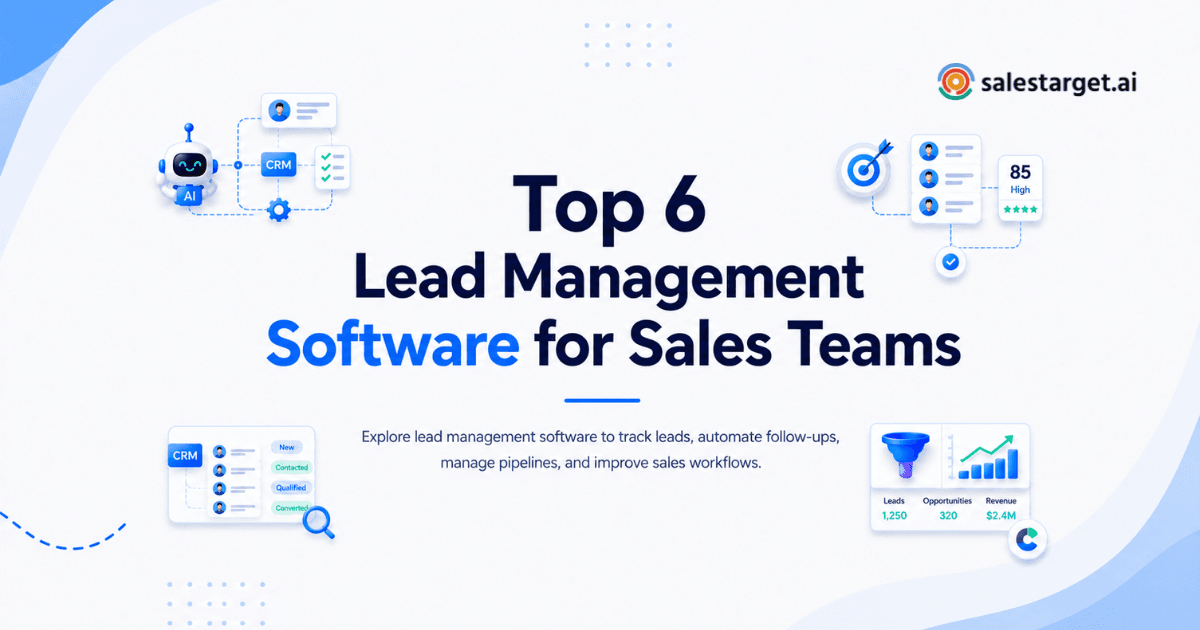
This guide compares the top six lead management tools on the market, breaks down the features that actually move pipeline, and explains how to select the right platform for your B2B sales team's specific motion.
What Is Lead Management Software and Why Your Team Needs It?
Lead management software is a platform designed to track and organize potential buyers from the moment they are identified until they become closed-won deals or are disqualified. It provides a structured framework for the entire top-of-funnel and mid-funnel process.
You need this software because manual tracking scales poorly. According to Salesforce data, reps spend an average of 5.5 hours per week on manual CRM data entry. Without a dedicated lead management system, reps resort to sticky notes and isolated spreadsheets. This results in slow follow-up times, lost context, and missed revenue.
A capable lead management platform automates the handoff between stages. It captures the prospect's information, enriches it with firmographic data, assigns the lead to the correct rep based on territory, and tracks every email, call, and meeting in a single timeline.
Key differences between lead management software and traditional CRM software
While often used interchangeably, lead management software and traditional CRM (Customer Relationship Management) serve different core functions. A CRM is a system of record for the entire customer lifecycle, while lead management focuses heavily on the active sales pursuit.
| Feature | Lead Management Software | Traditional CRM Software |
|---|---|---|
| Primary Focus | Acquisition, qualification, and initial outreach. | Long-term relationship building, account management, and retention. |
| Core Users | SDRs, BDRs, and outbound sales managers. | Account Executives, Customer Success, and Support teams. |
| Data Handled | Top-of-funnel metrics, intent signals, and sequence open/reply rates. | Contract details, billing history, and support tickets. |
| Key Automation | Lead routing, automated outreach sequencing, and lead scoring. | Renewal reminders, support ticket routing, and account tiering. |
| End Goal | Book a meeting and convert the lead into a qualified opportunity. | Manage the opportunity to a closed-won deal and secure renewals. |
Why Sales Teams Struggle With Lead Tracking and Sales Follow-Ups?
Most sales teams do not fail because they lack leads. They fail because their process for managing those leads creates too much friction.
The primary issue is a fragmented technology stack. When the tool you use to find the lead (a database) is disconnected from the tool you use to engage them (a sequencer) and the tool you use to track them (a CRM), data decays immediately. Reps forget to log calls or update statuses, leading to inaccurate pipeline reports and missed follow-ups.
Industry research highlights this gap. Over 50% of companies experience broken hand-offs where leads are lost between systems. Furthermore, McKinsey notes that while organizations invest heavily in technology, capturing actual ROI requires aligning those tools to reduce the reps' administrative burden. When reps have to context-switch between five tabs to execute one follow-up, the follow-up often gets skipped.
Key Features to Look for in Lead Management Software
Lead Capture and Import Capabilities
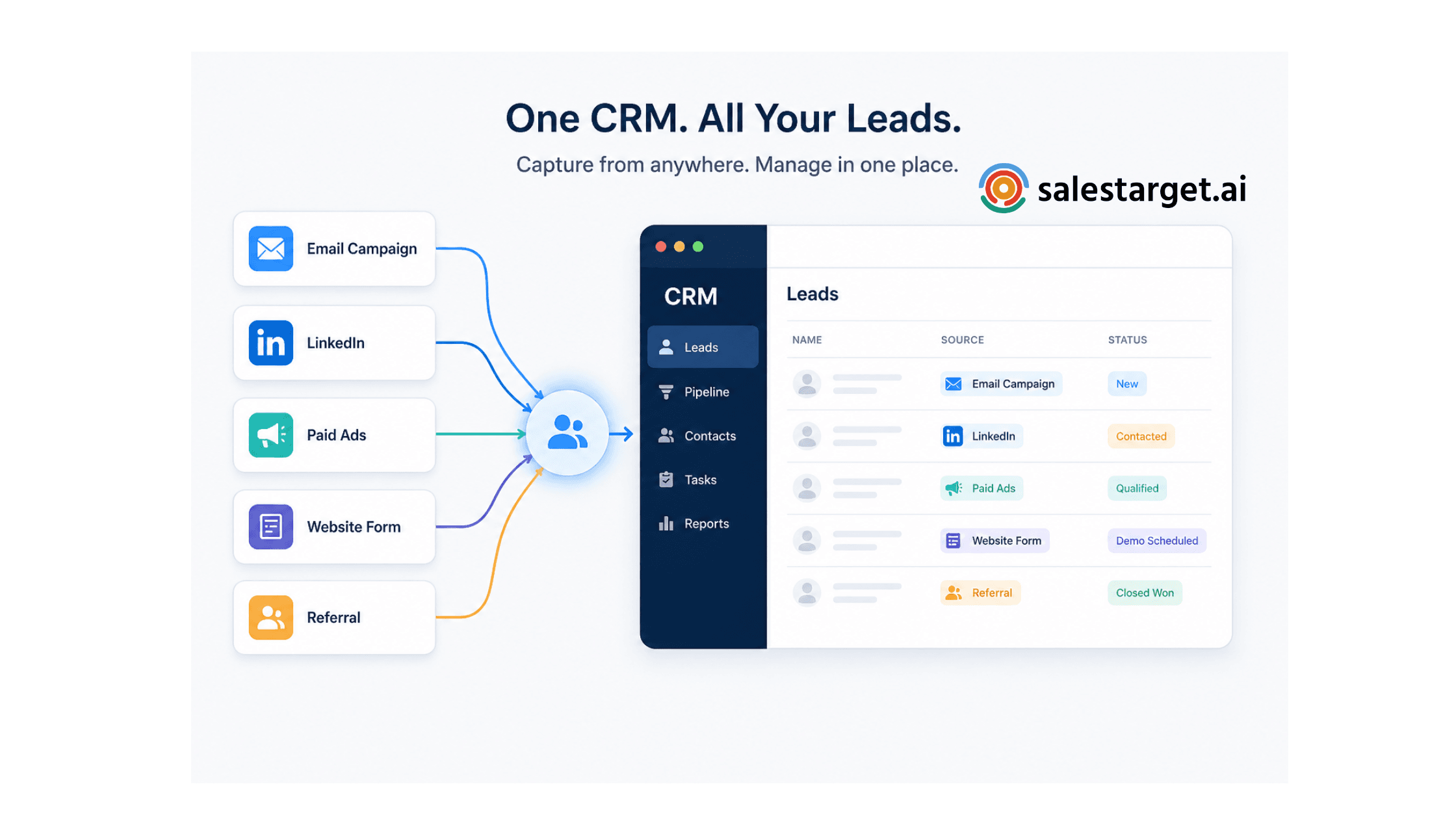
A lead management tool must ingest data seamlessly. Whether you are sourcing contacts from a B2B database, inbound web forms, or LinkedIn, the import process should not rely on manual CSV uploads.
Look for platforms that offer direct integrations or native built-in databases that push prospects straight into your pipeline. Automatic deduplication is a critical sub-feature here; your system must flag duplicate records instantly to prevent two reps from working the same account simultaneously.
Automated Lead Assignment and Routing
Speed to lead dictates conversion rates. If an inbound inquiry sits in a general inbox for 24 hours, the prospect has likely moved on to a competitor.
Your software should support rules-based routing. It must assign leads to reps automatically based on criteria like geographic territory, company size, round-robin distribution, or current rep capacity. Immediate routing ensures the prospect receives a response while their interest is highest.
Lead Scoring and Qualification System
Not all prospects deserve equal attention. A VP of Sales at a 200-person SaaS company is a higher priority than an intern at a local bakery.
Lead scoring assigns a numerical value to prospects based on firmographic fit and behavioral engagement (like opening emails or visiting a pricing page). This feature helps reps focus their daily effort on the leads statistically most likely to convert, ignoring the tire-kickers.
Sales Pipeline and Deal Tracking
Reps need a visual representation of their active deals. A Kanban-style pipeline view allows sellers to drag and drop deals from "Meeting Booked" to "Proposal Sent" to "Closed Won."
This visibility prevents pipeline stall. Managers can see exactly where bottlenecks occur and which deals have sat in the same stage for too long, allowing for targeted coaching interventions before the end of the quarter.
CRM Integration and Data Synchronization
If you use a standalone lead management tool, it must communicate flawlessly with your primary CRM (like Salesforce). If the sync breaks, data integrity vanishes.
The software must support bi-directional syncing. When a rep updates a lead's phone number in the outreach tool, that change must reflect in the CRM immediately. Better yet, selecting a platform that combines the lead database, outreach, and CRM into one workspace eliminates the sync issue entirely.
Workflow Automation and Follow-up Reminders
Reps should not have to remember to follow up. The system should tell them.
Look for platforms that generate tasks automatically based on prospect actions. If a prospect replies to an email or a meeting concludes, the software should instantly create a follow-up task on the rep's daily dashboard. This reduces cognitive load and ensures persistent follow-up.
Reporting, Analytics, and Performance Insights
Sales leaders need clean data to make decisions. Your software must track conversion rates at every stage of the funnel.
Key reports include sequence reply rates, meeting booked rates, average sales cycle length, and individual rep performance. Gartner research indicates that organizations that move from fragmented tracking to integrated, real-time analytics are significantly more likely to achieve their revenue targets.
Top 6 Lead Management Software to Improve Your Sales Process
SalesTarget.ai
SalesTarget.ai is an all-in-one outbound platform that combines B2B lead data, multichannel outreach, and a lightweight CRM in a single workspace. It is built specifically to eliminate the friction of stitching multiple sales tools together.
Core Strengths: It provides native access to a database of 840M+ profiles and 4,000+ intent signals. You find a lead, enrich their contact info, validate their email, and drop them into a multi-step email and LinkedIn sequence all from the same screen. The built-in CRM auto-logs all campaign activity, meaning reps never have to manually enter data after a call. An AI Copilot handles sequence generation and CRM queries.
Best for: B2B sales teams, founders, and agencies that want to run aggressive outbound campaigns without paying for and integrating four separate software products.
Apollo
Apollo.io is a popular sales intelligence and engagement platform. It is widely known for its large B2B contact database and sequencing tools.
Core Strengths: Apollo offers deep filtering for prospecting and built-in email sequencing. It also includes a basic dialer and a Chrome extension that works well over LinkedIn.
Gaps: Its CRM functionality is very basic, meaning most teams still have to pay for a separate CRM (like Salesforce) to manage their pipeline. Deliverability features and email validation are not as robust as dedicated tools, often requiring users to bolt on third-party validators.
Best for: Teams that want a massive lead database connected to basic sequencing and are willing to manage pipeline in a separate CRM.
HubSpot Sales Hub
HubSpot Sales Hub is a comprehensive enterprise CRM platform that offers lead management, pipeline tracking, and sales analytics.
Core Strengths: It provides exceptional pipeline visibility, deep reporting, and seamless integration with marketing and customer service tools. The interface is clean, and the workflow automation is powerful for managing inbound leads.
Gaps: HubSpot is an inbound-first tool. It lacks a native B2B prospect database, requiring you to buy leads elsewhere. Furthermore, its acceptable use policy strictly forbids high-volume cold email outreach, making it risky for aggressive outbound teams.
Best for: Mid-market and enterprise teams focusing on inbound leads and complex, long-term relationship management.
Salesforce Sales Cloud
Salesforce is the dominant enterprise CRM on the market, offering unparalleled customization and reporting capabilities.
Core Strengths: Complete customization of every data field, deep analytics, and thousands of third-party integrations via the AppExchange. It scales to handle the most complex global sales organizations.
Gaps: It requires significant time and budget to implement and maintain, often necessitating a dedicated RevOps team or external consultant. Like HubSpot, it does not include a native B2B lead database or high-volume cold outreach tools out of the box.
Best for: Large enterprise organizations with complex data requirements and dedicated administration teams.
Zoho CRM
Zoho CRM is a cost-effective, feature-rich lead management and CRM platform aimed at small to medium-sized businesses.
Core Strengths: It offers a vast array of features including lead scoring, workflow automation, and an AI assistant named Zia. The pricing is highly competitive, and it integrates tightly with the rest of the Zoho software ecosystem.
Gaps: The user interface can feel cluttered and dated compared to newer tools. Setup requires a steep learning curve, and customer support response times can vary.
Best for: Budget-conscious small businesses that already use other Zoho products and need a customizable CRM.
Pipedrive
Pipedrive is a sales-focused CRM built heavily around visual pipeline management and activity tracking.
Core Strengths: The Kanban-style visual pipeline is highly intuitive, making it easy for reps to see exactly where deals stand. It focuses heavily on driving rep activity and scheduling the next action for every lead.
Gaps: Reporting capabilities are lighter than enterprise tools like Salesforce. It lacks native B2B data sourcing and high-volume multi-channel outbound sequencing, requiring integrations to run cold campaigns.
Best for: Small sales teams that prioritize simplicity and visual deal tracking over complex reporting or native cold outreach.
How to Choose the Best Lead Management Software for B2B Sales Teams?
Multi-Channel Lead Tracking (Email, Calls, Chat)
B2B buyers do not stick to one channel. A prospect might ignore three emails, reply to a LinkedIn message, and then request a phone call.
Your software must track every interaction across all these channels and log them into a single chronological timeline for the lead. If a rep has to check three different apps to see what was said to a prospect last week, you will lose deals to miscommunication.
Evaluate CRM and Sales Pipeline Integration Capabilities
If you purchase a standalone lead management tool, investigate its CRM integration deeply. A surface-level integration that only syncs names and emails is insufficient.
You need a deep integration that syncs activity logs, stage changes, and custom fields in real time. Before buying, ask the vendor to demonstrate how a sequence reply maps directly to an opportunity stage in your specific CRM setup. To avoid this headache entirely, seek platforms that natively combine outreach and CRM.
Check Automation and Lead Scoring Functions
Manual lead scoring is a waste of a rep's time. The software must automatically calculate a lead's score based on the rules you set.
Verify that the platform allows you to set custom scoring criteria based on your specific Ideal Customer Profile (ICP). If you sell exclusively to the manufacturing industry, the software should automatically boost the score of any manufacturing lead that enters the system.
Consider Scalability for Growing B2B Sales Teams
The tool you buy for two founders must also work when you hire ten SDRs.
Review the pricing model closely. Tools that charge per-seat or strictly limit API calls get prohibitively expensive as you scale headcount. Look for platforms that offer workspace flexibility, flat billing structures for outreach volume, and robust role-based access controls to separate management views from rep views.
Compare Pricing, Support, and Ease of Use
A tool that takes six months to implement delays your revenue goals by six months. Evaluate the interface for daily usability; if it requires a manual to log a call, reps will not use it.
Factor in the hidden costs of support. Some enterprise platforms charge mandatory fees for implementation and premium support tiers. Favor vendors that offer fast, accessible support and straightforward pricing without hidden integration fees.
Why Choose SalesTarget.ai?
Built-in prospecting and lead enrichment with Lead Explorer
You do not need to buy a separate data provider. The Lead Explorer gives you immediate access to 840M+ verified professional profiles and 146M+ business entities. You can stack filters for industry, revenue, and Bombora Intent Topics to find active buyers. When you select a lead, one-click enrichment instantly unlocks their verified professional email, personal email, and mobile number, pushing them straight into your pipeline.
Unified email and LinkedIn outreach in one platform
SalesTarget.ai runs your email outreach and LinkedIn outreach in a single, coordinated flow. You can automate connection requests, DMs, and follow-ups with AI personalization that adapts to the prospect's role. If a prospect replies on LinkedIn, the system automatically pauses the email sequence. No more apologizing for sending an email to someone who just replied to your DM.
Email validation and deliverability built in
Sending to unverified data destroys your sender reputation. SalesTarget.ai includes a built-in Email Validator that runs MX/SMTP checks and disposable-email detection before a sequence sends. The platform also includes unlimited inboxes, intelligent inbox rotation, and automatic AI warm-up to keep your messages landing in the primary inbox, not the spam folder.
Lightweight CRM with AI-logged calls and AI Copilot
The built-in CRM is designed for outbound execution, not enterprise bloat. Campaign leads land in the pipeline automatically with no imports required. The native AI dialer captures what is said on the call and saves the notes straight to the lead timeline. Furthermore, the free AI Copilot can generate full personalized sequences in seconds, flag at-risk deals, and query your CRM data in plain English, saving your reps hours of administrative work every week.
Wrapping Up
Managing leads across multiple disconnected tools creates data decay, frustrates sales reps, and stalls revenue growth. The right lead management software removes the friction between finding a prospect and closing a deal.
Top-performing teams are actively consolidating their tech stacks. They are replacing separate data providers, sequencers, validators, and CRMs with unified platforms that handle the entire outbound motion in one place.
SalesTarget.ai delivers this unified experience. By combining a massive B2B database, multichannel sequencing, contact validation, a built-in CRM, and an AI Copilot into a single workspace, it allows your reps to focus entirely on selling rather than managing software. Build a frictionless lead management process.