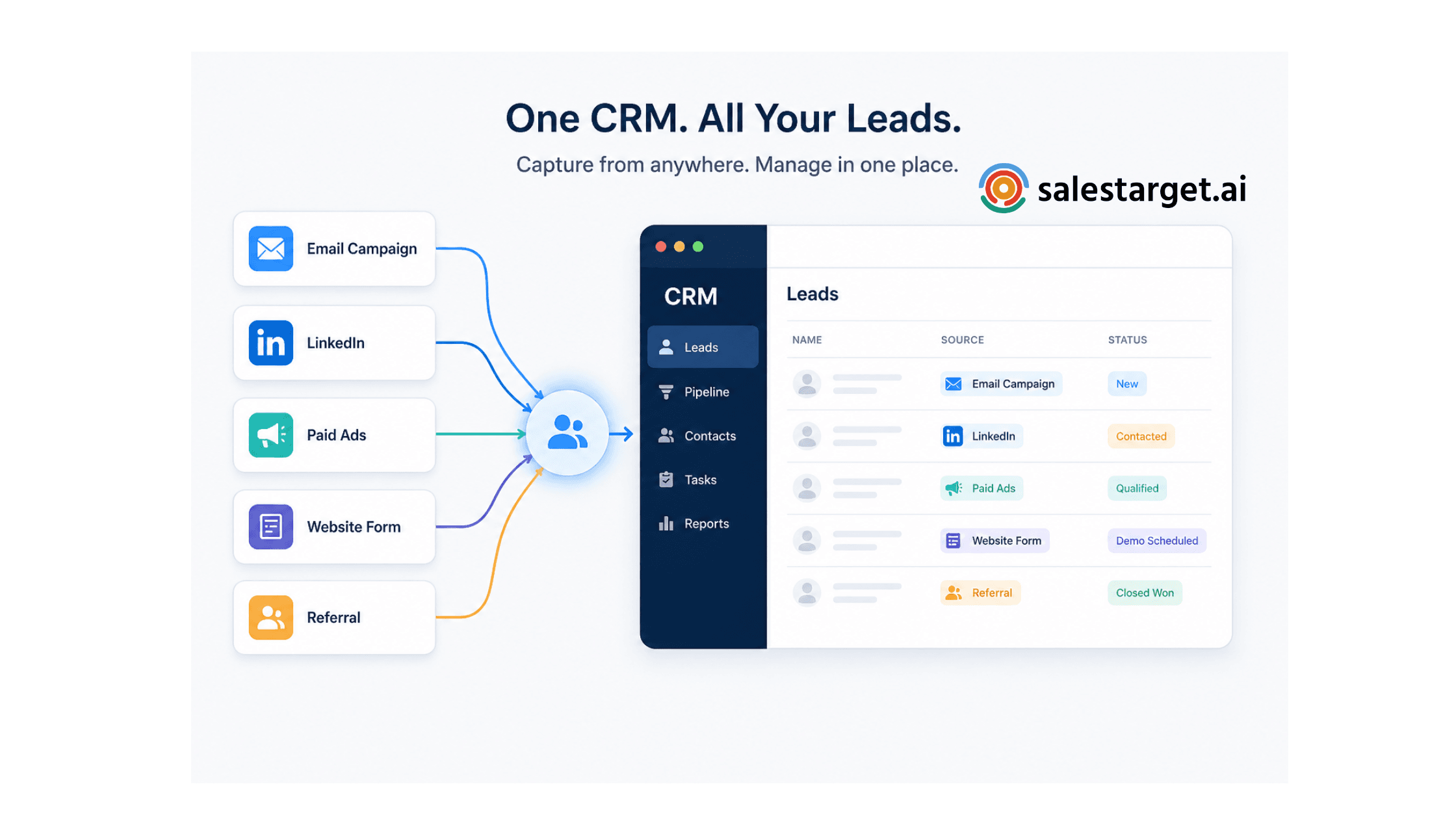
The Best CRM to Manage Leads from Multiple Sources
Your sales team is pulling leads from Google Ads, LinkedIn, cold email campaigns, website forms, and webinar signups — all at the same time.
The problem? Each source dumps data somewhere different. A spreadsheet here. A form inbox there. A third-party tool somewhere else.
By the time a rep follows up, the lead has gone cold — or worse, been followed up twice by two different people.
If this sounds familiar, you need more than a contact database. You need a CRM to manage leads from multiple sources — one that centralizes everything, automates routing, and keeps your pipeline moving without the manual overhead.

What Is a Multi-Source Lead Management CRM?
Definition: A multi-source lead management CRM is a centralized system that captures leads from every channel your business uses — paid ads, email outreach, LinkedIn, website forms, referrals, and more — and consolidates them into a single, unified pipeline.
Instead of your team juggling five tools and a spreadsheet, every lead lands in one place, tagged by source, enriched with context, and ready to act on.
This is different from a basic contact manager. A true lead management CRM tracks where a lead came from, how they've engaged, what stage they're in, and what action is due next — automatically.
Why Do B2B Sales Teams Struggle with Fragmented Lead Sources?
Most B2B sales teams today operate across at least three to five lead channels simultaneously. And every channel has its own format, its own tool, and its own delay.
Here's what that fragmentation actually costs you:
- Leads fall through the cracks. When data lives in multiple places, follow-ups get missed — especially for leads that come in outside business hours.
- Duplicate outreach damages trust. Two reps reaching out to the same prospect within 24 hours is a credibility killer.
- Reporting becomes guesswork. Without multi-source lead tracking, you can't tell which channels are actually driving pipeline.
- Onboarding new reps takes longer. There's no single source of truth to hand off, so context lives in someone's inbox.
The solution isn't to cut channels. It's to consolidate how you manage them.
The Case for Centralized Lead Management
Centralized lead management means every lead — regardless of where it came from — flows into one system with full context attached.
This is the infrastructure behind every high-performing outbound team. When you know a lead came from a LinkedIn sequence, opened three emails, and booked a demo through Calendly — all surfaced in one view — your reps walk into every conversation prepared.
The ripple effects are significant:
- Faster lead response times (response speed is the single biggest factor in lead conversion)
- Cleaner handoffs between SDRs and AEs
- Accurate attribution so you can double down on what's working
- Automated follow-up tasks so no lead ages out silently
This is also why building an automated sales pipeline has become a competitive necessity rather than a nice-to-have for B2B teams in 2025.
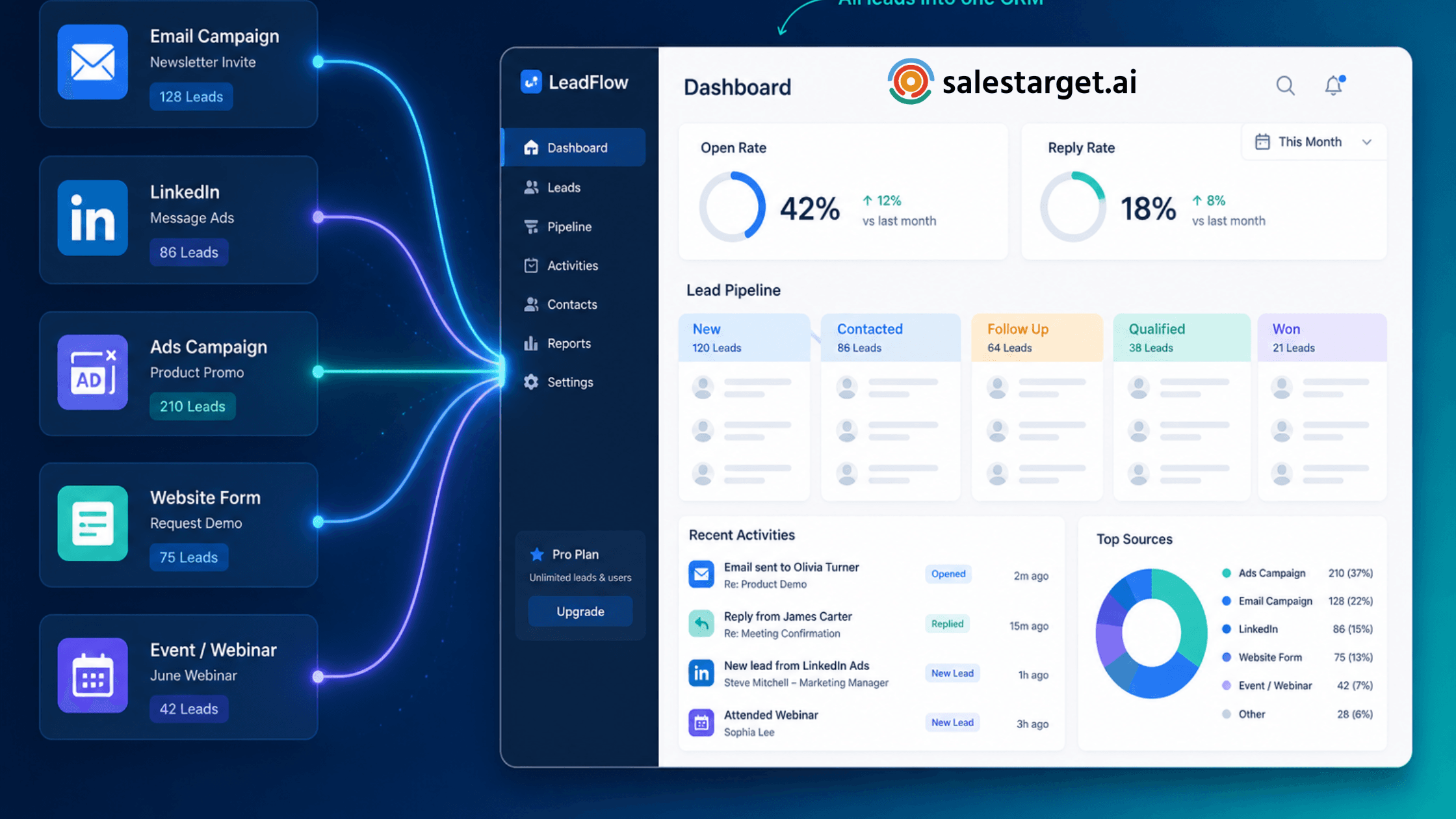
What to Look for in a CRM for Multi-Source Lead Tracking
Not all CRMs handle multi-source leads well. Many enterprise tools are built for large ops teams who can configure and maintain complex workflows — not for lean sales teams that need to move fast.
When evaluating a CRM to manage leads from multiple sources, look for:
1. Automatic Lead Capture (Not Just Import)
The CRM should pull leads in directly from your campaigns and channels — not require a manual CSV export every week. If your team is spending time on imports, the system is working against you.
2. Source Tagging and Segmentation
Every lead should arrive with its origin clearly labeled. This powers segmentation, personalization, and attribution reporting without any extra work.
3. Automated Routing and Follow-Up
Automated lead routing means the right rep gets the right lead instantly, based on territory, industry, or campaign. Paired with automatic follow-up task creation, this eliminates the biggest source of lead decay: human delay.
4. Full Activity Timeline
Every email opened, every reply received, every meeting booked — logged automatically. This is what separates a unified lead tracking CRM from a static contact database.
5. Native Integrations (Not Just Zapier Workarounds)
Your CRM should connect directly to the tools your team already uses — calendar, email, Slack, and your outreach platform — without requiring a patchwork of integrations to hold it together.
How SalesTarget.ai Handles Multi-Source Lead Management
Most outbound-focused tools are built for either prospecting or sequencing — not for managing what happens after a lead responds.
That gap is exactly what the AI-powered CRM at SalesTarget.ai is designed to close.
When a lead replies to one of your email campaigns, it lands in the CRM automatically — with the full email history, source data, and engagement context already attached. There's no import step. No manual logging. The pipeline updates itself.
Follow-up tasks are created the moment a lead replies or a meeting ends. Your reps get reminded. Managers get live visibility into the whole team's pipeline without pulling a single report.
It's purpose-built for outbound sales teams who need their CRM to keep up with their campaigns — not the other way around.
Platform Stats
- 3.2× faster deal cycles
- 91% follow-up completion rate
- 6 hours saved per rep, per week
- 2.4× more meetings from the same leads
For teams scaling their AI CRM for sales teams use case, the platform also connects natively with Google Calendar, Calendly, HubSpot, Salesforce, Slack, and Zapier — so your existing stack doesn't get disrupted.
Category Comparison: What Most Teams Are Missing
Many teams default to prospecting-heavy platforms that are excellent at finding contacts but leave a gap once a lead is in motion. Others use sequencing tools that handle outreach well but have no real CRM layer behind them.
The missing piece is almost always the same: a system that bridges outreach and pipeline management so leads don't fall into a black hole after the first reply.
A purpose-built lead management CRM fills that gap — not by doing everything, but by doing the post-reply workflow exceptionally well.
Conclusion: Stop Managing Leads. Start Closing Them.
The best CRM to manage leads from multiple sources isn't necessarily the most feature-rich one. It's the one your team will actually use — because it removes friction instead of adding it.
If your leads are scattered, your pipeline is leaking. Centralizing into a single, automated CRM is the fix.
Ready to see what unified lead management looks like in practice? Explore SalesTarget.ai's CRM →





