Half your list never opens the first email. The other half opens it, skims it, and forgets you exist by lunch. Reps copy names into templates at 7 PM, guess at follow-up timing, and lose track of who replied last week. That is the real state of most B2B cold outreach: a time and consistency problem that quietly drains pipeline.
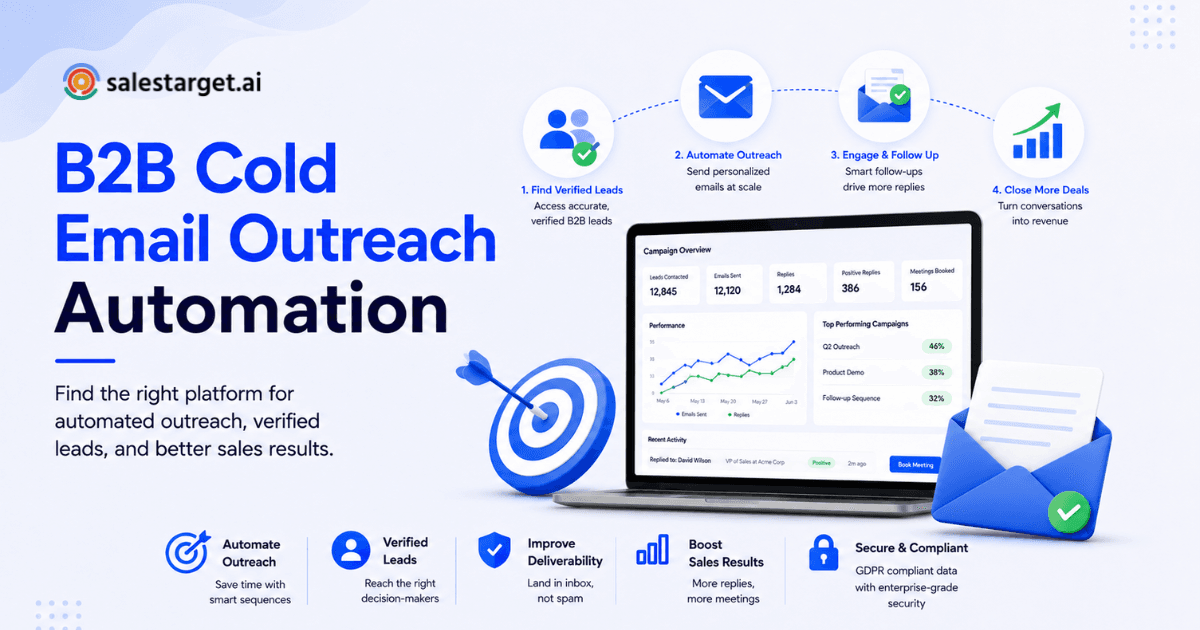
Personalized cold email automation fixes this by pairing verified prospect data with AI-written messaging and scheduled follow-ups, so every contact gets a relevant first email plus timed follow-ups without a rep touching a spreadsheet. In plain terms: the system finds the right person, writes a message that fits their role, sends it on schedule, follows up if they stay quiet, and stops the moment they reply. SalesTarget.ai runs this loop from one workspace, so personalization survives automation.
This piece breaks down how the process works, what to build first, and where most programs go wrong.
How Can Personalized Cold Email Automation Improve B2B Sales Outreach?
Short answer: it swaps manual guesswork for a repeatable system, so every prospect gets a relevant message on a set schedule instead of whatever a rep has time for that day.
Cold email at scale breaks when personalization and automation work against each other. Reps either write strong emails by hand and cannot send enough of them, or blast one template and get flagged as spam. Personalized cold email automation pulls contact data (role, size, industry, buying signals) into the message, then runs the schedule and follow-up logic on its own. Reply rates rise since messages stay relevant, and rep hours drop since manual work disappears. McKinsey research puts the typical revenue lift from strong personalization at 5 to 15 percent, with the sharpest gains going to companies that personalize by segment, not by name field.
Automate Personalized Cold Emails Without Losing the Human Touch
Replace manual follow-ups with consistent automated sequences
Manual follow-up fails from inconsistency, not effort. A rep planning to follow up in three days gets pulled into a call and the lead goes cold. Email Outreach builds a multi-step sequence, first touch plus follow-ups plus pacing, from a plain-English audience description, then runs it on schedule every time.
Use prospect data to personalize each message
A message that only inserts {first_name} is not personalization, it is a variable. Real personalization pulls in role, industry, and signals like a funding round or leadership change. Lead Explorer surfaces this data at the point of enrichment, so the message carries real context.
Keep outreach relevant across multiple touchpoints
The first email earns attention. Every email after it has to earn a reason to exist. Repeating the same pitch in follow-up two and three reads as noise. Each touch should add a fresh detail or a shorter ask, not the same note with a new date stamp.
How Personalized Cold Email Automation Works
Short answer: five parts working together: data and segmentation, AI-personalized copy, scheduled sequences, reply detection, and CRM logging.
Prospect data and segmentation
Automation starts with a list worth automating. Wrong titles and dead inboxes make every later step worse. Segmentation by role, industry, and size lets one sequence branch into several relevant versions.
AI-powered cold email personalization
AI reads the enriched contact and company data, then drafts a message shaped around it, not a name swap. SalesTarget.ai's AI Content Generator and Spintax Generator vary the copy, so a hundred emails do not read like copies of each other.
Automated email sequences and follow-up timing
A sequence sets the order and gap between touches: first email, wait two to three days, follow-up, wait longer, final follow-up. Spacing follow-ups two to three days apart tends to beat daily pings or long gaps.
Reply detection and sequence stopping
Nothing damages trust faster than a follow-up landing after someone already replied. Reply detection pulls a contact out the moment they respond, so no one gets a "just checking in" note after saying yes.
CRM updates and sales activity tracking
Every send, open, and reply should land in the CRM without a rep copying it by hand. SalesTarget.ai's CRM logs each touch to the lead timeline and opens a follow-up task the moment a reply comes in.
Why B2B Sales Teams Need Automated Cold Email Follow-Ups
Short answer: most reps stop following up too early, and persistence, done right, is what moves replies.
Reduce repetitive work for SDRs and sales reps
Salesforce's State of Sales research found reps spend roughly 28 to 30 percent of their week on actual selling, with the rest going to admin and data entry. Automated follow-ups strip out a large piece.
Maintain consistent prospect follow-up
Close to half of salespeople never send a second email, and many who do stop after one attempt. Automated sequences remove the excuse to skip a follow-up.
Increase outreach capacity without adding manual tasks
A rep can run a hundred personalized sequences at once without writing a hundred emails by hand, so capacity grows without headcount growing with it.
Keep sales activity connected to pipeline progress
Follow-ups outside the CRM turn into blind spots that make forecasting a guess instead of a number.
A Step-by-Step Process for Personalized Cold Email Automation
Define ICP, buyer roles, and target accounts
Start narrow. Pick the industries, sizes, and buyer titles most likely to close, not the widest net. A tighter ideal customer profile gives every step something to aim at.
Build a verified B2B prospect list
A list built on outdated exports bounces, and bounces damage sender reputation before a campaign starts. Lead Explorer enriches and verifies contacts at the point of discovery, not from data scraped months back.
Segment contacts by role, industry, and buying signals
Split the list by title, department, and company size first. Layer in intent signals, a hiring spike, a funding round, to decide who gets the first send.
Create personalized sales email messaging
Write for the segment, not the name field. A VP of Sales and a RevOps manager at the same company want different outcomes from the product, and the message should show it.
Build a cold email sequence with relevant follow-ups
Three to four touches, spaced days apart, each adding a new angle, beat one email or a five-touch barrage. Email Outreach builds this on its own from a plain-English brief.
Set sending schedules and follow-up conditions
Decide what happens on no reply (send the next touch), a reply (stop, route to a rep), and a bounce (pull the contact, flag the data). Conditions like these stop a sequence from running into a dead inbox.
Track replies, meetings, and pipeline outcomes
Opens and clicks are vanity numbers next to replies and booked meetings. Track the outcomes that map to revenue, and let the CRM tie each back to the campaign that drove it.
Cold Email Personalization Tactics That Work at Scale
Personalize around the prospect's role and business priorities
A CFO reads a message differently than a Head of Growth. Anchor the opening line to the priority that role owns, budget, pipeline, headcount, not a company-wide pitch.
Use company data and intent signals in email copy
Mention something true and current: a new funding round, a leadership hire, a hiring spike in the department you sell to. It signals the prospect is more likely to have budget right now.
Create different messaging for different buyer segments
One sequence, several versions. A founder-led startup and an enterprise RevOps team should never get the same opening line, even when the product fits both.
Use AI to personalize emails without losing control
An edge case most guides skip: AI personalization left unsupervised drifts, inserting details that are accurate but tone-deaf, calling a layoff round a growth opportunity, say. Review AI output by segment before launch.
Give every follow-up a new reason to respond
A friction point most articles skip: reps write follow-up two before deciding what new information it adds, so it reads as a rehash of follow-up one. Draft the reason first, then write around it.
Features That Matter in B2B Cold Email Automation Software
B2B lead data and contact enrichment
Software with no live data source sends reps back to spreadsheets. Look for enrichment at the point of search, not a stale quarterly database.
Email verification and deliverability controls
Bad contacts bounce, and bounces drag down domain reputation for every future send. Built-in verification (MX and SMTP checks, disposable-address detection) should run before a send.
AI-assisted email personalization
AI should draft from real prospect and company data, not a name-swap template. Look for content generation plus copy variation, spintax-style, so a large send does not read as identical messages.
Automated email follow-ups and sequence management
The sequence engine should handle branching logic (reply, no reply, bounce), not a fixed drip.
Unified inbox and reply management
Replies scattered across a dozen inboxes get missed. A unified inbox that sorts by intent (interested, not a fit, needs follow-up) keeps reps on the leads worth it.
CRM integration and automatic activity logging
Manual logging is where good outreach data goes to waste. Every send, open, and reply should hit the CRM timeline with no copy-paste.
Campaign reporting and pipeline tracking
Reporting should tie a campaign to booked meetings and closed revenue, not just open rates, which tell a rep almost nothing about whether it worked.
Why Choose SalesTarget.ai?
SalesTarget.ai runs the loop above (find, enrich, verify, send, follow up, track) from one workspace built for B2B outbound teams.
Find and enrich B2B prospects with Lead Explorer
Lead Explorer searches 840M+ profiles and 146M+ business entities in plain English or stacked filters (role, seniority, industry, tech stack, intent topics), then enriches and verifies contact data in the same click, no CSV needed.
Run email and LinkedIn outreach from one workflow
Email Outreach and LinkedIn Outreach run in one coordinated flow, so a prospect who ignores an email but views a LinkedIn profile stays in context.
Verify contacts and support better email deliverability
The Email Validator checks MX and SMTP records and flags disposable addresses before a send goes out. Roughly 90 percent of emails sent through the platform get validated first.
Track outreach and deals in a built-in CRM
The built-in CRM logs every campaign lead and touch on its own, no import step, and opens a follow-up task the moment a lead replies. Teams report 3.2x faster deal cycles.
Use AI Copilot for prospecting and sales tasks
AI Copilot is a free, built-in assistant that finds leads, drafts full sequences, and answers plain-language questions about pipeline and tasks, so a rep works from chat instead of switching screens.
Replace separate sales tools with one connected platform
Apollo covers data. Instantly and Smartlead cover sending. Neither covers both plus a real CRM on one bill. SalesTarget.ai runs data, outreach, validation, and pipeline tracking from one workspace. See which platforms are best for cold emailing.
Cold Email Automation Mistakes That Hurt Results
Using generic personalization across every prospect
A first name and a company name in a template is not personalization. Prospects can tell within one line.
Automating follow-ups without monitoring replies
A sequence with no reply detection keeps mailing people who already said yes, or no. Check reply logic before turning a sequence loose.
Sending too many messages without adding new value
Volume with no new angle reads as pressure, not persistence. Cap the sequence and make every touch earn its place.
Using unverified contact data
Unverified lists bounce, and a flagged sending domain drags down deliverability for every campaign that follows it.
Focusing on email volume instead of prospect relevance
A smaller, well-matched list of a few hundred contacts routinely beats several thousand loosely qualified names.
Ignoring sender reputation and deliverability
Domain warm-up, SPF, DKIM, DMARC records, and bounce monitoring decide whether a message lands in an inbox or a spam folder.
Measuring opens instead of qualified replies and meetings
Open rate tracking gets less reliable as inbox providers pre-fetch and cache images. Reply rate and booked meetings map to revenue.
Building a Cold Email Automation Strategy That Scales
Start with a focused audience and clear messaging
Pick one segment, prove the message works, then widen the list. A narrow win scales cleanly, a broad guess does not.
Test personalization by segment
Run two or three message angles per segment and compare reply rate, not open rate. Keep what earns replies.
Adjust sequences using reply and meeting data
A sequence is a draft, not a finished asset. Rebuild whichever touch earns the fewest replies.
Combine email and LinkedIn touches for high-value prospects
Higher-value accounts warrant more than one channel. A LinkedIn view or connection alongside an email sequence builds recognition before the next follow-up.
Keep automation connected to the CRM and sales pipeline
A sequence that runs apart from the CRM produces activity with no visibility. See how to automate lead collection and cold email outreach for a full outline.
Conclusion: Build a More Personal B2B Cold Email Workflow
The problem at the start of this piece, dead lists, generic templates, follow-ups that never happen, comes down to one root cause: manual outreach cannot stay personal and consistent at scale. Automation with no real data behind it makes that worse, not better. The fix is a system that finds verified prospects, personalizes around real signals, runs the sequence on schedule, and stops the moment someone replies. That is the loop SalesTarget.ai runs from one workspace: Lead Explorer for the data, Email Outreach and LinkedIn Outreach for the send, CRM for the follow-through. Start free and run your next cold email sequence on a platform built to keep the personal part in personalized.