A prospect replies to your campaign on Tuesday morning. By Thursday, nobody owns the reply, the SDR assumes the AE has it, and the lead goes cold. Multiply that by every list, form, and referral your team touches, and pipeline leaks before anyone sees it.
Sales lead management software is a system that captures leads, enriches and scores them, assigns an owner, triggers follow-up, and tracks each lead until it becomes an opportunity or exits. Its job is simple: no lead sits unowned, and every rep sees the same history. Salestarget.ai covers this in one workspace with lead data, email and LinkedIn outreach, validation, a built-in CRM, and an AI Copilot. This guide shows how to build the process first, then pick the tool.
The Lead Management Gaps Behind Missed Sales Opportunities
Unassigned Leads, Slow Responses, and Incomplete Buyer Context
Leads stall when no one owns them, no one answers fast, and the rep who finally does has no context. The MIT and InsideSales.com lead response study found contact odds were about 100 times higher at five minutes than at 30. Speed only pays off if the rep knows who they are calling and why.
Missed Follow-Ups Between Campaign Replies and Sales Conversations
The biggest gap sits between an outbound reply and a real sales conversation. A positive reply lands in a shared inbox, someone reads it, and nobody creates a task. Track reply-to-owner time as its own number. It exposes more leaks than open rates or reply rates do.
The Connection Between Lead Management and Pipeline Conversion
Lead management decides how many leads become opportunities. Harvard Business Review's response-time research found that firms contacting leads within an hour were about seven times more likely to qualify them than firms that waited two hours. Same lead, same offer. Only follow-up discipline changed.
Sales Lead Management Software Across the B2B Sales Process
Sales lead management software tracks a lead from first touch to closed deal or exit, with one owner and a clear status at every step. For the full definition, read what is sales lead management software.
Lead Capture, Qualification, Assignment, Nurturing, and Conversion
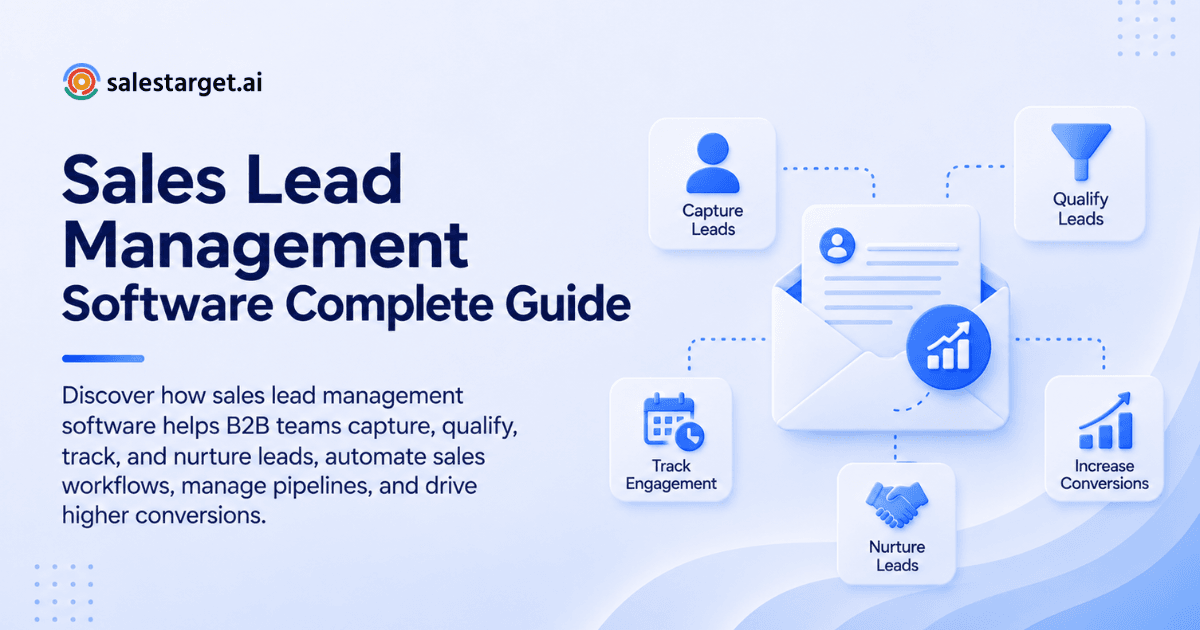
Capture brings leads in from forms, imports, referrals, and outbound lists. Qualification decides fit. Assignment gives each lead one owner. Nurturing keeps unready leads warm. Conversion moves a qualified lead into a deal. Each step needs an owner and a status, or the lead disappears.
Lead Management Software Compared With CRM and Sales Engagement Tools
A CRM stores records and deals. A sales engagement tool runs sequences. Lead management software connects them by deciding who gets worked, by whom, and when. Teams running separate tools need a sync rule for replies, or conversation history splits in two.
Lead Statuses, Opportunity Stages, and Ownership Responsibilities
A status describes a lead's state (New, Working, Nurturing, Disqualified). A stage describes an opportunity's progress (Discovery, Proposal, Negotiation). Mixing them breaks reports. Give every lead one owner, and let ownership change only through a logged handoff.
Building a B2B Lead Management Process Before Choosing Software
Ideal Customer Profiles and Account Qualification Criteria
Write the ICP as rules a rep can test in two minutes: industry, company size, role, tech stack, and one hard disqualifier. Add a signal rule, such as recent funding or a hiring spike. If two reps would score the same account differently, the criteria are too loose.
Required Lead Fields, Lifecycle Stages, and Ownership Rules
Require only fields that drive decisions: owner, source, lifecycle stage, verified email, role, and next-step date. Keep lifecycle stages few and mutually exclusive. Ownership rules say who holds a lead at each stage and who can reassign it.
Response Targets and Sales Acceptance Criteria
Set a response target per lead type: demo requests in minutes, campaign replies the same business day, imported leads within a day of upload. Sales acceptance criteria state what an AE needs before taking a lead: confirmed fit, a stated need, and a dated next step.
A Shared Process for SDRs, AEs, Sales Leaders, and RevOps
SDRs capture and qualify. AEs accept and convert. Sales leaders watch lead aging and conversion. RevOps owns fields, routing, and reporting. Write one page naming who does what at each status. Disputes drop once that page exists.
Lead Capture, Contact Enrichment, and Data Quality
Lead Capture Software for Forms, Referrals, Imports, and Outbound Lists
Lead capture software should take in web forms, referrals, CSV imports, and outbound lists, then tag the source on arrival. Salestarget.ai's Lead Explorer pulls outbound leads from a large database of professional profiles, enriches them at search, and pushes them to a sequence or the CRM with no CSV.
Decision-Maker Contact Information and Business Phone Number Lookup
Decision-maker contact data means a verified email and a reachable phone for the person who signs off. Business phone number lookup fills the gap when email gets no reply. One-click enrichment in Salestarget.ai returns professional email, personal email, phone, and mobile for each lead.
B2B Phone Number Finder Coverage and Business Direct Dial Lookup Checks
Test coverage yourself instead of trusting vendor claims. Pull 100 target contacts, run them through the B2B phone number finder, and count how many direct dials connect. Split results by region and seniority, since coverage for a VP in Germany differs from a manager in Texas.
Email Verification, Data Freshness, and Duplicate Record Handling
Verify emails at the moment of enrichment, not whenever the data was first scraped. Recheck older records before each campaign. Merge duplicates on email and company domain before outreach starts. Salestarget.ai's validator runs MX and SMTP checks and flags disposable addresses.
Source Attribution and Activity History Across Lead Records
Every lead record should carry its source, campaign, and a timeline of emails, calls, and notes. Without source history, you cannot tell which channel creates pipeline. Salestarget.ai's CRM logs each email and call to the lead timeline automatically.
Lead Qualification, Scoring, and Sales Prioritization
Account Fit, Business Need, Buyer Readiness, and Purchase Timing
Score four things: account fit (does the company match the ICP), business need (a problem you solve), buyer readiness (role and authority), and timing (a trigger or stated deadline). Fit without timing belongs in nurturing. Timing without fit wastes rep hours.
Marketing-Qualified, Sales-Qualified, and Sales-Accepted Lead Criteria
An MQL meets fit and engagement thresholds. An SQL has a rep-confirmed need and authority. An SAL is an SQL that an AE has formally accepted. In pure outbound, skip the MQL and define SQL as a positive reply plus confirmed fit.
A Sample Lead Scorecard Combining Fit and Buying Signals
Use a simple lead scoring model that mixes fit with live signals:
| Signal | Points |
|---|---|
| Role matches ICP buyer | 20 |
| Company size in range | 15 |
| Intent topic surge or funding/hiring event in the last 30 to 90 days | 20 |
| Positive reply or meeting request | 30 |
| Verified direct contact | 5 |
| Relevant tech in stack | 10 |
Qualification Thresholds for Active Sales, Nurturing, and Disqualification
Set three bands. A score of 70 or higher goes to active sales. A score of 40 to 69 goes to nurturing. Below 40, or any hard disqualifier such as wrong geography, is disqualified with a reason code. Review the thresholds monthly against closed deals.
Lead Routing and SDR-to-AE Handoffs
Territory, Account Ownership, Capacity, and Round-Robin Assignment
Route by territory first, named accounts second, capacity third, and round-robin for whatever remains. Order matters: round-robin first sends a Texas account to a rep who covers Europe. Cap each rep's open leads so new leads never land in an overloaded queue.
Routing Exceptions for Duplicate Leads and Unavailable Reps
A lead that matches an existing account goes to that account's owner, not the next rep in line. If a rep is out, route to a named backup after a set wait. Duplicates merge into the oldest record with the full activity history attached.
Qualification Evidence, Buyer Context, and Agreed Next Steps
A handoff needs the reply or call note, the pain in the buyer's own words, the buying role, any signal that triggered outreach, and an agreed next step with a date. An AE who re-asks discovery questions loses the buyer's trust. Use this SDR-to-AE handoff checklist as a starting template.
Want replies routed with owners already assigned? Book a Salestarget.ai demo and watch Unibox sort replies by intent and sync deals to the CRM.
AE Acceptance, Rejection Reasons, and Returned Leads
AEs accept or reject within a set window, using a reason from a fixed list: no budget, wrong role, no need, bad timing, duplicate. Rejected leads return to the SDR or to nurturing with the reason attached. If one reason keeps repeating, the qualification rule is wrong.
Automated Lead Management Across Email, LinkedIn, and Calls
Follow-Up Triggers, Task Ownership, and Response Deadlines
Trigger tasks from events: a positive reply, a meeting that ends, a missed call, silence after the last sequence step. Each task gets one owner and a due time. In Salestarget.ai's CRM, follow-up tasks are created automatically when a lead replies or a meeting ends.
Shared Conversation History Across Outreach Channels
Email, LinkedIn, and call history belong on one lead timeline. When a lead answers a LinkedIn message, the rep needs to see the email thread too. Salestarget.ai runs email and LinkedIn in one coordinated flow, so context carries across both channels.
Sequence Stop Rules for Replies, Opt-Outs, and Disqualified Leads
Stop the sequence on any reply, opt-out, bounce, booked meeting, or disqualification. The edge case most teams miss is the cross-channel stop: a lead replies by email and the LinkedIn sequence keeps sending nudges. Conditional sequences that branch on replies fix this.
Lead Recycling and Longer-Term Nurturing
Recycle leads that were not ready, not leads that were wrong. Set a re-entry date, tag the original reason, and restart them on a short sequence tied to a new trigger such as funding or a hiring spike. Never restart a lead who opted out.
Sample Workflow From Campaign Reply to AE-Accepted Opportunity
- A lead replies on email. Unibox tags the reply as Interested.
- The lead lands in the CRM with its source and thread, and an owner is assigned by territory.
- A follow-up task is created, due the same business day.
- The SDR confirms fit and need, adds notes, and pauses sequences on every channel.
- The SDR hands off to the AE with a dated next step.
- The AE accepts, creates a deal, and the status moves to opportunity.
AI-Assisted Lead Management With Human Review
Prospect Research, Contact Enrichment, and Lead Prioritization
AI handles the grunt work: building lists, enriching contacts, and ranking leads against ICP and intent. Salestarget.ai's AI Copilot finds leads across its professional profile database from a plain-English request. A rep still decides who is worth a call.
Outreach Drafts and Conversation Summaries Based on Recorded Buyer Context
AI drafts and summaries are only as good as the recorded context behind them. If the CRM holds the pain point, role, and last reply, the draft reflects them. If it holds nothing, the draft reads generic. Have reps edit before sending.
Review Rules for AI Qualification Suggestions and CRM Updates
Let AI suggest a qualification status or CRM update, but require a rep to approve changes to stage, owner, or disqualification. Spot-check a sample weekly. If AI-suggested statuses and rep-confirmed ones drift apart, tighten the scorecard or the prompt.
Lead Management Metrics That Connect Activity to Pipeline Growth
Response Time, Unworked Leads, and Lead Aging
Track median time to first touch, the count of leads with no activity after the response target, and lead age by status. Median beats average, since one three-day outlier skews the average. Report reply-to-owner time separately for campaign leads.
Qualification Rate, Handoff Acceptance, and Lead-to-Opportunity Conversion
Qualification rate is qualified leads over worked leads. Handoff acceptance is AE-accepted over handed-off. Lead-to-opportunity is opportunities over total leads in the cohort. Read them as a chain: a drop at one step shows where the process leaks.
Pipeline Contribution by Source, Campaign, and Cohort
Attribute pipeline by source, campaign, and monthly cohort. Cohorts show whether a source converts in 20 days or 60, which a quarterly total hides. Salestarget.ai's CRM reports show which campaigns drive meetings and deals.
Revenue Outcomes and Rep Time Saved Against Operating Costs
Tie the system to closed revenue and hours saved. Salestarget.ai's CRM cuts manual follow-up work for each rep every week and keeps follow-up completion high. Weigh those gains against what the stack takes to run and who administers it.
Lead Management Mistakes That Disrupt Follow-Up and Reporting
Treating Email Opens and High Lead Scores as Sales Readiness
An open is not interest, and a high score is not readiness. Apple Mail privacy features and security scanners inflate opens. Treat a reply, a meeting request, or a confirmed need as the readiness signal.
Counting Unqualified Contacts as Pipeline Opportunities
Pipeline means opportunities with a confirmed need, a buyer, and a next step. A contact in a sequence is a prospect. Counting prospects as pipeline makes forecasts look healthy until the quarter closes.
Conflicting Account Ownership and Duplicate Outreach
Two reps emailing the same company looks careless and burns the account. Check ownership before any lead enters a sequence, and block sequences on accounts that have an active owner or an open deal.
Lost Stage History and Recycled Leads That Inflate Conversion Reports
Overwrite a status and you lose the time spent in each stage. Count recycled leads as new and conversion rates inflate. Keep an unedited stage history, and report recycled leads as their own cohort.
Comparing Sales Lead Management Software for Your Team
Selection Criteria for Founder-Led Sales, SDR Teams, and Agencies
Founder-led teams need speed and one tool. SDR teams need routing, sequences, and handoff rules. Agencies need client separation and clean export. Pick on the workflow you run weekly, not on the feature list.
Salestarget.ai, HubSpot, Salesforce, Pipedrive, and Zoho CRM Comparison
Salestarget.ai combines lead data, email and LinkedIn outreach, validation, and a CRM in one platform built for outbound. HubSpot and Zoho CRM are broad suites. Salesforce is built for deep customization with admin support. Pipedrive is pipeline-first. All four can hold lead records, so check where enrichment and outreach sit in each plan.
Native Features, Integration Requirements, and Plan Restrictions
List every task you need and mark it native, integration, or add-on. A feature that needs a third tool adds a sync to maintain and one more vendor to manage. Check plan limits on seats, sequences, and API access before the trial ends.
CRM Sync, Team Permissions, Client Separation, and Data Export
Salestarget.ai connects with HubSpot, Salesforce, and Zoho, so teams that keep an existing CRM can sync leads and deals. Test role-based permissions, client workspace separation for agencies, and a full data export before you commit.
A Vendor Evaluation Scorecard Using the Same Lead and Workflow Tasks
Run every vendor through the same five tasks: import a list, enrich and verify it, route to an owner, run a two-channel sequence, and report from source to opportunity. Score each task 1 to 5 and total it. Same tasks, same data, fair comparison.
Sales Lead Management Software Pricing and Total Cost
User Seats, Lead Credits, Contact Lookups, and Outreach Add-Ons
Spend breaks into four lines: user seats, lead or contact credits, contact lookups, and outreach add-ons such as extra inboxes or LinkedIn accounts. Ask each vendor which lines scale with volume and which stay flat.
Migration, Training, Integration, and Administration Costs
Count the one-time and recurring work: migrating records, training reps, building integrations, and the admin hours to maintain fields and routing. A tool that looks cheaper but needs a part-time admin may not be.
Sample Cost Comparisons for Five-Rep and Ten-Rep Teams
Build the comparison in a sheet. For each vendor, total seats, credits, add-ons, and admin hours for five reps, then repeat for ten. Watch which lines grow in steps. A platform bundling data, outreach, and CRM removes line items from the sheet. Separate tools add them.
ROI Calculations Based on Revenue Contribution and Sales Capacity
ROI is revenue contribution plus rep time saved, minus total operating spend, divided by that spend. Value saved hours at what a rep costs per hour, and count only revenue from opportunities the system sourced or sped up.
A 30-Day Sales Lead Management Implementation Plan
Week One: Audit Lead Sources, Ownership, and Follow-Up Gaps
List every lead source, name the owner of each, and measure current time to first touch. Pull leads with no activity in 14 days. That list is your baseline and your first cleanup target.
Week Two: Clean Data and Configure Fields, Stages, and Routing
Remove duplicates, verify emails, and set up required fields, lifecycle statuses, and routing rules. Keep the field list short. Every extra required field slows reps down.
Week Three: Pilot Capture, Qualification, Follow-Up, and Handoffs
Pilot with one SDR pair and one AE. Run capture, qualification, a two-channel sequence, and three live handoffs. Log every place the workflow breaks. Start free with Salestarget.ai and run the pilot on a live campaign.
Week Four: Review Adoption, Workflow Failures, and Conversion Results
Review adoption (are reps working in the system daily), workflow failures, and lead-to-opportunity conversion against the week-one baseline. Fix the top three failures, then roll out to the full team.
Why Choose Salestarget.ai
B2B Lead Data and Enrichment for Targeted Prospect Lists
Lead Explorer searches verified professional profiles and business entities with built-in intent signals. Search in plain English or stack filters, then enrich with one click for verified email, phone, and mobile. Push leads to a sequence or the CRM with no CSV.
Email and LinkedIn Outreach Within One Platform
Email Outreach builds multi-step sequences from a plain-English audience description. LinkedIn Outreach automates connection requests, messages, and follow-ups with rate limits and auto-pause safeguards. Both run in one flow, and Unibox pulls every reply into one view.
Email Validation, Inbox Rotation, and Authentication Checks
The Email Validator checks MX and SMTP records, detects disposable addresses, and scores risk before you send. Salestarget.ai validates emails before they go out. Inbox rotation and SPF, DKIM, and DMARC checks protect sender reputation.
Built-In CRM for Lead Records, Deals, Activities, and Follow-Up Tasks
The CRM receives campaign leads automatically, logs every email and call to the lead timeline, and creates follow-up tasks when a lead replies or a meeting ends. Five modules cover lead management, deal pipeline, tasks, activity tracking, and reports. A built-in dialer logs calls, and setup takes under a day.
AI Copilot for Lead Searches, Campaign Drafts, and Task Management
The AI Copilot is free inside the platform. Ask it to find leads, draft sequences, query CRM deals and tasks in plain language, and assign tasks. It flags at-risk deals and suggests the next move. Strategy stays with your team.
Build a More Consistent Lead-to-Opportunity Process With Salestarget.ai
Missed leads rarely come from bad reps. They come from missing ownership, slow follow-up, and context scattered across tools. Fix the process first: one owner per lead, clear statuses, response targets, and stop rules across channels. Then pick software that keeps it all in one place.
Salestarget.ai gives outbound teams lead data, email and LinkedIn outreach, validation, a CRM, and an AI Copilot in one workspace, so a reply never waits without an owner. Start free with Salestarget.ai and run your first lead through the full path this week.