Your rep spent Monday building a list. By Wednesday a third of it bounced, half the "replies" were out-of-office notices, and the follow-ups never went out. Cold email at volume breaks in boring, repetitive ways.
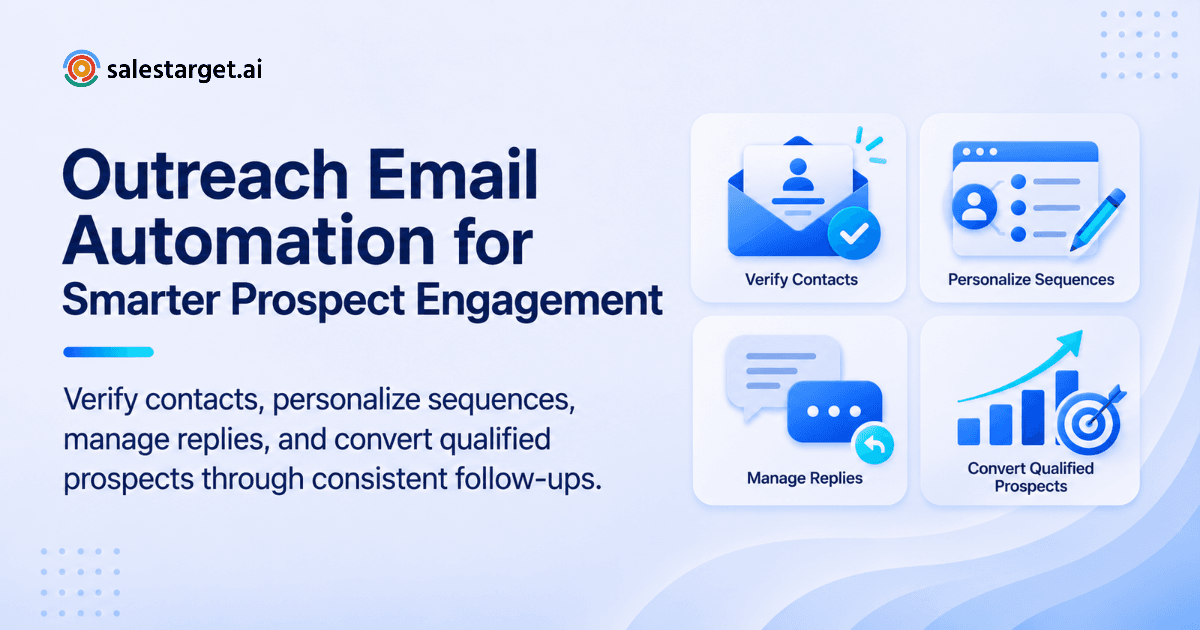
Outreach email automation is software that finds prospects, verifies their emails, sends a timed series of personalized messages, stops when someone replies, and hands interested replies to a salesperson. You set the audience and message once. The system handles sending, pacing, follow-ups, and tracking. Salestarget.ai runs all of it in one workspace, from lead search to CRM.
The Growing Challenges of Managing B2B Email Outreach at Scale
Scale exposes every weak spot in a manual process. Four show up first.
Increasing prospecting workloads and repetitive sales activities
A rep who researches, writes, sends, and logs by hand tops out at a few dozen quality touches a day. Past that, research gets thin and copy gets recycled. Repetitive work is the first thing to automate.
Maintaining personalized communication across large prospect databases
Personalization breaks somewhere around the 200th row of a spreadsheet. Reps fall back on one template with a first-name merge field, and buyers spot it in a second.
Managing follow-ups across multiple campaigns and buyer segments
Follow-ups carry a big share of replies in most sequences, and they are the first thing reps drop. With several campaigns live, nobody remembers who got the day-three nudge and who was skipped.
Email deliverability challenges and declining prospect engagement
Google and Yahoo's bulk sender rules, in force since 2024, require SPF, DKIM, and DMARC for senders above 5,000 messages a day and expect spam complaints to stay under 0.3%. Dirty lists and repeat sends push you toward that line.
Understanding Outreach Email Automation and Its Role in B2B Sales
Outreach email automation is a connected system, not a mass-mailer. Here is what sits inside it and where AI fits.
Core components of an automated email outreach system
Five parts: a prospect source, enrichment, email validation, a sequence engine with warmed inboxes, and reply handling. A weak part drags down the rest. A list with no validation burns inboxes. A sequence with no reply handling loses deals. See how an email outreach automation platform manages email campaigns for the mechanics.
The email automation workflow from prospect discovery to conversion
Find the account, find the decision-maker, enrich and verify the contact, enroll them in a sequence, pause on reply, qualify the reply, and move the lead into the pipeline. In Salestarget.ai this runs without a CSV export.
Manual email outreach vs. automated email campaigns
Manual outreach wins on depth for a short list of strategic accounts. Automated campaigns win on coverage, timing, and consistency for everything else. Most teams run both: automation for first touches and follow-ups, humans for replies.
The role of AI in modern sales email automation
AI drafts sequences, varies copy, personalizes by role and industry, and sorts replies by intent. In Salestarget.ai, the AI Copilot builds a full sequence from a plain-English audience description, and the AI Spintax Generator keeps wording varied so messages do not look identical.
Business Benefits of Automating B2B Email Outreach Campaigns
Automation removes the typing, not the thinking. The gains show up in five places.
Increased prospect coverage and sales team productivity
Reps reach more of the right accounts and spend the freed hours on replies and calls. Salestarget.ai's CRM data points to about 6 hours saved per rep per week.
Consistent follow-up communication throughout the sales cycle
Every prospect gets the same number of touches at the planned gaps. In the Salestarget.ai CRM, follow-up tasks are created automatically when a lead replies or a meeting ends, which supports a 91% follow-up completion rate.
Better audience targeting and personalized prospect engagement
Segments by industry, seniority, company size, tech stack, and intent topic let you send a different angle to each buyer. Lead Explorer's 4,000+ intent signals point you to accounts already researching your category.
Improved campaign visibility and sales pipeline management
A shared pipeline shows which campaigns produce meetings, not just opens. One dashboard holds email stats, open deals, meetings, and pending tasks.
Scalable outbound operations for growing revenue teams
Adding inboxes and sequences becomes a setting, not a hire. Unlimited inboxes with AI warm-up and rotation let volume grow without stacking risk on one domain.
Building a High-Converting Outreach Email Automation Workflow
Eight steps, in this order. Skipping the early ones is how most campaigns go wrong.
Defining the ideal customer profile and target decision-makers
Write the ICP as filters, not adjectives: industry, role, seniority, department, company size, revenue, location, and tech stack. Lead Explorer's ICP Builder saves these so every campaign starts from the same definition.
Building targeted prospect lists with verified B2B contact data
Search in plain English or stack Business and People filters across 840M+ professional profiles and 146M+ business entities. Lead Explorer pushes results straight into a sequence, so no CSV passes between tools.
Enriching prospect records and validating email addresses
One-click enrichment returns verified professional email, personal email, phone, and mobile. Verification happens at the moment of enrichment, not whenever the data was first scraped. A rule worth adopting: re-verify any list older than 30 days before it enters a sequence, since people change jobs constantly.
Developing personalized email messaging for different buyer segments
Write one message per buyer segment, not per company. Lead with a problem that segment names out loud. A VP of Sales and an SDR manager need different first lines, even at the same company. Our cold email outreach strategy guide goes deeper on angles.
Creating automated email sequences and follow-up workflows
Build four to five steps over two to three weeks: a problem-led first touch, a short value follow-up, a question or proof step, and a clean break-up. Email Outreach builds the steps and pacing from an audience description.
Configuring sending schedules, inbox rotation, and sending limits
Send in the prospect's business hours, cap daily sends per inbox, and rotate across inboxes. Start new inboxes low and ramp as warm-up completes. Salestarget.ai handles rotation and warm-up automatically.
Managing prospect replies and transferring qualified leads to sales
Unibox pulls every reply into one view and sorts it as Interested, Follow-Up, or Not a Fit. Interested replies get an owner and sync to the CRM as deals. Set a standing rule: a human answers a positive reply within the hour.
Tracking campaign results and refining outreach strategies
Review weekly: positive reply rate, meetings booked, bounce rate, and spam complaints. Change one variable at a time (subject line, first line, offer, or timing) so you know what moved the number.
Want to run this workflow without stitching four tools together? Start free with Salestarget.ai and build your first sequence straight from a Lead Explorer search.
Email Sequence Automation Strategies for Higher Prospect Engagement
A sequence is a short conversation, not a blast. These six habits keep it that way.
Structuring introductory emails around buyer challenges
Open with the buyer's problem in one sentence, add one line on how teams like theirs handle it, and finish with a low-friction question. Skip the company bio. Keep it under 100 words.
Creating value-driven follow-up messages
Each follow-up should add something new: a short insight, a relevant signal, a sharper question, or a one-line result. "Just bumping this" adds nothing and trains buyers to ignore you.
Using behavioral triggers and conditional email sequences
Branch on what the prospect does. A reply stops the sequence. A bounce removes the contact. One gap most guides skip: when one contact at a company replies, pause the sequence for their colleagues at that account until a rep decides how to approach them. LinkedIn Outreach branches on replies, actions, or silence, so email and LinkedIn steps stay in sync.
Personalizing messages through industry, role, and intent signals
Use signals the buyer would recognize: a funding round, a hiring spike, a leadership change. Lead Explorer surfaces these on a 30 to 90 day lookback, along with Bombora Intent Topics. A first line tied to a fresh event beats a generic compliment.
Optimizing follow-up timing and sequence frequency
Space early follow-ups two to three days apart and later ones further out. Too tight looks automated. Too loose and the first email is forgotten. Test gaps per segment.
Combining automated communication with human sales interactions
Automate the first three touches. When a prospect replies, a rep takes over with a written note or a call. The CRM's built-in dialer supports click-to-call and logs the call automatically.
Key Features of an Effective Email Outreach Automation Platform
Nine capabilities separate a working platform from a mailer with a scheduler.
B2B prospect database and lead enrichment capabilities
Look for a native database, not a CSV upload. Salestarget.ai holds 840M+ professional profiles and enriches contacts at the moment of search.
AI-powered email personalization and content generation
The AI Content Generator writes first drafts by role, industry, and company size. The AI Spintax Generator varies phrasing across thousands of sends.
Automated follow-ups and multistep sequence builders
A builder should set steps, gaps, and stop conditions. Email Outreach auto-builds first touch, follow-ups, and pacing, and Salestarget.ai reports campaigns are created 35% faster.
Email warm-up and sender reputation management
Automatic AI warm-up builds inbox history before volume rises. SPF, DKIM, and DMARC checks catch setup errors that send mail to spam.
Email validation and bounce prevention
MX and SMTP checks, disposable-email detection, and risk scoring should run before every send. Salestarget.ai validates 90% of emails before they go out.
Unified inbox and centralized reply management
Unibox collects replies from every inbox, sorts them by intent, assigns owners, and syncs deals to the CRM. Nobody hunts through ten mailboxes.
Campaign analytics and performance tracking
Track positive reply rate and meetings by campaign, segment, and inbox. Opens alone mislead.
CRM connectivity and sales workflow automation
Campaign leads should land in the CRM with no imports. Salestarget.ai connects with HubSpot, Salesforce, Zoho, Google Calendar, Calendly, Slack, and Zapier.
Multichannel outreach through email and LinkedIn
Connection requests, DMs, and follow-ups run in one flow with email, with timezone-aware scheduling, rate limits, and auto-pause safeguards on the LinkedIn side.
Optimizing Email Deliverability and Campaign Performance
Deliverability is the base layer. Great copy sent to the spam folder converts nothing.
Maintaining healthy sending domains and inboxes
Send from secondary domains, keep the primary domain for company mail, and spread volume across inboxes. Watch spam complaints: Google names 0.3% as the ceiling and 0.1% as the target.
Improving email placement through warm-up and sending practices
Ramp volume slowly, keep emails short with few links, and include an easy opt-out. Warm-up helps new inboxes. It does not fix a bad list.
Reducing bounce rates with contact validation
Verify before sending and re-verify old lists. A common working target is a bounce rate under 2%. Anything higher is a sign to pause and clean the list.
Improving subject lines, email copy, and calls to action
Write subject lines the way a colleague would: short and specific. Ask for one small action, such as interest in a short example, not a 30-minute meeting.
Testing campaign variations and follow-up sequences
Test one variable per campaign and wait for 100 to 200 sends per variant before picking a winner. The AI Copilot builds A/B variations from a prompt.
Measuring reply rates, positive responses, and qualified conversions
Rank metrics in this order: qualified conversions, meetings, positive replies, reply rate, then bounces and complaints. Open rates sit last, since Apple Mail Privacy Protection inflates them.
Using campaign analytics to improve outbound performance
Review weekly by campaign, segment, and sender inbox. A segment with a high reply rate and few meetings points to a mismatch in the offer. The Copilot shows which campaigns drive revenue.
Why Choose Salestarget.ai for Outreach Email Automation
Apollo supplies data and engagement but needs extra tools for deliverability and a CRM. Instantly, Smartlead, and Lemlist focus on cold email and deliverability, with no native B2B database, LinkedIn automation, or real CRM. Salestarget.ai covers the whole chain in one platform.
Lead Explorer for B2B prospect discovery and contact enrichment
Lead Explorer searches 840M+ professional profiles, 146M+ business entities, 4,000+ intent signals, and 50+ data sources. Contacts are 99% verified at the point of enrichment.
Email Outreach for AI-powered sequences and automated follow-ups
Describe the audience in plain English and Email Outreach builds the sequence. Unlimited inboxes get AI warm-up and rotation, and SPF, DKIM, and DMARC are checked automatically.
LinkedIn Outreach for coordinated email and LinkedIn prospecting
LinkedIn Outreach automates connection requests, DMs, and follow-ups with AI personalization by profile, role, and industry. It runs in one flow with email, so context carries across both channels.
Email Validator for MX/SMTP contact verification
Email Validator runs MX and SMTP checks, disposable-email detection, and risk scoring. It offers a real-time API and bulk list cleaning, and connects across 60+ platforms.
Built-in CRM for managing conversations and sales activities
The CRM covers Lead Management, Deal Pipeline, Tasks and Follow-Ups, Activity Tracking, and Reports. Teams report 3.2X faster deal cycles and 2.4X more meetings from the same leads.
AI Copilot for prospect research, email creation, and sales queries
The AI Copilot is free inside the platform. Ask it to find leads, draft a personalized sequence, or list this week's pending tasks. It flags at-risk deals and suggests the next move.
Managing the complete sales outreach workflow from one platform
Find a lead, enrich and verify it, push it into an email and LinkedIn sequence, and close it in the CRM, all in one workspace. Try it on a small audience first and read the results before scaling.
Common Mistakes That Limit the Results of Automated Email Campaigns
Most failed campaigns trace back to one of these seven.
Prioritizing email volume over prospect relevance
A tight list of 500 decision-makers beats 5,000 loose contacts on meetings per send, and it protects the domain.
Using generic templates without meaningful personalization
A merge field is not personalization. Reference the role's real problem or a recent event the prospect would recognize.
Ignoring domain health and email deliverability
Teams add inboxes to raise volume and never check DNS records. Verify SPF, DKIM, and DMARC on every new domain before the first send.
Sending unnecessary follow-ups to unresponsive or uninterested prospects
Step four sent to someone who said no, or whose colleague already replied, costs reputation and goodwill. Set stop rules for replies, bounces, and unsubscribes.
Failing to separate interested replies from automated campaign activity
Out-of-office notices, bounces, and auto-replies inflate reply counts and bury real interest. Unibox sorts by intent. Count only human replies in reports.
Relying on open rates instead of meaningful conversion metrics
Privacy features trigger opens without a human reading anything. Track positive replies and meetings instead.
Automating sales communication without monitoring campaign performance
Set a weekly check on bounce rate, spam complaints, reply rate, and inbox health. Pause any inbox with rising bounces before it drags down the domain.
Building a Sustainable B2B Email Outreach Strategy for Long-Term Growth
Short-term wins come from volume. Long-term results come from a system that keeps getting cleaner.
Connecting prospecting, enrichment, validation, and outreach
Four tools mean four logins, four exports, and four places for data to go stale. One connected workflow keeps context from first search to closed deal.
Balancing automation with relevant human communication
Automate what repeats: sending, pacing, logging. Keep humans on replies, calls, and high-value accounts.
Scaling campaigns through continuous testing and optimization
Run one test per segment each week, keep the winners, and retire the losers. Over a quarter, sequences get measurably sharper.
Connecting email engagement with lead qualification and pipeline management
Link every positive reply to a lead record, an owner, and a next task. The CRM creates follow-up tasks automatically when a lead replies, which keeps warm leads from going cold.
Turning Email Outreach Automation Into a Scalable Sales Process
The pain at the start of this post is common: lists that bounce, follow-ups that never go out, replies buried under automated noise. Each one traces back to tools that do not talk to each other.
Salestarget.ai fixes that by keeping the whole chain in one workspace. Lead Explorer finds and verifies the contact. Email Outreach and LinkedIn Outreach run the sequence. Unibox sorts the replies, and the CRM tracks the deal to close. No exports, no gaps, no guessing which campaign worked.
Ready to build outreach that scales without breaking? Start free with Salestarget.ai and launch your first automated sequence today.