Every SDR who has spent a Monday morning manually sending connection requests, one profile at a time, understands the bottleneck. You find a prospect, craft a message, click send, move to the next profile, and repeat the cycle fifty or a hundred times before lunch. Then you do the same thing tomorrow. And the day after that.
The messages start strong. By the fortieth prospect, they get shorter, less relevant, and easier to ignore. Follow-ups slip through the cracks. The spreadsheet where you tracked who replied three days ago is already outdated. And the prospects who were a great fit last week have already connected with a competitor who showed up on time.
LinkedIn outreach automation exists to solve exactly this problem. It replaces the repetitive, error-prone parts of LinkedIn prospecting with a system that handles connection requests, messages, and follow-ups on a consistent schedule. But automation alone does not guarantee better results. Without thoughtful targeting, personalization, and sequence design, automated outreach simply delivers bad messages faster. This guide walks through how LinkedIn outreach automation actually works, what sales teams should automate, what should stay manual, and how to build a process that earns replies rather than ignore buttons.
What LinkedIn Outreach Automation Actually Means
LinkedIn outreach automation refers to using software to execute repetitive LinkedIn prospecting actions on behalf of a sales rep. Instead of manually visiting each prospect's profile, typing out a connection request note, and scheduling reminders to follow up, the software handles those steps according to rules and sequences the rep defines in advance.
The typical actions that LinkedIn outreach automation software handles include sending connection requests with personalized notes, delivering direct messages after a connection is accepted, sending timed follow-up messages if a prospect does not reply, and performing engagement actions such as profile visits or post interactions that warm up a prospect before the first message.
What automation does not do is think for you. It does not decide which prospects are worth reaching out to, what to say that will resonate with a VP of Engineering versus a Head of Procurement, or when a prospect has signaled enough interest to warrant a phone call. Those decisions remain with the sales team. Automation handles the execution layer so the rep can focus on the strategy layer.
Why Sales Teams Automate LinkedIn Outreach
Manual LinkedIn outreach does not scale. A single SDR can realistically send 30 to 50 personalized connection requests per day while also managing replies, updating the CRM, and handling other channels. That number might generate a handful of accepted connections and, eventually, one or two conversations worth pursuing. For a team trying to fill pipeline consistently, that math does not work.
Automation solves three specific problems that manual outreach creates as volume increases.
Consistency Breaks Down
When reps handle outreach manually, the quality of each message depends on how much time and energy they have at that moment. The first ten messages of the day are thoughtful. The last twenty are templates with a name swapped in. Automation ensures every prospect receives the same level of attention, with personalization pulled from profile data rather than typed out under time pressure.
Follow-Ups Fall Through
Most LinkedIn conversations require two or three follow-up messages before a prospect engages. Manually tracking who needs a follow-up, when, and what was said previously is where most outreach processes fall apart. LinkedIn outreach automation software handles follow-up timing and logic automatically, so no prospect is forgotten simply because the rep got busy.
Time Spent on Execution Crowds Out Strategy
Every minute a rep spends clicking through LinkedIn profiles is a minute not spent researching accounts, preparing for calls, or refining their messaging. Automating the mechanical parts of outreach gives reps more time for the work that requires human judgment.
Which Parts of LinkedIn Outreach Can Be Automated
Not everything in a LinkedIn outreach workflow should be automated. The strongest results come from automating execution tasks while keeping strategy and high-judgment decisions in the hands of the rep.
Actions that are well-suited for automation:
Sending connection requests with personalized notes based on profile data. Delivering first messages after a connection is accepted. Scheduling and sending follow-up messages at defined intervals. Visiting prospect profiles to trigger the "someone viewed your profile" notification. Tracking which prospects have replied, accepted, or gone silent.
Actions that should remain manual or semi-manual:
Selecting which accounts and prospects to target. Deciding the core value proposition and messaging angle for a campaign. Responding to replies and steering conversations toward a meeting. Evaluating whether a prospect's reply signals genuine interest or a polite decline. Adjusting campaign strategy based on what is and is not working.
The dividing line is straightforward: if the action is repetitive and follows a rule, automate it. If it requires reading context, making a judgment call, or building rapport, keep a human involved. Platforms like SalesTarget.ai's LinkedIn outreach automation are designed around this principle, automating connection requests, messages, and follow-ups while giving reps full control over targeting and reply management.
How Automated Connection Requests and Follow-Ups Work
Understanding the mechanics of LinkedIn outreach automation helps sales teams set up campaigns that feel natural to prospects rather than robotic.
The Connection Request
When a campaign launches, the automation software sends connection requests to the prospect list at controlled intervals. Each request includes a personalized note, typically drawn from the prospect's job title, company name, industry, or a specific detail from their LinkedIn profile. The software sends requests within daily limits to stay within LinkedIn's acceptable usage patterns and avoid account restrictions.
Post-Connection Messaging
Once a prospect accepts the connection request, the next step in the sequence triggers. This is usually a direct message that expands on the initial note, introduces a specific value proposition, or asks a relevant question. The timing of this message matters. Sending it instantly after acceptance can feel aggressive, while waiting too long risks losing the momentum of the new connection.
Follow-Up Logic
If the prospect does not respond to the first message, the automation software sends follow-up messages at defined intervals. A well-designed follow-up sequence typically includes two or three additional touchpoints, each offering a slightly different angle or piece of value. The sequence pauses automatically when the prospect replies, so they never receive a follow-up message after they have already started a conversation.
This entire sequence runs independently for each prospect based on their individual behavior. One prospect might accept and reply on the same day, while another might accept a week later. The automation handles each timeline separately, which is exactly why it outperforms manual tracking.
How Personalization Fits Into Automated LinkedIn Outreach
The concern most sales teams have about automation is that it will make their outreach sound generic. That concern is valid when personalization is treated as an afterthought. But LinkedIn outreach automation software has evolved past the days of simple "Hi {first_name}" merge tags.
Modern LinkedIn automation platforms use AI to generate personalized elements within each message. This typically involves pulling data from the prospect's LinkedIn profile, such as their current role, recent job change, company size, industry, or content they have posted, and incorporating those details into the message in a way that reads naturally.
Effective personalization in automated outreach is not about making every message look hand-typed. It is about making every message relevant. A message that references the prospect's specific role and connects it to a problem your product solves will outperform a generic message every time, regardless of whether it was written by a rep or generated by software.
The key is giving the automation enough context to personalize meaningfully. That starts with the quality of the prospect data going into the campaign, which brings up the next critical point.
Why Targeting and Prospect Quality Determine Results
Automation amplifies whatever you put into it. If the prospect list is well-targeted, automation delivers personalized messages to the right people at consistent intervals. If the list is poorly targeted, automation delivers irrelevant messages to the wrong people at consistent intervals.
This is where many teams underestimate the work required before launching an automated LinkedIn outreach campaign. The most effective campaigns start with a clearly defined ideal customer profile (ICP) and a prospect list built around it. Factors like company size, industry, job title, seniority, and technology stack all matter. The more precisely the list matches the ICP, the higher the connection acceptance and reply rates will be. Teams that invest in signal-based prospecting, using buying signals like recent funding rounds, job changes, or technology adoption to prioritize outreach, consistently outperform teams that simply blast the largest list they can build.
No amount of clever copywriting or automation logic can compensate for reaching out to prospects who have no reason to care about your product. Prospect quality is the single biggest lever in any LinkedIn outreach automation campaign.
How to Structure a LinkedIn Outreach Sequence
A LinkedIn outreach sequence is the series of steps a prospect moves through during an automated campaign. Designing this sequence well is what separates campaigns that generate conversations from campaigns that generate silence.
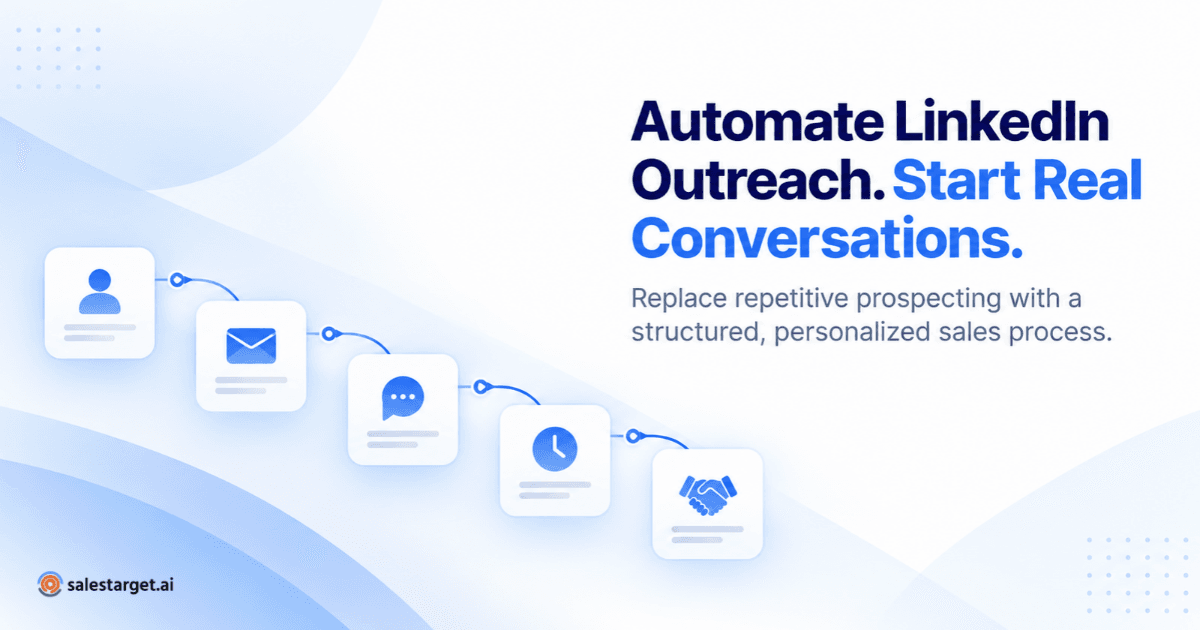
A practical LinkedIn outreach sequence for B2B sales typically follows this structure:
Step 1: Profile Visit
The automation visits the prospect's LinkedIn profile before sending a connection request. This creates a notification that puts your name in front of the prospect before they receive your request, which can increase acceptance rates.
Step 2: Connection Request With Personalized Note
A brief, relevant note that gives the prospect a reason to accept. This is not a sales pitch. It is a professional introduction that establishes common ground or relevance.
Step 3: First Message (After Acceptance)
Once the connection is accepted, the first direct message delivers a concise value proposition or asks a question tied to the prospect's role or business. This message should be short, specific, and easy to respond to.
Step 4: First Follow-Up (3 to 5 Days Later)
If there is no reply, a follow-up message introduces a different angle, shares a relevant insight, or asks a simpler question. The goal is to re-engage without repeating the first message.
Step 5: Second Follow-Up (5 to 7 Days Later)
A final follow-up that offers one more piece of value or a soft close, such as offering to share a resource or suggesting a brief call. If the prospect still does not respond, the sequence ends.
The exact timing and number of steps will vary depending on the industry, the seniority of the prospects being targeted, and the complexity of the product being sold. The principle remains the same: each step should offer something new rather than simply repeating the ask.
How to Avoid Making Automated Outreach Feel Robotic
The difference between automated outreach that works and automated outreach that gets ignored comes down to a few specific choices.
Vary your message lengths and structures. If every message in a sequence is exactly three sentences with the same format, it signals automation. Mix short and medium-length messages, use questions in some steps and statements in others.
Reference specific details, not just merge fields. "I saw your company recently expanded into the APAC market" is personalization. "Hi {first_name}, I noticed you work at {company_name}" is a template. AI-powered personalization tools can pull meaningful details from a prospect's profile and weave them into messages that read naturally.
Time your messages like a human would. Messages sent at 3:00 AM or at perfectly regular 72-hour intervals look automated. Good LinkedIn outreach automation software includes timezone-aware scheduling and randomized delays that mimic human sending patterns.
Do not send follow-ups that feel like reminders. "Just following up on my last message" adds no value. Each follow-up should introduce a new idea, resource, or question that gives the prospect a reason to engage.
Using Signals and Prospect Context Before Outreach
The most effective LinkedIn outreach campaigns do not start with a message. They start with research. Even in an automated workflow, the preparation that happens before the first connection request determines whether the outreach feels relevant or random.
Prospect signals, such as a recent job change, a new round of funding at their company, a relevant post they published, or a technology they recently adopted, give the outreach a natural entry point. Referencing these signals in the initial connection request or first message immediately separates the outreach from the dozens of generic messages the prospect receives every week.
Sales teams that combine automation with signal-based targeting see significantly higher acceptance and reply rates. The automation handles the execution, but the signals provide the relevance. This is particularly important for multichannel outreach strategies where LinkedIn is one touchpoint in a broader sequence that includes email. When the same prospect sees a relevant LinkedIn message and a complementary email within the same week, the combined effect is stronger than either channel alone.
Common Mistakes in LinkedIn Outreach Automation
LinkedIn outreach automation creates real value when implemented thoughtfully, but several recurring mistakes undermine campaign performance.
Prioritizing Volume Over Relevance
Sending more connection requests does not automatically mean more conversations. A campaign targeting 200 well-matched prospects will almost always outperform a campaign blasting 2,000 loosely targeted contacts. Relevance drives replies, not volume.
Using the Same Sequence for Every Audience
A message that resonates with a Director of Marketing will not work for a CTO. Different roles have different priorities, and the outreach sequence should reflect that. Segmenting prospects by role, industry, or pain point and tailoring the sequence for each segment produces better results.
Ignoring LinkedIn's Activity Limits
LinkedIn monitors account activity and can restrict accounts that send too many connection requests or messages in a short period. Good LinkedIn outreach automation software includes built-in safety controls, such as daily limits, warm-up periods, and randomized delays, that keep activity within safe thresholds. Ignoring these limits risks getting the account restricted.
Treating Automation as Set-and-Forget
Launching a campaign and checking results two weeks later is a missed opportunity. The best results come from monitoring campaign performance within the first few days, identifying which messages and segments are generating the strongest engagement, and adjusting the approach accordingly.
Skipping the Follow-Up Sequence
Many teams automate the connection request and first message but leave follow-ups to manual effort. Since most replies come after the second or third touchpoint, this leaves significant value on the table. The entire sequence, including follow-ups, should be part of the automation.
Best Practices for Responsible and Sustainable LinkedIn Outreach Automation
Sustainable LinkedIn outreach automation balances effectiveness with account safety and prospect experience.
Respect daily activity limits. Stay within LinkedIn's acceptable usage patterns. Most platforms recommend starting with lower volumes and gradually increasing as the account builds a history of consistent, safe activity.
Warm up new accounts before launching full campaigns. An account that has been relatively inactive and suddenly starts sending 50 connection requests per day will trigger LinkedIn's automated safeguards. Ramp up activity gradually over one to two weeks.
Segment your audience and tailor sequences. One-size-fits-all messaging produces one-size-fits-all results, which are typically poor. Create separate sequences for different roles, industries, or use cases.
Monitor and iterate. Track connection acceptance rates, message reply rates, and conversion to meetings. Use this data to refine targeting, messaging, and sequence timing.
Keep messages concise and value-focused. Long sales pitches in LinkedIn messages get ignored. Short, relevant messages that offer a clear reason to respond perform better.
Coordinate LinkedIn with other channels. LinkedIn outreach is most effective as part of a broader outbound strategy. Combining LinkedIn outreach with email creates multiple touchpoints and increases the chance of reaching the prospect on the channel they prefer.
How to Evaluate LinkedIn Outreach Automation Software
Not all LinkedIn outreach automation tools are built the same way. When evaluating software for your sales team, look beyond feature checklists and consider how the tool fits into your actual workflow.
Safety and compliance: Does the platform include built-in rate limits, warm-up logic, and human-like sending patterns? Account safety should be a core feature, not an afterthought.
Personalization capabilities: Can the tool generate personalized messages using AI, or does it rely on basic merge tags? The quality of personalization directly affects reply rates.
Sequence flexibility: Can you build conditional sequences that adjust based on prospect behavior, such as pausing when someone replies or branching based on whether a connection request was accepted?
Multichannel integration: Does the platform support combining LinkedIn outreach with email? Running separate tools for each channel creates data silos and coordination problems.
Analytics and visibility: Can you see connection rates, reply rates, and campaign performance in real time? Can outreach activity sync to your CRM so the sales team has full visibility?
Team management: For teams with multiple reps, does the platform support managing several LinkedIn accounts and campaigns from a single dashboard?
SalesTarget.ai, for example, offers LinkedIn outreach automation that includes AI-powered personalization, conditional sequence builders, timezone-aware scheduling, built-in safety controls, multichannel support combining LinkedIn and email, and CRM visibility, all managed from a single dashboard. This kind of integrated approach reduces the number of tools a sales team needs and keeps outreach data in one place.
How LinkedIn Outreach Fits Into a Broader Sales Workflow
LinkedIn outreach automation is not a standalone strategy. It works best as one component within a larger outbound sales process.
A typical workflow looks like this: the sales team identifies target accounts using prospecting tools, enriches prospect data with contact details and buying signals, launches LinkedIn outreach sequences to initiate conversations, supplements LinkedIn with email outreach for prospects who are more responsive to email, tracks all outreach activity in a CRM, and manages qualified conversations through the sales pipeline.
The most common mistake teams make is treating LinkedIn as an isolated channel. When LinkedIn outreach is coordinated with email outreach, the combined effect is measurably stronger. A prospect who receives a LinkedIn connection request and sees a relevant email the following day recognizes your name and is more likely to engage with either message.
This coordination requires a platform that manages both channels from the same system, with shared context about which prospects have been contacted, which have replied, and where each one stands in the outreach sequence. Disconnected tools create blind spots that lead to duplicate messages, missed follow-ups, and a disjointed prospect experience.
Building a LinkedIn Outreach Process That Scales
LinkedIn outreach automation is not about replacing human effort with software. It is about redirecting human effort toward the work that matters most: choosing the right prospects, crafting the right message angles, and steering conversations toward real business outcomes.
The mechanics of sending connection requests, timing follow-ups, and tracking who responded are tasks that software handles more reliably than any spreadsheet or manual process. When those mechanics are automated with thoughtful targeting, genuine personalization, and a well-structured sequence, the result is a sales process that scales without sacrificing the quality of each interaction.
For sales teams looking to move beyond manual LinkedIn prospecting, the first step is choosingLinkedIn outreach automation software that prioritizes safety, personalization, and multichannel coordination, and then building sequences that treat every prospect like a conversation worth having.