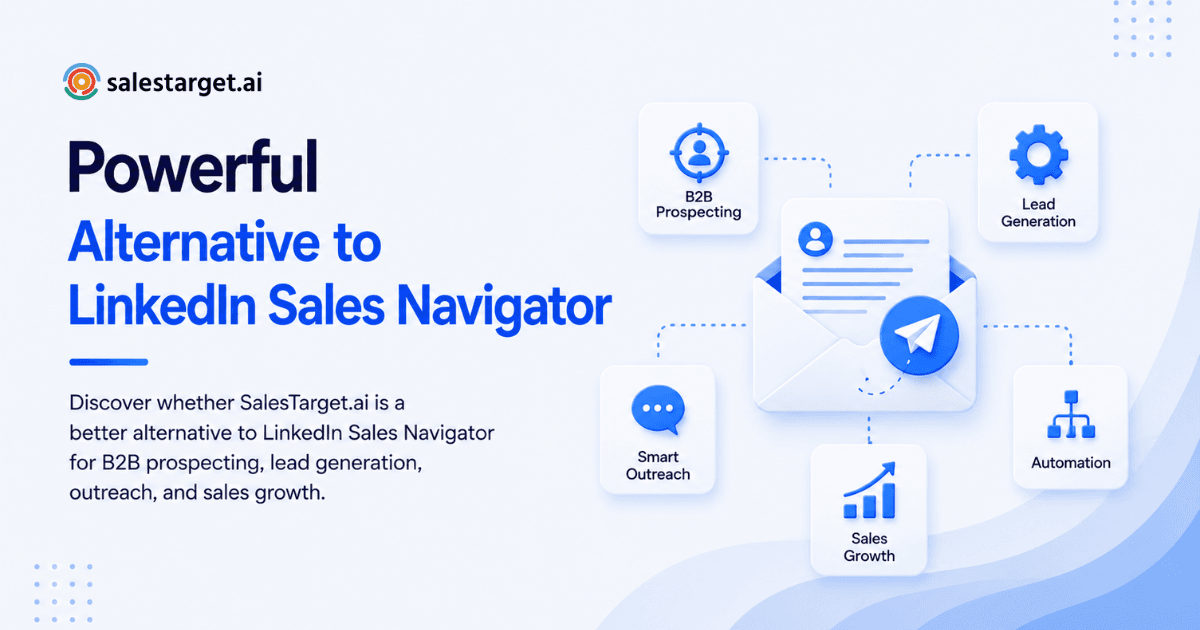
If you run a small business, you may be asking, "Is LinkedIn Sales Navigator worth it?" It can be useful for finding decision-makers, building prospect lists, and improving LinkedIn lead generation. However, the value depends on how your team sells, how often you prospect, and whether you need only LinkedIn-based prospecting or a more complete sales workflow.
LinkedIn Sales Navigator is primarily designed to help sales professionals discover and organize prospects on LinkedIn. Its advanced search filters, saved leads and accounts, recommendations, and account insights can make targeted prospecting easier.
But small businesses often need more than a way to find prospects. They also need to organize leads, manage outreach, follow up consistently, and turn prospects into opportunities without adding several disconnected tools.
This is where SalesTarget.ai can be a better alternative for businesses looking for a broader B2B sales workflow.
What Is LinkedIn Sales Navigator Used For?
LinkedIn Sales Navigator is a sales prospecting platform designed around LinkedIn. It helps businesses find potential buyers and build more targeted prospect lists.
For small businesses, the main uses include:
- Finding decision-makers and relevant contacts
- Using advanced search filters to identify ideal prospects
- Saving leads and target accounts
- Monitoring account and lead activity
- Finding similar prospects through lead recommendations
- Using InMail to contact people outside an existing network
- Supporting account-based selling on LinkedIn
These features can make LinkedIn prospecting more organized and targeted than using standard LinkedIn search.
However, Sales Navigator is primarily a prospecting and relationship-building layer. Businesses may still need additional tools and processes for managing the rest of their outbound sales workflow.
What Are the Main Benefits of LinkedIn Sales Navigator?
Sales Navigator can provide several benefits for small businesses that depend heavily on LinkedIn for B2B prospecting.
1. Advanced Prospect Search
Sales Navigator provides advanced search filters that help sales teams narrow down potential buyers based on factors such as industry, company size, location, seniority, and job function.
This can reduce time spent searching for prospects who do not match your ideal customer profile.
2. Lead and Account Organization
You can save leads and accounts so you do not have to repeatedly search for the same prospects.
For example, a small business could create a list of target companies and identify multiple stakeholders within each account, including decision-makers, champions, and influencers.
3. Lead Recommendations
Sales Navigator can recommend additional prospects based on your saved leads and accounts.
This can be useful when you are entering a new market, expanding your target audience, or looking for additional contacts within an account.
4. Account and Lead Insights
Sales Navigator can provide useful context around prospects, including changes in roles, company activity, and LinkedIn engagement.
These signals can help salespeople make their outreach more relevant and timely.
5. LinkedIn-Based Outreach
Sales Navigator also provides InMail credits on applicable plans, allowing salespeople to reach certain prospects outside their existing network.
However, messaging alone does not guarantee results. Targeting, personalization, follow-up, and consistent sales activity still determine whether prospecting produces revenue.
Is LinkedIn Sales Navigator Worth It for Small Businesses?
It can be—but not for every small business.
Sales Navigator is generally more worthwhile when:
- Your business sells B2B products or services
- Your ideal customers are active on LinkedIn
- You need to reach specific decision-makers
- Your team performs outbound prospecting every week
- Your average deal value can justify the subscription cost
- You have a defined ideal customer profile
- Your team will consistently use the platform
For example, if one or two additional customers generated through LinkedIn prospecting can cover the annual cost of the tool, the investment may make financial sense.
However, simply purchasing Sales Navigator does not create a sales pipeline. If your team rarely prospect, does not follow up, or does not have a clear target audience, the subscription may not deliver enough ROI.
What Are the Limitations of LinkedIn Sales Navigator?
Before paying for Sales Navigator, small businesses should consider what they actually need from their sales technology.
Sales Navigator is particularly valuable for LinkedIn-focused prospecting, but businesses may eventually need additional capabilities for:
- Lead management
- Sales pipeline management
- Automated follow-ups
- Multi-channel outreach
- Prospect organization
- Sales activity tracking
- Conversion tracking
- A broader sales workflow
When these activities require separate systems, your sales process can become fragmented. For a small team, managing multiple platforms can mean more manual work, more data movement, and more time spent switching between tools. Learn more about how unified B2B sales platforms reduce tool fragmentation.
SalesTarget.ai vs LinkedIn Sales Navigator
The biggest difference is the role each platform can play in a sales process.
LinkedIn Sales Navigator focuses heavily on finding and researching prospects through LinkedIn.
SalesTarget.ai is positioned as a broader B2B sales platform that can help businesses bring prospecting and sales activities into a more unified workflow.
This distinction matters for small businesses because they often have limited time and resources.
Prospect Discovery and Lead Targeting
LinkedIn Sales Navigator excels at strong LinkedIn-focused prospecting with advanced LinkedIn filters for lead targeting. In contrast, SalesTarget.ai offers a broader B2B prospecting workflow that extends beyond a single platform, giving you access to prospecting-focused workflows across multiple channels and data sources.
Lead Organization and Management
Both platforms allow you to save and organize leads, but they handle it differently. LinkedIn Sales Navigator lets you save leads and accounts so you don't repeatedly search for the same prospects. SalesTarget.ai goes further with comprehensive lead organization and management capabilities built into a unified system, so your prospect data stays organized without manual transfers between tools.
Insights and Context
LinkedIn Sales Navigator provides LinkedIn-specific insights, including role changes, company activity, and engagement signals directly from LinkedIn. SalesTarget.ai is not primarily dependent on LinkedIn data alone—it pulls insights from 50+ data sources and 4,000+ intent signals, giving you a richer picture of your prospects beyond what LinkedIn offers.
Sales Workflow and Execution
LinkedIn Sales Navigator is primarily a prospecting tool—it helps you find and research leads. SalesTarget.ai is built around a broader sales workflow that encompasses the entire outbound process: finding prospects, qualifying them, organizing them, reaching out, following up, and converting them into customers. This means SalesTarget.ai supports every stage of your pipeline, not just the discovery phase.
Follow-Up and Outreach
LinkedIn Sales Navigator requires you to move leads to another tool for follow-up—whether that's email, phone, or other outreach channels. You then need separate processes to track responses and manage follow-ups. SalesTarget.ai is designed to support sales activities directly within the platform. With built-in Email Outreach and LinkedIn Outreach automation, follow-ups happen automatically and are tracked without leaving the platform.
CRM and Sales Management
LinkedIn Sales Navigator may require additional setup and integration with a separate CRM to manage your pipeline effectively. SalesTarget.ai includes a broader sales management approach with a built-in CRM where every email, call, and interaction automatically logs to each lead's record. This eliminates manual data entry and keeps your entire pipeline visible in one place.
Best Use Case
LinkedIn Sales Navigator is best suited for businesses that prioritize LinkedIn-first prospecting and have the infrastructure already in place to manage outreach and follow-up separately. SalesTarget.ai is designed for businesses seeking a more unified B2B sales process companies that want to eliminate tool fragmentation and run their entire outbound operation from one integrated platform.
The right platform depends on your current workflow and what gaps you're trying to fill. If you only need better LinkedIn prospecting and already have email, CRM, and follow-up systems in place, Sales Navigator can work. But if you're looking to streamline your entire sales process and reduce the complexity of managing multiple disconnected tools, a unified platform like SalesTarget.ai delivers more value for small teams with limited resources.
Why Is SalesTarget.ai a Better Alternative to LinkedIn Sales Navigator?
For businesses that only need LinkedIn prospecting, Sales Navigator can be a practical choice.
But if your goal is to build a more complete and repeatable B2B outbound sales process, SalesTarget.ai can be a stronger alternative.
1. Go Beyond LinkedIn Prospecting
Sales Navigator is centered around LinkedIn. That can be useful when LinkedIn is your primary prospecting channel.
SalesTarget.ai can be considered when you want your sales process to extend beyond simply finding prospects on LinkedIn. With Lead Explorer, you can access 840M+ verified professional profiles and 4,000+ intent signals to find buyers across multiple data sources, not just LinkedIn.
2. Reduce a Fragmented Sales Workflow
Small businesses often use separate tools for prospecting, lead management, CRM, outreach, and follow-ups.
Managing several platforms can create unnecessary manual work.
A more unified sales platform can help reduce the need to move information between disconnected systems and make the sales process easier to manage. Discover how to streamline lead qualification and management with integrated tools.
3. Focus on the Complete Sales Process
Finding a prospect is only the first step.
A successful outbound process also requires:
Find → Qualify → Organize → Contact → Follow Up → Track → Convert
SalesTarget.ai can be a better fit when you want to manage more of this process within a broader sales platform instead of using LinkedIn prospecting as a standalone activity. Learn more about the best B2B sales engagement platforms to compare your options and find the right fit for your team.
4. Better Fit for Small Teams Looking to Scale
Small businesses typically have limited sales resources. A salesperson may be responsible for prospecting, outreach, follow-ups, CRM updates, and pipeline management.
Using a platform that supports more of the sales workflow can help reduce repetitive tasks and give the team more time to focus on conversations and opportunities.
When Should You Choose LinkedIn Sales Navigator?
LinkedIn Sales Navigator may be the better choice if:
- LinkedIn is your primary source of B2B prospects
- You mainly need advanced LinkedIn search
- Your team already has separate tools for CRM and outreach
- You want LinkedIn-specific account and lead insights
- Your sales process is already organized outside LinkedIn
In this situation, Sales Navigator can serve as a valuable prospecting layer.
When Should You Choose SalesTarget.ai?
SalesTarget.ai may be a better option if:
- You want more than LinkedIn-based prospecting
- You want a broader B2B sales workflow
- You want to reduce the number of disconnected sales tools
- Your team needs prospecting and sales activities in one environment
- You want to build a repeatable outbound process
- You are looking for a scalable sales platform rather than only a LinkedIn prospecting tool
The right choice ultimately depends on your sales process and business requirements.
How to Decide if LinkedIn Sales Navigator Is Worth the Cost
Before purchasing Sales Navigator, ask yourself five questions:
1. Are your buyers on LinkedIn?
If your ideal customers rarely use LinkedIn, even the best LinkedIn prospecting features may have limited value.
2. Do you have a clear ICP?
You should know the industries, company sizes, locations, job functions, and decision-makers you want to target.
3. Will you prospect consistently?
A prospecting platform only creates value when your team actually uses it.
4. Do you need only LinkedIn prospecting?
If yes, Sales Navigator may be enough.
If you also need lead management, outreach, follow-ups, and broader sales activities, consider whether a more comprehensive platform makes more sense.
5. Can the additional revenue justify the cost?
Compare the subscription cost with the potential revenue generated from additional qualified leads, meetings, opportunities, and customers.
Final Verdict: Is LinkedIn Sales Navigator Worth It for Small Businesses?
LinkedIn Sales Navigator can be worth paying for if your small business relies heavily on LinkedIn for B2B prospecting and your team uses its features consistently.
Its advanced search, saved leads, account targeting, recommendations, and LinkedIn insights can make prospecting more focused and organized.
However, Sales Navigator is not necessarily the best fit for every small business. If you need more than LinkedIn prospect discovery and want to manage a broader outbound sales process, relying on multiple disconnected tools can become inefficient.
That is where SalesTarget.ai can be a better alternative to LinkedIn Sales Navigator. Instead of treating prospecting as a separate LinkedIn activity, businesses can look for a broader platform that supports a more connected sales workflow.
Ultimately, the question is not simply "Is LinkedIn Sales Navigator worth it?" The better question is:
"Does LinkedIn Sales Navigator provide everything my sales team needs to consistently find, engage, manage, and convert B2B prospects?"
If the answer is no, SalesTarget.ai may be worth considering as a more comprehensive alternative.