Your team sent 1,200 emails last month. This morning's pipeline review lasted eleven minutes, since nothing had moved. The CRM shows activity in every column and progress in none of them, and no one in that room can name the 20 accounts worth working this week. That gap between effort and outcome is the problem revenue intelligence was built to close.
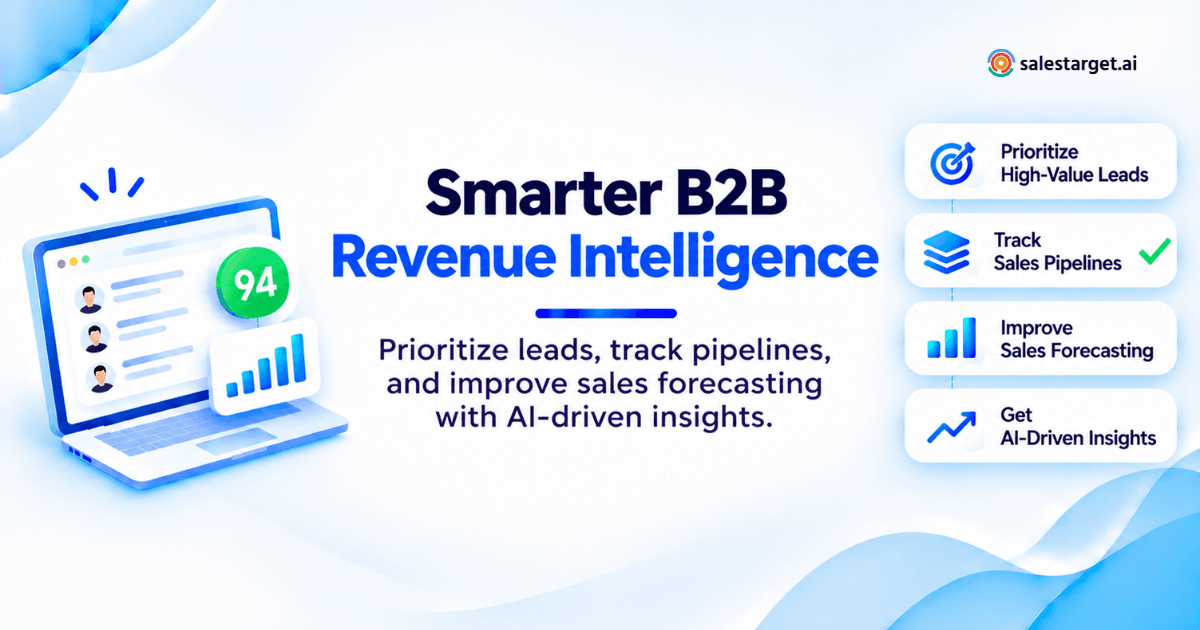
A revenue intelligence platform collects your buyer signals, outreach activity, and CRM records in one place, then tells your reps what to do next. It watches who is researching your category, who opened and replied, and which deals have gone quiet. It ranks accounts by fit and intent, flags deals that are slipping, and turns that into a short daily action list. Same headcount, better decisions, more qualified pipeline.
This guide covers the seven-step playbook, the metrics worth tracking, a 30-60-90 rollout, and how to tell when you need dedicated software instead of CRM reports.
The Revenue Gap: Why More Sales Activity Does Not Always Mean More Sales
Activity is cheap to produce and easy to count. Revenue is neither. Most teams staring at flat pipeline do not have an effort problem. They have a targeting and timing problem, and their data sits in too many places for anyone to see it.
The Hidden Cost of Disconnected Prospecting, Outreach, and CRM Data
When the list lives in one tool, sequences in a second, verification in a third, and deals in a fourth, no single record of the account exists. The bill arrives as duplicate touches from two reps on the same company, sequences still running against addresses that bounced three weeks ago, and AEs rebuilding context before every call. Enrichment at the point of discovery removes most of it: Salestarget.ai's Lead Explorer verifies a contact in the same click that finds it, then pushes it into a sequence or the CRM with no CSV in between.
Why High Lead Volume Can Still Produce a Weak Sales Pipeline
Volume converts only when fit and timing line up. Five thousand loosely matched contacts produce more bounces, more spam complaints, and the same three meetings you booked last month. Intent filters change that math. Buyer signals such as Bombora Intent Topics, funding rounds, hiring spikes, and leadership changes narrow a 5,000-name list to the few hundred accounts showing movement inside a 30 to 90 day window.
The Difference Between Tracking Sales Activity and Improving Revenue Performance
Activity tracking answers one question: did the rep work today? Revenue performance answers a harder one: did that work create qualified pipeline? A dashboard full of sends, dials, and connect rates can look healthy with a forecast quietly falling apart underneath it. Revenue intelligence closes the loop by tying each action back to the deal it moved, or failed to move.
Revenue Intelligence Platforms: Turning Sales Data Into Better Decisions
Revenue intelligence software reads three streams that most teams keep apart: who is in market, what your reps did, and what the pipeline did afterward. Joining those three is the entire job. Everything else is reporting.
Connecting Buyer Signals, Sales Conversations, and Pipeline Activity
A buyer signal on its own is trivia. Paired with a rep's outreach history and the deal record, it becomes a decision. Knowing that a 300-person logistics firm researched route optimization last week matters more once you can see that your SDR emailed their VP of Ops in March, got a soft no, and the contact has since been promoted. That is one record, not three tabs. If the basics are still fuzzy for your team, start with what revenue intelligence platforms actually do before you shop for one.
How Revenue Intelligence Software Moves From Data Collection to Recommended Actions
Collection is table stakes. The value sits in the recommendation layer: rank these 25 accounts today, this deal has had no buyer-side activity in 21 days, this contact's title changed so the sequence needs rewriting. Salestarget.ai handles this through its AI Copilot, which flags at-risk deals, answers plain-language questions about pipeline and meetings, and creates or assigns the follow-up task without a rep opening a report.
Where Revenue Intelligence Fits Between Prospecting, CRM, and Forecasting
It sits on top of all three, not beside them. Prospecting supplies fit and intent data. Outreach supplies engagement. The CRM supplies stage, value, and timing. Revenue intelligence reads across the set and produces a priority order. Teams running separate vendors for each layer spend their first month building connectors instead of pipeline.
How to Use Revenue Intelligence Platforms: A 7-Step B2B Sales Playbook
Run these seven steps in order. Skipping the audit at the front is the single most common reason a rollout produces dashboards nobody opens.
Step 1: Audit Your Sales Pipeline and Identify Revenue Gaps
Pull the last two completed quarters and find where deals die. Count closed-lost reasons, stage-to-stage drop, and how many opportunities aged past your average cycle without a buyer-side action. One number tells you most of it: the share of pipeline created that never reached a second meeting. Write it down. It becomes your baseline.
Step 2: Define Your Ideal Customer Profile and Revenue Intelligence Goals
Build the ICP from won deals, not from the aspiration deck. Pull the firmographics your best 20 customers share: employee band, revenue band, region, tech stack, and the title that actually signed. Then pick two goals you will hold the platform to, such as lifting meeting-to-opportunity rate from 28% to 40%, or cutting time spent on manual research by five hours per rep per week.
Step 3: Connect B2B Contact Data, Buyer Signals, Outreach Activity, and CRM Records
This is where most projects stall. Every hop between vendors is a place data goes stale. Salestarget.ai collapses the hops: 840M+ verified profiles, 146M+ business entities, and 4,000+ intent signals sit in the same workspace as email, LinkedIn, validation, and the CRM, so a lead found at 9am can be in a sequence by 9:05 with its record already written.
Step 4: Score Leads Based on Buyer Fit, Intent, and Engagement
Score on three axes, weighted: fit (ICP match), intent (research surges and business events), engagement (replies and meetings, not opens). Here is the part most guides miss. A model trained purely on your CRM history inherits your reps' habits, since accounts nobody ever worked generate no engagement and therefore never score high. Hold back a control group of 50 high-fit, never-touched accounts each quarter and work them deliberately. That is the only way to find out what your scoring is blind to.
Step 5: Prioritize Sales Actions and Set Up Automated Follow-Ups
A score with no action attached is a report. Translate bands into instructions: 80+ gets a multichannel sequence this week, 60 to 79 gets a nurture track, under 60 waits for a new signal. Email and LinkedIn outreach running as one coordinated flow keeps context across both channels, with conditional branches on reply or no response.
Step 6: Monitor Deal Progress, Pipeline Risks, and Forecast Changes
Watch three things weekly: deals with no buyer-side activity in 14 days, deals that skipped a stage, and deals whose close date has moved twice. Each is a risk flag long before it shows up in the number. Automatic activity logging matters here, since a forecast built on what reps remembered to type is a forecast built on fiction.
Step 7: Review Sales Performance Data and Refine Your Revenue Strategy
Every 30 days, compare outcomes against the Step 1 baseline and change one variable. Retire the signals that produced no meetings. Reweight the ones that produced opportunities. Teams that change five things at once learn nothing from the result.
Revenue Intelligence Use Cases Across the B2B Sales Funnel
Six places revenue intelligence earns its seat, from first list build to the coaching conversation after quarter end.
Prospecting: Identify High-Value Accounts Before Launching Outreach
Filter for fit first, then for movement. One detail most articles skip: intent has a shelf life. A research surge detected in week one of a 90-day lookback is a far better asset than the same surge at week ten, since the buying committee may already be in vendor demos. Treat signals older than roughly two weeks as a nurture trigger, not a call trigger.
Lead Qualification: Separate Sales-Ready Buyers From Low-Intent Contacts
Sales-ready means three conditions at once: the account matches your ICP, someone there is showing category activity, and the contact holds budget or sits one step from it. Two out of three is a nurture lead. Scoring that treats all three as interchangeable sends reps after junior researchers with no authority.
Sales Engagement: Improve Email and LinkedIn Outreach Using Buyer Activity
Buyer activity should change the message, not just the timing. A contact who viewed a pricing-related page gets a different second touch than one who only joined a webinar. LinkedIn outreach coordinated with email lets the connection request reference the same thread, with conditional branches that stop the sequence the moment someone replies.
Opportunity Management: Identify Stalled Deals and Missed Follow-Ups
The quiet killer is the missed follow-up, not the lost bake-off. Automatic task creation after a reply or a meeting removes the judgment call about who owes whom a response. Deals with no buyer-side activity for 14 days get a named owner and a next step, or they leave the forecast.
Revenue Forecasting: Track Deal Movement and Changes in Pipeline Value
Forecasts improve when you track movement rather than stage labels. Log every close-date change and every value change, then look at the pattern. A deal whose date has slipped twice closes at a fraction of the rate of one that has never slipped, regardless of what the AE says in the call.
Sales Coaching: Find Activity Patterns That Lead to Qualified Opportunities
Compare your top rep's sequence against the median rep's by outcome, not by effort. Touch count, channel mix, and days to first reply are the variables worth testing. Managers running revenue intelligence for SDR and BDR teams get something a 1:1 cannot produce: evidence of which behaviors precede qualified pipeline.
A Practical B2B Revenue Intelligence Example: From 100 Target Accounts to Sales Opportunities
The walkthrough below is a hypothetical scenario built to show the arithmetic. The figures are illustrative and are not Salestarget.ai customer results.
Build a Target Account List Using ICP and Contact Data
Start with 100 accounts matching a single ICP: mid-market logistics firms, 200 to 1,000 employees, North America, with an in-house ops team. Enrich three contacts per account (VP Operations, Head of Supply Chain, COO) for 300 contacts. Verify every address at the point of enrichment, not at send time.
Rank Accounts by Buyer Fit and Observable Engagement
Split the 100 into three tiers. Tier A is high fit with a buyer signal inside the last 14 days. Tier B is high fit with no recent signal. Tier C is partial fit. In this scenario the split lands at 22, 41, and 37.
Run Targeted Email and LinkedIn Outreach
Tier A gets a six-touch multichannel sequence over 12 days, email and LinkedIn in one flow. Tier B gets a five-touch email sequence over 14 days. Tier C gets a two-touch quarterly nurture. Same team, same fortnight, three levels of investment.
Track Positive Replies, Qualified Meetings, and Opportunities
| Tier | Accounts | Buyer signal observed | Rep action | Positive replies | Meetings | Opportunities |
|---|---|---|---|---|---|---|
| A | 22 | Intent surge plus hiring spike, last 14 days | Email + LinkedIn, 6 touches | 7 | 5 | 3 |
| B | 41 | ICP match, no recent signal | Email only, 5 touches | 6 | 4 | 1 |
| C | 37 | Partial fit, no signal | Quarterly nurture, 2 touches | 2 | 1 | 0 |
Totals across the 100 accounts: 15 positive replies, 10 meetings, 4 opportunities. Positive reply rate is 15%, and meeting-to-opportunity conversion is 40%.
Measure Pipeline Results and Identify the Next Improvement
At a $18,000 average deal size, four opportunities equal $72,000 in qualified pipeline. The tier math is the finding: Tier A turned 13.6% of its accounts into opportunities against 2.4% for Tier B and zero for Tier C. Tier C absorbed 37% of the account list and produced nothing. The next move is obvious. Cut Tier C to an annual touch and spend that capacity widening the signal filters so Tier A holds 40 accounts instead of 22.
The Revenue Intelligence Metrics That Matter for B2B Sales Performance
Six metrics carry the weight. Everything else is diagnostic detail you pull only when one of these six moves.
Lead-to-Meeting Conversion Rate and Positive Reply Rate
Positive reply rate counts replies expressing interest, divided by contacts reached. Lead-to-meeting counts booked meetings divided by the same denominator. Track the two together. A high reply rate with a low meeting rate means your copy is working and your calendar handoff is broken.
Meeting-to-Opportunity Conversion Rate and Qualified Pipeline Created
This is the honesty check on your qualification criteria. Below 30%, your reps are booking meetings that were never going to qualify. Qualified pipeline created, measured in currency per rep per month, is the number a sales leader should defend in a board meeting.
Pipeline Velocity, Deal Aging, and Sales Cycle Length
Pipeline velocity multiplies open opportunities by average deal value by win rate, then divides by average sales cycle in days. It gives you daily revenue throughput. Deal aging, counted as days since the last buyer-side action, predicts slippage earlier than any stage field.
Win Rate, Deal Value, and Revenue Forecast Accuracy
Forecast accuracy is committed versus closed, as a percentage, reviewed every quarter. Teams running on rep-entered data frequently land in the 50% to 60% range. Teams running on logged activity and movement data tighten that considerably, since the forecast stops depending on what anyone remembered to update.
Sales Productivity and Cost per Qualified Opportunity
Divide total outbound spend, including tooling and loaded rep cost, by qualified opportunities created. It is the least flattering metric in sales and the most useful one in a budget conversation. Hours reclaimed per rep per week belongs beside it.
Measuring Revenue Intelligence ROI Against a Baseline
ROI claims mean nothing without the Step 1 baseline. Record the prior-quarter numbers for every metric above before go-live, change one thing at a time, and compare 90 days later. Without that, every improvement gets credited to the software and every decline gets blamed on the market.
A 30-60-90 Day Revenue Intelligence Implementation Plan
Ninety days is enough to prove or disprove the investment, provided you resist the urge to launch everything in week two.
Days 1-30: Clean Contact Data, Connect Systems, and Establish Baseline Metrics
Validate the existing database before anything else, since a bad list poisons every downstream metric. Run MX and SMTP checks, strip disposable domains, and score the rest for risk. Connect calendar, inbox, and CRM. Record the baseline for all six metrics. Salestarget.ai's built-in CRM stands up in under a day and connects to Google Calendar, Slack, HubSpot, Salesforce, and Zoho, so this month is mostly data work rather than integration work.
Days 31-60: Run Lead Prioritization and Pipeline Monitoring Workflows
Turn on scoring for one segment, not the whole book. Pick a single ICP, run the tiering, and let one pod work the ranked list for four weeks. Switch on deal-aging and close-date-change alerts at the same time. Keep the rest of the team on the old process as a control.
Days 61-90: Compare Results, Adjust Rules, and Expand Successful Workflows
Put the pod's numbers against the control group's. Look at positive reply rate, meeting-to-opportunity rate, and qualified pipeline per rep. Retire signals that produced no meetings, reweight the ones that did, then roll the adjusted rules to the second segment. Expansion follows evidence.
Assigning Responsibilities to SDRs, AEs, Sales Managers, and RevOps
| Role | Owns in this rollout |
|---|---|
| SDR / BDR | Works the ranked list daily, logs reply sentiment, flags bad-fit accounts back to scoring |
| AE | Keeps close dates and values current, acts on deal-aging alerts within 48 hours |
| Sales manager | Reviews tier performance weekly, runs the pod-versus-control comparison |
| RevOps | Owns data hygiene, field definitions, scoring weights, and the baseline report |
Rollouts fail when nobody owns scoring weights. Name that person in week one.
Common Revenue Intelligence Mistakes That Reduce Sales Performance
Six failures show up repeatedly, and five of them are process problems wearing a software costume.
Treating Email Opens as Confirmed Buyer Intent
Open rate stopped being a reliable intent signal in 2021. Apple's Mail Privacy Protection, shipped with iOS 15, pre-loads remote images through a proxy, so a message registers as opened whether or not a human ever saw it. Email analytics vendors including Litmus and Omeda documented open rates climbing sharply for Apple Mail audiences after the rollout, with click metrics left intact. Score on replies, clicks, and meetings. Treat opens as noise.
Using Incomplete CRM Data to Score Opportunities
A scoring model is only as good as the fields reps actually fill. If close dates are guesses and next steps are blank, the model learns from fiction. Automatic logging of every email, call, and meeting fixes the input problem at the source, rather than asking managers to chase hygiene in Friday's pipeline call.
Prioritizing Leads Without Verifying Contact Information
Ranking an unverified list sorts guesses. Verify before the sequence starts, not after the bounce report arrives. Salestarget.ai verifies contacts at the point of enrichment rather than at the point the record was first collected, which matters since a scraped address can be months old before it ever reaches your sequence.
Measuring Outreach Volume Instead of Qualified Pipeline
Send volume is an input metric that reps can inflate on demand. The moment it becomes a target, it stops describing anything useful. Report qualified pipeline created per rep and let activity be the diagnostic you check when that number drops.
Trusting AI Predictions Without Reviewing the Supporting Signals
Any score a platform shows should be traceable to the inputs behind it. If a deal is flagged at risk, a rep needs to see which signal triggered it: 21 days of silence, a champion who changed roles, a close date pushed twice. Scores without visible reasoning get ignored by reps within a month.
Adding Too Many Tools Without a Clear Sales Process
A database vendor, a sequencer, a validation tool, an enrichment tool, and a CRM is five contracts, five sync jobs, and five places for a record to drift. Teams running Apollo, Instantly, or Woodpecker alongside bolt-ons spend real hours maintaining plumbing. Fix the process first, then consolidate the stack around it.
Choosing Revenue Intelligence Software for Your B2B Sales Workflow
Four questions settle most evaluations. A side-by-side of the best revenue intelligence platforms helps once you know what you are grading them on.
When CRM Reporting Is Enough and When You Need Dedicated Revenue Intelligence
CRM reporting is enough when your team runs under roughly five reps, deals are short, and one person can hold the pipeline in their head. You need dedicated revenue intelligence once reps are missing follow-ups, the forecast misses by more than 20% twice running, or nobody can explain why one segment converts at triple the rate of another.
Data Quality, CRM Integration, and Sales Activity Coverage
Ask three questions in the demo. Where does the contact data come from, and when was it last verified? Does activity logging happen automatically or does a rep press a button? Does the platform read the signals that precede a purchase in your category, or only the ones generated inside your own funnel? A platform blind to external intent can only tell you about people who already raised a hand.
AI Insights, Deal Risk Alerts, and Actionable Sales Reporting
Grade recommendations on whether a rep can act on them in under a minute. A risk alert should name the deal, the reason, and the next step. Reporting should answer a plain question without a dashboard build. Salestarget.ai's AI Copilot takes those questions in conversation: which campaigns drove revenue, which deals are at risk, what is due today.
Implementation Effort, User Adoption, and Total Software Cost
Count contracts, admin hours, and sync jobs, not just seats. Every tool you add needs an owner, a field map, and someone to notice when the sync breaks at 2am. Adoption is the real risk: a platform reps avoid produces worse data than the spreadsheet it replaced.
A Revenue Intelligence Platform Evaluation Checklist for Sales Teams
- Verified contact data with a stated verification method and recency
- External buyer signals, not only first-party engagement
- Automatic activity capture across email, calls, and meetings
- Deal risk alerts that show the signals behind the score
- Multichannel sequencing with conditional branching
- Native CRM, or a two-way sync you have tested with your own records
- Deliverability controls: warm-up, inbox rotation, SPF, DKIM, DMARC
- A named internal owner for scoring weights and data hygiene
If you want to grade a platform against this list with your own accounts, start a free trial and run one segment through it for a fortnight.
Why Choose Salestarget.ai
Salestarget.ai runs the full revenue intelligence loop in one workspace: find who is buying, reach them across channels, then track, nurture, and close in the same CRM. One platform, one bill, no connector maintenance.
Find Qualified B2B Prospects With Lead Explorer and Contact Enrichment
Lead Explorer searches 840M+ verified professional profiles and 146M+ business entities across 50+ data sources. Search in plain English or stack Business and People filters: industry, seniority, department, headcount, revenue, location, tech stack, Intent Topics. One click unlocks verified work email, personal email, phone, and mobile. Real-time signals cover Bombora Intent Topics plus funding, hiring spikes, leadership changes, and awards on a 30 to 90 day lookback.
Improve Prospect Engagement With Email and LinkedIn Outreach
Describe the audience in plain English and the platform builds the multi-step sequence, including follow-ups and pacing. Teams report 35% faster campaign creation. LinkedIn automation handles connection requests, DMs, and engagement actions with timezone-aware scheduling, human-like delays, rate limits, and auto-pause safeguards. Both channels run as one flow, so context carries across.
Validate Contact Information and Support Email Deliverability
The email validator runs MX and SMTP checks, flags disposable domains, and scores risk before a send. Around 90% of emails are validated pre-send. Unlimited inboxes get automatic AI warm-up, intelligent rotation, and SPF, DKIM, and DMARC checks, which keeps sender reputation intact across sustained outbound.
Manage Leads, Follow-Ups, and Sales Opportunities With Built-In CRM
Campaign leads land in the CRM automatically with no import. Every email and call writes to the lead timeline, and follow-up tasks generate themselves when a lead replies or a meeting ends. Reported outcomes include 3.2X faster deal cycles, 91% follow-up completion, and roughly six hours saved per rep per week.
Use AI Copilot to Create Campaigns and Review Sales Pipeline Data
The AI Copilot is included in the platform. Ask it to find leads, write a personalized sequence with A/B variations, surface which campaigns drove revenue, or list the deals at risk this week. Its Memory feature can pull your website content so replies stay on brand, and workspace data stays private.
Connect Prospecting, Outreach, and CRM Workflows in One Platform
This is the difference that matters. Apollo gives data and engagement, then asks you to add deliverability and a CRM. Instantly, Smartlead, and Lemlist handle cold email well with no native B2B database, no LinkedIn automation, and no real CRM. Salestarget.ai keeps the loop closed, which is the precondition for revenue intelligence working at all.
Turn Revenue Intelligence Into Better B2B Sales Decisions
Go back to that eleven-minute pipeline review. The problem was never effort. It was that the signals telling you which 20 accounts to work were scattered across four tools, and nobody had the time to assemble them before Monday.
Revenue intelligence fixes that by joining fit, intent, engagement, and deal data into one ranked list your reps can work today. Salestarget.ai does it without the integration project: prospecting, enrichment, verification, email, LinkedIn, and CRM sit in the same workspace, so the loop from signal to sequence to closed deal never breaks across a vendor boundary.
Pick one segment, build the ranked list, and measure it against your current baseline for 30 days. Start free with Salestarget.ai and find out which accounts your old process was walking past.