Your reps are staring at a prospect list with 300 names and almost no direct phone numbers. The ones they do find ring a receptionist, disconnect, or lead to someone who left the company four months ago. Hours go into contact research. Pipeline stays flat.
Phone number identification tools solve this by matching a prospect's name, job title, company, and domain against large B2B contact databases to return verified direct dials and mobile numbers, fast. No manual lookups, no switchboard roulette.
This guide covers exactly how these tools work, what makes contact data accurate, and how to build phone number identification into a prospecting workflow that produces real conversations.
Phone Number Identification in B2B Prospecting
What Phone Number Identification Means for Sales Teams
Phone number identification is the process of matching a specific business professional to a verified direct contact number. This is not a general web search. It's a structured query against professional databases that returns a number tied to a real person at a real company.
Business Phone Numbers, Direct Dials, and Mobile Numbers
Three number types matter in B2B outbound: company main lines (routed through a switchboard), direct dials (a person's specific office line), and mobile numbers (reach them anywhere). For outbound sales, direct dials and mobiles are the numbers worth finding. A company main line tells you nothing about who picks up.
Where Phone Number Identification Fits Into the Prospecting Process
Phone number identification sits between account targeting and first contact. Once you know which company to pursue and which person to reach, identification closes the gap between intent and action. Without it, most outbound efforts default to email-only because calling is too unreliable.
How Phone Number Identification Tools Work?
Matching Prospects Using Name, Company, Role, and Domain Data
The tool starts with identifiers you already have: name, title, employer, and company domain. Using those inputs, it queries aggregated professional records and returns the contact number linked to that specific individual.
Searching Business Contact Databases for Available Phone Records
After receiving query inputs, the tool searches across business directories, verified professional records, third-party data partnerships, and contribution-based datasets from previous verified sales activity. Database depth directly determines how many usable results come back.
Enriching Incomplete Prospect Profiles with Contact Data
When a record is missing a phone number, enrichment adds it without manual lookup. The tool fills the gap using existing identifiers, turning a partial prospect record into a usable contact with verified phone data attached.
Matching Phone Numbers to the Correct Business Contact
A number alone means nothing without the right match. Accurate tools cross-reference multiple identifiers, name, title, company, and domain, before confirming a number belongs to the right person. Weak matching logic is the source of most wrong-number calls in outbound sales.
Checking Number Type, Availability, and Data Freshness
Reliable tools distinguish between direct dials, mobiles, and switchboards; flag numbers that have been flagged as unreachable; and show when each record was last verified. A number from 18 months ago linked to someone who changed jobs twice is not a direct dial, it's a liability.
Data Sources Behind B2B Phone Number Lookup
Business Contact Databases
Large commercial contact databases aggregate professional data across multiple channels. The quality of any phone number lookup tool depends on how deep and how recently refreshed its underlying database is.
Company and Professional Records
Public business filings, professional association directories, and verified company listings contribute structured contact data. These sources tend to be more reliable for established companies and senior roles.
Existing CRM and Prospecting Data
Verified numbers captured from past outreach already in your CRM are often the freshest data available. Some platforms draw from anonymized, contribution-based datasets across their user base, which keeps records current without relying on a single static source.
Third-Party Enrichment Sources
Data partnerships with specialized providers extend coverage into verticals and roles where single-source databases fall short. The more sources a tool aggregates from, the higher the fill rate on contact lookups across diverse prospect lists.
Data Refresh and Contact Verification Processes
B2B contact data decays at a rate of roughly 22% per year, according to HubSpot. A database scraped two years ago and left untouched is already missing nearly half its accuracy. Tools with rolling refresh cycles produce far more reliable output than those running on stale exports.
The Role of Contact Data Enrichment in Phone Number Identification
Filling Missing Contact Details in Prospect Records
Enrichment is the automated layer that takes a thin prospect record and adds the contact data it's missing. Phone, mobile, email, and company detail, all pulled without manual research.
Connecting Company Data with Individual Decision-Makers
Account-level data identifies the company. Enrichment maps to the specific people at that company: roles, titles, and direct contact numbers for the buyers who actually make decisions.
Improving Incomplete Lead Lists Before Outreach
Lists from events, form fills, or purchased sources are rarely complete. Running them through enrichment before outreach starts reduces dead ends and gives reps a complete picture before the first call goes out.
Keeping B2B Contact Information Usable Over Time
Enrichment is not a one-time step at list-building. Contact data needs to be refreshed as people change roles and companies. Static lists become unusable fast without a repeating enrichment process tied to a data refresh cadence.
SalesTarget.ai's Lead Explorer runs enrichment at the point of prospecting. Find a contact, and one click unlocks their verified email, phone, and mobile without leaving the workspace. No separate tool to manage, no CSV cleanup.
Finding Decision-Maker Phone Numbers for B2B Sales
Starting with the Right Target Account
No phone lookup produces clean output without account-level targeting first. Industry, company size, revenue range, and tech stack define which accounts are worth enriching. Loose targeting means enrichment credits spent on the wrong contacts.
Identifying the Correct Buyer and Job Role
Title alone is not enough. Role, department, seniority, and reporting structure all matter. A VP of Operations at a 40-person company carries different buying authority than the same title at a 4,000-person enterprise.
Finding Direct Dials Instead of General Company Numbers
The target is not any number at the company. It's the number that rings the specific person you want to reach. Direct dial lookup skips reception and connects to the individual, which removes one of the most consistent friction points in outbound calling.
Building Prospect Records with Verified Contact Details
A complete prospect record includes full name, title, company, verified email, direct dial or mobile, LinkedIn profile, and a data freshness indicator. Building records this way before outreach starts removes the research step from the day of the call entirely.
Preparing Identified Contacts for Outbound Outreach
Once a number is confirmed, it needs to move into a CRM, sequence, or call queue immediately. Enriched contact data sitting in a spreadsheet is one of the most common places outbound momentum stalls.
Direct Dial Finder Tools and Business Phone Number Discovery
Direct Dials Compared With Company Switchboards
Direct dials connect to a person's line without going through reception or an IVR system. Switchboard routing burns time and increases the chance of being screened before you reach the target. For high-volume outbound, the difference in connect rates between direct dials and switchboards is significant.
Mobile Numbers Compared With Office Numbers
Senior decision-makers who travel frequently or work remotely are often unreachable on an office line. Mobile numbers reach them regardless of location. The trade-off is that mobiles are harder to verify and less frequently available in B2B databases for certain roles.
Choosing the Most Useful Contact Number for Outbound Sales
Not every number type works for every campaign. Enterprise outbound often performs better with verified direct dials. SMB prospecting may get stronger results on mobile. Knowing which type you have, and what it actually connects to, shapes how you approach each call.
Handling Prospects With Multiple Available Phone Numbers
When a contact has more than one number on file, the tool should indicate which was most recently verified and what type each is. Calling a stale office number when a current mobile exists wastes a real opportunity.
For a full breakdown of the tools that handle this well, see our guide to the best phone number lookup tools for B2B sales teams.
Why Phone Number Accuracy Matters in B2B Prospecting?
Reducing Time Spent Calling Invalid or Outdated Numbers
Every bad dial costs a rep two to five minutes of dead time. Across a 50-call day, that lost time compounds into significant wasted capacity that could have gone toward actual conversations.
Helping SDRs Reach Decision-Makers Faster
Accurate data cuts the number of dials needed to reach a real person. Salesforce's State of Sales report found reps spend only 28% of their time actually selling. Cutting time spent on invalid contacts shifts that ratio meaningfully.
Improving the Quality of Sales Prospecting Lists
A list of 100 verified contacts outperforms a list of 1,000 unverified ones. Higher data quality at entry produces better connect rates, shorter call cycles, and more predictable pipeline output.
Supporting Cleaner CRM and Lead Data
Bad phone data contaminates the CRM downstream. It creates duplicate records, causes follow-ups to land on dead lines, and makes reporting unreliable. Clean contact data at entry prevents a long-term data quality problem that compounds with every campaign.
Building More Consistent Outbound Workflows
When reps know the numbers they're dialing are current and verified, they build more predictable calling workflows. Consistent input data produces consistent output. Unpredictable contact data produces unpredictable pipeline.
Using Phone Number Identification Across the Sales Workflow
Building Targeted Lead Lists
Phone number identification starts at list-building, not after. Rather than finding contacts first and looking up numbers separately, SalesTarget.ai's Lead Explorer combines ICP-based prospecting and enrichment in one step. Search for target contacts and surface verified phone data in the same flow, with no extra tool in between.
Enriching Contacts Before Outreach
Before any sequence goes live, run every contact through enrichment to confirm phone data is current. Enriching mid-campaign or after a campaign has already launched means bad data has already caused missed calls and wasted sequence slots.
Combining Calling With Email and LinkedIn Outreach
Phone is most effective as part of a coordinated multichannel sequence, not a standalone channel. A prospect who missed your email may pick up a call. One who didn't respond on LinkedIn may reply when they see a call followed by a follow-up message. Channel coordination increases the probability of getting a response on any single touchpoint.
Recording Call Activity and Follow-Ups in the CRM
Every call outcome, connected or not, should be logged with notes, follow-up tasks, and next-step detail attached to the contact record. Done manually, this is where most call data gets lost or recorded incompletely.
SalesTarget.ai's built-in CRM includes a click-to-call AI dialer that logs calls automatically and captures call notes straight to the lead timeline. Reps do not write up summaries by hand. The dialer does it, and the notes live on the contact record in real time.
Updating Prospect Records as Contact Information Changes
Phone data has a shelf life. When a prospect changes roles, the number you have may no longer reach them. Build a workflow trigger that flags contacts who haven't been re-enriched in 90-plus days, and refresh those records before launching any new campaign targeting them.
Key Features to Look for in Phone Number Identification Tools
B2B Contact Database Coverage
Database size matters less than verification rate and refresh frequency. Look at how many verified profiles and businesses the tool covers, which industries are represented, and how recently records were confirmed.
Direct Dial and Mobile Number Availability
A tool that only returns company main lines is not suited for outbound prospecting. Confirm that direct dials and mobiles are returned separately from general company numbers, with clear labeling on number type.
Contact Data Accuracy and Freshness
Ask when records were last verified, not just how large the database is. A smaller, recently refreshed database reliably outperforms a massive one that hasn't been updated in two years.
Phone Number Verification
Real-time or near-real-time verification checks whether a number is still active before it reaches your CRM or call queue. This prevents outdated numbers from making it into live campaigns where they burn rep time.
Advanced Prospecting Filters
The best tools let you filter by industry, role, seniority, department, company size, location, revenue, and tech stack before enriching. This keeps enrichment from being wasted on contacts outside your ICP.
Contact Data Enrichment
Built-in enrichment that runs at the point of prospecting (not as a separate workflow step) reduces friction and keeps contact data consistent from the moment of discovery through the first call.
CRM and Sales Outreach Integration
Enriched contacts need to flow directly into your CRM and outreach sequences without a manual export or CSV transfer. Native integration removes the handoff step where data quality most commonly degrades.
Data Sourcing and Compliance Controls
Know where the data originates. GDPR and CCPA compliance matter for legal risk and for data reliability. Tools that combine verified sources with transparent opt-out handling produce cleaner, safer-to-use data.
Phone Number Identification Tools vs Manual Contact Research
Time Required to Find Prospect Phone Numbers
Manual research through LinkedIn, company sites, and public directories takes 15 to 30 minutes per contact. A phone number identification tool returns results across hundreds of contacts in seconds.
Contact Data Coverage and Consistency
Manual research produces uneven results. Some contacts have public-facing contact data; others have almost none. B2B database tools return more consistent fill rates across an entire prospect list.
Scalability for Larger Prospect Lists
Manual contact research does not scale. A single rep can realistically research 20 to 30 contacts per day. A tool enriches thousands of contacts in the same window, with no drop in data consistency.
Maintaining Accurate Data Across the Sales Pipeline
Manually researched contact data becomes stale the moment it's recorded. Automated enrichment with refresh cycles keeps contact data usable as prospects move companies and change roles.
Phone Number Identification Tools vs Traditional Business Phone Lookup
Finding Company-Level Numbers vs Individual Contacts
Traditional business phone lookup tools return main company lines. B2B phone number identification tools return the direct dial or mobile for the specific person you want to reach. These are fundamentally different outputs for fundamentally different use cases.
Static Directories vs Enriched B2B Databases
Public directories update infrequently. B2B contact databases built for sales aggregate live data across multiple sources and refresh at higher frequency. The numbers returned are more likely to be current, typed correctly, and matched to the right person.
General Business Lookup vs Sales-Focused Prospecting Data
Generic lookup tools were not built for outbound sales. B2B prospecting platforms are built around ICP filters, enrichment, and CRM integration. The output is immediately usable for sales, not just a number written on a notepad.
Standalone Lookup Tools vs Connected Outbound Workflows
A standalone number lookup gives you a number. A connected prospecting platform gives you a number, a verified email, a LinkedIn profile, buying intent signals, and a direct path into a sequence and CRM, in one step. The output per hour of rep time is not comparable.
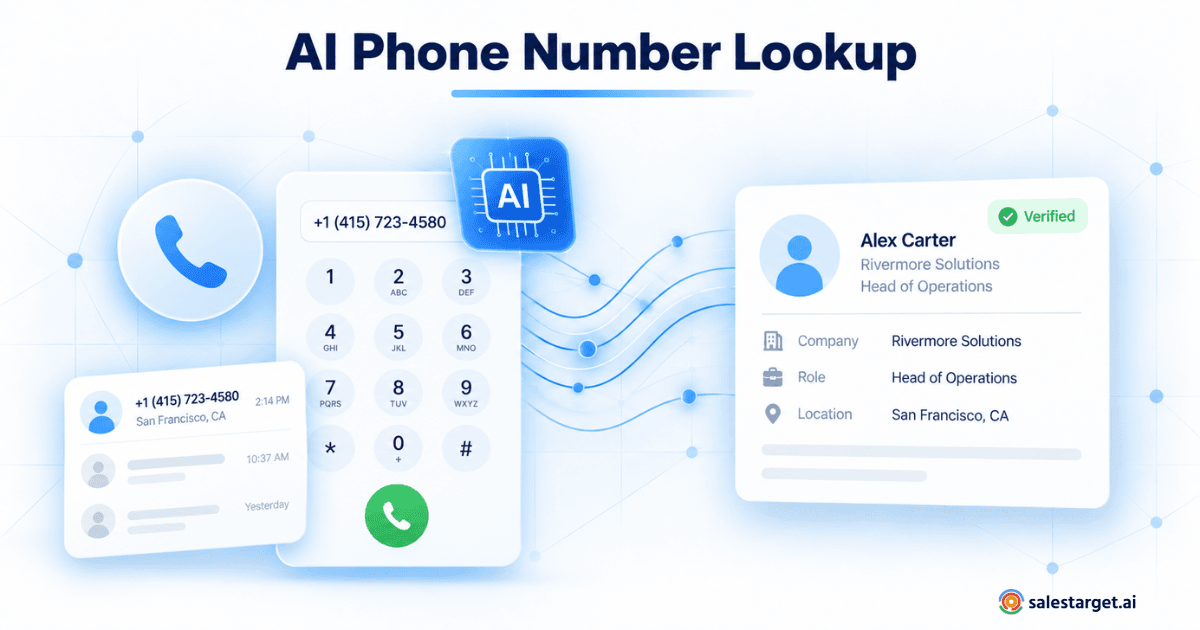
To see how AI factors into this process, read our breakdown of how AI phone number lookup works for sales teams.
Common Problems With B2B Phone Number Identification
Outdated and Reassigned Phone Numbers
Phone numbers get reassigned. A number that belonged to your target contact six months ago may now reach a completely different person. Tools without active verification cycles surface these regularly without flagging the risk.
Company Switchboards Listed as Direct Numbers
Some databases incorrectly label switchboard numbers as direct dials. This is one of the most consistent frustrations for SDRs: the data says direct dial, the call goes to reception. Better tools validate number type before surfacing results.
Duplicate Contact Records
The same prospect appearing twice in a database (from two different source records) can produce conflicting numbers in enrichment output. Deduplication before enrichment reduces this problem and keeps CRM records clean.
Missing Direct Dials for Niche Prospects
In certain verticals, especially specialized roles at smaller companies, direct dial coverage is lower across B2B databases. Mobile numbers are sometimes the only option available. Knowing this before building a campaign sets realistic connect-rate expectations.
Incorrect Prospect-to-Number Matching
Weak matching logic (name plus company alone) produces false matches where the number belongs to a different person with a similar name at a different company. More identifiers at query time produce more accurate results.
Inconsistent Data Across Multiple Sales Tools
Using separate tools for prospecting, enrichment, and outreach means the same contact can appear with different phone numbers in different places. A single connected platform keeps contact data consistent from discovery through close.
Improving Phone Number Identification Accuracy
Use Multiple Prospect Identifiers Before Enrichment
Name and company together are often not enough for a clean match. Add job title, LinkedIn URL, and company domain to your query inputs. More identifiers produce fewer mismatches and higher confidence on the number returned.
Confirm the Prospect's Current Company and Role
Enriching a contact who changed companies last month returns data for the wrong employer. Check that a prospect's current role matches before running enrichment, especially on lists older than 60 days.
Prioritize Recently Refreshed Contact Records
When a tool returns multiple numbers or shows a confidence score, weight outreach toward the most recently verified records. Older records carry higher risk of being stale or reassigned.
Keep CRM Data Updated After Each Interaction
After every call, log the outcome and update the contact record. If a number was wrong or disconnected, flag it immediately. These real-time feedback loops improve the accuracy of your contact data across every future campaign that touches the same contact.
Recheck Older Records Before Launching New Campaigns
Any prospect list older than 90 days should go through a re-enrichment pass before a new campaign targets it. The cost of enriching 500 contacts is far lower than the cost of 500 wasted dials.
Building a Multichannel Prospecting Process Around Verified Contact Data
Start With Accurate B2B Lead Data
Everything downstream depends on the quality of contact data at the start. Define your ICP, confirm your target account list, and run enrichment before the sequence launches, not partway through it.
Add Verified Phone and Email Information
Account and contact identification should produce verified phone and email in the same step. Separating these into different workflow stages creates gaps where data quality degrades and enrichment becomes an afterthought.
Use Calling, Email, and LinkedIn as Connected Touchpoints
No single channel reaches every prospect. A coordinated sequence where email, phone, and LinkedIn carry shared context across each touchpoint outperforms any single-channel approach. McKinsey research on B2B buyer behavior consistently shows that decision-makers engage across three or more channels during the buying process, preferring organizations that meet them across multiple touchpoints in a coordinated way.
Track Replies, Calls, and Deals in One Sales Workflow
When call logs, email replies, and LinkedIn interactions live in three different tools, reps spend time piecing together what happened before every touch. A unified workspace removes this overhead and keeps every channel's history visible in one view.
Refresh Contact Data When Prospects Change Roles
Role changes are the single biggest source of phone data decay. Set a CRM trigger to flag contacts who haven't been re-enriched in 90-plus days, and run enrichment before the next outreach cycle targets them.
Why Choose SalesTarget.ai?
Find and Enrich B2B Contacts With Lead Explorer
Lead Explorer searches across 840M+ verified professional profiles and 146M+ businesses using plain-English AI search or stacked ICP filters. One-click enrichment returns verified professional email, personal email, direct dial, and mobile for each contact without leaving the platform. SalesTarget.ai reports 99% verified contact data across its enrichment output.
Access Verified Prospect Data in One Workspace
All prospecting, enrichment, and contact verification happen inside one workspace. No CSV exports, no switching between tools, and no data quality lost in the handoff between systems.
Run Email and LinkedIn Outreach From Enriched Lead Lists
Enriched contacts push directly into email or LinkedIn sequences with no import step. Multichannel coordination is built into the platform, so context carries across email, LinkedIn, and phone without additional setup or tool integration.
Validate Email Data Before Outbound Campaigns
The Email Validator runs MX, SMTP, and risk-score checks before any email goes out. SalesTarget.ai validates 90% of emails before sending, keeping bounce rates low and sender reputation intact across every campaign.
Manage Calls, Notes, Tasks, and Deals in the Built-In CRM
The built-in CRM includes a click-to-call AI dialer that logs calls automatically and captures call notes directly to the lead timeline. Reps do not write up summaries manually. Every call outcome connects to the deal record in real time: 3.2X faster deal cycles and roughly six hours saved per rep per week.
Use AI Copilot to Support Prospecting and Outreach Workflows
AI Copilot lets reps search the contact database, generate personalized email sequences, query deal status, and assign follow-up tasks in plain language. It handles operational overhead so reps stay focused on conversations and closing, not administrative work between calls.
Phone Number Identification as Part of a Stronger B2B Prospecting Strategy
Move Away From Disconnected Contact Research
Spreadsheets, standalone lookup tools, and manual research leave contact data scattered and inconsistent. Finding a number, verifying it, and getting it into a sequence should not require four separate tools and two CSV exports.
Keep Prospect Data Accurate From Discovery Through Outreach
Accuracy is not a one-time event at list-building. It's a process that runs from initial prospecting through every follow-up and every role change along the way.
Give Sales Teams More Usable Contact Information
Verified direct dials and mobiles in the hands of SDRs who know who they're calling, why they're calling, and what the next step is in the sequence: that's the practical output of a working phone number identification process.
Connect Prospecting, Outreach, Calling, and Pipeline Management
The teams running the most consistent outbound have stopped treating these as separate steps. Prospecting, enrichment, outreach, calling, and pipeline management run in one connected workflow, with each stage feeding the next in real time.
Final Thoughts on Phone Number Identification for B2B Prospecting
Most phone number problems in B2B sales are data problems at their root: outdated records, weak matching, switchboards mislabeled as direct dials, and lists that were already stale when outreach started. These are solvable problems, not permanent friction in the sales process.
Phone number identification tools solve them by matching prospects to verified, typed contact numbers using large B2B database coverage, multi-identifier matching logic, and rolling data refresh cycles. The output is more conversations per dial, cleaner CRM data, and outbound workflows that hold up at scale.
SalesTarget.ai brings phone number identification, contact enrichment, multichannel outreach, calling, and pipeline management into a single workspace. Reps find the right contacts, reach them with current data across the right channels, and close without rebuilding lists or switching tools every quarter.
If your team is spending more time finding numbers than having conversations, see how SalesTarget.ai works.