Your SDR exports 500 contacts on Monday. By Wednesday, 60 emails have bounced, a dozen calls reached the wrong person, and three "VP of Sales" titles belong to people who left last spring. The sequence was fine. The data was not.
How accurate are B2B data tools? Accuracy depends on the field, the source, and the date a record was last verified. Emails are the easiest to check, direct phone numbers are harder, and job titles go stale fastest. A vendor's headline accuracy claim means little until you test a sample of its records against ones you verified by hand. That test takes an afternoon, and it tells you more than any sales page.
The pressure to test is real. HubSpot's database decay simulation, built on MarketingSherpa research, puts B2B contact decay at about 2.1% per month, or roughly 22.5% per year. Gartner has been cited for rates as high as 70% in fast-moving segments. Plan for a database that is already drifting the day you buy or export it.
The Hidden Cost of Inaccurate B2B Contact Data in Outbound Sales
Bad data costs you replies, rep hours, sender reputation, and pipeline. Most of that damage never gets traced back to the list.
Invalid Email Addresses, Disconnected Phone Numbers, and Outdated Job Titles
Each field fails in its own way. An invalid email produces a hard bounce you can see. A disconnected number burns dial time. An outdated job title is the worst of the three, because it passes every technical check and still sends the wrong pitch to the wrong person.
Here is an edge case most guides skip: a record can be technically valid and practically wrong. Many company mail servers are set to accept every address at the domain (catch-all). A verifier cannot confirm a single mailbox there, so it returns "risky" rather than "valid." Treating those records as clean is how a list that "passed verification" still produces bounces.
Poor Prospect Targeting and Wasted SDR Hours
A rep filters for Head of Growth at companies with 50 to 200 employees. The record says 120, but the company hired through two funding rounds and now has 400. The rep never learns this until the call. Multiply that by a few hundred records and your targeting rules are filtering on facts that expired.
Reps compensate by researching each record by hand. A rep who fixes 10 bad records a day at three minutes each loses 30 minutes daily, about two and a half hours every week. That is time taken from conversations.
Low Email Deliverability and Missed Sales Opportunities
Bounces hurt your sending domain, not just the individual send. Once mailbox providers see a pattern of invalid addresses, they treat your good emails with suspicion too, and replies drop for everyone on that domain.
The missed opportunity is invisible. When a sequence gets no replies, you cannot tell which prospects ignored you and which never received the message. Dirty data turns every campaign result into a guess.
The Impact of Inaccurate Data on Pipeline Quality and Revenue
Take a 10,000-contact list. At the 22.5% annual decay rate, about 2,250 records will be wrong within a year. Validity's CRM data research found that most organizations (76%) rate fewer than half of their CRM records as accurate and complete.
That flows straight into the pipeline. Deals attach to contacts who no longer work there, forecasts count accounts nobody is talking to, and managers coach on conversion rates distorted by emails that never arrived.
The Core Components of B2B Data Accuracy
B2B data accuracy is the share of your records that are correct, current, complete, and verified. Checking one of those four tells you very little.
Contact Accuracy Across Names, Roles, Emails, and Phone Numbers
Contact accuracy covers the person-level fields: name, title, seniority, work email, and phone. They decay at different speeds. Names barely change. Work emails and titles move with every job change. Mobile numbers hold longer than desk lines. Measure each field on its own instead of averaging them into one score.
Company Data Accuracy Across Industry, Size, and Location
Company fields drive your targeting filters, so errors here quietly poison every list you build. Headcount and revenue drift as firms grow, merge, or shrink. Industry labels get assigned once and rarely revisited. Locations go stale after office moves. A contact can be perfect while the account data around it sends you after the wrong segment.
Data Freshness and Contact Update Frequency
Freshness is the date a record was last verified, not the date it was added. A record created two years ago and checked last week is fresher than one pulled yesterday from a source scraped last spring. Ask any provider for field-level verification dates. If they only show a "created" date, you cannot judge freshness at all.
Data Completeness, Duplication, and Verification Status
A record with a verified email and no phone limits you to one channel. Duplicates split activity history across two entries, so one rep emails a lead the colleague already called. Verification status ties it together: every record should carry a label such as valid, risky, invalid, or unknown, so your team knows what is safe to send.
B2B Data Accuracy Testing Framework for Sales Teams
Test five things on a random sample before any campaign: email validity, phone connection, job and company status, duplicates and gaps, and overall accuracy against hand-verified records.
Email Validity Checks and Domain Verification
Run each address through four checks: syntax, domain and MX record lookup, an SMTP handshake that confirms the mailbox accepts mail, and disposable or role-based address detection (info@, sales@). Flag catch-all domains separately. Send them in a small, monitored batch instead of blasting them with the rest.
Phone Number Validation and Connection Testing
Validation tells you the number is formatted correctly and the line type (mobile, landline, VoIP). Connection testing tells you whether a real person picks up. Dial 30 to 50 numbers from the sample and log three outcomes: connected to the right person, connected to someone else, and dead line. The wrong-person rate is the number most teams never track.
Job Title, Employment, and Company Status Checks
Open the prospect's LinkedIn profile and the company's team page. Confirm the person still works there, the title matches, and the company still operates under the same name and domain. Acquisitions matter most: when a company is bought, the email domain often changes and every contact tied to it needs a recheck.
Duplicate Detection and Missing Contact Information
Match on work email first, then LinkedIn URL, then name plus company domain. Count how many records share a match and how many lack an email, a phone, or a title. Missing fields count as failures in your score, because an empty field is a dead end for the rep.
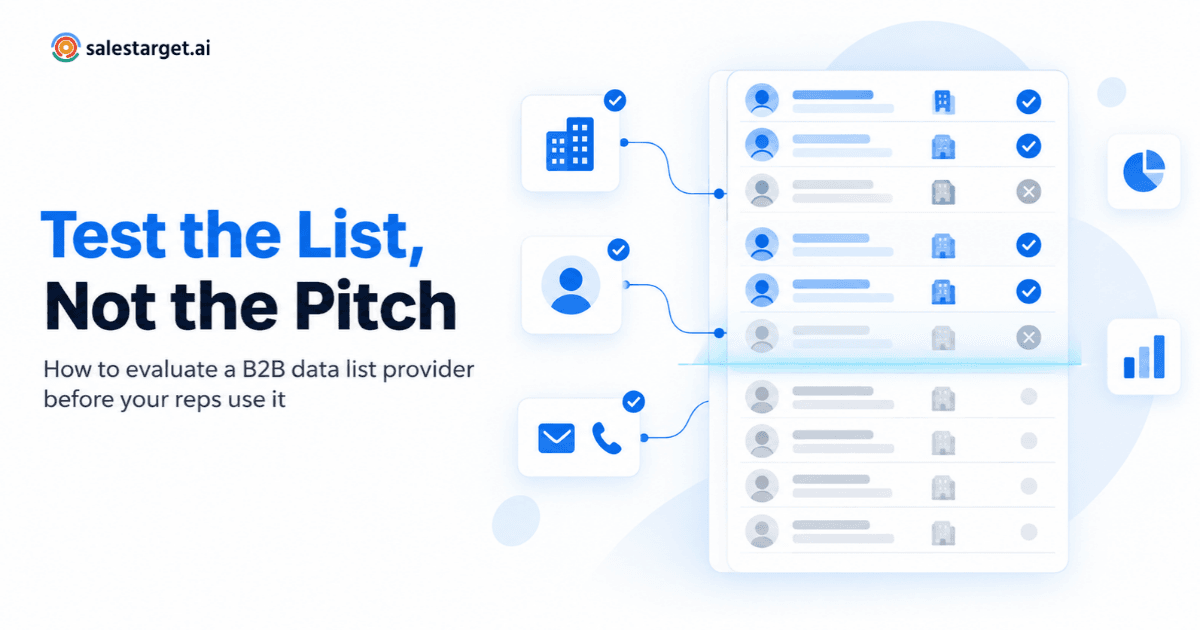
Sample-Based Testing Against Manually Verified Records
This is the test that settles the question.
- Pull a random sample of 200 records. Mix sources, seniority levels, and regions so one easy segment does not flatter the result.
- Verify each record by hand: email check, call or LinkedIn confirmation, company status.
- Score every field separately as correct or incorrect.
- Set a pass line before you look at results (for instance, 95% email validity and 85% title accuracy).
- Repeat the test on every provider you compare, using the same method.
Want to see how your own list scores? Run a sample through Salestarget.ai and compare the verification results against what you already hold.
B2B Data Freshness and Its Impact on Prospecting Performance
Freshness decides whether a verified record stays usable. Job changes, domain moves, and slow update cycles erode accuracy every month after verification.
Job Changes, Company Moves, and Outdated Decision-Maker Records
Landbase's decay research reports that around two-thirds of business contacts see a title or function change within 12 months, and more than a third change email addresses. Decision-makers are the most exposed, since senior roles turn over and get restructured often. When a champion leaves, the new owner of that budget is usually missing from your database.
Email Domain Changes and Inactive Business Contacts
Rebrands, acquisitions, and mail system migrations all change domains. The old address may keep accepting mail for weeks, then bounce. Inactive contacts are a separate problem: the person never left the company, but the mailbox was deactivated or abandoned. Both look fine on the day you export and fail later.
Contact Update Cycles and Real-Time Data Validation
There are two ways to keep records fresh. Batch refresh re-checks the whole database on a schedule. Point-of-use validation checks a record at the moment you are about to act on it. The strongest setup runs both: a scheduled sweep for the database, plus a verification check right before a contact enters a sequence.
Data Decay Across Long-Term Prospecting Databases
Decay is uneven. Tech and early-stage companies move faster than manufacturing or professional services. Old closed-lost contacts and cold nurture lists decay unobserved because nobody touches them. Sort your database by record age and revenue potential, then recheck the oldest high-value segments first. A practical rule: anything last verified more than 90 days ago gets rechecked before it enters a campaign.
B2B Data Quality Metrics for Evaluating Contact Databases
Track email validity, bounce rate, phone connection rate, completeness, duplicates, freshness, and verified coverage. Together they show whether a database is usable.
Email Validity Rate and Bounce Rate
Email validity rate is valid addresses divided by total addresses tested. Bounce rate is bounced sends divided by delivered attempts. Validity is your pre-send forecast, and bounce rate is the real result. If the two diverge, your verification method is missing something, often catch-all domains. Many deliverability teams treat a bounce rate above 2% as a warning sign worth acting on.
Phone Number Accuracy and Connection Rate
Connection rate is calls answered divided by calls dialed. Pair it with the wrong-person rate from your sample. A high connection rate with a high wrong-person rate means the numbers work but belong to the wrong people, which is a freshness problem, not a validation problem.
Contact Completeness and Duplicate Rate
Completeness is the share of records holding every field your outreach needs (email, phone, title, company). Duplicate rate is the share of records matching another. Set targets for both and check them after every import, not once a year.
Data Freshness Rate and Record Update Frequency
Freshness rate is the percentage of records verified within your chosen window, such as 90 days. Update frequency is how often the provider rechecks records. A provider can have strong accuracy on day one and a weak freshness rate by month six. Ask for both numbers.
Verified Contact Coverage Across Target Accounts
Here is an angle most database reviews miss: measure coverage per account, not per record. A database with 10 million verified contacts means nothing if only 40% of your target accounts have a verified decision-maker. Count how many accounts on your ICP list hold at least one verified contact in the roles you sell to. That coverage figure predicts campaign reach better than total database size.
B2B Data Tools Comparison Criteria for Choosing a Reliable Provider
Compare providers on usable coverage, verification depth, enrichment, refresh transparency, and how well the data moves into the tools your team already uses.
Verified Contact Coverage and Database Size
Size is the headline number every vendor leads with. Treat it as a ceiling, not a score. Ask what share of records carry a verified email, a verified phone, and a recent verification date, then test coverage against your own account list.
Email and Phone Number Verification Capabilities
Check whether the tool runs MX and SMTP checks, flags disposable and catch-all addresses, and scores risk. For phones, check whether it separates mobile from direct lines. If verification is a bolt-on, ask when it runs: at the moment of enrichment or only on export.
Contact Enrichment and Company Data Coverage
Good enrichment fills gaps on demand: email, phone, seniority, department, company size, revenue, tech stack, and buying signals. Test it on records you already know, so you can see how many fields come back right.
Data Refresh Frequency and Source Transparency
Ask where the data comes from and how often each field is rechecked. A provider that can name its source types and show verification dates by field is easier to trust than one that offers only a single accuracy percentage.
CRM Integration, Export Options, and Pricing Structure
Accuracy that stops at export loses value fast. Look for direct push into sequences and your CRM with no CSV step. On the commercial side, check how the platform packages verification and enrichment: whether they are built in or sold as separate add-ons that you must stitch together yourself.
Best Practices for Maintaining Accurate B2B Contact Data Before Outreach
Verify before you send, segment by status and age, remove bad records, recheck old contacts before re-engaging them, and run a recurring review.
Verify Prospect Records Before Adding Them to Campaigns
Make verification a gate, not a cleanup task. No record enters a sequence without a current verification status. This single rule prevents most bounce problems before they start.
Segment Contacts by Verification Status and Freshness
Split your list into tiers: verified and fresh, verified but older, risky, and unknown. Send to the first tier at full volume. Send to risky records in small, monitored batches. Hold unknown records until they are checked.
Remove Invalid, Duplicate, and Outdated Records
Delete hard-invalid emails and merge duplicates so one lead keeps one history. For outdated contacts, do not delete blindly. A departed champion is a signal worth acting on: find the person who replaced them.
Recheck Existing CRM Contacts Before Re-Engagement
Reviving a closed-lost list from last year feels like free pipeline, and it is where decay hits hardest. Verify the email, confirm the person still holds the role, and only then reach out.
Build a Recurring Contact Data Quality Review Process
Set a monthly review: run the sample test on a small slice, track your metrics, and log the results. A short review every month beats a large cleanup every year. Trends matter more than snapshots.
Why Choose Salestarget.ai for B2B Data Accuracy and Sales Outreach
Salestarget.ai verifies contacts at the point of enrichment and keeps discovery, validation, outreach, and CRM in one workspace, so data does not go stale between tools.
Apollo gives you data and engagement, but you still bolt on deliverability and a CRM. Instantly, Smartlead, and Lemlist focus on cold email, with no native B2B database and no real CRM. Salestarget.ai connects the whole chain on one platform: find the lead, enrich and verify it in the same click, push it into a sequence, and close it in the CRM.
Lead Explorer for B2B Prospect Discovery and Contact Enrichment
Lead Explorer searches 840M+ verified professional profiles and 146M+ business entities across 50+ data sources. You can search in plain English or stack filters for industry, role, seniority, company size, revenue, location, and tech stack. One-click enrichment unlocks a verified professional email, personal email, phone, and mobile, and Salestarget.ai reports 99% verified contact data. Intent signals (4,000+) and business events such as funding rounds and leadership changes help you spot job changes before you write the first line.
Email Validator for MX and SMTP-Based Email Checks
Email Validator runs MX and SMTP checks, detects disposable emails, and scores risk before you send. It works through a real-time API and bulk list cleaning, and connects across 60+ platforms, so you can clean lists that never touched Salestarget.ai.
Email and LinkedIn Outreach for Coordinated Prospect Engagement
Email Outreach validates 90% of emails before sending and protects sender reputation with automatic warm-up, inbox rotation, and SPF, DKIM, and DMARC checks. LinkedIn Outreach automates connection requests, DMs, and follow-ups with built-in safety limits. Both run in one coordinated flow, so a bounced email can trigger a LinkedIn touch instead of silence.
Built-in CRM for Managing Enriched Contact Records and Sales Activities
The CRM receives campaign leads automatically with no imports, logs every email and call to the lead timeline, and creates follow-up tasks when a lead replies. Records stay connected to their verification history, which cuts the duplicate and stale-record problems that come from moving CSVs between tools. Salestarget.ai reports 91% follow-up completion and about six hours saved per rep each week.
AI Copilot for Prospect Research and Sales Assistance
AI Copilot is a conversational teammate, free inside the platform. Ask it to find leads across the 840M+ profile database, build a personalized sequence, or pull CRM deals and tasks in plain language. It handles the grunt work so reps spend their time on conversations, while strategy stays with your team.
Common B2B Data Quality Mistakes That Sales Teams Should Avoid
The biggest mistakes treat verification as a one-time event and trust surface numbers: database size, a single accuracy score, or a CRM that nobody rechecks.
Confusing Verified Email Addresses With Fully Verified Contact Records
A verified email proves a mailbox exists. It does not prove the person holds the title on the record, works at the company, or fits your ICP. Verify the email, then verify the person.
Depending on Database Size Instead of Usable Contact Coverage
A bigger database feels safer. What counts is how many of your target accounts have a verified decision-maker. A smaller database with strong coverage of your accounts beats a huge one that misses half of them.
Ignoring Data Freshness After Initial Verification
Verification has a shelf life. A record verified in January is a guess by summer. Put a re-verification rule in place (such as the 90-day window above) and apply it before every campaign.
Sending Outreach Without Testing Sample Records
Skipping the sample test saves an afternoon and costs you a damaged sending domain. Test 200 records first. If the sample fails your pass line, the full list will too.
Treating CRM Contact Records as Permanently Accurate
The CRM feels authoritative since your team entered the data. Entry date is not accuracy. Re-enrich CRM records on a schedule and trigger a recheck whenever a contact's company field changes.
Conclusion: Make Contact Data Accuracy the Starting Point of Every Outbound Campaign
Bad contact data is a quiet tax on every outbound motion. It shows up as bounces, wrong-person calls, low reply rates, and forecasts built on contacts who left. Accuracy is not a vendor promise. It is a number you measure: sample your records, score each field, track freshness, and recheck before you send. For a wider look at evaluating providers, read this guide to B2B data tools.
Salestarget.ai was built for this exact problem. Discovery, enrichment, email validation, multichannel outreach, and the CRM live in one workspace, so contacts are verified when you find them and stay connected to every touch that follows. Start free, run a 200-record sample through it, and see what your current list is really worth before your next campaign goes out.