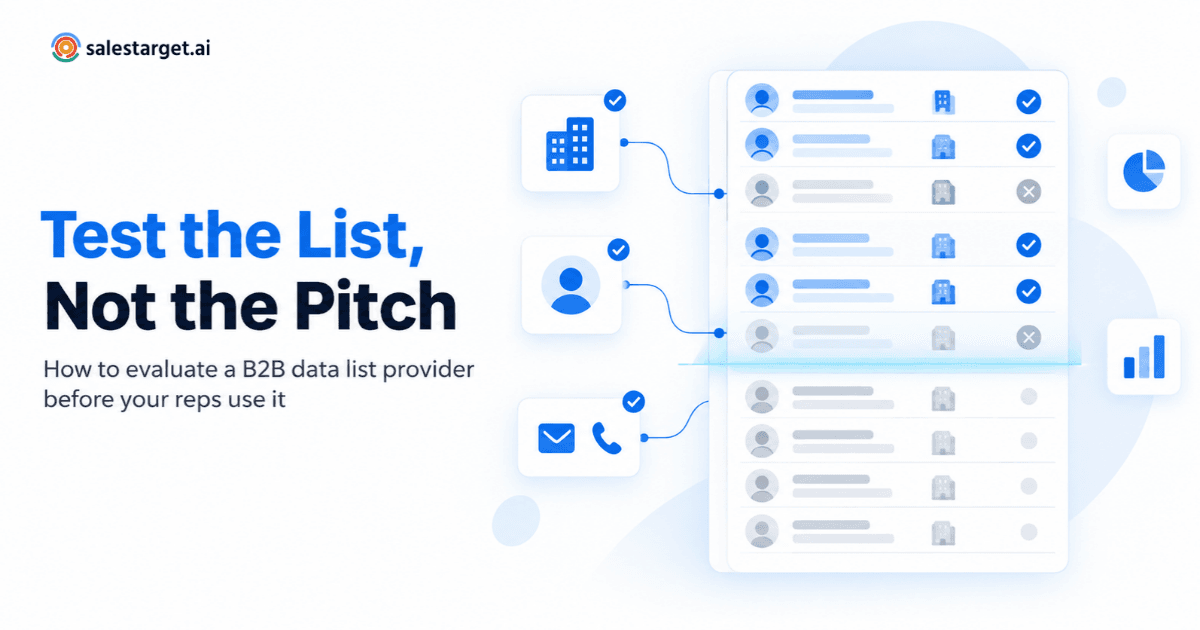
A B2B data list provider supplies the company and contact records that sales and marketing teams use to build prospect lists: company names and domains, industry and size, the people who work there, their titles, and the work emails and phone numbers used to reach them. The most reliable way to judge one isn't the demo or the size of the database. It's a structured test of the list itself: write a precise brief, check the provider's records against accounts you already know well, score a blind sample from your real target segment, and agree on acceptance rules before a single record reaches your reps.
Every provider will tell you its data is accurate. You can't verify a claim, but you can verify a list. This guide walks through a repeatable way to do that, whether you're comparing two new vendors or checking whether the one you already use still fits your market.
If you'd rather run these checks yourself than wait for a vendor to send a sample file, Lead Explorer lets you look up the accounts you already know, see whether a verified email or phone number exists before you unlock a record, and get contact details that are verified at the moment you enrich them.
What does a B2B data list provider actually deliver?
Whether a vendor calls itself a B2B contact data provider, a list broker, or a data platform, most deliver the same three layers of B2B prospect data:
- Company records: industry, headcount band, revenue range, location, and often the technologies a company runs.
- People records: name, title, seniority, department, and contact channels such as work email, direct dial, and mobile.
- Context: business events and signals such as funding, hiring activity, leadership changes, or research activity on specific topics.
What differs is the packaging. Some providers deliver a finished file built to your criteria. Others give you a searchable platform where you build and refresh lists yourself, and many will also enrich records you already own. If you're still weighing a searchable platform against a one-time file, our comparison of B2B data providers and lead list providers covers that decision.
Whichever model you choose, your reps end up working a list. That list is the thing worth testing.
Why a bigger list isn't a better one
A raw record count says very little about how many real conversations a list can produce. Before a record deserves a rep's time, it has to clear five gates:
| Gate | The question it answers | A record fails when… |
|---|---|---|
| ICP fit | Is this a company you can actually sell to? | Wrong industry, size, region, or tech stack |
| Role fit | Is this person part of the buying decision? | Wrong department or seniority, or a title too vague to place |
| Reachability | Can you contact them on your channel? | No work email or direct number, or the email fails verification |
| Uniqueness | Is this a new contact you're allowed to approach? | Duplicate, existing customer, open opportunity, or on your do-not-contact list |
| Currency | Is the record still true today? | The person has moved on, or there's no recent verification date |
The share of records that clears all five gates is the list's usable yield. That's the number to compare across providers, and it's the clearest way to see the gap between a large contact list and a useful, targeted, verified prospect list.
A hypothetical example shows why. Say Provider A returns 10,000 records for your brief and Provider B returns 4,000. On paper, A looks two and a half times bigger. Run both through the gates, though, and suppose 21% of A's records survive against 65% of B's. A now gives you 2,100 workable contacts and B gives you 2,600, with far less cleanup along the way. The numbers are invented for illustration; the point is that only the yield calculation tells you which list is bigger in the way that matters.
Step 1: Write a list brief before you contact any provider
A vague request produces a vague list. “IT decision-makers at mid-sized US companies” can be filled a hundred different ways, and a provider will naturally fill it the way that's easiest. A one-page brief removes that guesswork, and later it doubles as your acceptance checklist.
Here's what to include, using a hypothetical payroll software company that sells to HR leaders at US manufacturers as the example:
| Brief section | What to specify | Example |
|---|---|---|
| Account criteria | Industry at the most specific level available, employee and revenue bands, geography, technologies to include or exclude | US manufacturers with 200 to 1,000 employees that don't already run a modern HR platform |
| Persona map | Roles across the buying group, with seniority and department, plus titles to exclude | VP or Director of HR, Head of People, Payroll Manager; exclude recruiters and HR coordinators |
| Required fields | Which fields must be filled, and how you define each one | Work email on the company domain, not a personal address; direct dial preferred over switchboard |
| Suppression | Who must never appear on the list | Current customers, open opportunities, competitors, anyone who has opted out |
| Freshness | Proof of when each record was last checked | A last-verified date on every contact record |
| Format and dedupe key | How records should arrive and what makes each one unique | CSV mapped to your CRM fields; work email as the unique key, profile URL as a fallback |
If your account criteria still feel loose, start by tightening your ideal customer profile before you write the brief. For the persona map, it helps to map the full buying committee instead of a single title, because the person who signs the contract is often not the first person who replies.
Step 2: Run a known-account test against your own CRM
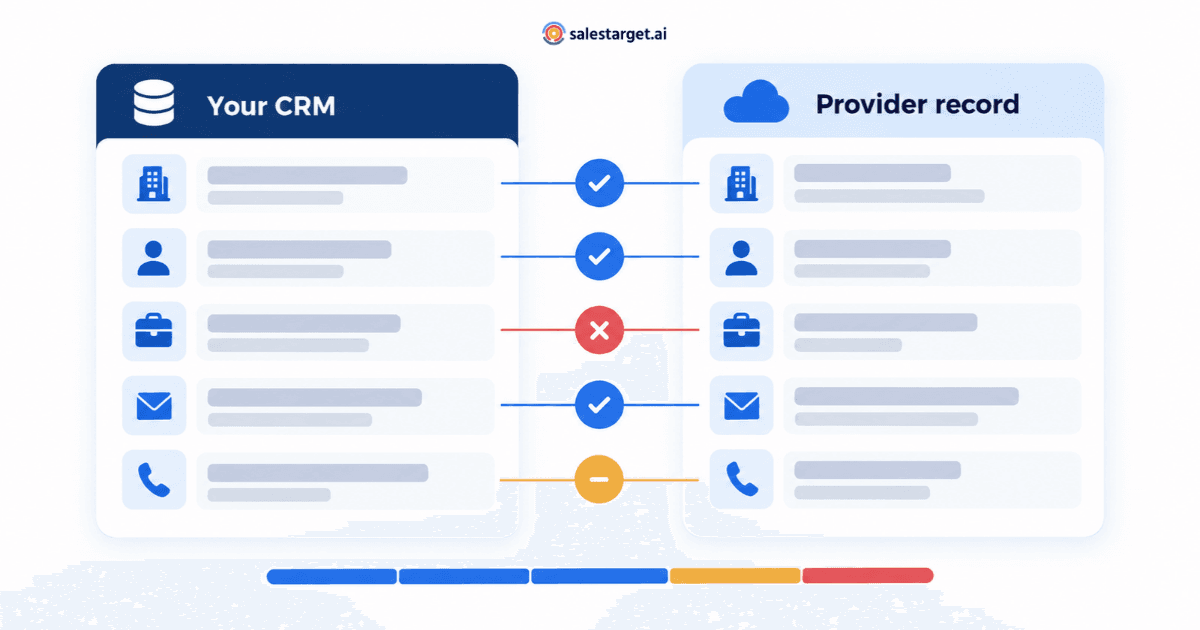
This is the check most buyers skip, and it's the most revealing. Pick 20 to 30 accounts where you already know the truth: current customers, recently won or lost deals, and open opportunities where your reps have spoken to real people. Your CRM already records who the decision-maker is, what their title is, which email address gets replies, and who has left the company.
Look those accounts up in the provider's data, or ask the provider to return its records for those company domains, and compare what comes back with what you know. You're grading the provider against ground truth you already own, not against the provider's own “verified” labels.
How to score the known-account test
| Check | How to score it | Red flag |
|---|---|---|
| Company match | Correct domain, industry, and size band | Wrong parent company, outdated headcount, or a missing account |
| Known contacts found | Share of the people you've spoken with who appear | Most of your real contacts are missing |
| Title currency | Titles match what your CRM shows today | People you know have left are still listed as current employees |
| Email agreement | Provider email matches the address with reply history | A different pattern or domain for people your team emails every week |
| Decision-maker hit | The person who signed or championed the deal appears | Only junior or adjacent roles turn up |
| New names in target roles | Plausible extra contacts that fit your persona map | Many records with vague or unrelated titles |
Two precautions before you start
- Share accounts, not people. Give an external vendor company names or domains only, never your customer contact records, and do the comparison on your side.
- Keep it read-only. No one on your customer list should receive a prospecting email because they were part of a data test.
One limitation is worth knowing: the accounts you know best tend to be the easiest ones to find. That's why the next step tests your real target market.
Step 3: Score a blind sample from your target segment
Ask for, or pull yourself, a random sample of records that match your brief. Random matters: a hand-picked sample shows you the provider's best work, not its average. A sample of 100 records gives you a rough read, with a margin of about plus or minus ten percentage points (at 95% confidence) on any yes-or-no measure. A sample of 200 narrows that to about seven.
Seven measures to score
| Measure | How to calculate it | What it tells you |
|---|---|---|
| ICP match rate | Records that meet your account criteria ÷ sample size | Whether the provider's filters behave like yours |
| Role match rate | Contacts who fit your persona map ÷ sample size | Whether titles are mapped to the right department and seniority |
| Reachability | Contacts with a work email that passes verification, or a working direct dial ÷ sample size | How many records you can actually contact |
| Freshness | Records with a recent last-verified date ÷ sample size | Whether verification is ongoing or a one-time event |
| Duplicate and suppression hits | Records already in your CRM or on your suppression list ÷ sample size | How much of the list you'd discard on arrival |
| Fill rate | Required fields present ÷ required fields expected | Whether enrichment is complete enough to personalize outreach |
| Signal coverage | Accounts showing the events or intent topics you track ÷ accounts in the sample | Whether timing data exists for your segment |
Most of these can be counted in a spreadsheet after an email verification pass. For reachability, don't trust the label on the file; run the addresses through domain, MX, and mailbox checks first. This six-signal pre-import check for B2B lists covers the email-level signals. If timing matters to your motion, score signal coverage too; here's how B2B intent data signals in-market buyers if you need a primer.
The check software can't do for you
Role match is the one measure that needs human judgment. Ask someone who knows your buyer to read the titles. “Head of Operations” means something different at a 60-person agency than at a 6,000-person manufacturer, and only a person who sells to both will catch the difference.
Step 4: Agree acceptance rules before the full list arrives
Decide what “good enough” means before you see the full delivery, while you're still neutral. Write the rules down and share them with the provider. Useful rules include:
- Every contact record carries a last-verified date.
- For email-led campaigns, records without a verified work email are left out rather than delivered as partial records.
- Any record that matches your suppression list is removed before delivery, not after.
- If ICP or role match in the full delivery falls below what the sample showed, the provider re-pulls with tighter filters.
- Invalid records found after delivery are reported back and handled according to terms you agreed in advance.
The thresholds themselves are yours to set. A team running high-touch, account-based outreach can live with a smaller list but should demand very high role match. A team testing a new market may accept a lower fill rate as long as ICP match is strong.
These rules protect more than rep time. Mailbox providers watch how recipients react to your email. Google, for example, advises senders to keep their user-reported spam rate below 0.1% and to stop it ever reaching 0.3% (Gmail email sender guidelines FAQ). Messages that land with the wrong person at the wrong company give recipients every reason to press that button, so list quality feeds directly into sender reputation.
Step 5: Ask where the data comes from and what you can do with it
Accuracy is only half of due diligence. The other half is provenance and rights.
Questions to put to the provider
- Sources: Where are records collected, and how is each field verified?
- Refresh cadence: How often are emails, phone numbers, and job changes rechecked? They often run on different schedules.
- Opt-outs and deletions: If someone asks to be removed, does that removal reach the copy of the data you hold?
- Usage rights: Can you store records in your CRM, for how long, and can you reuse them across campaigns or share them with an agency?
- Documentation: What can the provider share with your legal or privacy team?
Compliance reference points
Rules vary by country, so involve your own counsel. Two reference points help frame the conversation. In the US, the FTC notes that the CAN-SPAM Act makes no exception for business-to-business email and that opt-out requests must be honored within 10 business days (FTC compliance guide). In the UK, marketing email to corporate subscribers, such as limited companies, is treated differently from email to individuals, but a marketer relying on legitimate interests still has to show it meets the requirements (ASA guidance). A provider that can't explain how its data fits rules like these leaves that risk with you.
For a broader feature-level review covering integrations, usage limits, and workflow fit, use our 10-point B2B database provider checklist alongside this test.
Step 6: Pilot small before you scale
Once a provider passes the first five steps, send to a small accepted batch before loading everything. Keep the message, sender, and timing identical across providers so the data is the only thing that changes. Track:
- Hard bounces
- Wrong-person replies, such as “I left that company” or “not my area”
- The quality of positive and neutral replies
- Meetings that meet your qualification criteria
Pilot results take longer to arrive than any other check, and they're the closest thing to a real answer. Once you've chosen a provider, a monthly prospect list audit keeps the quality you accepted on day one from quietly eroding.
How each selection criterion gets tested
If you're comparing providers on the usual criteria, here's where each one is actually proven in this process:
| Criterion | Where it's tested | Evidence to look for |
|---|---|---|
| Contact accuracy | Known-account test (Step 2) | Titles and emails match your CRM records |
| Data freshness | Blind sample (Step 3) and provider questions (Step 5) | Last-verified dates on records and a stated refresh cadence for each field |
| Company and contact coverage | Steps 2 and 3 | Your accounts are found, with enough contacts per account in target roles |
| Segmentation | List brief (Step 1) and ICP match rate | Filters reproduce your criteria without manual cleanup |
| Decision-maker identification | Decision-maker hit and role match rate | Economic buyers and champions appear, not only junior staff |
| Enrichment | Fill rate | Required fields are present for personalization |
| Buying signals | Signal coverage | Events or intent topics show up for accounts in your segment |
| Integrations and usability | Pilot (Step 6) | Records load into your CRM or sequencer without manual remapping |
| Compliance and usage rights | Provider questions (Step 5) | Clear sourcing, opt-out handling, and usage terms |
Where Lead Explorer fits in this process
Most of this method depends on being able to look things up yourself instead of waiting for a vendor's curated file. That's where SalesTarget.ai's Lead Explorer helps:
- Your brief becomes reusable filters. ICP Builder turns your account and persona criteria (industry, headcount, revenue band, location, tech stack, seniority, and department) into Business and People filters that apply to every search. You can keep separate segments for different products or regions.
- Known-account tests are self-serve. Look up the accounts you already know and compare the results with your CRM, without sending your customer list to anyone.
- Reachability is visible up front. Has Email and Phone Number filters show whether contact data is available before you unlock a record, and contact details are checked when you enrich a record, rather than relying on whenever the data was originally gathered.
- Signal coverage is testable. Intent Topics and business event filters, such as funding rounds, hiring spikes, and leadership changes, look back over a 30 to 90 day window.
- Accepted records keep moving. Send them to the built-in CRM, sync them to HubSpot, Salesforce, Pipedrive, or Zoho, or export them to the tool you already use.
Run a known-account test in Lead Explorer
A five-day plan to evaluate any B2B data list provider
- Day 1: Write the list brief and agree on it with sales leadership.
- Day 2: Run the known-account test on 20 to 30 accounts.
- Day 3: Pull and score a blind sample of 100 to 200 records.
- Day 4: Set acceptance rules and collect answers to your sourcing and rights questions.
- Day 5: Launch a small pilot with a controlled message and sender.
The pilot needs a few weeks to mature. Make the final call on what it shows, not on the record count in a proposal.