Your dashboard says 38% opens. Your calendar says zero meetings. A rep spent Tuesday rebuilding a list that bounced at 9%, and the one prospect who wrote back got a follow-up eleven days later.
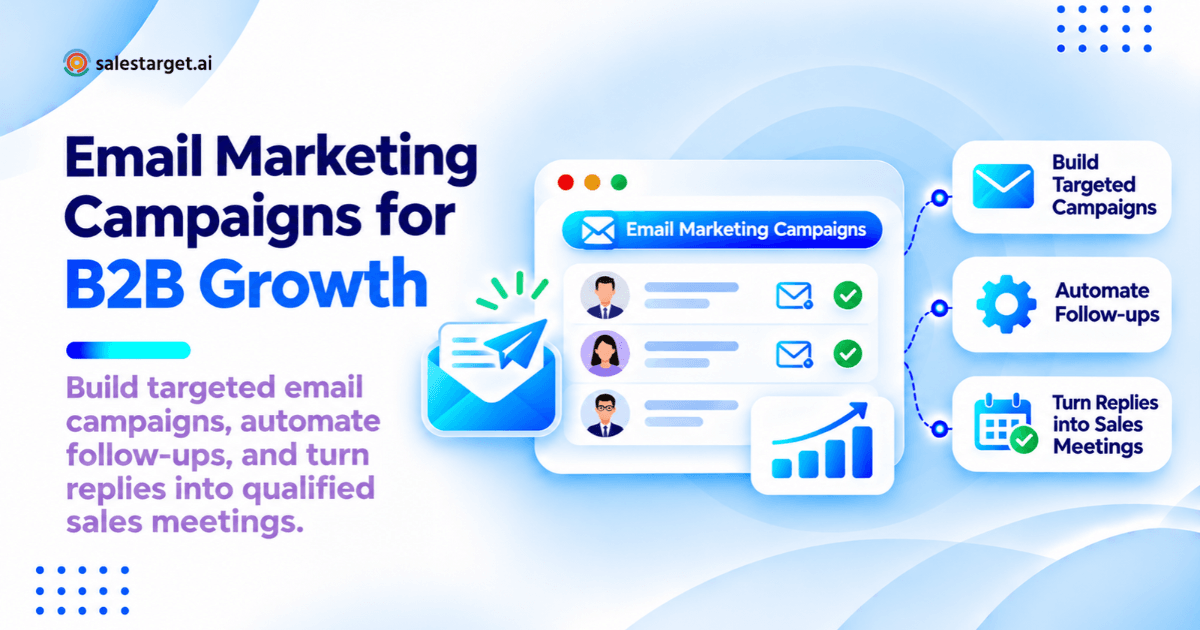
An email marketing campaign is a planned set of emails sent to one defined group, with one next step you want them to take. In B2B it works when it books qualified meetings, not when it collects opens. Four things decide that: the list, the offer, the follow-up timing, and how fast a human answers the reply.
Everything below is the operating detail behind those four.
Email Marketing Campaigns: Closing the Gap Between Clicks and Qualified Leads
Clicks come from a sharp subject line. Meetings come from reaching the right person at a moment they can act, then answering inside a day.
Campaign Structure: Audience, Offer, Sequence, and Conversion Goal
Four fixed parts: one audience definition, one offer, a sequence with set timing, and one conversion goal written as a number. "Book 12 meetings with RevOps leads at 200 to 1,000 employee SaaS companies by March 14" can be measured. "Improve engagement" cannot.
Email Marketing for Lead Generation, Lead Nurturing, and Sales Handoff
One channel, three jobs. Lead generation breaks on targeting, nurturing breaks on relevance and timing, handoff breaks on ownership, which is where most B2B pipeline leaks. Decide the job first, since the metric changes with it: what are email marketing campaigns.
Opt-In Marketing, Cold Outreach, and Transactional Email: Different Sending Rules
Opt-in marketing needs consent records and a working unsubscribe. Cold outreach needs a defensible business reason, an opt-out, and its own sending domain. Transactional mail should never share a domain with either.
Types of B2B Email Marketing Campaigns Across the Funnel
Campaign type follows buyer stage. The test: what does this person already know, and what is the smallest next step worth asking for? Which campaigns work best for lead generation answers where to start.
TOFU Campaigns: Welcome Emails, Educational Newsletters, and Content Offers
Top of funnel earns attention and permission. Welcome emails carry the highest engagement in most B2B programs, so put a real ask in there instead of a greeting.
MOFU Campaigns: Lead Nurturing, Case Studies, and Product Education
Middle of funnel answers one question: will this work for a company like mine? Send proof shaped like the reader's situation, same role, same company size, same problem.
BOFU Campaigns: Demo Follow-Ups, Trial Activation, and Buying Objections
Bottom of funnel removes reasons to stall. Demo follow-ups restate what the buyer said they needed, trial activation targets the action that predicts retention, and objection emails name the objection in the subject line.
Customer Campaigns: Onboarding, Expansion, and Re-Engagement
Existing customers are the cheapest pipeline you own. Onboarding drives first value, expansion triggers on usage thresholds, re-engagement targets accounts quiet for 60 to 90 days. Route expansion replies to the account owner.
Campaign Selection Matrix: Goal, Audience, Trigger, CTA, and Success Metric
| Campaign | Audience | Trigger | CTA | Metric |
|---|---|---|---|---|
| Welcome | New opt-in | Form submit | Read one resource | Week-two click |
| Nurture | ICP fit, no opportunity | Content download | 20-minute call | Meetings per 1,000 |
| Webinar | Attendees, no-shows | Event ends | Watch or talk | Positive replies |
| Demo | In evaluation | Call completed | Confirm next step | CRM stage movement |
| Cold | Target accounts | Intent signal | 15-minute call | Meetings per 1,000 |
| Re-engagement | Quiet 60+ days | No activity | One-question reply | Reactivated accounts |
Building a B2B Email Marketing Strategy Around Pipeline Goals
Start from the revenue number, not the send volume. Planning that begins with how many emails you can push produces activity nobody has capacity to follow up.
Work Back From Revenue Targets to Required Opportunities and Meetings
Divide the quarterly number by average deal size for required wins, then by win rate for opportunities, then by your meeting-to-opportunity rate for meetings. That meeting count sets list size.
Define Target Accounts, Buying Roles, and Campaign Entry Criteria
Write entry criteria as filters a tool can run: industry, headcount, revenue, tech stack, region, seniority. Name the buying roles separately: who has the problem, who holds budget, who can block it.
Match Each Audience Segment to a Relevant Offer and Next Step
One segment, one offer, one next step. A VP of Sales and a RevOps manager at one account care about different things, pipeline coverage versus data hygiene, so that is two campaigns.
Set Campaign Budgets, Reply Ownership, and Sales Follow-Up Capacity
Capacity is the constraint most plans skip. Write down how many replies per day the team can answer within four hours, then cap daily sends at that number. A campaign that outruns its reply capacity converts worse than a smaller one.
Building and Segmenting B2B Email Lists
List quality sets the ceiling on every other number. No subject line recovers a list where a third of the contacts changed jobs.
Collect Opt-In Contacts Through Content, Events, and Product Signups
Capture consent and context together: what they downloaded, which event, which product action. A nurture email that references the actual trigger outperforms one that references your brand.
Prepare Separate Prospecting Lists for Cold Outreach
Keep prospecting lists apart from opt-in lists, on their own sending domain, with their own suppression rules. Build them from current signals, not a static export from last quarter.
Segment Contacts by Role, Company Fit, Buyer Stage, and Relevant Actions
Four layers cover most B2B needs: role and seniority, company fit, buyer stage, recent action. Stop subdividing where a segment falls under about 200 contacts per variant, since the result stops being readable.
Validate Addresses, Remove Duplicates, and Apply Suppression Lists
Verify at send time, not import time. B2B contact data decays through job changes, so a list verified eight weeks ago is already stale. Deduplicate by address and by company domain, then suppress customers, open opportunities, and anyone who opted out anywhere.
Lead Explorer runs this as one workflow: find the account, enrich it, verify the contact at the moment of enrichment, then push it into a sequence with no CSV in between.
B2B Email Marketing Campaign Examples and Reusable Templates
Four sequences cover most B2B programs. Each is defined by its trigger, its spacing, and its exit rule, not by clever copy.
Welcome and Lead Nurturing Sequence for New Subscribers
Five emails over three weeks. Day 0 delivers what they asked for, day 3 teaches one thing, day 7 shows a comparable company's result, day 14 offers a call, day 21 asks one question and exits.
Webinar Follow-Up Sequence for Attendees and No-Shows
Split the list on attendance inside an hour of the event ending. Attendees get the recording plus the slide people asked about. No-shows get the recording and one line on why it is worth 12 minutes.
Demo and Trial Follow-Up Sequence for Sales Evaluation
Send the recap inside two hours: what they said they needed, what you showed, the next step with a date on it. Day 2 brings the artifact a buying committee always asks for. Day 5 names the stall reason out loud.
Cold Prospecting Sequence for a Defined Target Segment
Four touches over 12 days, one idea per email. Email 1 names a specific observation and asks one question, email 2 adds a proof point, email 3 switches angle, email 4 closes the loop and stops.
Example Breakdown: Subject Line, Email Copy, Timing, CTA, Exit Rule, and KPI
| Element | Cold email 1 | Nurture email 3 |
|---|---|---|
| Subject line | 3 to 5 plain words | Benefit plus timeframe |
| Copy | 60 to 90 words, one observation | 120 words, one proof point |
| Timing | Tue to Thu, local morning | Day 7 after entry |
| CTA | One question, no link | One link, one landing page |
| Exit rule | Any reply, or step 4 | Reply, meeting, or opt-out |
| KPI | Meetings per 1,000 sends | Click-to-meeting rate |
Writing Email Content That Supports the Next Buyer Action
Copy has one job: make the next step obvious and small. Anything that does not move the reader toward it gets cut.
Subject Lines and Preview Text Matched to the Campaign Offer
The subject line sets an expectation the body has to pay off. Mismatch produces an open, a delete, then a complaint. Keep cold subject lines to three to five plain words.
Personalized Email Content Built From Verified Details
Personalization works when the detail is verifiable and recent: a funding round, a new VP, a hiring spike, an intent topic their team is researching. A first-name merge field is not personalization.
Plain-Text Outreach and Designed Marketing Emails
Cold outreach performs better as plain text from a named person, with tracking kept light. Opt-in marketing can carry design and images, since those recipients expect it. Mixing the two reads as a mass send pretending to be a personal note.
One Primary Call to Action and a Matching Landing Page
One CTA per email, pointing at a page that continues the same sentence. A nurture email about dirty CRM data that lands on a generic homepage throws away the click it earned.
Email Marketing Automation Workflows for Nurturing and Sales Follow-Up
Automation decides timing and routing. It does not decide relevance, which is why programs built on thin data scale the wrong message faster.
Scheduled Drip Campaigns, Behavioral Triggers, and CRM Stage Changes
Three ways to start a sequence: a fixed calendar, a recipient action, or a CRM stage change. Build behavioral triggers on clicks, replies, and product events, never on opens. Apple's Mail Privacy Protection preloads images through a proxy, so an open registers whether or not a human looked, and an open-triggered branch sends "I noticed you read my note" follow-ups to people who never saw it.
Follow-Up Timing, Time Zones, and Contact Frequency Controls
Space follow-ups two to four business days apart and send in the recipient's local morning. Cap contact frequency at the account level: three reps emailing three contacts at one company in one week reads as spam, no matter how compliant each sequence looks on its own.
Reply Detection, Exit Rules, and Campaign Overlap Checks
A reply has to stop every active sequence for that contact, not just the one that triggered it. Run an overlap check before launch on addresses and on company domains. Most platforms check the address and miss the account.
Qualified Reply Routing and Coordination With SDRs
Assign an owner before launch, not after the first reply lands. Sort replies by intent, route each to a named person, and set the response target in hours.
AI-Assisted Drafting With Human Review of Facts and Claims
Use AI for the first draft, the variants, and the sequence skeleton. Keep a human on every factual claim and named detail, since one wrong fact in email 1 ends the conversation.
Email Outreach builds the sequence from a plain-English audience description, handles pacing and time zones, and routes every reply into Unibox sorted by intent.
Email Deliverability and Prelaunch Campaign Checks
Deliverability is a gate now. The mailbox providers publish the bar, and a campaign that misses it never gets tested by a buyer.
SPF, DKIM, DMARC, and Sender Authentication
Google and Yahoo have required SPF, DKIM, and DMARC from bulk senders since February 2024, with one-click unsubscribe under RFC 8058 and a spam complaint rate below 0.3%. Google's own guidance is 0.1%. Microsoft applied the same baseline to Outlook.com, Hotmail, and Live addresses on May 5, 2025, requiring DMARC at p=none aligned to the visible From domain.
List Sources, Sending Policies, and Unsubscribe Controls
Keep one suppression ledger across marketing and sales. The quiet failure: a contact unsubscribes from the newsletter in the marketing platform, then keeps receiving SDR sequences from the sales tool, which turns a clean opt-out into a spam complaint.
Mobile Layout, Accessibility, Links, and Personalization Checks
Read every email on a phone before launch. Confirm merge fields resolve on a contact with missing data, links point where the copy says, images carry alt text, and the plain-text version reads cleanly.
Pilot Sends and Criteria for Increasing Campaign Volume
Pilot on 200 to 500 contacts and set the thresholds before you look: bounce under 2%, complaints under 0.1%, positive replies above your floor. Then scale 20 to 30% per week per inbox.
Salestarget.ai covers this with automatic AI warm-up, inbox rotation, and authentication checks, plus an email validator that runs MX and SMTP checks before a send goes out.
Email Marketing Campaign Performance Metrics and ROI
Measure delivery, engagement, and pipeline as three separate layers. Blending them is how a campaign looks healthy for a quarter and produces nothing. More on how to measure email marketing campaign performance.
Delivery, Bounce, Complaint, and Unsubscribe Metrics
These four decide whether the campaign keeps running. Working targets: hard bounces under 2%, complaints under 0.1%, unsubscribes under 0.3% on opt-in sends. A spike is a list or setup problem, not a copy problem.
Open and Click Reporting Alongside Positive Replies and Qualified Meetings
Report opens as directional only. Clicks need a filter too, since security gateways and link prefetchers register clicks before any person sees the message. Positive replies and qualified meetings are the two numbers worth defending.
Conversion Rate Formulas With Defined Denominators
Write the denominator next to every rate. Reply rate on delivered differs from reply rate on sent, and a rate that counts out-of-office auto-responses overstates performance badly. Track positive replies divided by delivered.
CRM Attribution: Email-Sourced Pipeline and Email-Influenced Pipeline
Email-sourced means the first touch was an email campaign. Email-influenced means an email appears somewhere in the deal history. Report both, labeled, and never add them together.
Email Marketing ROI With Data, Software, Sending, and Staff Costs
ROI is pipeline generated, times historical win rate, times margin, minus total cost, divided by total cost. Total cost covers data, platform, inboxes, domains, and the hours reps spend answering replies, which most published figures leave out.
Benchmark Comparisons by Audience, Campaign Type, and Measurement Method
Opt-in sends and cold prospecting sends share no benchmarks. Published 2026 cold-outbound reports put average reply rates between 2% and 5%, with median meeting-booked rates under 1%. Your own last-quarter numbers, on the same denominator, are the benchmark that counts.
Email Campaign Optimization: Fixing Delivery and Conversion Gaps
Diagnose by where the number breaks. Each failure point has a short list of causes, and guessing at copy first costs a quarter.
High Bounces: Review Contact Quality and Sending Setup
Bounces above 2% point at list age and verification, not content. Check the import date, re-verify at send time, and confirm authentication resolves for every sending domain.
Low Engagement: Revisit Audience Fit, Offer, and Message
Weak replies on a delivered list is a targeting or offer problem. Pull the 20 contacts who did reply, find what they share, and rebuild the segment around that rather than rewriting email 1 again.
Clicks Without Conversions: Check CTA and Landing Page Alignment
Clicks with no form fills means the page broke the promise the subject line made. Match the headline to the email and cut every field the sales call does not need.
Positive Replies Without Meetings: Review Ownership and Response Handling
This is an operations failure, not a marketing one. Audit time from reply to first human response, and the share of positive replies with no named owner. Fix the queue before touching the copy.
A/B Testing With One Variable, Comparable Segments, and Enough Data
One variable, comparable segments, and a decision metric that is not opens. Most B2B campaigns never reach significance on reply rate, so test the offer, the audience, or the CTA type rather than subject-line wording.
Choosing Email Campaign Management Software for B2B Teams
Pick for the campaign type you actually run. Marketing automation platforms and cold outreach platforms are built on different sending assumptions, and most outbound teams need both covered.
Match Platform Capabilities and Sending Policies to Your Campaign Type
Read the acceptable use policy before the feature list. Several marketing platforms prohibit cold outreach outright, which makes the trial pointless. Confirm multiple inboxes, domain separation, and your planned daily volume.
Evaluate Segmentation, Automation, Testing, and Reply Management
Test four things in a trial: segmentation precision, whether triggers run on clicks, replies, and CRM stages, whether tests can be judged on replies, and what happens to a reply after it arrives.
Compare CRM Connections, Reporting, Team Permissions, and Data Export
Check that campaign activity writes to the lead timeline with no manual step, that reporting shows meetings and pipeline, and that you can export your own contact and activity data in full.
Software Evaluation Scorecard: Capabilities, Limits, Costs, and Workflow Fit
| Criterion | Verify in the trial | Disqualifier |
|---|---|---|
| Data | Verified at the point of enrichment | No verification date |
| Sending | Multiple inboxes, warm-up, rotation | One domain for every stream |
| Automation | Triggers on clicks, replies, CRM stages | Open-based triggers only |
| Replies | Intent sorting, owner assignment | One unsorted inbox |
| CRM | Automatic logging, pipeline reporting | Manual CSV sync |
| Export | Full contact and activity export | Data locked in |
Why Choose Salestarget.ai
Salestarget.ai keeps B2B lead data, email and LinkedIn outreach, email validation, a built-in CRM, and an AI Copilot in one workspace. B2B email campaigns rarely break inside a tool. They break in the handoffs between tools.
Build and Enrich Targeted Prospect Lists With Lead Explorer
Lead Explorer searches 840M+ verified professional profiles and 146M+ business entities from 50+ data sources. Search in plain English or stack filters for industry, role, seniority, company size, revenue, location, and tech stack. One click unlocks verified email, phone, and mobile, verified at the point of enrichment rather than whenever the data was scraped. Over 4,000 intent signals, including Bombora topics and events such as funding rounds and hiring spikes on a 30 to 90 day lookback, show which accounts are moving.
Run Email Sequences and LinkedIn Outreach From One Platform
Email Outreach auto-builds multi-step sequences from a plain-English audience description, with 35% faster campaign creation. LinkedIn Outreach runs connection requests, DMs, and follow-ups in the same coordinated flow, with conditional branching and timezone-aware scheduling, so context carries across both channels.
Support Sending Operations With Email Validation, Warmup, and Inbox Rotation
Unlimited inboxes come with automatic AI warm-up, inbox rotation, and SPF, DKIM, and DMARC checks. The Lead and Email Validator verifies addresses with MX and SMTP checks, disposable-address detection, and risk scoring, and 90% of emails are validated before sending.
Assign Replies in Unibox and Track Opportunities in the Built-In CRM
Unibox pulls every reply into one view, sorts by intent (Interested, Follow-Up, Not a Fit), assigns owners, and syncs deals into the built-in CRM, where campaign leads land without imports and follow-up tasks are created when a lead replies. Measured outcomes include 91% follow-up completion and 3.2X faster deal cycles.
Use AI Copilot to Draft Campaign Sequences and Review Results
AI Copilot finds leads across 840M+ profiles, generates personalized sequences with built-in A/B variations, and answers questions about CRM deals, meetings, and tasks in plain language. It flags at-risk deals and recommends the next move.
A 30-Day Plan to Launch and Improve a B2B Email Campaign
One campaign, one segment, one offer, four weeks. Running two at once in month one makes the result unreadable.
Week 1: Define the Campaign, Prepare the List, and Check Sending Setup
Write the conversion goal as a number with a date. Build one segment of 500 to 1,000 ICP-fit contacts, verify them, apply suppression, and confirm SPF, DKIM, and DMARC resolve on the sending domain.
Week 2: Write Emails, Configure Follow-Ups, and Complete Launch Checks
Draft four emails, one idea each. Set spacing, time zones, reply detection, and exit rules, then run the overlap check against live campaigns and read everything on a phone.
Week 3: Launch a Pilot and Assign Reply Owners
Send to 200 to 300 contacts. Name the reply owner, set a four-hour response target, hold volume flat, and watch bounces, complaints, and positive replies daily rather than opens.
Week 4: Review Qualified Meetings and Test the Next Improvement
Count qualified meetings and positive replies against the week 1 goal. Change one thing, the segment, the offer, or the reply process, then scale sends 20 to 30% and run it again.
Final Thoughts
The distance between a 38% open rate and an empty calendar is almost always structural. The list was eight weeks old. The offer did not match the segment. A branch fired on a proxy open. A positive reply sat unowned for two days. Every one of those is a seam between tools.
Salestarget.ai closes the seams by keeping the campaign in one place: find the account, verify the contact at enrichment, send across email and LinkedIn, sort the reply by intent, assign an owner, and track the deal in the built-in CRM.
Start free at Salestarget.ai and run one campaign end to end.