Your team sent 2,000 emails last month. Open rates looked decent. A few replies came in. But when the VP asks how much pipeline that campaign actually generated, nobody has a clean answer.
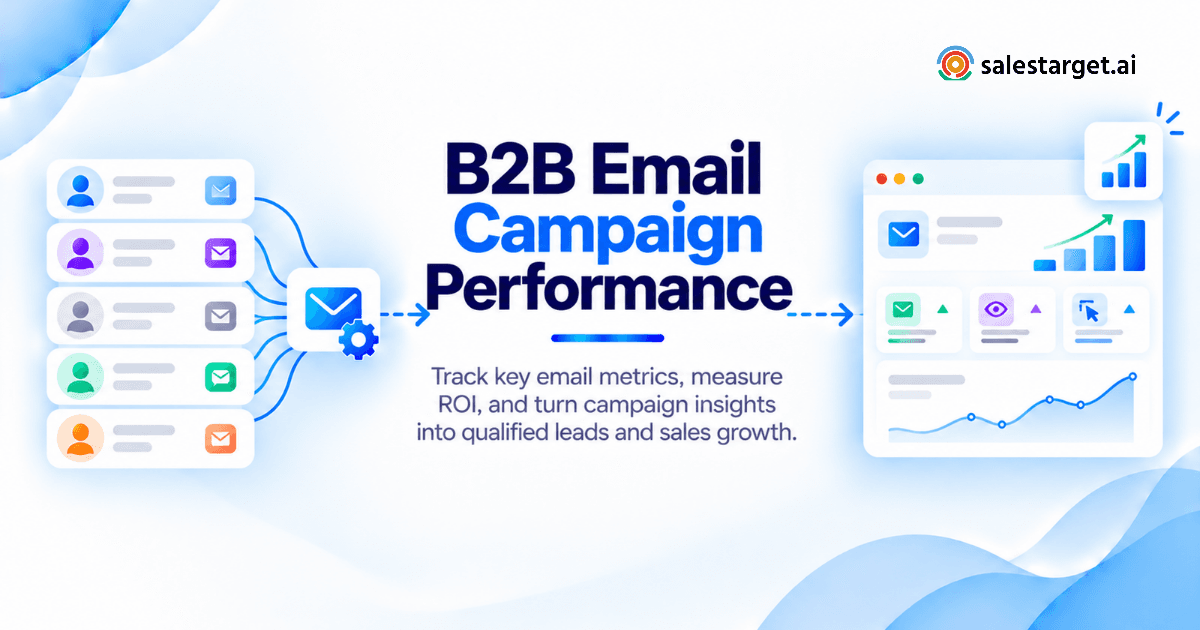
That gap is where most B2B email programs fail. Measuring email marketing campaign performance means tracking more than open rates. It means connecting every send, reply, and conversation back to qualified leads, booked meetings, and closed-won revenue. This guide covers the metrics that matter, the formulas to calculate them, realistic benchmarks, and a step-by-step framework for tying your email marketing campaigns directly to B2B pipeline.
Email Marketing Campaign Performance: Measuring What Drives B2B Revenue
The Gap Between Email Engagement and Qualified Sales Opportunities
A 45% open rate with zero positive replies means the subject line worked and the message didn't. Engagement metrics feel good on a Monday morning report. They rarely tell you whether the campaign moved revenue.
Real campaign performance lives below the open: replies, positive intent signals, booked meetings, and deals in the CRM. If those numbers aren't tracked, you're measuring activity, not results.
The B2B Campaign Measurement Framework: Delivery to Closed-Won Revenue
A sound framework starts at delivery and ends at closed-won. The stages: emails delivered, opens, clicks, total replies, positive replies, qualified conversations, meetings booked, opportunities created, and deals closed.
Each transition is a conversion rate. Tracking every stage shows precisely where prospects drop off and what needs to change.
The Most Important KPIs for Sales Teams, Founders, and Revenue Leaders
SDRs care about reply rate and meeting rate. Sales leaders care about pipeline generated per campaign. Founders and RevOps leads care about cost per meeting and ROI. A complete reporting system surfaces all three views from the same dataset.
Essential B2B Email Marketing Metrics Across the Sales Funnel
Email Deliverability Metrics: Delivery Rate, Bounce Rate, and Spam Complaints
A healthy delivery rate sits above 95%. Bounce rate above 3% signals a list quality or domain reputation problem. Spam complaint rates above 0.1% will trigger inbox provider throttling or blacklisting.
These metrics set the ceiling on everything else. No amount of strong copy fixes a 15% bounce rate.
Email Engagement Metrics: Open Rate, Click-Through Rate, and Reply Rate
Open rate measures recipients who opened at least one email in a sequence. Click-through rate (CTR) measures link clicks as a percentage of opens or sends. Reply rate measures how many recipients responded to any step in the sequence.
For cold outbound, reply rate matters more than open rate. An engaged prospect responds. A mildly curious one just opens.
Prospect Interest Metrics: Positive Replies and Qualified Conversations
Not every reply is a win. "Remove me from your list" counts as a reply in most platforms. What you track separately is positive reply rate: the percentage of replies showing genuine buying interest.
Qualified conversations are the subset of positive replies where a real sales dialogue is happening. Track these in your CRM, not just your inbox.
Lead Generation Metrics: MQLs, SQLs, and Sales Opportunities
A marketing qualified lead (MQL) from email is a prospect who has shown enough interest to warrant a sales follow-up. A sales qualified lead (SQL) has been vetted for fit and intent by a rep. A sales opportunity is an SQL with an active deal in the pipeline.
This conversion chain shows whether your campaigns generate leads that actually close.
Revenue Metrics: Meetings Booked, Pipeline Generated, and Closed-Won Deals
Meetings booked per campaign is one of the most direct signals for outbound email. Pipeline generated measures total deal value from campaign-sourced leads. Closed-won revenue is the final test: did the campaign produce money?
These three metrics connect email activity to business outcomes and justify the investment in outbound infrastructure.
Email Marketing KPI Formulas for Accurate Campaign Performance Measurement
Email Delivery Rate, Bounce Rate, and Click-Through Rate Formulas
Delivery Rate = (Emails Delivered / Emails Sent) × 100
Bounce Rate = (Bounced Emails / Emails Sent) × 100
CTR = (Unique Link Clicks / Emails Delivered) × 100
Run these at the campaign level, not just the sequence step level. One step with a high bounce rate can distort the whole campaign's deliverability picture.
Email Reply Rate and Positive Reply Rate Calculations
Reply Rate = (Total Replies / Emails Delivered) × 100
Positive Reply Rate = (Positive Replies / Emails Delivered) × 100
For cold outbound, a positive reply rate of 2-5% is strong. Anything below 1% points to an ICP mismatch, weak messaging, or a deliverability problem preventing emails from reaching inboxes at all.
Email Campaign Conversion Rate and Lead-to-Meeting Conversion
Campaign Conversion Rate = (Meetings Booked / Emails Delivered) × 100
Lead-to-Meeting Conversion = (Meetings Booked / Positive Replies) × 100
The second formula is underused. If 40 prospects replied with interest and only 4 booked meetings, you have a follow-up or handoff problem, not a campaign problem. Knowing the difference saves reps from rebuilding sequences that were working fine.
Cost Per Lead, Cost Per Qualified Lead, and Cost Per Meeting
Cost Per Lead (CPL) = Total Campaign Cost / Total Leads Generated
Cost Per Qualified Lead (CPQL) = Total Campaign Cost / SQLs Generated
Cost Per Meeting (CPM) = Total Campaign Cost / Meetings Booked
CPQL and CPM are the numbers RevOps should be reporting to leadership. A campaign with a low CPL and a high CPQL is generating noise, not pipeline.
Revenue Per Email, Pipeline Contribution, and Customer Acquisition Cost
Revenue Per Email = Total Closed-Won Revenue / Emails Delivered
Pipeline Contribution = Deal Value from Campaign Leads / Total Active Pipeline
CAC (Campaign-Level) = Total Campaign Cost / New Customers Acquired
Revenue per email gives an efficiency metric that compares cleanly across campaigns, channels, and time periods without normalizing for list size.
B2B Email Marketing Performance Benchmarks and Success Indicators
Email Open Rates, Click Rates, and Engagement Benchmarks
For B2B cold outreach with strong deliverability, open rates land between 30-50%. CTR on cold email runs 2-5% given how rare link-clicking is on a first-touch cold message. Anything above 8% CTR on cold outreach signals strong content-to-audience fit.
Reply Rate and Meeting Booking Benchmarks for B2B Outreach
A well-run cold outbound email campaign generates 3-8% reply rate and 1-3% meeting booking rate. These vary by industry, target seniority, and sequence quality. Warm opt-in lists perform higher across every metric.
Performance Differences Between Opt-In Email Marketing and Cold Outreach
Opt-in email (newsletters, drip sequences for inbound leads) produces higher open rates (40-60%), higher CTRs, and lower unsubscribe rates than cold outreach. Cold outreach runs at lower absolute engagement but opens net-new pipeline from audiences who have never heard of you.
Both are valid. They require different benchmarks and different definitions of what a "good" campaign looks like.
Setting Campaign Targets by Industry, ICP, and Sales Cycle
A campaign targeting C-suite at enterprise accounts will produce lower reply rates than one targeting mid-level managers at SMBs. That's expected. Set benchmarks specific to your ICP, not industry-wide averages pulled from a blog post.
Sales cycle length also affects when revenue attribution appears. A 90-day cycle means a Q1 campaign won't show closed-won results until Q2. Build your reporting calendar around this reality.
Comparing Campaign Performance Against Historical Results
The most useful benchmark is your own historical data. A campaign targeting the same ICP as last quarter with a lower positive reply rate is a clear signal. New segment campaigns should be judged against a baseline from at least three prior campaigns in that segment, not against open-market averages.
A Practical B2B Email Campaign Performance Analysis With Sample Data
Sample Campaign Overview: Target Audience, Emails Delivered, and Campaign Costs
Target audience: VP of Sales and Sales Directors at SaaS companies with 50-500 employees in North America.
Emails delivered: 1,800 | Sequence: 4 steps over 12 days | Total campaign cost (tooling + rep time): $2,400
Calculating Engagement, Positive Replies, and Qualified Leads
- Open rate: 38% = 684 opens
- Reply rate: 4.2% = 75 total replies
- Positive reply rate: 1.8% = 32 positive replies
- Qualified conversations (vetted by rep): 18
The drop from 32 positive replies to 18 qualified conversations suggests some "interested" replies didn't meet ICP or budget criteria on follow-up. This is a targeting signal, not a messaging failure.
Tracking the Conversion Funnel From Replies to Booked Meetings
Of 18 qualified conversations: 11 scheduled a discovery call (61% lead-to-meeting conversion rate).
Meetings booked per 1,000 emails delivered: 6.1. That's a strong rate for a high-seniority ICP in a competitive SaaS market.
Calculating Sales Pipeline Value and Campaign ROI
Average deal size: $18,000 | Opportunities created from meetings: 8 | Pipeline generated: $144,000
Deals closed in 90 days: 2 | Closed-won revenue: $36,000
ROI = (($36,000 - $2,400) / $2,400) × 100 = 1,400% ROI
The 6 remaining open opportunities represent future pipeline. Reporting only the closed-won number is accurate. Reporting closed-won plus open pipeline gives leadership a fuller picture of campaign value.
Identifying Performance Gaps From the Campaign Results
The main gap: 32 positive replies converted to only 18 qualified conversations (44% drop). The email copy attracted interest from some out-of-ICP prospects. Tightening targeting filters before the next run, or adding a qualifying question to the email CTA, would close most of that gap.
Email Marketing ROI Measurement and B2B Revenue Attribution
Direct and Indirect Costs Included in Email Campaign ROI
Direct costs: email outreach tool subscription, contact data, email validation, rep time on copy and sequence management, any agency or freelance writing fees.
Indirect costs: management oversight, CRM setup and maintenance, inbox warm-up periods, and the share of deliverability infrastructure that the campaign used.
Leaving indirect costs out inflates ROI. Include them for a number that holds up under scrutiny.
Email Marketing ROI Formula With a Worked Calculation
ROI = ((Closed-Won Revenue Attributed to Campaign - Total Campaign Cost) / Total Campaign Cost) × 100
From the sample above: (($36,000 - $2,400) / $2,400) × 100 = 1,400% ROI. If the 6 open opportunities close at the same average deal size, total campaign revenue reaches $144,000, pushing ROI to 5,900%.
Tracking Campaign-Influenced Pipeline and Closed-Won Revenue
Tag every campaign-sourced lead in your CRM at the point of entry with the campaign name and sequence. That tag travels with the contact through the entire pipeline. When the deal closes, your CRM report can trace the revenue back to the exact campaign that originated the contact.
First-Touch, Last-Touch, and Multi-Touch Email Attribution
First-touch gives full credit to the email that first reached the prospect. Last-touch gives credit to the final touchpoint before a deal was created. Multi-touch distributes credit across all touchpoints in the journey.
For outbound-heavy teams, first-touch attribution shows which campaigns open new doors. Multi-touch is better for teams running coordinated email plus LinkedIn sequences, where both channels contribute to conversion.
Measuring Returns Across Long B2B Sales Cycles
For a 6-month sales cycle, report two separate figures: (1) confirmed closed-won revenue directly attributed to the campaign, and (2) pipeline value in play that originated from the campaign. Note the average time-to-close for your segment next to both numbers so leadership can contextualize the gap.
Building a B2B Email Marketing Performance Tracking and Reporting System
Defining Campaign Goals, Conversion Events, and Reporting Periods
Before a campaign launches, define: what counts as a conversion (positive reply, booked meeting, created opportunity), what the reporting period is (weekly during active send, monthly for pipeline attribution), and what "good" looks like for this specific ICP and outreach type.
Campaigns without predefined goals can always be made to look good in retrospect by shifting the target after the fact.
Connecting Email Engagement Data With CRM Contact and Deal Records
Every open, click, reply, and booked meeting should sync automatically to the contact's CRM record. Manual logging degrades data quality fast. Reps stop doing it, records go stale, and attribution becomes guesswork within a quarter.
With SalesTarget.ai's built-in CRM, campaign leads land automatically, every email activity logs to the lead timeline, and follow-up tasks are created the moment a prospect replies. No CSV imports. No manual entry.
Tracking Campaign Sources, Prospect Replies, and Sales Follow-Ups
Tag every enrolled contact with the campaign name, sequence name, and outreach date. When a rep follows up on a positive reply, that follow-up logs under the same campaign tag so the full conversion chain stays intact for reporting.
SalesTarget.ai's Unibox (inside Email Outreach) pulls every reply into one view, sorts by intent (Interested, Follow-Up, Not a Fit), assigns owners, and syncs deal updates directly to the CRM.
Building a Campaign Dashboard for Engagement, Leads, and Revenue
A practical B2B campaign dashboard has three sections:
- Delivery and engagement: delivery rate, open rate, bounce rate, reply rate
- Lead generation: positive replies, qualified conversations, meetings booked, SQLs created
- Revenue: opportunities opened, pipeline value, closed-won revenue, ROI
Most teams track section 1 well. Very few consistently track sections 2 and 3 in the same view.
Creating Weekly and Monthly Email Marketing Performance Reports
Weekly reports cover active campaigns: delivery health, reply rates, meetings booked, and any red flags (bounce spikes, reply rate drops). Monthly reports cover pipeline outcomes: opportunities created, pipeline value generated, closed-won revenue attributed to prior campaigns, and ROI.
Separating the two cadences stops short-term engagement noise from obscuring longer-term revenue performance.
Analyzing Email Campaign Performance to Identify Conversion Gaps
High Email Bounce Rates and Low Delivery Performance
A bounce rate above 4% is a stop-everything issue. Bad contact data, a warmed-down domain, or a blacklisted sending address are the typical causes. Fix the list first: run it through an email validator before every campaign. SalesTarget.ai validates 90% of emails before sending using MX and SMTP checks, disposable-email detection, and risk scoring.
Strong Email Engagement but Low Positive Reply Rates
High opens, low positive replies: the subject line is doing its job and the email body isn't. The message likely doesn't address a real pain point the prospect recognizes, the CTA isn't specific enough, or the offer doesn't match the reader's role.
Test two body variants: one leading with the problem the prospect faces, one leading with the specific outcome you deliver. Measure positive reply rate across both.
High Reply Volume but Few Qualified Sales Meetings
Lots of replies, few meetings: either reps aren't following up fast enough on positive replies, or too many out-of-ICP contacts are replying out of curiosity without converting. Audit the follow-up process first, then audit list quality. These are different problems with different fixes, and conflating them wastes time.
Booked Meetings That Fail to Become Sales Opportunities
Meetings that don't convert to opportunities signal that the campaign reached prospects who lack buying authority, budget, or timeline. Tighten ICP targeting upstream. SalesTarget.ai's Lead Explorer filters by company size, revenue range, tech stack, and live Bombora intent signals, so you reach buyers who are actively researching solutions in your category.
Growing Pipeline Value Without Corresponding Closed-Won Revenue
A pipeline that keeps growing without closed-won revenue means deals are stalling. That's a sales execution problem, not a campaign problem. The email campaign did its job. Report it that way to leadership, separate the pipeline generation metric from deal close rate, and flag the stall pattern to the sales team for investigation.
Improving B2B Email Campaign Performance Through Data-Driven Optimization
Refining ICP Segments Using Lead Quality and Conversion Data
After every campaign, score the leads it generated. Which job titles booked meetings? Which industries moved to SQL? Which company sizes closed fastest? Use that data to update your ICP filters. If VP of Sales at 200-500 person SaaS companies converted at 3x the rate of Sales Directors at 50-person companies, shift your next build toward the higher-converting segment.
Testing Subject Lines, Email Messaging, and Calls to Action
Test one variable at a time: subject line only, opening line only, or CTA only. Mixing variables makes it impossible to know what moved the needle. Measure against positive reply rate, not open rate. A subject line producing 60% opens and 0.5% positive replies loses to one producing 35% opens and 3% positive replies.
Evaluating Email Sequence Steps and Follow-Up Performance
Most replies on cold sequences come from steps 2 or 3, not step 1. Pull reply data by step to see which touchpoint is doing the work. If step 4 consistently rescues prospects who didn't reply earlier, keep it in every sequence. If step 1 generates 80% of positive replies, test whether a shorter sequence maintains the same performance.
Comparing Campaign Results Across Job Titles, Industries, and Accounts
Segment your results by job title, seniority, industry vertical, and account size. A campaign "performing" at an aggregate level can hide one segment running at 5x and another dragging the average down. Separating them is one of the fastest ways to focus your next campaign build on what's actually working.
Adjusting Outreach Decisions Based on Sales Pipeline Outcomes
If a campaign generated pipeline but deals are closing slowly, check whether campaign-sourced prospects have actual buying authority and realistic timelines. Feed that finding back into your targeting criteria. The AI Copilot in SalesTarget.ai lets you query your CRM pipeline in plain language to surface which campaign segments produce your fastest-closing opportunities.
Why Choose SalesTarget.ai for B2B Email Campaign Tracking and Sales Performance
B2B Lead Explorer for Targeted Contact Discovery and Enrichment
SalesTarget.ai's Lead Explorer gives you 840M+ verified profiles, 146M+ businesses, and 4,000+ intent signals from 50+ data sources. Filter by industry, role, company size, tech stack, and Bombora intent topics. One-click enrichment verifies email and phone at the moment you find the lead, not from a data snapshot taken months ago. No CSV exports needed: push contacts directly into email sequences or the CRM.
Email Outreach Analytics for Opens, Clicks, Replies, and Sequence Performance
SalesTarget.ai tracks open rate, click rate, reply rate, and step-by-step sequence performance inside the platform. The Unibox unified inbox sorts every reply by intent, assigns ownership, and syncs activity to CRM records automatically. All of that campaign analytics data is available without switching tools, and email marketing campaigns that work best for lead generation can be built 35% faster with AI-built sequence drafts.
Email and LinkedIn Outreach for Coordinated Prospect Engagement
Running email and LinkedIn in parallel, with shared context, consistently outperforms single-channel campaigns. SalesTarget.ai's LinkedIn Outreach runs in a coordinated flow with email sequences. If a prospect doesn't reply to email but accepts a LinkedIn connection, the sequence adapts. Multi-touch attribution tracks the full engagement path across both channels.
Email Validation and Deliverability Tools for Better Contact Quality
SalesTarget.ai's email validator runs MX and SMTP checks, flags disposable addresses, and risk-scores contacts before emails go out. 90% of emails are validated before sending. Lower bounce rates protect your sender domain, keep you off blacklists, and directly improve delivery rates across every future campaign.
Built-In CRM for Managing Leads, Follow-Ups, and Sales Opportunities
The SalesTarget.ai CRM is built for outbound teams. Campaign leads land automatically, activities log to the contact timeline in real time, and follow-up tasks are created when a prospect replies or a meeting ends. The built-in dialer, Google Calendar and Calendly integrations, and live pipeline dashboard keep your campaign data and your sales process in one place. Reported outcomes include 3.2x faster deal cycles and 91% follow-up completion rates.
AI Copilot for Campaign Analysis, Reporting, and Sales Workflow Support
The AI Copilot lets you query campaign results and pipeline status in plain language. Ask which campaign generated the most meetings last month, which deals are at risk this week, or which ICP segment has the shortest time-to-close. No BI tool needed. No RevOps analyst required for a quick read on performance.
Common Email Marketing Reporting Mistakes That Lead to Poor Decisions
Treating Email Open Rates as Reliable Indicators of Buyer Interest
Apple Mail Privacy Protection and similar clients pre-load tracking pixels, artificially inflating open rates in most outreach platforms. An "open" no longer confirms a human read your email. Use reply rate and positive reply rate as your primary engagement signals for cold outbound measurement.
Counting Automated Replies and Negative Responses as Qualified Engagement
Out-of-office auto-replies and "please unsubscribe me" responses inflate total reply counts. Filter these out before calculating positive reply rate. Counting them leads to overconfident campaign assessments and bad optimization decisions in the next run.
Mixing Total Emails Sent With Unique Prospects Contacted
A 4-step sequence to 500 prospects sends 2,000 emails but contacts 500 unique people. Reporting "2,000 emails sent" makes open rates look lower and cost-per-send look better than they are. Report outbound performance on unique prospects contacted, not total emails sent.
Double-Counting Leads Across Email Sequences and LinkedIn Campaigns
When running multichannel campaigns, the same prospect can appear in both an email sequence and a LinkedIn outreach flow. If both generate a positive reply, that's one lead, not two. Tag leads by the first channel that generated a response and note the supporting channel's role in a multi-touch model.
Claiming Campaign ROI Before Revenue Attribution Is Confirmed
Booked meetings are not revenue. Open pipeline is not revenue. Don't report ROI until deals are closed-won and correctly tagged to the originating campaign. Premature ROI claims distort budget decisions and erode trust in your reporting when the numbers don't hold at quarter-end.
From Email Marketing Campaign Metrics to Measurable B2B Pipeline Growth
The gap that opened this guide, running campaigns and not being able to answer what pipeline they generated, is a systems problem, not a strategy problem. The metrics exist. The formulas are straightforward. The measurement framework is clear. What most B2B teams are missing is a platform where prospecting, outreach, validation, tracking, and CRM all live together so data doesn't break every time it crosses a tool boundary.
SalesTarget.ai connects every stage from lead discovery to closed-won revenue in one workspace. Your campaign analytics, reply data, meeting records, and deal outcomes stay attributed correctly and reportable without manual assembly.
If your current stack can't tell you which campaign generated your last 10 deals, it's time to change what you're working with. Start building cleaner B2B pipeline at SalesTarget.ai.