The list is loaded, the sequence is written, and launch is set for Tuesday. By Wednesday, a slice of the list has bounced, the sending domain is drifting toward spam folders, and the SDR team is asking why nobody replied.
Most B2B campaigns do not fail on copy. They fail on the setup nobody reviewed.
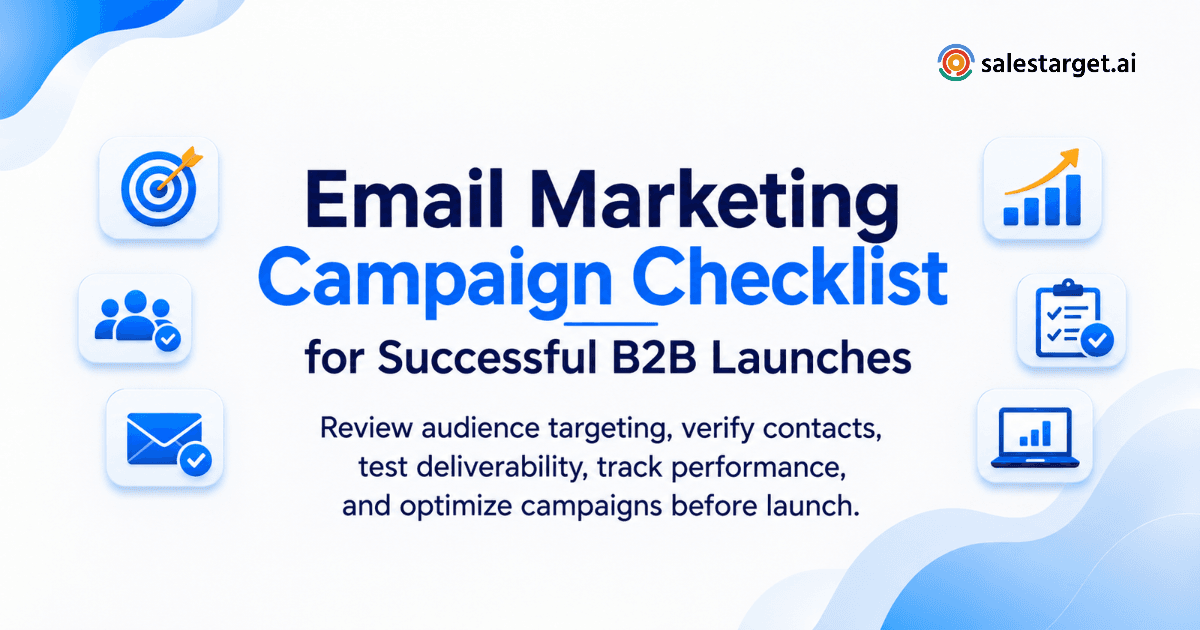
An email marketing campaign checklist is a pre-launch review of the seven things that decide results: goal, audience, list quality, authentication, content, tracking, and follow-up ownership. Check each one before the first send. Skip one, and you burn a domain, waste a list, or lose a reply nobody picked up.
Below is the full pre-launch review, plus how SalesTarget.ai covers each check inside one platform instead of five separate tools.
Why Do B2B Email Campaigns Fail Before the First Email Is Sent?
They fail on setup: bad data, loose targeting, broken authentication, and missing tracking. All four are fixable before launch.
Poor prospect data leads to wasted email sends and missed opportunities
People change jobs and companies close mailboxes. Every dead address is a bounce that costs reputation and a real buyer you never reached.
Weak audience segmentation results in irrelevant campaign messages
One message to a CFO and a RevOps manager reads wrong to both. Segments built by role and company size keep the offer on target.
Email authentication problems affect inbox placement and sender reputation
Missing SPF, DKIM, or DMARC records tell mailbox providers to distrust you. Google and Yahoo have required all three from bulk senders since 2024.
Missing campaign checks create tracking errors and sales follow-up gaps
A broken UTM tag or an unmapped CRM field means a reply lands and nobody owns it. Interested prospects go cold in a shared inbox.
What sales and marketing teams should verify before launching an email campaign
Verify the goal, list, domain, copy, links, suppression rules, and follow-up owner. The 14 checks below cover each one in order.
What Is an Email Marketing Campaign Checklist and What Does It Cover?
It is a written pre-send review covering strategy, data, content, technical setup, and measurement.
Campaign goals, audience selection, and ICP alignment
Name one conversion goal, such as booked meetings, and pick an audience that matches your ideal customer profile. Goal and audience shape every later decision.
Contact data quality and email list verification
This covers deduplication, address verification, and removal of dead mailboxes before any send.
Email content, subject lines, personalization, and CTAs
This covers the subject line, the first sentence, personalization fields, and one clear call to action per email.
Technical setup, authentication, and email deliverability
This covers SPF, DKIM, DMARC, domain health, and sending limits.
Campaign automation, scheduling, and performance measurement
This covers send windows, follow-up timing, and the metrics you will read after launch.
Why Is a Pre-Launch B2B Email Marketing Checklist Important for Revenue Teams?
It protects three things: your domain, your pipeline, and your reps' time. One bad launch can hurt all three for weeks.
Reduce wasted outreach from outdated and irrelevant prospect lists
A list that sat in a spreadsheet for a quarter has decayed. Checking it first stops reps from writing to people who left.
Protect business domains and maintain sender reputation
Reputation builds slowly and drops fast. A single high-bounce send can push a domain into spam for every campaign after it.
Improve engagement through relevant buyer segmentation
Smaller, tighter segments earn more replies than one blast. Relevance is the cheapest deliverability fix you have.
Prevent missed follow-ups between marketing and sales teams
Name a reply owner before launch. Unowned replies are the most common gap between a campaign and a meeting.
Connect campaign activity with qualified leads and sales pipeline
When activity maps to deals, lead generation results can be judged on pipeline, not sends.
The Complete B2B Email Marketing Campaign Checklist Before Launch
Work through these 14 checks in order. Each one blocks a problem that would hit the next.
1. Define the campaign objective and measurable conversion goals
Pick one outcome, such as meetings booked per 100 contacts, and write the target down. A goal you cannot measure cannot be fixed later.
2. Identify the target audience using ICP and buyer personas
List the titles, industries, and triggers that fit your ICP. Cut anyone who does not match, even if the contact data is clean.
3. Segment prospects by industry, job title, company size, and buying intent
Split the audience so each segment gets its own angle. Intent signals, such as a funding round or hiring spike, justify a separate first line.
4. Check email list hygiene and remove duplicate or outdated contacts
Merge duplicates across sources and drop records with no recent activity. Duplicates double-send, and double-sends draw spam complaints.
5. Validate business email addresses before sending campaigns
Run every address through MX and SMTP checks. Re-verify any list that sat idle, since a list verified last quarter is not verified today. The Email Validator handles bulk cleaning and real-time checks in one place.
6. Configure SPF, DKIM, and DMARC email authentication
Publish all three records on the sending domain and confirm each passes. Start DMARC in monitoring mode, then tighten it.
7. Review sending domain health and sender reputation
Check blocklists and Google Postmaster Tools before sending. Use a secondary domain for cold outreach so the main domain stays clean.
8. Write relevant subject lines, email copy, and personalized messages
Keep the first email short and plain, with one ask. A plain-text first touch with no tracked links tends to land better than a designed one.
9. Check email links, landing pages, forms, and calls to action
Click every link on desktop and mobile. A dead form on a high-reply campaign is an expensive typo.
10. Configure sending schedules, automation, and follow-up sequences
Set working-hour send windows in the recipient's time zone. Space follow-ups so each adds a new reason to reply.
11. Review unsubscribe links, consent records, and suppression lists
Include a working unsubscribe and honor opt-outs fast. Sync the suppression list between marketing and sales tools, or a contact will get both.
12. Connect email campaigns with CRM and sales follow-up workflows
Push replies to the CRM with an owner and a task attached. SalesTarget.ai's built-in CRM lands campaign leads automatically and creates follow-up tasks on reply.
13. Test email rendering, personalization fields, and tracking links
Send to seed inboxes and read the output. Check that your custom tracking domain matches the sending domain, since a mismatch is a quiet spam signal.
14. Approve the final campaign before sending to the target audience
One named person signs off against this list. Approval takes ten minutes and prevents a bad week.
How to Check Email Deliverability Before Launching a B2B Campaign
Verify authentication, domain reputation, and inbox placement before the first send. Delivery and inbox placement are different results. SalesTarget.ai's Email Outreach runs SPF, DKIM, and DMARC checks plus automatic AI warm-up on unlimited inboxes, so these checks live in the sending tool.
Verify SPF, DKIM, and DMARC records for the sending domain
Look up each record and confirm it passes. Test from the actual sending inbox, not only the domain.
Check domain reputation and mailbox provider requirements
Google and Yahoo ask bulk senders to keep spam complaints below 0.10% and never reach 0.30%. Microsoft added similar rules for high-volume senders to Outlook.com in 2025.
Test email placement across Gmail, Outlook, and other major inbox providers
Send seed tests to each major provider and check the inbox, promotions tab, and spam folder separately.
Review bounce risks, spam complaints, and invalid recipient addresses
Keep bounces low by verifying first. Pause any segment that draws complaints before sending the next step.
Check sending volume, frequency, and domain readiness
A new domain needs warm-up before it carries volume. Ramp gradually and hold volume when replies drop.
Understand the difference between email delivery and inbox placement
Delivery means the server accepted the message. Inbox placement means a person can see it. Only the second one produces replies.
How to Prepare and Validate a B2B Email List Before Sending
Match records to your ICP, verify every address, and remove risky and unsubscribed contacts.
Match prospect records with your ideal customer profile
Filter by industry, role, seniority, company size, and tech stack. SalesTarget.ai's Lead Explorer searches 840M+ professional profiles with these filters.
Verify professional email addresses and business contact details
Confirm the mailbox exists and the contact still holds the role. A valid address on the wrong person still wastes a send.
Identify invalid, disposable, duplicate, and risky email addresses
Flag catch-all domains, disposable addresses, and role accounts. Send to risky contacts last, in small batches, if at all.
Remove unsubscribed contacts and maintain suppression lists
Keep one master suppression list and check every new import against it.
Enrich prospect records with job titles, company information, and intent signals
Enrichment at the moment of discovery beats enrichment from old scraped data. It also feeds the personalization fields in your copy.
Review email list quality before every new campaign
Treat verification as a launch step, not a one-time job. Lists decay between campaigns.
How to Test B2B Email Campaigns Before Sending Them
Test the subject line, the personalization fields, every link, and the rendering, then send to internal inboxes.
Test subject lines and preview text for different audience segments
Write a variant per segment and read the preview text next to each subject. A clipped preview can change the meaning.
Check personalization fields and dynamic email content
Preview sample records with missing fields. A blank first name or an unfilled company token damages trust at once.
Test email links, landing pages, forms, and CTA functionality
Submit each form and confirm the lead reaches your CRM. Check that landing pages load fast on mobile.
Review desktop and mobile email rendering
Open the test on a phone first. Most first reads happen there, and long paragraphs get skipped.
Run test emails to internal recipients before campaign approval
Send to a Gmail, an Outlook, and a work inbox. Have a colleague who did not write the copy read it.
Verify email tracking, UTM parameters, and conversion events
Click a tracked link and confirm the event shows in reporting. Confirm UTM values match your naming standard.
What Should You Measure After Launching a B2B Email Campaign?
Measure delivery, replies, meetings, and pipeline. Opens and clicks are supporting signals.
Email delivery rate and bounce rate
Read these first, in the first hours. A bounce spike means stop and fix the list.
Open rate and click-through rate with tracking limitations in mind
Apple Mail Privacy Protection, introduced in 2021, inflates opens by preloading messages. Treat opens as a rough signal and clicks as slightly better.
Reply rate and positive response rate
Track total replies and the share that is interested. A high reply rate full of opt-outs is not a win.
Meeting booking rate and qualified lead conversion
This is the number that matters to the sales leader. Measure meetings per 100 contacts, by segment.
Unsubscribe rate and spam complaint rate
Rising unsubscribes point to a targeting problem. Rising complaints point to a list or offer problem.
Sales pipeline contribution and campaign-generated revenue
Tie each campaign to opportunities and closed deals in the CRM. Campaigns that book meetings but never close need a different offer.
How to use campaign results to improve the next email launch
Write down what changed, what moved, and what you will test next. Feed those notes into the next checklist run.
Which Tools Do B2B Teams Need to Manage Email Campaigns Before Launch?
You need six tool types: data, validation, outreach, deliverability, CRM, and AI assistance. Splitting them across vendors adds handoffs, and handoffs are where data gets lost.
B2B lead generation tools for finding relevant decision-makers
Look for filters by role, seniority, and company size, plus buying signals.
Email validation software for checking contact data quality
Look for MX and SMTP checks, disposable-address detection, and risk scoring.
Email outreach software for sequences and automated follow-ups
Look for multi-step sequences, inbox rotation, and conditional follow-ups.
Email deliverability tools for monitoring sending health
Look for warm-up, authentication checks, and placement testing.
CRM software for tracking prospect replies and sales activities
Look for automatic activity logging and reply-triggered tasks.
AI sales tools for prospect research and email campaign preparation
Look for tools that draft sequences and answer pipeline questions in plain language.
Why Choose SalesTarget.ai for B2B Prospecting and Email Outreach?
SalesTarget.ai keeps prospecting, validation, outreach, and CRM in one workspace. You find a lead, enrich and verify it in the same click, and push it into a sequence with no CSV.
Lead Explorer: Find and enrich prospects using 840M+ professional profiles and 4,000+ intent signals
Search in plain English or stack filters. One-click enrichment returns verified emails and phone numbers, and buying signals narrow the list to active buyers.
Email Outreach: Run AI-powered cold-email sequences with inbox warm-up and a unified inbox
Describe the audience and SalesTarget.ai builds the sequence. Unibox sorts replies by intent and assigns owners.
LinkedIn Outreach: Coordinate personalized email and LinkedIn outreach in one workflow
Connection requests, messages, and follow-ups run beside your email steps, with rate limits and auto-pause safeguards.
Email Validator: Check contact addresses using MX and SMTP verification
The validator checks MX records, SMTP responses, and disposable addresses before you send, with a real-time API for list imports.
Built-in CRM: Track prospect activities, manage replies, and use the AI dialer with call notes
Emails and calls log to the lead timeline. Follow-up tasks appear when a lead replies or a meeting ends.
Free AI Copilot: Research prospects, prepare sequences, and work with sales data
Ask the Copilot to find leads, draft a sequence, or show which campaigns drive revenue. It is free inside the platform.
Explore SalesTarget.ai pricing and choose a plan for your outreach requirements
Pick the plan that fits your inbox count and team size, then start free and run this checklist on a real campaign.
What B2B Email Campaign Mistakes Should Teams Avoid Before and After Launch?
Most mistakes repeat the same pattern: skipping a check to save an hour, then losing a week.
Treating cold prospecting emails and permission-based marketing emails as the same activity
Cold outreach needs smaller volume and stricter targeting than permission-based marketing emails. Use separate domains and rules for each.
Sending campaigns to unverified or poorly segmented contact lists
This is the fastest way to lose a domain. Verify and segment first.
Using multiple sending domains without monitoring their individual health
Each domain has its own reputation. Track bounces and complaints per domain, not in aggregate.
Ignoring email suppression rules across marketing and sales automation
An opt-out in one tool must reach every other tool. Otherwise, the same person gets emailed again.
Launching email sequences without coordinating LinkedIn and sales follow-ups
A prospect who gets an email, a connection request, and a call from three people sees noise. Coordinate the touches.
Increasing sending volume before checking campaign performance
Scale only after bounces, complaints, and replies look healthy.
Measuring opens and clicks without connecting results to qualified opportunities
Activity metrics feel good and prove little. Connect each campaign to meetings and deals.
Repeating unsuccessful campaigns without reviewing audience, offer, and reply data
Read the replies. They tell you whether the problem was the list, the offer, or the timing.
How to Use an Email Campaign Launch Readiness Checklist for Final Approval
Use it as a sign-off sheet. Every line gets a yes, an owner, and a date before the send button is pressed.
Confirm campaign objectives, audience segments, and contact data
The goal is written, segments are final, and every address is verified.
Approve authentication, sender reputation, and deliverability checks
SPF, DKIM, and DMARC pass, the domain is warmed, and seed tests land in the inbox.
Review email copy, personalization, links, and landing pages
Copy is read by a second person, fields are filled, and every link works.
Confirm automation, sending schedules, and suppression rules
Send windows are set, follow-up timing is reviewed, and suppression lists are synced.
Verify CRM tracking, reporting, and sales follow-up ownership
Replies reach the CRM with an owner, and reporting shows meetings and pipeline.
Record final approval and assign responsibility for post-launch monitoring
Name who watches bounces and complaints in the first 48 hours, and who answers replies.
Make Every B2B Email Campaign Ready Before You Hit Send
Bounced lists, spam-folder domains, and unowned replies all start before the first send. A checklist catches them while they are still cheap to fix.
SalesTarget.ai puts every check in one workspace: prospect search, enrichment, email validation, sequences, warm-up, LinkedIn steps, and a CRM that tracks every reply. Fewer handoffs mean fewer places for a campaign to break.
Run your next launch through this list, and start with Salestarget.ai to build the campaign in one place.