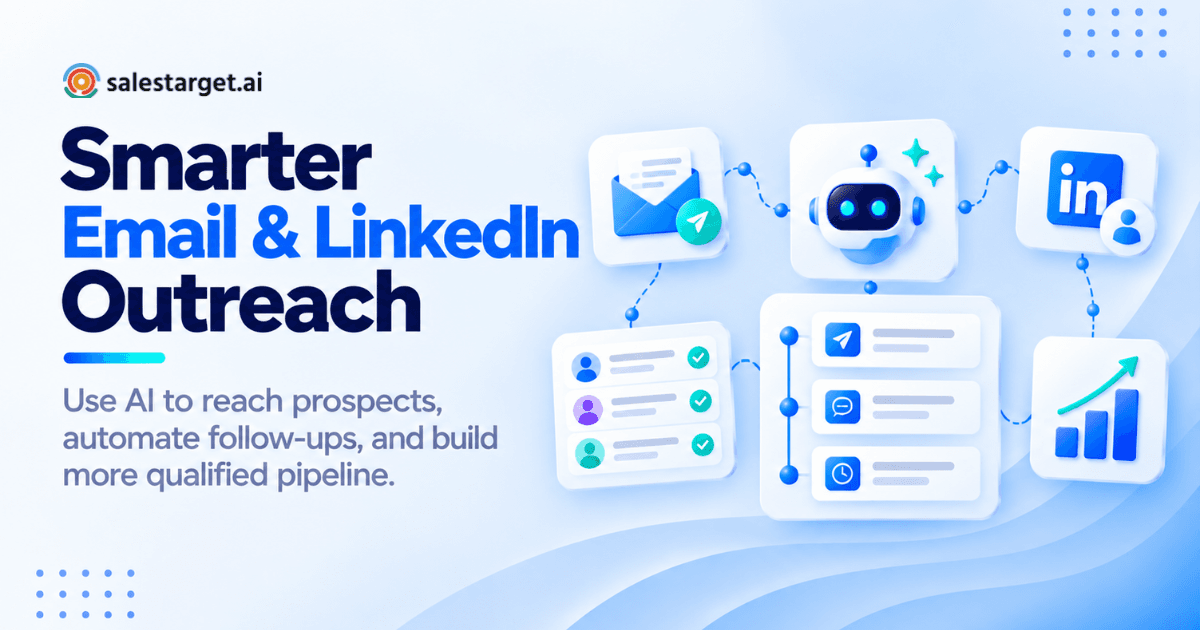
Your SDRs are spending three hours building a prospect list that should take thirty minutes. Half the emails bounce. LinkedIn connection requests go out from one tool, follow-up emails go out from another, and nobody can tell which touchpoint actually got the reply. This is the daily reality for outbound teams running email and LinkedIn outreach through separate point tools stitched together with spreadsheets.
The fix is not more tools. It is the right AI platform that connects prospecting, outreach, and follow-up in a single workflow.
The best AI platforms for email and LinkedIn outreach combine B2B contact data, AI-generated personalized messaging, multichannel sequencing, email deliverability protection, and CRM tracking in one place. Platforms like SalesTarget.ai, Apollo, Instantly, Woodpecker, and Expandi each take a different approach. This guide breaks down how they work, where they differ, and what to look for before committing to one for your outbound stack.
The Best AI Platforms for Email and LinkedIn Outreach Connect Prospecting, Personalization, and Follow-Ups
Why Separate Email and LinkedIn Tools Create Gaps in Outbound Workflows
When email outreach runs in one tool and LinkedIn activity runs in another, context breaks down fast. A prospect replies to a LinkedIn message, but the SDR still gets an automated cold email two days later from a separate sequence. That gap damages credibility and kills warm conversations before they develop into anything useful.
Most teams patch this with Zapier automations or manual coordination between platforms. That adds hours of overhead each week and creates inconsistency in timing, messaging, and follow-up. Deals fall through because no one has a complete picture of what was sent, when, and what the prospect said.
What Sales Teams Should Expect from an AI-Powered Multichannel Outreach Platform
A properly built AI outreach platform does three things well: finds verified contacts, runs coordinated email and LinkedIn sequences with AI personalization, and routes replies into a pipeline your team can act on.
Beyond that, the platform should handle email deliverability, LinkedIn safety limits, inbox rotation, and activity logging automatically. Reps should not be managing deliverability settings manually or copying reply data from one tool into a CRM.
Where AI Fits Into Prospect Research, Message Creation, Sequencing, and Follow-Up
AI handles the volume work. That means pulling contact data that fits your ICP, generating first-draft email sequences, personalizing messages by role and industry, rotating sending inboxes to protect deliverability, and flagging replies by intent. The sales rep focuses on reviewing, approving, and responding to conversations that are actually moving forward.
How AI Email and LinkedIn Outreach Works Across One Sales Flow?
Finding and Enriching Prospects Before Outreach Starts
Good outreach starts with a clean, verified contact list. AI prospecting tools let you define your ICP by industry, company size, job title, technology stack, and intent signals, then pull matching contacts from a B2B database. In platforms like SalesTarget.ai, enrichment (email, phone, LinkedIn profile) happens at the moment you find the lead, not days later from a stale export. That timing difference matters: contacts verified at the point of enrichment carry fewer bounces than contacts pulled from a database that was last refreshed weeks ago.
Creating Personalized Email and LinkedIn Messages with AI
Personalization means writing to the person, not just inserting a first name. AI message generation should pull context from the prospect's role, company size, and industry to write copy that reads like a rep did their research. Generic templates produce generic reply rates. According to Salesforce's State of Sales report, high-performing sales teams are 2.8X more likely to use AI for personalized outreach than underperforming peers.
Coordinating Email Sends, LinkedIn Actions, and Follow-Up Sequences
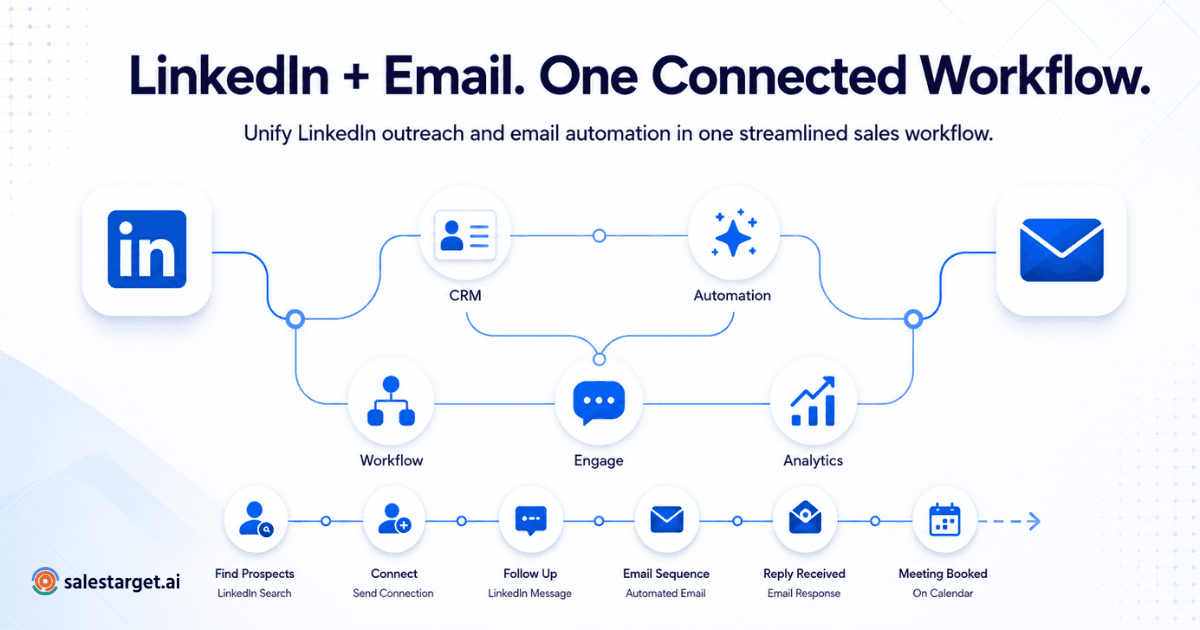
A multichannel sequence ties email and LinkedIn into one shared timeline. Day one: connection request on LinkedIn. Day three: follow-up email. Day five: LinkedIn message. The platform coordinates timing, applies human-like delays, and pauses one channel when the other receives a reply. No manual toggling between dashboards.
Tracking Replies, Engagement, and Sales Activity in One Workflow
Every reply, open, and click should land in a unified inbox sorted by intent: interested, follow-up needed, or not a fit. From there, interested prospects move directly into the CRM pipeline with their conversation history attached. Reps should not be copying reply data into a spreadsheet to track what happened.
Top AI Platforms for Email and LinkedIn Outreach in B2B Sales
SalesTarget.ai for Prospecting, Email, LinkedIn, and CRM in One Platform
SalesTarget.ai is built for outbound teams that want prospecting, email outreach, LinkedIn automation, email validation, and CRM in one workspace. The Lead Explorer gives access to 840M+ verified profiles and 146M+ business entities with 4,000+ intent signals. You search in plain English or stack filters by industry, role, company size, revenue, tech stack, and location. Leads are enriched in one click and pushed directly into a sequence. No CSV exports. No third-party enrichment subscription.
The Email Outreach module builds multi-step sequences automatically from a plain-English description of your audience, with unlimited inboxes, AI warm-up, and SPF/DKIM/DMARC checks built in. The LinkedIn Outreach module runs connection requests, DMs, and follow-ups with AI personalization, conditional branching, and safety rate limits. Both channels run in one coordinated flow so context carries across touchpoints. Replies land in a Unibox unified inbox sorted by intent, and interested prospects sync automatically to the built-in CRM.
See how SalesTarget.ai combines all of this into one outbound workflow.
Apollo for Prospect Data and Sales Engagement
Apollo.io combines a large B2B contact database with a sales engagement layer for email sequencing. It is a strong choice for teams that need data volume and can manage bolting on a separate email deliverability tool. Apollo does not include native LinkedIn automation, so teams running multichannel outreach typically pair it with a LinkedIn tool like Expandi or Dripify, which adds cost and coordination overhead.
Instantly for Cold Email Outreach and Lead Workflows
Instantly focuses on cold email infrastructure: inbox rotation, warm-up, and high-volume sending. It has added basic lead sourcing but does not include a native B2B database at the depth of Apollo or SalesTarget.ai, and there is no LinkedIn automation. It fits teams that already have a contact list and need email sending infrastructure to back it up.
Woodpecker for Cold Email Campaigns and Follow-Ups
Woodpecker is a specialized cold email platform for agencies and small sales teams. It offers solid follow-up sequencing and deliverability features but does not include a B2B database or LinkedIn automation natively. Teams that want to see how SalesTarget.ai stacks up against it can review the Woodpecker alternative comparison page.
Expandi for LinkedIn Prospecting and Message Automation
Expandi is a LinkedIn-first automation tool. It runs connection campaigns, message sequences, and engagement actions with safety controls. It does not include an email outreach module or a B2B contact database. Teams use it alongside Apollo or a cold email tool to get full multichannel coverage, which means two subscriptions and two separate data sets to reconcile.
How These AI Outreach Platforms Differ by Workflow and Use Case
The core gap across Apollo, Instantly, Woodpecker, and Expandi is that none of them cover the full outbound workflow end to end. Apollo gets close on data and email but requires supplementation on deliverability and LinkedIn. Instantly and Woodpecker are email-only. Expandi is LinkedIn-only. SalesTarget.ai covers prospecting, enrichment, email, LinkedIn, email validation, and CRM in one subscription. For teams that want to stop paying for four tools doing the job of one, that distinction matters.
See our deeper look at multichannel outreach platforms for email and LinkedIn for a side-by-side workflow comparison.
Why Multichannel Outreach Matters for B2B Pipeline Generation
Reaching Prospects Across Email and LinkedIn Without Duplicating Work
A prospect who does not open a cold email might accept a LinkedIn connection and reply to a message the same week. Running both channels from one platform keeps timing and messaging coordinated. Running them from separate tools means reps are manually checking two dashboards to make sure a prospect is not being hit from both directions at the wrong time with conflicting messages.
Giving SDRs and BDRs One Place to Manage Prospect Outreach
Every platform a rep has to switch between costs attention and time. SDRs running outreach in Apollo, sending LinkedIn messages in Expandi, and logging notes in a separate CRM are spending more time managing tools than selling. A single workspace cuts that context-switching. HubSpot's 2024 Sales Trends Report found that sales reps spend less than 30% of their day actually selling. Tool fragmentation is a significant contributor.
Helping Sales Leaders Track Activity Across Outbound Channels
Pipeline visibility requires activity data from every channel. If LinkedIn replies live in one platform and email opens live in another, sales leaders are building forecasts from incomplete pictures. A unified platform gives one dashboard showing campaign performance, rep activity, open deals, and pending follow-ups.
Supporting Agencies Running Outreach for Multiple Client Campaigns
Agencies managing outbound for multiple clients need clean separation between campaigns, clear per-account reporting, and the ability to swap targeting and messaging without rebuilding sequences from scratch. SalesTarget.ai's workspace structure and multi-campaign setup fits this model.
How to Build an Email and LinkedIn Outreach Automation Workflow
Start with a Defined ICP and Verified Prospect List
Before any automation starts, the ICP needs to be specific: industry, company size, job title, location, and any technology or intent signals that indicate buying readiness. Vague ICPs produce vague lists. Platforms with intent data (funding rounds, hiring spikes, leadership changes) let you prioritize contacts who are already in motion rather than cold contacts with no signal.
Enrich Contacts Before Adding Them to Outreach Sequences
A contact without a verified email is a wasted sequence slot. Enrichment should happen before the prospect enters any campaign. SalesTarget.ai's Lead Explorer verifies email and contact data at the point of enrichment, not retrospectively. This cuts bounce rates before the campaign starts, which protects sender reputation from the first send.
Create Channel-Specific Email and LinkedIn Messages
LinkedIn messages should not be shortened email templates. A LinkedIn connection request is an invitation, not a pitch. The tone is conversational, the message is brief, and the ask is low-friction. The email follow-up can go deeper on value and include a clear call to action. AI personalization in SalesTarget.ai writes channel-specific copy based on role, industry, and company context.
Set Timing and Automated Follow-Up Sequences Across Both Channels
A coordinated sequence might look like this: LinkedIn connection request on day one, personalized LinkedIn message on day three if accepted, first email on day five, email follow-up on day nine, final LinkedIn touchpoint on day twelve. Human-like delays and timezone-aware scheduling keep the sequence from looking automated. Our breakdown of how multichannel outreach in 2026 drives pipeline covers timing benchmarks in detail.
Route Replies and Interested Prospects Into the Sales Pipeline
Every positive reply should trigger a manual step: a rep review, a CRM deal creation, and a task to respond. Automated routing in SalesTarget.ai's Unibox flags replies by intent and pushes interested leads into the CRM pipeline with full conversation history. No manual data entry required.
Review Campaign Data and Adjust Targeting, Messaging, and Sequence Timing
After the first two weeks, check open rates, reply rates, connection acceptance rates, and bounce rates. If connection requests are getting accepted but LinkedIn messages are not getting replies, the message is the problem. If email open rates are high but reply rates are low, the call to action needs reworking. Campaign data tells you which variable to change next.
What to Look for in an AI Email and LinkedIn Outreach Platform?
B2B Contact Data, Enrichment, and Prospecting Filters
The database needs depth and freshness, not just volume. Look for intent signals, business event triggers, and verified contact data. Filter options should cover industry, seniority, company revenue, tech stack, and location at a minimum.
AI Email Personalization Without Generic Message Templates
Personalization at scale requires AI that reads prospect context and writes to it, not AI that inserts a first name into a form letter. A simple test: would a rep be comfortable sending this message to a VP of Sales at a target account, or does it read like a mass blast?
LinkedIn Message Automation and Connection Workflows
LinkedIn automation needs safety controls: rate limits, working-hour restrictions, warm-up periods, and auto-pause logic if LinkedIn detects unusual activity. Without these, accounts get restricted, and recovery takes weeks.
Email Deliverability Checks, Validation, and Inbox Warm-Up
Email validation before sending is not optional. Bounce rates above 2% damage sender reputation quickly. Platforms should validate emails before they enter a sequence, not after a bounce has already hit the domain. SalesTarget.ai validates 90% of emails before they reach a sequence.
Rules for Coordinating Email and LinkedIn Activity
The platform needs cross-channel logic: pause email if LinkedIn gets a reply, skip LinkedIn if the prospect books a meeting, branch the sequence based on whether a connection request was accepted. Without this logic, both channels operate independently and the prospect experience suffers.
Unified Inbox and Reply Management
All replies from email and LinkedIn should land in one inbox, sorted by intent. Reps should be able to assign replies, add notes, and move prospects to the next stage without leaving the platform.
CRM Tracking and Pipeline Visibility
Campaign leads should land in the CRM automatically. Every email, LinkedIn message, and call should log to the lead timeline. Deal stages, open tasks, and forecasts should be visible in one dashboard without exports or manual entry.
AI Sales Assistant Support for Daily Outbound Work
An AI assistant should help reps find leads, generate sequences, query pipeline data in plain language, and flag at-risk deals. SalesTarget.ai's AI Copilot sits inside the platform and handles prospecting, campaign creation, and CRM queries from a single conversational interface.
Why Choose SalesTarget.ai?
Find and Enrich B2B Prospects with Lead Explorer
The Lead Explorer searches 840M+ verified profiles with 4,000+ intent signals. Use plain-English AI search or stacked filters by industry, role, company size, revenue, location, and tech stack. One-click enrichment pulls verified email, phone, and LinkedIn data. Leads go directly into sequences with no CSV step and no wait for data to sync from a separate enrichment tool.
Run Email and LinkedIn Outreach from One Sales Workflow
Both channels share one coordinated workflow. Email sequences and LinkedIn actions run on the same timeline with shared timing rules and reply detection. When a prospect replies on either channel, the sequence pauses automatically. Context from every touchpoint stays in one place, so a rep picking up a conversation knows exactly what was sent and when.
Check Email Validity and Protect Outbound Deliverability
MX checks, SMTP verification, disposable-email detection, and risk scoring keep bounce rates low and domains off blacklists. SalesTarget.ai verifies 90% of emails before they reach a sequence. Unlimited inbox warm-up and intelligent rotation protect sender reputation at volume.
Move Replies and Opportunities Into the Built-in CRM
Interested replies sync to the CRM with full conversation history attached. Deal stages update automatically. Follow-up tasks are created when a lead replies or a meeting ends. The built-in AI dialer logs calls and saves notes directly to the lead timeline, so reps are not writing up call summaries by hand after every conversation. Teams using SalesTarget.ai report 3.2X faster deal cycles and 91% follow-up completion rates.
Use AI Copilot for Prospecting, Campaign Creation, and Sales Tasks
The AI Copilot is a conversational sales teammate built into the platform. Ask it to find leads, generate a full sequence for a specific persona, pull open deals from the CRM, or create a follow-up task. It personalizes outputs by role, industry, and company size with built-in A/B variations, and it flags at-risk deals before they go cold.
Common Problems With Email and LinkedIn Outreach Automation
Sending the Same Message Across Both Channels
Copying an email into a LinkedIn message field is a reliable way to get ignored on both channels. LinkedIn readers expect shorter, conversational messages. The channel changes the format, tone, and length of what works. Treating both channels as interchangeable is the mistake most teams make when they first set up multichannel sequences.
Automating Outreach Before Checking Contact Quality
Running a sequence on an unvalidated list is expensive in both bounces and reputation damage. Bounces above 2% push sending domains toward blacklists, and recovery takes months. Validate before you send, not after the campaign has already run.
Running LinkedIn and Email Sequences Without Channel Coordination
Two separate tools with no shared logic means a prospect can receive a LinkedIn message and a cold email on the same day from the same rep. That looks careless and drops reply rates on both channels at once.
Adding Too Many Automated Actions in a Short Period
LinkedIn restricts accounts that send too many connection requests or messages in a short window. Email domains get flagged when sending volume spikes abruptly. Warm-up periods and daily send limits exist for a reason. Skipping them to scale faster typically results in account restrictions that take weeks to recover from.
Tracking Activity Without Tracking Replies and Pipeline Movement
Open rates and connection acceptance rates are leading indicators, not outcomes. If the CRM does not show which campaigns are generating replies and pipeline movement, the data is not actionable. The metric that matters is meetings booked and deals created, not emails sent.
Choosing Tools Based on Channel Count Instead of Workflow Fit
A tool that covers email, LinkedIn, and SMS is not useful if the data, sequencing, and CRM are disconnected. Workflow fit matters more than channel count. Ask: does this platform connect prospecting, outreach, and pipeline tracking without manual handoffs between modules?
Where AI Outreach Platforms Need Human Review
Reviewing AI-Generated Messages Before Campaign Launch
AI drafts sequences. Humans approve them. Before any campaign goes live, a rep or manager should read every step, check for tone, verify that personalization variables are pulling correctly, and confirm the call to action matches what the sequence is asking the prospect to do. A five-minute review before launch saves a week of damage control after.
Deciding When a Prospect Should Leave an Automated Sequence
Not every prospect should run through all six steps of a sequence. If a prospect opens every email but never replies after four touchpoints, a manual outreach attempt makes more sense than a fifth automated follow-up. Set rules inside the platform for when AI hands off to a human.
Handling Positive Replies and High-Value Accounts Manually
A positive reply from a VP of Sales at a target account should not get an automated response. It should go to a rep immediately. Set up routing rules that pull high-intent replies out of automated flows and into a rep's direct attention queue. Speed-to-response at that stage is a competitive differentiator.
Keeping Personalization Relevant Across Larger Prospect Lists
At scale, personalization variables drift. A message written for a 50-person SaaS company may not land well for a 5,000-person enterprise, even if both technically fit the same ICP filters. Segment lists by company size and persona before scaling, and review a sample of AI-generated messages across each segment before sending.
Choosing the Right AI Platform for Email and LinkedIn Outreach
The right platform depends on where the workflow currently breaks. If the problem is data quality, the fix is a platform with deep enrichment and intent signals. If the problem is deliverability, the fix is inbox rotation, validation, and warm-up. If the problem is channel coordination, the fix is a platform that runs email and LinkedIn from one shared sequence timeline.
For most outbound B2B teams, the problem is all three at once. SalesTarget.ai was built specifically for that situation: find the right lead, reach them across email and LinkedIn with coordinated messaging, validate the contact before sending, and track the outcome in a CRM that updates automatically. No stitching together four point tools. No separate subscription for enrichment, another for email, another for LinkedIn, and another for the CRM.
One platform, one workflow, one place to see what is actually working. Start your outbound workflow with SalesTarget.ai and run email and LinkedIn outreach from one place.