Your list just tripled, you added five new reps, and now half your emails land in spam. Reply rates that used to sit at 6% dropped under 2%, and nobody on the team can point to the exact week it started.
Here is the direct answer: you scale outbound sales without hurting deliverability by growing volume in small steps, keeping prospect data clean, spreading sends across warmed-up mailboxes and domains, and checking spam complaint rate every week instead of every quarter. Skip any one of those and sender reputation pays for it within days.
Why Scaling Outbound Sales Hurts Email Deliverability
Adding volume without adding infrastructure is the root cause. A mailbox built for 30 emails a day starts sending 300, and trust in that domain drops before a rep sees a single bounce. Deliverability is not a setting you configure once. It moves with every send, reply, and spam click a prospect makes.
What Happens When Email Deliverability Starts Falling?
opens drop first, replies drop next, and within a couple of weeks entire campaigns sit unread in spam folders no one checks.
Early Warning Signs Your Campaigns Are Losing Inbox Placement
Open rates fall on emails you know went out correctly. Reply rates go quiet on segments that used to convert. Bounce counts creep past 3-4%, and prospects who normally respond within a day go silent. None of it shows up as one big failure, just a slow leak.
The Business Impact of Spam Folders and Bounced Emails
A blocked inbox is a lost pipeline, not a technical error. Reps keep working leads that never had a chance to see the message, and the CRM fills with "no response" notes hiding the real cause. List quality sits underneath most of this: B2B contact data degrades close to 2.1% a month, compounding to roughly 22.5% a year, per HubSpot's Database Decay Simulation. A six-month-old list is already dragging bounce rate up before a rep sends a single message.
Why Fixing Deliverability Takes Longer Than Preventing It
A flagged domain can take four to six weeks of clean sending to rebuild trust, and some mailboxes never fully recover. Prevention costs a slower ramp; repair costs a stalled pipeline and, on occasion, a domain you abandon.
Build the Right Outbound Email Infrastructure Before You Scale
separate domains, correct authentication records, dedicated mailboxes, and a real warm-up period, set up before volume increases, not after problems start.
Use Separate Sending Domains for Outbound
Keep outbound traffic off your main company domain, so a flagged sequence does not drag invoices, support replies, and internal mail into the same reputation drop. A dedicated outbound domain, close to your brand and pointed at the same website, contains the risk to one part of the program.
Set Up SPF, DKIM, and DMARC Correctly
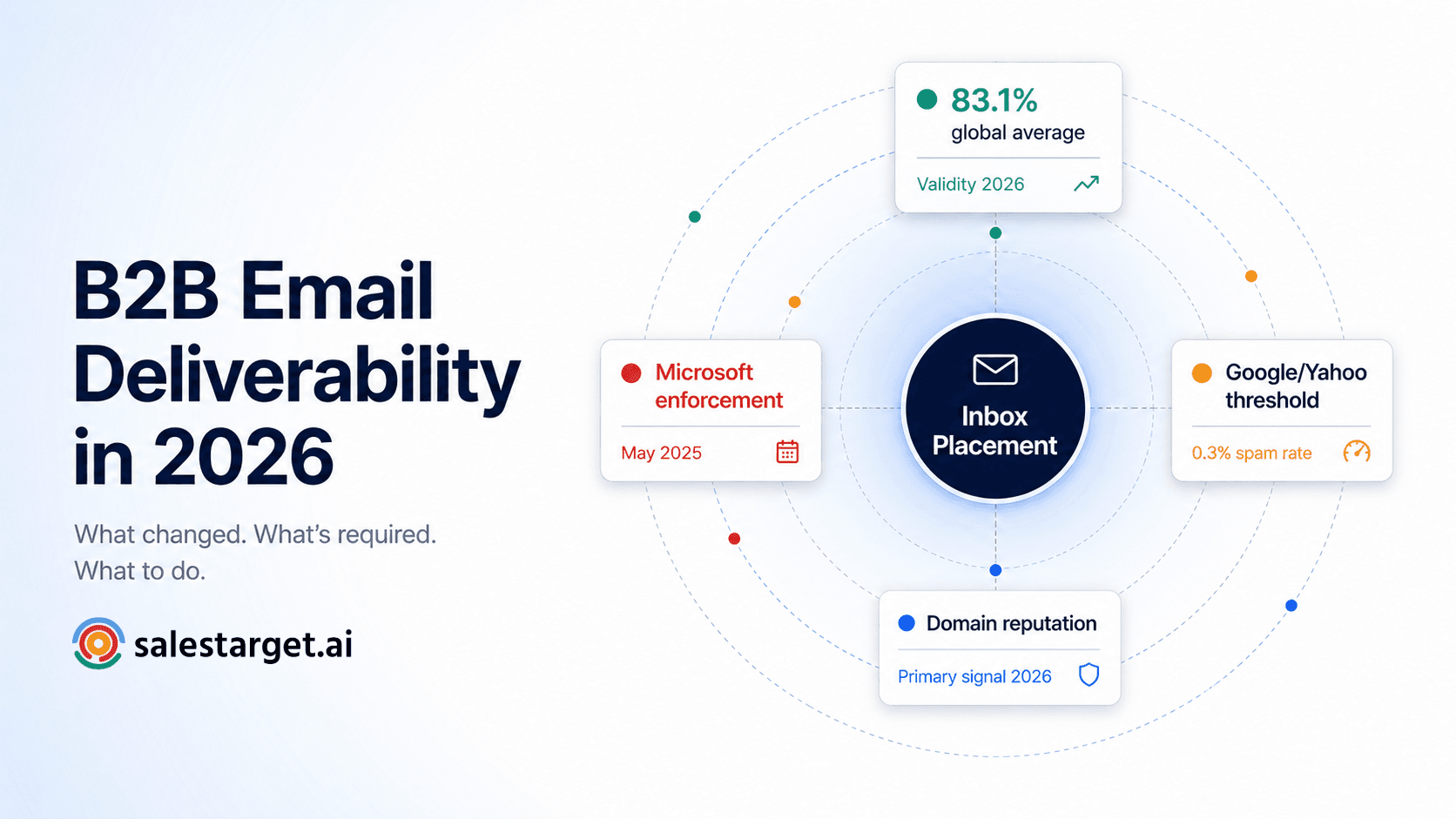
Gmail's own sender guidelines require authenticated mail and a spam complaint rate under 0.3%, with 0.1% treated as the safer target (Gmail sender guidelines, Google). Missing or misaligned SPF, DKIM, or DMARC records are one of the fastest routes to that ceiling. SalesTarget.ai's Email Outreach module runs these checks on every connected mailbox automatically, catching a missing record before a campaign launches, not after open rates drop.
Create Dedicated Mailboxes for Outbound Campaigns
One shared inbox for the whole team caps send volume and makes it hard to isolate which sequence caused a spike in complaints. Give each rep, or each campaign type, its own mailbox tied to the outbound domain. It makes tracking safe sending limits per sender far simpler.
Warm Up Every New Domain and Mailbox
New domains and mailboxes carry no history, and inbox providers treat unknown senders with caution by default. A real warm-up sends a small, steady volume that grows over two to four weeks before a mailbox touches a cold campaign. SalesTarget.ai runs this automatically on every connected inbox, with rotation built in so no single mailbox carries the full load.
Strategies to Scale Outbound Sales Without Hurting Email Deliverability
grow volume gradually, protect list quality, personalize at scale, guard your sender reputation, and check your numbers weekly. Miss one and the rest cannot cover for it.
Scale Email Volume Gradually
Add 10-20% more volume a week, not a jump from 200 to 2,000 sends. Inbox providers score sudden spikes as risky no matter how good the list is.
Prioritize Verified and High-Quality Prospect Lists
A clean list beats a big one. A stale one inflates bounce rate before a rep sends anything. SalesTarget.ai verifies contacts the moment they are enriched inside Lead Explorer, not whenever the record was first scraped, so the data reps pull reflects today, not last year's export.
Personalize Outreach at Scale
A generic template blasted across hundreds of mailboxes reads the same to a spam filter as to a bored prospect. Real personalization, built from role, industry, and company signals, fixes both at once.
Protect Your Sender Reputation
Sender reputation is the sum of every complaint, bounce, and spam click tied to your domain and mailbox. Treat it as a shared team asset, not one rep's problem: one careless sequence can drag down every mailbox on the same domain.
Monitor Deliverability and Campaign Performance
Check inbox placement, bounce rate, and complaint rate weekly, not once a quarter. SalesTarget.ai's CRM dashboard surfaces email stats next to open deals and pending tasks, so a dip in performance shows up beside the pipeline it affects.
How Many Cold Emails Can You Send Without Hurting Deliverability?
A brand-new mailbox should stay under 20-30 emails a day for the first month, and a fully warmed mailbox on a healthy domain can typically handle 40-50 a day without added risk.
Safe Sending Limits for New Mailboxes
Start at 10-15 emails a day in week one, and raise volume only if bounce and complaint rates stay low. Jumping straight to 100 sends on a brand-new mailbox is one of the fastest ways to burn a domain before it earns trust.
How to Increase Volume Step by Step
Raise volume in small weekly steps and hold or roll back the moment bounce rate crosses 3% or complaint rate nears 0.1%. Growth should follow your metrics, not a fixed calendar.
When to Add New Mailboxes Instead of Sending More
Once a mailbox sends 40-50 emails a day and metrics stay healthy, pushing further signals the domain is close to its safe range. Add a new mailbox or domain instead of forcing one sender past its limit. SalesTarget.ai's unlimited inboxes with built-in rotation spread that load automatically, so no single inbox absorbs it all.
Protect Sender Reputation While Scaling Outbound Sales
Keep bounce and complaint rates low, clean your list before every send, and stop emailing contacts who never engage.
Keep Bounce Rates Under Control
A bounce rate past 3-5% signals a list problem before it becomes a deliverability one. The distinction matters: a hard bounce and a soft bounce damage reputation differently, and treating them the same wastes cleanup effort on the wrong fix.
Remove Invalid Contacts Before Every Campaign
Run every list through validation before launch, not after bounces start. SalesTarget.ai's Email Validator checks MX records, flags disposable addresses, and scores risk in real time, catching a stale contact before it reaches a send queue.
Stop Sending to Inactive Prospects
A contact who has not opened, clicked, or replied across three or four sequences is pulling engagement numbers down for everyone else on the list. Suppress them instead of adding them to the next round out of habit.
Keep Complaint and Unsubscribe Rates Low
Google treats a spam complaint rate above 0.3% as the point where mail delivery support stops helping a sender, with 0.1% as the safer target (Gmail sender guidelines, Google). Most guides skip this: the threshold applies per sending identity, not the whole program. A team sending 3,000 emails a day across ten mailboxes needs each one under that rate on its own, since averaging hides the mailbox actually at risk.
Optimize Cold Email Content for Better Deliverability
Write shorter, more direct emails, skip spam trigger language, and keep enough human variation that automated tools do not produce identical copy across every send.
Personalize Emails Without Slowing Your Team Down
Manual personalization at real volume is not realistic for most teams. SalesTarget.ai's AI Content Generator builds first-touch and follow-up copy from a plain description of the audience, and reps edit from there instead of starting blank.
Avoid Spam Trigger Words and Formatting
Heavy promotional language, all-caps subject lines, and stacked exclamation marks read as risky to spam filters and can lower sender reputation over time, per HubSpot's email benchmark research. Keep formatting plain: no colored fonts, no oversized images, one link max in a first-touch email. Formatting problems surface on mobile first, which is why cold emails look broken on mobile more than most reps expect.
Balance Automation with Human-Written Messaging
Here is a mistake most guides skip: rotating one template across ten mailboxes with only name and company swapped risks more than one flagged sender. Inbox providers can match near-identical phrasing across many senders in the same window and flag the whole cluster, even when each mailbox's metrics look fine alone. SalesTarget.ai's AI Spintax Generator varies sentence structure and phrasing on each send, keeping the message consistent even as each provider sees different enough text to dodge that pattern.
Scale Outbound Sales with Multiple Domains and Mailboxes
Add a new domain once your current one nears its safe sending range, and rotate sends across mailboxes so no single sender carries a disproportionate share of the volume.
When Multiple Domains Make Sense
A single domain, no matter how well warmed, has a size limit. A full sales floor sending 300-400-plus emails a day typically needs two or more domains to keep individual volume safe.
How Mailbox Rotation Supports Steady Growth
Rotation spreads sends across mailboxes automatically so each stays inside its safe daily range, without a rep tracking spreadsheets of who sent what. SalesTarget.ai handles this inside Email Outreach as campaigns run, so scaling volume does not mean scaling manual oversight too.
Spread Campaigns Without Damaging Domain Reputation
A point most outbound guides leave out: a newly registered domain bought purely for cold outreach can draw extra scrutiny in its first few weeks, no matter how well it is authenticated, since domain age itself is a trust signal. Register outbound domains with some runway before you plan to use them, so they are not brand-new on launch day.
What Should You Monitor as Outbound Volume Grows?
Inbox placement rate, bounce rate, spam complaint rate, positive reply rate, and domain or mailbox reputation, checked weekly at minimum.
Inbox Placement Rate
The share of sent email landing in the primary inbox, not spam or promotions. The single clearest signal of deliverability health.
Bounce Rate
Track this per mailbox and per list. A rate above 3-5% on one campaign points to a data problem, not a content one.
Spam Complaint Rate
Hold this under 0.1% per mailbox as a working target, and treat 0.3% as a hard ceiling never worth approaching (Gmail sender guidelines, Google).
Positive Reply Rate
A healthy signal, but check it against inbox placement too: a strong reply rate from a shrinking pool of engaged mailboxes can mask a deliverability problem building elsewhere.
Domain and Mailbox Reputation
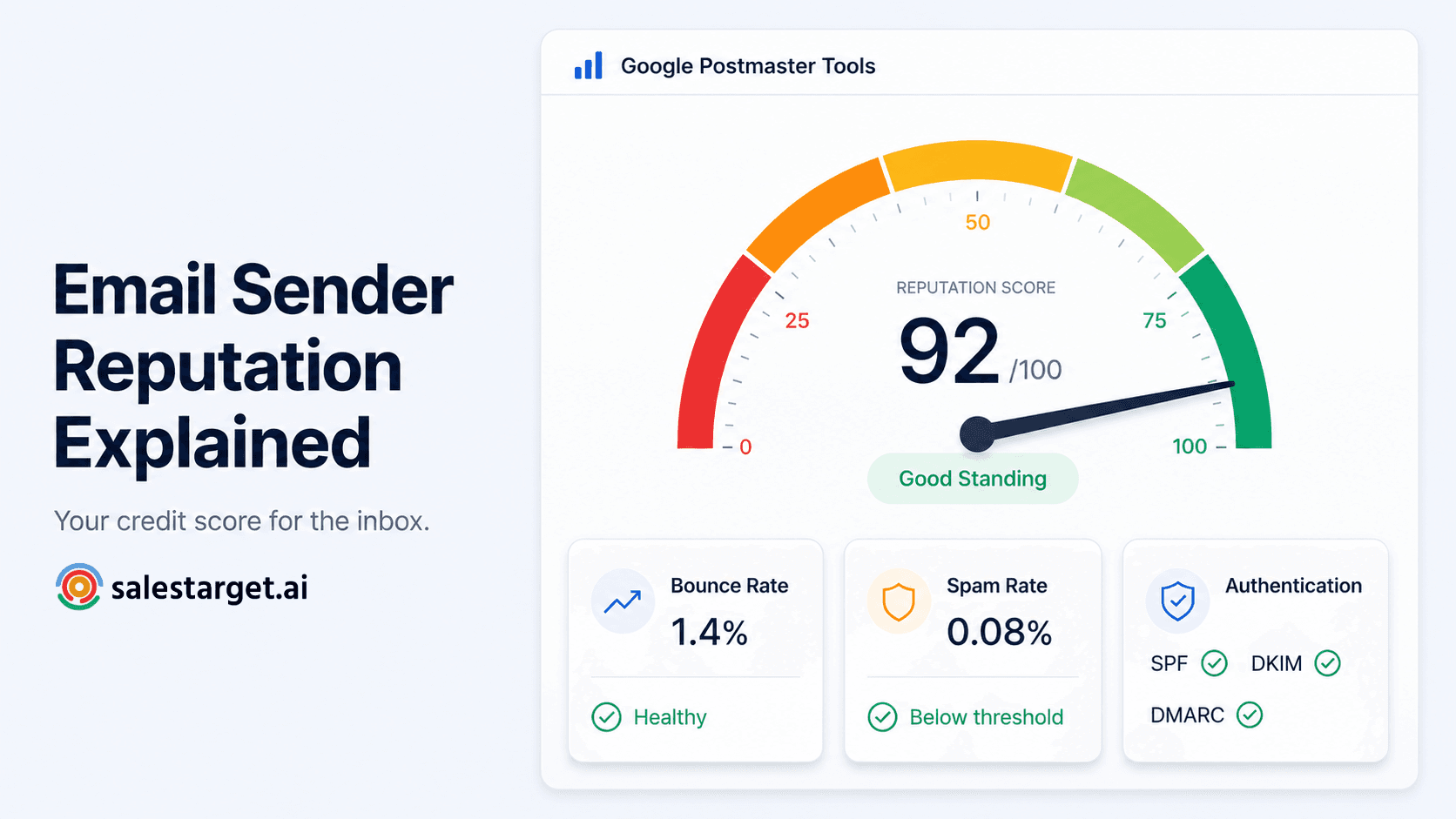
Visible through tools like Google Postmaster Tools, worth checking alongside campaign metrics, not instead of them.
Common Mistakes That Hurt Email Deliverability
Scaling too fast, buying cheap lists, skipping authentication, sending everything from one mailbox, and ignoring the metrics that would have flagged trouble early.
Scaling Too Quickly
The single most common mistake here. A sudden jump in volume reads as risky to inbox providers no matter how good the list is.
Buying Low-Quality Contact Lists
Purchased lists carry high decay rates and contacts who never opted in, which drives complaint rates up fast.
Skipping Email Authentication
Sending mail without SPF, DKIM, and DMARC in place caps inbox placement almost every time, no matter how strong the copy is.
Sending Every Campaign From One Mailbox
Concentrates all the risk in one sender. One bad list or one flagged sequence can take down every campaign running through it.
Ignoring Deliverability Metrics
Teams that check only reply rate miss the early warnings sitting in bounce rate and complaint rate, weeks before reply rate drops.
Checklist for Scaling Outbound Sales Without Hurting Deliverability
Audit Your Email Infrastructure
Confirm SPF, DKIM, and DMARC are set up correctly on every sending domain.
Verify Every Prospect List
Run lists through validation before each campaign launch, not after bounces start.
Warm Up New Domains and Mailboxes
Give new senders two to four weeks of gradual volume before a cold campaign touches them.
Increase Sending Volume Gradually
Grow in small weekly steps and hold volume the moment metrics slip.
Monitor Deliverability Every Week
Check inbox placement, bounce rate, and complaint rate on a fixed weekly schedule.
Expand with Additional Domains and Mailboxes
Add sending identities once current ones near their safe range, rather than pushing existing mailboxes past it.
Why Choose SalesTarget.ai?
SalesTarget.ai puts verified data, validated sending, multichannel outreach, and performance monitoring in one workspace, so scaling volume does not mean stitching together five tools to protect deliverability.
Find Verified Prospects Before Outreach
Lead Explorer searches 840 million-plus profiles and 146 million-plus business entities, with contact data verified the moment a lead is enriched, not pulled from a database sitting untouched for months.
Validate Email Addresses to Reduce Bounces
The Email Validator runs MX and SMTP checks plus disposable-address detection before an email leaves the account, cutting the bounce risk that damages reputation fastest.
Run Email and LinkedIn Outreach from One Platform
Email Outreach and LinkedIn Outreach run in one coordinated sequence, so when email needs a lighter touch, LinkedIn can carry part of the load without losing the thread.
Monitor Outreach Performance Without Switching Tools
The built-in CRM dashboard and AI Copilot surface campaign performance, at-risk deals, and next steps in plain language, next to the pipeline it builds.
Scale Outbound Sales Without Compromising Email Deliverability
Deliverability problems rarely announce themselves. They show up as a slow drop in replies, a list that quietly stops converting, and a team scaling headcount faster than its infrastructure can support. The fix is not sending less. It is building the sending program correctly before volume grows: verified data, authenticated domains, mailbox rotation, and weekly checks, working together instead of getting patched after something breaks.
SalesTarget.ai builds that program into one workspace: verified leads from Lead Explorer, automatic warm-up and validation inside Email Outreach, and reporting that lives next to the pipeline, not a separate tab. Scaling outbound sales and protecting deliverability were never two different jobs. Start a free trial on SalesTarget.ai and grow outbound volume the way inbox providers actually reward.