Your rep exports 500 contacts on Monday. By Wednesday, a third have bounced, a quarter have changed jobs, and the rest never fit your ICP. That is the real price of a weak sales leads database: wasted hours, a damaged sender domain, and an empty pipeline.
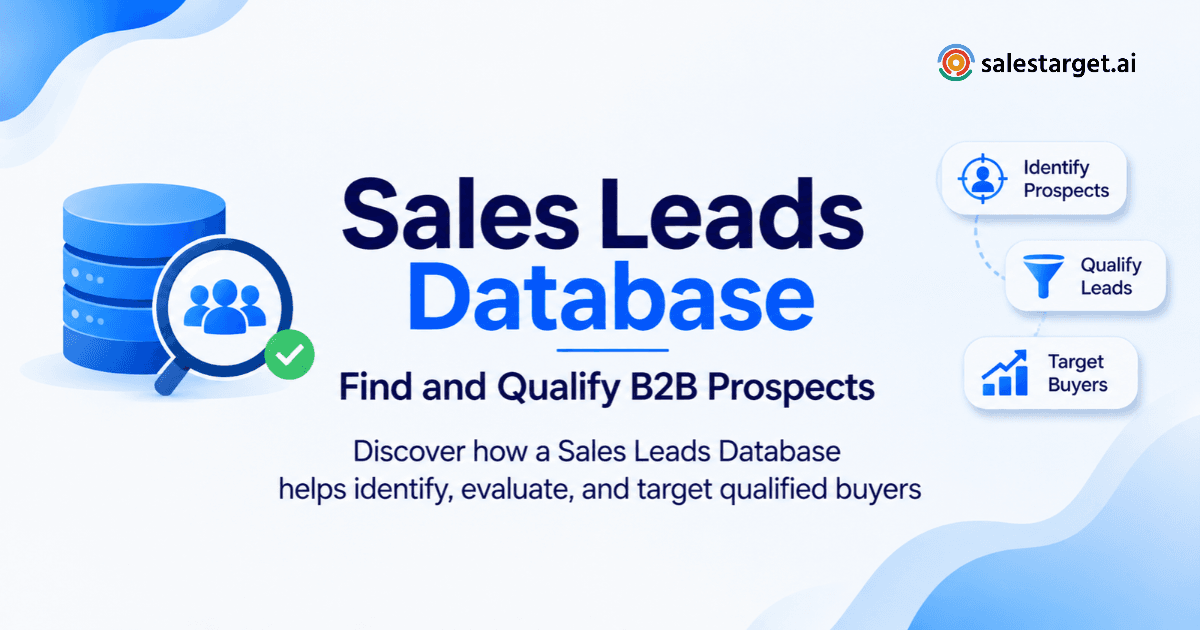
A sales leads database is a searchable store of company and contact records (titles, verified emails, phone numbers, buying signals) that lets you build prospect lists around your ideal customer. A good one is accurate, current, and easy to filter. SalesTarget.ai combines 840M+ professional profiles with built-in enrichment and email validation, so every record is checked at the moment you pull it.
Why Your Sales Team Is Struggling to Find Qualified B2B Prospects
How outdated sales leads lists waste prospecting time and outreach resources
Stale lists send reps after people who left the role months ago. Each dead contact burns research time, a sequence slot, and a bounce that hurts your domain.
Why a large contact database does not always produce qualified sales opportunities
Volume is not fit. A database with hundreds of millions of records still fails if you cannot filter by role, company size, and tech stack, so reps sort the noise by hand.
How disconnected prospecting tools create gaps between lead sourcing and sales follow-ups
Data in one tool, sequences in another, replies in a third. Context drops at every handoff, and leads sit in CSV files while interest fades.
What sales teams need from a reliable sales leads database
Four things: accurate contacts, precise filters, fresh buying signals, and a direct path into outreach and CRM. Missing any one leaves manual work for your reps.
What Is a Sales Leads Database and What Information Does It Contain?
Company data: Industry, employee size, revenue, location, and technology usage
Firmographics describe the account. Lead Explorer lets you stack these as Business filters across 146M+ business entities, including the tech stack a company runs.
Contact data: Job titles, seniority, professional emails, phone numbers, and LinkedIn profiles
Contact data names the person to reach. One-click enrichment in SalesTarget.ai unlocks a verified professional email, personal email, phone, and mobile number.
Buying signals: Intent topics, hiring activity, funding, and company events
Signals show which accounts are active now. SalesTarget.ai tracks 4,000+ signals, including Bombora Intent Topics, hiring spikes, funding rounds, and leadership changes, on a 30 to 90 day lookback.
How a B2B sales leads database differs from a CRM and a marketing contact list
A CRM stores people you already work with. A marketing list holds people who opted in. A B2B sales leads database holds prospects you have not met, searchable by fit.
How contact enrichment and verification improve database usability
Enrichment fills missing fields. Verification confirms the email can receive mail. Together they turn a raw record into one a rep can use today.
Where Do Qualified B2B Sales Leads Come From?
B2B contact databases and professional prospecting platforms
Platforms such as SalesTarget.ai, Apollo.io, and ZoomInfo give searchable records at scale. They are the fastest route to a first working list.
LinkedIn Sales Navigator and company websites
Sales Navigator shows role changes and account details. Company sites reveal team pages, product lines, and hiring posts that databases miss.
Industry directories, business associations, and company databases
Directories and trade associations list niche companies that general databases cover thinly. Use them to fill gaps, then enrich the records.
Website visitors, inbound enquiries, and existing CRM records
These contacts already know you. Warm records deserve a refresh before you buy cold ones.
Buyer intent platforms and company event data
Intent data flags companies researching topics tied to your product. Lead Explorer surfaces Bombora Intent Topics next to business events, so you do not switch tools to find them.
Manual research versus AI-powered lead sourcing
Manual research is accurate but slow. With SalesTarget.ai you describe your audience in plain English and get a filtered list in seconds.
How to Build a B2B Sales Leads Database That Matches Your Ideal Customer Profile
Step 1: Define your ICP using industry, company size, geography, and revenue
Write your ICP as filters, not adjectives: industry, employee range, region, revenue band. The ICP Builder in Lead Explorer saves those filters as a reusable search. Start building your ICP search in Lead Explorer.
Step 2: Identify target accounts based on business fit
List accounts that match the filters and show a trigger, such as a funding round. Fit plus timing beats fit alone.
Step 3: Find decision-makers by department, job title, and seniority
Map one economic buyer and one or two influencers per account. Filter by department and seniority so you reach the right layer first.
Step 4: Add company firmographics and technographic information
Tech stack filters find accounts running a tool you integrate with or replace. Those accounts reply faster to a specific message.
Step 5: Enrich contact records with verified business emails and phone numbers
Enrich when you find the lead, not weeks later. Data pulled at the point of use has had no time to decay.
Step 6: Segment prospects by industry, buying role, and business needs
Group contacts so each message speaks to one situation. A CFO and a RevOps lead need different first lines.
Step 7: Remove duplicate, outdated, and irrelevant contacts
Delete duplicates, role-changed contacts, and off-ICP records before they reach a sequence. A smaller clean list beats a large messy one.
Step 8: Maintain and update the database as prospect information changes
Re-verify before every new campaign. Records age with every job change, so schedule the refresh instead of waiting for bounces.
How to Identify and Qualify the Right Prospects From Your Sales Leads Database
Identify accounts that match your ICP
Score fit first: industry, size, region, and tech stack. Accounts that miss two or more criteria rarely deserve a sequence slot.
Separate decision-makers, influencers, and end users
Tag every contact by role. A VP of Sales needs a revenue message, and an SDR manager needs a workflow message.
Use buyer intent signals to identify potential purchase interest
A topic surge or a new funding round points to purchase interest. Lead Explorer shows these signals beside each account.
Score prospects based on company fit and buying readiness
Combine fit and readiness into one number. Intent-Based Lead Scoring ranks accounts so reps start with the warmest.
Prioritize accounts with active business needs
Work accounts with a live trigger first: new hires in the buyer's department, a new leader, fresh funding.
Convert qualified contacts into sales-ready prospect lists
A list is sales-ready when every contact is verified, tagged by role, and ranked. Push it straight to a sequence or the CRM with no CSV.
What Makes a Sales Leads Database Valuable for B2B Prospecting?
Contact accuracy and verified business email coverage
Verified email coverage decides your bounce rate. SalesTarget.ai reports 99% verified contact data.
Company coverage across industries and geographic markets
Judge coverage in your markets, not the headline total. SalesTarget.ai draws on 50+ data sources across 146M+ businesses.
Advanced filters for finding specific decision-makers
Role, seniority, department, size, revenue, location, tech stack, and intent topics should stack in one search.
Real-time data enrichment and contact updates
On-demand enrichment beats a static export. Lead Explorer enriches the moment you unlock a lead.
Intent signals and company-level buying information
Company-level signals tell you who to contact this week, not next quarter.
CRM integrations and prospect data synchronization
Leads should land in the CRM automatically. The SalesTarget.ai CRM connects with HubSpot, Salesforce, Zoho, Google Calendar, Calendly, Slack, and Zapier.
Data privacy, compliance, and source transparency
Ask where records come from and how opt-outs are handled. Source transparency protects your domain and your legal position.
How to Evaluate the Accuracy and Quality of a B2B Lead Database
Check whether professional email addresses are verified
Run a sample through MX and SMTP validation. Look for disposable-email detection and risk scoring, not just a format check.
Compare database records against current company information
Pull 20 contacts and check their titles against LinkedIn and company sites. Two stale records in 20 is a warning sign.
Test a sample of contacts before purchasing a large data package
Test a few hundred contacts spread across your segments. Quality varies by region and industry, so a single-segment test hides weak spots.
Measure bounce rates and invalid contact percentages
Track hard bounces and invalid addresses on the sample. A common deliverability rule of thumb is to stay under 2 percent.
Check how frequently contact and company records are updated
Ask how freshness is measured per record, not per database. A monthly refresh of the whole file says little about your contacts.
Track qualified meetings generated from database-sourced contacts
Meetings booked are the final test. Data that books no meetings is just a list.
Best Sales Leads Database for B2B Prospecting: What Should You Compare?
Database size versus actual coverage of your target audience
Take your 50 best-fit accounts and count how many appear with a named buyer. That number tells you more than any record total. Our guide to the best sales leads database for finding prospects walks through the full comparison.
Contact accuracy, verification methods, and data freshness
Ask when each record was verified and by what method. Verification at the point of enrichment beats verification at first scrape.
Prospecting filters and decision-maker identification
Test whether you can find a Head of RevOps at 200-person SaaS firms in two countries in one search.
Buyer intent data and account intelligence
Check the lookback window and signal types. Intent without business events gives half the picture.
Email and LinkedIn outreach capabilities
A database that exports to separate sending tools adds a handoff. Native email and LinkedIn sequences remove it.
CRM connectivity, automation, and reporting
Look for automatic lead capture, activity logging, and pipeline reports without manual imports.
Subscription costs, credits, usage limits, and scalability
Check how credits, seat limits, and caps behave as volume grows. A model that discourages enrichment slows the whole team.
Which B2B Sales Database Platform Is Right for Your Sales Team?
Apollo.io: Prospecting data combined with sales engagement
Apollo.io pairs a contact database with sales engagement. Teams often add separate deliverability and CRM tools around it. See more in our guide to B2B sales lead database providers.
ZoomInfo: Company intelligence and enterprise prospecting
ZoomInfo focuses on company intelligence for larger enterprise teams with deep account research needs.
Cognism: B2B contact data and international prospecting
Cognism suits teams prospecting across international markets who need strong contact coverage there.
Lusha: Contact discovery and sales data enrichment
Lusha is built for quick contact discovery and enrichment, usually as a lightweight add-on to existing tools.
LinkedIn Sales Navigator: Account research and decision-maker discovery
Sales Navigator is strong for account research and finding decision-makers inside LinkedIn. It does not replace a contact database.
SalesTarget.ai: Lead discovery, enrichment, multichannel outreach, and CRM
SalesTarget.ai covers discovery, enrichment, email and LinkedIn outreach, validation, and CRM in one workspace.
How to choose a platform based on your ICP, team size, and sales workflow
Match the platform to your ICP coverage first, then team size, then how many tools you want to manage.
How to Use a B2B Database for Lead Generation and Outbound Sales
Turn target account research into segmented prospect lists
Save each ICP segment as its own list. One list per buying situation keeps messaging tight.
Personalize cold emails using company and contact information
Use role, industry, tech stack, and a recent signal such as a hire or funding round. The AI Content Generator drafts varied copy from those fields.
Combine email and LinkedIn outreach for multichannel prospecting
Run both channels in one sequence so context carries across. Conditional steps branch on replies or silence.
Verify email addresses before launching outbound campaigns
Validate every list before sending. Check your list with the SalesTarget.ai Email Validator to cut bounces and protect sender reputation.
Track prospect replies, follow-ups, and sales activities in your CRM
Unibox pulls replies into one view, sorts them by intent, and syncs deals to the CRM with tasks created automatically.
Measure database performance through meetings and pipeline contribution
Report on meetings and pipeline per list, not opens. That shows which segments earn the next campaign.
Why Choose SalesTarget.ai for B2B Lead Discovery and Sales Prospecting?
Lead Explorer: Find B2B prospects using 840M+ professional profiles and 4,000+ intent signals
Search in plain English or stack Business and People filters, then push enriched leads straight to sequences or the CRM.
Contact Enrichment: Access professional emails, phone numbers, and enriched prospect records
Enrichment runs at the moment you find the lead, so the email and mobile number you get are verified when you need them.
Email Outreach: Build AI-powered cold email sequences with inbox warm-up and deliverability checks
Describe your audience and get a multi-step sequence. Unlimited inboxes get automatic warm-up, rotation, and SPF, DKIM, and DMARC checks.
LinkedIn Outreach: Run personalized LinkedIn and email sequences in one workflow
Automate connection requests, DMs, and follow-ups with timezone-aware scheduling, human-like delays, and auto-pause safeguards.
Email Validator: Check business email addresses through MX and SMTP validation
Validation includes disposable-email detection and risk scoring, with bulk cleaning and a real-time API.
Built-in CRM: Manage prospects, track conversations, and record calls with the AI Dialer
Campaign leads land automatically, and every email and call logs to the lead timeline. Click-to-call is built in.
AI Copilot: Find leads, draft sales sequences, and query campaign and CRM information
Ask the Copilot in plain language to find leads, write sequences, or list open deals and pending tasks.
One sales platform for prospecting, outreach, and pipeline management
Find, reach, and close in one place. Teams report 2.4X more meetings from the same leads and about 6 hours saved per rep each week with the CRM in place.
How Does SalesTarget.ai Compare With Separate Lead Generation and Outreach Tools?
Separate prospecting databases versus integrated lead discovery
A standalone database stops at export. SalesTarget.ai sends leads directly into sequences or the CRM.
Standalone email finders versus built-in contact enrichment
Email finders return an address. Built-in enrichment returns a verified email, phone, and mobile in the same click.
Separate email and LinkedIn tools versus multichannel outreach
Two tools mean two reply inboxes and two timelines. One workflow keeps the thread intact.
External email verification tools versus built-in email validation
Validation inside the platform removes the upload, clean, and re-import loop. In Email Outreach, 90% of emails are validated before sending.
Disconnected CRMs versus integrated prospect and campaign management
Campaign data flows into the CRM with no imports, and follow-up tasks appear when a lead replies or a meeting ends.
Multiple software subscriptions versus one connected sales platform
Fewer tools means fewer logins, fewer syncs to break, and one place to read results.
How to Turn Your Sales Leads Database Into a Qualified Sales Pipeline
Find target accounts and identify relevant buying contacts
Filter by ICP, add signals, and pick buyers by role. For the full playbook, see how to turn your database into qualified sales.
Verify contact information before starting outreach
Validate every address and confirm titles on your top accounts before the first send.
Launch personalized email and LinkedIn campaigns
Start with one segment and one message angle. Expand after replies show what works.
Manage replies and follow-up activities through your CRM
Route interested replies to owners, log every touch, and let automatic tasks cover follow-ups. The CRM reports 91% follow-up completion.
Measure meetings, opportunities, and revenue generated from prospecting
Track meetings, opportunities, and closed revenue by list and segment. Ask the AI Copilot which campaigns drive revenue.
Conclusion: Build a More Reliable Sales Leads Database for Consistent B2B Prospecting
The problem began with a list that went stale before the first email landed. The fix is a sales leads database you can trust: precise filters, enrichment at the point of use, verified contacts, and a direct line into outreach and CRM.
SalesTarget.ai keeps all of it in one workspace, built for outbound teams rather than enterprise bloat. Find the buyer, verify the contact, reach them on email and LinkedIn, and close in the CRM. Salestarget.ai is where you can start, and build your first ICP list today.