Your reps open a fresh list on Monday. By Wednesday, a third of the emails have bounced, two contacts left their jobs last quarter, and nobody can say why one account got four touches while another got none. That is what an unmanaged B2B leads database looks like in practice.
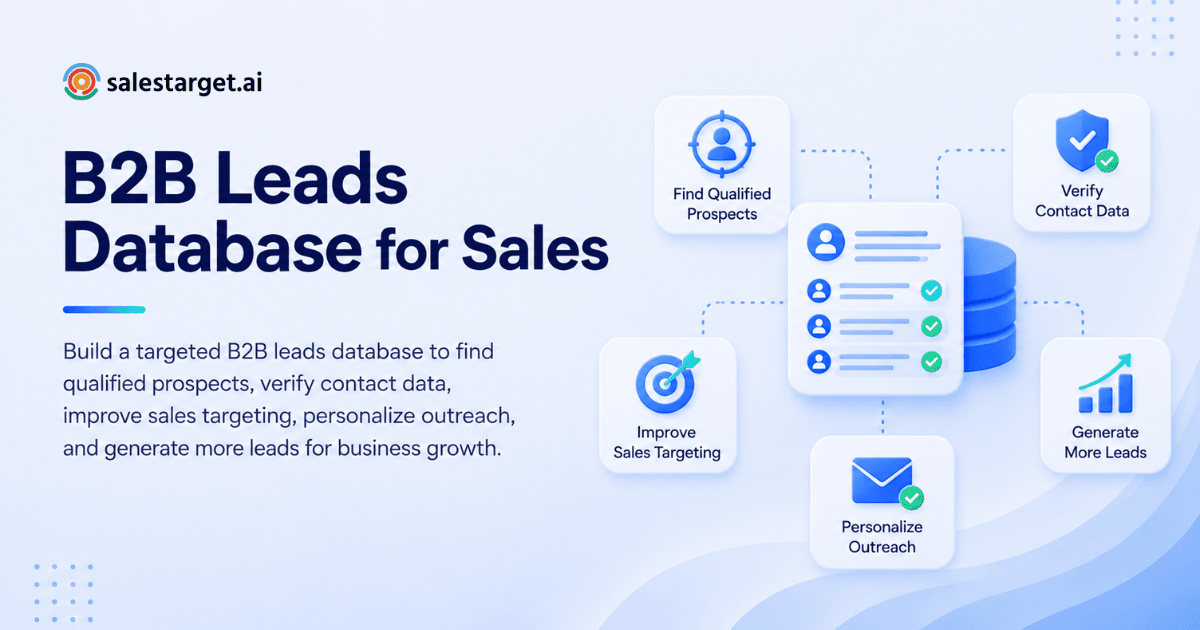
To build a targeted B2B leads database, define your ideal customer profile, find the companies and buyers that match it, collect contact data, verify and enrich every record, segment the list, and store it in a CRM. Then keep it clean on a schedule. A targeted database holds fewer records than a bought list, but every record fits your buyer and can actually be reached.
This guide covers each step, the data fields worth storing, the mistakes that quietly drain pipeline, and how SalesTarget.ai keeps the whole process in one workspace.
Common Challenges in B2B Lead Database Building
The hardest problems are data that goes stale, tools that do not talk to each other, and reps who spend more time fixing records than selling.
Contact data ages fast. MarketingSherpa research, which HubSpot uses as its benchmark, puts B2B data decay at about 2.1% per month, or roughly 22.5% a year. Gartner estimates poor data quality costs the average organization $12.9 million a year. Salesforce reports that sellers spend 70% of their time on non-selling tasks.
The usual setup makes this worse. One tool holds the data, another verifies emails, a third sends sequences, and a CRM sits at the end. Every handoff is a CSV, and every CSV is a chance for duplicates, outdated fields, and lost context. Salestarget.ai removes those handoffs by putting lead data, validation, outreach, and CRM in one platform.
Key Components of an Effective B2B Leads Database
An effective database holds three layers of data: who the company is, who buys inside it, and why now is the right time to reach out.
Contact Information and Company Profiles
Every record needs a verified work email, a direct phone or mobile number where available, and a LinkedIn URL. Pair it with firmographics: industry, employee count, revenue band, location, and tech stack.
SalesTarget.ai's Lead Explorer draws on 840M+ professional profiles and 146M+ business entities across 50+ data sources (Salestarget.ai figures). The point is not the size of the pool. The point is that you can filter it down to the few thousand companies that look like your best customers.
Decision-Maker Details and Job Roles
Store title, seniority, and department for each contact. Then add a step most databases skip: record three to five roles per target account, not one.
B2B deals rarely hinge on a single person. A champion, an economic buyer, and a technical evaluator each need a different message. If your database holds only the VP, a single job change wipes out your access to that account.
Buying Signals and Qualification Data
Signals tell you when to reach out. Useful ones include Intent Topics, funding rounds, hiring spikes, leadership changes, and awards. Lead Explorer tracks 4,000+ intent and buyer signals with a 30 to 90 day lookback (Salestarget.ai figures).
Save the signal date and the reason to contact as two separate fields. A signal from 80 days ago is a weak opener, and your reps should be able to see that at a glance.
Benefits of a Targeted B2B Leads Database
A targeted database sends your reps to better-fit buyers, gives them something relevant to say, and keeps deals moving through the pipeline.
Improved Prospect Targeting and Lead Quality
When every record passes your ICP filters, the average lead quality rises without any extra effort from reps. Fewer wrong-fit conversations means fewer wasted sequences and cleaner forecasts.
More Relevant Sales Outreach
Fields like role, tech stack, and recent signal feed straight into personalization. A first line that references a hiring spike in the prospect's sales team lands differently than a generic opener. The data does the research so the rep does not have to.
Better Sales Pipeline Efficiency
A clean database shortens the path from list to meeting. Reps spend less time checking records and more time on calls. Teams that track sales pipeline reporting also see which segments convert, so they can double down on what works.
Steps to Build a Targeted B2B Leads Database
Build it in six steps: define the ICP, pick target companies and buyers, gather contact data, verify and enrich, segment, and load it into a CRM.
Define the Ideal Customer Profile
Write down the traits of your best five customers: industry, size, geography, tech stack, and the trigger that made them buy. Then write the exclusions, such as industries you cannot serve or company sizes that churn.
SalesTarget.ai's ICP Builder inside Lead Explorer accepts a plain-English description and turns it into filters. If you are starting from scratch, start free and test your ICP against live data before you commit to it.
Identify Target Companies and Decision-Makers
Start with accounts, then find people. Stack Business filters (industry, revenue, headcount, location) with People filters (role, seniority, department). Add Intent Topics to narrow the list to companies showing active interest.
Aim for a first pass of a few hundred accounts, not tens of thousands. You can widen later.
Gather Accurate B2B Contact Data
Pull contacts from a source that verifies at the moment you find them, not whenever the data was first scraped. That timing matters. A record verified two years ago tells you nothing about today.
Lead Explorer unlocks verified professional email, personal email, phone, and mobile with one click. For a deeper look at sourcing, see this guide to an AI-powered B2B leads database.
Verify and Enrich Prospect Information
Run every email through MX and SMTP checks, disposable-address detection, and risk scoring. Flag catch-all domains separately, since they accept mail for any address and hide bounces until you send.
Add a "last verified" date to each record. Re-verify before each campaign, not on a calendar. A list verified in January and sent in June is a January list with June risk.
Segment Leads for Targeted Outreach
Segment by ICP tier, role, region, and signal. Then add a segment most teams skip: reason to contact. A group of leads with a recent funding round gets one angle. A group with a new VP of Sales gets another.
Organize Prospect Records in a CRM
Records should land in the CRM without an import step. In SalesTarget.ai, campaign leads arrive automatically, and every email and call is logged to the lead timeline. Push enriched leads straight to a sequence or the CRM with no CSV in between.
Best Practices for B2B Leads Database Management
Keep data fresh, remove duplicates, score leads with one fixed rubric, and respect privacy rules on every send.
Maintain Accurate and Updated Contact Records
Set a re-verification trigger tied to activity, not just time. Re-check a contact before any new sequence, after a bounce, and after a job-change signal. Tier-one accounts deserve a refresh before every outreach cycle.
Remove Duplicate and Outdated Data
Match duplicates on three keys: email, LinkedIn URL, and company domain. Merge, do not delete, so activity history stays intact. Archive contacts who have left the company, and keep a note of where they went, since a former champion at a new company is a warm lead.
Apply Consistent Lead Qualification Criteria
Pick one rubric and apply it to every lead. A simple A, B, C score based on ICP fit, role, and signal freshness works fine. Teams that change criteria mid-quarter cannot compare results. If you want a closer look at how qualified lists get built, read this piece on a B2B leads service for finding qualified prospects.
Follow Data Privacy and Outreach Regulations
Know the rules for each region you sell into, including GDPR and CAN-SPAM. Document your lawful basis for contacting people, include a clear unsubscribe in every email, and keep a suppression list that overrides everything else. When someone opts out, that decision beats any score or signal. Check with legal counsel for your specific markets.
Essential Features of a B2B Lead Database for Sales Prospecting
Look for verified contact data, strong filtering, enrichment with intent signals, and direct connections to your CRM and outreach tools.
Verified Business Emails and Phone Numbers
Ask how and when verification happens. The best answer is "at the point you unlock the contact." Confirm the database covers mobile numbers too, since phone outreach depends on them.
Advanced Prospect Search and Filtering
You need to filter by industry, role, seniority, department, company size, revenue, location, tech stack, and intent. Plain-English search is a bonus because it lets a new rep build a good list in minutes.
Company Enrichment and Intent Signals
Enrichment fills gaps in the record. Intent data tells you who is researching your category right now. Together they separate accounts that fit from accounts that fit and are ready.
CRM Integration and Outreach Automation
If you must export a CSV to move data, the database is a bottleneck. Look for native pushes to sequences and a CRM, with activity flowing back so you can see what happened after the send.
Why Choose SalesTarget.ai
SalesTarget.ai combines lead data, validation, email and LinkedIn outreach, a built-in CRM, and an AI Copilot in one workspace, so your database stays clean from first search to closed deal.
Apollo gives you data and engagement, but you still bolt on deliverability and a CRM. Instantly, Smartlead, and Lemlist focus on cold email, with no native B2B database and no real CRM. SalesTarget.ai keeps all of it together.
Lead Explorer for B2B Prospecting and Enrichment
Lead Explorer is the AI prospecting engine behind your database. Search in plain English or stack filters, then enrich in the same click. Salestarget.ai reports 99% verified contact data across 840M+ profiles. Results go straight to a sequence or the CRM, with no CSV.
Email and LinkedIn Outreach Automation
Email Outreach builds multi-step sequences from a plain-English audience description, with automatic AI warm-up, inbox rotation, and SPF, DKIM, and DMARC checks. LinkedIn Outreach automates connection requests, DMs, and follow-ups with built-in safety limits. Both run in one coordinated flow, so context carries across channels.
Email Validation for Better Deliverability
Email Validator checks addresses with MX and SMTP tests, flags disposable domains, and scores risk before you send. Salestarget.ai reports that 90% of emails in Email Outreach are validated before sending. That keeps bounces low and protects your sender reputation.
Built-In CRM for Lead and Pipeline Management
The CRM is built for outbound teams. Leads land automatically, follow-up tasks appear when a lead replies, and the AI dialer logs calls and writes the call notes for you. Salestarget.ai reports 3.2X faster deal cycles and about 6 hours saved per rep per week.
AI Copilot for Everyday Sales Tasks
AI Copilot is a conversational teammate included inside the platform. Ask it to find leads across the database, draft a full sequence, check which campaigns drive revenue, or list your open deals. Strategy stays with you. The grunt work does not.
Common B2B Leads Database Mistakes to Avoid
Short answer: The costly mistakes are chasing volume, trusting unverified data, skipping maintenance, and sending the same message to everyone.
Focusing on Lead Volume Instead of Quality
A list of 50,000 loose-fit contacts produces more noise than a list of 2,000 matched ones. Volume inflates activity numbers and hides the fact that meetings are not happening.
Using Unverified Contact Information
Sending to unverified addresses raises bounces, and high bounce rates push your domain toward spam folders. Many deliverability teams treat a hard bounce rate above 2% as the warning line. Verify first, send second. If you are replacing a tool that skips this step, the Apollo alternative page shows how SalesTarget.ai handles it.
Ignoring Database Maintenance
Without upkeep, a database loses roughly a fifth of its value each year. Put maintenance on the calendar and assign an owner. RevOps usually owns it, but in small teams it falls to whoever sends the most email.
Overlooking Lead Segmentation and Personalization
One list with one message is the fastest way to a 0% reply rate. Segment by role and reason to contact, and write for each group separately. Personalization is only possible when the data fields exist.
Measuring B2B Leads Database Performance
Track four numbers: how accurate your data is, how many leads become meetings, how your emails perform, and how much pipeline the database creates.
Contact Data Accuracy and Verification Rate
Measure the share of records verified in the last 90 days and the share that stay valid after a send. Track by source so you can drop the weak ones.
Lead-to-Meeting Conversion Rate
Divide meetings booked by leads contacted, per segment. A segment with strong fit but low conversion points to a messaging problem. A segment with weak fit and low conversion points to an ICP problem.
Email Bounce and Reply Rates
Watch hard bounces first, since they signal data quality, then replies, since they signal relevance. Open rates are unreliable because of mail privacy features, so lean on replies. Sort replies by intent in the Unibox: Interested, Follow-Up, Not a Fit.
Qualified Opportunities and Pipeline Contribution
The final test is pipeline. Count opportunities created from the database and the revenue attached to them. SalesTarget.ai's CRM dashboard shows open deals, meetings, and tasks in one view, so the link from list to revenue stays visible.
Building a Reliable B2B Leads Database for Long-Term Sales Growth
You opened this guide with a list that bounced, aged, and confused your reps. The fix is not a bigger list. It is a smaller, sharper one: built from a clear ICP, verified at the moment of discovery, enriched with signals, segmented by reason to contact, and kept inside a CRM where nothing gets lost between tools.
SalesTarget.ai does that in one workspace. Lead Explorer finds and enriches, Email Validator protects deliverability, Email and LinkedIn Outreach reach buyers, the CRM tracks every step, and AI Copilot handles the repetitive work. One platform, one set of records, and a database that stays useful past week two.
Ready to build yours? Start with SalesTarget.ai and have your first targeted list in front of your team today.