Your CRM says the quarter looks fine. Your reps swear three big deals are "close." Then two slip in the final week, one goes dark, and the forecast you gave the board misses by a number nobody wants to say out loud.
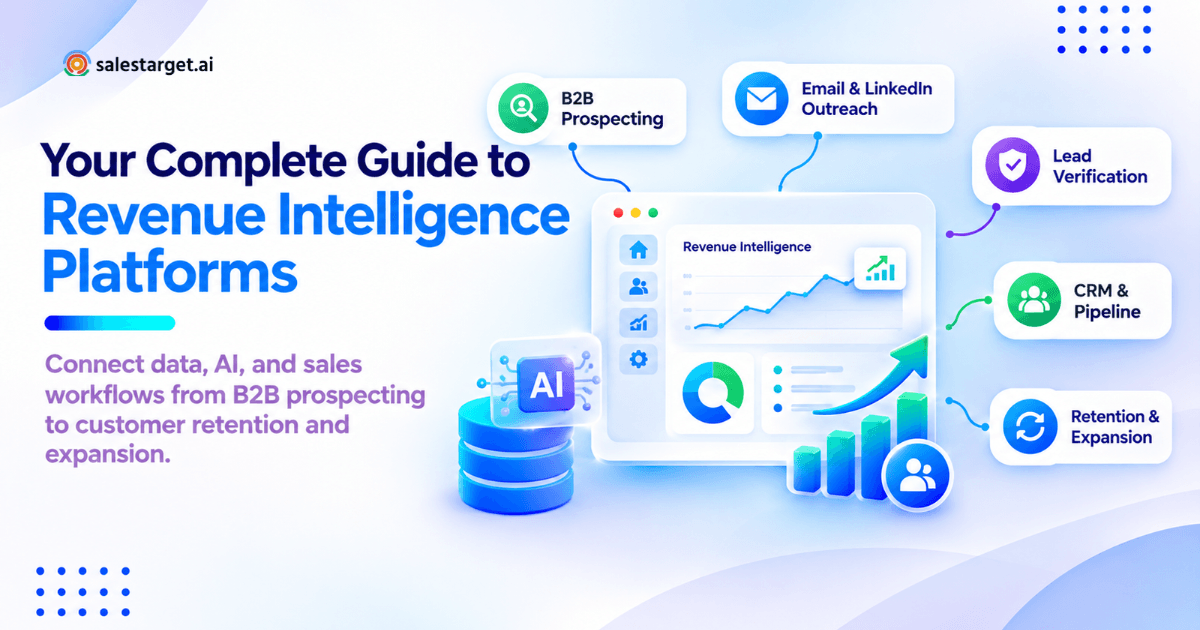
Revenue intelligence platforms close that gap. They pull sales activity and buyer data (emails, calls, meetings, CRM records, and buying signals) into one view, then use analytics and AI to show which accounts to work, which deals are at risk, and what each rep should do next. In plain terms: scattered sales data goes in, clear next steps come out.
The Revenue Visibility Gap: Busy Reps, Stalled Deals, and Unreliable Forecasts
The revenue visibility gap is the distance between what your CRM shows and what buyers are doing. Salesforce's 2026 State of Sales report (4,050 sales pros) found the average seller spends only 40% of their time selling. Gartner found only 45% of sales leaders and sellers have high confidence in their forecast accuracy. And B2B buyers spend just 17% of their buying time with suppliers (Gartner), so most buying happens out of reps' sight.
Revenue Intelligence Platforms at a Glance: Data Inputs, Decisions, and Sales Actions
Every platform does three jobs: collect data, make a decision, trigger an action.
| Layer | What it covers | Example |
|---|---|---|
| Data inputs | CRM records, email, calls, meetings, intent, product usage | Account researches "sales engagement software" for three weeks |
| Decisions | Scores, risk flags, priorities, forecasts | Account jumps to the top of an SDR's list |
| Sales actions | Tasks, sequences, alerts, coaching notes | Rep starts a multichannel sequence that day |
A tool that stops at dashboards is reporting software, not revenue intelligence.
Revenue Problems That Signal a Need for Better Intelligence
Watch for these patterns:
- "Commit" deals slip with no warning in the CRM
- Reps spend mornings researching, not reaching out
- Two reps email the same prospect in one week
- AEs re-run discovery after empty SDR handoffs
- Renewals catch you off guard
- Pipeline reviews become debates over whose number is right
One of these is a process issue. Three or more is a data issue, and that's where software helps.
Revenue Intelligence Platforms and Their Role in the B2B Sales Stack
Revenue intelligence platforms sit on top of your CRM and communication tools. The CRM stores records. Revenue intelligence reads the activity around those records and tells each person what to do next.
Activity Capture, Account Context, Pipeline Analysis, and Recommended Actions
Each platform runs a four-step loop:
- Activity capture: emails, calls, and meetings log to the right deal automatically.
- Account context: firmographics, tech stack, intent, and business events attach to each account.
- Pipeline analysis: open deals are compared with past wins and losses.
- Recommended actions: findings become a next step with an owner, such as "add the CFO."
Step 4 is where most teams fall short. A flag nobody owns is noise.
Revenue Intelligence vs CRM, Sales Intelligence, Conversation Intelligence, and BI
| Tool type | Question it answers | Typical gap |
|---|---|---|
| CRM | What do we know about this account? | Only as good as what reps type in |
| Sales intelligence | Who should we contact, and how? | Stops once the contact is found |
| Conversation intelligence | What was said on calls? | Misses email, LinkedIn, and intent |
| BI tools | What happened last quarter? | Backward-looking, no rep-level action |
| Revenue intelligence | What is happening now, and who acts next? | Only as accurate as its connected data |
In short, sales intelligence finds buyers. Revenue intelligence follows them through the whole cycle.
Business Benefits for Sales Leaders, RevOps, Reps, and Customer Success
- Sales leaders: forecasts based on buyer activity, not rep optimism
- RevOps: one source of truth and fewer manual reports
- Reps: less research and data entry, clearer priorities
- Customer success: early signals on renewal risk and expansion
For a deeper primer, read what revenue intelligence platforms are and how they work.
Revenue Intelligence Platform Categories and Their Best-Fit Use Cases
Revenue intelligence tools fall into three categories. Pick by the problem you need solved, not the feature list.
Conversation Intelligence and Coaching Platforms
These record and transcribe calls, flagging objections, competitor mentions, and missed next steps. Best fit: teams with more calls than managers can review and a coaching problem, not a volume problem.
Pipeline Inspection, Forecasting, and CRM-Native Intelligence
These score deal health, track pipeline changes, and roll up forecasts. Best fit: teams with dozens of open opportunities per AE. Closing fewer than 30 deals a quarter? A disciplined weekly deal review in your CRM gets you most of the value.
Prospecting and Sales Engagement Tools Within the Revenue Stack
This layer finds ICP accounts, spots buying signals, enriches contacts, and runs outreach. Many guides leave it out, yet it's where outbound teams see returns first: a forecasting tool can't fix a pipeline that was never built. Salestarget.ai sits here, combining B2B lead data, 4,000+ intent signals, multichannel outreach, and a built-in CRM in one workspace.
Revenue Intelligence Tools Compared by Core Function, Data Inputs, and Team Fit
| Category | Core function | Main data inputs | Best team fit |
|---|---|---|---|
| Conversation intelligence | Call analysis, coaching | Recordings, transcripts, calendar | Teams with high call volume |
| Pipeline and forecasting | Deal health, forecast roll-ups | CRM opportunities, email and meeting activity | Large pipelines, board-level forecast pressure |
| Prospecting and engagement | Targeting, enrichment, outreach | Firmographics, intent, contacts, replies | Founders, SDR/BDR teams, agencies |
For a vendor-by-vendor view, see our list of the best revenue intelligence platforms.
Revenue Intelligence Strategy: Start With the Decisions Your Team Needs to Improve
A revenue intelligence strategy starts with one question: which sales decision keeps going wrong, and what is fixing it worth? Answer that before you book a demo.
Choose the Priority Problem: Targeting, Conversion, Deal Slippage, Forecasting, or Retention
Pick one. Each problem needs different data:
- Targeting: reps work the wrong accounts. Needs ICP fit and intent data.
- Conversion: replies don't turn into meetings. Needs engagement and reply data.
- Deal slippage: late-stage deals stall. Needs stakeholder and activity data.
- Forecasting: the number keeps missing. Needs stage history and close data.
- Retention: renewals surprise you. Needs usage and support data.
Fixing all five at once is the fastest route to a failed rollout.
Set Baselines and Success Metrics Before Selecting Software
Record today's numbers for your priority problem: reply rate, meeting rate, stage conversion, cycle length, or forecast error. Without a baseline, no ROI claim holds up, including the one you'll need at renewal.
Assign Data Ownership, Decision Ownership, and Follow-Up Responsibilities
Name three owners: who keeps data clean (RevOps), who acts on each signal type (rep, manager, or CSM), and who checks the action happened (front-line manager). Unowned signals become ignored notifications within weeks.
Match the Strategy to Founder-Led Sales, SDR Teams, Enterprise Accounts, and Agencies
| Team type | Start with | Skip for now |
|---|---|---|
| Founder-led sales | Targeting and follow-up discipline | Forecasting models |
| SDR/BDR teams | Signal-based prioritization and reply handling | Deal-level coaching |
| Enterprise accounts | Stakeholder mapping and deal risk | Volume outreach metrics |
| Agencies | Separate client workspaces and reply tracking | Cross-client benchmarks |
Revenue Intelligence Data Sources and CRM Integration
Revenue intelligence is only as accurate as the data feeding it. Gartner estimates poor data quality costs organizations an average of $12.9 million a year, and 59% don't measure it at all.
CRM Records, Email, Calls, Meetings, Buyer Intent, and Product Usage
The core inputs: CRM records, email and reply data, call and meeting notes, buyer intent (such as Bombora Intent Topics), business events (funding, hiring, leadership changes), and product usage for renewals and expansion.
Contact Enrichment, Email Verification, Phone Lookup, and Decision-Maker Mapping
A signal is worthless if you can't reach the person behind it. Enrichment adds email, phone, and mobile, and decision-maker mapping finds the buying group, which Gartner puts at six to ten people for complex purchases.
One detail most teams miss: when a contact was verified matters more than whether it was. A record verified at scrape time can be months stale. Salestarget.ai verifies contacts at the point of enrichment, the moment a rep pulls them.
Account Matching, Duplicate Records, Data Freshness, and Missing Activity
- Account matching: "Acme Inc." and "ACME Corp" split one account's signals in two
- Duplicates: one contact, two owners, two sequences
- Freshness: job changes turn last year's champion into a dead contact
- Missing activity: calls from personal phones and LinkedIn DMs that never reach the CRM
That last gap quietly creates false "at-risk" flags: an engaged deal looks cold when half its activity is invisible.
CRM Integration Requirements: Field Mapping, Sync Direction, Permissions, and Record Ownership
Settle four points in writing before you connect anything:
- Field mapping: which fields map where, and which system wins a conflict
- Sync direction: read-only, or two-way write-back
- Permissions: who sees call recordings, email content, and scores
- Record ownership: which rep owns a lead created by an automated workflow
Skip this step and duplicate records appear in week one.
Revenue Intelligence Workflows Across the B2B Revenue Lifecycle
A revenue intelligence workflow links a signal to an owner and an action at each stage, from first touch to renewal.
Prospecting: Prioritize Accounts Using ICP Fit, Buyer Intent, and Business Events
Stack three filters: ICP fit, active intent, and a recent business event such as funding, a new VP of Sales, or a hiring spike. Accounts hitting all three go first. In Salestarget.ai's Lead Explorer, reps stack these filters or describe the target in plain English, with business events on a 30 to 90 day lookback. Try signal-based prospecting on your own ICP with Salestarget.ai and see which target accounts show intent this month.
Engagement: Coordinate Email, LinkedIn, Phone, and Follow-Up Context
Channels need shared memory. Gartner found 73% of B2B buyers actively avoid suppliers who send irrelevant outreach, and few things read as more irrelevant than an email that ignores yesterday's LinkedIn conversation with that buyer.
Qualification: Pass Buyer Needs, Conversation History, and Next Steps From SDRs to AEs
A clean handoff carries four items: the pain in the buyer's words, every touch so far, who else is involved, and the agreed next step. If the AE asks "so what did they say?", the handoff failed.
Deal Management: Identify Stakeholder Gaps, Stalled Opportunities, and Forecast Risk
Watch three deal risk signals: single-threaded deals with no economic buyer, no buyer reply for 14+ days on a late-stage deal, and close dates pushed more than once. One is a flag. Two together belong on the forecast call.
Customer Growth: Connect Adoption, Renewal Risk, and Expansion Opportunities
Falling logins 90 days before renewal are an early churn warning. Rising seat use, new departments logging in, or a new executive hire point to expansion. Route each signal to the account owner as a dated task.
Lifecycle Workflow Matrix: Required Data, Signal, Owner, Action, and KPI
| Stage | Required data | Signal | Owner | Action | KPI |
|---|---|---|---|---|---|
| Prospecting | ICP, intent, events | Intent surge + funding | SDR | Sequence within 48 hours | Meetings per 100 accounts |
| Engagement | Email, LinkedIn, calls | "Interested" reply | SDR | Book meeting, log context | Positive reply rate |
| Qualification | Call notes, buying group | Pain and budget confirmed | SDR to AE | Handoff with notes | SQL-to-opportunity rate |
| Deal management | Deal activity, contacts | 14 days of silence | AE and manager | Reach a second stakeholder | Slip rate |
| Customer growth | Usage, tickets | Usage drop or seat growth | CSM or AM | Renewal or expansion call | Net revenue retention |
For stage-by-stage playbooks, read how to use revenue intelligence platforms.
AI Revenue Intelligence: Predictions, Explanations, and Action Controls
AI in revenue intelligence predicts (scores, forecasts), analyzes (calls, emails), and generates (research, summaries, drafts). Its value depends on whether each output shows its evidence and whether a human approves the risky ones.
Gartner predicts AI agents will outnumber sellers 10 to 1 by 2028, yet fewer than 40% of sellers will say agents improved their productivity. Gartner's warning is blunt: agents running on fragmented systems scale the fragmentation.
Predictive Scoring for Account Priority, Opportunity Health, and Forecasting
Predictive lead and opportunity scoring compare live accounts and deals against past wins and losses. They need a few hundred closed opportunities with consistent stage data. Below that, a rules-based score (ICP fit + intent + engagement) is more honest.
Conversation Analysis for Objections, Competitor Mentions, and Coaching
AI tags objections, pricing questions, and competitor names across calls and emails. The useful output isn't the transcript. It's the pattern, such as one competitor showing up in most of this quarter's lost deals.
Generative AI for Account Research, Meeting Summaries, and Follow-Up Drafts
Reps feel time savings here first. Salesforce's 2026 State of Sales report found sellers expect AI agents to cut prospect research time by 34% and email drafting by 36%. Salestarget.ai's AI Copilot does this in chat: it finds leads, drafts personalized sequences, and answers CRM questions in plain language.
Evidence Trails, Confidence Levels, and Decisions That Need Human Review
Every AI recommendation should show the data behind it and a confidence level. Keep people in charge of forecast category changes, discounts, messages to existing customers, and anything sent to executives. Let AI draft. Let people decide.
An Annotated B2B Revenue Intelligence Example From Buying Signal to Renewal Review
One fictional account, traced from first signal to renewal review.
Sample Inputs: Account Records, Contact Data, Buyer Signals, and CRM History
- Account: Northwind Logistics, 400 employees, US-based, runs HubSpot
- Signals: intent surge on "sales engagement platform," Series B 21 days ago, new VP of Sales last month
- Contacts: VP of Sales, two SDR managers, RevOps lead, all verified
- CRM history: closed-lost 14 months ago, reason "no budget"
Decision Log: Account Prioritization, Outreach, Qualification, and Deal-Risk Review
| Day | Decision | Reason |
|---|---|---|
| 1 | Move to top priority | ICP fit, intent, funding, new leader |
| 1 | Sequence the new VP first | New sales leaders review the tool stack early |
| 9 | LinkedIn reply: "Interested, after quarter-end" | Follow-up task set for day 30 |
| 32 | Discovery call, RevOps lead joins | Buying group grows to two |
| 50 | Risk flag: 15 days of silence | AE brings in the CFO; deal moves by day 58 |
| 365 | Renewal review: seat usage up 30% | Expansion call booked |
The move worth copying: the old closed-lost reason ("no budget") expired the day the funding round was announced. Closed-lost deals with time-bound reasons are the cheapest pipeline you own.
Measurement Plan: Baseline Metrics, Comparison Groups, and Attribution Limits
Compare signal-prioritized accounts with a holdout group worked the old way for one quarter, tracking meeting rate, opportunity rate, and cycle length. A newly funded company might have bought anyway, so credit the platform only for the lift over the holdout.
Revenue Intelligence Failure Points That Distort Sales Decisions
Most revenue intelligence failures come from bad inputs and unowned outputs, not bad software.
Weak Signals: Email Opens, Unverified Intent, and Missing Buyer Context
Email opens are close to meaningless: Apple Mail Privacy Protection preloads images and inflates open counts. Score on replies, meetings, and clicks. Treat one intent spike as a hint; act when a surge lasts weeks and a second signal backs it.
Unreliable Scores: Small Samples, Historical Bias, and Incomplete Records
A model trained on 80 closed deals learns noise. A model trained on past wins learns your old ICP and keeps steering reps back to it after you move upmarket. And deals with missing activity look riskier than they are.
Workflow Gaps: Unowned Alerts, Duplicate Outreach, and Missed Handoffs
An alert posted to a shared channel belongs to nobody. Route each alert type to one named role with a deadline. Duplicate outreach happens when two tools both claim a contact; one system of record for sequences fixes it.
Agency Reporting Errors: Mixed Client Data, Permissions, and Revenue Attribution
Agencies running outbound for several clients face a risk most guides skip: one client's contacts or replies leaking into another's reports. Keep a separate workspace or strict permissions per client, tag every campaign by client, and attribute revenue only to meetings the client confirms took place.
Revenue Intelligence Platform Selection: A Weighted Buying Scorecard
Choose a revenue intelligence platform by scoring vendors against your priority problem, then testing their claims on your own data.
Score Data Coverage, Workflow Fit, AI Evidence, Reporting, and Adoption
| Criterion | Weight | What to check |
|---|---|---|
| Data coverage | 25% | Match rate on your accounts, verification method, intent sources |
| Workflow fit | 25% | Does each signal trigger an action in tools reps already use? |
| Adoption | 20% | Can a new rep use it daily within one week? |
| AI evidence | 15% | Does every score show its reasons? |
| Reporting | 15% | Can RevOps track your baseline metrics? |
Score each criterion 1 to 5, multiply by its weight, and compare totals.
Test Vendor Claims Using Your Own Accounts and Opportunities
Give every vendor the same 200 target accounts and 20 closed deals. Measure contact match rate, bounce rate after verification, and whether their scores would have flagged the deals you lost. Demo data always looks perfect. Yours won't.
Revenue Intelligence Platforms for SDR and BDR Teams
SDR and BDR teams need speed from signal to first touch, not forecast roll-ups. Prioritize built-in contact data, intent filters, multichannel sequences, and a unified inbox that sorts replies by intent. See our guide to the top revenue intelligence platforms for SDR and BDR teams.
Selection Criteria for Lean Teams, Enterprise Sales, and Agency Workspaces
- Lean teams and small businesses: one platform instead of five, setup in days, no dedicated admin
- Enterprise sales: CRM-native sync, granular permissions, forecast roll-ups, security review
- Agencies: many sending inboxes, client-level data separation, clean per-client reporting
Buying Evidence: Published Capabilities, Verified Test Results, and Known Limits
Sort vendor claims into three buckets: published (on their site), verified (you tested it), and known limits (what they admit doesn't work). Buy on the second bucket. Trust vendors who are open about the third.
Revenue Intelligence Pricing and Total Cost of Ownership
Total cost of ownership is the license plus everything it takes to keep the platform useful. The license is on the quote. The rest shows up later.
License Fees, Add-Ons, Data Credits, and Implementation Costs
Check for seat fees on managers who only view dashboards, paid add-ons for features shown in the demo (intent data, dialer, AI), data credits that run out mid-quarter, and paid onboarding.
Integration Maintenance, Training, and Internal Administration Time
Every connected tool needs someone to fix broken syncs. Count RevOps hours per month and training time per new hire. A platform that needs a full-time admin costs far more than its license suggests.
Tool Consolidation Savings and Remaining Software Requirements
Salesforce's fifth State of Sales report found 9 in 10 sales organizations planned to consolidate their tech stacks. Savings count only when old contracts end. List every tool the new platform replaces (data provider, email sender, verifier, LinkedIn tool, CRM) and every tool you'll still need.
Revenue Intelligence Implementation: A Pilot With Measurable Success Criteria
Implement revenue intelligence software through a 60 to 90 day pilot: one team, one problem, and pass/fail criteria written down before day one.
Readiness Assessment: CRM Quality, Historical Data, Integrations, and Workflow Owners
Before the pilot, confirm: duplicate rate under 5%, required fields filled on most open deals, two quarters of stage history, email and calendar access, and an owner for each workflow. Fix gaps first, or the pilot measures your data, not the tool.
Pilot Scope: One Team, One Revenue Problem, and a Recorded Baseline
Pick one team (say, four SDRs) and one problem (say, a low meeting rate from outbound). Record the last 90 days of that metric. If you can, keep a similar team on the old process for comparison.
Acceptance Criteria: Sync Accuracy, Rep Adoption, and Useful Recommendations
- Sync accuracy: 95%+ of activities land on the right record
- Rep adoption: 80%+ of pilot reps use it daily by week three
- Useful recommendations: reps act on most surfaced priorities, and the target metric beats baseline
Rollout Plan: Training, Workflow Reviews, and Ownership After Launch
Roll out one team at a time. Train on workflows, not features ("here's your morning signal review"). Hold a 30-minute weekly review in month one, then hand ownership to a RevOps lead who keeps fields, routing, and scoring rules current.
Revenue Intelligence ROI: Connect Platform Usage to Business Results
Revenue intelligence ROI is incremental gross profit plus realized savings, minus total cost, divided by total cost. Track it in three layers: operational, sales, and customer metrics.
Operational Metrics: Data Coverage, Research Time, and Follow-Up Completion
These move first: share of target accounts with verified contacts, research minutes per account, and follow-up tasks done on time.
Sales Metrics: Qualified Pipeline, Win Rate, Sales Cycle, and Forecast Error
Track qualified pipeline, win rate, cycle length, and monthly forecast error. Judge forecast error over two full quarters or more.
Customer Metrics: Renewal Rate, Expansion Revenue, and Net Revenue Retention
Track gross renewal rate, expansion revenue, and net revenue retention on a 12-month window, since they move slowest.
ROI Worksheet: Incremental Gross Profit, Realized Savings, and Total Cost
| Line | How to calculate |
|---|---|
| Incremental gross profit | Revenue above the holdout or baseline, multiplied by gross margin |
| Realized savings | Canceled tool contracts plus admin hours moved to selling |
| Total cost | Licenses, add-ons, data, implementation, admin time, training |
Use gross profit, not revenue: a $100,000 deal at 75% margin adds $75,000, the figure finance will accept.
Measurement Boundaries: Attribution Gaps, Sales-Cycle Length, and Unverified Savings
On a six-month cycle, deals closing in month two started before the platform arrived. Time saved counts only if it went into selling. A tool you "plan to cancel" isn't a saving yet.
Why Choose Salestarget.ai
Salestarget.ai is an all-in-one AI sales intelligence and outbound platform. Lead data, outreach, validation, CRM, and an AI Copilot share one workspace, so outbound teams act on signals without stitching tools together.
Lead Explorer for B2B Prospect Search and Contact Enrichment
Lead Explorer searches 840M+ verified professional profiles and 146M+ business entities from 50+ data sources, in plain English or with filters for role, seniority, company size, tech stack, and Intent Topics. One-click enrichment returns verified email, phone, and mobile, and leads go straight into a sequence or the CRM with no CSV.
Email and LinkedIn Outreach With Personalized Sequences and Follow-Ups
Salestarget.ai builds multi-step sequences from a plain-English audience description and runs email and LinkedIn in one coordinated flow, with branches based on replies and built-in LinkedIn safety limits. Email Outreach delivers 35% faster campaign creation.
Email Validation, Inbox Rotation, and Sending Controls
The Email Validator runs MX and SMTP checks, disposable-email detection, and risk scoring before anything sends. Outreach adds unlimited inboxes, AI warm-up, inbox rotation, and SPF, DKIM, and DMARC checks. 90% of emails are validated before sending.
Unibox and Built-In CRM for Reply Ownership, Deal Tracking, and Follow-Up Tasks
Unibox pulls every reply into one view, sorts it by intent (Interested, Follow-Up, Not a Fit), and assigns an owner. The built-in CRM logs every email and call and creates follow-up tasks when a lead replies or a meeting ends, delivering 91% follow-up completion and about 6 hours saved per rep per week. It connects with HubSpot, Salesforce, and Zoho.
AI Copilot for Lead Search, Campaign Drafts, and Pipeline Questions
AI Copilot is a chat-based sales teammate, free inside the platform. Ask it to find leads, draft a sequence, show which campaigns drive revenue, or flag at-risk deals. Your team keeps the strategy.
Conclusion: Build a Revenue Intelligence Process Your Team Can Act On
Back to that missed forecast. It came from signals nobody saw, contacts nobody verified, and follow-ups nobody owned, not from a lack of dashboards. Revenue intelligence platforms fix that only when data, action, and ownership sit in the same place.
For outbound teams, that is the case for Salestarget.ai: buying signals, verified contacts, email and LinkedIn outreach, and a CRM in one place. Fewer tools, fewer handoffs, fewer surprises at quarter-end.
Pick one revenue problem, record your baseline, and test it on your own accounts. Start free with Salestarget.ai and build your first signal-based list today.