It's the last Thursday of the quarter and your CRO asks for the number. Three people give three answers. The dashboard says 82% of target, the spreadsheet says 76%, and the rep with the biggest deal says it's "basically signed." Half the pipeline hasn't been touched in a month, and nobody can say which half.
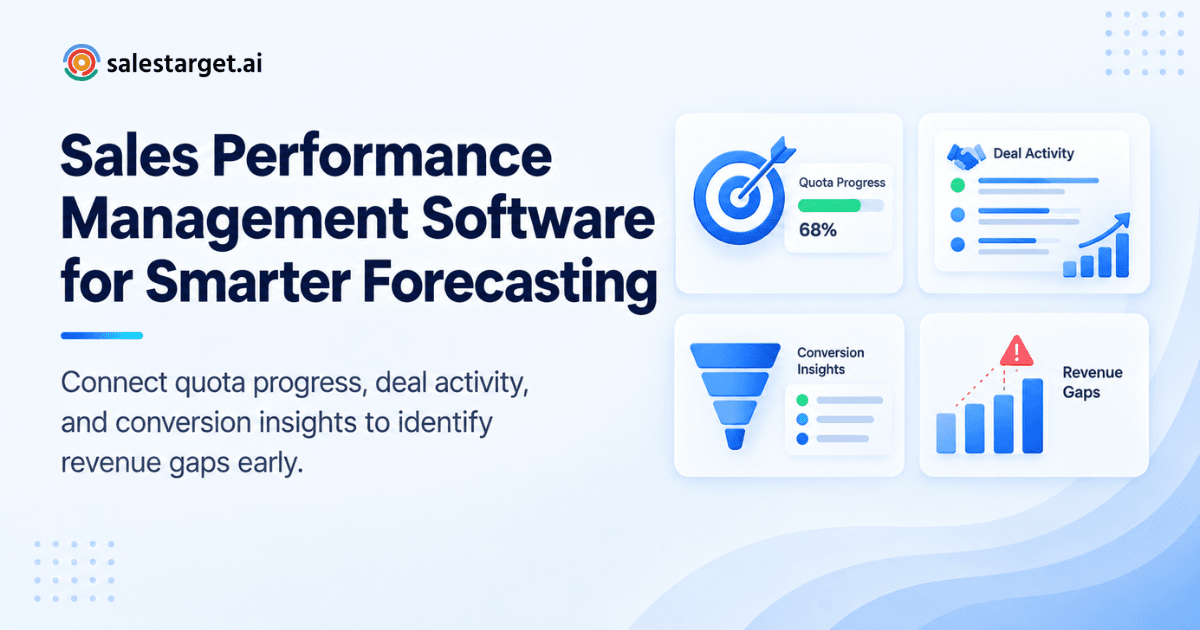
Sales performance management software fixes this by putting quotas, deals, activity, and results in one live view. It shows each rep's progress against target, which deals are moving, and where the pipeline falls short of the number, so managers can act weeks before the quarter closes. In Salestarget.ai, the workspace that finds and contacts prospects also tracks them, so the numbers are never retyped or guessed.
The Connection Between Sales Target Tracking and Pipeline Visibility
Target tracking shows where you stand against quota. Pipeline visibility shows whether you can still reach it. One looks back at closed revenue, the other looks ahead at open deals, and a team needs both to decide in time.
A target with no pipeline view is a scoreboard you read after the game. A pipeline with no target is a pile of deals with nothing to measure them against. Join them and a manager can say, in week four, "we're at 31% of target with 2.8x coverage on the rest, and we need 4x." That sentence only exists when quota and deal data share one system.
Most teams break this at the data layer. Quotas live in a sheet, deals live in a CRM, and outreach results live in a sequencing tool. Three sources give you three versions of the truth, and the weekly pipeline call turns into a reconciliation exercise.
Understanding Sales Performance Management Software
Sales performance management software tracks quotas, pipeline, rep activity, and results in one place. It shows managers who is on pace, who is not, and which deals explain the gap.
Core functions of sales performance management software
Seven functions cover most needs: goal setting by rep and period, pipeline tracking by stage, activity tracking, dashboards, performance analytics, forecasting, and workflow automation. Smaller teams can start lighter. This guide to sales tracking software for small business sales growth shows a minimal setup.
Sales target tracking, performance monitoring, and pipeline management
These are three jobs with three questions. Target tracking asks whether you're on pace. Performance monitoring asks which reps and behaviors explain it. Pipeline management asks what's in motion and what needs a push. A dashboard with attainment but no deal detail tells you that you're behind, not what to do about it.
How CRM data connects sales activities with revenue goals
CRM data links every email, call, and meeting to a lead, every lead to a deal, and every deal to revenue. That chain lets you tie activity to results.
In Salestarget.ai, campaign leads land in the CRM automatically with no imports. Every email and call is logged to the lead timeline, and follow-up tasks are created when a lead replies or a meeting ends. A manager looking at open pipeline can click down to the sequence, reply, and call behind each deal.
Audit that chain for breaks. A deal with no recorded source can't tell you which channel produced it. A rep logging calls on contacts that never become deals looks busy but creates no attributable pipeline. If your tracking still depends on exports, see how the built-in CRM keeps leads, deals, and tasks on one timeline.
The Business Impact of Better Sales Performance Tracking
Better tracking raises attainment, exposes thin pipeline early, makes follow-up visible, and gives forecasts a factual base.
Time is the first payoff. Salesforce's State of Sales research found reps spend just 28% of their week actually selling, with deal management and data entry taking much of the rest. Tracking that logs itself hands hours back to selling.
Improving sales target attainment across teams
Show every rep and manager the same live number and coaching goes where it's needed. On many teams a few reps carry the quota. Comparing stage-to-stage conversion between reps shows whether a gap comes from prospecting, qualification, or closing, so a manager coaches the right skill.
Identifying pipeline gaps before they affect quarterly revenue
Start with coverage math. If you close one in four qualified deals, a $400K target needs about $1.6M in pipeline. But raw coverage flatters you. Count only deals with real activity in the last 14 days. Stale deals inflate coverage and hide the shortfall until it's too late to fix.
Strengthening sales accountability and follow-up management
Every open deal needs an owner, a next step, and a due date. Salestarget.ai creates follow-up tasks automatically when a lead replies or a meeting ends, so accountability doesn't depend on memory. Salestarget.ai reports 91% follow-up completion and about 6 hours saved per rep per week with its CRM. Against the 28% selling-time figure above, that is time worth recovering.
Improving forecast accuracy with reliable opportunity data
Gartner's State of Sales Operations survey found that only 45% of sales leaders and sellers have high confidence in their organization's forecasting accuracy. That is a data trust problem as much as a forecasting one. Define stage exit criteria, weight each stage by your own win rates, and keep records current. Teams on Salestarget.ai can ask the AI Copilot which open deals look at risk before the forecast call.
Building a Sales Target Tracking Process With CRM Data
Work backward from the revenue number to the daily activity that produces it, then track actuals against that plan every week.
Defining sales quotas, revenue goals, and activity benchmarks
Convert the quota into activity. Say a rep carries $300K and the average deal is $20K. That's 15 deals. At a 25% win rate you need 60 qualified opportunities, and at 40% meeting-to-opportunity conversion you need 150 meetings. Those become the benchmarks. Reset them each quarter from real conversion data.
Organizing prospects and opportunities by deal stage
Keep stages few and tie each to an exit criterion: Contacted (reply or call connected), Meeting Booked (date confirmed), Qualified (budget and need confirmed), Proposal Sent, Closed. If a reader can't say what moves a deal forward, the stage is decoration.
Tracking outreach, meetings, follow-ups, and conversions
Log everything automatically or it won't get logged. Salestarget.ai's Unibox pulls every email reply into one view and sorts it by intent (Interested, Follow-Up, Not a Fit), and the CRM syncs deals from there. Track conversion at each step, from sent to reply to meeting to opportunity.
Measure results per 100 verified contacts, not per 100 contacts sent. Bad data makes a good rep look unproductive, and you'll coach the wrong person.
Comparing actual sales results against individual and team targets
Compare against pace, not just the quarter total. In a 13-week quarter, week four should show about 31% of target worth of progress. A rep at 20% in week four is behind, even if the full-quarter number still looks reachable. Review individuals and the team side by side.
Reviewing stalled deals and prioritizing high-value opportunities
Flag a deal as stalled after 14 days with no activity, or when it sits in a stage 1.5 times longer than your average. Then rank by value times probability. This write-up on how smart deal tracking shortens sales cycles covers the cycle-time side in detail.
Using sales performance analytics to adjust sales activities
Read the funnel backward. Low replies point upstream to targeting or contact data. Healthy replies but few meetings point to the pitch or call-to-action. Meetings without opportunities point to qualification. Fix the earliest leak first.
Key Features of Sales Performance Management Tools
The best tools combine seven features: dashboards, pipeline tracking, activity tracking, analytics, CRM reporting, automation, and connected outreach data.
Sales dashboards for target attainment and revenue progress
A good dashboard answers "are we on pace?" in five seconds. Look for attainment by rep and team, pace lines, and open pipeline on one screen.
Pipeline tracking for deal stages, opportunity values, and expected revenue
You need deals by stage with values and a probability-weighted total. A live shared pipeline lets the whole team see the same deals.
Sales activity tracking for prospecting and follow-up accountability
Calls, emails, meetings, and tasks should land on the lead timeline without manual entry. Salestarget.ai's built-in AI dialer logs calls and saves call notes to the timeline.
Performance analytics for conversion rates and team productivity
Look for conversion by stage, by rep, and by source. Averages hide the story, so split the data.
CRM reporting for pipeline health and sales forecasting
Reports should show stage aging, coverage, and slipped close dates. These three signals catch trouble early.
Workflow automation for reminders, call records, and deal updates
Automation should create tasks on replies, log calls, and update deals. If reps must remember to update the CRM, the data will drift.
Connected prospecting and outreach data for a complete sales view
Most tools stop at the CRM and leave out where the lead came from. Connecting prospecting and outreach data shows which sources and sequences produce revenue.
Why Choose SalesTarget.ai
Apollo gives data and engagement but needs separate deliverability and CRM tools. Instantly, Smartlead, and lemlist focus on cold email, with no native B2B database, LinkedIn automation, or real CRM. Salestarget.ai keeps prospecting, outreach, validation, and tracking in one platform, so target data comes from the same workspace as the activity behind it.
Identify and enrich B2B prospects with Lead Explorer
Lead Explorer searches 840M+ professional profiles and 146M+ businesses, with 4,000+ intent signals and 50+ data sources behind it. One-click enrichment adds verified email, phone, and mobile, and leads go straight to sequences or the CRM with no CSV. Pipeline starts with a known source.
Manage email and LinkedIn outreach in connected sales workflows
Email Outreach and LinkedIn Outreach run in one coordinated flow. Replies, connection accepts, and meetings land in the same record, so outreach results count toward targets automatically.
Reduce email bounce risks with Email Validator
The Email Validator checks addresses with MX and SMTP tests, disposable-email detection, and risk scoring before you send. Salestarget.ai reports 90% of emails validated before sending. Cleaner sends mean cleaner conversion numbers.
Track opportunities, calls, and follow-ups in the built-in CRM
The CRM has five modules: Lead Management, Deal Pipeline, Tasks and Follow-Ups, Activity Tracking, and Reports and Analytics. It connects with Google Calendar, Slack, HubSpot, Salesforce, and Zoho, and Salestarget.ai reports 3.2X faster deal cycles and 2.4X more meetings from the same leads.
Access sales information and support daily tasks with AI Copilot
AI Copilot is a conversational teammate, free inside the platform. Ask it in plain language about deals, meetings, and tasks, have it flag at-risk deals, or have it draft a sequence. Strategy stays with your team.
Common Sales Target Tracking Mistakes and How to Avoid Them
Measuring activity volume without tracking qualified opportunities
Calls and emails prove effort, not progress. Pair every activity metric with an opportunity metric, such as meetings per 100 verified contacts.
Using outdated deal stages and incomplete CRM records
Stages written two years ago rarely match how you sell now. Review stage definitions each quarter and require key fields before a deal can advance.
Setting revenue targets without checking pipeline coverage
A target with no matching pipeline is a wish. Check coverage at quarter start and again at week four.
Overlooking lead quality and differences in sales cycle length
A $10K deal and a $100K deal don't move at the same speed. Track cycle length by segment, and track lead quality by source, so slow segments don't read as weak reps.
Relying on forecast estimates without reviewing deal progress
A rep's confidence is a feeling. Deal progress is evidence: last activity, next step, stage age, and the people involved.
Keeping outreach and pipeline reporting disconnected
If sequence results and pipeline reports live in different tools, nobody can say which campaigns produce revenue. Put them in one workspace.
Selecting Sales Performance Management Software for B2B Teams
Pick the tool that answers your team's weekly questions with the least manual work, then test it on your own data.
Matching reporting capabilities to sales goals and team structure
A founder running sales needs a single pace view. A VP with five managers needs team and rep drill-downs. Match reports to who reads them.
Evaluating pipeline tracking and sales performance analytics
Ask to see stage aging, coverage, and conversion by source. If a vendor can't show them with real data, move on.
Checking CRM integrations and outreach workflow compatibility
Confirm it works with your calendar, Slack, and CRM. If you run outbound, check that outreach results flow in without imports.
Assessing data accuracy, automation, and ease of adoption
Reps skip tools that add admin work. Look for auto-logging, auto-created tasks, and a setup measured in days. Salestarget.ai's CRM sets up in under a day. You can start with a demo and test it on a live campaign.
Choosing metrics that support daily decisions and quarterly planning
Daily decisions need leading metrics such as replies, meetings, and stalled deals. Quarterly planning needs lagging ones such as attainment, win rate, and cycle length. Keep both short, about five each.
Turning Pipeline Insights Into Consistent Sales Results
Establishing a weekly sales performance review process
Hold a 30-minute review at the same time each week. Cover pace against target, new pipeline, stalled deals, and one blocker per rep. Work from the dashboard, not slides.
Prioritizing deals based on progress, value, and next actions
Rank open deals by value, probability, and whether a next step is booked. A deal with no next step gets one in the meeting or moves out of the forecast.
Adjusting prospecting and follow-up activities to close target gaps
If coverage is short, add targeted prospecting and shift to the segments that convert. If follow-up is slipping, tighten task rules. Make one change, then check next week's numbers.
Connect Sales Targets, Pipeline Data, and Daily Execution
The opening problem was three numbers and no trust. The fix is one source: quotas, pipeline, outreach, and results in the same workspace, updated by the work itself rather than by rep memory.
Salestarget.ai puts that workflow together. Lead Explorer finds and verifies prospects, email and LinkedIn sequences reach them, the Email Validator protects deliverability, and the built-in CRM tracks every deal, call, and follow-up while AI Copilot flags what needs attention. Your team stops reconciling tools and starts acting on the number.
Start with Salestarget.ai and see your targets and pipeline in one place.