Your reps spend the morning building a prospect list, the afternoon cleaning bad email addresses, and the evening bouncing between five tabs to reach the same buyer. None of that time shows up in the pipeline report.
Business development software fixes this by putting lead discovery, outreach, and deal tracking in one connected system, so sales teams generate more leads and close more sales without stitching separate tools together. It replaces scattered spreadsheets and disconnected point tools with a single workflow that takes a prospect from cold contact to closed deal. Teams that adopt a connected business development platform spend less time on admin work and more time on selling activity that turns into revenue.
What Business Development Software Does for Modern Sales Teams
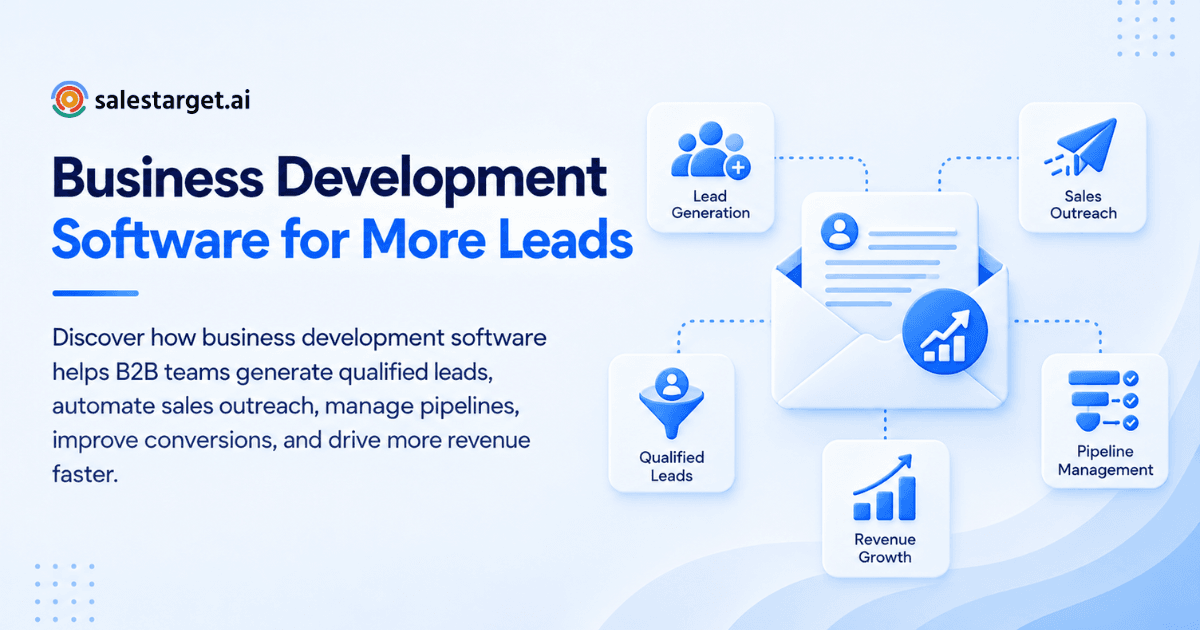
Business development software covers five connected jobs that used to live in five different tools.
Lead discovery and contact data
The software builds prospect lists from large B2B databases, filtered by industry, role, company size, and buying signals. Reps stop guessing who to call and start working lists built around a real ideal customer profile.
Prospect enrichment and qualification
Once a prospect is found, the software adds verified email, phone, and company data in the same step. That enrichment step turns a raw name into a contact a rep can actually reach and qualify.
Automated sales outreach
Sequenced email and LinkedIn messages go out on a schedule the software manages, with personalization pulled from the enriched data. Reps write the message once and let the system handle timing and follow-up.
Lead management and pipeline tracking
Every reply, call, and meeting gets logged against the lead automatically, and deals move through stages a sales leader can see at a glance. Nothing sits in a rep's inbox waiting to be entered into a spreadsheet.
Sales activity and performance tracking
Dashboards show open rates, reply rates, meetings booked, and deals closed by rep and by campaign. Sales leaders spot what's working and adjust the plan mid-quarter instead of waiting for a quarterly review.
How Business Development Software Supports the Sales Process
A sales process has five stages, and business development software touches all of them.
Finding the right prospects
The software searches its database against your ideal customer profile and returns a list matched by role, industry, and company size. Reps start the day with a targeted list instead of an empty search bar.
Turning contacts into qualified leads
Contact enrichment and buying-signal data help reps separate a real opportunity from a name on a list. A prospect who just raised funding or posted a hiring spike gets priority over a cold name with no signal.
Managing email and LinkedIn outreach
One sequence can run across email and LinkedIn at the same time, with messages that reference the same context on both channels. Prospects see coordinated outreach, not two separate reps guessing at the same account.
Moving prospects through the sales pipeline
Once a prospect replies, the software creates a lead record and a follow-up task automatically. Deals move from first touch to qualified opportunity without a rep copying data between tools.
Tracking opportunities through to close
A shared pipeline view shows every open deal, its stage, and its next step. Sales leaders forecast off real deal data instead of a rep's memory of where things stand. For a deeper look at how this fits into a wider stack, see how a B2B sales platform helps teams grow revenue.
Key Benefits of Business Development Software for B2B Sales
The benefits show up in the numbers a revenue leader tracks every week.
Generate more qualified leads
A single platform that finds, enriches, and scores prospects produces a higher share of leads worth a rep's time. Fewer wasted calls mean more of the pipeline turns into real revenue.
Reduce manual prospecting work
Reps stop building lists by hand and searching for emails one contact at a time. That time goes back into calls, demos, and follow-up instead of research. Teams weighing the return on a new platform can see how much research time Lead Explorer removes with a free trial.
Keep follow-ups consistent
Automated sequences send the third and fourth touch on schedule, the ones most reps drop after the first no reply. Persistence stops depending on a rep remembering to check back in.
Improve sales pipeline visibility
Companies that adopt a CRM report up to a 29% increase in sales and a 34% rise in productivity, according to sales research compiled by Nutshell. A connected pipeline view built into a business development platform delivers that same visibility without a second login.
Support faster customer acquisition
Shorter research time and consistent follow-up shorten the path from first contact to closed deal. Deals move at the pace of the buyer, not the pace of a rep's task list.
Create more opportunities for revenue growth
More qualified leads, fewer dropped follow-ups, and a clearer pipeline compound into more closed revenue over a quarter. Each gain reinforces the next instead of working against it.
How to Use Business Development Software for Lead Generation and Sales
Getting value from the software follows a repeatable seven-step workflow.
Define your ideal customer profile
Set the industry, company size, role, and seniority that match your best customers before opening the database. A tight ICP keeps the prospect list relevant instead of just large.
Build targeted prospect lists
Filter the database against that ICP and pull a list matched to real buying criteria, not a broad export. Lead Explorer searches 840M+ verified profiles and 146M+ business entities with plain-English or stacked filters, so the list comes back matched to role, seniority, and company size in one search.
Enrich and verify contact information
Add verified email, phone, and mobile data to each contact at the moment the list is built, not weeks later. A list enriched today reaches more inboxes than one scraped months ago.
Create personalized sales outreach
Write sequences that reference the prospect's role, company, and a recent signal like a funding round or hiring spike. Generic copy gets ignored; specific copy gets a reply.
Automate follow-ups across channels
Schedule email and LinkedIn touches to go out over one to two weeks, with pacing that avoids a spam filter or a LinkedIn rate limit. The sequence keeps working after a rep moves on to the next account.
Track responses and sales activity
Watch open rates, reply rates, and meetings booked by campaign to see which message and channel are working. Data replaces guesswork about why one sequence outperforms another.
Move qualified prospects into the CRM
Route a reply straight into a CRM record with the full contact and campaign history attached. A rep opens one record and sees everything, instead of piecing the story together from three tools.
Features to Look for in Business Development Software
Seven feature categories separate a real business development platform from a single-purpose tool.
B2B lead databases and prospecting
Look for a database with real coverage across industries and company sizes, filterable by role, seniority, and technology stack. Coverage under a few hundred million profiles limits how targeted a list can get.
Contact enrichment and email verification
Enrichment should add a verified email, phone, and mobile number in the same click as the search, not a separate export step. Verification before send keeps bounce rates low and protects sender reputation.
Email and LinkedIn sales automation
Automation should run both channels from the same sequence builder, with warm-up, pacing, and safety limits built in. A tool that only handles one channel forces a second subscription and a second workflow.
Lead management and sales pipeline tools
A pipeline view should update automatically when a lead replies or a deal changes stage, with tasks created without a rep entering them by hand. Manual pipeline updates are the first thing reps skip when they get busy.
CRM and opportunity management
The CRM should log every email, call, and reply to the lead timeline, and support a deal pipeline reps actually update. A CRM built for outbound teams needs fewer fields than one built for enterprise account management.
Reporting and sales analytics
Reports should break down opens, replies, meetings, and deals by rep and by campaign, on a dashboard a sales leader checks weekly. A report buried in a spreadsheet export gets checked once and forgotten.
AI tools for sales research and outreach
Salesforce's State of Sales research found 83% of sales teams now use AI somewhere in their process, so a platform without AI features puts a team behind competitors already running assisted workflows. The best AI tools save research time; they don't replace a rep's judgment on strategy.
Business Development Software vs. Separate Sales Tools
Teams running five separate point tools face problems a connected platform avoids. A comparison of business development software tools is worth reading before signing a new contract.
The problems with a disconnected sales stack
A separate database, outreach tool, and CRM mean exporting and importing the same contact three times. Each handoff is a chance for the data to go stale or get lost.
Connecting prospecting, outreach, and CRM
One platform passes a lead from search to sequence to CRM record without a CSV in between. The prospect a rep finds at 9am can be in an active sequence by 9:05.
Reducing duplicate data and manual work
A shared contact record means one enrichment, one verification, and one source of truth across the team. Two reps stop working the same account with two different phone numbers.
Managing the sales process from one platform
A rep can search, enrich, sequence, and track a deal without leaving the workspace. One login, one workflow, one place to check for what happened on an account.
Why Choose SalesTarget.ai
SalesTarget.ai builds all five jobs into one workspace, on one bill.
Find and enrich B2B prospects with Lead Explorer
Lead Explorer searches 840M+ verified professional profiles and 146M+ business entities across 50+ data sources, with 4,000+ intent and buyer signals including funding rounds, hiring spikes, and leadership changes. One click enriches a contact with verified email, personal email, phone, and mobile, with no separate export step.
Run email and LinkedIn outreach from one platform
Email Outreach builds multi-step sequences from a plain-English audience description, with automatic inbox warm-up and SPF, DKIM, and DMARC checks that protect sender reputation. LinkedIn Outreach runs connection requests, DMs, and follow-ups on the same timeline, with rate limits and warm-up logic that keep an account safe.
Verify contact data before outreach
The Email Validator checks MX and SMTP records and flags disposable addresses before a send goes out, cutting the bounces that damage a domain's reputation. SalesTarget.ai validates 90% of emails before sending, which keeps campaigns out of the spam folder.
Manage leads and deals in the built-in CRM
The CRM logs campaign leads automatically, tracks every call and email on the lead timeline, and creates follow-up tasks when a lead replies. Teams using it report 3.2X faster deal cycles and 91% follow-up completion, saving about 6 hours per rep each week.
Use AI Copilot for everyday sales tasks
AI Copilot finds leads, drafts full sequences, and answers questions about deals, meetings, and tasks in plain language, free inside the platform. Start a free trial and run a search in Lead Explorer to see how a matched list compares with what your team pulls together today.
Common Business Development Software Mistakes to Avoid
Six mistakes turn a good platform into another underused subscription.
Choosing tools based only on contact volume
A database with a billion profiles is worthless if half the emails bounce. Coverage matters less than verified accuracy at the moment of enrichment.
Automating outreach without personalization
A sequence sent to a thousand contacts with the same subject line reads like spam and gets treated like it. Personalization pulled from real enrichment data is what earns a reply.
Ignoring contact verification and deliverability
Skipping verification sends bounces up and sender reputation down, until good emails start landing in spam too. Validate before every send, not after a domain gets flagged.
Measuring activity instead of qualified pipeline
Counting emails sent tells a sales leader nothing about revenue. Track qualified meetings and closed deals, and let activity numbers stay a secondary metric.
Using separate systems without a connected workflow
Buying five point tools and never connecting them recreates the manual work the software was supposed to remove. A tool stack only pays off when the data moves between tools without a rep copying it by hand.
Failing to follow up with high-intent prospects
Research from Harvard Business Review found leads contacted within five minutes are 21 times more likely to qualify than those reached an hour later. A buying signal that sits untouched for a week costs more than it looks like on the surface.
How to Choose the Right Business Development Software
Five questions narrow a crowded market down to a shortlist.
Match features to your sales process
Map the tool's features against your actual sales process, stage by stage, instead of a generic checklist. A feature nobody on the team will use is not a reason to pick a platform.
Evaluate data quality and coverage
Ask for verified accuracy rates and coverage by industry and region before signing a contract. A demo list of 20 contacts tells you nothing about the coverage you'll get on day 90.
Review outreach and automation capabilities
Check whether the platform runs email and LinkedIn from one sequence, with safety limits that protect the account. A tool without built-in pacing risks a LinkedIn restriction in the first month.
Check CRM and pipeline functionality
Look for a CRM that logs activity automatically and shows pipeline stage without a rep updating a spreadsheet on the side. If the CRM needs a manual sync, the team stops using it within a quarter.
Compare pricing, integrations, and scalability
Check what the platform connects to, including calendar, CRM, and Slack, and whether the plan scales as the team grows rather than just the sticker price. See how to build a lead generation and sales tech stack that scales for a longer checklist. A tool that's cheap today and locked into a rigid tier next year costs more over the life of the contract.
Conclusion: Build a More Connected Lead Generation and Sales Process
The stitched-together tool stack from the opening of this article, with its bad list, missed follow-up, and CRM three tabs away, is the exact problem business development software solves. One platform that finds prospects, enriches and verifies them, runs coordinated outreach, and tracks the deal to close turns scattered admin work into a repeatable process built for revenue growth.
SalesTarget.ai puts Lead Explorer, Email Outreach, LinkedIn Outreach, the Email Validator, a built-in CRM, and AI Copilot in one workspace, set up in under a day. Start free with SalesTarget.ai and put your next list into a matched, verified sequence today.