Your reps are spending more time exporting CSVs and switching tabs than booking meetings. The contact database doesn't talk to the sequencer. The sequencer doesn't log to the CRM. By the time one lead moves from "identified" to "first email sent," three tools and twenty minutes are already gone.
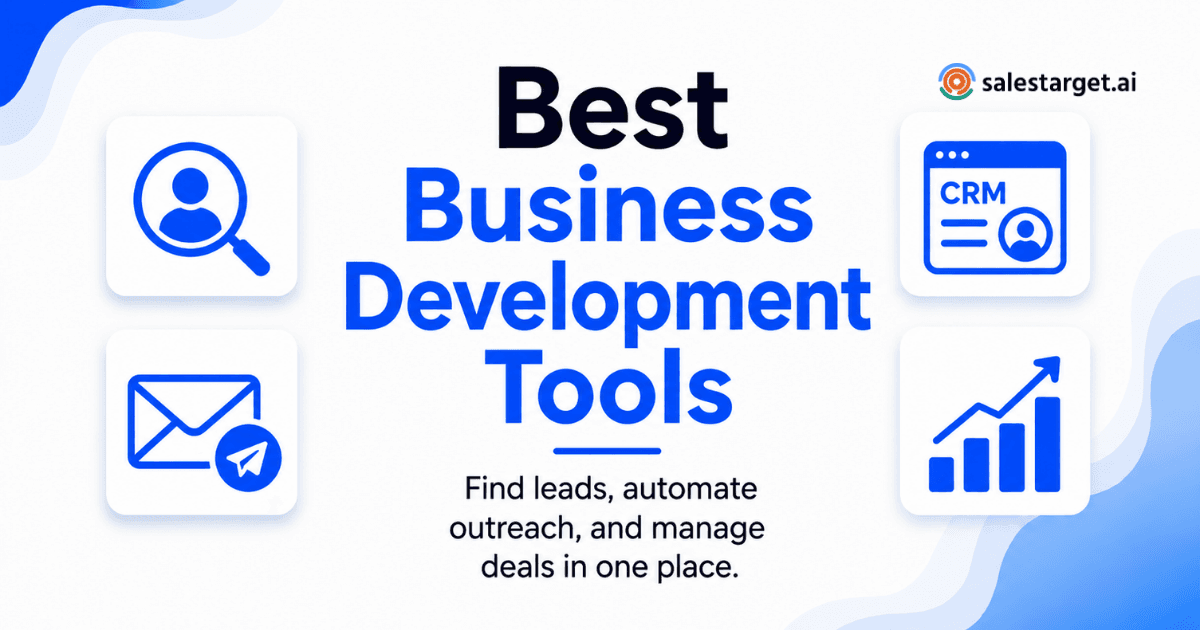
The best business development software for B2B sales teams keeps that entire chain in one connected workflow: find the right contacts, verify them, reach out across email and LinkedIn, and track every deal stage without switching platforms. This guide covers the ten tools worth evaluating now, who each one fits, and what to test before you commit.
Which Business Development Software Tools Fix a Fragmented B2B Sales Stack
A fragmented stack isn't just an operations headache. It's a revenue leak. Every handoff between a data tool, a sequencer, and a CRM introduces sync delays, data loss, and admin work that pulls reps away from selling. The tools below either consolidate all three layers under one roof or do one layer well enough to slot cleanly into an existing stack without creating new friction.
What Does Business Development Software Manage From First Signal to Closed Deal?
Prospect Discovery: Sales Intelligence, Contact Data, and Buyer Intent
Prospect discovery covers finding companies and contacts matching your ICP, reading real-time buying signals, and pulling verified contact details. Strong B2B sales intelligence tools combine a large, frequently re-verified profile database with intent data from sources like Bombora, not a static export of scraped records.
Contact Readiness: Lead Enrichment, Qualification, and Email Verification
A contact is ready to enter a sequence when the email is confirmed valid, the role matches your ICP, and the data reflects their current position. Enrichment fills in missing fields. Verification cuts bounce risk before the first message goes out.
Engagement: Email, LinkedIn, Calls, and Follow-Up Automation
Most teams split this layer across separate tools. The best platforms run email, LinkedIn, and calling in one coordinated sequence so a reply in one channel automatically adjusts the cadence in another, without manual overrides.
Pipeline Control: CRM Records, Deal Stages, Tasks, and Reporting
Once a reply comes in, the work shifts to deal management. A CRM built for outbound logs every call, email, and meeting automatically, creates follow-up tasks without rep input, and gives sales leaders a live pipeline view they can trust.
Why Tool Sprawl Costs B2B Sales Teams Pipeline
SDRs Lose Selling Time to Research, Exports, and Tab Switching
According to Salesforce's State of Sales report, reps spend only 28% of their time actually selling. A fragmented stack compounds this: pull a list, export to CSV, upload to the sequencer, then manually log the reply in the CRM.
RevOps Teams Clean Duplicate Records and Repair Broken Data Syncs
When contact data flows across three platforms on different sync schedules, duplicates accumulate and field mappings break. RevOps spends time on dedup scripts instead of attribution modeling.
Sales Leaders Lose a Single View of Activity, Cost, and Attribution
Outreach data in one tool, contact data in another, deal data in the CRM: no single view shows what's actually producing pipeline. Attribution becomes a manual spreadsheet exercise.
Agencies Repeat Campaign Setup and Reporting Across Client Accounts
Agency teams face the same setup overhead on every new account. Without shared campaign logic and clean client-level data separation, that overhead scales with every client added to the roster.
How We Compared the Best Business Development Software Tools
Product Pages, Pricing Pages, Feature Limits, and Integration Details
Each tool was reviewed against its published feature set with attention to what's in the fine print: credit caps, per-sender fees, integration tiers, and features excluded from lower-tier plans.
Data Coverage, Verification Methods, and Refresh Frequency
Database size is a marketing headline. What matters: when records were last verified, what the verification method is, and whether coverage holds for the geographies and verticals a team actually targets.
Workflow Test: Move One Lead From Prospect Search to Closed Deal
We mapped a full workflow for each tool: find an ICP-matched lead, enrich, verify the email, add to a multichannel sequence, log a reply, move the deal to closed-won. Tools requiring three platform switches to complete this lost points.
Outreach Channels, Deliverability Controls, and CRM Depth
Native channel support was checked directly. A tool claiming "LinkedIn outreach" via a Zapier connection is not the same as built-in LinkedIn automation running inside the same sequence as email.
Best-Fit Labels Based on Team Size, Role, and Sales Motion
Each tool gets a best-fit label based on feature depth and actual workflow suitability, not on which plan costs the most.
What Are the 10 Best Business Development Software Tools for B2B Sales Teams?
SalesTarget.ai — All-in-One Lead Data, Email, LinkedIn, Validation, and CRM
SalesTarget.ai is built for outbound B2B teams that want one platform instead of four. The Lead Explorer provides 840M+ verified professional profiles with one-click enrichment unlocking verified email, phone, and mobile at the moment of search, not at a fixed refresh cycle. Intent data draws from 4,000+ buying signals including Bombora Intent Topics and business events (funding rounds, hiring spikes, leadership changes) on a 30 to 90 day lookback. Email and LinkedIn run inside one coordinated sequence. All replies land in a Unibox sorted by intent: Interested, Follow-Up, or Not a Fit. Best for: B2B outbound teams of any size that want to stop managing four tools.
Apollo — Data-Led Prospecting and Sales Engagement
Apollo pairs a large contact database with a sequencing layer. Solid for teams comfortable adding a separate deliverability tool. CRM functionality is lighter than purpose-built deal management tools. Best for: SDR teams on Salesforce or HubSpot who need database access and basic sequencing.
LinkedIn Sales Navigator — LinkedIn Account and Lead Research
Sales Navigator surfaces job changes, content engagement, and connection mapping from LinkedIn's own member data. No email enrichment or outreach automation natively. Best for: AEs doing strategic account research alongside a separate outreach tool.
ZoomInfo — Enterprise Sales Intelligence and Buyer Intent
ZoomInfo is the enterprise standard for B2B contact intelligence and buyer intent, with strong Salesforce integration. Pricing is built for enterprise budgets with annual contracts. Best for: Enterprise revenue teams with a dedicated RevOps function and existing CRM infrastructure.
Clay — Custom Enrichment, Lead Scoring, and Data Routing
Clay pulls from multiple data sources for custom enrichment and routing workflows. Not an outreach platform: teams using Clay still need a separate sequencer and CRM. Best for: RevOps teams building custom enrichment pipelines on top of an existing outreach stack.
HubSpot Sales Hub — CRM-Led Prospecting and Sales Automation
HubSpot Sales Hub adds prospecting and sequencing to the CRM layer. Contact data coverage is narrower than a dedicated B2B database. Best for: Teams already on HubSpot CRM that want to extend into outbound without a full platform change.
Pipedrive — Visual Pipeline Management for Small Sales Teams
Pipedrive is a deal management tool with a visual pipeline view and lightweight setup. No native contact data or outreach automation. Best for: Small sales teams needing a clean CRM for inbound and referral deals.
Outreach — Enterprise Sales Engagement and Deal Execution
Outreach covers deep sequence logic, AI-assisted rep coaching, and pipeline forecasting. Setup requires professional services and isn't suited for teams under 20 reps. Best for: Enterprise sales teams with complex outbound motions and RevOps support.
Salesloft — Enterprise Revenue Orchestration
Salesloft connects prospecting, engagement, and forecasting in one enterprise workflow. Its Rhythm feature uses AI signals to surface daily rep priorities. Best for: Enterprise teams replacing a legacy sales engagement platform and needing deep Salesforce integration.
Instantly — Email-First Outreach, Lead Data, and Deliverability
Instantly's inbox warm-up, sender rotation, and domain health controls are well-built. B2B contact database coverage is lighter than dedicated intelligence platforms. No LinkedIn automation or native CRM. Best for: Email-focused outbound teams that prioritize sender reputation and deliverability above all else.
Business Development Software Comparison by Team and Use Case
Founders and Small Teams: Fast Setup, Low Admin Work, and Simple Pricing
Founders running outbound themselves don't have time to manage three platforms. SalesTarget.ai's plain-English AI search, instant enrichment, and built-in CRM eliminate the ops overhead.
SDR and BDR Teams: Verified Data, Sequences, and Reply Management
SDRs need a fast path from ICP search to first touch. SalesTarget.ai's Email Outreach Unibox sorts every reply by intent so reps work interested prospects first, not inbox triage.
RevOps Teams: CRM Sync, Reporting, Permissions, and Data Control
RevOps needs field-level CRM sync and reporting that doesn't require manual cleanup before it's usable. SalesTarget.ai logs activity automatically and connects natively to HubSpot, Salesforce, and Zoho.
Agencies: Client Separation, Sender Management, and Reusable Campaigns
SalesTarget.ai's unlimited inbox support and AI sequence generation cut per-client setup time significantly across a growing book of accounts.
Enterprise Sales Teams: Security, Integrations, Governance, and Support
ZoomInfo and Outreach are the strongest fits for enterprise teams that need security certifications, SSO, and granular role-based access controls, with pricing and implementation overhead to match.
How to Choose Business Development Software for Your B2B Sales Motion?
Map Prospecting, Verification, Outreach, Handoffs, and Deal Stages
Draw the current workflow from ICP search to closed deal before testing anything. Every gap is a place where data gets lost or a rep loses time. The right tool closes those gaps without adding new ones.
Set Pass-or-Fail Tests for Contact Accuracy and Regional Coverage
Take 100 contacts from your ICP and run them through any tool you're evaluating. Check email validity, job title accuracy, and company fit. That test tells you more than any database size claim.
Run a Deliverability Test Before Increasing Inbox Volume
Scaling from 50 to 500 daily emails on an unwarmed domain damages sender reputation fast. SalesTarget.ai's Email Validator runs MX and SMTP checks automatically as part of campaign setup so this step doesn't get skipped.
Check Native Email and LinkedIn Outreach Against Integration-Only Claims
Ask directly: does LinkedIn run inside the same sequence as email, or is it a separate integration? Integration-based LinkedIn breaks shared conditional logic and creates a disjointed buyer experience.
Calculate the Full Cost per Rep, Sender, Credit, Dialer, and Add-On
Add contact reveal credits, per-sender inbox fees, dialer costs, and premium integration tiers to the base seat price. The all-in cost at actual rep usage is often significantly higher than the headline plan.
Pilot One Segment and Compare Meetings, Bounces, Replies, and Admin Time
Pick one ICP segment, run it through the new tool for 30 days, and track four numbers: meetings booked, bounce rate, reply rate, and admin hours per rep per week. Those four metrics separate real performance from marketing copy.
Which Features Matter Most in B2B Business Development Software?
Verified B2B Contact Data With Clear Freshness Signals
Contact data decays at roughly 30% per year, per HubSpot research. A tool that shows when a contact was last verified is meaningfully different from one that only records when the record was first created.
Buyer Intent and Lead Scoring Based on ICP Fit
Intent data tells you which companies are actively researching topics related to your product. Paired with ICP filters, it surfaces which leads to act on before enrichment costs are spent on cold, low-signal prospects.
Email and LinkedIn Sequences With Shared Campaign Logic
Shared conditional logic means a LinkedIn reply automatically pauses the email follow-up. That coordination is what makes multichannel outreach feel intentional rather than disjointed and repetitive.
Email Validation, Inbox Warm-Up, and Deliverability Checks
Without verification, bounce rates climb. Without warm-up, new sending domains get flagged early. Without SPF/DKIM/DMARC configuration, even well-written emails miss the inbox.
CRM Integration With Automatic Activity Logging
Manual CRM logging is the single biggest source of unreliable pipeline data. Automatic activity logging at the platform level solves this at the source, not through additional rep training.
Pipeline Analytics, Permissions, and Workflow Controls
Sales leaders need activity-level reporting, role-based permissions, and workflow controls that enforce handoff steps before a deal advances.
Why Choose SalesTarget.ai?
Lead Explorer: 840M+ Profiles, 99% Verified Contact Data, and 4,000+ Intent Signals
SalesTarget.ai's Lead Explorer draws from 840M+ professional profiles across 50+ data sources. Contacts are verified at the moment of enrichment, not on a fixed refresh schedule. A contact who changed jobs two months ago gets caught before the email goes out. ICP Builder and Advanced Targeting Filters combine 50+ data points into precision searches that push directly to sequences with no CSV export step in between.
Email and LinkedIn Outreach: One Multichannel Sequence With Unibox Reply Management
Email and LinkedIn automation run inside one coordinated sequence. A LinkedIn reply removes the contact from the email queue automatically. Every reply from every inbox lands in a Unibox organized by intent: Interested, Follow-Up, or Not a Fit. Reps work warm leads first instead of digging through threads.
Email Validator: MX/SMTP Checks, Inbox Warm-Up, and Deliverability Checks
The Email Validator runs MX checks, SMTP verification, disposable email detection, and risk scoring before any contact enters a campaign. SalesTarget.ai reports 90% of emails are validated before sending. Inbox warm-up runs automatically with AI-managed sending patterns that protect domain health during ramp-up.
Built-In CRM: Auto-Logged Activity, Pipeline Tracking, and AI Dialer Notes
The built-in CRM logs every email, call, and meeting to the lead timeline automatically. The AI dialer captures what's said on a call and saves notes directly to the lead record after the conversation ends. No post-call write-up, no manually created tasks. Setup completes in under a day and connects natively with HubSpot, Salesforce, Zoho, Google Calendar, Calendly, and Slack.
Free AI Copilot: Lead Lists, Campaign Help, CRM Queries, and Rep Tasks
The AI Copilot is included at no extra charge inside every account. Plain-language requests work: "Show me deals stalled for more than 10 days," "Build a prospect list of VP-level contacts at SaaS companies in EMEA with 50 to 200 employees," or "Write a three-step sequence for this ICP." It flags at-risk deals and recommends the next action so reps start each day from a prioritized list.
Reported Results: 3.2X Faster Deal Cycles and About Six Hours Saved per Rep Each Week
SalesTarget.ai reports a 3.2X faster deal cycle, approximately six hours saved per rep per week on admin and research, and 2.4X more meetings booked from the same lead lists. Campaign creation runs 35% faster with AI sequence generation compared to manual setup.
Start a free trial at SalesTarget.ai and run one ICP segment through the full workflow before committing to a broader rollout.
Common Mistakes When Buying Business Development Software
Comparing Database Size Without Testing Contact Accuracy
"800 million records" doesn't tell you what percentage have valid, current emails for your specific ICP. Test a sample of 100 contacts against your actual target list before trusting any coverage claim.
Increasing Sending Volume Before Checking Domain and Inbox Health
Scaling sending volume on a domain that hasn't been warmed up damages deliverability within weeks. Confirm SPF, DKIM, and DMARC records and complete a warm-up period before scaling.
Running Email and LinkedIn Campaigns Without Shared Sequence Data
Two separate campaigns targeting the same contact with no shared logic creates a broken buyer experience. A contact who replied on LinkedIn still gets an email follow-up asking the same question.
Judging CRM Integration by Logos Instead of Field-Level Sync
A Salesforce logo on an integrations page might mean only name and email sync. Ask which fields sync bi-directionally and whether activity logs flow back to the CRM without rep input.
Ignoring Credit Limits, Sender Fees, Dialer Charges, and Add-Ons
The all-in cost at actual rep usage is often significantly higher than the base seat price once contact reveal credits, per-sender inbox fees, dialer costs, and premium integration tiers are added up.
Automating Sensitive Outreach Without Human Approval or Compliance Checks
Automating outreach to GDPR-regulated regions or named-account executives without human review creates legal and relationship risk. Build approval steps into sensitive workflows before they run, not after something goes wrong.
Where AI Business Development Tools Still Need Human Review
Executive Outreach and Named-Account Messages
Draft with AI, review with a human who understands the relationship context. A generic AI-generated email to a C-suite contact at a priority account reads exactly like one.
Intent Signals That Do Not Match ICP Fit
A company researching a topic related to your product is not automatically a qualified lead. Intent is an input to prioritization, not a substitute for ICP validation.
Catch-All Emails, Role Accounts, and Stale Job Data
Catch-all addresses accept any email regardless of whether the recipient exists. Role accounts rarely reach a decision-maker. Flag both categories for human review before adding them to an active sequence.
Regional Privacy Rules, Opt-Outs, and LinkedIn Account Limits
GDPR, CASL, and CAN-SPAM carry different consent requirements. LinkedIn enforces connection request limits and restricts accounts that exceed automation thresholds. Compliance can't be fully delegated to a platform.
AI-Generated Claims, Message Tone, and Follow-Up Timing
Review AI-generated sequences before launch. Adjust follow-up timing based on actual reply data from the first campaign run, not default platform settings.
Which Business Development Software Should Your B2B Team Choose
If your biggest problem is a fragmented stack burning rep time and producing unreliable pipeline data, one platform handling prospecting, verification, outreach, and deal tracking solves more than any individual point tool.
For teams evaluating a best-in-class B2B sales platform, SalesTarget.ai is the practical choice for outbound teams that need verified contact data, multichannel sequences, and a CRM that works from day one without a lengthy implementation project. Find a lead, enrich it, verify it, sequence it across email and LinkedIn, and track the deal to close inside one workspace.
The point tools that do one thing well still have their place. The teams that close faster are the ones that stopped managing four tools and started running one complete workflow.
See how SalesTarget.ai works for your team or read more about what sales lead software can do for your pipeline.