Your rep opens a spreadsheet of 500 contacts on Monday. By Wednesday, a third have bounced, a dozen have changed jobs, and the rest never fit your buyer in the first place. Nobody was lazy. The list was wrong from the start.
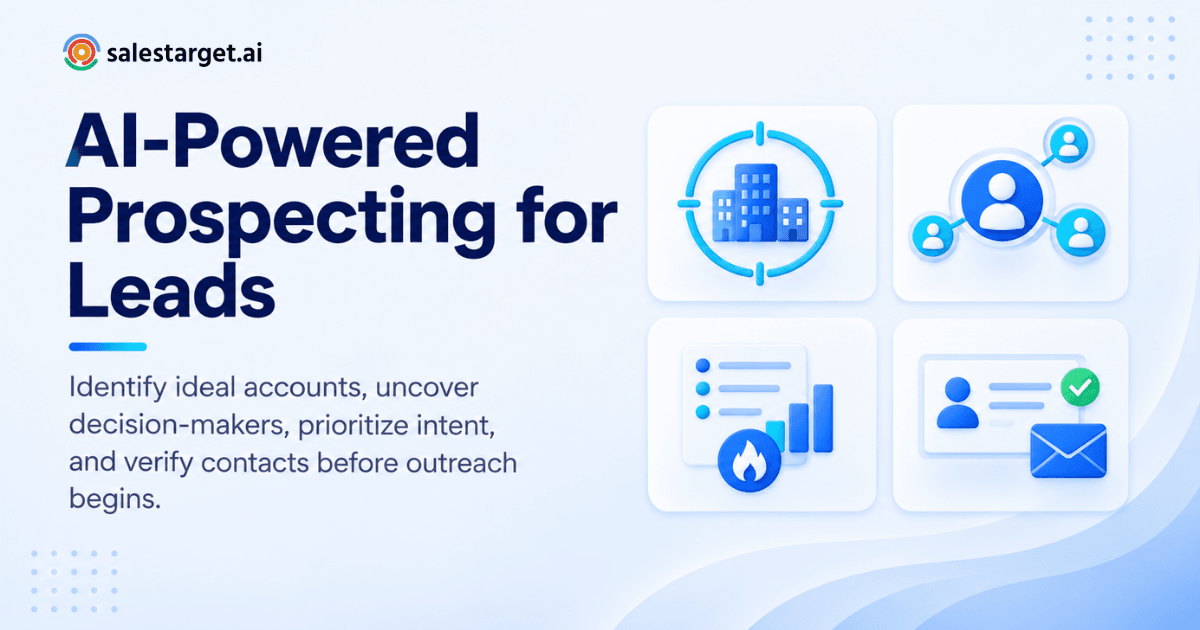
AI-powered prospecting finds leads by matching your ideal customer profile against company data, people data, and buying signals. It then enriches and verifies each contact in the same step. You describe who you sell to. The software returns companies and decision-makers that fit, shows who is active right now, and hands you emails and phone numbers checked before you send. Hours of manual research turn into a list you can contact today.
The time cost is well documented. Salesforce's 2026 State of Sales report says reps spend more than half of their week on nonselling work such as data entry and prospecting. Salesforce's earlier sixth edition found that 83% of teams using AI saw revenue growth, against 66% of teams without it.
Finding the Right Leads Is Harder Than Finding More Leads
Volume is cheap and fit is not. A list of 300 accounts that match your buyer beats 10,000 names with the wrong titles.
Gartner research shows B2B buyers spend only 17% of their purchase time meeting with potential suppliers. With three vendors in the running, each gets roughly 5%. A wrong contact costs more than one wasted email. It burns a slot in a very small window of buyer attention.
Here is the friction reps live with. Title-based filters return "VP of Sales" at a 12-person agency and at a 2,000-person enterprise in the same export. Then the rep has to open every profile to sort them out.
The fix is to build from the account outward. Pick the companies that fit first, then pick the people inside them. That order is the core of good AI-powered prospecting.
How AI-Powered Prospecting Changes the Lead Discovery Process
It replaces manual list building with a search you describe in plain language, followed by automatic enrichment and verification. The process has four moving parts.
Defining the ideal customer profile before prospecting
Write down industry, company size, revenue band, location, tech stack, and the event that makes a company buy. That last item is the one most teams skip.
The ICP Builder inside Lead Explorer lets you set these criteria once and reuse them. Every rep then pulls from the same definition instead of retyping filters and drifting apart.
Identifying target companies and decision-makers
Lead Explorer searches 146M+ business entities and 840M+ professional profiles (Salestarget.ai figures). You can type your audience in plain English or stack Business and People filters.
Filter by industry, role, seniority, department, company size, revenue, location, tech stack, and Intent Topics. Pull companies first, then choose the decision-makers inside each one.
Using company data, people data, and buyer intent signals
Company data tells you who fits. People data tells you who to contact. Intent data tells you who is looking now.
Salestarget.ai tracks 4,000+ intent and buyer signals across 50+ data sources. These include Bombora Intent Topics and business events such as funding rounds, hiring spikes, leadership changes, and awards, on a 30 to 90 day lookback.
One tip most guides skip: rank accounts by how many independent signals they show, not by the strength of any single one. A company with a funding round and a hiring spike in the sales department deserves a call before a company with one loud topic surge.
Enriching prospects with verified contact data
One-click enrichment unlocks verified professional email, personal email, phone, and mobile. Enrichment happens at the moment you find the lead, so the data is checked when you need it and not when it was first scraped.
A practical habit follows from that. Enrich only the slice of the list you will contact this week. Contact data ages, and a fully enriched list of 2,000 sitting untouched for a month is a list you will pay to re-verify.
Why AI Prospecting Matters for Modern B2B Sales Teams
It gives reps their selling hours back and points those hours at accounts that fit. Both effects show up in pipeline quality.
Reducing manual research for SDRs and BDRs
Manual research is where the week goes. Reps open a company site, check LinkedIn, guess an email format, then log it by hand.
Plain-language search collapses that into one step. A rep who spent Monday morning building a list can spend it writing the first message to people who match.
Improving lead quality and account targeting
Quality improves when the list starts with the account. Filters on revenue, headcount, and tech stack remove companies that could never buy before a rep sees them.
Intent signals then sort what remains. You reach accounts with a reason to talk, not accounts that happen to share a keyword.
Connecting lead discovery with B2B lead generation
Finding names is one half of the job. The other half is moving them through outreach and follow-up without a CSV in the middle.
Our guide to B2B lead generation software covers how discovery, outreach, and tracking fit together. Leads pushed straight from Lead Explorer into sequences or the CRM keep their context, so nothing gets lost in an export.
Building a more consistent sales pipeline
Pipeline goes lumpy when prospecting happens in bursts. Someone builds a big list, works it for two weeks, then stops until the pipeline dries up.
Saved searches fix this. Run the same ICP query every week, take the new matches and new signals, and feed the top of the funnel in small steady batches.
How to Find B2B Leads Using AI-Powered Prospecting
Define your ICP, list matching companies, find the decision-makers, rank by intent, verify contacts, and save a clean list. Here is each step.
Start with a clear ICP and targeting criteria
Use your closed-won deals as the template. Look at the ten best customers and note what they share: size band, industry, tech stack, and the event that started the buying process.
Turn those shared traits into filters. Leave out any trait you cannot filter on, since a criterion you cannot search is a criterion you cannot use.
Build a list of companies that match your market
Search accounts before contacts. In Lead Explorer, describe the market in plain English or stack Business filters, then review the matching companies.
Cut the list ruthlessly. Two hundred accounts you can research in depth are worth more than two thousand you can only mass-email.
Find the right decision-makers within target accounts
Buying is a group activity, and Gartner describes six separate jobs buyers complete before a purchase. So find two or three roles per account: the budget owner, the day-to-day user, and someone who feels the pain.
Filter by seniority and department. Reaching a champion and an economic buyer together beats waiting on a single reply.
Use intent signals to prioritize relevant prospects
Sort your account list by signals: Intent Topics, funding, hiring, and leadership changes. Work the accounts with stacked signals first.
Keep the lookback in mind. A signal from 80 days ago is weaker than one from last week, so contact older-signal accounts with a softer, research-style opener.
Enrich and verify contact information
Enrich the accounts you will contact in the next few days. Lead Explorer returns verified professional email, personal email, phone, and mobile in one click.
Run the emails through verification before they enter a sequence. Skipping this step is how a good list turns into a bad sender reputation.
Organize qualified prospects into a usable lead list
Save the result as a named list tied to one campaign and one ICP. Name it by segment and date so you know when to refresh it.
Then push it straight to a sequence or the CRM. No exports, no re-imports, no version mix-ups.
Ready to try this workflow on your own market? Start with Lead Explorer and build your first ICP-matched list.
From Lead Discovery to Sales Outreach With AI
A found lead is worth nothing until it gets a well-timed, relevant message. The same platform that finds the lead can send it.
Turning qualified prospects into outreach opportunities
Every prospect carries the reason you picked them: a signal, a role change, a funding event. Put that reason in the first line of the message.
Email Outreach builds multi-step sequences from a plain-English audience description, including first touch, follow-ups, and pacing. You edit the draft instead of staring at a blank page.
Combining email and LinkedIn prospecting
Reaching the same person on two channels beats doubling volume on one. A connection request lands a day or two before the email, so the name is familiar when the email arrives.
LinkedIn Outreach runs connection requests, direct messages, and follow-ups in one flow with email. Conditional sequences branch on replies, actions, or silence. It runs with rate limits, warm-up logic, and human-like delays to protect the account.
Checking email quality before sending campaigns
Deliverability is decided before you press send. Bounces and dead addresses damage a domain faster than a weak subject line does.
The Email Validator checks MX and SMTP records, flags disposable addresses, and scores risk. Cleaning a list here protects inbox placement for every campaign that follows.
Keeping prospect activity connected to the sales pipeline
Replies, opens, and calls should land on one timeline. Unibox pulls every reply into one view and sorts by intent: Interested, Follow-Up, or Not a Fit.
Interested replies sync to the CRM as deals. A rep sees the next action on the lead without hunting through inboxes.
Want to see enrichment and outreach in one flow? Start free and send your first sequence to a verified list.
What to Look for in AI Prospecting Tools
Look for data you can trust, filters that match how you sell, intent signals, built-in verification, and one workflow that carries a lead from search to closed deal.
Reliable company and people data
Ask how large the database is, how many sources feed it, and when contacts were last checked. Size alone means little if half of it is stale.
Salestarget.ai reports 840M+ profiles, 146M+ businesses, 50+ data sources, and 99% verified contact data (Salestarget.ai figures). Test any tool on a small list of accounts you already know before you commit.
Advanced filters for ICP and account targeting
You want filters at both the company and the person level. Industry and title alone are too coarse.
Look for revenue, headcount, tech stack, location, and department. A search that cannot express your ICP forces the work back onto your reps.
Intent data for better prospect prioritization
Intent data separates a list from a queue. It shows which accounts to contact first and what to say.
Check what signals are included and how far back they look. Topic surges and business events together give a fuller picture than either one.
Contact enrichment and email verification
Enrichment and verification should happen together. A tool that finds an email but leaves verification to a second product adds a step and a risk.
Look for verification at the point of enrichment. That is when the data is freshest.
Prospecting, outreach, and CRM in one workflow
Every extra tool adds an export, an import, and a place for data to drift. Apollo gives you data and engagement, but you still bolt on deliverability and a CRM. Instantly, Smartlead, and Lemlist focus on cold email and deliverability, without a native B2B database, LinkedIn automation, or a real CRM.
One workflow on one bill removes those seams. That is the gap Salestarget.ai closes.
Why Choose SalesTarget.ai for AI-Powered Prospecting
SalesTarget.ai combines B2B lead data, email and LinkedIn outreach, email validation, a built-in CRM, and an AI Copilot in one workspace. You find a lead, enrich and verify it in the same click, and close it in one place.
Find and enrich prospects with Lead Explorer
Lead Explorer is the AI prospecting engine. Smart Prospect Search, ICP Builder, Real-Time Signal Discovery, and Intent-Based Lead Scoring sit in one screen.
Search by plain English or by stacked filters, then unlock verified contact data with one click.
Connect prospecting with email and LinkedIn outreach
Enriched leads go straight into a sequence. Email and LinkedIn run in one coordinated flow, so context carries across both channels.
Unlimited inboxes, automatic AI warm-up, inbox rotation, and SPF, DKIM, and DMARC checks protect sender reputation.
Verify contact data before outbound campaigns
Verification runs at enrichment and again before sending through the Email Validator. Salestarget.ai reports that 90% of emails are validated before sending in Email Outreach.
Real-time verification through an API and bulk list cleaning are both available, and the validator connects across 60+ platforms.
Manage prospects and follow-ups in the built-in CRM
Campaign leads land in the CRM automatically, with no imports. Every email and call is logged to the lead timeline, and follow-up tasks appear when a lead replies or a meeting ends.
A built-in AI dialer handles click-to-call and captures call notes on the lead timeline, so reps stop writing them up by hand. Salestarget.ai reports 3.2X faster deal cycles and about 6 hours saved per rep per week.
Use AI Copilot for lead discovery and sales tasks
AI Copilot is a conversational sales teammate, free inside the platform. Ask it to find leads across 840M+ profiles, draft a full personalized sequence, or query deals, meetings, and tasks in plain language.
It flags at-risk deals and suggests the next move. Strategy stays with your team.
Common AI Prospecting Mistakes That Can Hurt Lead Quality
The costly errors are loose targeting, stale data, overreading signals, unchecked automation, and counting the wrong number.
Targeting too many accounts without a clear ICP
A wide ICP feels safe and performs badly. Reps spread thin, messages turn generic, and replies drop.
Narrow the list until every account has a reason to be there. You can widen later, once you know which segment converts.
Using unverified or outdated contact information
An old contact does more than bounce. It sends a hard bounce to your domain and teaches inbox providers to distrust you.
Verify before every campaign. Re-verify any list older than a few weeks.
Treating every intent signal as a sales opportunity
A topic surge shows research, not a budget. Some accounts read about your category with no plan to buy.
Look for a second signal, such as a hiring spike or new leadership, before you call it hot.
Automating outreach without checking prospect relevance
Automation multiplies whatever you feed it. A poor list plus a fast sequence gets you a poor result faster.
Read a sample of twenty prospects before launch. If five look wrong, fix the filters, not the copy.
Measuring lead volume instead of qualified opportunities
Leads found is a vanity number. Track verified contacts per hour, reply rate by segment, and meetings booked from the same list.
Salestarget.ai reports 2.4X more meetings from the same leads with its CRM (Salestarget.ai figure). The point of that number is that better follow-up beats bigger lists.
Building a Repeatable AI-Powered Lead Generation Workflow
Pick the accounts, find and verify the buyers, connect them to campaigns, then read the results and tighten the filters. Repeat weekly.
Define the accounts and buyers you want to reach
Write one paragraph per segment: who the company is, who the buyer is, and what event triggers a purchase. Save it as an ICP in Lead Explorer.
Find, enrich, and verify prospects from one workflow
Run the saved search, review the top accounts by signal count, and enrich the ones you will contact this week. Verification happens in the same pass.
Connect lead prospecting with outbound campaigns
Push the verified list into an email and LinkedIn sequence. Set the opening line from the signal that put each account on the list.
Track results and refine your targeting
Review replies by segment every week. Drop filters that bring no replies and tighten the ones that do.
Ask AI Copilot which campaigns drive revenue, and let the answer reshape next week's search.
Turning AI-Found Prospects Into a Stronger Sales Pipeline
You started this article with a spreadsheet that was wrong from the first row. AI-powered prospecting fixes the source of that problem. It builds the list from accounts that fit, sorts them by real signals, and verifies contacts before anyone sends a message.
SalesTarget.ai keeps every step in one workspace: Lead Explorer for discovery, Email Outreach and LinkedIn Outreach for contact, the Email Validator for deliverability, the CRM for follow-up, and AI Copilot for the busywork. You stop stitching point tools together and start working leads that match your buyer.
Your next Monday can look different. Start with SalesTarget.ai and build your first verified, ICP-matched lead list today.