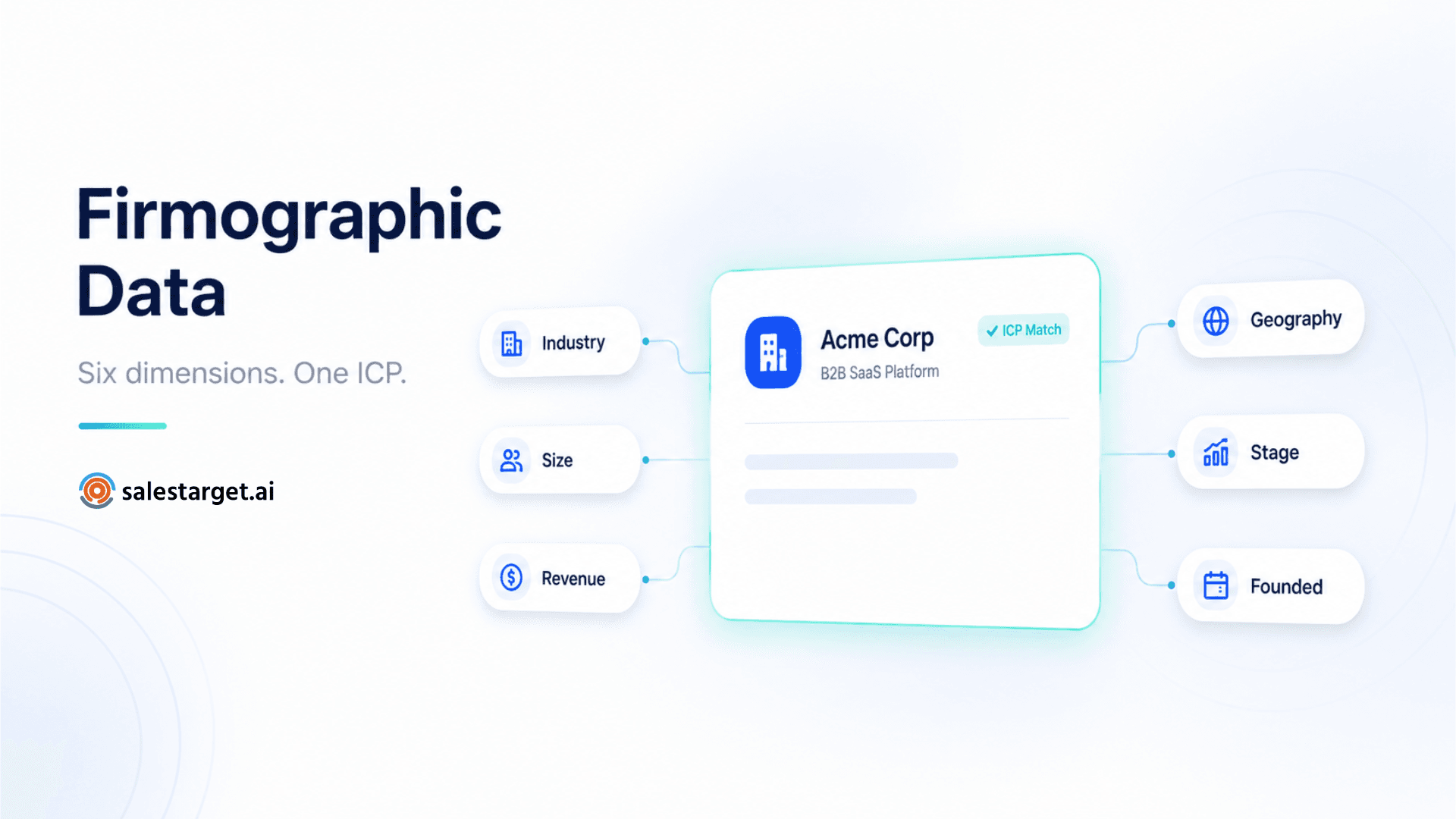
What Is Firmographic Data?
Firmographic data is structured information that describes the characteristics of a company — the B2B equivalent of demographic data for individuals. Where demographic data describes a person (age, gender, location, income), firmographic data describes an organisation: what industry it operates in, how many employees it has, what revenue it generates, where it is headquartered, and what stage of development it has reached.
In B2B sales, firmographic data is the foundation of every prospect list. Before you can determine whether a company is a good fit for your product, you need to know who they are. Firmographics answer that question.
| Dimension | What it captures | Example values |
|---|---|---|
| Industry / vertical | The sector the company operates in | SaaS, manufacturing, financial services, healthcare |
| Company size (headcount) | Number of employees | 1–10, 11–50, 51–200, 201–500, 1,000+ |
| Annual revenue | Yearly revenue — often estimated for private companies | $1M–$5M, $5M–$20M, $20M–$100M |
| Geography | Country, region, city, or specific market | US-based, EMEA, HQ in London |
| Company stage | Where the company is in its lifecycle | Startup, growth-stage, enterprise, publicly listed |
| Founding year | How long the company has been operating | Founded 2018–2022 vs pre-2010 established businesses |
These dimensions let you define the boundaries of your addressable market and filter any prospect database down to the companies that fit your product. Without firmographic filters, a search across 840M+ profiles returns noise. With them, it returns a qualified starting list.
Firmographic, Technographic, and Intent Data: The Three Layers of B2B Targeting
Firmographic data defines who a company is. It tells you the industry, size, and geography. It is the first qualification layer — necessary but not sufficient on its own.
Two additional data types complete the picture. Understanding where each sits in the targeting hierarchy is essential for building lists that convert:
| Data type | What it tells you | The question it answers | Used for |
|---|---|---|---|
| Firmographic | Industry, size, revenue, location, stage | Who are they? | Defining the addressable market and building the ICP baseline |
| Technographic | Current software tools and platforms in use | What do they use? | Qualifying integration fit, finding displacement targets, identifying operational gaps |
| Intent (Bombora) | Active research behaviour — topics being researched right now | Are they in-market now? | Timing outreach to companies in an active buying window |
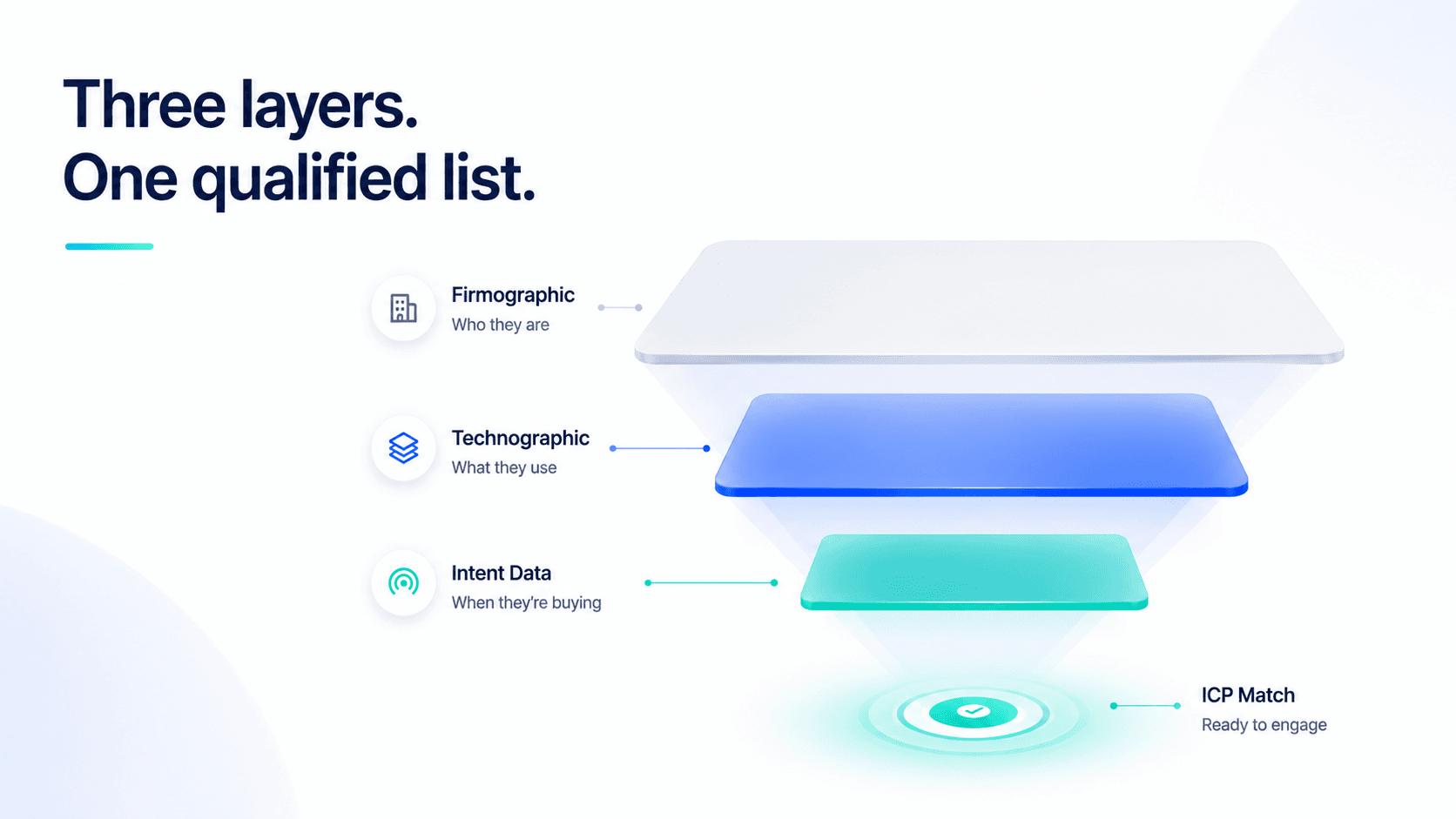
The relationship between the three is sequential. Firmographics define your market. Technographics identify the best-fit accounts within that market. Intent data surfaces which of those accounts are in a buying cycle right now. Running only firmographic filters is like knowing a prospect's company profile — but not whether they have the infrastructure to use your product, or whether they are actively looking for a solution like yours.
For a detailed breakdown of technographic data and how tech stack filtering works, see our technographic data guide.
How to Use Firmographic Filters to Build an ICP-Matched Prospect List
Building a firmographic ICP starts with your closed-won data, not with assumptions. Pull your last 20 best customers — the ones with the highest retention, shortest sales cycles, and best expansion revenue. Look for patterns across each firmographic dimension: what industry are they in? What headcount range? What revenue bracket? What geography? Where were they in their company stage when they first bought?
The patterns that emerge across those 20 accounts are your firmographic ICP. They are not a guess about who should buy your product — they are evidence of who already has.
The four most commonly misused firmographic filters
Industry. The mistake is filtering too broadly — "technology" instead of "B2B SaaS" or "fintech". The broader the industry filter, the more noise the list contains. Use the most specific industry classification your data provider supports, and check whether your best customers share sub-industry patterns.
Headcount. Most SDRs treat headcount as a proxy for budget, which it roughly is — but the relationship is not linear across industries. A 50-person law firm has very different budget dynamics from a 50-person SaaS startup. Use headcount alongside industry and revenue, not instead of them.
Revenue. Revenue data for private companies is estimated, not reported. Most B2B data providers derive it from headcount, industry benchmarks, and funding data. Treat revenue filters as ranges rather than precise thresholds — a company estimated at "$8M–$12M revenue" could be anywhere in that band. Build your ICP around a revenue range, not a single figure.
Geography. Filtering by country alone is often too broad when your product has market-specific pricing, compliance requirements, or territory-based SDRs. Filter for the specific geography your team covers — not the broadest possible region — so lists are deduplicated at the source rather than manually after the fact.
Common Firmographic Targeting Mistakes — and How to Fix Them
The most expensive firmographic mistake is building a list that is too broad — applying only one or two dimensions and calling it ICP targeting. An SDR who filters for "SaaS companies with 50–500 employees in the US" has defined a universe of tens of thousands of companies, most of which have nothing in common beyond those three criteria. The reply rate from that list will reflect the noise.
The second most common mistake is treating firmographic filters as the whole targeting job. Firmographics tell you who the company is — not whether their tech stack is compatible with your product, not whether they have the operational gap your product fills, and not whether they are in an active buying cycle. A firmographic list is a starting point, not a finished prospect list.
| Mistake | What it produces | The fix |
|---|---|---|
| Industry + headcount only | Large list, heavy post-search qualification | Add revenue range, company stage, and geography |
| Revenue as a precise threshold | False precision — private revenue is estimated | Use a revenue band (e.g. $5M–$25M) |
| Firmographic filtering as complete ICP work | Lists that look right but underperform | Layer technographic and intent filters on top |
| Not updating ICP from closed-won data | ICP drift — filters based on assumptions | Review closed-won patterns quarterly |
How SalesTarget.ai Combines All Three Targeting Layers in One Search
Most prospecting workflows apply firmographic, technographic, and intent filters across separate tools — a data platform for firmographics, a separate enrichment tool for technographics, a third subscription for intent data — then manually reconcile the results. The overhead is significant, and filters applied at three different times produce less accurate results than a simultaneous single search.
SalesTarget.ai's Advanced Targeting Filters inside Lead Explorer apply all three layers in the same search panel across 840M+ professional profiles:
- Firmographic filters: industry, company size, revenue range, geography, company stage, founding year — applied as the baseline ICP definition
- Technographic filters: current tech stack — search by specific tool or by category — with exclusion filters to remove competitor accounts
- Intent filters (Bombora): included in every SalesTarget.ai plan — surface accounts actively researching your category right now
- Role and seniority filters: job title, department, and seniority — ensuring contacts returned are the decision-makers your product is actually sold to
All filters run simultaneously before the search executes. The result is a list where every contact has already passed all four targeting dimensions — before a single enrichment credit is spent. The ICP Builder lets you save your firmographic profile and reuse it across future searches, so the same targeting standard applies consistently across every SDR on the team.
Has Email and Has Phone toggles
Before spending any enrichment credits, enable the Has Email or Has Phone Number toggle to pre-filter results to only contacts with verified data available. Combined with your firmographic, technographic, and intent filters, every credit unlocks a contact that has already passed all your targeting criteria and has a verified email or phone number on record.
Conclusion: Firmographic Data Is the Starting Point, Not the Finish Line
Firmographic data answers the first question about any prospect: who are they? Industry, size, revenue, geography, stage. Without it, no prospect list is possible. With it alone, the list is too broad to convert at the rates modern outbound requires.
The practitioner workflow that produces the best results applies firmographic filters as the baseline, technographic filters to qualify fit and determine the outreach angle, and intent data to identify which accounts are in an active buying window right now. SalesTarget.ai's Advanced Targeting Filters run all three simultaneously in one search — so the list you build is filtered on every dimension before a single credit is spent.
Filter leads by firmographic data — free to try.
SalesTarget.ai's targeting filters combine firmographic, technographic, and intent data in one search across 840M+ profiles.
50 credits · 7-day free trial · No credit card required





