Your rep opens Monday's list. The first ten rows hold a VP who left in March, a shared inbox, and two copies of the same director. Nobody questions the data until the bounce report lands and the sending domain starts hitting spam.
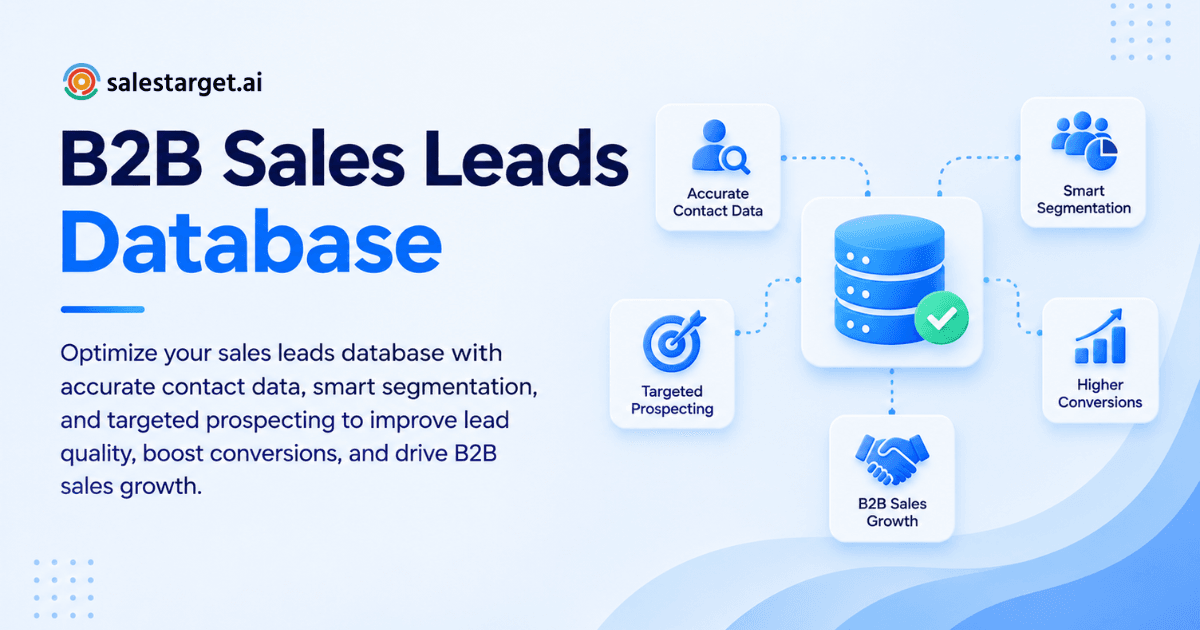
So how do you optimize a sales leads database? Define who you sell to, segment records against that definition, verify and enrich every contact, delete duplicates and dead records, then score leads on fit, intent, and engagement. Repeat the cycle on a schedule. A sales leads database is the set of companies and contacts your team prospects from. Optimizing it means every record is accurate, relevant, and ready to act on. This guide covers the full process and shows how SalesTarget.ai handles it in one workspace.
Common Sales Leads Database Problems That Limit B2B Prospecting
The most common problems are decayed contact data, duplicate records, missing decision-makers, and leads with no fit or intent context. Each one burns rep time and puts sender reputation at risk.
Decay is the quiet one. HubSpot's database decay simulation, built on MarketingSherpa research, puts B2B contact decay at 2.1% per month, which compounds to about 22.5% per year. A list that was clean in January is roughly one in five wrong by December.
The cost is not small either. Gartner's widely cited estimate puts the average cost of poor data quality at $12.9 million per organization each year. That figure covers wasted effort, missed deals, and operational drag.
Three other problems show up in almost every database we see:
- Stitched-together tools. Data comes from one vendor, verification from another, and the CRM from a third. Records drift apart at every handoff.
- Verified once, trusted forever. An address that passed a check eight months ago says nothing about today.
- No targeting logic. Reps pull "marketing directors" and hope. Without an ICP filter, the list grows but the hit rate does not.
Key Components of an Effective B2B Sales Leads Database
An effective B2B sales leads database holds accurate company and contact data, decision-maker context tied to your ICP, verified contact details with buying signals, and a clear record of source and engagement history. Missing any one of these turns the database into a spreadsheet of names. If you are starting from zero, this guide on how to build a high-quality sales leads database covers the build side in detail.
Accurate Contact and Company Information
Every record needs a correct name, title, company, domain, industry, size, and location. These fields drive segmentation later. If the company size is wrong, the lead lands in the wrong campaign before anyone writes a word.
Ideal Customer Profile and Decision-Maker Data
Tag each record with the ICP criteria it matches and the buying role the person plays: economic buyer, champion, or end user. A lead without a role is a guess. Buying groups often include several stakeholders, so store more than one contact per target account.
Verified Contact Details and Buying Intent Signals
Verified email, direct phone, and mobile numbers are the base. Intent signals (topic research, funding rounds, hiring spikes, leadership changes) tell you when to reach out. SalesTarget.ai pulls 4,000+ intent and buyer signals into Lead Explorer on a 30 to 90 day lookback, so timing sits next to the contact data.
Lead Sources, Engagement History, and CRM Records
Log where each lead came from, when it was last verified, and every touch since. Source plus verification date is the field most teams skip, and it is the one that lets you retire stale batches cleanly.
Business Benefits of Sales Leads Database Optimization
An optimized database raises targeting accuracy, saves rep hours, lifts conversion, and lowers the effort needed to win each new customer. The gains compound, since clean data improves every later stage of the funnel.
Better Prospect Targeting and Lead Qualification
When records carry firmographics, role, and intent, qualification happens before the first email. Reps stop debating who fits and start working a ranked list.
Higher Sales Team Productivity and Outreach Relevance
Research time drops when enrichment happens at the moment a lead is found. Messages improve too: a rep who knows the prospect's funding round or new hire can write one specific opening line instead of a template.
Improved Conversion Rates and Pipeline Quality
Fewer bounces protect inbox placement, and tighter segments lift replies. SmartReach's cold email analysis reports that verified lists pull roughly twice the reply rate of unverified ones. Better replies mean more qualified meetings from the same send volume.
More Efficient B2B Customer Acquisition
Every dead contact you remove is a send, a sequence step, and a follow-up task you no longer pay for in time. Acquisition effort shifts to accounts that can buy.
Steps to Optimize a Sales Leads Database for Better Targeting
Optimize in seven steps: define your ICP, segment, verify and enrich, remove bad records, prioritize, connect to workflows, and set a cleaning schedule. Do them in this order, since each step feeds the next.
Define Ideal Customer Profiles and Target Account Criteria
Write the ICP as filters, not adjectives. "Mid-market SaaS" is vague. "SaaS companies with 50 to 500 employees, VP or Director of Sales, using HubSpot, hiring SDRs in the last 60 days" is searchable. SalesTarget.ai's ICP Builder and plain-English AI search turn that description into Business and People filters, so you build the list from criteria instead of cleaning a bought file afterward.
Segment Prospects by Industry, Company Size, and Job Role
Split the database into segments small enough that one message fits each. Three attributes carry most of the weight: industry, company size, and job role. Add a fourth, trigger event, if you have intent data. A segment of 300 contacts who share a pain beats a list of 5,000 who share a job title.
Verify Contact Information and Enrich Lead Records
Verification confirms an address can receive mail. Enrichment fills the gaps: direct email, phone, mobile, title, tech stack. Here is the angle most guides skip: a verified address can still belong to the wrong person. The mailbox is live, but the contact changed roles two months ago. Pair email verification with a title and company recheck, and treat any record without a recent job-data refresh as unconfirmed. For a deeper look at how a B2B sales leads database helps you find and verify prospects, see our dedicated guide.
SalesTarget.ai verifies contacts at the point of enrichment, not whenever the data was first scraped. The Email Validator adds MX and SMTP checks, disposable-address detection, and risk scoring before anything is sent.
Start with a small ICP segment and run it through enrichment and validation. Try SalesTarget.ai free and compare the bounce rate against your current list.
Remove Duplicate, Inactive, and Irrelevant Contacts
Merge duplicates by email and by LinkedIn URL, not name alone, since "Jon Smith" and "Jonathan Smith" are one person. Remove contacts at companies outside your ICP and anyone who bounced or opted out. Keep a suppression list so deleted records never re-enter through a new import.
One edge case worth handling: the same prospect reached by two reps, one by email and one on LinkedIn. It looks careless to the buyer. Assign one owner per contact across channels.
Prioritize Leads Using Fit, Intent, and Engagement Data
Score on three axes. Fit asks whether the account matches your ICP. Intent asks whether it is researching your category now. Engagement asks whether the contact has opened, clicked, or replied. High fit with no intent goes to a slower nurture track. High fit with fresh intent goes to the top of the queue this week.
Connect Database Records With CRM and Outreach Workflows
A database that lives in a CSV decays the day you export it. Push enriched leads directly into email and LinkedIn sequences and the CRM, with no file in between. Campaign leads should land in the CRM automatically, with every email and call logged to the lead timeline.
Establish a Regular Data Cleaning and Update Process
Pick a cadence and attach it to a metric. At 2.1% monthly decay, a list is about 6% wrong three months after a perfect cleanup. Re-verify any record older than 90 days before it enters a sequence, and tag every record with its last verification date so you can filter by age.
Best Practices for Sales Leads Database Management
Good management comes down to shared data rules, clear scoring, fast updates when roles change, segments matched to campaigns, and a standing quality review.
Maintain Consistent Data Standards Across Teams
Agree on field formats: job title mapping, country names, industry categories, and a single source-of-truth field for owner. Inconsistent titles ("VP Sales," "Vice President, Sales," "Head of Revenue") break segmentation quietly.
Apply Lead Scoring and Qualification Criteria
Write down what makes a lead sales-ready and apply the same rule to every rep's list. Scoring that lives in one person's head cannot be audited or improved.
Keep Prospect Data Updated as Buying Roles Change
Watch for leadership changes, promotions, and company events. A champion who moves companies is a warm lead at a new account and a dead record at the old one. Handle both.
Align Database Segments With Sales Campaigns
Build segments for the campaign, not the other way around. If a message talks about hiring pain, the segment should be filtered by hiring signals. Mismatch here is the quickest way to waste a clean list.
Monitor Data Quality and Prospecting Performance
Review bounce rate, reply rate, and duplicate rate weekly. Tie database changes to campaign results so you learn which filters produce meetings. The AI Copilot can answer those questions in plain language across campaigns and CRM data.
Key Metrics for Measuring Sales Leads Database Performance
Track five metrics: verification rate, duplicate and outdated record rate, bounce and positive reply rate, qualified meeting conversion, and pipeline from targeted lists. Together they show whether the database is getting better or just getting bigger.
Contact Data Accuracy and Verification Rate
Share of records verified within the last 90 days. Aim to move this number up every month. A high total record count with a low verification rate is a warning, not an asset.
Duplicate and Outdated Record Rate
Count records sharing an email, LinkedIn URL, or domain-plus-name, and records past your age limit. Report it as a percentage of the database so it stays comparable as the list grows.
Email Bounce Rate and Positive Reply Rate
Bounce rate is your fastest data-quality signal. SmartReach's benchmarks put the target for cold senders under 2%, and a rate above 5% can damage domain reputation quickly. Track positive replies separately from total replies, since an unsubscribe request counts as a reply but not as progress.
Qualified Meeting and Lead-to-Opportunity Conversion Rate
Measure how many contacted leads become booked meetings and how many meetings become opportunities. Break it down by segment. The segments with the best conversion show you which ICP filters to widen.
Pipeline Contribution From Targeted Prospect Lists
Attribute opportunity value back to the list and segment it came from. When one segment produces most of your pipeline, build the next list from the same criteria.
Why Choose SalesTarget.ai
SalesTarget.ai combines lead data, enrichment, validation, multichannel outreach, a CRM, and an AI Copilot in one workspace, so the database stays clean from first search to closed deal. Apollo covers data and engagement but leaves deliverability and a real CRM to bolt on. Instantly, Smartlead, and Lemlist focus on cold email and have no native B2B database or LinkedIn automation. SalesTarget.ai keeps all of it in one platform on one bill.
Find and Enrich B2B Prospects With Lead Explorer
Lead Explorer is the prospecting engine, with 840M+ professional profiles, 146M+ business entities, 50+ data sources, and 99% verified contact data (SalesTarget.ai figures). Search in plain English or stack filters for industry, role, seniority, company size, revenue, location, tech stack, and Intent Topics. One-click enrichment unlocks verified work email, personal email, phone, and mobile.
Verify Contact Details With Email Validator
The Email Validator checks MX and SMTP records, flags disposable addresses, and scores risk before you send. It offers real-time API verification and bulk list cleaning, and connects to 60+ platforms. Inside Email Outreach, 90% of emails are validated before sending (SalesTarget.ai figure), which keeps bounces low and sender reputation intact.
Coordinate Email and LinkedIn Outreach in One Workflow
LinkedIn Outreach runs connection requests, DMs, and follow-ups with conditional sequences and built-in safety limits. Since email and LinkedIn run in one flow, context carries across both channels, and one contact is never worked twice by accident.
Manage Sales Activities With the Built-In CRM
The CRM is built for outbound teams. Campaign leads land automatically, every email and call is logged to the timeline, and follow-up tasks are created when a lead replies or a meeting ends. The built-in AI dialer takes call notes and saves them to the lead record, so reps skip the write-up. SalesTarget.ai reports 91% follow-up completion and about 6 hours saved per rep each week.
Simplify Prospect Research With the Free AI Copilot
The AI Copilot is free inside the platform. Ask it to find leads across 840M+ profiles, draft personalized sequences, query deals and tasks, or flag at-risk deals. Strategy stays with your team. The grunt work does not.
Sales Leads Database Mistakes to Avoid
The biggest mistakes are chasing volume, using broad targeting, skipping verification, ignoring decay, and never comparing data quality with sales results.
Prioritizing Lead Quantity Over Contact Quality
A 50,000-row list with a 20% dead rate is worse than a 5,000-row list that is clean. Volume inflates sending costs and bounce rates without adding meetings.
Using Broad Targeting Criteria for Every Campaign
One generic filter for every campaign guarantees generic messages. Rebuild the filter set for each campaign goal.
Skipping Email Verification Before Outreach
This is the fastest way to damage a domain. Verify before every send, not before every quarter. Run a test segment through SalesTarget.ai's validator to see how many addresses in your current list fail.
Ignoring Data Decay and Inactive Contacts
Records that never reply and never bounce still cost you. Flag contacts with no engagement across several touches and move them to a re-verification queue or suppress them.
Failing to Measure Database Quality Against Sales Results
Clean data is a means, not a goal. If verification rate rises and meetings do not, the problem is targeting or messaging. Check sales pipeline tracking data against list quality every month.
Conclusion: Build a Reliable Sales Leads Database for Precise B2B Targeting
A sales leads database fails the same way every time: records age, duplicates pile up, and reps send to people who are gone. The fix is a repeatable loop of defining the ICP, verifying and enriching, removing bad records, scoring on fit and intent, and measuring against pipeline.
SalesTarget.ai runs that loop in one place. Lead Explorer finds and enriches the prospect, the Email Validator checks the contact, Email and LinkedIn Outreach reach them in one flow, and the built-in CRM tracks every touch through to the deal. No stitched tools, no CSV handoffs, no stale lists.
Build your next targeted list at SalesTarget.ai and see the difference clean data makes to your reply rate.