A rep exports 500 contacts on Monday. By Wednesday, 80 emails have bounced, a dozen people have left their jobs, and the "VP of Sales" turns out to be an intern who got a fancy title. The list looked fine. It was just old.
A B2B sales leads database helps you find the right prospects by letting you filter companies by industry, size, location, and tech stack, then pull the decision-makers inside them with verified business emails and phone numbers. Verification at the moment of enrichment is what keeps your outreach out of spam folders and in front of real buyers. Salestarget.ai builds both steps into one workflow, so you find, verify, and contact a lead without moving files between tools.
Common Challenges in Finding and Verifying B2B Sales Leads
Most teams struggle with stale records, wrong titles, unverified emails, and lists built before anyone defined the buyer.
Gartner reports that poor data quality costs organizations an average of $12.9 million a year. Sales teams feel that cost in smaller ways: bounced sequences, burned domains, and reps who spend Friday afternoon checking LinkedIn tabs by hand.
Point tools make it worse. One tool finds the lead, a second guesses the email, a third validates it, and a fourth sends it. Every handoff is a CSV, and every CSV starts aging the moment you export it.
Understanding How a B2B Sales Leads Database Works
A B2B sales leads database stores company and contact records you can search, filter, enrich, and push into outreach.
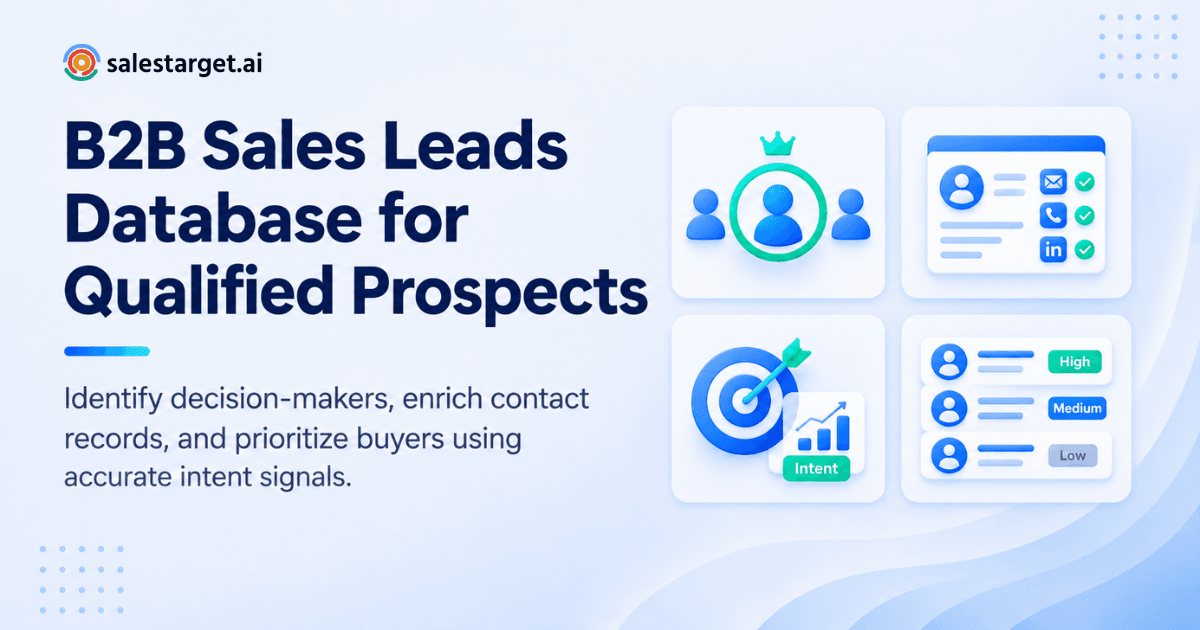
Think of it as four layers: company data, people data, contact details, and signals. Each layer narrows the list until what remains is a short set of accounts and people worth a message.
Company Data and Firmographic Filters for Target Account Selection
Firmographic filters (industry, headcount, revenue, location) and technographic filters (the software a company runs) define which accounts deserve your time. In Salestarget.ai's Lead Explorer, you stack Business and People filters, or describe your audience in plain English and let the AI build the search. The database covers 146M+ business entities, so niche segments still return enough accounts to work.
Decision-Maker Identification by Job Title and Seniority
Title filters alone miss buyers. A "Head of Revenue Operations" and a "Director of Sales Ops" may own the same budget. Combine role, seniority, and department filters instead of typing one title. Lead Explorer searches across 840M+ professional profiles, so you can cast the net by function and then trim by seniority.
Contact Enrichment for Accurate Business Emails and Phone Numbers
Enrichment adds the missing fields to a record: a verified professional email, a personal email, a phone number, and a mobile. In Salestarget.ai, one click unlocks them on the lead you just found. If phone outreach matters to your team, this guide on how to find a person by phone number covers the methods in more detail.
Buyer Intent Signals for Better Prospect Prioritization
Intent signals show which accounts are researching topics related to what you sell. Salestarget.ai tracks 4,000+ intent topics through Bombora, plus business events such as funding rounds, hiring spikes, leadership changes, and awards, on a 30 to 90 day lookback. A company that just hired three SDRs and is reading about sales automation moves to the top of your list.
The Role of Accurate Lead Data in B2B Sales Growth
Accurate lead data cuts research time, raises reply rates, and makes pipeline predictable.
Salestarget.ai reports 99% verified contact data across its database. Treat any vendor accuracy number, ours included, as a starting point and run your own bounce test on a small batch before scaling.
Reducing Time Spent on Manual Prospect Research
Manual research is the quiet tax on every outbound team. [add source: share of rep time spent on non-selling tasks]. A database moves the work upstream: you set the ICP once, and the searches, enrichment, and verification run at the click level instead of the tab level. Salestarget.ai's CRM reports about 6 hours saved per rep per week across its workflow.
Improving Outreach Quality With Verified Business Contacts
Verified contacts protect your sender reputation, and reputation decides whether your next 1,000 emails land in the inbox. Salestarget.ai reports that 90% of emails sent through Email Outreach are validated before sending. Cleaner lists also let you write more personal copy, since you are not spreading effort across dead addresses.
Building a More Consistent Sales Pipeline With Qualified Leads
Pipeline gets lumpy when lead quality swings week to week. A repeatable process (same ICP, same filters, same verification step) gives you a steady flow of qualified leads. Salestarget.ai's CRM reports 2.4X more meetings from the same leads, which points to follow-up discipline as a bigger lever than raw list size.
Steps to Build a Verified B2B Prospect List
Define your ICP, filter companies, find decision-makers, enrich contacts, verify them, then segment by fit and intent.
Define the Ideal Customer Profile and Target Accounts
Write down your best five customers and look for patterns: industry, size, tech stack, trigger event. Lead Explorer's ICP Builder turns those patterns into saved filters, so every rep searches the same way.
Filter Companies by Industry, Size, Location, and Technology
Start broad, then cut. Filter by industry and headcount first, add location, then add a technology filter last, since it shrinks the list fastest. If the result is under 50 accounts, loosen one filter before you start enriching.
Identify Relevant Decision-Makers Within Target Companies
Pick two or three roles per account: the economic buyer, the day-to-day owner, and a likely champion. Multi-threading beats pinging one inbox five times. Search by department plus seniority, and check recent leadership changes, because a new executive often reopens vendor decisions.
Enrich Contact Records With Business Email Addresses and Phone Numbers
Enrich only the contacts that passed your fit check. This keeps your list tidy and your effort focused on people you will contact this week. In Salestarget.ai, enrichment happens at the point of discovery, so the data is fresh when you use it.
Verify Contact Information Before Starting Outreach
Run every address through verification again before launch, even if it was verified at enrichment. Records decay, and a list verified last month is a list at risk today. Salestarget.ai's Email Validator runs MX and SMTP checks, flags disposable domains, and assigns a risk score, with a bulk mode for imported lists. Want to see this in action on your own segment? Start free and run a small batch first.
Segment and Prioritize Leads Based on Fit and Buying Intent
Sort leads into three tiers: strong fit with active intent, strong fit without intent, and partial fit. Tier one gets a personal, multi-touch sequence this week. Tier two gets a slower nurture. Tier three waits until a signal appears.
Key Features of an Effective B2B Lead Database
Look for deep coverage, verified contacts, strong filters, enrichment with intent data, workflow integrations, and clear usage limits.
If you are comparing vendors, this breakdown of the best sales lead database for finding prospects is a useful side-by-side.
Extensive Company and Professional Contact Coverage
Coverage decides whether niche segments return enough accounts. Ask how many profiles and companies sit behind the search, and how many data sources feed it. Salestarget.ai draws on 50+ sources across 840M+ profiles.
Accurate Contact Details and Email Verification
Ask when each record was last verified, not just whether it was verified once. A "verified" label with no date is a weak promise.
Advanced Search Filters for Account and Contact Selection
Good filters combine company and person attributes in one query. If you have to run a company search, export, then run a people search, the tool is costing you hours.
Lead Enrichment and Buyer Intent Data
Enrichment should add contact fields and context in one step. Intent data should come from a named provider with a stated lookback window, so you can judge how fresh a signal is.
Integration With Email Outreach, LinkedIn, and CRM Workflows
The database should push leads straight into a sequence or CRM with no CSV in between. Every export is a chance for duplicates, formatting errors, and stale data.
Transparent Pricing and Practical Usage Limits
Check what a lookup, an export, and a verification each count against your plan before you commit, and confirm there are no surprise caps on sending inboxes or seats.
Why Choose SalesTarget.ai
Salestarget.ai puts the database, outreach, validation, CRM, and AI assistant in one workspace.
Apollo covers data and engagement, but you still bolt on deliverability and a CRM. Instantly, Smartlead, and Lemlist focus on cold email, with no native B2B database, no LinkedIn automation, and no real CRM. Salestarget.ai keeps all of it in one platform.
Find and Enrich B2B Prospects With Lead Explorer
Lead Explorer is the AI prospecting engine. Search in plain English or stack filters, unlock verified contact data in one click, and send leads to a sequence or the CRM directly.
Coordinate Personalized Email and LinkedIn Outreach
Email Outreach builds multi-step sequences from a plain-English audience description, with unlimited inboxes, automatic AI warm-up, and SPF, DKIM, and DMARC checks. LinkedIn Outreach automates connection requests, messages, and follow-ups with human-like delays, and runs in the same flow so context carries across both channels.
Validate Business Emails Before Sending Campaigns
Validation runs before the send, not after the damage. Bounces drop, domains stay off blacklists, and inbox placement improves.
Manage Leads, Calls, and Follow-Ups in a Built-In CRM
Campaign leads land in the built-in CRM automatically, with every email and call logged to the lead timeline. The AI dialer takes notes during calls and saves them to the timeline, and follow-up tasks are created when a lead replies or a meeting ends. Salestarget.ai reports 3.2X faster deal cycles and 91% follow-up completion.
Support Prospecting and Sales Tasks With the Free AI Copilot
The AI Copilot is a conversational teammate inside the platform. Ask it to find leads, draft a sequence, check which campaigns drive revenue, or list this week's pending tasks. It flags at-risk deals and suggests the next move. Strategy stays with you.
Common Mistakes to Avoid When Using a B2B Sales Leads Database
The biggest mistakes are skipping the ICP, trusting old data, treating all emails as verified, and chasing volume.
Building Prospect Lists Without a Clear Ideal Customer Profile
Without an ICP, every filter is a guess. Teams end up with 5,000 contacts and no reason to message any of them.
Relying on Outdated Company and Contact Records
People change jobs constantly. A record that was right in January can be wrong by spring. Check the verification date, not the label.
Treating Every Email Address as a Verified Contact
A found email is not a verified email. Pattern-guessed addresses look right and bounce anyway. Verify before every campaign.
Ignoring Catch-All Emails and Uncertain Verification Results
Catch-all domains accept any address, so a check cannot confirm the mailbox exists. Most teams either send to all of them or drop all of them. A better move: put catch-all and uncertain results in their own low-volume sequence, watch the bounce rate, and promote the group only if it stays clean.
Focusing on Lead Volume Instead of Prospect Quality
Volume feels productive. It also drives bounces, spam complaints, and rep burnout. Fifty well-matched, verified prospects beat 500 loose ones.
Failing to Update Contact Data and Track Outreach Results
Tag every lead with its source and verification date, then track bounces, replies, and meetings by segment. That data tells you which filters find buyers and which find noise.
Turning Verified B2B Leads Into Sales Opportunities
Segment tightly, run email and LinkedIn together, track outcomes by segment, and keep refreshing contact data.
Organize Prospects Into Focused Sales Segments
Segment by problem and persona, not just industry. A message to "RevOps leaders at 200-person SaaS firms hiring SDRs" converts better than one to "SaaS companies."
Connect Lead Generation With Multichannel Outreach
Pair a first email with a LinkedIn connection request a day later, then branch on replies or silence. Salestarget.ai's conditional sequences handle the branching, so follow-ups match what the prospect actually did.
Track Replies, Meetings, and Qualified Opportunities
Unibox pulls replies from every inbox into one view and sorts them by intent: Interested, Follow-Up, Not a Fit. Interested replies sync to the CRM deal pipeline, so nothing sits in an inbox overnight.
Maintain Contact Data Quality Throughout the Sales Cycle
Deals run for months, and contacts move during them. Re-verify before every re-engagement and watch for leadership changes at open accounts. A stalled deal sometimes just needs a new champion.
Building a More Reliable Prospecting Process With the Right Database
Bad lead data is not a rep problem. It is a process problem: the contacts were wrong, aged, or never verified, and the tools did not talk to each other. A B2B sales leads database fixes the first half by giving you filtered, enriched, verifiable records. Salestarget.ai fixes the second half by keeping search, enrichment, validation, outreach, and CRM in one workspace, with no CSV handoffs and no stale exports.
Start with one segment, verify the list, run the sequence, and read the results. See it for yourself at SalesTarget.ai and book a demo.