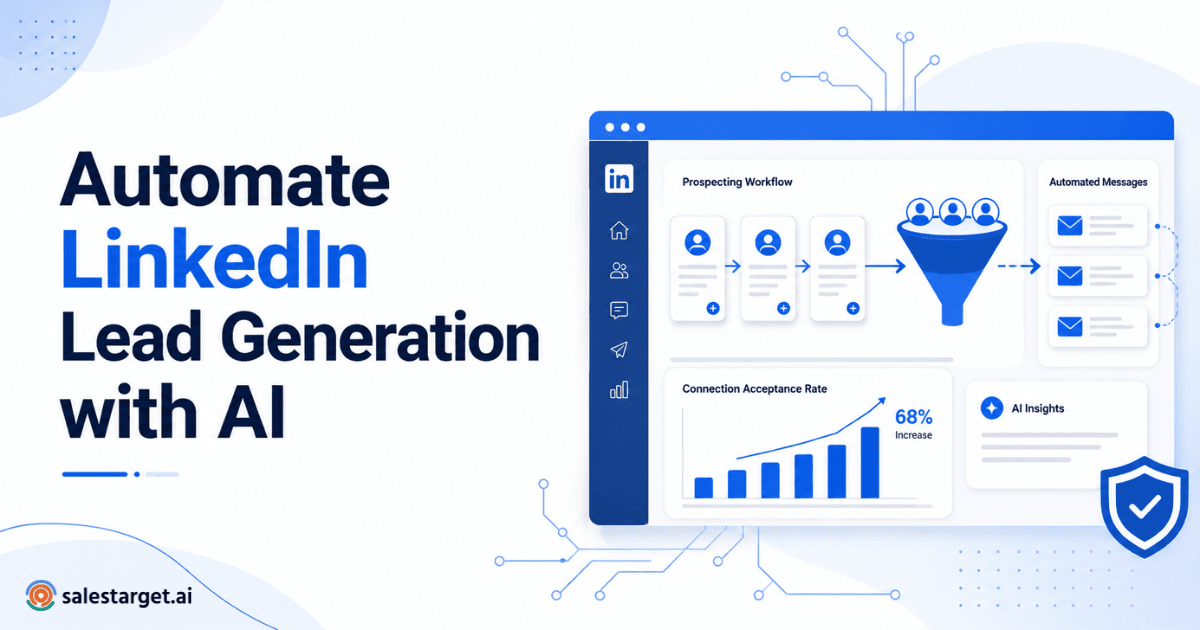
If you've spent any time running outbound campaigns, you already know that LinkedIn is where B2B deals start.The challenge isn't finding prospects — it's reaching them at scale without LinkedIn flagging your account. That's exactly where a reliable LinkedIn lead generation tool makes the difference between a pipeline full of qualified conversations and a restricted account gathering dust.
I've watched SDR teams burn through premium LinkedIn accounts because they treated automation like a volume game. Blast 100 connection requests before lunch, fire off copy-paste messages, and wonder why they're locked out by Wednesday. There's a smarter way to do this, and it starts with understanding what LinkedIn actually monitors — and how the right tooling keeps you in the clear.
Why LinkedIn Is Still the Best B2B Prospecting Channel ?
Over 900 million professionals use LinkedIn, and decision-makers across SaaS, financial services, healthcare, and professional services check their feeds daily. Unlike cold email, which battles spam filters and crowded inboxes, a LinkedIn message lands in a space where people expect professional conversations.
LinkedIn's own data confirms that 80% of B2B leads from social media originate on the platform. For SDRs and lead generation agencies, that makes it the single highest-intent channel available. The catch? LinkedIn actively protects its ecosystem, and any automation that feels spammy gets shut down fast.
That's worth respecting. Tools that leverage AI-powered LinkedIn personalization help your outreach feel native to the platform rather than disruptive. When done right, automation doesn't replace genuine engagement — it amplifies it.
Why Accounts Get Restricted on LinkedIn
LinkedIn's algorithms are built to detect behavior that doesn't match a normal human user. Understanding the triggers is half the battle.
Common Automation Mistakes
- Sending more than 80–100 connection requests per day
- Using identical message templates across hundreds of prospects
- Connecting and pitching in the same breath — no warm-up, no context
- Running automation tools 24/7 without any pause patterns
- Scraping profile data aggressively without viewing profiles naturally
LinkedIn Signals That Trigger Restrictions
LinkedIn looks at velocity, patterns, and engagement ratios. If you're sending 80 requests daily but only 10% accept, that's a red flag. If your activity spikes from 5 actions a day to 200 overnight, the system notices. According to LinkedIn's official Professional Community Policies, automated activity that disrupts the member experience violates the platform's User Agreement.
The platform also tracks your SSI (Social Selling Index). Accounts with higher SSI scores tend to get more leeway, while newer or low-engagement accounts face tighter scrutiny.
How a LinkedIn Lead Generation Tool Helps You Scale Safely
A well-built LinkedIn lead generation tool doesn't just automate — it replicates how a careful, experienced SDR would actually work the platform. Here's what that looks like in practice.
Smart Daily Limits
Safe LinkedIn automation starts with respecting daily thresholds. Most experienced practitioners keep connection requests between 20 and 50 per day, depending on account age and SSI score. A good tool enforces these caps automatically, so no one on your team accidentally trips a wire.
What daily connection limits are considered safe? For most accounts, 20–40 connection requests per day is the sweet spot. Newer accounts should stay closer to 15–20 daily while building credibility. Premium and Sales Navigator accounts may handle slightly higher volumes, but conservative limits consistently reduce restriction risk.
Human-like Behavior
The best tools introduce randomized delays between actions, vary the time between profile views and connection requests, and simulate natural browsing patterns. If your automation runs like clockwork — exactly 30 seconds between every action — LinkedIn's detection systems will notice.
Personalization
Generic outreach is dead. The tools worth using pull data from prospect profiles — job title, company, recent posts, mutual connections — and weave it into each message. This isn't about inserting {first_name} into a template. Real personalization references something specific that tells the prospect you actually looked at their profile.
Smart Scheduling
Timing matters more than most teams realize. Sending connection requests at 3 AM in your prospect's timezone is a dead giveaway. Tools with smart scheduling match your outreach to business hours across time zones, spreading activity naturally throughout the day.
Best Practices for Safe LinkedIn Automation
Is LinkedIn automation safe? Yes — when it mirrors genuine human behavior and respects the platform's usage boundaries. Unsafe automation ignores limits, skips personalization, and treats every prospect identically. Safe LinkedIn automation does the opposite.
Here's a practical workflow that works:
- Warm up your account. Start with 10–15 connection requests daily for the first two weeks. Gradually increase.
- Engage before you pitch. View profiles, like posts, and comment authentically before sending a request.
- Segment your audience. Don't blast one campaign to every vertical. Build targeted lists by role, industry, and company size.
- A/B test your messaging. Rotate between two or three message variants. Monitor acceptance and reply rates weekly.
- Pause on weekends. Most B2B decision-makers aren't active on LinkedIn over the weekend. Schedule accordingly.
Microsoft's LinkedIn business blog has consistently emphasized that the platform rewards authentic engagement. Building trust at scale is possible, but only with the right guardrails in place.
Observational Insight: Based on outbound campaign observations across SaaS sales teams, personalized connection requests combined with staggered sending schedules typically outperform generic outreach by a significant margin — often seeing 2–3x higher acceptance rates and noticeably better reply rates. This isn't published research, but a consistent pattern we've seen across hundreds of campaigns.
Manual LinkedIn Prospecting vs AI-Powered LinkedIn Lead Generation Tool
| Factor | Manual Process | AI Automation |
|---|---|---|
| Time | 3–4 hours/day | 15–30 min setup/day |
| Personalization | Limited at scale | Dynamic, profile-based |
| Daily Capacity | 20–30 requests | 30–80 requests based on account age |
| Risk | Low (if volume is low) | Low (with smart throttling) |
| Scalability | Very difficult | Easily scales across reps |
Features to Look for Before Choosing a LinkedIn Lead Generation Tool
What features should you look for in LinkedIn automation software? Prioritize tools offering adjustable daily limits, randomized delays, timezone-aware scheduling, CRM integrations, built-in personalization using profile data, multi-step campaign sequences, and real-time analytics. Compliance with LinkedIn's policies should be a non-negotiable baseline.
For teams evaluating platforms in depth, this guide walks through the most important criteria for B2B sales teams.
Also watch for tools that offer dedicated IP addresses, session management, and activity dashboards that show exactly what's happening on each account. Visibility is everything when you're running outreach across a team of SDRs.
LinkedIn outreach automation isn't about gaming the system — it's about working smarter within the boundaries LinkedIn sets. The teams that consistently fill their pipeline are the ones using a LinkedIn lead generation tool that prioritizes safety alongside scale.
If you're ready to move past manual prospecting and learn how to get started with AI-powered outreach, the right platform makes the transition seamless.
Use SalesTarget AI's human-like automation that respects LinkedIn limits.