How to Automate Your Sales Pipeline Without Coding
The easiest way to automate your sales pipeline without coding is to use an AI-powered no-code CRM that handles lead capture, stage progression, follow-ups, and reporting through visual workflow builders. Connect your lead sources, define trigger-based rules, and let the CRM move deals, send emails, and update records automatically — no developers needed.
If you've ever wondered how to automate my sales pipeline without coding, you're not alone. A 2024 McKinsey report found that sales reps spend nearly two-thirds of their time on non-selling tasks like data entry, follow-ups, and pipeline updates. That's the bottleneck quietly killing your revenue — and the good news is, you no longer need a developer to fix it.
In this guide, we'll break down exactly how non-technical sales teams, founders, and SDRs can build a fully automated sales pipeline using no-code CRM and AI sales pipeline tools. Let's dive in.
Why Manual Sales Pipelines Slow Down Growth
Manual pipelines feel productive — until you look at the numbers.
When SDRs manually log calls, sales managers chase status updates, and founders rebuild reports every Monday, the entire team operates in reactive mode. Deals slip through cracks. Follow-ups get forgotten. Forecasts become guesswork.
According to HubSpot's State of Sales report, companies that automate at least 30% of their sales process see significantly higher quota attainment than those that don't. Yet most B2B teams still rely on spreadsheets, sticky notes, or half-configured CRMs that require constant babysitting.
The root issue isn't effort — it's that manual work doesn't scale. Every new lead adds friction instead of velocity.
What Sales Pipeline Automation Actually Means
Sales pipeline automation is the use of software — typically an AI CRM — to handle repetitive tasks across your funnel without human input. This includes:
- Capturing leads from forms, ads, and emails
- Assigning leads to the right rep
- Moving deals through pipeline stages based on activity
- Triggering follow-up sequences
- Updating records and forecasts in real time
In short: the CRM does the busywork so your team can focus on selling.
Modern no-code CRM platforms make this accessible to anyone. You configure logic visually — "if a lead opens 3 emails, move to Hot" — instead of writing scripts.
Benefits of Automating Your Sales Pipeline Without Coding
Here's what teams typically gain when they shift to automated sales workflow systems:
- Faster response times. Auto-routed leads get contacted within minutes, not days.
- Higher conversion rates. Lead nurturing automation keeps prospects warm without manual effort.
- Cleaner data. No more "I forgot to update the CRM" — stages update themselves.
- Better forecasting. AI CRM software analyzes deal velocity and flags at-risk opportunities.
- More selling time. Reps reclaim hours each week previously lost to admin.
A Salesforce study found that high-performing sales teams are 2x more likely to use AI than underperformers — a gap that's widening every quarter.
Key Workflows Every Sales Team Should Automate
If you're starting from scratch, don't try to automate everything at once. Focus on these high-leverage workflows first:
1. Lead Capture and Routing
Pull leads from web forms, LinkedIn, and inbound emails directly into your CRM. Auto-assign by territory, deal size, or product interest.
2. Follow-Up Sequences
Trigger personalized emails based on lead behavior — opened, clicked, ghosted. Automate follow ups so no lead goes cold.
3. Stage Progression
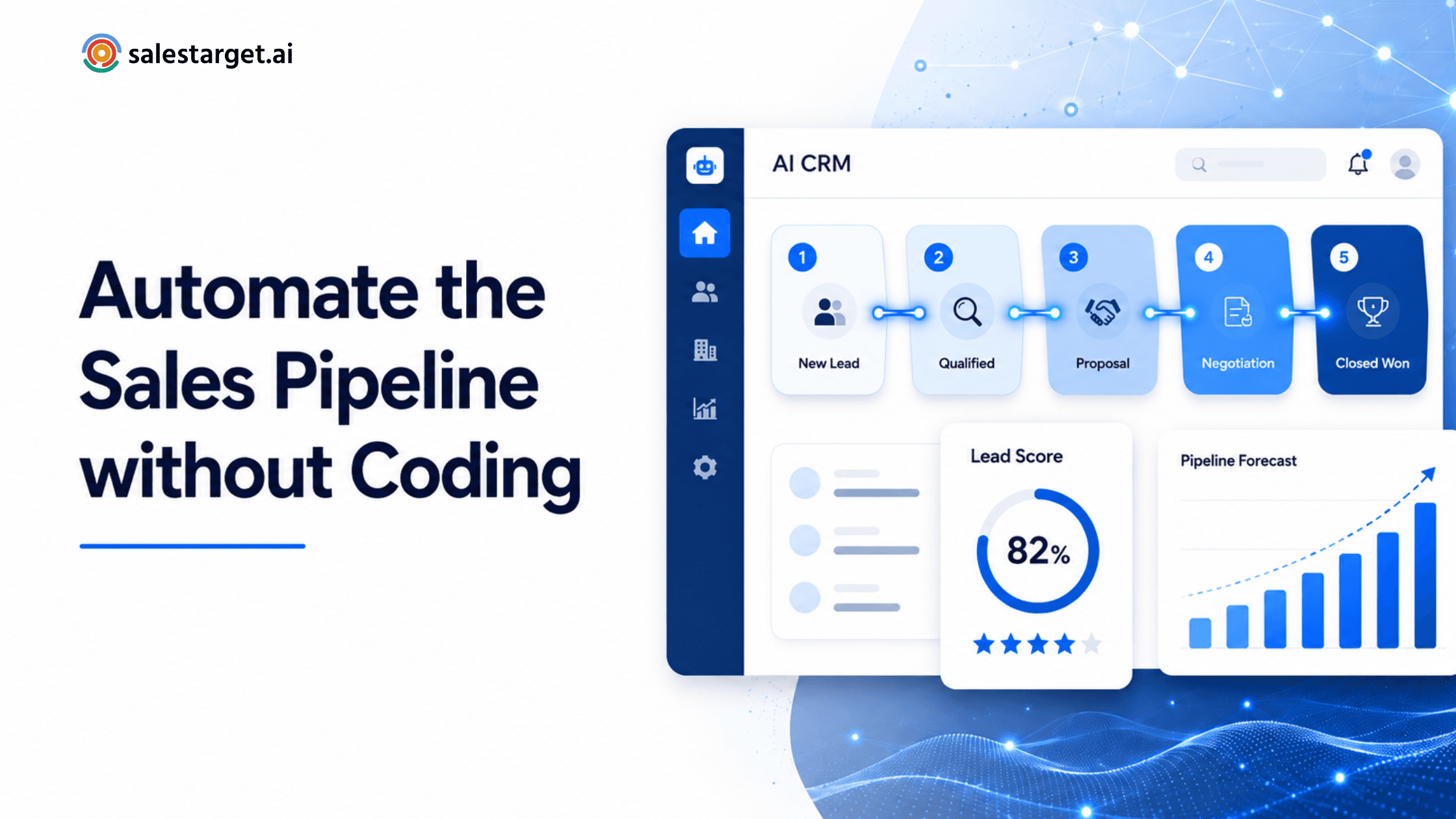
Move deals automatically when conditions are met (e.g., proposal sent → moves to "Negotiation").
4. Task Creation
Generate next-step tasks for reps when a deal stalls or a meeting ends.
5. Reporting
Push live pipeline data into dashboards so managers stop asking "what's the number?"
A CRM that automatically tracks sales targets eliminates the weekly forecasting scramble entirely.
How AI and No-Code CRM Tools Simplify Automation
The shift from "code-required" to "click-to-configure" happened in the last few years. Today's CRM automation tools combine three layers:
- Visual workflow builders — drag-and-drop logic with no scripts
- AI engines — for lead scoring, intent prediction, and email drafting
- Native integrations — Gmail, Slack, calendar, LinkedIn, payment tools
The result: an SDR can build the same automation in 20 minutes that used to require a 6-week developer project. Choosing the best AI CRM for sales teams usually comes down to how naturally these three layers work together.
Common Mistakes to Avoid
Even with no-code tools, teams stumble. Watch for these:
- Automating broken processes. If your funnel is messy manually, automation just creates mess faster. Fix the process first.
- Over-automating outreach. Robotic sequences with zero personalization tank reply rates.
- Ignoring data hygiene. Garbage in, garbage out — even AI can't fix dirty contact records.
- Skipping team training. A powerful CRM nobody uses is worse than a spreadsheet everyone updates.
- Forgetting to review. Set monthly check-ins to refine your workflows based on actual performance.
Step-by-Step Framework to Automate a Sales Pipeline
Here's a simple 6-step framework anyone can follow:
Step 1 — Map your current pipeline. Write down every stage from lead to closed-won, plus the tasks that happen at each one.
Step 2 — Identify repetitive tasks. Anything done more than 3 times a week is a candidate for automation.
Step 3 — Choose a no-code AI CRM. Look for visual builders, native AI scoring, and integration with your existing stack.
Step 4 — Connect your lead sources. Forms, ads, LinkedIn, email — funnel everything into one place using AI lead capture software.
Step 5 — Build trigger-based workflows. Start with one workflow (e.g., new lead → welcome email → assign rep → create task).
Step 6 — Measure and refine. Track conversion at each stage and adjust automations monthly.
How SalesTarget.ai Helps Automate the Entire Process
SalesTarget.ai is built specifically for B2B sales teams that want full pipeline automation without hiring developers. The platform combines:
- A visual no-code workflow builder
- AI-driven lead scoring and prioritization
- Automated follow-up sequences with personalization
- Real-time pipeline tracking against revenue targets
- One-click integrations with Gmail, LinkedIn, Slack, and calendars
Founders, SDRs, and sales managers can set up their first automated workflow in under 30 minutes — and scale from there.
Final Thoughts
Automating your sales pipeline isn't a "nice to have" anymore — it's how modern B2B teams stay competitive. The tools have caught up to the ambition. You don't need engineers, complex integrations, or a six-month rollout. You just need a clear process and the right no-code CRM to run it for you.
Start small. Automate one workflow. Then expand.